
Reseña de GoodBarber: Pros, Contras, Características y Precios
GoodBarber destaca por su interfaz fácil de usar y sus potentes opciones de personalización, lo que hace que el desarrollo de aplicaciones sea accesible para equipos de todos los tamaños.

Revisamos herramientas de forma independiente y las comisiones ayudan a financiar nuestras pruebas. Consulta nuestra política de transparencia, nuestra metodología o sugiere una herramienta.
GoodBarber is an app development software for teams that need to ship native iOS, Android, or Progressive Web Apps without writing code. It's a strong fit if you're building content-driven or ecommerce apps and want design output that looks intentional, not templated. I'd pick it over Appy Pie if visual control and PWA support are priorities—GoodBarber gives you more flexibility over the user interface experience without needing a developer to make it work.
GoodBarber Evaluation Summary
3.9/5
- From $30/month (billed annually)
- 30-day free trial
Por qué confiar en nuestras recomendaciones de software
6,700+
Reviews
20
Industry experts
16+
Evaluation factors
14
Years
Nuestro equipo lleva probando y evaluando software desde 2012. Como líderes tecnológicos, sabemos lo difícil —y lo importante— que es elegir el software adecuado.
Para esta guía, evaluamos las herramientas mediante pruebas prácticas e investigación independiente, puntuando las herramientas según nuestros criterios de selección.
Nuestras reseñas reflejan nuestro criterio editorial humano, no un discurso de ventas.
Revisores expertos:
- Paulo Gardini MiguelDirector técnico
 Tim FisherVP de IA
 Gabriel RosasTech Lead y arquitecto de software
 Christhian GruhnTech Lead y arquitecto de plataforma

GoodBarber Overview
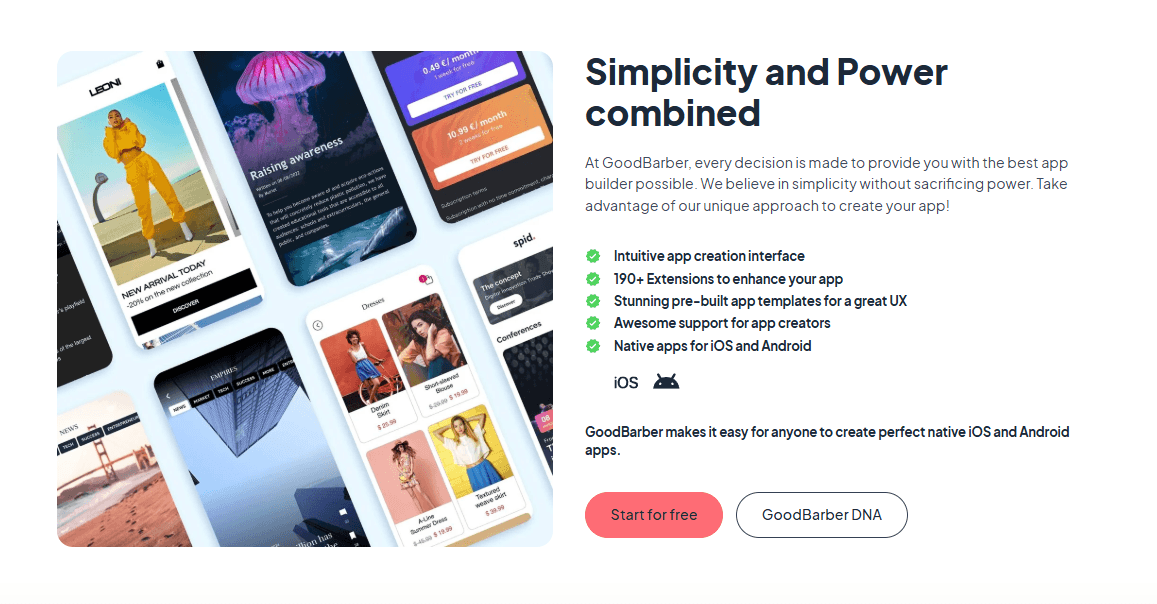
In my opinion, GoodBarber offers a solid app development experience, particularly for small businesses and creative agencies. Its standout features, like customizable design templates, make it appealing for those without extensive coding skills. The GoodBarber app has a great feature that allows you to preview designs. It also has robust e-commerce add-ons. Compared to competitors like Appy Pie, GoodBarber excels in ease of use but falls short in integration options. If your team prioritizes user-friendly design and quick setup, GoodBarber is worth considering. But if extensive features and deep integrations are crucial, you might want to explore other options.
Pros
- Create apps without coding skills using its intuitive interface.
- Customizable templates for design flexibility.
Cons
- Customer support response time may be slower than expected.
- Limited advanced features compared to other platforms.
- The onboarding process may feel a bit challenging for first-time users.
Is GoodBarber Right For Your Needs?
Who Would be a Good Fit for GoodBarber?
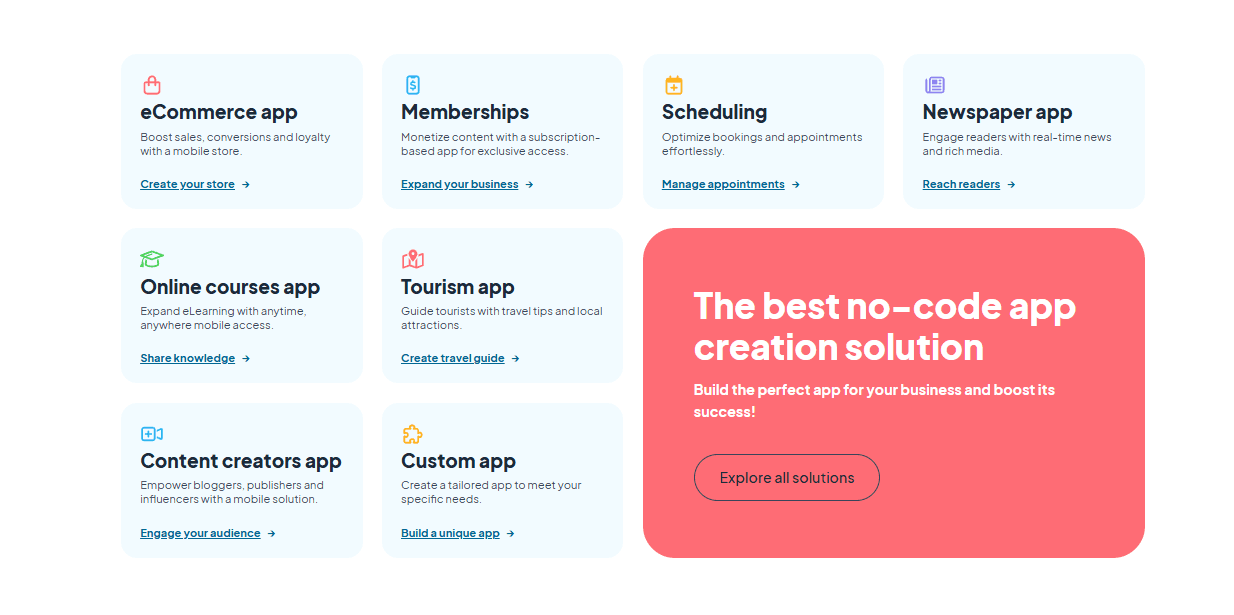
GoodBarber is a great choice for small to medium-sized businesses and creative agencies focused on rapid app deployment. If your team lacks extensive coding experience, you'll benefit from its user-friendly interface and customizable templates. It's ideal for marketing departments wanting to create engaging apps without waiting on IT. The ability to quickly launch apps is a significant advantage for startups eager to get their products to market.
- Small BusinessesYour small business can benefit from GoodBarber's easy-to-use tools to create apps without needing a tech team.
- Creative AgenciesCreative agencies can use GoodBarber's design flexibility to craft unique apps that reflect client branding.
- Marketing TeamsMarketing teams can launch promotional apps quickly, thanks to GoodBarber's simple app-building process.
- StartupsStartups can get their apps to market fast, using GoodBarber's no-code platform to save time and resources.
- Event PlannersEvent planners can create event-specific apps to enhance attendee engagement using GoodBarber's customizable features.
- Educational InstitutionsEducational institutions can develop educational apps to engage students with interactive content through GoodBarber's intuitive design tools.
Who Would be a Bad Fit for GoodBarber?
GoodBarber might not suit large enterprises or tech-heavy industries needing complex integrations and advanced features. If your team relies on deep customization and extensive third-party integrations, GoodBarber's limitations in these areas could hinder your projects. Companies with extensive IT resources looking for sophisticated app functionalities may find GoodBarber's capabilities too basic for their needs.
- Large EnterprisesLarge enterprises might struggle with GoodBarber's limited feature set and lack of advanced integration options.
- Tech CompaniesTech companies needing cutting-edge technology won't find the advanced features they require in GoodBarber.
- Finance SectorThe finance sector may find GoodBarber insufficient for handling complex data security and regulatory compliance needs.
- Healthcare ProvidersHealthcare providers needing secure, HIPAA-compliant solutions might find GoodBarber lacks the necessary security features.
- E-commerce GiantsE-commerce giants requiring sophisticated shopping features won't find the tools they need with GoodBarber.
- Research InstitutionsResearch institutions needing data-intensive applications may find GoodBarber's capabilities too limited for their projects.
Nuestra metodología de revisión
Cómo probamos y puntuamos las herramientas
Hemos invertido años construyendo, refinando y mejorando nuestro sistema de pruebas y puntuación de software. La rúbrica está diseñada para captar los matices de la selección de software y lo que hace a una herramienta efectiva, enfocándose en aspectos críticos del proceso de toma de decisiones.
A continuación, puedes ver exactamente cómo nuestro sistema de prueba y puntuación funciona a través de siete criterios. Esto nos permite ofrecer una evaluación imparcial del software basada en funcionalidad central, características destacadas, facilidad de uso, incorporación, soporte al cliente, integraciones, reseñas de clientes y relación calidad-precio.
Funcionalidad principal (25% de la puntuación final)
El punto de partida de nuestra evaluación siempre es la funcionalidad central de la herramienta. ¿Tiene las características y funciones básicas que un usuario esperaría encontrar? ¿Alguna de esas funciones principales está limitada a planes de precios superiores? Esperamos que una herramienta esté a la altura de las capacidades básicas de sus competidores.
Características destacadas (25% de la puntuación final)
Luego, evaluamos las características poco comunes y sobresalientes que van más allá de la funcionalidad principal que normalmente se encuentra en herramientas de su tipo. Una puntuación alta refleja características especializadas o únicas que hacen el producto más rápido, eficiente o que ofrecen valor adicional al usuario.
También evaluamos qué tan fácil es integrar con otras herramientas que normalmente forman parte del ecosistema tecnológico para expandir la funcionalidad y utilidad del software. Las herramientas que ofrecen abundantes integraciones nativas, conexiones de terceros y acceso API para crear integraciones personalizadas obtienen la mejor puntuación.
Facilidad de uso (10% de la puntuación final)
Consideramos cuán rápido y sencillo es ejecutar las tareas definidas por la funcionalidad principal usando la herramienta. El software con mejor puntuación está bien diseñado, es intuitivo, ofrece aplicaciones móviles, proporciona plantillas y hace que tareas relativamente complejas parezcan sencillas.
Incorporación (10% de la puntuación final)
Sabemos lo importante que es la adopción rápida por parte del equipo para una nueva plataforma, por lo que evaluamos cuán fácil es aprender y usar una herramienta con entrenamiento mínimo. Evaluamos cuán rápido un miembro del equipo puede configurarla y comenzar a utilizarla sin experiencia previa. Las soluciones con mayor puntuación requieren poco o ningún soporte.
Soporte al cliente (10% de la puntuación final)
Revisamos qué tan rápido y sencillo es resolver dudas y encontrar ayuda por teléfono, chat en vivo o base de conocimientos. Las herramientas y compañías que proporcionan soporte en tiempo real obtienen la mejor puntuación, mientras que los chatbots obtienen la peor.
Reseñas de clientes (10% de la puntuación final)
Además de nuestras pruebas y evaluaciones, consideramos la puntuación neta de promotores por parte de clientes actuales y anteriores. Revisamos la probabilidad de que elijan la herramienta de nuevo para la funcionalidad principal. Una puntuación alta refleja una alta puntuación neta de promotores actuales o pasados.
Relación calidad-precio (10% de la puntuación final)
Por último, considerando todos los demás criterios, revisamos el precio promedio de los planes de nivel básico comparado con las funciones principales y consideramos el valor de los demás criterios de evaluación. El software que ofrezca más, por menos, obtendrá una puntuación mayor.
Core Features
Drag-and-Drop Builder: You can create apps with ease using GoodBarber's intuitive drag-and-drop builder. This feature lets your team design app layouts without writing a single line of code.
Customizable Templates: GoodBarber provides a variety of templates that you can tailor to your brand's needs. These templates save you time and help maintain a consistent design across your apps.
Push Notifications: Keep your users engaged with real-time push notifications. You can send targeted messages directly to users' devices to boost interaction.
Content Management System: Manage your app's content effortlessly with GoodBarber's built-in CMS. This feature allows you to update and organize content without technical help.
Offline Mode: Your users can access content even when they're offline, thanks to GoodBarber's offline mode. This ensures continuous user engagement, regardless of internet connectivity.
App Previewer: Test your app before launching with the app previewer. This feature lets you see exactly how your app will function on different devices.
Ease of Use
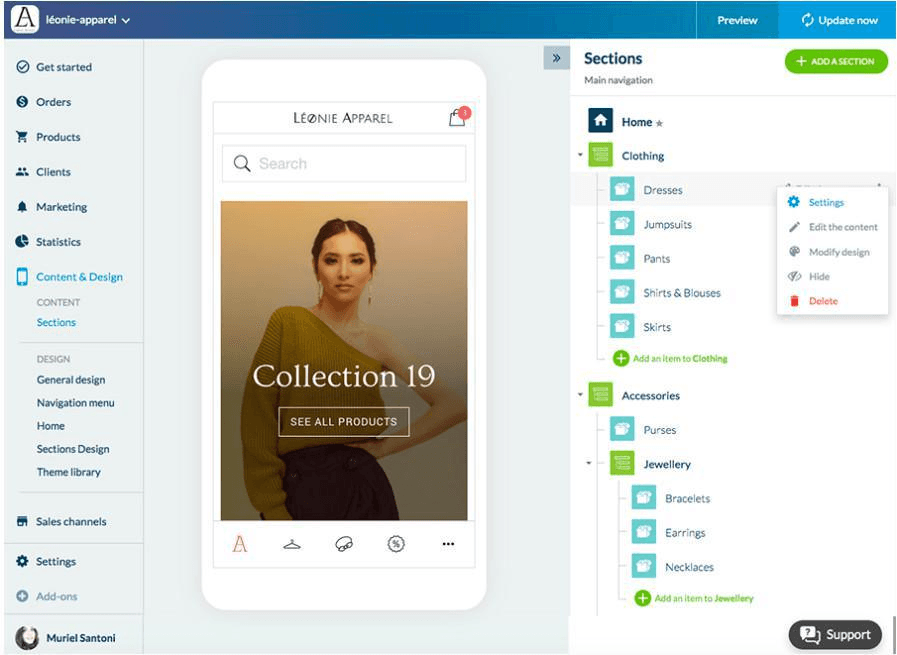
GoodBarber is relatively easy to use, especially for teams without coding expertise. Its drag-and-drop builder simplifies app creation, letting you design without technical barriers. However, some users note that the onboarding process could be smoother, which might slow down initial setup. Compared to other options, GoodBarber offers a straightforward interface, but your team might need time to fully grasp all its features. Overall, it's user-friendly but with room for improvement in getting started.
Integrations
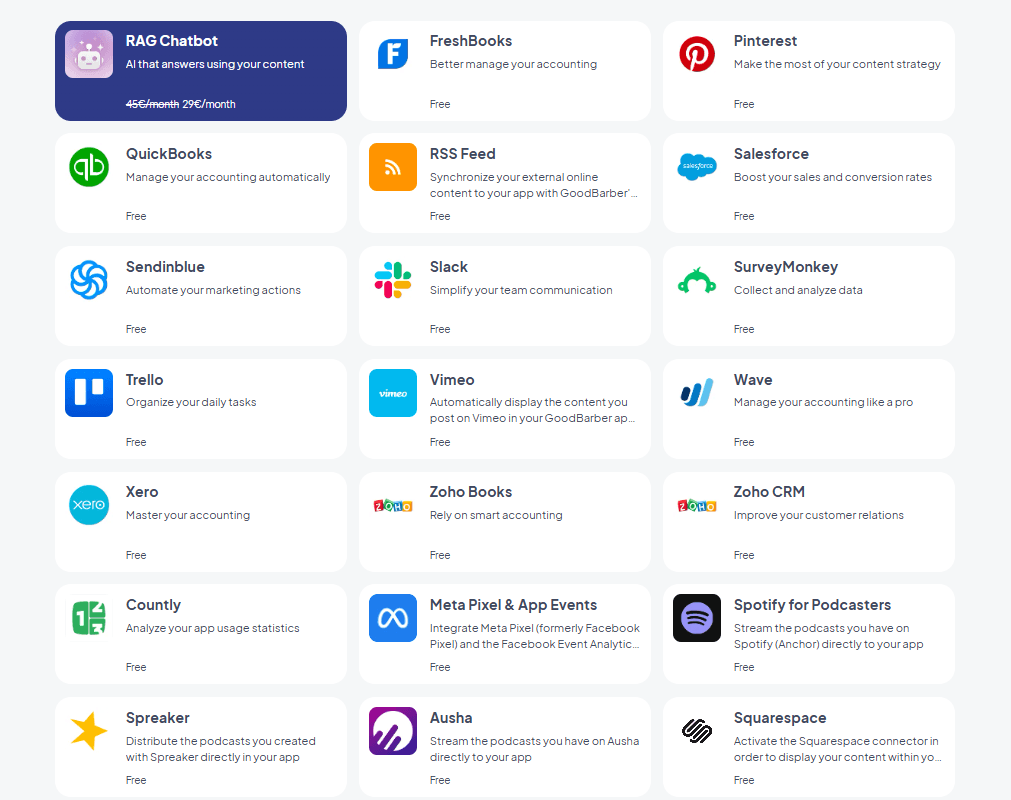
GoodBarber integrates with Vimeo, Dailymotion, Google Analytics, Facebook, Twitter, Instagram, Mailchimp, Microsoft Outlook, and Slack.
GoodBarber also offers an API and connects with third-party integration tools like Zapier and Make, enabling enhanced app functionality and workflow automation for more efficient operations.
GoodBarber Specs
- A/B Testing: No
- API: Yes
- External Integrations: Yes
- Multi-User: Yes
- Third-Party Plugins/Add-Ons: Yes


