
Reseña de GFI LanGuard: Ventajas, Desventajas, Características y Precios
GFI LanGuard destaca por su interfaz fácil de usar y la automatización, ofreciendo una ventaja competitiva en la evaluación de vulnerabilidades y la gestión de parches.

Revisamos herramientas de forma independiente y las comisiones ayudan a financiar nuestras pruebas. Consulta nuestra política de transparencia, nuestra metodología o sugiere una herramienta.
GFI LanGuard is a threat intelligence solution that combines network vulnerability scanning with patch management in a single agent-based tool. It's worth considering if your team needs to audit devices, identify missing patches, and track open ports across your network without managing multiple tools. I'd lean toward GFI LanGuard over something like Tenable Nessus if you're working in a mid-sized environment where you want built-in patch remediation alongside scanning—rather than paying separately for a standalone patch management layer on top of your vulnerability data.
GFI Languard Evaluation Summary
4/5
- Pricing upon request
- Free demo available
Por qué confiar en nuestras recomendaciones de software
6,700+
Reviews
20
Industry experts
16+
Evaluation factors
14
Years
Nuestro equipo lleva probando y evaluando software desde 2012. Como líderes tecnológicos, sabemos lo difícil —y lo importante— que es elegir el software adecuado.
Para esta guía, evaluamos las herramientas mediante pruebas prácticas e investigación independiente, puntuando las herramientas según nuestros criterios de selección.
Nuestras reseñas reflejan nuestro criterio editorial humano, no un discurso de ventas.
Revisores expertos:
- Paulo Gardini MiguelDirector técnico
 Tim FisherVP de IA
 Gabriel RosasTech Lead y arquitecto de software
 Christhian GruhnTech Lead y arquitecto de plataforma

GFI Languard Overview
In my opinion, GFI LanGuard is a strong fit for IT departments that need a reliable network security scanner and centralized vulnerability scanner for on-premises environments. It performs well in medium to large enterprises that manage hundreds of workstations and require automated patch deployment across Windows-heavy infrastructures. The SNMP-based discovery and agentless scanning add value, although integrations are narrower compared to platforms like Nessus or Tenable. If you want a solution that balances usability with operational depth, LanGuard remains a dependable choice.
Pros
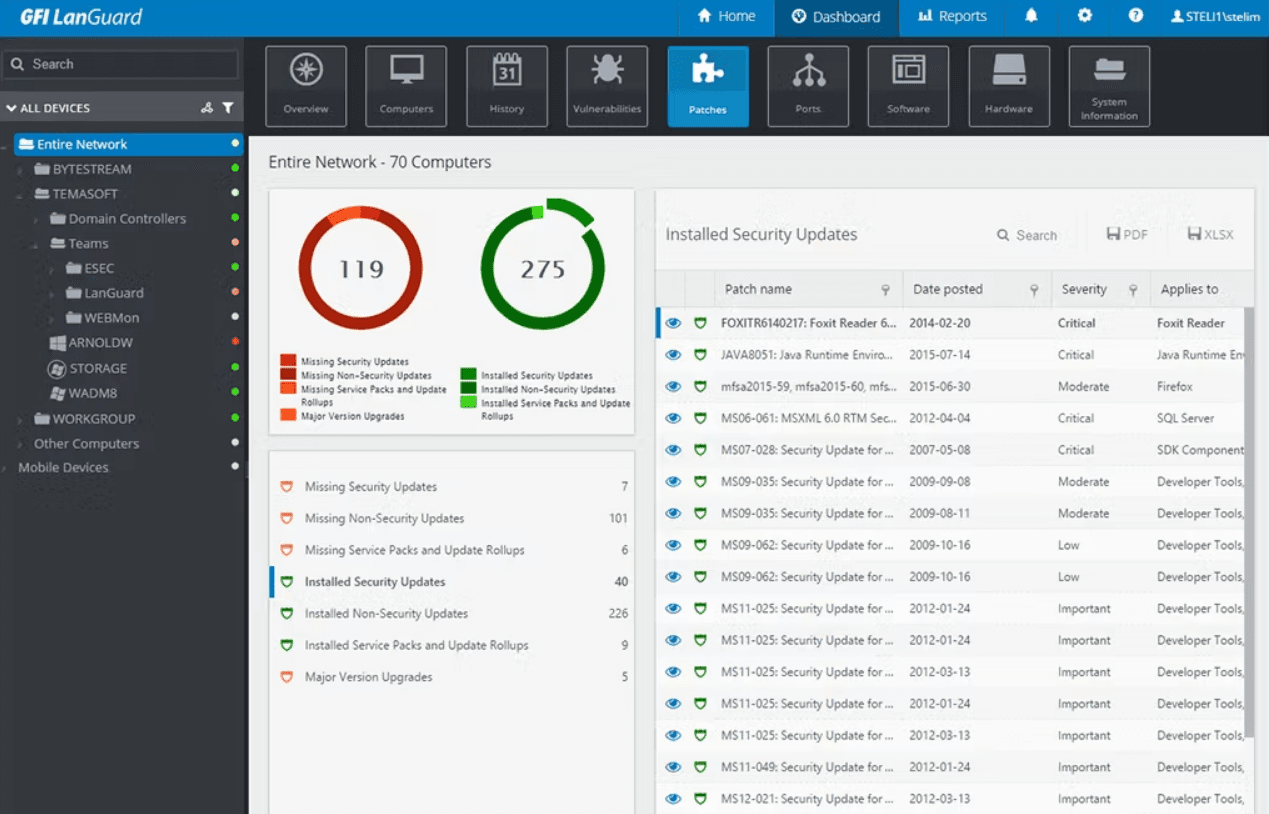
- Single-pane-of-glass dashboard for fast visibility into network vulnerabilities.
- Combines vulnerability assessment with automated patching for Microsoft
- Generates detailed, regulation-aligned compliance reports for audits
- Supports agentless deployment to ease rollout and and reduce overhead
Cons
- Agentless scanning can become CPU-heavy and network-intensive at scale
- Outdated and visually clunky UI compared to modern SaaS tools
- Provides weaker support and more manual setup requirements for Linux, macOS
- Limited customization options can restrict your team's flexibility.
Is GFI Languard Right For Your Needs?
Who Would be a Good Fit for GFI Languard?
GFI LanGuard is ideal for medium to large enterprises, especially in sectors like finance and healthcare, where security is paramount. Its automated patch management and detailed reporting are perfect for IT departments needing efficient vulnerability management. If your team requires a user-friendly interface and reliable security tools, GFI LanGuard can meet those needs effectively.
- Finance DepartmentsGFI LanGuard offers detailed reporting and automated patch management, which is crucial for security and compliance in financial operations. It helps organizations meet PCI DSS and HIPAA requirements by maintaining a centralized audit trail of vulnerabilities, severity scores, and patch activity across all devices.
- Healthcare OrganizationsIts vulnerability management ensures sensitive patient data remains protected, making it a strong choice for healthcare IT teams.
- Medium to Large EnterprisesIdeal for IT teams managing 100 to 1,500 Windows-based assets who need to consolidate vulnerability scanning and automated patching into a streamlined, non-SaaS solution.
- IT Security TeamsGFI LanGuard’s automated discovery and reporting features streamline proactive threat detection for IT teams. With agentless scanning and automated remediation, even small teams can maintain security across hundreds of endpoints without heavy manual intervention.
- Educational InstitutionsWith its ease of use, GFI LanGuard helps educational IT departments maintain secure networks without extensive resources.
- Government AgenciesIts robust security features align with the stringent security requirements of government IT infrastructures.
Who Would be a Bad Fit for GFI Languard?
GFI LanGuard offers detailed reporting and automated patch management, which is crucial for security and compliance in financial operations. It helps organizations meet PCI DSS and HIPAA requirements by maintaining a centralized audit trail of vulnerabilities, severity scores, and patch activity across all devices.
- Small StartupsThe per-IP licensing model and the requirement for a dedicated server to run the scan engine make the cost and resource demands disproportionately high for very small businesses.
- Creative AgenciesGFI LanGuard's focus on security may not align with the flexible, creative workflows of design and marketing teams.
- Retail ChainsThe software's limited customization might not suit retail chains needing tailored security solutions for diverse locations. Retails orgs with highly heterogeneous networks (e.g., large Linux server farms or complex multi-cloud infrastructure) will find GFI LanGuard's scanning scope and patching capabilities restrictive.
- Non-Tech DepartmentsFor teams without dedicated IT support, GFI LanGuard's features may seem overwhelming and unnecessary.
- FreelancersThe tool's extensive security features and costs don't align with the needs of individual freelancers managing smaller operations.
- Non-Profit OrganizationsWith tight budgets, non-profits might find GFI LanGuard's pricing and complexity unsuitable for their operations.
Nuestra metodología de revisión
Cómo probamos y puntuamos las herramientas
Hemos invertido años construyendo, refinando y mejorando nuestro sistema de pruebas y puntuación de software. La rúbrica está diseñada para captar los matices de la selección de software y lo que hace a una herramienta efectiva, enfocándose en aspectos críticos del proceso de toma de decisiones.
A continuación, puedes ver exactamente cómo nuestro sistema de prueba y puntuación funciona a través de siete criterios. Esto nos permite ofrecer una evaluación imparcial del software basada en funcionalidad central, características destacadas, facilidad de uso, incorporación, soporte al cliente, integraciones, reseñas de clientes y relación calidad-precio.
Funcionalidad principal (25% de la puntuación final)
El punto de partida de nuestra evaluación siempre es la funcionalidad central de la herramienta. ¿Tiene las características y funciones básicas que un usuario esperaría encontrar? ¿Alguna de esas funciones principales está limitada a planes de precios superiores? Esperamos que una herramienta esté a la altura de las capacidades básicas de sus competidores.
Características destacadas (25% de la puntuación final)
Luego, evaluamos las características poco comunes y sobresalientes que van más allá de la funcionalidad principal que normalmente se encuentra en herramientas de su tipo. Una puntuación alta refleja características especializadas o únicas que hacen el producto más rápido, eficiente o que ofrecen valor adicional al usuario.
También evaluamos qué tan fácil es integrar con otras herramientas que normalmente forman parte del ecosistema tecnológico para expandir la funcionalidad y utilidad del software. Las herramientas que ofrecen abundantes integraciones nativas, conexiones de terceros y acceso API para crear integraciones personalizadas obtienen la mejor puntuación.
Facilidad de uso (10% de la puntuación final)
Consideramos cuán rápido y sencillo es ejecutar las tareas definidas por la funcionalidad principal usando la herramienta. El software con mejor puntuación está bien diseñado, es intuitivo, ofrece aplicaciones móviles, proporciona plantillas y hace que tareas relativamente complejas parezcan sencillas.
Incorporación (10% de la puntuación final)
Sabemos lo importante que es la adopción rápida por parte del equipo para una nueva plataforma, por lo que evaluamos cuán fácil es aprender y usar una herramienta con entrenamiento mínimo. Evaluamos cuán rápido un miembro del equipo puede configurarla y comenzar a utilizarla sin experiencia previa. Las soluciones con mayor puntuación requieren poco o ningún soporte.
Soporte al cliente (10% de la puntuación final)
Revisamos qué tan rápido y sencillo es resolver dudas y encontrar ayuda por teléfono, chat en vivo o base de conocimientos. Las herramientas y compañías que proporcionan soporte en tiempo real obtienen la mejor puntuación, mientras que los chatbots obtienen la peor.
Reseñas de clientes (10% de la puntuación final)
Además de nuestras pruebas y evaluaciones, consideramos la puntuación neta de promotores por parte de clientes actuales y anteriores. Revisamos la probabilidad de que elijan la herramienta de nuevo para la funcionalidad principal. Una puntuación alta refleja una alta puntuación neta de promotores actuales o pasados.
Relación calidad-precio (10% de la puntuación final)
Por último, considerando todos los demás criterios, revisamos el precio promedio de los planes de nivel básico comparado con las funciones principales y consideramos el valor de los demás criterios de evaluación. El software que ofrezca más, por menos, obtendrá una puntuación mayor.
Core Features
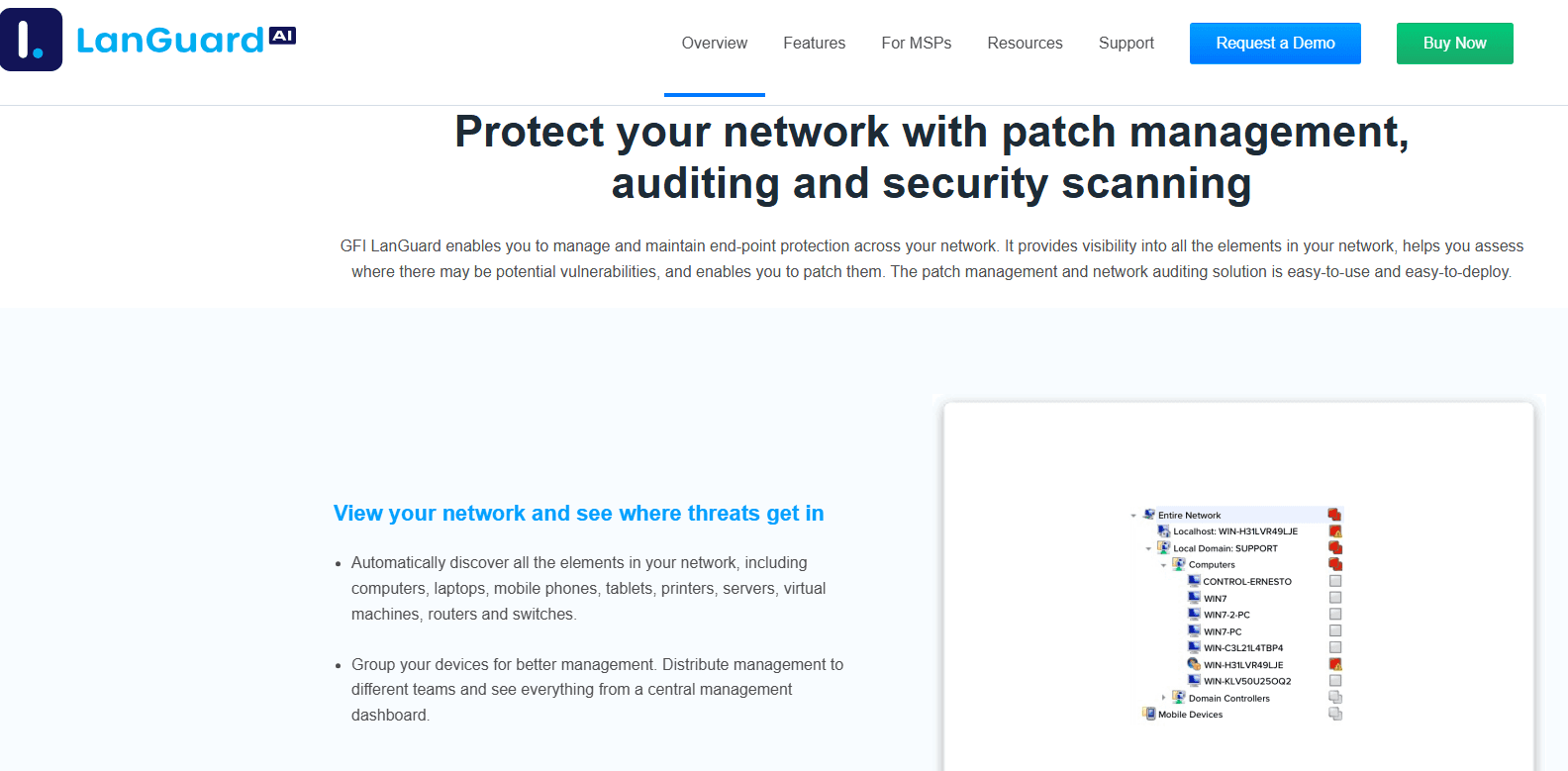
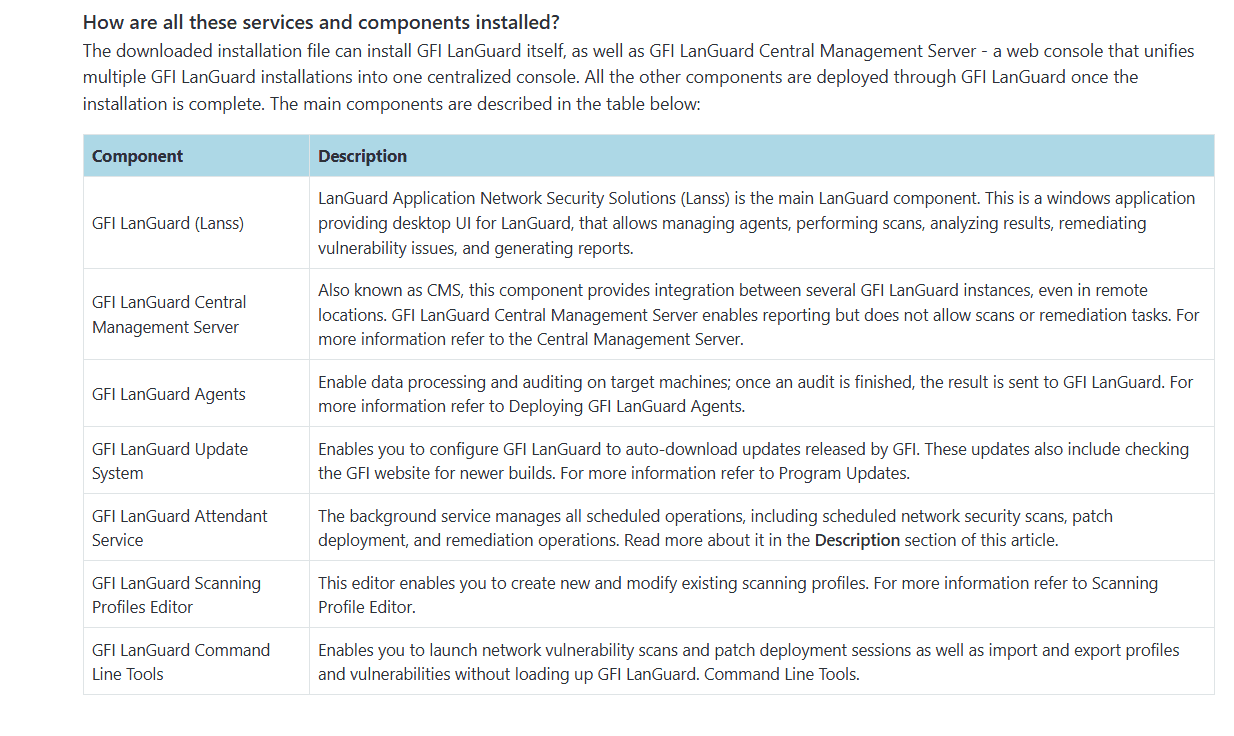
Vulnerability Scanning: Scans the network using agentless technology to identify security configuration weaknesses, missing patches, and known vulnerabilities on hosts and network devices.
Patch Management: Automate patching for Microsoft operating systems and over 60 major third-party applications (e.g., Adobe, Java, browsers) from a single console.
Network Device Security: Monitor and secure all devices connected to your network, ensuring comprehensive coverage. This feature helps you manage and secure the growing number of devices in your environment.
Inventory Assessment: Provides a detailed, always-up-to-date inventory of all installed hardware, software, and running services on the network. Crucial for license management and risk assessment.
Compliance Reporting: Generate detailed reports to ensure your organization meets industry-specific compliance standards. These reports simplify audits and help you maintain regulatory compliance.
Security Alerts: Provides real-time alerts integrated with current vulnerability databases (CVEs) and prioritizes remediation based on the detected severity and exploitability.
Ease of Use
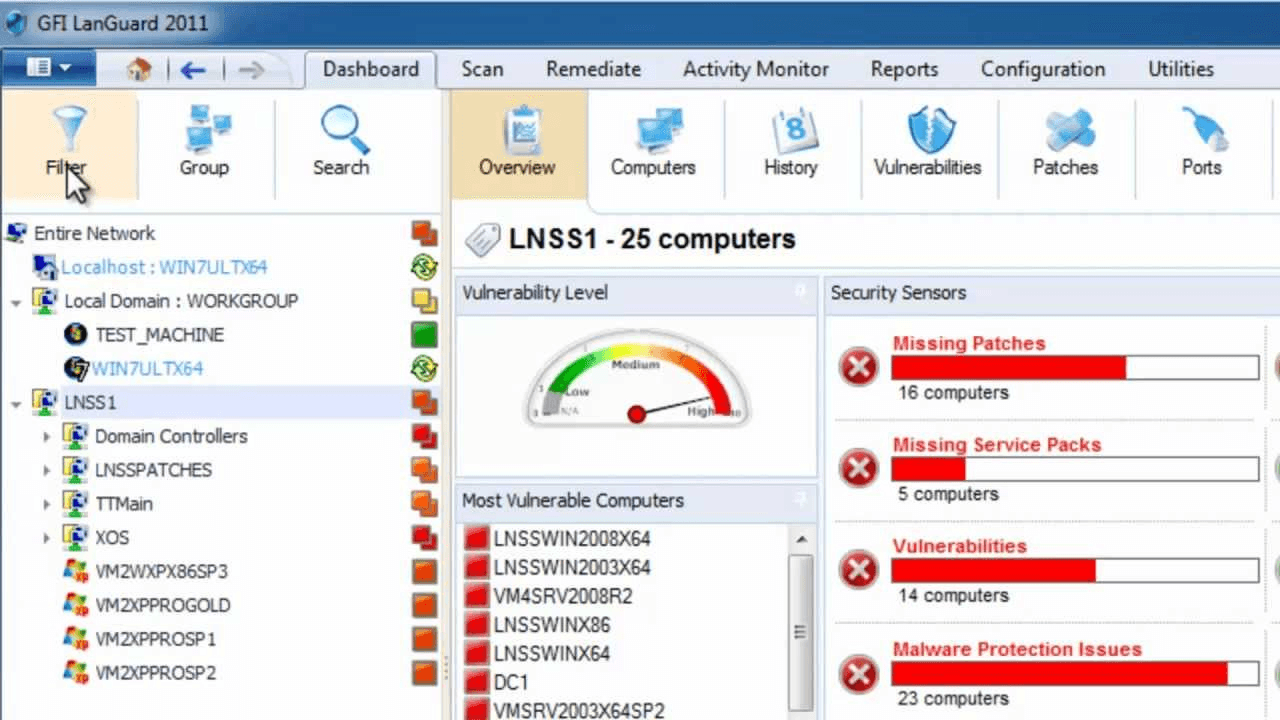
GFI LanGuard is rated highly for its ease of administration and deployment, with a centralized dashboard that provides a clear view of network status and patch compliance. However, many users note that the interface feels outdated and cumbersome compared to modern SaaS tools. As a result, while initial deployment is simple, interpreting and customizing complex compliance reports often requires significant manual effort.
Integrations
GFI LanGuard integrates with antivirus applications, anti-spyware tools, firewalls, patch management systems, vulnerability assessment solutions, and network monitoring tools.
GFI LanGuard also provides an API for custom integrations and connects with third-party integration tools.
GFI Languard Specs
- A/B Testing: No
- API: Yes
- Automated Testing: No
- Browser Compatibility Testing: No
- Bug Tracking: No
- Calendar Management: No
- CI/CD Integration: No
- Dashboard: Yes
- Data Export: Yes
- Data Import: Yes
- Data Visualization: Yes
- Developer Tools: No
- External Integrations: Yes
- History/Version Control: No
- Manual Testing: No
- Multi-User: Yes
- Notifications: Yes
- Performance Testing: No
- Regression Testing: No
- Scheduling: Yes
- Status Notifications: Yes
- Third-Party Plugins/Add-Ons: Yes


