
Reseña de Dynatrace 2026: Ventajas, Desventajas, Funciones y Precios
Dynatrace destaca por sus conocimientos impulsados por IA y su automatización, lo que lo hace ideal para entornos complejos, aunque sus funciones avanzadas pueden ser excesivas para equipos pequeños.

Revisamos herramientas de forma independiente y las comisiones ayudan a financiar nuestras pruebas. Consulta nuestra política de transparencia, nuestra metodología o sugiere una herramienta.
Dynatrace is an application monitoring software built for teams managing complex cloud-native, hybrid, or on-premises environments. It's worth considering when your infrastructure has grown to the point where manual root cause analysis is slowing incident response. Compared to Datadog, Dynatrace's AI engine (Davis AI) automatically pinpoints root causes rather than just surfacing metrics, which means your team spends less time triaging alerts and more time resolving actual issues.
Dynatrace Evaluation Summary
4.5/5
- From $4.50/1000 sessions
- Free demo available
Por qué confiar en nuestras recomendaciones de software
6,700+
Reviews
20
Industry experts
16+
Evaluation factors
14
Years
Nuestro equipo lleva probando y evaluando software desde 2012. Como líderes tecnológicos, sabemos lo difícil —y lo importante— que es elegir el software adecuado.
Para esta guía, evaluamos las herramientas mediante pruebas prácticas e investigación independiente, puntuando las herramientas según nuestros criterios de selección.
Nuestras reseñas reflejan nuestro criterio editorial humano, no un discurso de ventas.
Revisores expertos:
- Paulo Gardini MiguelDirector técnico
 Tim FisherVP de IA
 Gabriel RosasTech Lead y arquitecto de software
 Christhian GruhnTech Lead y arquitecto de plataforma

Dynatrace Overview
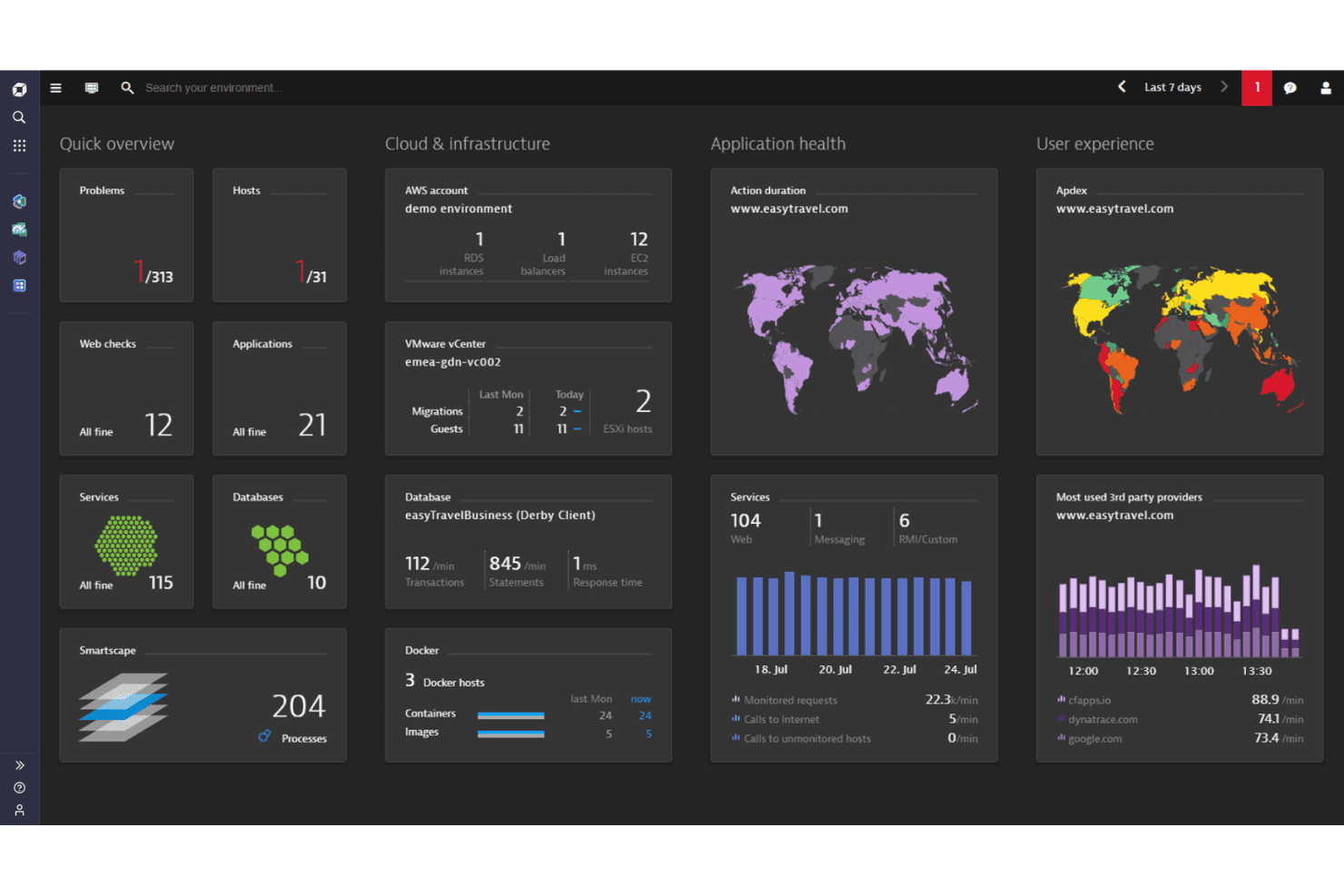
When judging Dynatrace against other performance monitoring tools, its AI-driven root cause analysis, automated discovery, and unified dashboard set it apart for large, dynamic environments. The interface is intuitive, and integrations cover most enterprise needs, though pricing can be higher than some alternatives.
Onboarding is straightforward for experienced teams, but the depth of features may overwhelm smaller organizations. Support is responsive, and documentation is thorough. If you’re selecting a tool for cloud-native, hybrid, or microservices-heavy systems, Dynatrace’s automation and analytics make it a top contender.
Pros
- Automated discovery and mapping simplify monitoring complex environments.
- Full-stack observability covers infrastructure, apps, and user experience.
- AI-driven root cause analysis accelerates incident resolution.
Cons
- Feature depth may overwhelm smaller or less mature teams.
- Serverless and multi-cloud visibility lags behind some competitors.
- Pricing can escalate quickly with high data ingestion.
Is Dynatrace Right For Your Needs?
Who Would be a Good Fit for Dynatrace?
Dynatrace is best suited for organizations with complex, distributed systems that demand deep observability and automated root cause analysis. Its AI-driven analytics, full-stack monitoring, and automated discovery make it a strong choice for large enterprises, cloud-native teams, and regulated industries where uptime and compliance are critical.
Teams with dedicated IT operations or DevOps functions will benefit from Dynatrace’s granular insights and real-time dashboards, especially when managing hybrid or multi-cloud environments.
- Cloud-Native StartupsKubernetes and microservices support enables rapid scaling and troubleshooting.
- Healthcare ITGranular monitoring and security features support HIPAA and uptime needs.
- E-commerce PlatformsReal-user monitoring and performance analytics help optimize customer experience.
- DevOps TeamsAutomated deployment monitoring and AI-powered alerts fit continuous delivery pipelines.
- Financial ServicesIts end-to-end transaction tracing supports compliance and high-availability requirements.
- Large EnterprisesDynatrace scales to monitor thousands of hosts and services across global operations.
Who Would be a Bad Fit for Dynatrace?
Dynatrace may not be ideal for smaller organizations, teams with limited IT resources, or those with simple infrastructure needs. Its advanced features and pricing model can be excessive for basic monitoring, and the platform’s depth may overwhelm teams without dedicated monitoring expertise. Organizations with highly specialized legacy systems or minimal cloud adoption may also find limited value.
- FreelancersSolo operators rarely need enterprise-grade observability or automation.
- Education SectorBudget constraints and simple infrastructure needs make lighter tools preferable.
- Legacy-Only EnvironmentsLimited support for outdated systems reduces monitoring effectiveness.
- Basic Website HostingSimple uptime and response monitoring needs don’t justify Dynatrace’s capabilities.
- Non-Technical DepartmentsBusiness units without IT expertise may struggle with the platform’s complexity.
- Small BusinessesThe cost and feature set exceed what most small teams require.
Nuestra metodología de revisión
Cómo probamos y puntuamos las herramientas
Hemos invertido años construyendo, refinando y mejorando nuestro sistema de pruebas y puntuación de software. La rúbrica está diseñada para captar los matices de la selección de software y lo que hace a una herramienta efectiva, enfocándose en aspectos críticos del proceso de toma de decisiones.
A continuación, puedes ver exactamente cómo nuestro sistema de prueba y puntuación funciona a través de siete criterios. Esto nos permite ofrecer una evaluación imparcial del software basada en funcionalidad central, características destacadas, facilidad de uso, incorporación, soporte al cliente, integraciones, reseñas de clientes y relación calidad-precio.
Funcionalidad principal (25% de la puntuación final)
El punto de partida de nuestra evaluación siempre es la funcionalidad central de la herramienta. ¿Tiene las características y funciones básicas que un usuario esperaría encontrar? ¿Alguna de esas funciones principales está limitada a planes de precios superiores? Esperamos que una herramienta esté a la altura de las capacidades básicas de sus competidores.
Características destacadas (25% de la puntuación final)
Luego, evaluamos las características poco comunes y sobresalientes que van más allá de la funcionalidad principal que normalmente se encuentra en herramientas de su tipo. Una puntuación alta refleja características especializadas o únicas que hacen el producto más rápido, eficiente o que ofrecen valor adicional al usuario.
También evaluamos qué tan fácil es integrar con otras herramientas que normalmente forman parte del ecosistema tecnológico para expandir la funcionalidad y utilidad del software. Las herramientas que ofrecen abundantes integraciones nativas, conexiones de terceros y acceso API para crear integraciones personalizadas obtienen la mejor puntuación.
Facilidad de uso (10% de la puntuación final)
Consideramos cuán rápido y sencillo es ejecutar las tareas definidas por la funcionalidad principal usando la herramienta. El software con mejor puntuación está bien diseñado, es intuitivo, ofrece aplicaciones móviles, proporciona plantillas y hace que tareas relativamente complejas parezcan sencillas.
Incorporación (10% de la puntuación final)
Sabemos lo importante que es la adopción rápida por parte del equipo para una nueva plataforma, por lo que evaluamos cuán fácil es aprender y usar una herramienta con entrenamiento mínimo. Evaluamos cuán rápido un miembro del equipo puede configurarla y comenzar a utilizarla sin experiencia previa. Las soluciones con mayor puntuación requieren poco o ningún soporte.
Soporte al cliente (10% de la puntuación final)
Revisamos qué tan rápido y sencillo es resolver dudas y encontrar ayuda por teléfono, chat en vivo o base de conocimientos. Las herramientas y compañías que proporcionan soporte en tiempo real obtienen la mejor puntuación, mientras que los chatbots obtienen la peor.
Reseñas de clientes (10% de la puntuación final)
Además de nuestras pruebas y evaluaciones, consideramos la puntuación neta de promotores por parte de clientes actuales y anteriores. Revisamos la probabilidad de que elijan la herramienta de nuevo para la funcionalidad principal. Una puntuación alta refleja una alta puntuación neta de promotores actuales o pasados.
Relación calidad-precio (10% de la puntuación final)
Por último, considerando todos los demás criterios, revisamos el precio promedio de los planes de nivel básico comparado con las funciones principales y consideramos el valor de los demás criterios de evaluación. El software que ofrezca más, por menos, obtendrá una puntuación mayor.
Core Features
AI-Powered Root Cause Analysis
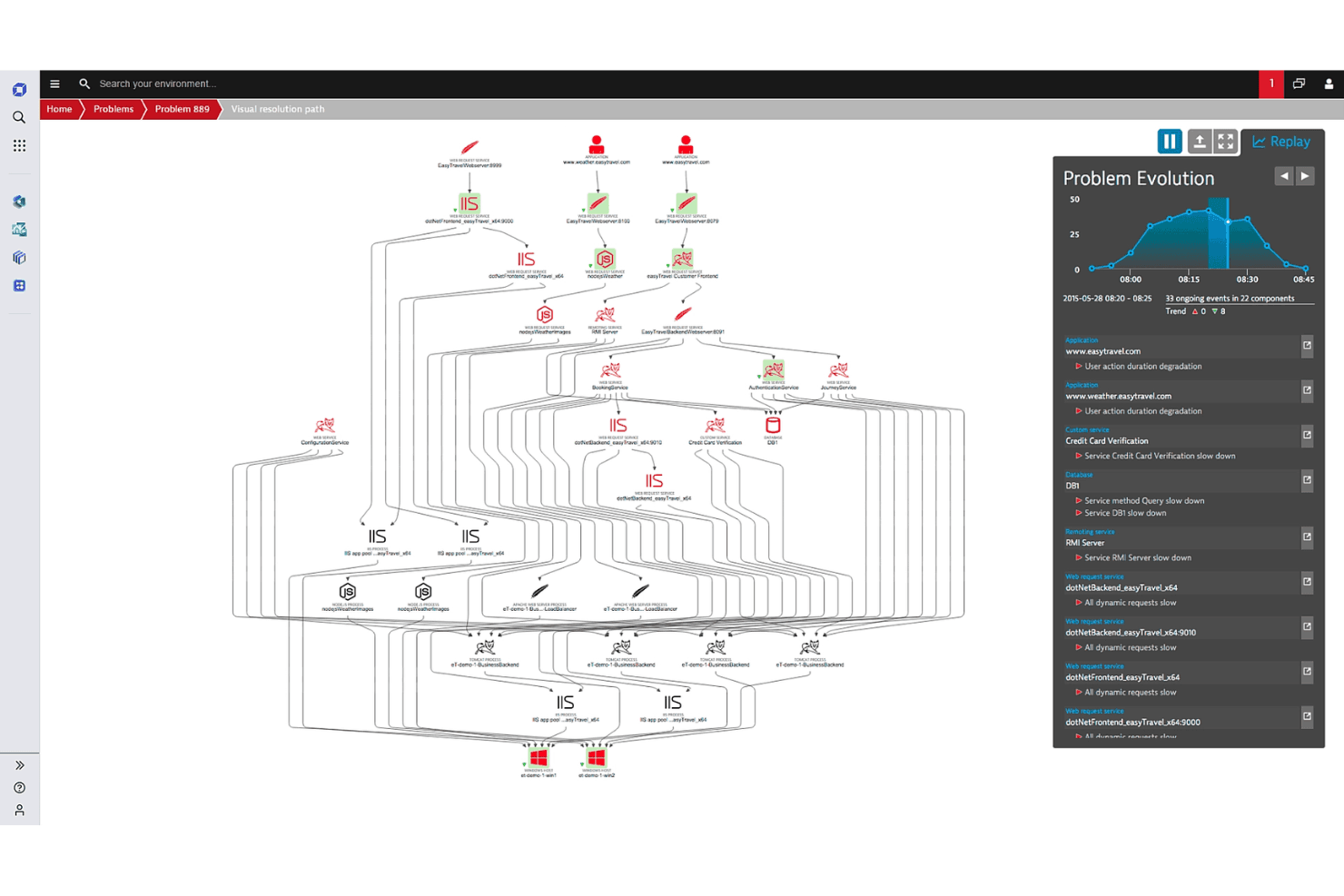
Dynatrace uses AI to automatically pinpoint the source of incidents, reducing manual troubleshooting and speeding up resolution.
Full-Stack Observability
Monitor infrastructure, applications, networks, and user experience in one unified platform for complete visibility.
Automated Discovery and Topology Mapping
Smartscape technology maps all dependencies and relationships in real time, helping teams understand complex environments instantly.
Real User Monitoring (RUM)
Track actual user sessions and behaviors to identify performance bottlenecks and optimize digital experiences.
Log Analytics
Ingest and analyze logs at scale with schema-on-read storage, enabling fast searches and contextual insights across all data.
OneAgent Deployment
A single agent collects metrics, traces, and logs across the entire stack, simplifying installation and ongoing management.
Ease of Use
Dynatrace offers a clean, intuitive interface that makes navigating complex environments straightforward, especially for experienced IT teams. Users often highlight the clarity of dashboards and the ease of deploying OneAgent across diverse systems. Automated discovery and AI-driven insights reduce manual setup and ongoing maintenance.
However, the platform’s depth and advanced features can feel overwhelming for smaller teams or those new to observability, making onboarding smoother for organizations with dedicated monitoring expertise.
Integrations
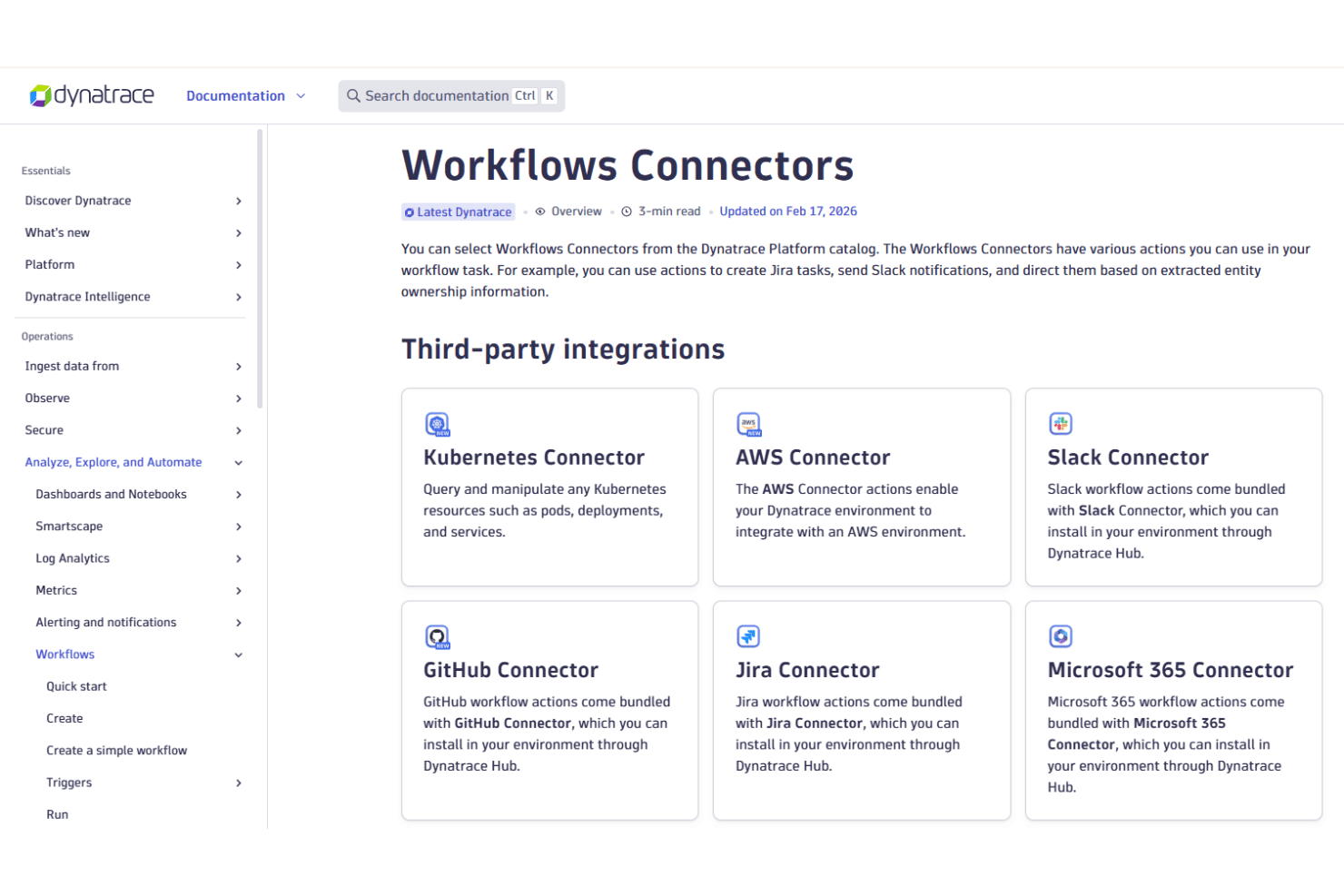
Dynatrace integrates with AWS, Azure, Google Cloud, Kubernetes, Slack, Jira, GitHub, Microsoft 365, PagerDuty, and VMware vROps, among others.
Dynatrace also offers a robust API and supports connections with third-party integration tools for custom workflows and automation.
Dynatrace Specs
- AI Integration: Yes
- API: Yes
- Automated Testing: No
- Browser Compatibility Testing: No
- Bug Tracking: No
- Code Review: No
- Custom Reports: Yes
- Data Export: Yes
- Data Import: Yes
- Developer Tools: Yes
- External Integrations: Yes
- Malware Protection: No
- Multi-User: Yes
- Notifications: Yes
- Performance Testing: Yes
- Process Reporting: Yes
- Static Analysis: No
- Status Notifications: Yes
- Workflow Management: No


