

Reseña de SureMDM 2026: Ventajas, desventajas, características y precios
I judge SureMDM by how well it can bring order to a mixed-device fleet—not just by its feature list. This review weighs its strengths, trade-offs, and pricing to help you decide if it fits.

Revisamos herramientas de forma independiente y las comisiones ayudan a financiar nuestras pruebas. Consulta nuestra política de transparencia, nuestra metodología o sugiere una herramienta.
SureMDM is MDM software from 42Gears for managing and securing devices across platforms. I’d consider it when your team needs one console for a mixed fleet, including mobile devices, computers, kiosks, wearables, or IoT endpoints. SureMDM is a stronger fit than Microsoft Intune when your fleet also includes ChromeOS, Wear OS, VR, or IoT devices, which SureMDM lists among its supported platforms.
SureMDM Evaluation Summary
4.8/5
- From $3.99/device/month (billed annually)
- 30-day free trial
Por qué confiar en nuestras recomendaciones de software
6,700+
Reviews
20
Industry experts
16+
Evaluation factors
14
Years
Nuestro equipo lleva probando y evaluando software desde 2012. Como líderes tecnológicos, sabemos lo difícil —y lo importante— que es elegir el software adecuado.
Para esta guía, evaluamos las herramientas mediante pruebas prácticas e investigación independiente, puntuando las herramientas según nuestros criterios de selección.
Nuestras reseñas reflejan nuestro criterio editorial humano, no un discurso de ventas.
Revisores expertos:
- Paulo Gardini MiguelDirector técnico
 Tim FisherVP de IA
 Gabriel RosasTech Lead y arquitecto de software
 Christhian GruhnTech Lead y arquitecto de plataforma

SureMDM Overview
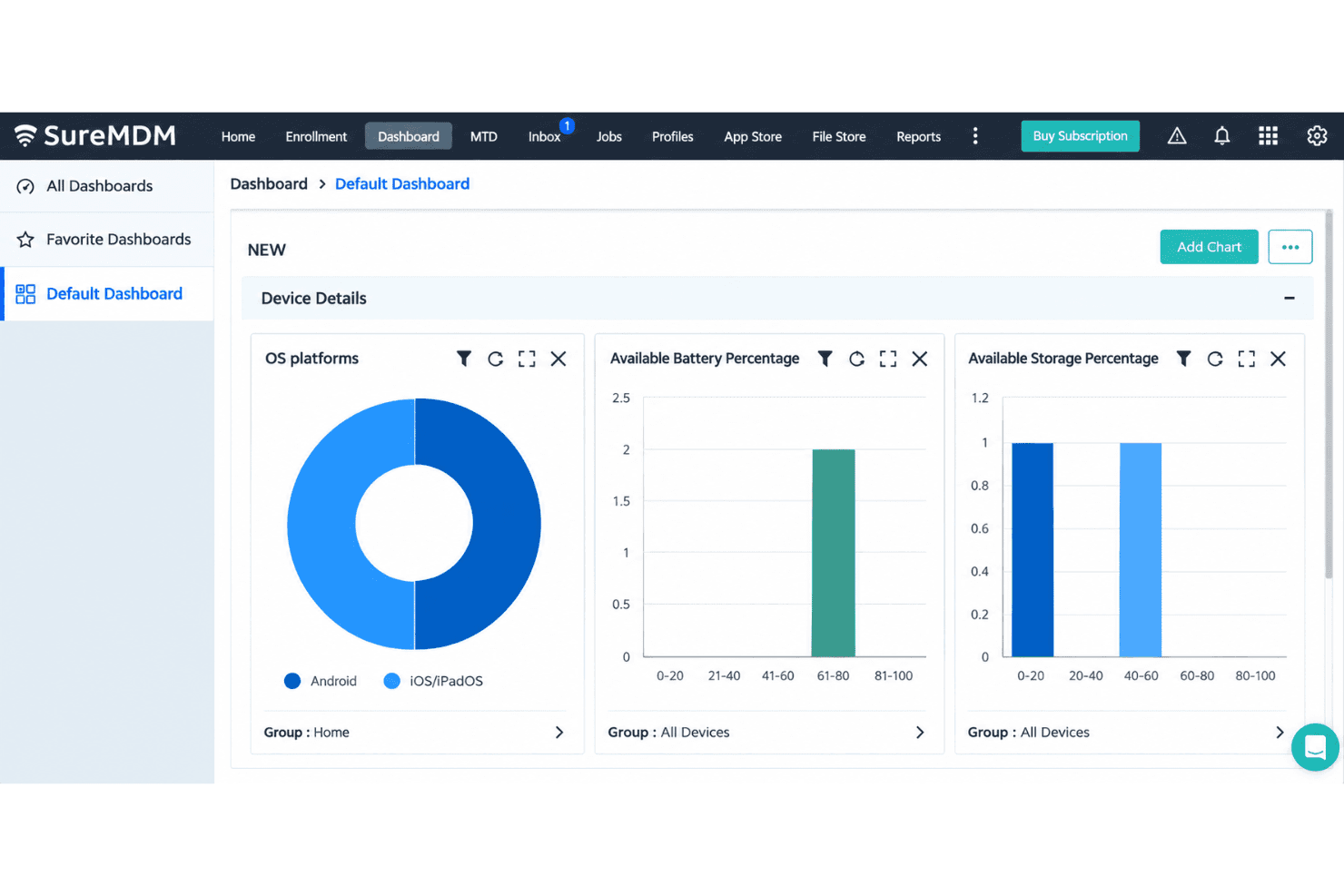
I’d choose SureMDM for a mixed fleet spanning phones, computers, kiosks, wearables, VR, and IoT devices. Zero-touch, Apple Business Manager, and QR enrollment support staged rollouts, while remote control, kiosk policies, app deployment, and remote wipe cover daily administration. Advanced reporting, identity management, certificate management, and SIEM integrations are available in higher tiers. The central console brings inventory and device controls together, though its broad feature set requires planning. 42Gears also offers 24/7 support. I’d select it for managing varied endpoints, with the right plan depending on the features and integrations required.
Pros
- Wide support spans mobile, desktop, ChromeOS, wearables, VR, and IoT.
- Users praise remote control, app deployment, and kiosk mode.
- Reviewers frequently commend responsive technical support.
Cons
- Reporting offers limited customization for operational views.
- Profile and policy changes become difficult to manage at scale.
- One administrator reported an outage leaving iOS devices unmanaged.
Is SureMDM Right For Your Needs?
Who Would be a Good Fit for SureMDM?
SureMDM suits teams managing varied devices or distributed endpoints that need enrollment, app deployment, and remote actions from one console. Its enrollment options, integrations, and REST API also fit IT teams connecting device management with existing systems.
- Mixed FleetsOrganizations managing varied device types can use SureMDM’s broad platform coverage and centralized enrollment, app deployment, lock, and wipe features.
- Zebra OperationsTeams managing Zebra devices can pair SureMDM with its Zebra LifeGuard integration for device-related workflows.
- Distributed TeamsIT departments supporting remote or dispersed workers can manage devices remotely and handle routine tasks from one console.
- New Device RolloutsDeployment teams can use zero-touch, QR-code, and Apple Business Manager enrollment to prepare devices for users.
- IT Support TeamsSupport staff can remotely lock or wipe devices and deploy apps without handling each endpoint in person.
- Connected IT OperationsIT teams using Microsoft 365, ServiceNow, Active Directory, or other listed integrations can connect SureMDM with existing systems, and use its REST API for external workflows.
Who Would be a Bad Fit for SureMDM?
SureMDM may be less suitable when device management needs are narrow or your team can’t spend time on configuration. Its advanced settings have a learning curve, and profile or policy changes can become harder to manage as deployments grow. Check connector availability before choosing it for a workflow that depends on a specific external application.
- Small Single-Platform FleetsTeams managing a small, uniform fleet may not need SureMDM’s broad platform coverage, which can add complexity beyond their routine requirements.
- No Admin CapacityOrganizations without an owner for setup and ongoing configuration may struggle with SureMDM’s learning curve around advanced settings.
- Frequent Policy ChangesTeams that regularly revise profiles and policies may find those changes harder to manage as their deployment grows.
- Complex RolloutsOrganizations planning large, mixed-fleet deployments should expect more configuration work than a small rollout, given SureMDM’s broad coverage and advanced settings.
- Unlisted IntegrationsTeams requiring a turnkey connector to an unlisted system should verify its availability first, since connecting external applications through the REST API may require additional work.
- Basic Device NeedsBusinesses that only need a narrow set of device-management tasks may find SureMDM’s broad platform coverage and configuration options more than they need.
Nuestra metodología de revisión
Cómo probamos y puntuamos las herramientas
Hemos invertido años construyendo, refinando y mejorando nuestro sistema de pruebas y puntuación de software. La rúbrica está diseñada para captar los matices de la selección de software y lo que hace a una herramienta efectiva, enfocándose en aspectos críticos del proceso de toma de decisiones.
A continuación, puedes ver exactamente cómo nuestro sistema de prueba y puntuación funciona a través de siete criterios. Esto nos permite ofrecer una evaluación imparcial del software basada en funcionalidad central, características destacadas, facilidad de uso, incorporación, soporte al cliente, integraciones, reseñas de clientes y relación calidad-precio.
Funcionalidad principal (25% de la puntuación final)
El punto de partida de nuestra evaluación siempre es la funcionalidad central de la herramienta. ¿Tiene las características y funciones básicas que un usuario esperaría encontrar? ¿Alguna de esas funciones principales está limitada a planes de precios superiores? Esperamos que una herramienta esté a la altura de las capacidades básicas de sus competidores.
Características destacadas (25% de la puntuación final)
Luego, evaluamos las características poco comunes y sobresalientes que van más allá de la funcionalidad principal que normalmente se encuentra en herramientas de su tipo. Una puntuación alta refleja características especializadas o únicas que hacen el producto más rápido, eficiente o que ofrecen valor adicional al usuario.
También evaluamos qué tan fácil es integrar con otras herramientas que normalmente forman parte del ecosistema tecnológico para expandir la funcionalidad y utilidad del software. Las herramientas que ofrecen abundantes integraciones nativas, conexiones de terceros y acceso API para crear integraciones personalizadas obtienen la mejor puntuación.
Facilidad de uso (10% de la puntuación final)
Consideramos cuán rápido y sencillo es ejecutar las tareas definidas por la funcionalidad principal usando la herramienta. El software con mejor puntuación está bien diseñado, es intuitivo, ofrece aplicaciones móviles, proporciona plantillas y hace que tareas relativamente complejas parezcan sencillas.
Incorporación (10% de la puntuación final)
Sabemos lo importante que es la adopción rápida por parte del equipo para una nueva plataforma, por lo que evaluamos cuán fácil es aprender y usar una herramienta con entrenamiento mínimo. Evaluamos cuán rápido un miembro del equipo puede configurarla y comenzar a utilizarla sin experiencia previa. Las soluciones con mayor puntuación requieren poco o ningún soporte.
Soporte al cliente (10% de la puntuación final)
Revisamos qué tan rápido y sencillo es resolver dudas y encontrar ayuda por teléfono, chat en vivo o base de conocimientos. Las herramientas y compañías que proporcionan soporte en tiempo real obtienen la mejor puntuación, mientras que los chatbots obtienen la peor.
Reseñas de clientes (10% de la puntuación final)
Además de nuestras pruebas y evaluaciones, consideramos la puntuación neta de promotores por parte de clientes actuales y anteriores. Revisamos la probabilidad de que elijan la herramienta de nuevo para la funcionalidad principal. Una puntuación alta refleja una alta puntuación neta de promotores actuales o pasados.
Relación calidad-precio (10% de la puntuación final)
Por último, considerando todos los demás criterios, revisamos el precio promedio de los planes de nivel básico comparado con las funciones principales y consideramos el valor de los demás criterios de evaluación. El software que ofrezca más, por menos, obtendrá una puntuación mayor.
Core Features
Device Enrollment
SureMDM enrolls devices through zero-touch, QR-code, Apple Business Manager, and manual methods. These options let your team prepare a batch of devices before rollout or enroll a BYOD device with Apple User Enrollment.
Configuration And Security Policies
Admins apply settings and security rules from the SureMDM console, including password requirements, network settings, and restrictions. Remote lock and wipe let your team respond to a lost device without retrieving it first.
App And Content Deployment
SureMDM pushes apps from sources such as Managed Google Play or an enterprise app store, and can install Android apps silently. Your team can also distribute files remotely, such as PDFs for field staff.
Kiosk Lockdown
Kiosk mode restricts a device to approved apps or websites, with options to block system settings and other apps. A retail tablet, for example, can stay locked to a checkout app; SureLock is included with all plans.
Remote Support
Admins can view and control supported device screens, transfer files, and troubleshoot from the console. That lets your support team diagnose a field device remotely instead of first arranging an on-site visit.
Device Inventory And Tracking
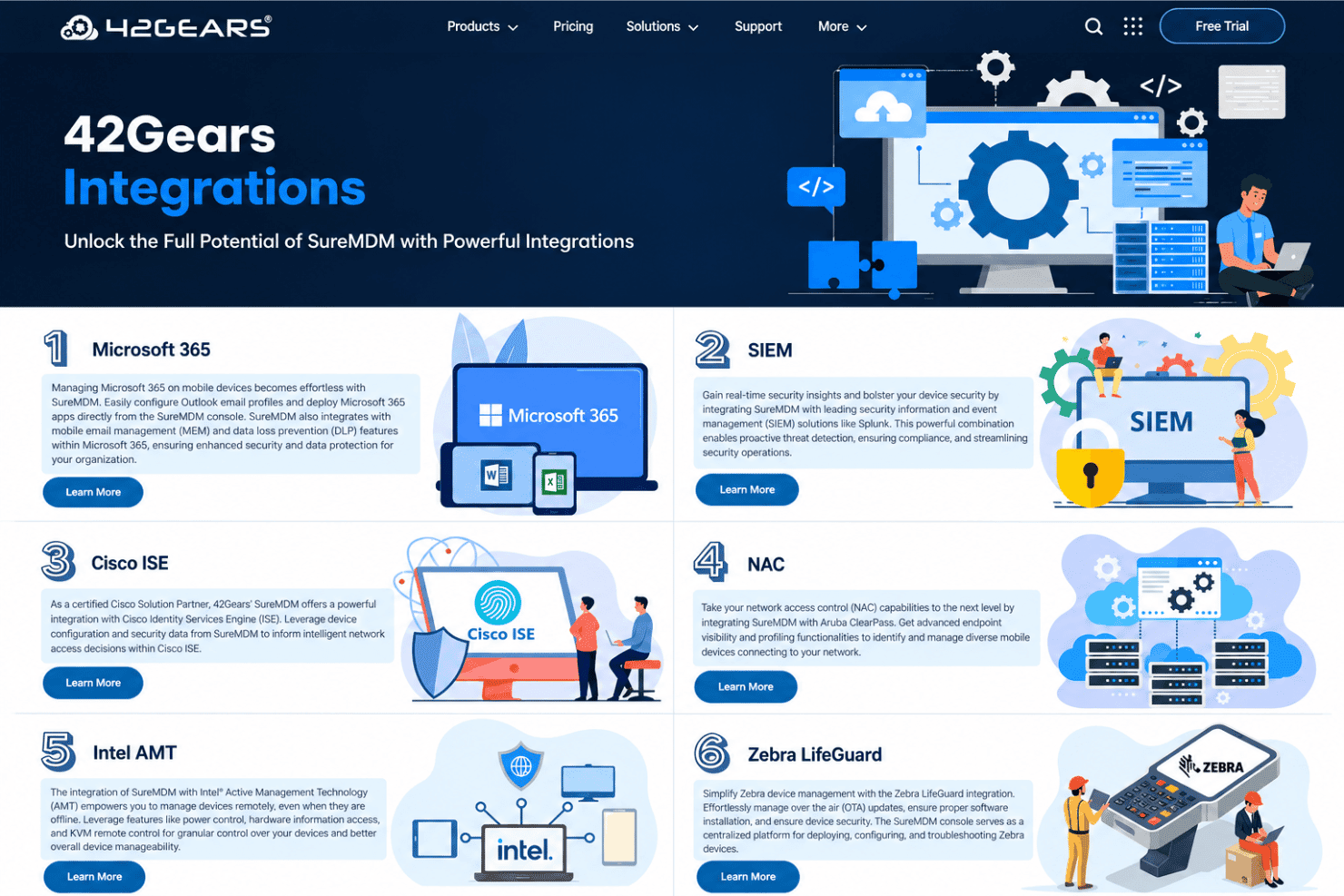
SureMDM records device and app inventory, and offers location tracking on supported devices, including real-time and historical GPS views for Android. Your team can check device status or locate a misplaced device before deciding whether to lock or wipe it.
Ease of Use
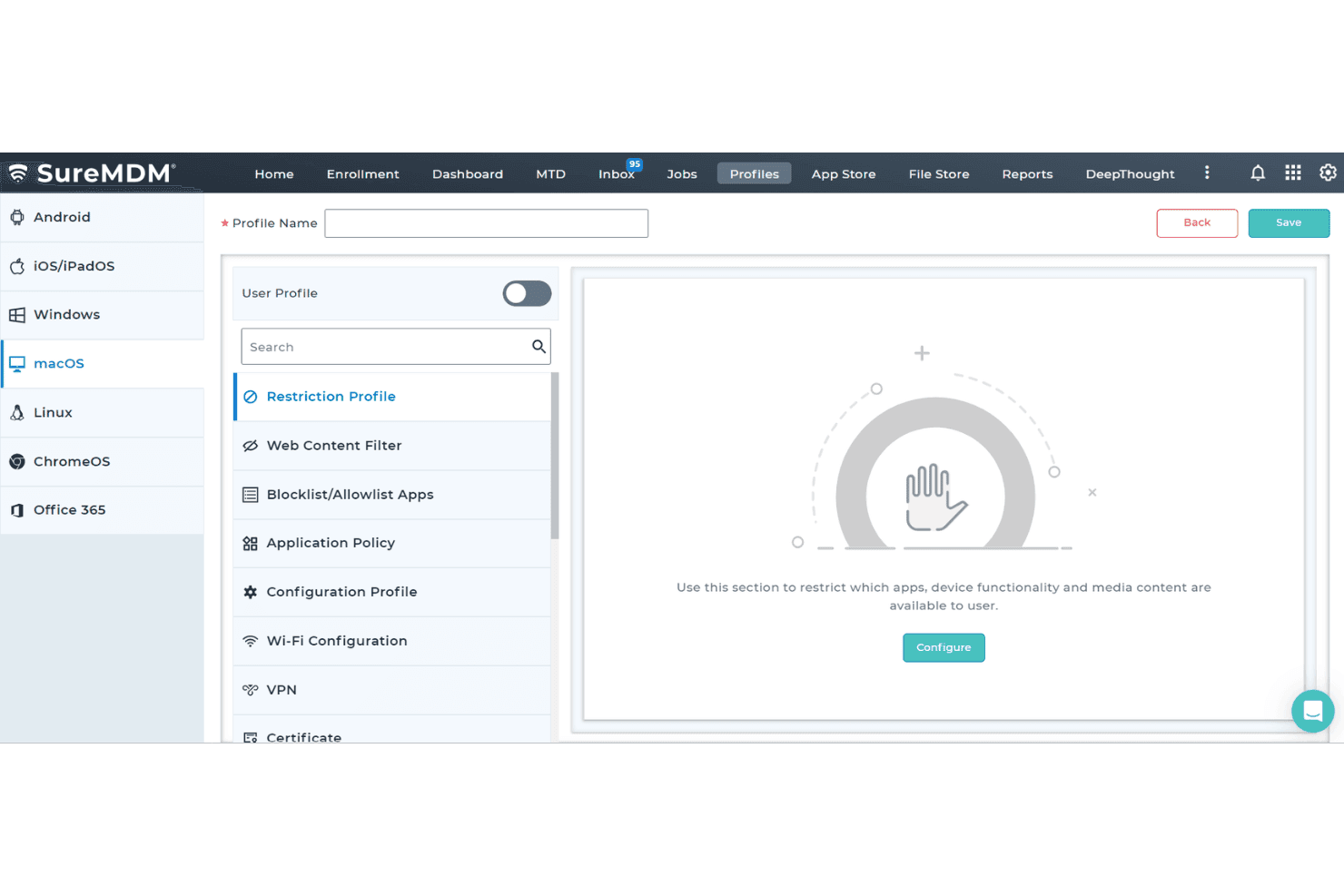
SureMDM is fairly easy to use for routine device work, but its broad platform coverage adds complexity as deployments grow. Reviewers praise the organized dashboard, straightforward setup, and remote management; enrollment options, app deployment, and remote lock or wipe keep common tasks in one console. The trade-off is a learning curve around advanced settings, and profile or policy changes can become harder to manage at scale. I’d favor it over narrower mobile-first tools for mixed fleets, provided you can invest time in configuration.
Integrations
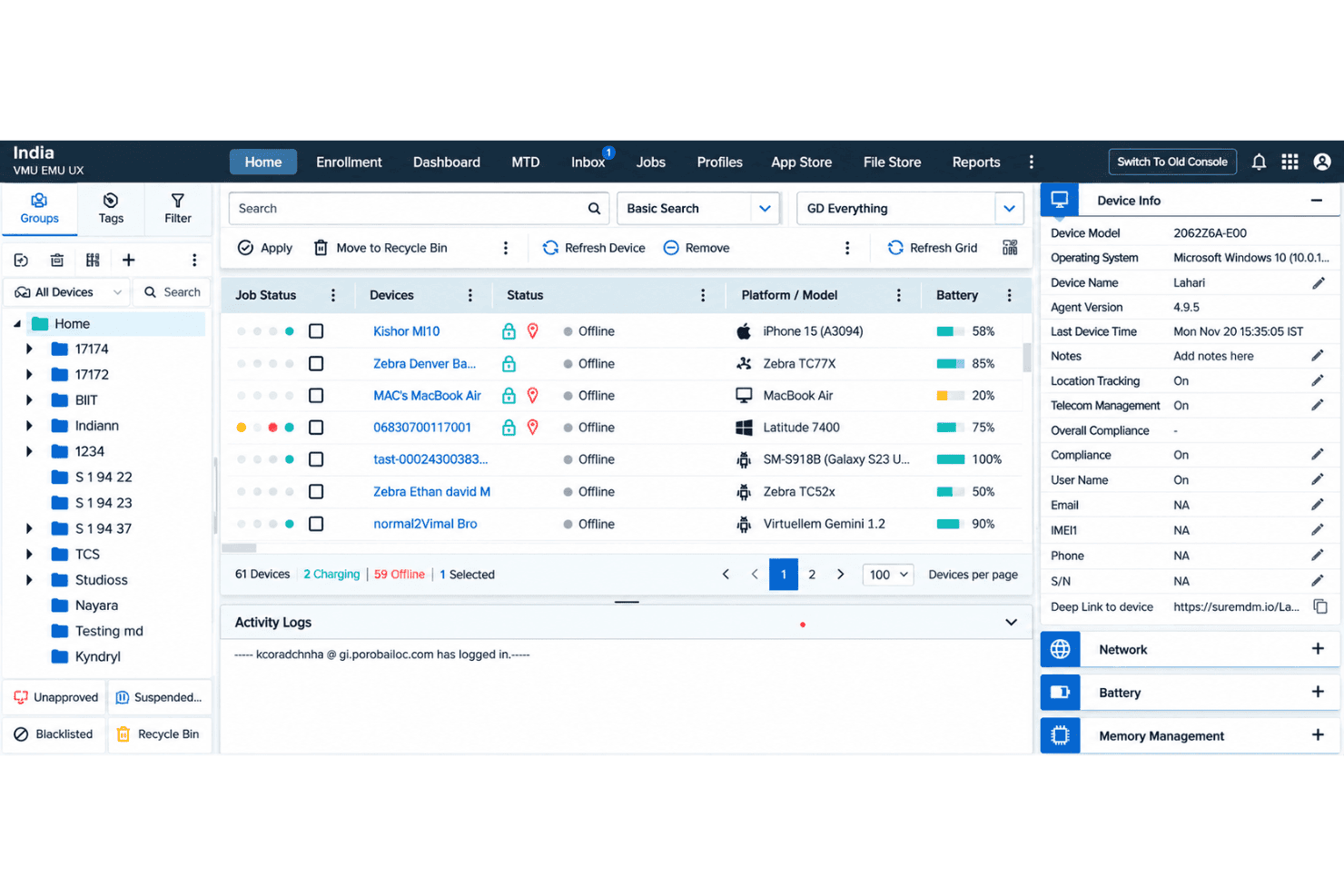
SureMDM integrates with Microsoft 365, Splunk, Cisco ISE, Aruba ClearPass, Intel AMT, Zebra LifeGuard, ServiceNow, Active Directory, and Google Workspace.
SureMDM also offers a REST API for custom integrations with external applications, dashboards, and workflows.
SureMDM Specs
- 2-Factor Authentication: Yes
- Cloud Deployment: Yes
- Dashboard: Yes
- Data Export: Yes
- Data Import: Yes
- External Integrations: Yes
- Inventory Tracking: Yes
- Multi-User: Yes
- Network Device Performance Monitoring: No
- Notifications: Yes
- Password & Access Management: Yes
- Remote Access: Yes


