

Reseña de Godot Engine: Ventajas, Desventajas, Características y Precios
Godot Engine ofrece una flexibilidad inigualable y una comunidad de código abierto, convirtiéndolo en una de las mejores opciones para desarrolladores independientes que buscan una solución rentable.

Revisamos herramientas de forma independiente y las comisiones ayudan a financiar nuestras pruebas. Consulta nuestra política de transparencia, nuestra metodología o sugiere una herramienta.
Godot Engine is an open-source game development software for developers building 2D and 3D games who want full control over their engine without commercial licensing costs. If Unity's runtime fee model has your team rethinking its toolchain, Godot is worth a serious look. It's completely free, MIT-licensed, and lets you ship without paying per-install or revenue-based fees—something Unity can't offer. This review covers what Godot does well, where it falls short, and who it's actually built for.
Godot Engine Evaluation Summary
4.6/5
- From $800
- Free plan available
Por qué confiar en nuestras recomendaciones de software
6,700+
Reviews
20
Industry experts
16+
Evaluation factors
14
Years
Nuestro equipo lleva probando y evaluando software desde 2012. Como líderes tecnológicos, sabemos lo difícil —y lo importante— que es elegir el software adecuado.
Para esta guía, evaluamos las herramientas mediante pruebas prácticas e investigación independiente, puntuando las herramientas según nuestros criterios de selección.
Nuestras reseñas reflejan nuestro criterio editorial humano, no un discurso de ventas.
Revisores expertos:
- Paulo Gardini MiguelDirector técnico
 Tim FisherVP de IA
 Gabriel RosasTech Lead y arquitecto de software
 Christhian GruhnTech Lead y arquitecto de plataforma

Godot Engine Overview
In my opinion, Godot Engine is a standout choice for indie developers and small teams looking for a cost-effective game development tool. It excels in flexibility and community support, offering a rich set of features at no cost. While its onboarding process could be smoother, the intuitive interface and extensive documentation help bridge the gap. Compared to other video game development software, Godot shines in its open-source nature and value for money, but it may lack the robust customer support of some paid platforms. It's best suited for environments where budget constraints and customization are key factors. If your team values open-source collaboration and has the patience for a learning curve, Godot Engine deserves serious consideration.
Pros
- You can connect with a large, supportive community.
- Your team benefits from a flexible, customizable open-source platform.
- An intuitive interface helps developers build 2D and 3D games with ease.
Cons
- Despite being user-friendly, its unique concepts may take time to learn.
- Customer support may be more limited than with paid solutions.
- It offers fewer advanced features than some high-end tools.
Is Godot Engine Right For Your Needs?
Who Would be a Good Fit for Godot Engine?
Godot Engine is ideal for indie developers and small teams focused on creating 2D and 3D games. Its open-source nature and supportive community make it perfect for those who need flexibility without a hefty price tag. If your team values customization and the ability to experiment with different game mechanics, Godot provides the tools to do so efficiently. Educational institutions also benefit, as students can learn game development using an intuitive and cost-effective platform.
- Indie Game StudiosYour studio can leverage Godot's open-source platform to develop unique games without budget constraints.
- Educational InstitutionsStudents can learn game development with Godot's user-friendly interface and extensive documentation.
- Tech StartupsStartups can use Godot to prototype and develop games quickly, thanks to its flexibility and customization options.
- 2D Game DevelopersGodot excels in 2D game development with features tailored for smooth and efficient design.
- Small Development TeamsYour team can benefit from Godot's collaborative community and cost-effective tools for creative projects.
- Non-Profit OrganizationsNon-profits can use Godot to create educational or social impact games without incurring high software costs.
Who Would be a Bad Fit for Godot Engine?
Godot Engine may not suit large-scale studios or enterprises that require advanced tools and dedicated customer support. If your team relies on cutting-edge graphics or complex 3D game development that require highly specialized shaders and render pipelines, you might find Godot's features lacking compared to other high-end solutions. Teams that need seamless integration with other enterprise tools or require extensive onboarding support might struggle with Godot's community-driven model and limited official support channels.
- AAA Game StudiosYour studio might need more advanced features and support than Godot can provide for large-scale productions.
- Corporate EnterprisesEnterprises could find Godot's lack of dedicated support and integration options a hindrance.
- High-End Graphic DesignersYour team may need more advanced graphic rendering capabilities than what Godot offers.
- Large Development TeamsLarge teams might struggle with Godot's community-based support instead of dedicated customer service.
- Complex Simulation ProjectsProjects that need custom C++ extensions for very complex, specialized simulations, might find Godot's features insufficient for their needs.
Nuestra metodología de revisión
Cómo probamos y puntuamos las herramientas
Hemos invertido años construyendo, refinando y mejorando nuestro sistema de pruebas y puntuación de software. La rúbrica está diseñada para captar los matices de la selección de software y lo que hace a una herramienta efectiva, enfocándose en aspectos críticos del proceso de toma de decisiones.
A continuación, puedes ver exactamente cómo nuestro sistema de prueba y puntuación funciona a través de siete criterios. Esto nos permite ofrecer una evaluación imparcial del software basada en funcionalidad central, características destacadas, facilidad de uso, incorporación, soporte al cliente, integraciones, reseñas de clientes y relación calidad-precio.
Funcionalidad principal (25% de la puntuación final)
El punto de partida de nuestra evaluación siempre es la funcionalidad central de la herramienta. ¿Tiene las características y funciones básicas que un usuario esperaría encontrar? ¿Alguna de esas funciones principales está limitada a planes de precios superiores? Esperamos que una herramienta esté a la altura de las capacidades básicas de sus competidores.
Características destacadas (25% de la puntuación final)
Luego, evaluamos las características poco comunes y sobresalientes que van más allá de la funcionalidad principal que normalmente se encuentra en herramientas de su tipo. Una puntuación alta refleja características especializadas o únicas que hacen el producto más rápido, eficiente o que ofrecen valor adicional al usuario.
También evaluamos qué tan fácil es integrar con otras herramientas que normalmente forman parte del ecosistema tecnológico para expandir la funcionalidad y utilidad del software. Las herramientas que ofrecen abundantes integraciones nativas, conexiones de terceros y acceso API para crear integraciones personalizadas obtienen la mejor puntuación.
Facilidad de uso (10% de la puntuación final)
Consideramos cuán rápido y sencillo es ejecutar las tareas definidas por la funcionalidad principal usando la herramienta. El software con mejor puntuación está bien diseñado, es intuitivo, ofrece aplicaciones móviles, proporciona plantillas y hace que tareas relativamente complejas parezcan sencillas.
Incorporación (10% de la puntuación final)
Sabemos lo importante que es la adopción rápida por parte del equipo para una nueva plataforma, por lo que evaluamos cuán fácil es aprender y usar una herramienta con entrenamiento mínimo. Evaluamos cuán rápido un miembro del equipo puede configurarla y comenzar a utilizarla sin experiencia previa. Las soluciones con mayor puntuación requieren poco o ningún soporte.
Soporte al cliente (10% de la puntuación final)
Revisamos qué tan rápido y sencillo es resolver dudas y encontrar ayuda por teléfono, chat en vivo o base de conocimientos. Las herramientas y compañías que proporcionan soporte en tiempo real obtienen la mejor puntuación, mientras que los chatbots obtienen la peor.
Reseñas de clientes (10% de la puntuación final)
Además de nuestras pruebas y evaluaciones, consideramos la puntuación neta de promotores por parte de clientes actuales y anteriores. Revisamos la probabilidad de que elijan la herramienta de nuevo para la funcionalidad principal. Una puntuación alta refleja una alta puntuación neta de promotores actuales o pasados.
Relación calidad-precio (10% de la puntuación final)
Por último, considerando todos los demás criterios, revisamos el precio promedio de los planes de nivel básico comparado con las funciones principales y consideramos el valor de los demás criterios de evaluación. El software que ofrezca más, por menos, obtendrá una puntuación mayor.
Core Features
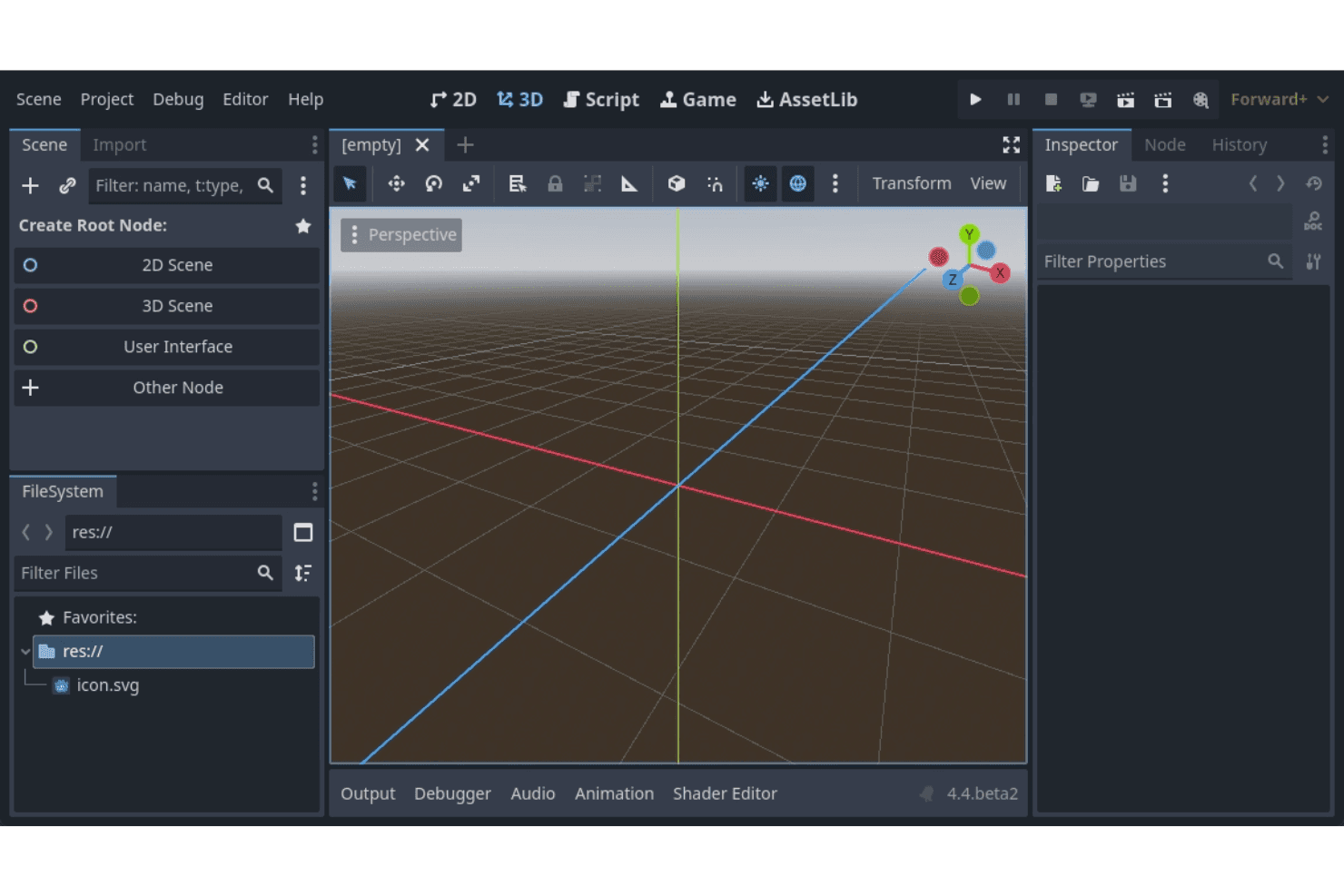
Scene System: Godot uses a unique scene system that lets you organize your game's structure efficiently. Your team can manage different game elements as independent scenes, simplifying complex projects.
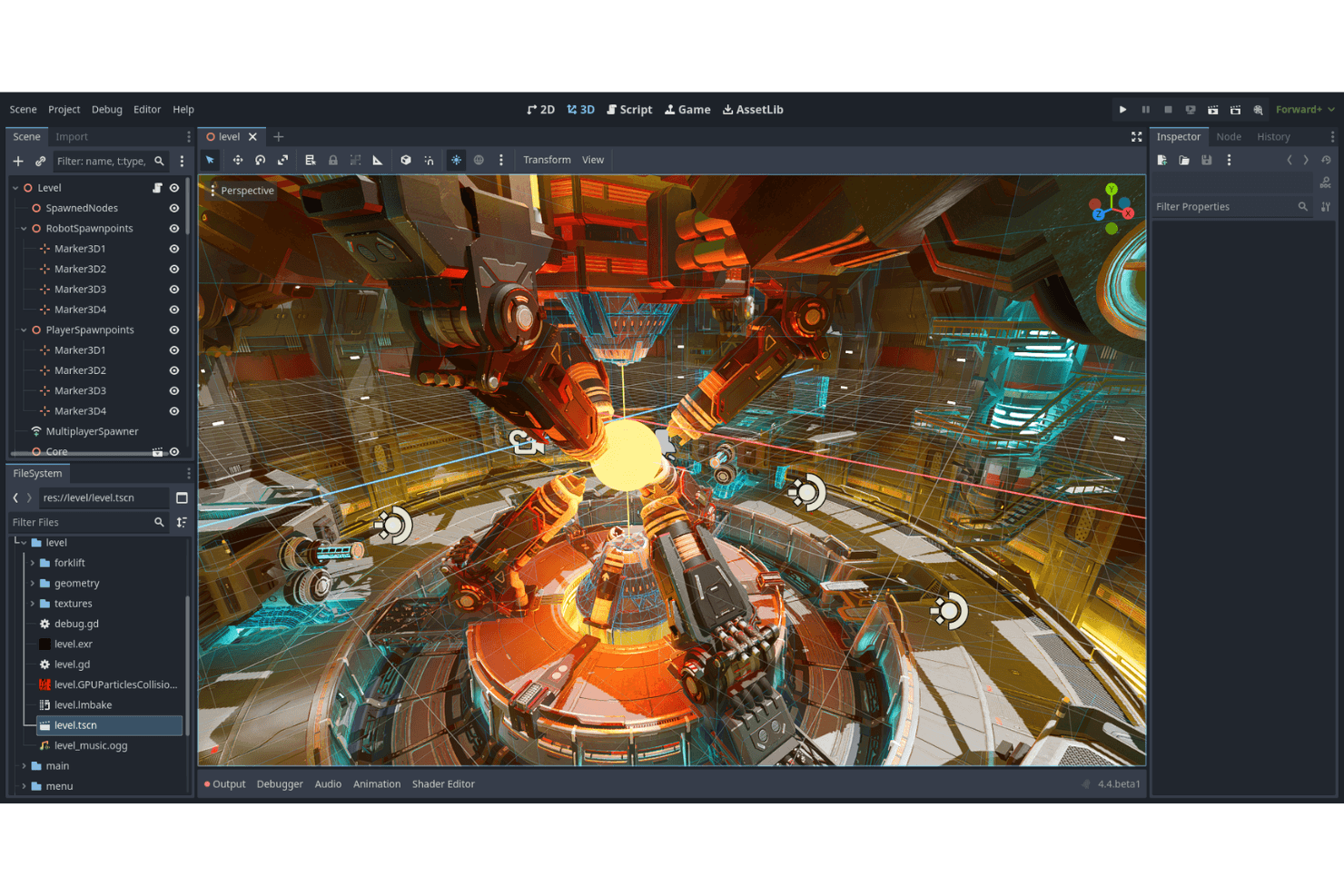
Visual Editor: The visual editor is intuitive and user-friendly, helping you design game elements without needing extensive coding knowledge. It includes drag-and-drop functionality that speeds up your workflow.
Animation Tools: Godot offers robust animation tools that allow you to create and tweak animations directly within the engine. This feature supports both 2D and 3D animations, giving your projects a professional touch.
Scripting Language (GDScript): GDScript is a Python-like language that simplifies game scripting, from basic platformers to complex RPG mechanics. It's easy to learn, letting your team quickly implement game logic.
Cross-Platform Deployment: With Godot, you can deploy games across multiple platforms, including Windows, Mac, and Linux. This ensures your work reaches a broader audience without extra effort.
Node-Based Architecture: Godot's node-based architecture allows for modular and organized game development. You can build complex game mechanics by combining different nodes.
Ease of Use
Godot Engine scores well in ease of use with its intuitive visual editor and straightforward scripting language, GDScript. Your team will find that the node-based architecture makes organizing game elements, like a simple sprite or a complex scene, simple and logical. Godot lets you work directly in pixel coordinates in its 2D mode. While onboarding could be smoother, the extensive community resources help bridge the gap. Compared to other software, Godot lets you dive into game development without a steep learning curve, making it accessible for both beginners and experienced developers.
Integrations
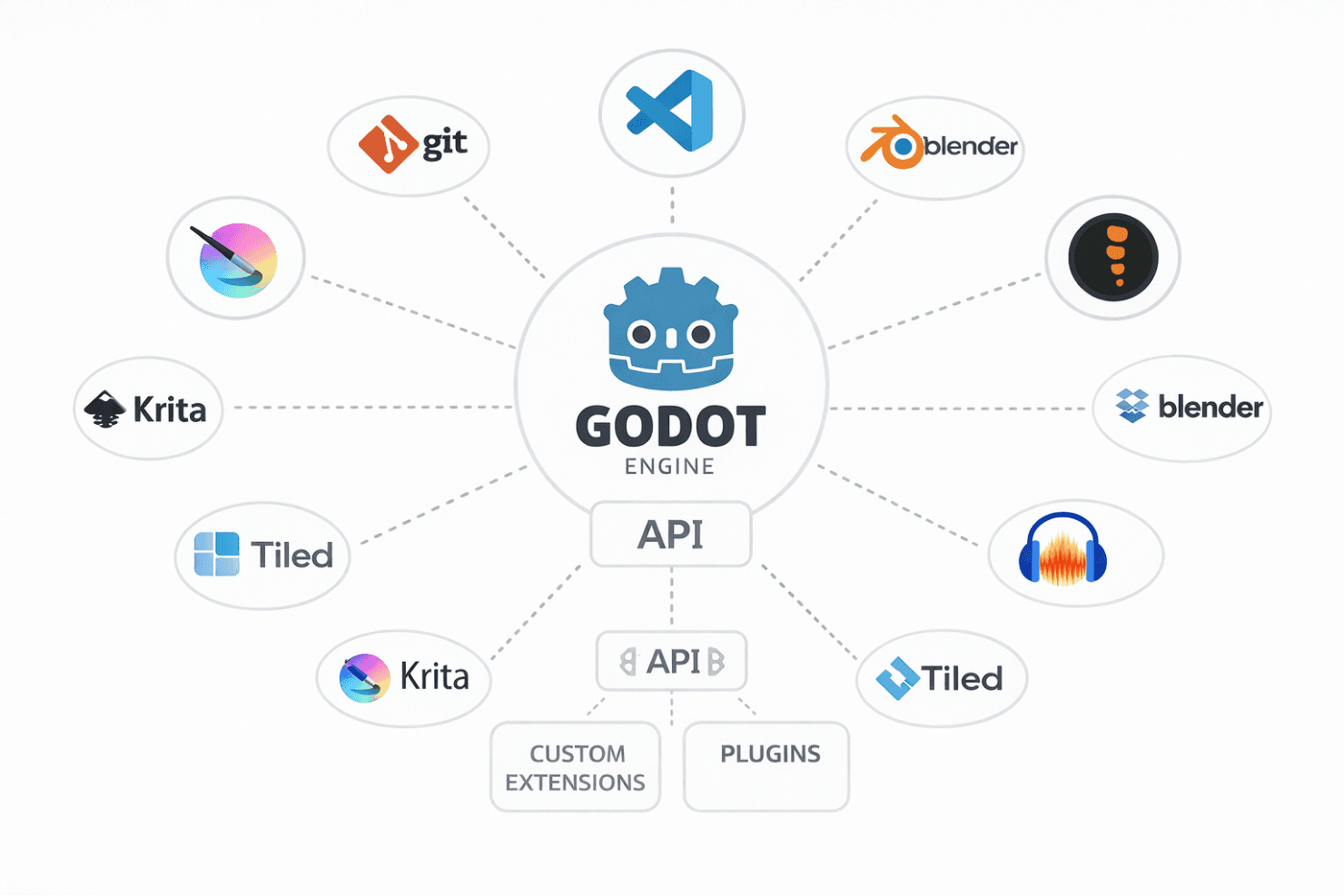
Godot Engine integrates with Git, Visual Studio Code, Blender, Spine, Tiled, Inkscape, Krita, and Audacity.
Godot Engine offers an API for creating custom extensions and supports third-party integration tools through its community-developed plugins.
Godot Engine Specs
- API: Yes
- Bug Tracking: Yes
- CI/CD Integration: No
- Cloud Deployment: Yes
- Code Review: Yes
- Code Transformation: Yes
- Collaboration Support: Yes
- Data Export: No
- Data Import: No
- Developer Tools: Yes
- External Integrations: Yes
- Git Integration: Yes
- History/Version Control: Yes
- IDE Plugins: Yes
- Local Deployment: Yes
- Multi-User: Yes
- Notifications: No
- Project Management: Yes
- Release Management: No
- Static Analysis: No
- Task Scheduling/Tracking: No
- Testing: No


