

Valimail-Bewertung: Vorteile, Nachteile, Funktionen und Preise erklärt
I dive into how Valimail turns DMARC from a technical headache into a streamlined solution, revealing where it truly stands out—and what you should watch for before you commit.

Wir bewerten Tools unabhängig; Provisionen helfen, unsere Tests zu finanzieren. Siehe unsere Transparenzrichtlinie und unsere Methodik.
Valimail is DMARC software for organizations that need to authenticate outbound email, prevent domain spoofing, and reach DMARC enforcement without manually managing SPF and DKIM records. I'd consider it over a tool like Proofpoint Email Fraud Defense if you want automated DNS-based authentication and a faster path to enforcement without the heavier configuration and consulting overhead that enterprise suites often bring. As a DMARC solution it leans on automation rather than consulting hours, which is the main reason DMARC management stops being a standing quarterly project.
Valimail Evaluation Summary
4.5/5
- Pricing upon request
- Free plan available
Warum Sie unseren Software-Empfehlungen vertrauen können
6,700+
Reviews
20
Industry experts
16+
Evaluation factors
14
Years
Unser Team testet und bewertet Software seit 2012. Als Tech-Führungskräfte wissen wir selbst, wie schwierig – und wichtig – es ist, die richtige Software auszuwählen.
Für diesen Leitfaden haben wir Tools mithilfe von praktischen Tests und unabhängiger Recherche bewertet und dabei unsere Bewertungskriterien angewendet.
Unsere Bewertungen spiegeln unser menschliches redaktionelles Urteilsvermögen wider, keine Verkaufsstrategie.
Expertenprüfer:
- Paulo Gardini MiguelTech-Direktor
 Tim FisherVP für KI
 Gabriel RosasTech Lead & Software-Architekt
 Christhian GruhnTech Lead & Plattform-Architekt

Valimail Overview
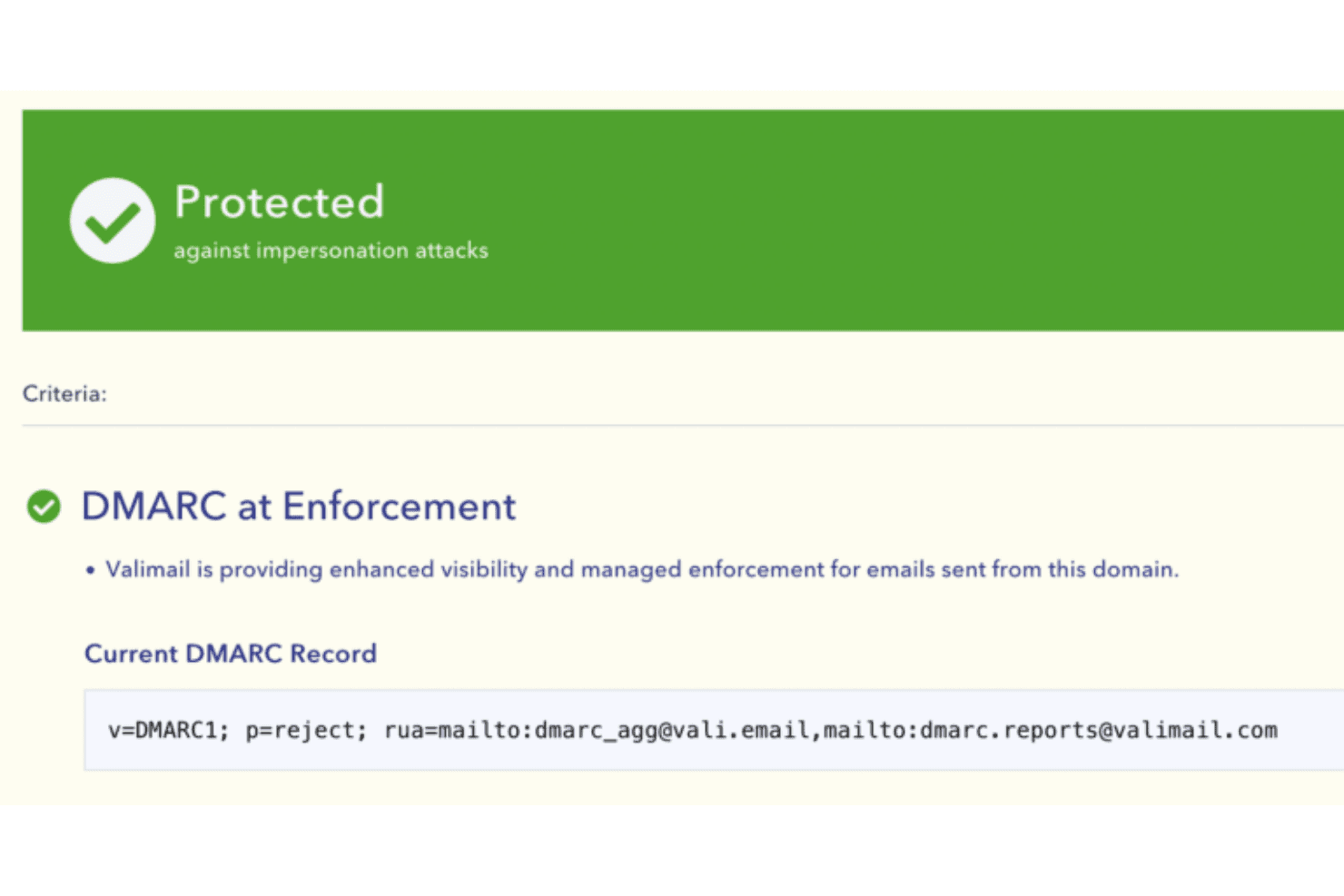
I think Valimail is a top pick if you want DMARC enforcement that minimizes manual work and accelerates deployment. Its automation, clear interface, and integration with Microsoft 365 make it easier for IT teams to roll out quickly compared to tools that require more hands-on management. Getting from monitoring to p=reject is the whole job, and the way it parses DMARC reports for you is what shortens that path. You give up some advanced customization and reporting, and pricing is on the premium side, but I’d select it when you need to protect a complex mail environment without sinking lots of hours into DNS management or training.
Pros
- Automates SPF and DKIM management for rapid DMARC enforcement
- Provides detailed sender discovery diagnostics for unknown sources
- Responsive support team assists with complex domain configurations
Cons
- Limited customization for advanced reporting dashboards
- Premium pricing compared to direct competitors in the market
- Some users report delays in processing DNS changes
Is Valimail Right For Your Needs?
Who Would be a Good Fit for Valimail?
Valimail is a great fit for organizations that have broad, multi-domain email infrastructures and need end-to-end visibility of third-party senders. I think IT and security teams working at scale get a lot from Valimail’s automated sender discovery and guided policy enforcement. The platform’s focus on compliance and in-depth support makes it valuable for regulated sectors, growing enterprises, and teams that don’t want to allocate extra resources to DMARC administration. If Brand Indicators for Message Identification is on your roadmap, reaching enforcement first is mandatory, and a VMC follows from there.
- Financial ServicesValimail’s focus on compliance and automation helps financial institutions secure customer communications and meet regulatory standards.
- Large EnterprisesCentralized management of sender policies, scalability, and workflow delegation tools support complex IT environments with many domains and stakeholders.
- Higher EducationEasy onboarding and discovery features simplify DMARC adoption for universities with distributed IT and diverse email sources.
- Healthcare ProvidersAutomated compliance monitoring and granular reporting address HIPAA-driven security and privacy mandates in medical organizations.
- IT DepartmentsValimail automates sender discovery and policy setup, which saves manual effort and reduces ongoing maintenance.
- SaaS ProvidersFrequent integration with multiple platforms and outbound tools makes Valimail’s third-party sender management especially useful.
Who Would be a Bad Fit for Valimail?
Valimail may not be ideal for organizations with very simple or highly specialized email environments, or for those unwilling to invest in enterprise-grade solutions. I think businesses with resource constraints or narrow DMARC needs could find Valimail’s advanced features unnecessary for what they require. Smaller teams or industries with limited compliance focus might prefer a lighter DMARC vendor with fewer features or lower pricing.
- Very Small BusinessesThe platform’s rich features and enterprise plans can exceed the needs and budgets of small firms with only one or two email domains.
- Nonprofit OrganizationsOrganizations with minimal compliance requirements may find Valimail’s advanced controls unnecessary for simple sender setups.
- FreelancersValimail’s cost and multipoint management tools aren’t right for individuals who only manage their own domain.
- Ecommerce StartupsEarly-stage businesses without dedicated IT might struggle with the commitment Valimail’s platform expects.
- Marketing AgenciesAgencies that mainly need basic SPF and DKIM checking may find Valimail’s automation tools more than they need.
- Government Agencies With Custom ProtocolsPublic sector organizations using non-standard or legacy protocols might not find seamless support for non-mainstream infrastructures.
Unsere Bewertungsmethodik
Wie wir Werkzeuge testen & bewerten
Wir haben Jahre damit verbracht, unser System zur Softwareprüfung und -bewertung aufzubauen, zu verfeinern und zu verbessern. Das Bewertungsraster ist darauf ausgelegt, die Feinheiten der Softwareauswahl und Effektivität eines Tools einzufangen, wobei wir uns auf kritische Aspekte des Entscheidungsprozesses konzentrieren.
Nachfolgend sehen Sie genau, wie unser Test- und Bewertungssystem anhand von sieben Kriterien funktioniert. Es ermöglicht uns eine unparteiische Bewertung der Software basierend auf Grundfunktionalität, besonderen Funktionen, Benutzerfreundlichkeit, Onboarding, Kundensupport, Integrationen, Kundenbewertungen und Preis-Leistungs-Verhältnis.
Grundfunktionalität (25 % der Endbewertung)
Der Ausgangspunkt unserer Bewertung ist immer die Grundfunktionalität des Werkzeugs. Verfügt es über die grundlegenden Funktionen und Merkmale, die ein Benutzer erwarten würde? Sind grundlegende Funktionen auf höherpreisige Tarife beschränkt? Im Kern erwarten wir, dass ein Tool den Basisfähigkeiten seiner Konkurrenten standhält.
Besondere Features (25 % der Endbewertung)
Anschließend bewerten wir ungewöhnliche, herausragende Funktionen, die über die typische Grundfunktionalität von Tools dieser Art hinausgehen. Eine hohe Bewertung zeigt spezialisierte oder einzigartige Eigenschaften, die das Produkt schneller, effizienter oder für den Nutzer wertvoller machen.
Wir bewerten außerdem, wie einfach sich das Tool mit anderen üblichen Werkzeugen im Technologie-Stack integrieren lässt, um die Funktionalität und den Nutzen der Software zu erweitern. Tools mit vielen nativen Integrationen, Drittanbieter-Anbindungen und API-Zugang zur Erstellung kundenspezifischer Integrationen erhalten die besten Bewertungen.
Benutzerfreundlichkeit (10 % der Endbewertung)
Wir betrachten, wie schnell und einfach Aufgaben aus dem Bereich der Grundfunktionalität mit dem Tool erledigt werden können. Gut bewertete Software ist durchdacht gestaltet, intuitiv bedienbar, bietet mobile Apps, Vorlagen und lässt relativ komplexe Aufgaben einfach erscheinen.
Onboarding (10 % der Endbewertung)
Wir wissen, wie wichtig die schnelle Einführung eines neuen Tools für das Team ist, daher bewerten wir, wie leicht sich ein Werkzeug mit minimalem Training erlernen und nutzen lässt. Wir bewerten, wie schnell ein Teammitglied ohne Vorerfahrung anfangen kann. Hoch bewertete Lösungen benötigen wenig bis gar keine Unterstützung.
Kundensupport (10 % der Endbewertung)
Wir prüfen, wie schnell und einfach man bei Problemen Hilfe per Telefon, Live-Chat oder Wissensdatenbank erhält. Tools und Anbieter mit Echtzeit-Support werden besser bewertet, während Chatbots schlechter abschneiden.
Kundenbewertungen (10 % der Endbewertung)
Neben unserer eigenen Prüfung beziehen wir den Net Promoter Score aktueller und ehemaliger Kunden mit ein. Wir bewerten, wie wahrscheinlich es ist, dass sie sich erneut für das Werkzeug entscheiden würden. Hoch bewertete Software weist einen hohen Net Promoter Score auf.
Preis-Leistungs-Verhältnis (10 % der Endbewertung)
Abschließend vergleichen wir unter Berücksichtigung aller Kriterien den durchschnittlichen Preis der Einstiegspakete mit den Grundfunktionen und bewerten den Mehrwert aus den anderen Bewertungsbereichen. Software, die mehr fürs gleiche Geld bietet, schneidet besser ab.
Core Features
Automated DMARC Enforcement
Automatically moves domains to DMARC enforcement using proprietary automation. This helps organizations quickly achieve full protection without manual policy updates.
Sender Discovery and Analysis
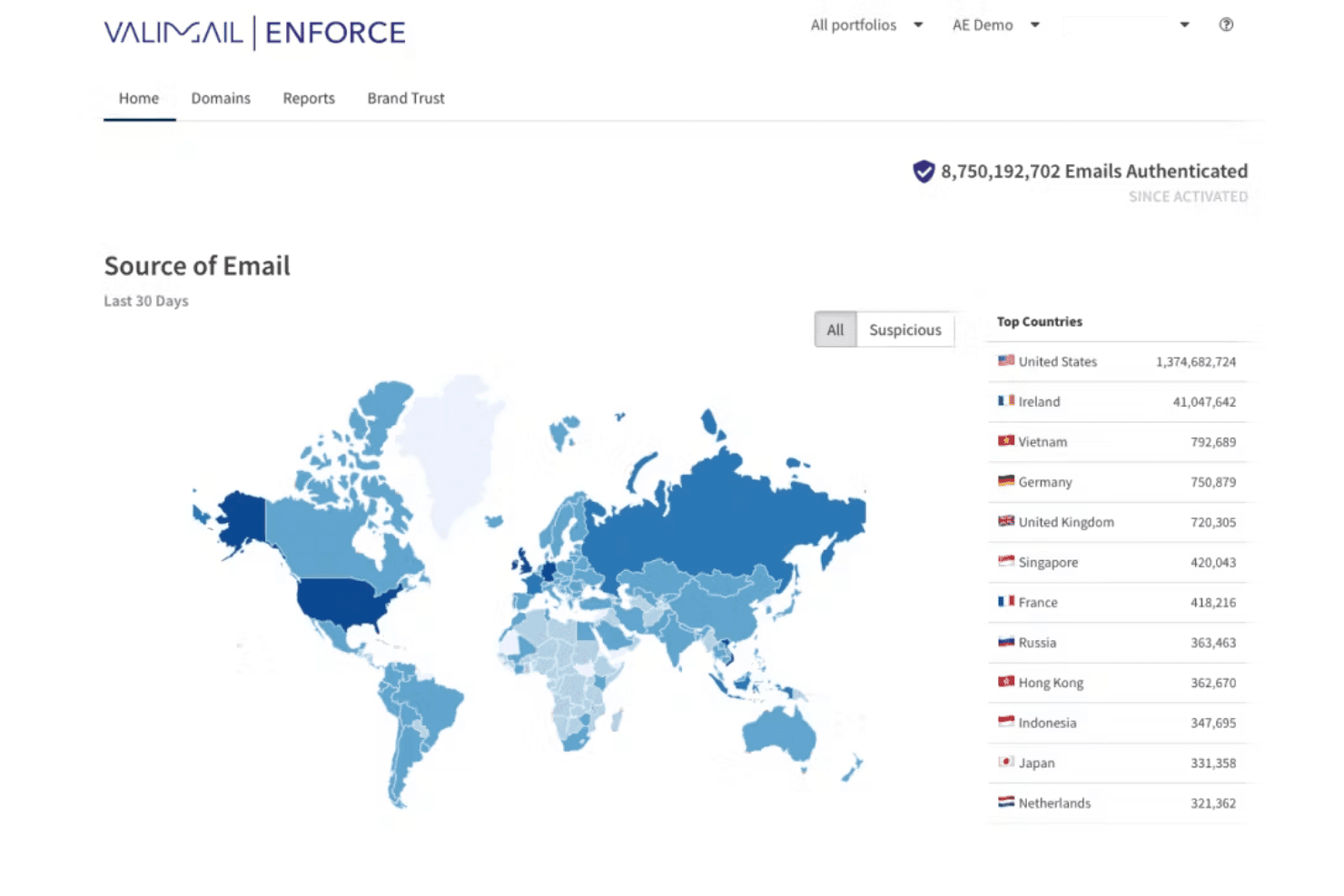
Finds and maps every legitimate and unauthorized email sender for your domains. Users get a clear list of each source, IP address, and service to eliminate blind spots.
Self-Service Policy Management
Update, enforce, or relax DMARC policies with a few clicks. DMARC monitoring runs alongside, so you never touch a DNS TXT record directly.
Real-Time Monitoring and Alerts
Valimail Monitor delivers ongoing visibility into authentication status through a live dashboard. It notifies you immediately about authentication failures or threats.
Identity-Based Email Authentication
Ties authentication to identities instead of IPs or mail servers. This makes it easier to keep up with complex and changing cloud or hybrid environments.
Guided Onboarding and Support
Guides users step by step to full DMARC enforcement with in-app help and expert support. Even teams with limited email security experience can reach compliance swiftly.
Ease of Use
Valimail stands out for user-friendliness, thanks to its automated enforcement workflows and visual tools that simplify complex DMARC tasks. I’ve seen users highlight how its sender discovery feature and guided onboarding save time, while the clear dashboard helps spot authentication issues fast. As a DMARC platform it also nudges email deliverability in the right direction, since properly authenticated mail lands more reliably. Even teams with limited email security experience say they’re able to reach compliance without outside consultants.

Integrations
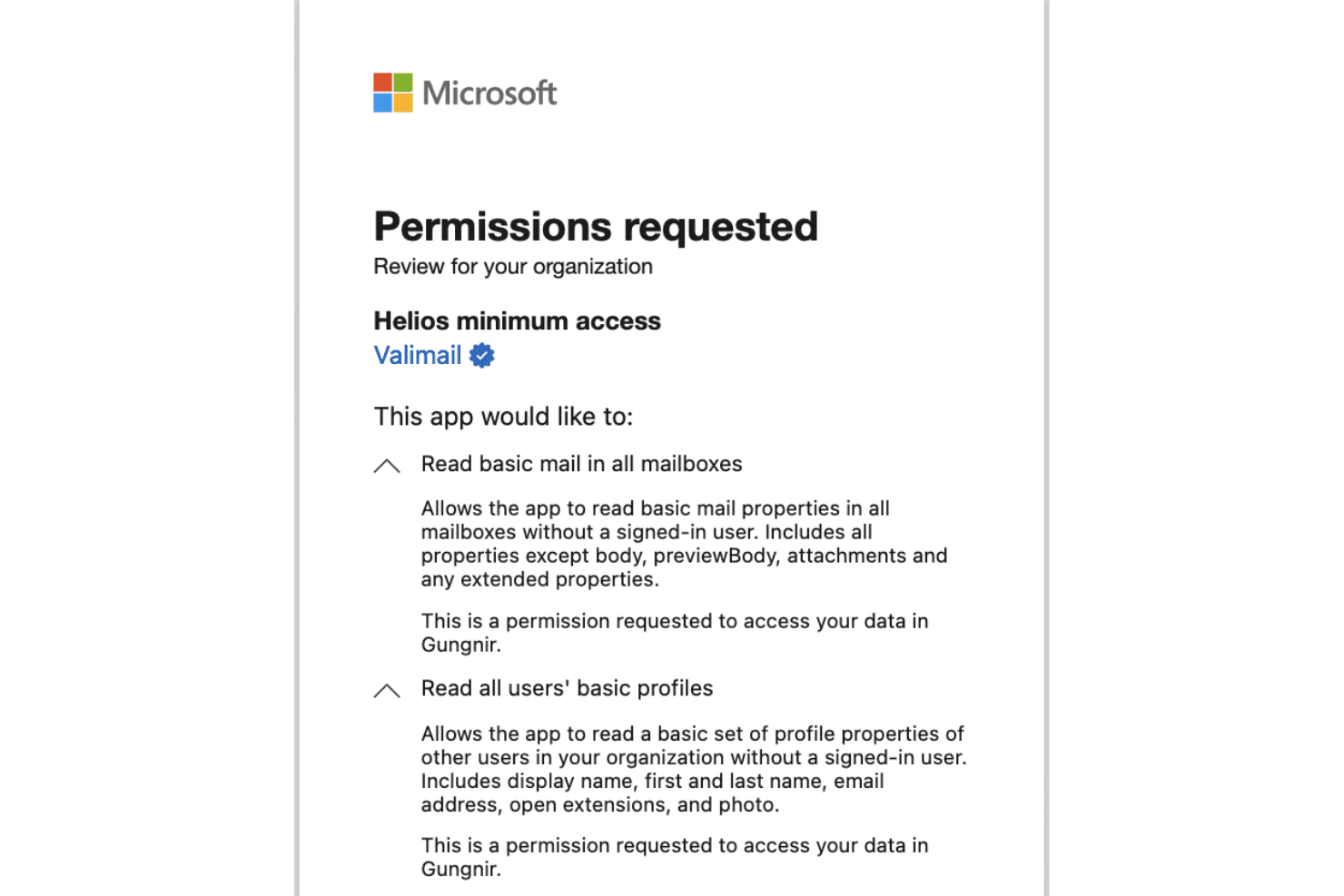
Valimail offers documented integrations with Microsoft 365, Google Workspace, and Microsoft Sentinel. It also provides APIs that support custom workflows, reporting, and configuration.
Valimail Specs
- 2-Factor Authentication: Yes
- Accounts Payable: Yes
- Accounts Receivable: Yes
- API: Yes
- Approval Workflows: Yes
- Balance Sheet: Yes
- Billing/Invoicing: Yes
- Budgeting: Yes
- Calendar Management: Yes
- Comparative Reporting: Yes
- CRM Integration: Yes
- Custom Reports: Yes
- Customer Management: Yes
- Dashboard: Yes
- Data Export: Yes
- Data Import: Yes
- Data Visualization: Yes
- Expense Tracking: Yes
- External Integrations: Yes
- Forecasting: Yes
- General Account Ledger: Yes
- Historical Data Analysis: Yes
- Inventory Tracking: Yes
- Multi-Currency: Yes
- Multi-User: Yes
- Notifications: Yes
- P&L: Yes
- Payroll: Yes
- Scenario Planning: Yes
- Scheduling: Yes
- Supplier Management: Yes
- Tax Management: Yes
- Time Management: Yes


