

Sendmarc-Bewertung: Vor- und Nachteile, wichtigste Funktionen und Preisleitfaden
I break down how Sendmarc stands out in the DMARC crowd, delivering straightforward compliance and visibility—even for teams who’d rather be focusing on growth than email security.

Wir bewerten Tools unabhängig; Provisionen helfen, unsere Tests zu finanzieren. Siehe unsere Transparenzrichtlinie und unsere Methodik.
Sendmarc is a DMARC software for organizations that need to reach full DMARC enforcement, protect their domains from spoofing, and get visibility into who's sending email on their behalf. I'd point you to it if you want a more automated, partner-friendly path to enforcement than the incumbent enterprise platforms, with guided workflows that suit MSPs and internal IT teams managing multiple domains. As a DMARC solution it also covers the adjacent standards—SPF, DKIM, MTA-STS, and TLS-RPT—rather than leaving them for a second vendor.
Sendmarc Evaluation Summary
4.9/5
- Pricing upon request
- 21-day free trial
Warum Sie unseren Software-Empfehlungen vertrauen können
6,700+
Reviews
20
Industry experts
16+
Evaluation factors
14
Years
Unser Team testet und bewertet Software seit 2012. Als Tech-Führungskräfte wissen wir selbst, wie schwierig – und wichtig – es ist, die richtige Software auszuwählen.
Für diesen Leitfaden haben wir Tools mithilfe von praktischen Tests und unabhängiger Recherche bewertet und dabei unsere Bewertungskriterien angewendet.
Unsere Bewertungen spiegeln unser menschliches redaktionelles Urteilsvermögen wider, keine Verkaufsstrategie.
Expertenprüfer:
- Paulo Gardini MiguelTech-Direktor
 Tim FisherVP für KI
 Gabriel RosasTech Lead & Software-Architekt
 Christhian GruhnTech Lead & Plattform-Architekt

Sendmarc Overview
I think Sendmarc stands out if you're judging DMARC tools on automation, support, and MSP features. Its guided onboarding makes it easy to adopt, while automated reporting and troubleshooting help you reach enforcement faster. Expert support is the differentiator here more than raw feature count, and getting to enforcement cleanly tends to help deliverability rather than hurt it. The interface is clean and intuitive—something you can hand to a client or non-technical stakeholder without worries. You might find fewer direct integrations, but if you're choosing for a multi-client environment or want hands-on support, Sendmarc is a solid pick.
Pros
- Automated DMARC enforcement simplifies reaching full compliance.
- Guided workflows help MSPs manage many domains efficiently.
- Hands-on customer support responds quickly and speaks plainly.
Cons
- Thin PSA integration and few direct connections to SIEM or alerting platforms.
- Limited analytics drill-down compared to some competing tools.
- Smaller knowledge base than larger email security providers.
Is Sendmarc Right For Your Needs?
Who Would be a Good Fit for Sendmarc?
Sendmarc makes sense for organizations with complex email environments, public-facing brands, or compliance-driven needs. It works well for IT and security teams who want expert-backed onboarding, responsive support, and detailed reporting. I think companies handling confidential data, multi-domain management, or external partners will see the most value from Sendmarc’s strong DMARC automation, monitoring, and incident response features. If deliverability of transactional and marketing mail matters to revenue, enforcement is the floor rather than the ceiling.
- Financial ServicesSendmarc offers advanced threat protection, audit-friendly reporting, and critical support demanded by highly regulated financial institutions.
- Healthcare OrganizationsIts detailed incident notifications and compliance-driven tools help healthcare teams quickly meet strict security standards and spot email impersonation attempts.
- Mid-Size EnterprisesThe platform scales DMARC enforcement and analytics as companies grow and add domains, making it easier for IT departments to maintain oversight.
- Managed Service ProvidersSendmarc’s multi-client features, bulk management tools, and reseller options help MSPs deliver DMARC protection as a polished, value-added service.
- Retail/Ecommerce BrandsPublic-facing brands benefit from Sendmarc’s strong impersonation detection, sender monitoring, and customizable reports for managing brand reputation.
- Government AgenciesThe combination of guided onboarding, dedicated support, and security controls makes Sendmarc well-suited to agencies prioritizing phishing defense and regulatory compliance.
Who Would be a Bad Fit for Sendmarc?
Sendmarc may not be right for organizations with basic email environments, small teams without technical resources, or those who only need minimal DMARC oversight. Its richer capabilities can feel unnecessary for less complex needs and entry pricing might not appeal to low-risk email users or those focused only on SPF/DKIM setup. If email fraud isn’t a live risk for your brand, a lighter tool will do the job.
- Small StartupsLean teams with one domain and few users often don’t need Sendmarc’s advanced controls and may find its full platform more than they require.
- Nonprofits With Minimal ITResource-limited nonprofits running a single public domain could find Sendmarc’s platform excessive for their simple authentication needs.
- Freelancers/Sole ProprietorsIndividuals or single-person businesses usually require basic DMARC records, not advanced policy management, analytics, or high-touch support.
- Internal-Only IT DepartmentsTeams who restrict all email use to inside the organization may not need outside threat monitoring or DMARC enforcement at Sendmarc’s level.
- Temporary Project GroupsShort-term projects with limited external communication will see little value from ongoing monitoring and policy enforcement tools.
- Educational Clubs/AssociationsStudent groups or academic clubs often don’t need sophisticated DMARC platforms due to low stakes and minimal public-facing risk.
Unsere Bewertungsmethodik
Wie wir Werkzeuge testen & bewerten
Wir haben Jahre damit verbracht, unser System zur Softwareprüfung und -bewertung aufzubauen, zu verfeinern und zu verbessern. Das Bewertungsraster ist darauf ausgelegt, die Feinheiten der Softwareauswahl und Effektivität eines Tools einzufangen, wobei wir uns auf kritische Aspekte des Entscheidungsprozesses konzentrieren.
Nachfolgend sehen Sie genau, wie unser Test- und Bewertungssystem anhand von sieben Kriterien funktioniert. Es ermöglicht uns eine unparteiische Bewertung der Software basierend auf Grundfunktionalität, besonderen Funktionen, Benutzerfreundlichkeit, Onboarding, Kundensupport, Integrationen, Kundenbewertungen und Preis-Leistungs-Verhältnis.
Grundfunktionalität (25 % der Endbewertung)
Der Ausgangspunkt unserer Bewertung ist immer die Grundfunktionalität des Werkzeugs. Verfügt es über die grundlegenden Funktionen und Merkmale, die ein Benutzer erwarten würde? Sind grundlegende Funktionen auf höherpreisige Tarife beschränkt? Im Kern erwarten wir, dass ein Tool den Basisfähigkeiten seiner Konkurrenten standhält.
Besondere Features (25 % der Endbewertung)
Anschließend bewerten wir ungewöhnliche, herausragende Funktionen, die über die typische Grundfunktionalität von Tools dieser Art hinausgehen. Eine hohe Bewertung zeigt spezialisierte oder einzigartige Eigenschaften, die das Produkt schneller, effizienter oder für den Nutzer wertvoller machen.
Wir bewerten außerdem, wie einfach sich das Tool mit anderen üblichen Werkzeugen im Technologie-Stack integrieren lässt, um die Funktionalität und den Nutzen der Software zu erweitern. Tools mit vielen nativen Integrationen, Drittanbieter-Anbindungen und API-Zugang zur Erstellung kundenspezifischer Integrationen erhalten die besten Bewertungen.
Benutzerfreundlichkeit (10 % der Endbewertung)
Wir betrachten, wie schnell und einfach Aufgaben aus dem Bereich der Grundfunktionalität mit dem Tool erledigt werden können. Gut bewertete Software ist durchdacht gestaltet, intuitiv bedienbar, bietet mobile Apps, Vorlagen und lässt relativ komplexe Aufgaben einfach erscheinen.
Onboarding (10 % der Endbewertung)
Wir wissen, wie wichtig die schnelle Einführung eines neuen Tools für das Team ist, daher bewerten wir, wie leicht sich ein Werkzeug mit minimalem Training erlernen und nutzen lässt. Wir bewerten, wie schnell ein Teammitglied ohne Vorerfahrung anfangen kann. Hoch bewertete Lösungen benötigen wenig bis gar keine Unterstützung.
Kundensupport (10 % der Endbewertung)
Wir prüfen, wie schnell und einfach man bei Problemen Hilfe per Telefon, Live-Chat oder Wissensdatenbank erhält. Tools und Anbieter mit Echtzeit-Support werden besser bewertet, während Chatbots schlechter abschneiden.
Kundenbewertungen (10 % der Endbewertung)
Neben unserer eigenen Prüfung beziehen wir den Net Promoter Score aktueller und ehemaliger Kunden mit ein. Wir bewerten, wie wahrscheinlich es ist, dass sie sich erneut für das Werkzeug entscheiden würden. Hoch bewertete Software weist einen hohen Net Promoter Score auf.
Preis-Leistungs-Verhältnis (10 % der Endbewertung)
Abschließend vergleichen wir unter Berücksichtigung aller Kriterien den durchschnittlichen Preis der Einstiegspakete mit den Grundfunktionen und bewerten den Mehrwert aus den anderen Bewertungsbereichen. Software, die mehr fürs gleiche Geld bietet, schneidet besser ab.
Core Features
Automated DMARC Record Setup
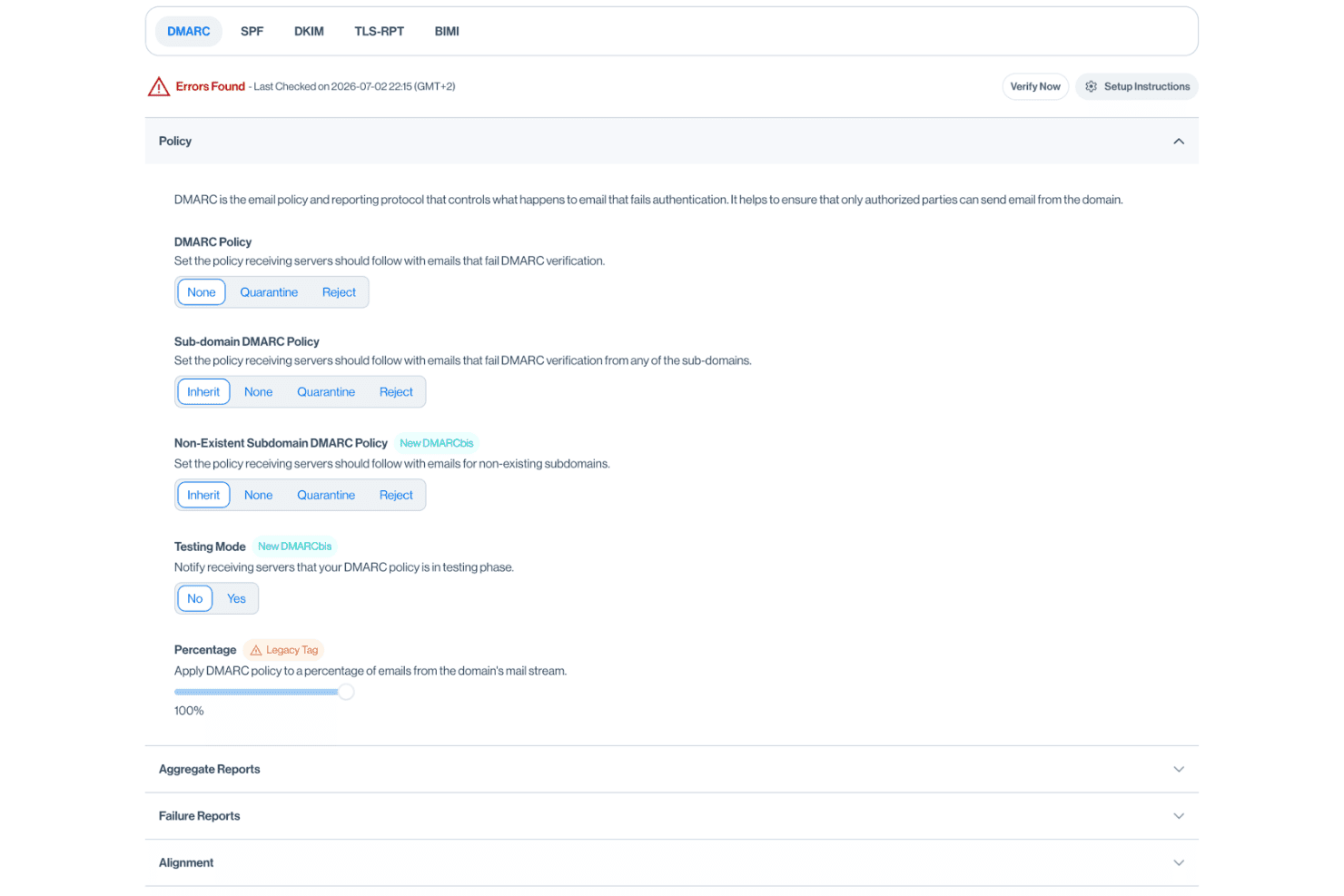
Sendmarc generates and checks DMARC records, including the rua tag that routes aggregate reports. This automation speeds compliance and cuts manual errors.
Threat and Spoofing Detection
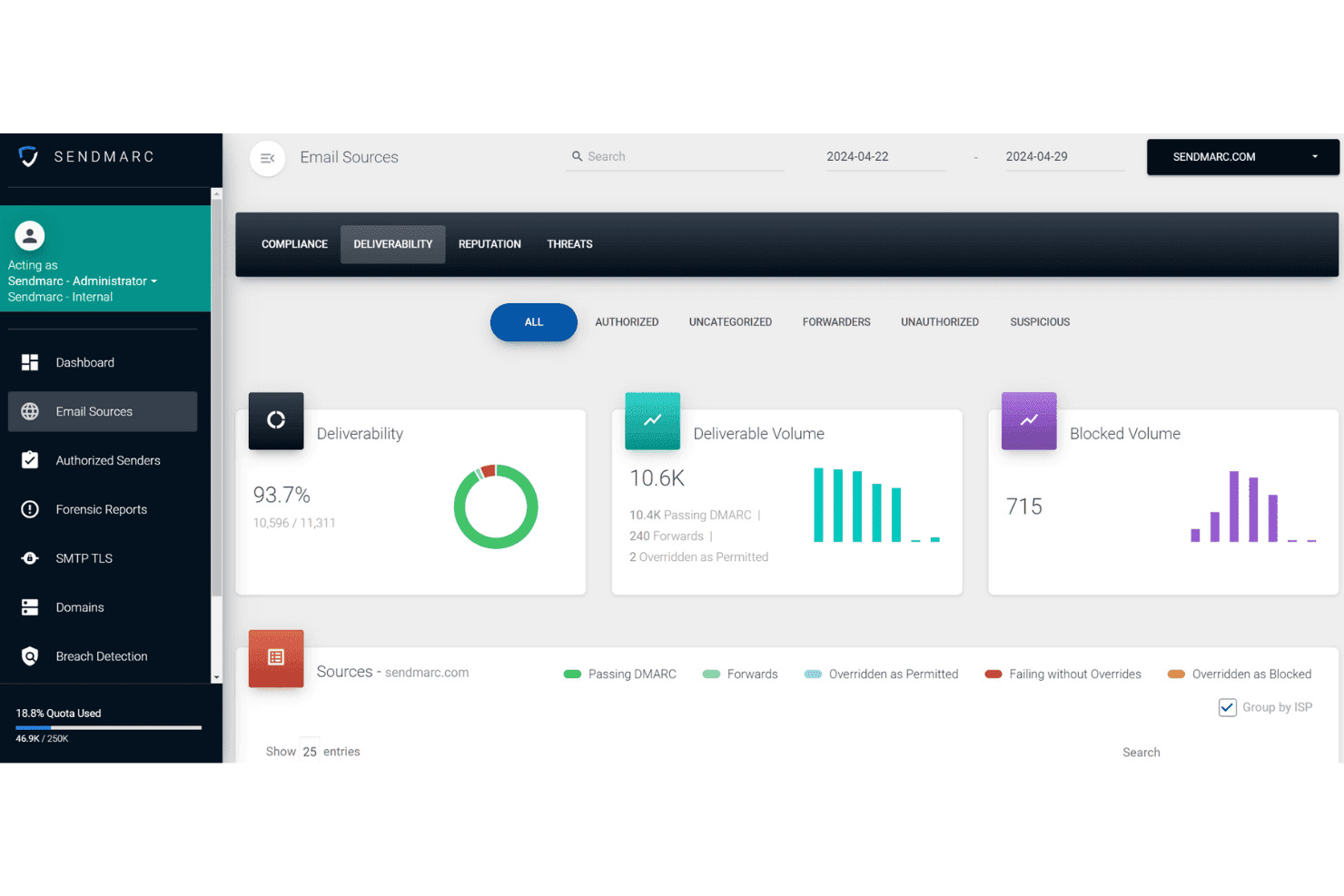
Get alerts when unauthorized sources send email using your domains. Real-time notifications help you stop phishing, spoofing, and email fraud fast.
Guided Enforcement Path
Sendmarc provides a step-by-step workflow to reach DMARC enforcement safely. Teams see exactly what actions to take next, avoiding email disruptions.
Email Source Discovery
The platform maps all legitimate email senders in your environment. SPF flattening keeps you under the ten-lookup limit as that list grows.
Personalized Report Summaries
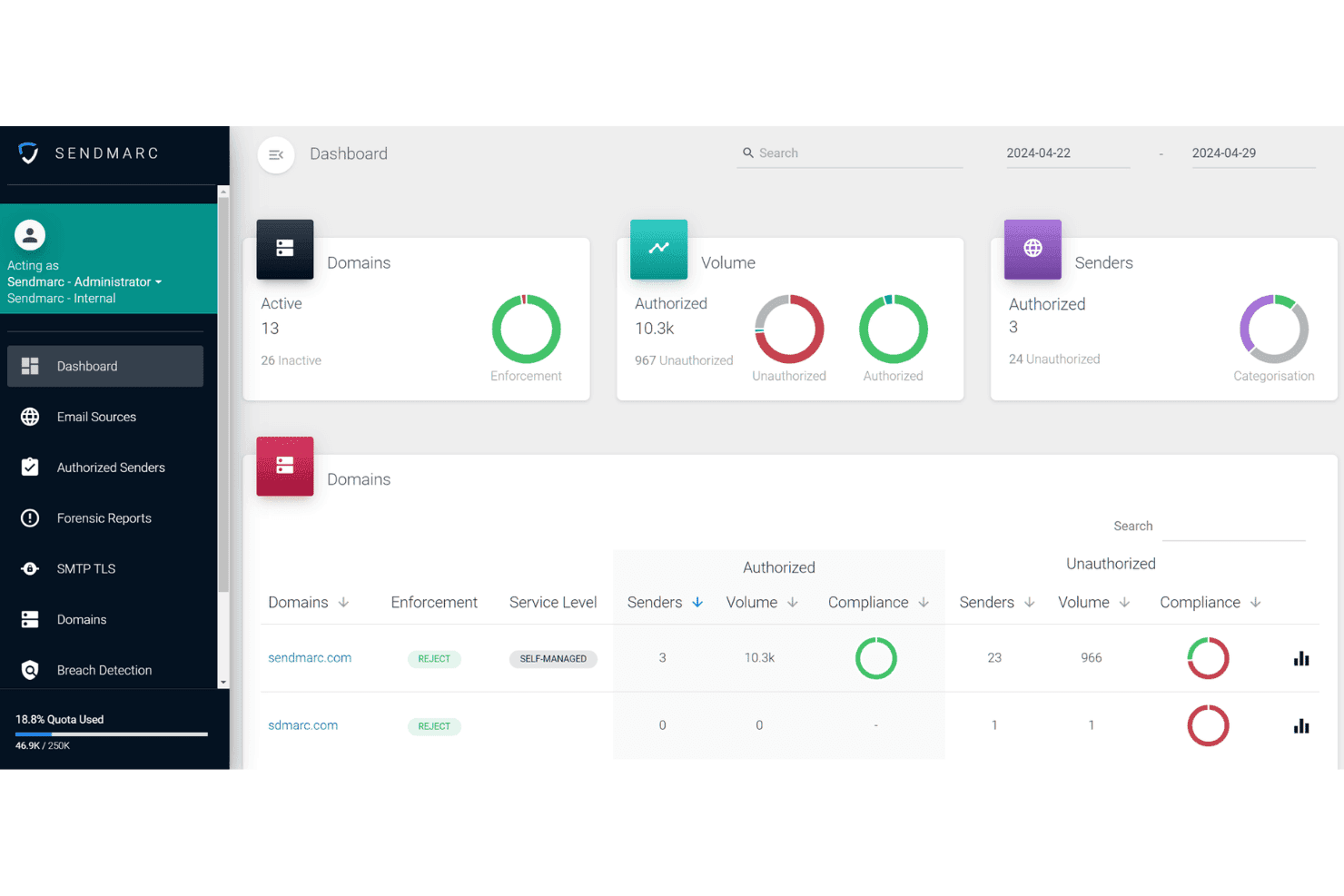
You get regular DMARC reporting that highlights trends and issues. The summaries break data into plain language for business and IT stakeholders.
Managed Service Provider Dashboard
MSPs get a unified dashboard to monitor multiple client domains. This multi-tenant view lets you handle many customers without jumping between accounts.
Ease of Use
Sendmarc is especially user-friendly, thanks to its straightforward dashboards and clear, step-by-step enforcement workflow. I think IT admins appreciate not needing deep email expertise to set policies or interpret reports. If you're used to leaning on an AI assistant to decode raw DMARC XML, the plain-language summaries here cover much of the same ground. Based on user reviews, the guided onboarding and real-time alerts make for a less stressful DMARC rollout, and the reporting is business-friendly without jargon.
Integrations
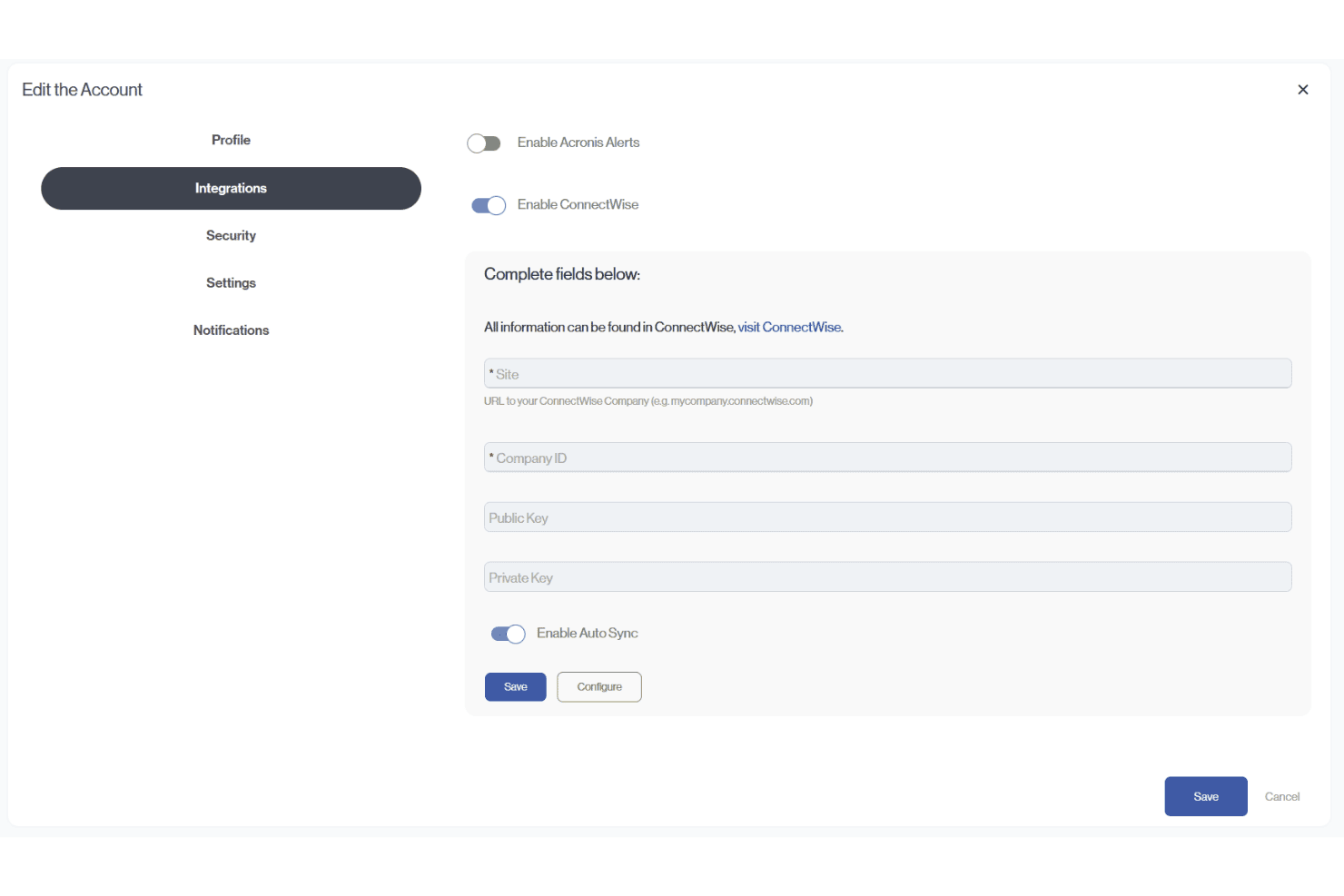
Sendmarc provides documented integrations with Abnormal Security, ConnectWise PSA, Acronis, HaloPSA, and Autotask (Datto/Kaseya). It also supports API-token creation for custom integrations, including connections with third-party platforms.
Sendmarc Specs
- 2-Factor Authentication: Yes
- Access Management: Yes
- Anti-Virus: No
- API: Yes
- Audit Trail: Yes
- Bug Tracking: Yes
- Calendar Management: Yes
- Customer Management: Yes
- Dashboard: Yes
- Data Export: Yes
- Data Import: Yes
- Data Visualization: Yes
- Email Integration: Yes
- External Integrations: Yes
- File Sharing: No
- File Transfer: No
- Firewall: No
- Google Apps Integration: Yes
- Inventory Tracking: Yes
- Malware Protection: Yes
- Multi-User: Yes
- Network Device Performance Monitoring: Yes
- Network Traffic Monitoring: Yes
- Network Visualization: Yes
- Notifications: Yes
- Project Management: Yes
- Remote Access: Yes
- Risk Assessment: Yes
- SAP Integration: Yes
- Scheduling: Yes
- Software Integration: Yes
- Third-Party Plugins/Add-Ons: Yes
- Ticket Management: Yes


