

Argos-anmeldelse: Fordele, ulemper, funktioner & priser
Argos skiller sig ud med sin brugervenlige grænseflade og robuste rapporteringsfunktioner, hvilket gør det til et foretrukket valg for teams, der søger effektive løsninger til visuel test.

We review tools independently, and commissions help fund our testing. See our transparency policy, our methodology, or suggest a tool.
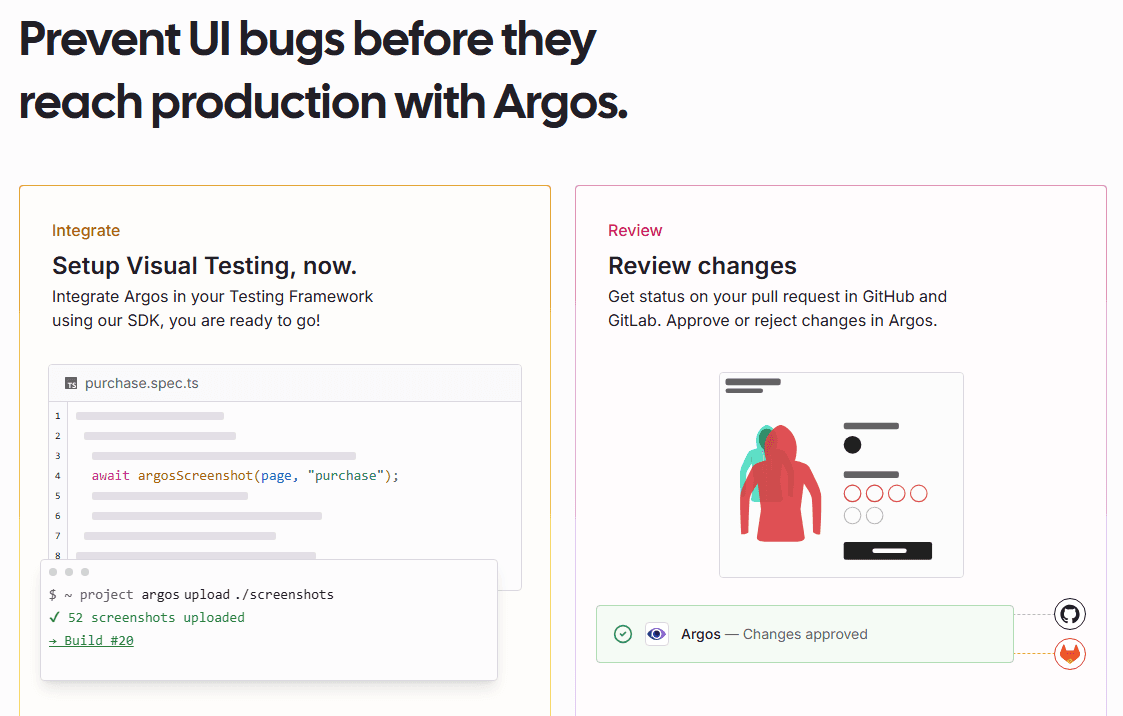
Argos is a visual regression software testing tool that catches UI changes by comparing screenshots across builds. It fits development teams running CI/CD pipelines who need automated visual diff detection built directly into their review process. I'd pick it over Percy if open-source flexibility and lower pricing are priorities. Percy works well at the enterprise level, but Argos delivers the same screenshot comparison workflow at a more accessible price point.
Argos Evaluation Summary
4.6/5
- From $30/month
- Free plan available
Why Trust Our Software Recommendations
6,700+
Reviews
20
Industry experts
16+
Evaluation factors
14
Years
Our team has been testing and reviewing software since 2012. As tech leaders ourselves, we know how difficult—and important—it is to choose the right software.
For this guide, we evaluated tools using hands-on testing and independent research, scoring tools using our selection criteria.
Our reviews reflect our human editorial judgment, not a sales pitch.
Expert reviewers:
- Paulo Gardini MiguelTech Director
 Tim FisherVP of AI
 Gabriel RosasTech Lead & Software Architect
 Christhian GruhnTech Lead & Platform Architect

Argos Overview
In my opinion, Argos CI excels as a software testing tool with its intuitive interface and efficient visual testing functionality. It’s particularly valuable for tech-driven teams needing reliable visual regression testing. Argos is best suited for development teams in industries like e-commerce and SaaS, where UI consistency is vital. It offers extensive integration, CI/CD workflow, and responsive customer support. Additionally, Argos allows ad hoc testing outside of your main development branch. However, some might find its price slightly higher than that of competitors.
Pros
- The visual testing features are straightforward and effective.
- Your team can quickly adopt it due to its user-friendly interface.
- It offers reliable bug detection and reporting.
Cons
- Limited customization options may not meet specific testing needs.
- Some users found the documentation lacking depth.
- It may not handle large-scale projects as efficiently as some competitors.
Is Argos Right For Your Needs?
Who Would be a Good Fit for Argos?
Argos CI is ideal for tech-driven teams that prioritize visual consistency, like those in e-commerce and SaaS. If your team needs reliable visual regression testing, Argos’s straightforward dashboard and effective bug detection make it a strong choice. Development teams will benefit from its user-friendly features, ensuring smooth testing processes. If your work involves frequent UI updates and requires consistent visual validation, Argos is particularly beneficial.
- E-commerce PlatformsArgos helps ensure your product displays and user interface remain consistent across frequent updates.
- SaaS CompaniesYour development team can rely on Argos for efficient visual regression testing in your fast-paced environment.
- Web Development TeamsArgos helps maintain UI consistency, which is crucial for your client-facing projects.
- QA DepartmentsYou can use Argos’ reporting tools to accurately detect bugs, enhancing your team's testing efficiency.
- UI/UX Design TeamsArgos supports your need for visual accuracy, ensuring design elements appear as intended.
- Small to Medium BusinessesArgos offers your team a cost-effective solution to maintain visual integrity across your applications.
Who Would be a Bad Fit for Argos?
Argos might not suit large enterprises needing extensive customization and scalability. If your team handles massive projects that require highly tailored testing processes, Argos’s limited customization options restrict you. Industries that demand complex testing beyond visual regression might find Argos struggling to provide the features they need. If in-depth documentation is crucial for your team’s onboarding and training, Argos’s current resources might not meet your expectations.
- Large EnterprisesIf your company requires extensive scalability, Argos’s features might not be sufficient.
- Highly Regulated IndustriesYour compliance requirements may demand more advanced testing features than Argos offers.
- Telecommunications CompaniesArgos might not handle the complex testing scenarios your industry demands.
- Financial InstitutionsYour need for detailed testing documentation may exceed Argos’s current resources.
- Manufacturing SectorsArgos’s focus on visual testing may not align with your functional testing requirements.
- Consulting FirmsIf you require highly customized testing solutions for diverse clients, Argos may not provide the flexibility you need.
Core Features
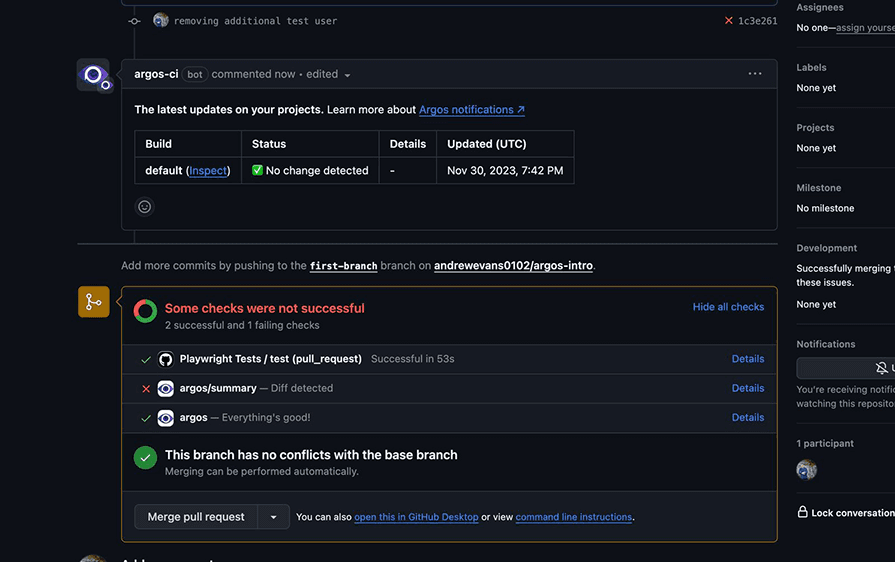
Visual Regression Testing: Argos CI detects visual changes in your web applications by comparing screenshots uploaded in PNG format. This saves your team time and ensures a consistent user experience.
Automated Bug Detection: Argos automates bug detection in visual elements, so you can focus on fixing them rather than finding them.
User-Friendly Interface: The intuitive design makes navigating Argos easy for your team, reducing the learning curve and speeding up adoption.
Detailed Reporting: Argos provides clear reports on visual discrepancies, meeting your team’s reporting needs by providing actionable insights.
CI Workflow Integration: Argos seamlessly integrates into your CI pipeline, improving the efficiency of your testing process.
Cross-Browser Testing: Test your applications across different browsers to ensure a consistent aesthetic and enhance user satisfaction.
Ease of Use
Argos is remarkably user-friendly, making it easy for your team to integrate into their workflow. Its intuitive interface requires minimal training, allowing you to focus on testing rather than setup. Users appreciate the clear navigation and straightforward design, which streamlines the testing process. The automated bug detection and detailed reporting further simplify your work by providing actionable insights without unnecessary complexity. This usability advantage positions Argos well among software testing tools, especially for teams seeking efficient visual testing solutions.
Integrations
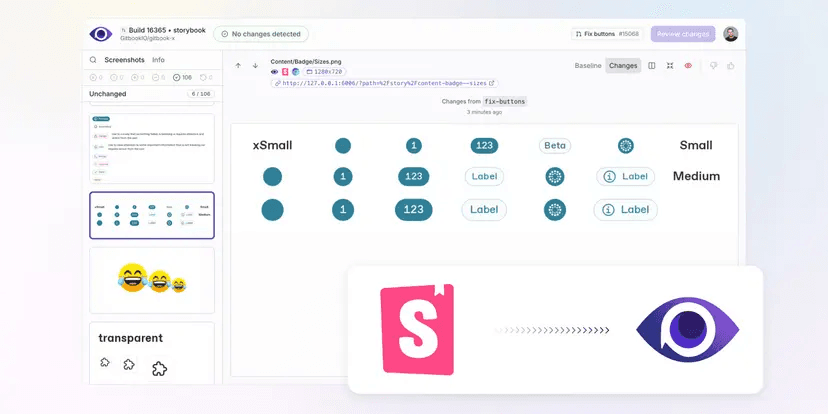
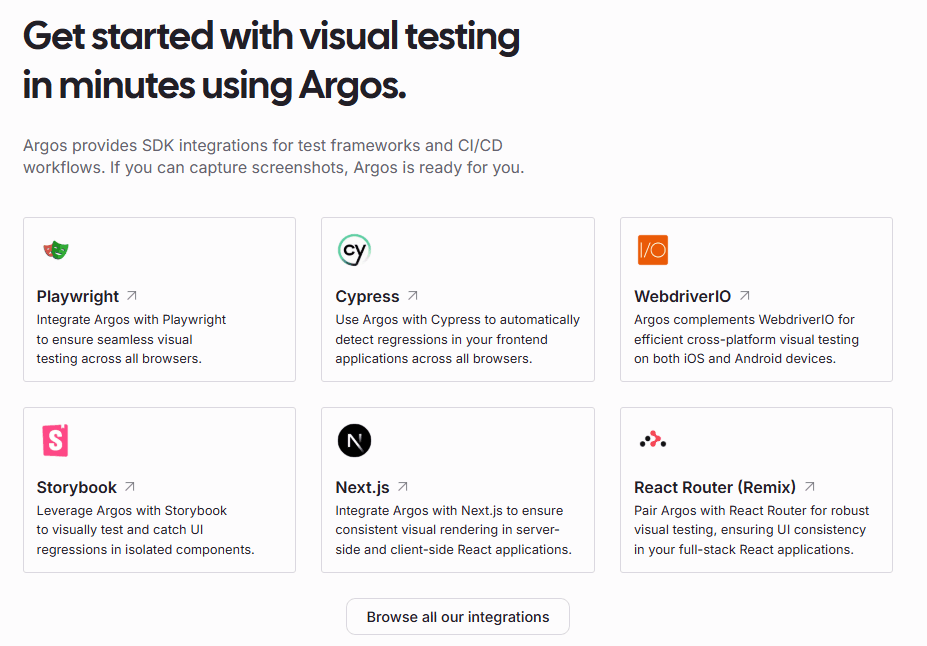
Argos integrates with Playwright, Cypress, Storybook, Next.js, React Router (previously Remix), GitHub, GitLab, and WebdriverIO.
Argos also provides an API client for custom integrations, allowing your team to upload screenshots from their CI workflow.
Argos Specs
- A/B Testing: No
- API: No
- Automated Testing: No
- Browser Compatibility Testing: No
- Bug Tracking: No
- Calendar Management: No
- CI/CD Integration: No
- Dashboard: Yes
- Data Export: No
- Data Import: No
- Data Visualization: No
- Developer Tools: No
- External Integrations: Yes
- History/Version Control: No
- Manual Testing: No
- Multi-User: No
- Notifications: No
- Performance Testing: No
- Regression Testing: No
- Scheduling: No
- Status Notifications: No
- Third-Party Plugins/Add-Ons: Yes


