


Xray vs. TestRail: Detailed Comparison and Expert Reviews for 2026

We review tools independently, and commissions help fund our testing. See our transparency policy, our methodology, or suggest a tool.
Choosing between Xray and TestRail means weighing Jira-native flexibility against a standalone powerhouse, both top contenders in the test case management software space for teams who need to keep QA organized and efficient. If you’re struggling to decide which tool will streamline your workflows, integrate with your stack, and actually make testers’ lives easier, you’re not alone.
This guide breaks down the real-world strengths, weaknesses, and unique features of each, so you can confidently choose the right fit for your team’s needs and future growth.
Xray
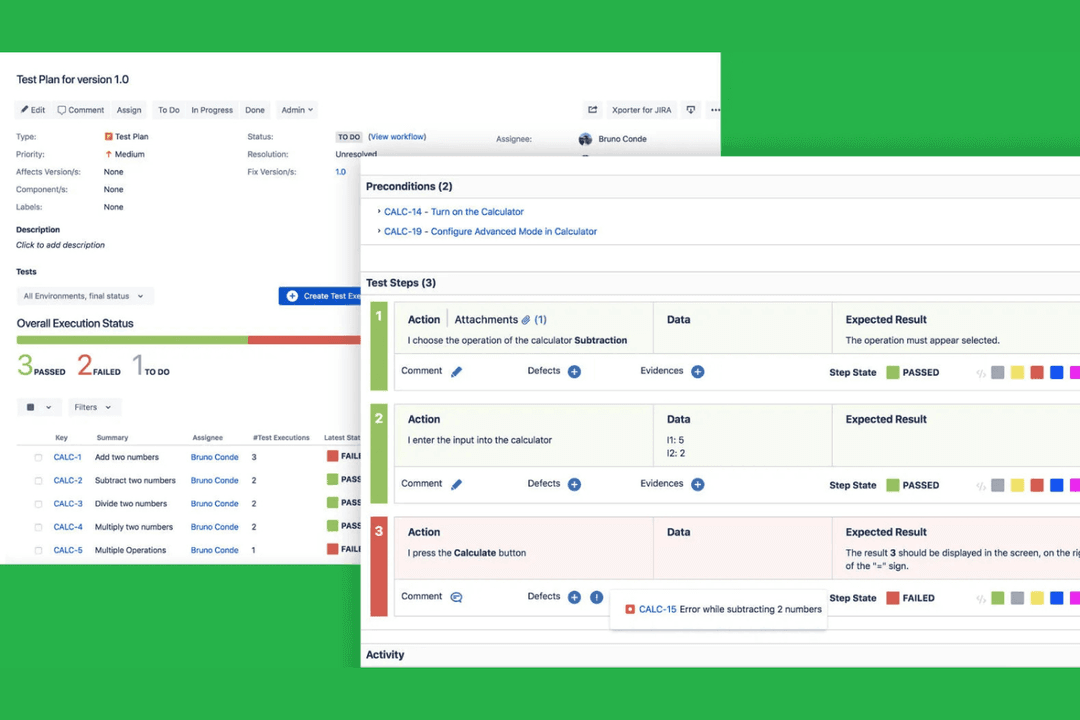
4.3/5
- 30-day free trial
- From $8.33/user/month (billed annually)
TestRail
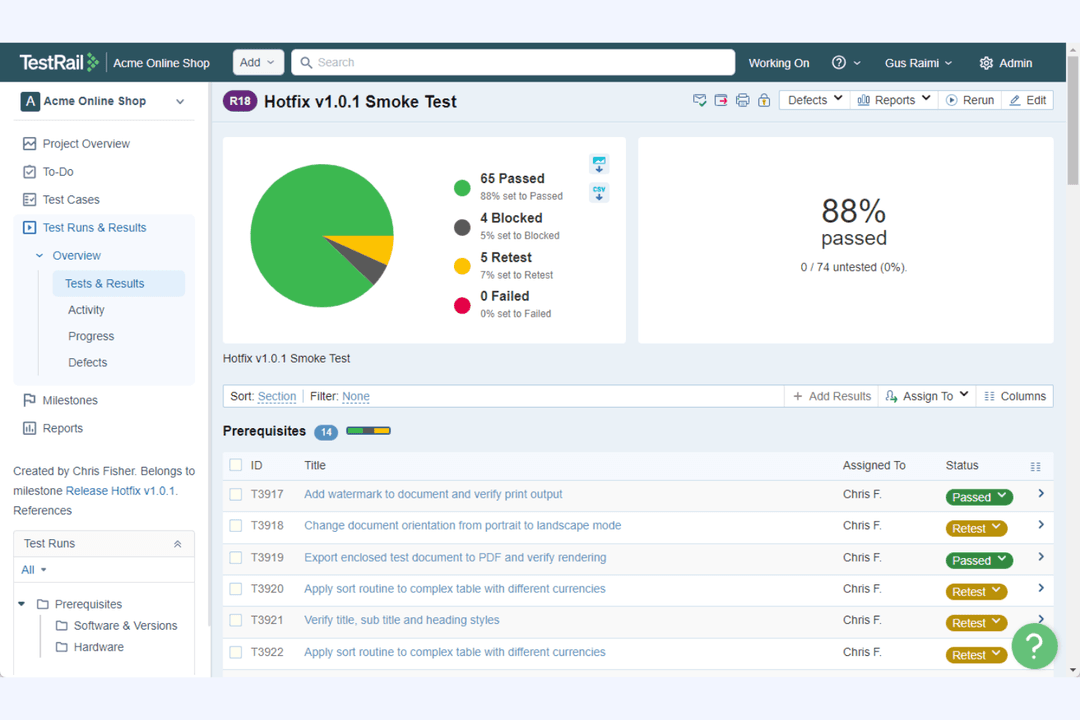
4.3/5
- 30-day free trial
- From $38/user/month (billed annually)
Why Trust Our Software Recommendations
6,700+
Reviews
20
Industry experts
16+
Evaluation factors
14
Years
Our team has been testing and reviewing software since 2012. As tech leaders ourselves, we know how difficult—and important—it is to choose the right software.
For this guide, we evaluated tools using hands-on testing and independent research, scoring tools using our selection criteria.
Our reviews reflect our human editorial judgment, not a sales pitch.
Expert reviewers:
- Paulo Gardini MiguelTech Director
 Tim FisherVP of AI
 Gabriel RosasTech Lead & Software Architect
 Christhian GruhnTech Lead & Platform Architect

| Xray | TestRail | |
|---|---|---|
| Free Trial | 30-day free trial | 30-day free trial |
| Pricing | From $8.33/user/month (billed annually) | From $38/user/month (billed annually) |
Xray vs. TestRail Pricing & Hidden Costs
Xray uses a subscription-based pricing model that scales with the number of Jira users, since it’s an add-on for Jira. This means your costs will rise as your Jira user base grows, and you’ll need to factor in your Jira subscription as well. TestRail, on the other hand, offers both cloud and server-based pricing, charging per user. You may encounter extra costs for advanced features, integrations, or support tiers with either tool, so it’s important to review what’s included in each plan.
To choose the right vendor, map out your team’s current and future user counts, integration needs, and support expectations. Look beyond the base price, consider how each tool’s pricing structure fits with your organization’s growth plans, and check for any add-ons or usage limits that could impact your total cost of ownership. Request a detailed quote or trial from both vendors to see how real-world usage affects your bottom line before making a commitment.
Both Xray and TestRail are robust test management platforms designed to help QA teams create, organize, execute, and track test cases, while providing visibility into testing progress through reporting and dashboards. They support both manual and automated testing workflows, enable traceability between tests, requirements, and defects, and integrate with external tools (like Jira) to streamline collaboration across development and QA teams.
Where they differ most is in their core architecture and standout strengths. Xray’s biggest differentiator is its deep, native integration with Jira, embedding the entire testing lifecycle directly into the Atlassian ecosystem for seamless traceability and workflow alignment. In contrast, TestRail stands out as a powerful standalone test management system, offering a more purpose-built UI, advanced reporting, and flexible multi-project management outside of Jira, making it better suited for teams that want a dedicated, highly customizable testing hub.
| Xray | TestRail | |
|---|---|---|
| A/B Testing | No | No |
| API | Yes | Yes |
| Automated Testing | Yes | Yes |
| Browser Compatibility Testing | No | No |
| Bug Tracking | Yes | Yes |
| Calendar Management | No | No |
| CI/CD Integration | Yes | Yes |
| Dashboard | Yes | Yes |
| Data Export | Yes | Yes |
| Data Import | Yes | Yes |
| Data Visualization | Yes | Yes |
| Developer Tools | Yes | Yes |
| External Integrations | Yes | Yes |
| History/Version Control | Yes | Yes |
| Manual Testing | Yes | Yes |
| Multi-User | Yes | Yes |
| Notifications | Yes | Yes |
| Performance Testing | No | No |
| Regression Testing | Yes | Yes |
| Scheduling | Yes | Yes |
| Status Notifications | No | No |
| Third-Party Plugins/Add-Ons | Yes | Yes |
| Integration | Xray | TestRail |
| Jira | ✅ | ✅ |
| Jenkins | ✅ | ✅ |
| GitHub | ✅ | ✅ |
| Slack | ❌ | ✅ |
| Azure DevOps | ✅ | ✅ |
| Selenium | ✅ | ✅ |
| Bamboo | ✅ | ❌ |
| GitLab | ✅ | ✅ |
| TestNG | ✅ | ❌ |
| Bugzilla | ❌ | ✅ |
| API | ✅ | ✅ |
| Zapier | ❌ | ✅ |
Xray and TestRail both offer strong integration capabilities, but with different philosophies. Xray is built natively into Jira, so most integrations come through the Atlassian ecosystem, supported by REST and GraphQL APIs for automation.
TestRail, as a standalone tool, offers broader third-party integrations and relies on its REST API for flexibility across different toolchains. Overall, Xray favors deep native integration, while TestRail emphasizes wider compatibility.
| Factor | Xray | TestRail |
| Data Privacy | Inherits Jira’s data privacy controls and supports GDPR compliance. | Offers GDPR compliance and configurable data retention policies. |
| Access Controls | Uses Jira’s granular permission schemes for user and project access. | Provides role-based access control and project-level permissions. |
| Encryption | Relies on Jira’s encryption for data at rest and in transit. | Encrypts data at rest and in transit for both cloud and server. |
| Uptime & Backups | Benefits from Jira’s enterprise-grade uptime and backup policies. | Delivers high availability with automated backups and disaster recovery. |
| Audit Logging | Tracks changes through Jira’s audit logs and issue history. | Includes detailed audit logs for user actions and test changes. |
TestRail offers more direct control over security and compliance settings, while Xray leverages Jira’s mature enterprise-grade protections. Xray’s strength is its seamless inheritance of Jira’s robust security framework, while TestRail stands out for its transparent audit logging and flexible access controls.
| Factor | Xray | TestRail |
| User Interface | Feels familiar to Jira users but can be overwhelming for newcomers. | Clean, intuitive interface designed specifically for test management. |
| Onboarding | Quick for Jira teams, but requires Jira knowledge to get started. | Guided onboarding and helpful tooltips make setup straightforward. |
| Test Organization | Organizes tests within Jira issues, which can get complex at scale. | Offers dedicated test suites and folders for easy navigation. |
| Reporting | Relies on Jira dashboards and gadgets for reporting. | Built-in, customizable reports are easy to access and share. |
| Support | Supported through Jira’s help channels and Xray documentation. | Responsive support and extensive documentation tailored to TestRail. |
TestRail is easier for new users to pick up and navigate, while Xray feels most natural for teams already comfortable with Jira. Xray’s strength is its seamless integration for Jira-centric workflows, while TestRail shines with its focused, user-friendly design and approachable onboarding.
Xray
- Xray integrates smoothly with Jira, making it ideal for teams already using it.
- It offers detailed and customizable reporting, enhancing your team's insights.
- Xray supports both manual and automated testing, giving your team flexibility.
- Some users find the initial setup complex and time-consuming.
- The user interface can feel unintuitive for those unfamiliar with Jira.
- Limited documentation can make troubleshooting harder for your team.
TestRail
- It offers robust reporting tools that enhance your team's ability to track and analyze test results.
- The intuitive interface makes it easy for your team to manage test cases and suites.
- Real-time collaboration features help your team stay aligned and efficient.
- Some users find the initial setup and configuration process a bit complex for their team.
- Limited customization options can restrict how your team tailors the tool to specific workflows.
- Occasional performance lags can slow down your team's testing process.
Xray
- Agile Development TeamsXray’s integration with Jira makes it a natural fit for agile teams focused on iterative development.
- Healthcare ComplianceThe detailed reporting features help your team maintain strict compliance standards in healthcare environments.
- Financial ServicesXray’s robust testing capabilities support the complex requirements of financial software testing.
- QA DepartmentsYour QA department will benefit from Xray’s strong support for both manual and automated testing processes.
- Large EnterprisesWith its comprehensive reporting tools, Xray helps large enterprises manage complex testing cycles efficiently.
- Software Testing FirmsXray offers the flexibility and detailed insights that testing firms need to deliver high-quality results to clients.
TestRail
- Agile TeamsTestRail supports your agile processes with real-time collaboration and quick iteration capabilities.
- Tech StartupsYour startup will benefit from TestRail’s structured test management, helping you scale efficiently.
- Finance IndustryTestRail’s detailed reporting and tracking meet your industry’s stringent compliance requirements.
- Healthcare QAThe software ensures your team’s thorough testing and documentation, crucial in healthcare.
- Large EnterprisesYour enterprise can leverage TestRail’s robust features to manage complex testing environments.
- Software DevelopersDevelopers will appreciate TestRail’s integration with their existing tools, streamlining workflows.
Who Should Use Xray, and Who Should Use TestRail?
Xray is best suited for teams that are already heavily invested in Jira and want a fully integrated testing workflow. Because it operates natively inside Jira, it’s ideal for development and QA teams that need tight traceability between requirements, issues, and test cases without switching tools. It also works particularly well for Agile teams and organizations prioritizing end-to-end visibility and collaboration within a single ecosystem.
TestRail is better suited for teams that want a dedicated, standalone test management platform with more flexibility across tools and projects. It’s a strong fit for organizations managing complex or multi-project testing environments, where a purpose-built interface, advanced reporting, and customization are key priorities. This makes it especially appealing to larger QA teams or enterprises that aren’t tied exclusively to Jira and prefer a centralized testing hub.
| Xray | TestRail | |
|---|---|---|
| Customization | Xray Limited to what Jira workflows and configurations allow. | TestRail Highly customizable fields, workflows, and test structures within the platform. |
| Jira Integration | Xray Fully embedded in Jira, using native issues and workflows. | TestRail Integrates with Jira, but operates as a standalone platform. |
| Reporting | Xray Relies on Jira dashboards and gadgets for reporting. | TestRail Offers built-in, customizable reports and analytics. |
| Traceability | Xray Native, real-time traceability between requirements, tests, and defects within Jira. | TestRail Traceability available, but relies on integrations and syncing with external tools. |
| User Interface | Xray Mirrors Jira’s interface, which can be complex for non-Jira users. | TestRail Purpose-built, streamlined UI focused on test management tasks. |
| Agile Support | Both platforms support Agile methodologies, including sprint-based testing and continuous delivery practices. |
|---|---|
| API Availability | Both offer robust APIs, enabling custom integrations and automation tailored to your team’s workflows. |
| Collaboration | Both support team collaboration through shared projects, comments, and real-time updates on testing activities. |
| Defect Management | Each tool allows linking test results to defects/bugs in external systems like Jira for streamlined issue tracking. |
| Test Case Management | Both let you create, organize, and execute manual and automated test cases, supporting structured QA cycles. |