


NinjaOne Vs. Tanium: Comparison & Expert Review for 2026
Ready to see which IT management tool fits your needs best? I break down NinjaOne vs. Tanium so you can make a confident, informed choice—no guesswork needed.

We review tools independently, and commissions help fund our testing. See our transparency policy, our methodology, or suggest a tool.
When security demands rise, budgets tighten, and manual work starts piling up, the wrong platform can make an already difficult job even harder. The real challenge is finding a solution that balances control, speed, and usability without adding more complexity.
You want IT management tools that actually make your job easier, not more complicated. Maybe you’re juggling strict security demands, shrinking budgets, or time-consuming manual tasks. When you look at NinjaOne and Tanium, you’re probably asking how they stack up—speed, security, ease of use, and support are all in play when it comes to choosing IT management software.
In this article, you’ll get a no-nonsense breakdown of NinjaOne and Tanium. I’ll cover pros and cons, use cases, pricing, security, and usability so you know exactly what to expect from each.
NinjaOne
4.7/5
- 14-day free trial + free demo available
- Pricing upon request
Tanium
4.5/5
- Free demo available
- Pricing upon request
Why Trust Our Software Recommendations
6,700+
Reviews
20
Industry experts
16+
Evaluation factors
14
Years
Our team has been testing and reviewing software since 2012. As tech leaders ourselves, we know how difficult—and important—it is to choose the right software.
For this guide, we evaluated tools using hands-on testing and independent research, scoring tools using our selection criteria.
Our reviews reflect our human editorial judgment, not a sales pitch.
Expert reviewers:
- Paulo Gardini MiguelTech Director
 Tim FisherVP of AI
 Gabriel RosasTech Lead & Software Architect
 Christhian GruhnTech Lead & Platform Architect

| NinjaOne | Tanium | |
|---|---|---|
| Free Trial | 14-day free trial + free demo available | Free demo available |
| Pricing | Pricing upon request | Pricing upon request |
NinjaOne Vs. Tanium Pricing & Hidden Costs
Both companies make you ask for a number, but they are not equally forthcoming. NinjaOne prices per device on volume tiers and publishes an indicative range before you speak to anyone, with onboarding, training, and support included and a self-serve trial that unlocks the whole platform. Tanium publishes nothing at all. There is no pricing page, no rate card, and no free tier, and licensing works through solution bundles rather than one subscription, with named tiers only for smaller estates. Implementation is the bigger line item to plan for. Tanium's professional services are delivered by partners and engaged separately from the license, and even certification exam vouchers are their own purchase.
To pick the right vendor, weigh what sits in the base offer against what arrives later as a line item. Ask how much headcount it takes to run the thing day to day, because that is the cost neither quote will show you and the one most likely to decide whether the whole exercise was a good idea.
| NinjaOne | Tanium | |
|---|---|---|
| 2-Factor Authentication | Yes | Yes |
| Access Management | Yes | Yes |
| Anti-Virus | Yes | Yes |
| API | Yes | Yes |
| Audit Trail | Yes | Yes |
| Bug Tracking | Yes | Yes |
| Calendar Management | Yes | Yes |
| Customer Management | Yes | Yes |
| Dashboard | Yes | Yes |
| Data Export | Yes | Yes |
| Data Import | Yes | Yes |
| Data Visualization | Yes | Yes |
| Email Integration | Yes | Yes |
| External Integrations | Yes | Yes |
| File Sharing | Yes | Yes |
| File Transfer | Yes | Yes |
| Firewall | Yes | Yes |
| Google Apps Integration | Yes | Yes |
| Inventory Tracking | Yes | Yes |
| Malware Protection | Yes | Yes |
| Multi-User | Yes | Yes |
| Network Device Performance Monitoring | Yes | Yes |
| Network Traffic Monitoring | Yes | Yes |
| Network Visualization | Yes | Yes |
| Notifications | Yes | Yes |
| Project Management | Yes | Yes |
| Remote Access | Yes | Yes |
| Risk Assessment | Yes | Yes |
| SAP Integration | Yes | Yes |
| Scheduling | Yes | Yes |
| Software Integration | Yes | Yes |
| Third-Party Plugins/Add-Ons | Yes | Yes |
| Ticket Management | Yes | Yes |
| Integration | NinjaOne | Tanium |
|---|---|---|
| IntegrationServiceNow | NinjaOne✅ | Tanium✅ |
| IntegrationMicrosoft Intune | NinjaOne✅ | Tanium✅ |
| IntegrationMicrosoft Entra ID | NinjaOne✅ | Tanium✅ |
| IntegrationSplunk | NinjaOne❌ | Tanium✅ |
| IntegrationCrowdStrike | NinjaOne✅ | Tanium❌ |
| IntegrationSentinelOne | NinjaOne✅ | Tanium❌ |
| IntegrationOkta | NinjaOne✅ | Tanium❌ |
| IntegrationConnectWise | NinjaOne✅ | Tanium❌ |
| IntegrationAutotask | NinjaOne✅ | Tanium❌ |
| IntegrationSlack | NinjaOne✅ | Tanium❌ |
| IntegrationZapier | NinjaOne❌ | Tanium❌ |
| IntegrationPublic API | NinjaOne✅ | Tanium✅ |
The two catalogs barely overlap, which tells you almost everything about who each one is built for. NinjaOne connects to the MSP and IT service and security ecosystem. Tanium's alliances are enterprise security infrastructure instead, and also sells its own threat response, so it has little reason to wire in the EDR vendors NinjaOne treats as first-class. Both publish APIs, though only NinjaOne's reference is readable without a customer login.
| Factor | NinjaOne | Tanium |
|---|---|---|
| FactorCertifications | NinjaOneISO 27001 certified, SOC 2 and SOC 3, FedRAMP Moderate authorized with High in ready status, plus GovRAMP and TX-RAMP Level 2 | TaniumSOC 2 Type II for Tanium Cloud, ISO 27001 and ISO 27018, FedRAMP Moderate and StateRAMP authorized, plus ANSSI CSPN, ENS Alta, and UK Cyber Essentials |
| FactorData Encryption | NinjaOneAES-256 at rest, TLS 1.2 or 1.3 in transit, AES-256-GCM for remote sessions | TaniumFIPS 140-3 validated cryptographic module with hardware security module support for key material, though ciphers and TLS versions are not published |
| FactorPrivacy Frameworks | NinjaOneCCPA compliance, with HIPAA, GDPR, and DORA handled through contractual addendums | TaniumA documented GDPR program and Data Privacy Framework participation, with HIPAA treated as customer enablement rather than attestation |
| FactorAccess Controls | NinjaOneSAML SSO, SCIM provisioning, enforced MFA, and role-based permissions with full activity logging | TaniumSAML SSO, role-based access with four-eyes approval on privileged actions, and granular event logging |
| FactorDeployment Options | NinjaOneCloud only, across seven customer-selectable regions | TaniumCloud, on-premise appliance, or fully air-gapped, with regional cloud data centers |
Both are serious here, and both leave gaps worth naming. NinjaOne is the more transparent of the two on fundamentals, publishing AES-256 at rest, TLS 1.2 or 1.3 in transit, seven customer-selectable data regions, and a status page for each one. Tanium's advantage is depth of assurance for high-security buyers, with a FIPS 140-3 validated cryptographic module, SOC 2 Type II, ISO 27001 and 27018, French and Spanish national certifications, and four-eyes approval on privileged actions.
Both hold FedRAMP Moderate authorization, so the public sector question is closer to a tie than either would suggest. The real divergence is deployment: Tanium runs on-premise or fully air-gapped when you need it, which NinjaOne simply cannot do.
| Factor | NinjaOne | Tanium |
|---|---|---|
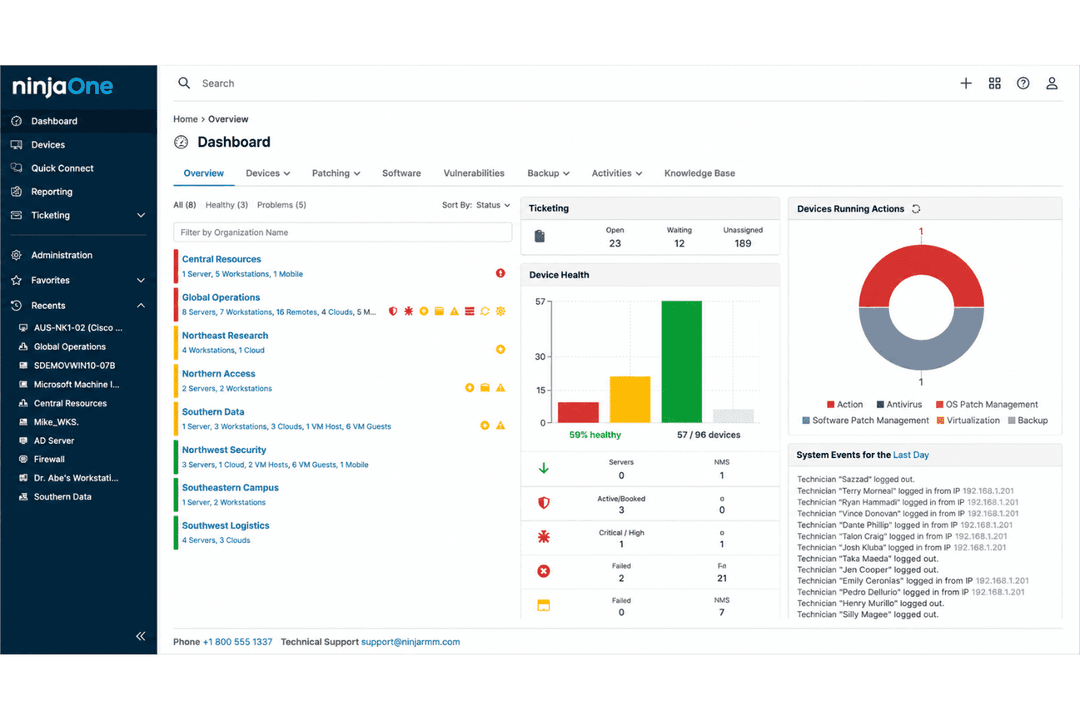
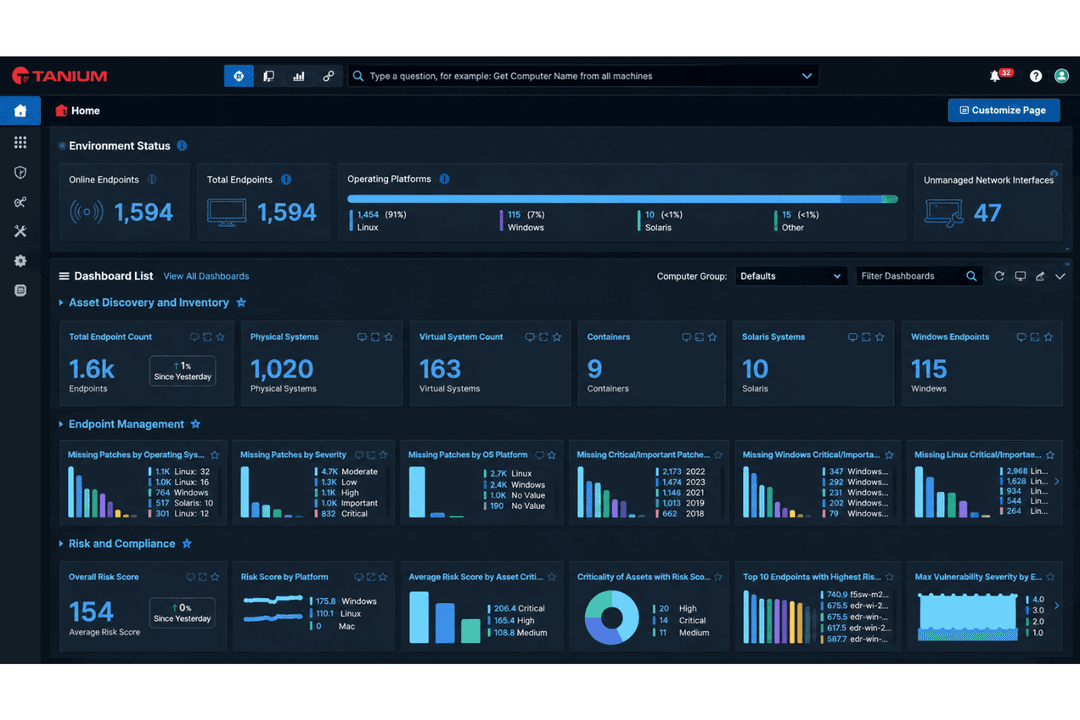
| FactorUser Interface | NinjaOneClean, intuitive dashboard with everything a click or two away | TaniumData-rich console built around a natural-language question bar, dense by design |
| FactorOnboarding | NinjaOneSelf-serve trial, deployment averaging under 30 days, with onboarding and training included free | TaniumImplementation runs as a partner-delivered professional services engagement, purchased separately from the license |
| FactorPolicy Setup | NinjaOnePrebuilt templates make configuration straightforward | TaniumThousands of configuration settings and SCAP and OVAL content, powerful and correspondingly involved |
| FactorTask Automation | NinjaOnePoint-and-click automations plus PowerShell, Batch, JavaScript, shell, and VBScript when you want them | TaniumOrchestration through Tanium Automate and agentic AI workflows, built for specialists |
| FactorSupport Resources | NinjaOneFree unlimited support 24/7 in seven languages, roughly 30-minute average response, 98% CSAT | TaniumSuccess Community, knowledge base, and proctored certifications, with technical account managers but no published support tiers or response commitments |
This one isn’t even close. NinjaOne deploys in under 30 days on average, gets operators proficient in roughly ten, and bundles onboarding, training, and 24/7 support at no charge. Tanium's own partner catalog sells a full-time Tanium Operator and a Tanium System Administrator as staffing services, which is a more honest description of the commitment than any review could write. That depth is exactly the point if you have a security operations team to use it. If you do not, you will be paying for a console full of capabilities nobody on staff has time to reach.
NinjaOne
- Deploys fast and delivers detailed endpoint visibility with no on-premise infrastructure to purchase, configure, and manage.
- Pulls patching, backup, remote access, and ticketing into one console.
- Automates patching with CVE and CVSS context, stability scoring, and dependable scripting.
- Built-in reporting is thin for client-facing work.
- Mobile device management is less robust than desktop support.
- The service desk and PSA are sized for SMB teams rather than enterprise ITSM or high-end MSP workflows.
Tanium
- Real-time endpoint protection and monitoring at enterprise scale
- Strong patch management and vulnerability detection features
- Unified operations and security workflows for IT teams
- Pricing is high for smaller organizations
- Reporting customization feels limited compared to some competitors
- Initial platform deployment can take significant time
NinjaOne
- Managed Service ProvidersNinjaOne’s multi-tenant architecture and remote support streamline managing multiple client environments from a single dashboard.
- Small to Midsize BusinessesDevice-based pricing and easy deployment provide SMBs effective IT management without extra complexity.
- Healthcare IT DepartmentsPatch management and compliance reporting features help healthcare teams meet standards and secure sensitive data.
- Education InstitutionsRemote monitoring and access ease support for student and faculty devices across multiple sites.
- Hybrid Workforce SupportPolicy management, help desk, and remote access empower teams supporting remote and distributed users.
- Enterprise IT TeamsMulti-tenant architecture and automation scale to support large, distributed fleets and high endpoint volume.
Tanium
- Global EnterprisesTanium excels at managing large, distributed device fleets with real-time visibility and unified endpoint control.
- Financial ServicesTanium’s compliance, threat intelligence, and risk management features provide the tools banks and insurers need for audit trails and to meet regulatory demands.
- Healthcare OrganizationsGranular inventory and patching tools help healthcare IT maintain security and comply with patient data regulations.
- Government AgenciesTanium can secure, inventory, and control sensitive devices to meet strict federal standards.
- Security OperationsSOC teams can use Tanium modules for instant endpoint data and to automate responses to security threats.
- Managed Service ProvidersTanium’s centralized management allows MSPs to monitor, manage, and patch assets for multiple clients from a single console.
Who Should Use NinjaOne, and Who Should Use Tanium?
NinjaOne is a great fit for small to mid-sized IT teams, managed service providers, and organizations that want a fast-to-learn platform with reliable support and no implementation project bolted on. It also scales further than its reputation suggests, with enterprise tenants running six-figure endpoint counts. Tanium is right at home for large enterprises, government agencies, and security-driven teams with dedicated staff, especially where you need real-time answers across an enormous fleet, on-premise or air-gapped deployment, or genuine threat hunting depth. One useful tell: Tanium's own tiering for smaller organizations tops out around ten thousand endpoints, which says a lot about where it expects to live.
If you want speed, fast deployment, and simplicity with a robust set of features, go with NinjaOne. If you need forensic depth at scale and have the team and resources to operate it, you might want to go with Tanium.
| NinjaOne | Tanium | |
|---|---|---|
| Automation Approach | NinjaOne Visual workflows, easy to create automations without scripting. | Tanium Script-driven, with powerful, customizable automation for pros. |
| Pricing Model | NinjaOne Quote-based, with flexibility for smaller deployments. | Tanium Quote-based, optimized for enterprise-scale contracts. |
| Security Focus | NinjaOne Strong compliance and encryption, suited for typical SMB needs. | Tanium Deep endpoint security, forensics, and real-time monitoring at scale. |
| Target Audience | NinjaOne SMBs, MSPs, and lean IT teams. | Tanium Large enterprises with complex IT and security needs. |
| User Interface | NinjaOne Simple, modern, and intuitive for quick adoption. | Tanium Data-heavy, complex dashboards built for advanced users. |
| API Access | NinjaOne and Tanium provide APIs so teams can extend functionality and integrate with other IT tools as needed. |
|---|---|
| Asset Inventory | Each tool offers real-time device inventories for comprehensive visibility into hardware and software assets. |
| Custom Reporting | Both deliver customizable reports, making it easy to track compliance, performance, and alerts over time. |
| Patch Management | NinjaOne and Tanium both automate patch deployment to help organizations stay ahead of vulnerabilities. |
| Remote Monitoring | Both platforms provide continuous monitoring of endpoints, helping IT teams spot issues before they escalate. |