

Hiver Review: Pros, Cons, Features, and Pricing
Hiver excels in simplifying email management within Gmail, making it a standout choice for teams seeking efficient collaboration without leaving their inbox.

We review tools independently, and commissions help fund our testing. See our transparency policy, our methodology, or suggest a tool.
Hiver is an IT helpdesk software built natively inside Gmail, designed for IT teams that need to manage shared inboxes, assign tickets, and track requests without leaving their email environment. I'd consider it if your team already runs on Google Workspace and wants ticketing capabilities without migrating to a separate platform. Compared to Freshdesk, Hiver requires far less onboarding overhead—there's no new interface to learn because your team is already working where the tool lives.
Hiver Evaluation Summary
4.7/5
- From $35/user/month
- Free plan available
Why Trust Our Software Recommendations
6,700+
Reviews
20
Industry experts
16+
Evaluation factors
14
Years
Our team has been testing and reviewing software since 2012. As tech leaders ourselves, we know how difficult—and important—it is to choose the right software.
For this guide, we evaluated tools using hands-on testing and independent research, scoring tools using our selection criteria.
Our reviews reflect our human editorial judgment, not a sales pitch.
Expert reviewers:
- Paulo Gardini MiguelTech Director
 Tim FisherVP of AI
 Gabriel RosasTech Lead & Software Architect
 Christhian GruhnTech Lead & Platform Architect

Hiver Overview
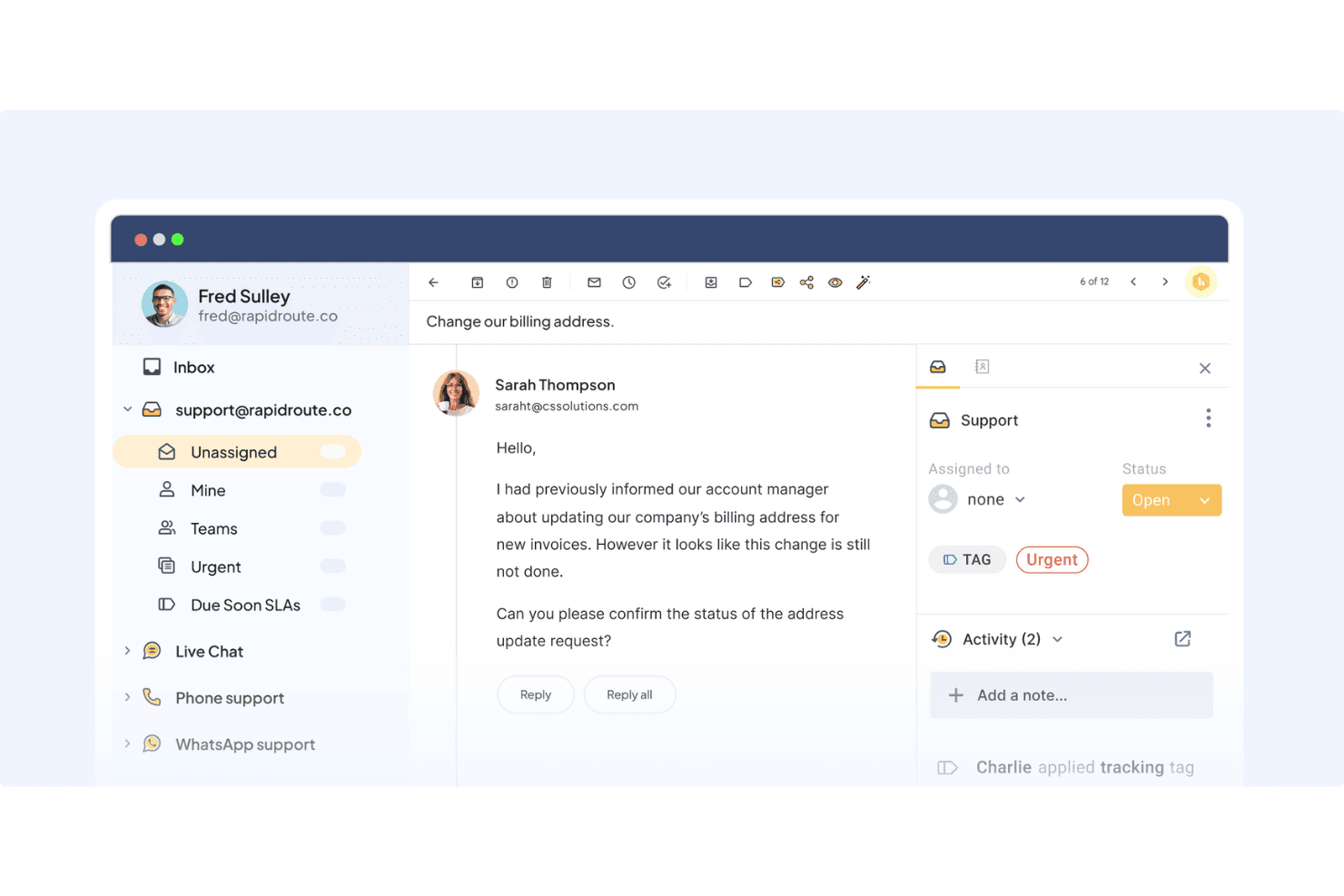
Hiver is a strong fit for support teams handling complex, multi-channel requests who want AI that can take on hard cases. It offers two variants of its product: Hiver Omni for teams that need a dedicated omnichannel customer service platform with cross-team coordination, and Hiver in Gmail for teams that want to manage shared inboxes and provide support directly from their Gmail inbox.
Across both, Hiver is designed to help teams collaborate on complex requests, automate repetitive work that shouldn’t need a human, and deploy AI that assists agents and resolves queries from beginning to end. Overall, Hiver shines in adoption speed, collaboration, and how quickly and consistently your team can handle multi-system and multi-team support. It’s best suited for teams that prioritize responsiveness and operational simplicity.
Pros
- Hiver AI reduces manual effort by drafting responses, auto-tagging conversations, and summarizing threads in seconds
- You deliver human-like, personalized responses without switching tabs or sounding robotic.
- Your team stays aligned with shared drafts, notes, collision alerts, and clear ownership.
Cons
- No advanced help desk forecasting, capacity planning, or predictive SLA breach modeling.
- Complex enterprise workflows may require more customization than Hiver currently offers.
- Teams with support channels outside of chat, email, and call (like social channels), may find the platform lacks features.
Is Hiver Right For Your Needs?
Who Would be a Good Fit for Hiver?
Hiver is ideal if you need a help desk platform that’s quick to adopt and easy to maintain. If your team handles high volumes of email, wants cleaner collaboration, or depends on personalization in every response, Hiver fits those needs well. You’ll especially benefit if your team works in Gmail or Outlook and wants AI to help streamline repetitive tasks.
- Small Support TeamsThe interface is simple enough that your team can start resolving issues within hours.
- E-Commerce BusinessesYou can access customer and order context quickly, making it easier to handle common inquiries.
- IT Help DesksSLA tracking, automations, and routing help you manage internal requests smoothly.
- Logistics & OperationsShared inboxes and clear workloads help you stay organized across high message volumes.
- Travel & HospitalityNatural, friendly replies help maintain strong relationships with customers and travelers.
- AI-Driven TeamsAI Copilot removes manual effort so your team can focus on higher-value tasks.
Who Would be a Bad Fit for Hiver?
Hiver may not be the right choice if your workflows rely heavily on custom data models, complex multi-stage escalations, or advanced enterprise routing. If email isn’t the main communication channel for your team, or if you need deep customization at the object level, Hiver may feel too constrained for your use case. Teams that depend on mobile-first support or field service workflows may also find gaps.
- Large EnterprisesSophisticated escalations and routing rules may be too advanced for Hiver’s setup.
- Strictly Regulated BusinessesTeams needing extensive compliance or specialized audit requirements may need additional layers.
- Developer or Engineering SupportHighly technical ticket structures may require deeper customization.
- Field-Based TeamsWorkflows built for mobile, on-site resolution may not align with Hiver's inbox-style interface.
- Teams Without Email-Driven WorkflowsIf email isn’t central to your support, Hiver’s strengths may go unused.
- Data-Heavy TeamsIf your workflows revolve around deeply modeled objects, Hiver’s custom object setup may be too basic.
Our Review Methodology
How We Test & Score Tools
We’ve spent years building, refining, and improving our software testing and scoring system. The rubric is designed to capture the nuances of software selection and what makes a tool effective, focusing on critical aspects of the decision-making process.
Below, you can see exactly how our testing and scoring works across seven criteria. It allows us to provide an unbiased evaluation of the software based on core functionality, standout features, ease of use, onboarding, customer support, integrations, customer reviews, and value for money.
Core Functionality (25% of final scoring)
The starting point of our evaluation is always the core functionality of the tool. Does it have the basic features and functions that a user would expect to see? Are any of those core features locked to higher-tiered pricing plans? At its core, we expect a tool to stand up against the baseline capabilities of its competitors.
Standout Features (25% of final scoring)
Next, we evaluate uncommon standout features that go above and beyond the core functionality typically found in tools of its kind. A high score reflects specialized or unique features that make the product faster, more efficient, or offer additional value to the user.
We also evaluate how easy it is to integrate with other tools typically found in the tech stack to expand the functionality and utility of the software. Tools offering plentiful native integrations, 3rd party connections, and API access to build custom integrations score best.
Ease of Use (10% of final scoring)
We consider how quick and easy it is to execute the tasks defined in the core functionality using the tool. High scoring software is well designed, intuitive to use, offers mobile apps, provides templates, and makes relatively complex tasks seem simple.
Onboarding (10% of final scoring)
We know how important rapid team adoption is for a new platform, so we evaluate how easy it is to learn and use a tool with minimal training. We evaluate how quickly a team member can get set up and start using the tool with no experience. High scoring solutions indicate little or no support is required.
Customer Support (10% of final scoring)
We review how quick and easy it is to get unstuck and find help by phone, live chat, or knowledge base. Tools and companies that provide real-time support score best, while chatbots score worst.
Customer Reviews (10% of final scoring)
Beyond our own testing and evaluation, we consider the net promoter score from current and past customers. We review their likelihood, given the option, to choose the tool again for the core functionality. A high scoring software reflects a high net promoter score from current or past customers.
Value for Money (10% of final scoring)
Lastly, in consideration of all the other criteria, we review the average price of entry level plans against the core features and consider the value of the other evaluation criteria. Software that delivers more, for less, will score higher.
Core Features
Omnichannel Inbox:
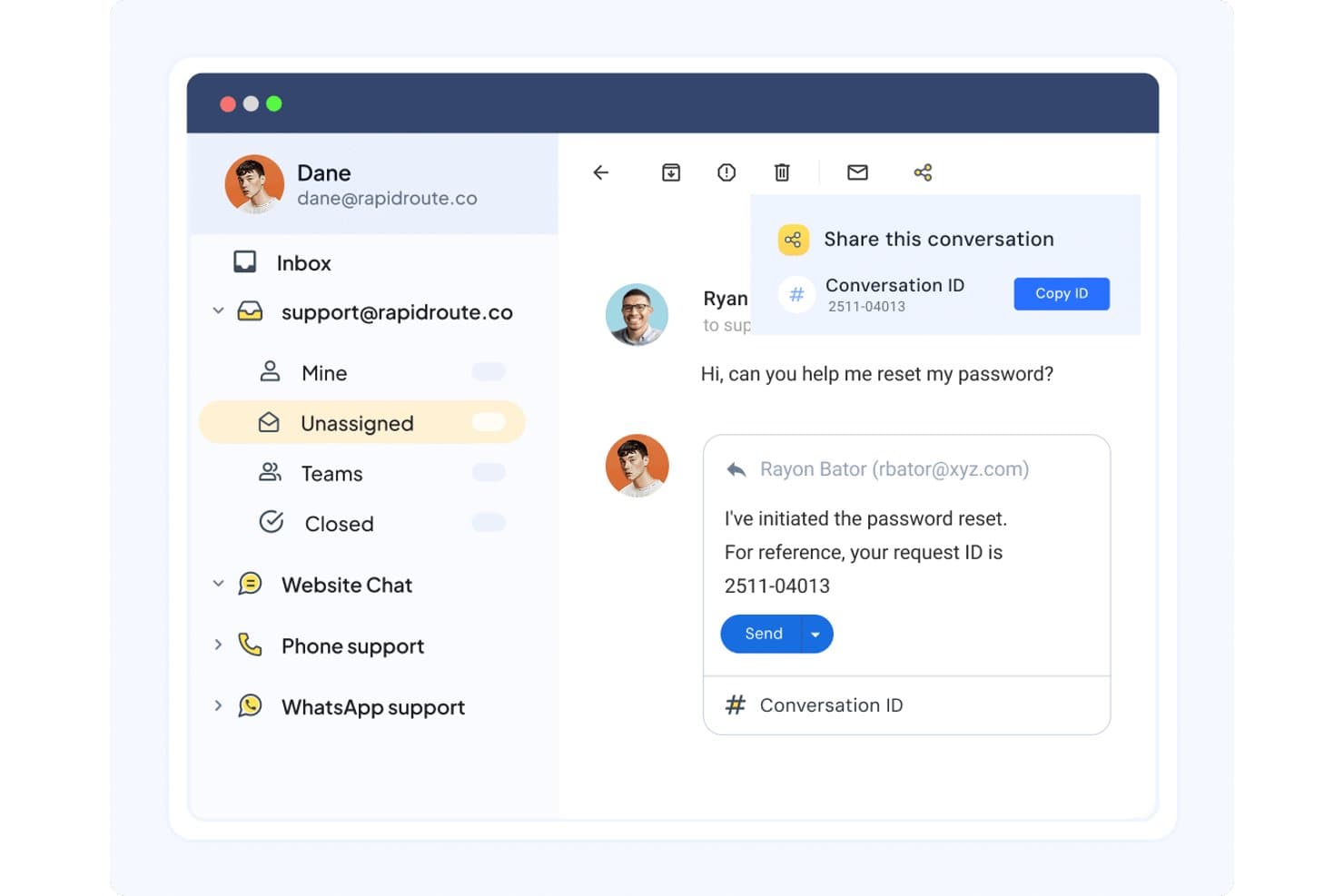
You handle email, live chat, WhatsApp, voice, and portal communications in one space that feels like your inbox. This keeps your team organized and helps prevent confusion.
Ticket Management:
You assign conversations, track progress, and maintain clear ownership. It helps your team stay on top of every message without losing time.
Workflow Automation:
You automate routing, tagging, and assignment based on rules. This reduces manual effort and helps you stay consistent at scale.
Live Chat:
Allows you to answer customer questions in real-time, giving a quicker way to resolve issues and facilitate better customer engagement.
Knowledge Base & Self-Service:
You publish help articles and use an AI-enhanced chat widget to help customers solve problems on their own. This reduces ticket volume while improving customer experience.
Analytics & Reporting:
You track performance metrics like response time, resolution time, and CSAT. Dashboards give you visibility into trends and team performance.
Standout Features
AI Copilot:
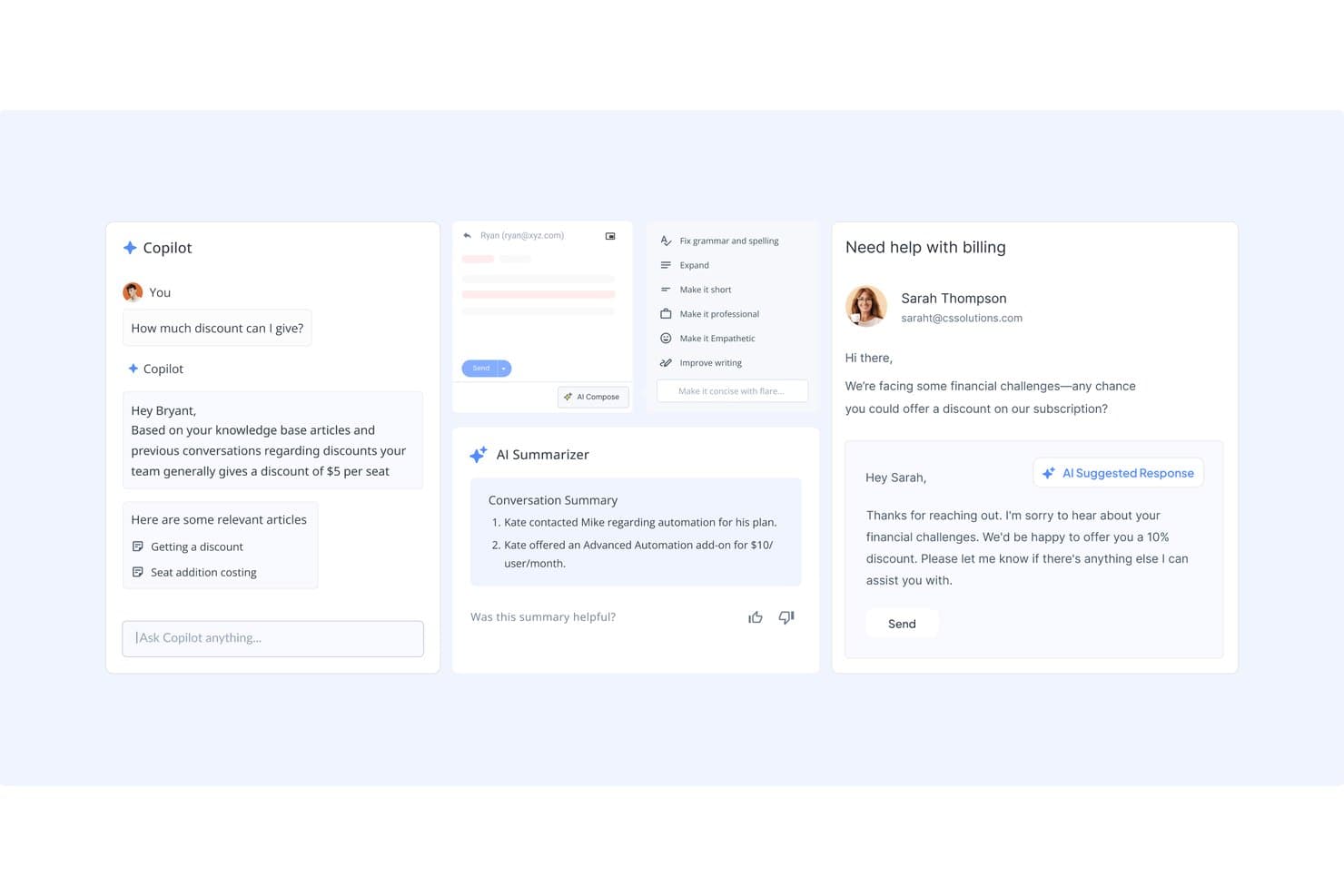
AI drafts replies, summarizes long threads, and picks up sentiment. This lets your team respond faster while keeping the tone human and accurate.
SLA Management:
Set service level agreements (SLAs) to ensure timely responses to customer queries. This feature helps your team meet performance goals and maintain high service standards.
Ease of Use
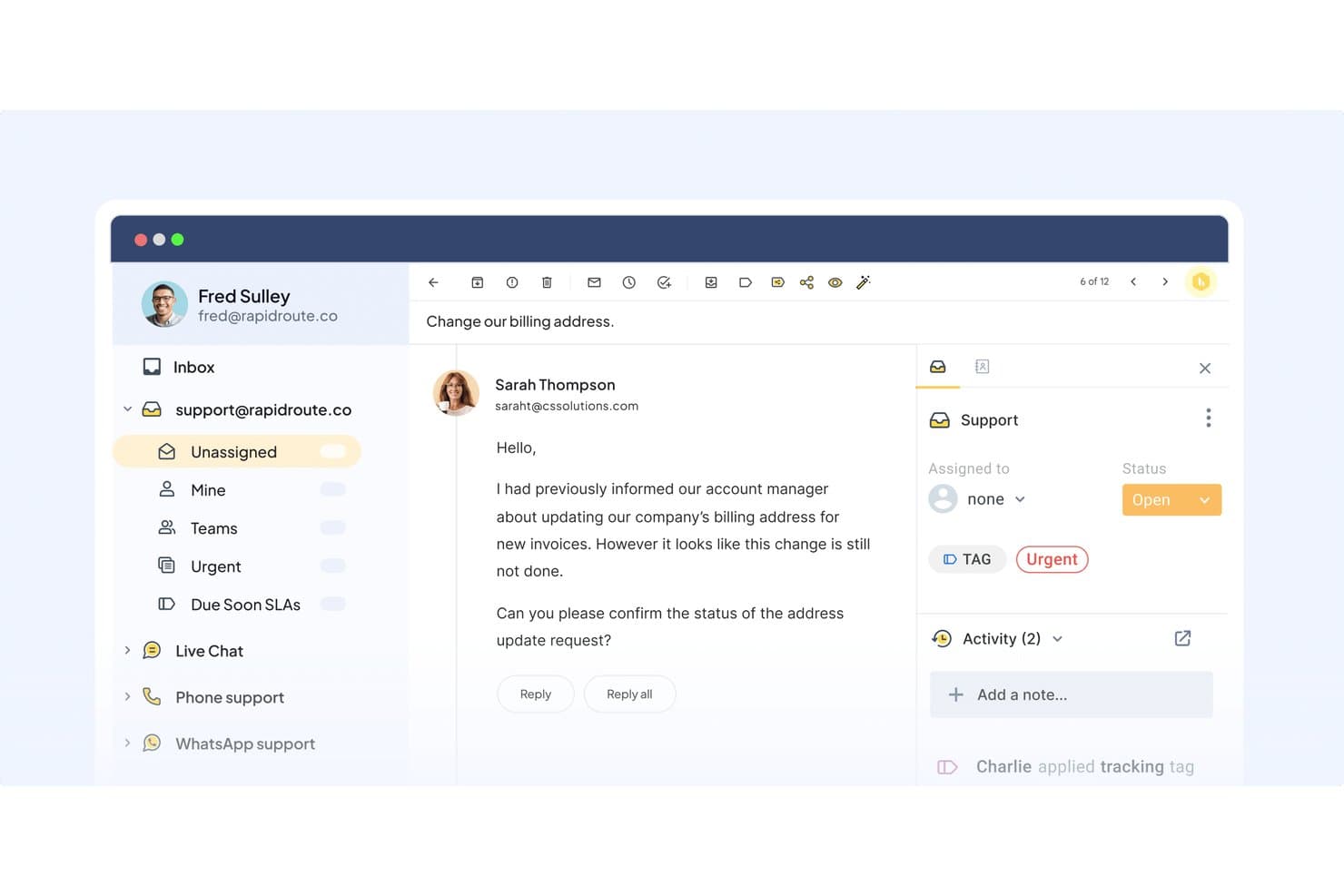
Hiver is simple to use because it mirrors the look and feel of your inbox, which makes it easy for your team to get comfortable quickly. Even with heavy volumes, the layout stays clean and helps you identify what needs attention. AI reduces the number of clicks needed to manage each ticket, so your team can handle more work with less effort. It’s a great fit for teams that need fast adoption and reliable productivity.
Onboarding
Hiver gives you 24/7 access to support through email and live chat, so your team always has help available. Their guidance is straightforward and focused on practical solutions, which makes onboarding and daily problem-solving easier. The help center and product tours also offer plenty of self-service resources. Overall, the support experience is reliable and user-friendly.
Customer Support
Hiver's customer support stands out, ensuring your team receives timely assistance. Users often highlight the availability of multiple support channels, such as live chat and email, which makes resolving issues easy. The support team is knowledgeable, providing clear solutions and guidance. This level of support helps your team maintain productivity, making Hiver a reliable choice for businesses that prioritize excellent customer service.
Integrations
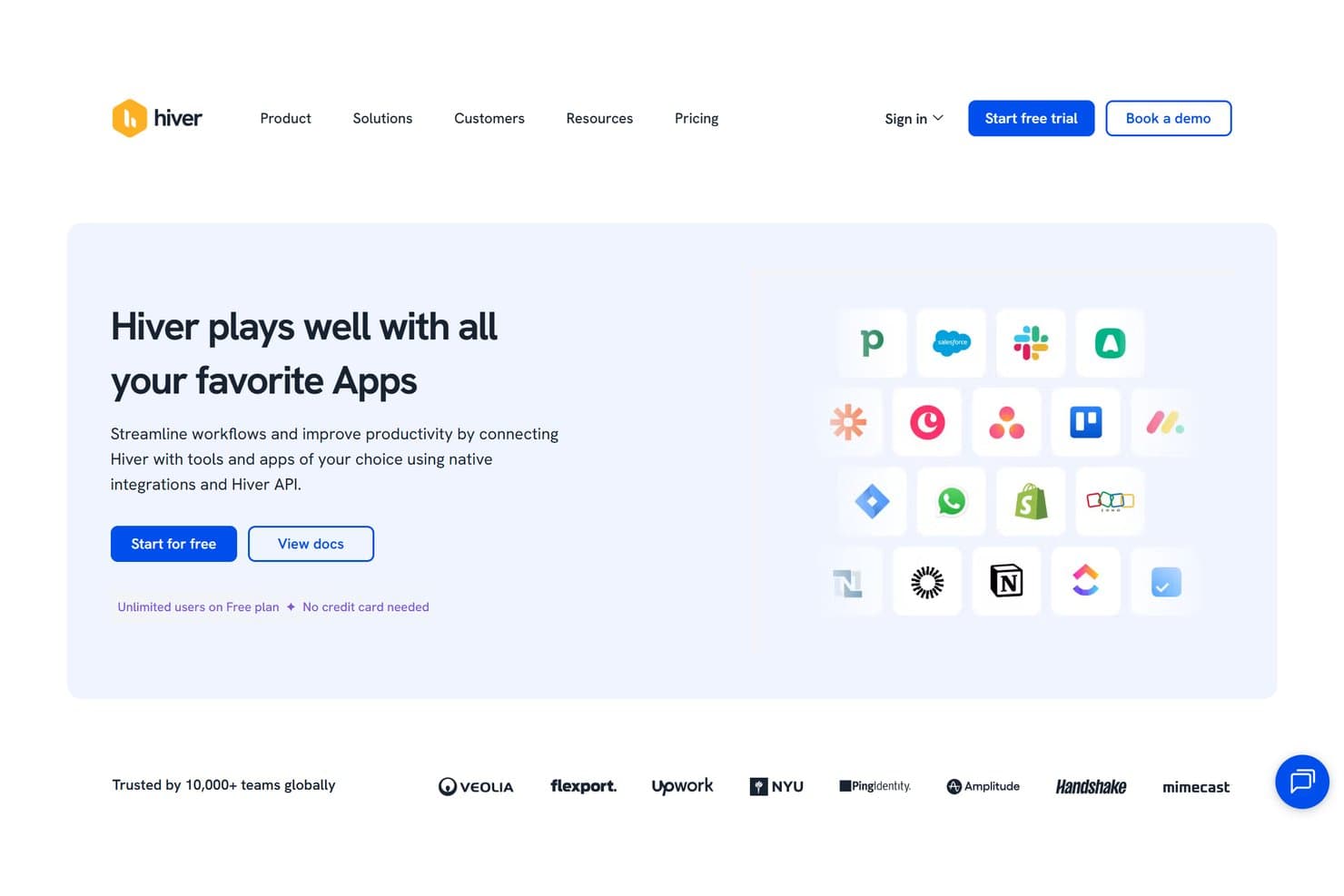
Hiver integrates with Slack, Salesforce, HubSpot, Pipedrive, Zoho CRM, Copper, Shopify, WooCommerce, Jira, Asana, ClickUp, and monday.com. Hiver also offers an API and connects with third-party integration tools like Zapier, providing flexibility for custom integrations.
Value for Money
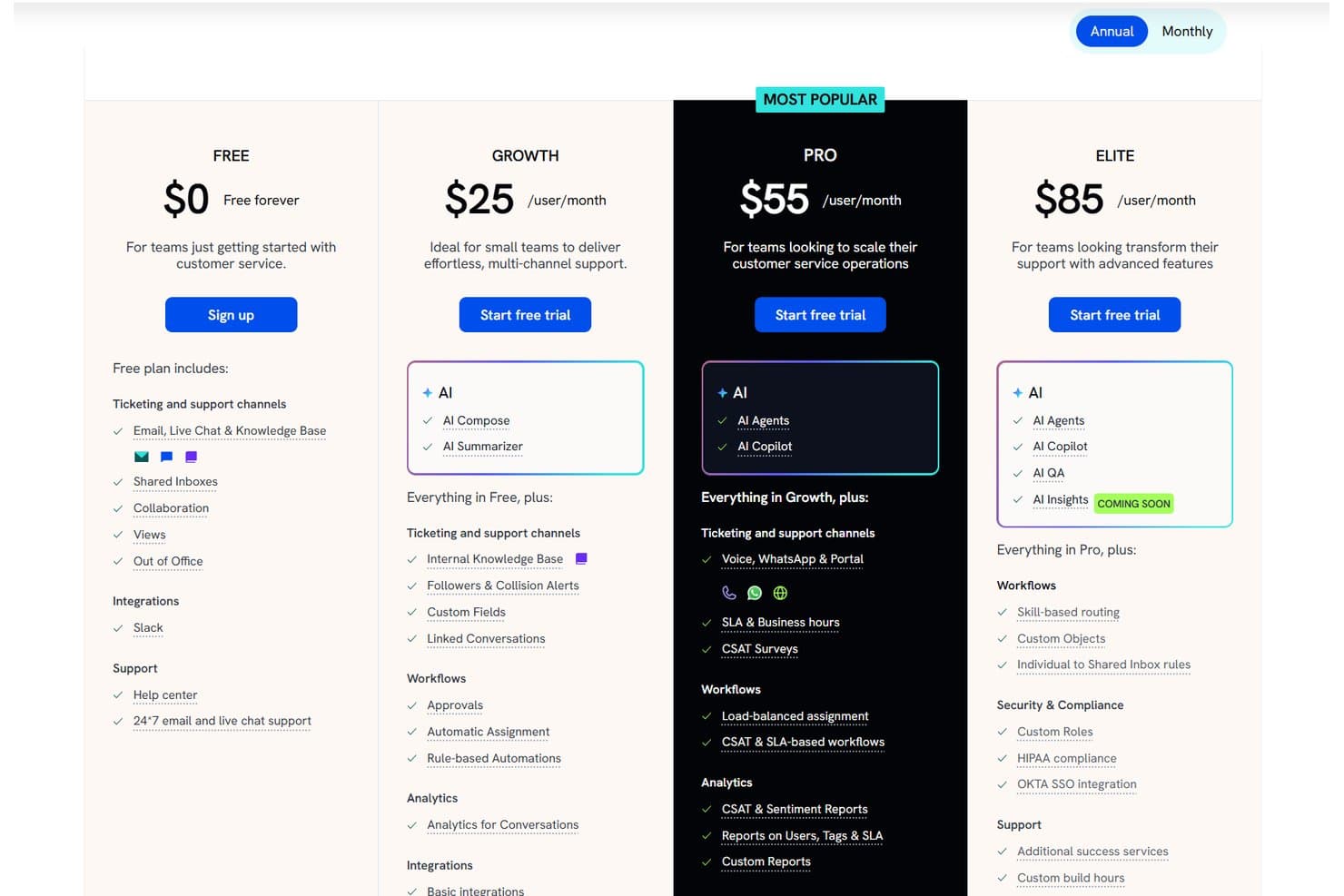
Hiver offers strong value by giving teams access to AI tools, collaboration features, and customer support workflows without the overhead of a traditional help desk. Hiver Omni and Hiver in Gmail share the same pricing tiers, which makes the plans easy to compare regardless of how your team wants to work. The value of each plan depends on your setup, though, especially if you need omnichannel capabilities or advanced integrations. A 7-day free trial is also available.
- Free: Offers basic features for new customer service teams.
- Growth: Provides AI Agents, AI Copilot, rule-based automations, round-robin assignment, and pre-built analytics.
- Pro: Includes more advanced features, including CSAT surveys, SLAs, advanced analytics, and premium integrations. For teams using Hiver Omni, this tier also adds Slack support, allowing agents to manage customer conversations from public and private Slack channels directly in Hiver.
- Elite: Grants full feature access including AI QA, AI Insights, and AI Knowledge Base, with skill-based routing, a dedicated success manager, and quarterly team training.
New Product Updates from Hiver
 Opens new window
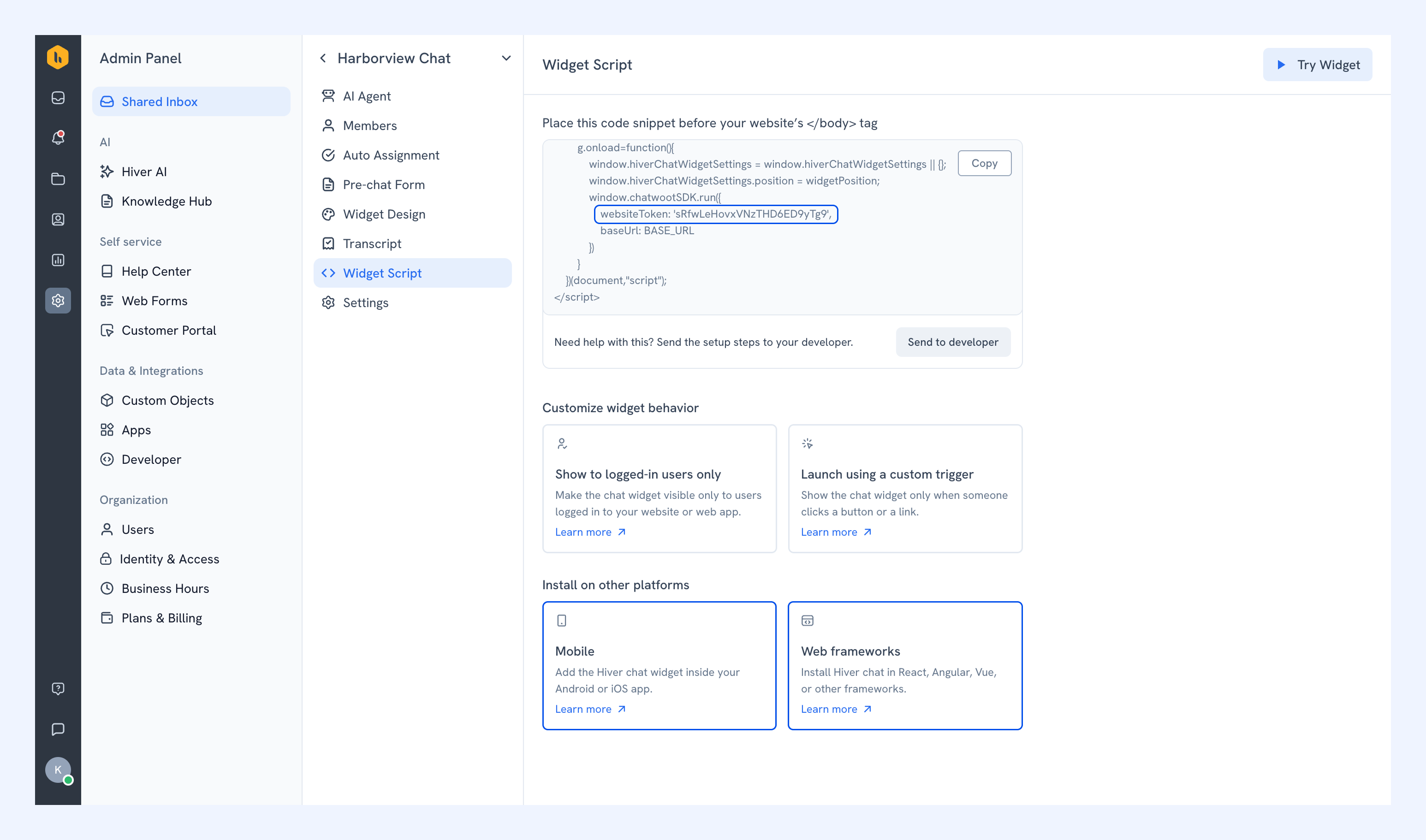
Hiver Brings Chat Widget Support to Mobile Apps
Hiver now supports embedding its Chat Widget directly inside mobile apps, making it easier for customers to reach support without switching away from the app. This helps teams capture issues in-context and maintain a smoother in-app experience. Highlights include:
- iOS Support: Lets teams embed the Hiver Chat Widget in iOS apps.
- Android Support: Enables in-app chat support for Android users.
- React Native Support: Supports Chat Widget embedding in React Native apps.
- Flutter Support: Lets Flutter apps offer Hiver chat directly within the app.
Visit Hiver’s official site for more details.
 Opens new window
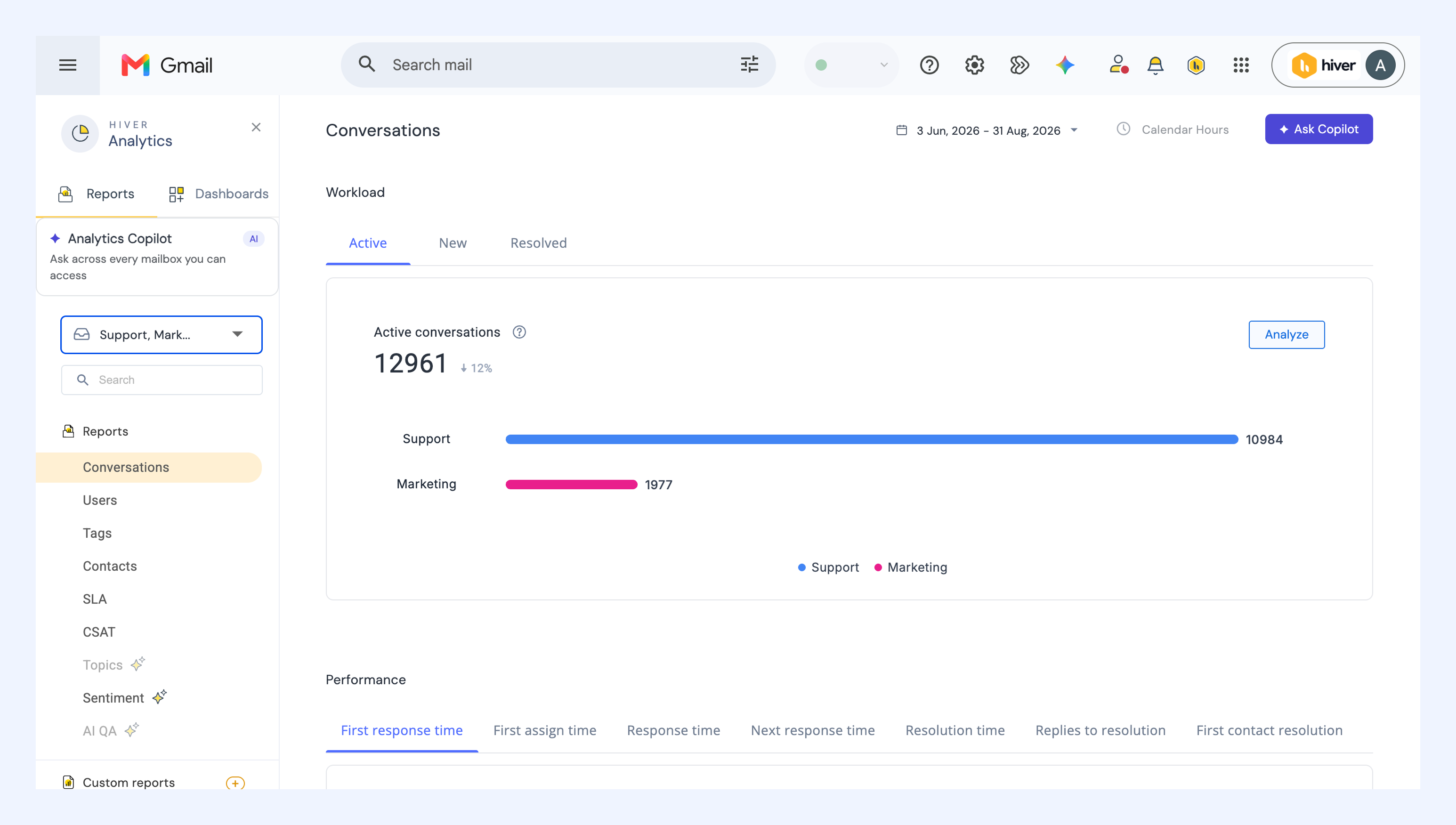
Hiver Expands Reporting Across Shared Inboxes
Hiver has introduced reporting across Shared Inboxes to make cross-team visibility easier and faster. You can now analyze performance for multiple inboxes in one place, either as a combined view or broken down by inbox. Highlights include:
- Multi-Inbox Reporting: Lets teams analyze up to five Shared Inboxes together.
- Inbox-Level Breakdown: Separates performance data by inbox for easier comparison.
- Reports and Dashboards: Extends multi-inbox analysis across standard and custom reports.
- Data Exports: Includes Shared Inbox reporting data in exports for further analysis.
Visit Hiver’s official site for more details.
 Opens new window
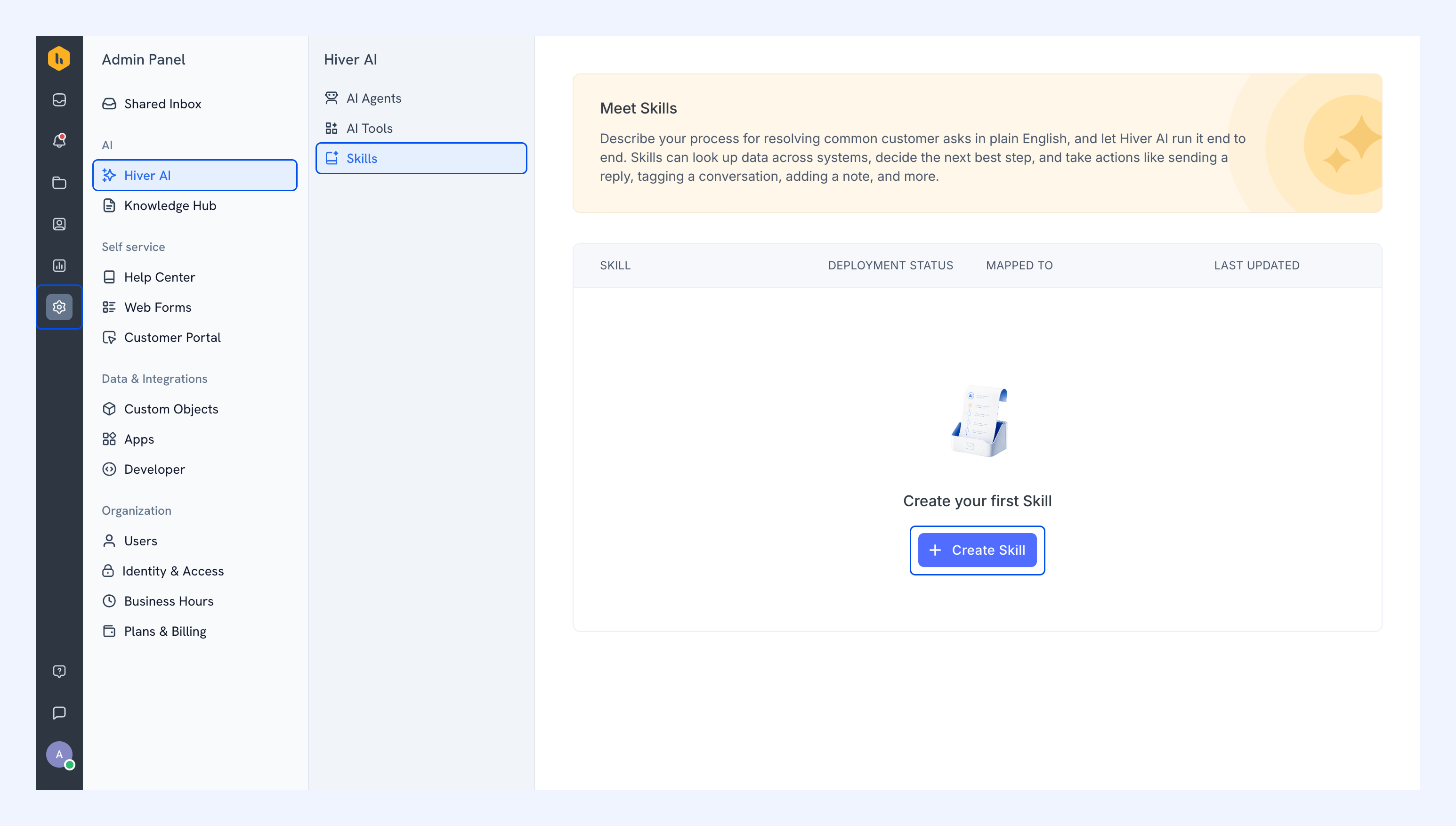
Hiver Introduces Skills for AI Support Automation
Hiver introduces Skills to train Hiver AI with instructions, logic, approvals, simulations, and connected actions. These updates make it easier to automate support workflows while keeping teams involved where needed. Highlights include:
- Natural-Language Instructions: Lets teams define how Hiver AI should handle requests using plain-language steps and logic.
- Automated Actions: Runs configured processes automatically on matching conversations.
- Third-Party Actions: Lets Skills take actions in connected systems such as HubSpot.
- Simulation Mode: Lets teams test Skills before using them in live workflows.
- Approval Steps: Lets teams require member approval before selected actions run.
Visit Hiver’s official site for more details.
 Opens new window
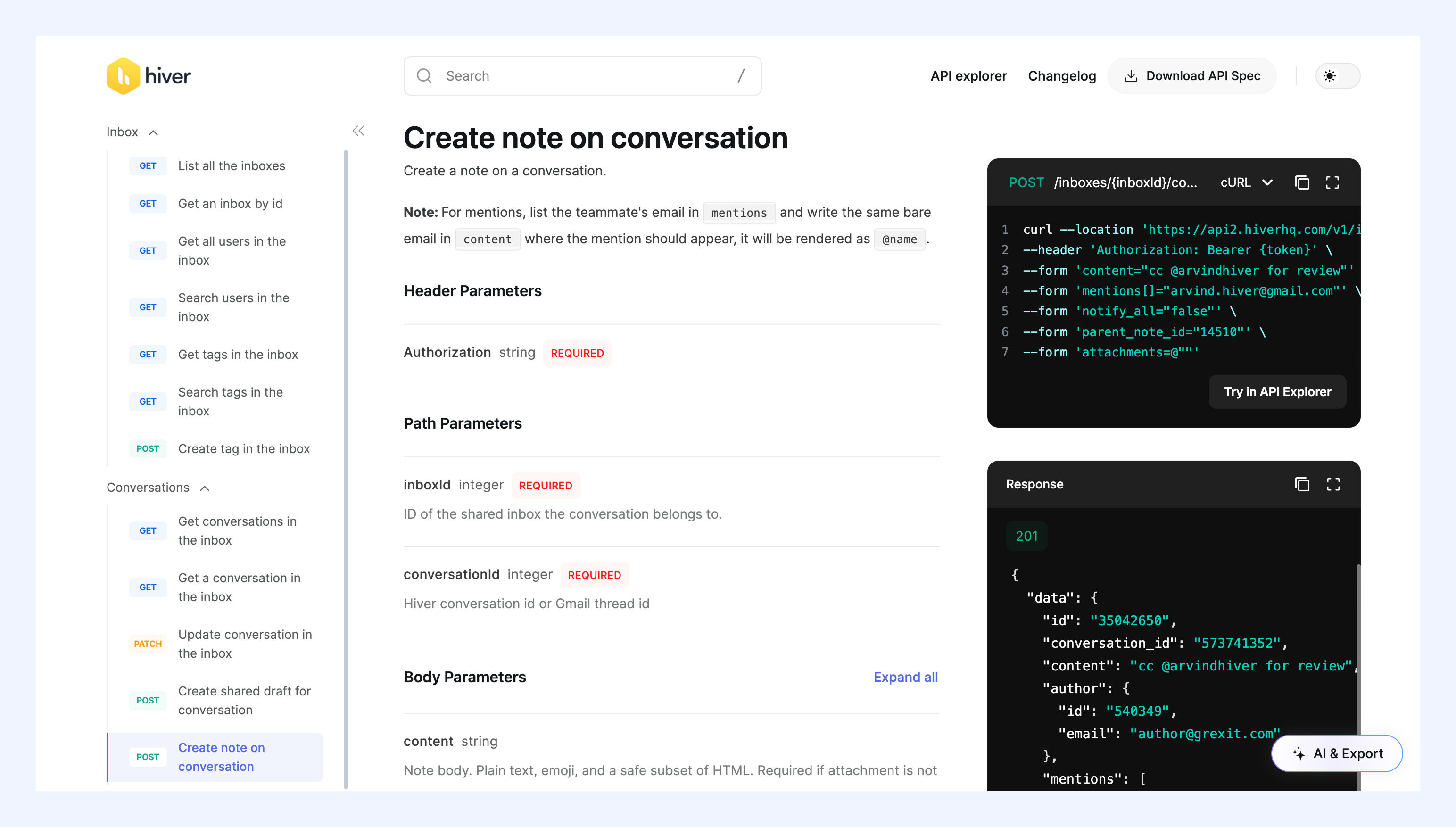
Hiver Adds Omni APIs and Notes API for Workflow Automation
Hiver adds Open APIs for managing Shared Inboxes, conversations, tags, and users, along with a Notes API for automating Shared Notes and mentions. These updates help teams connect Hiver with other tools and create more customized workflows. Highlights include:
- Hiver Omni APIs: Programmatically manages Shared Inboxes, conversations, tags, and users for custom integrations.
- Notes API: Automates Shared Notes, teammate mentions, and replies to existing notes.
Visit Hiver’s official site for more details.
 Opens new window
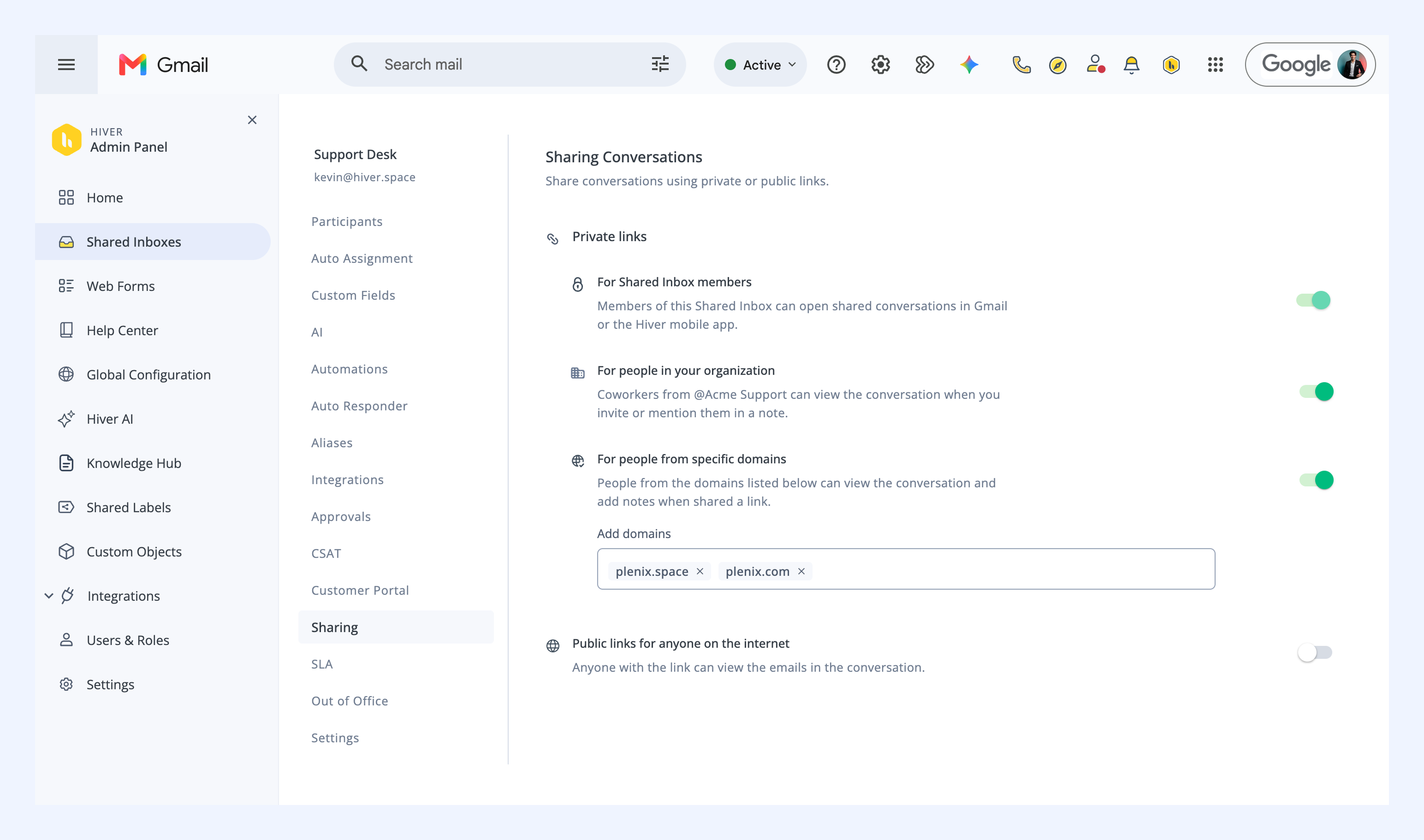
Hiver Adds Global Configuration and Domain-Based Sharing
Hiver adds Global Configuration for account-level Tags, Custom Fields, and Automations, along with conversation links restricted to approved domains. These updates simplify workflow management and let external users view conversations and add notes without Shared Inbox access. Highlights include:
- Global Configuration: Creates Tags, Custom Fields, and Automations once and applies them across relevant Shared Inboxes.
- Domain-Based Conversation Sharing: Lets people from approved domains securely view conversation threads and add notes.
- Automation Support: Adds shared conversation links to Automations to involve external collaborators automatically.
Visit Hiver’s official site for more details.
 Opens new window
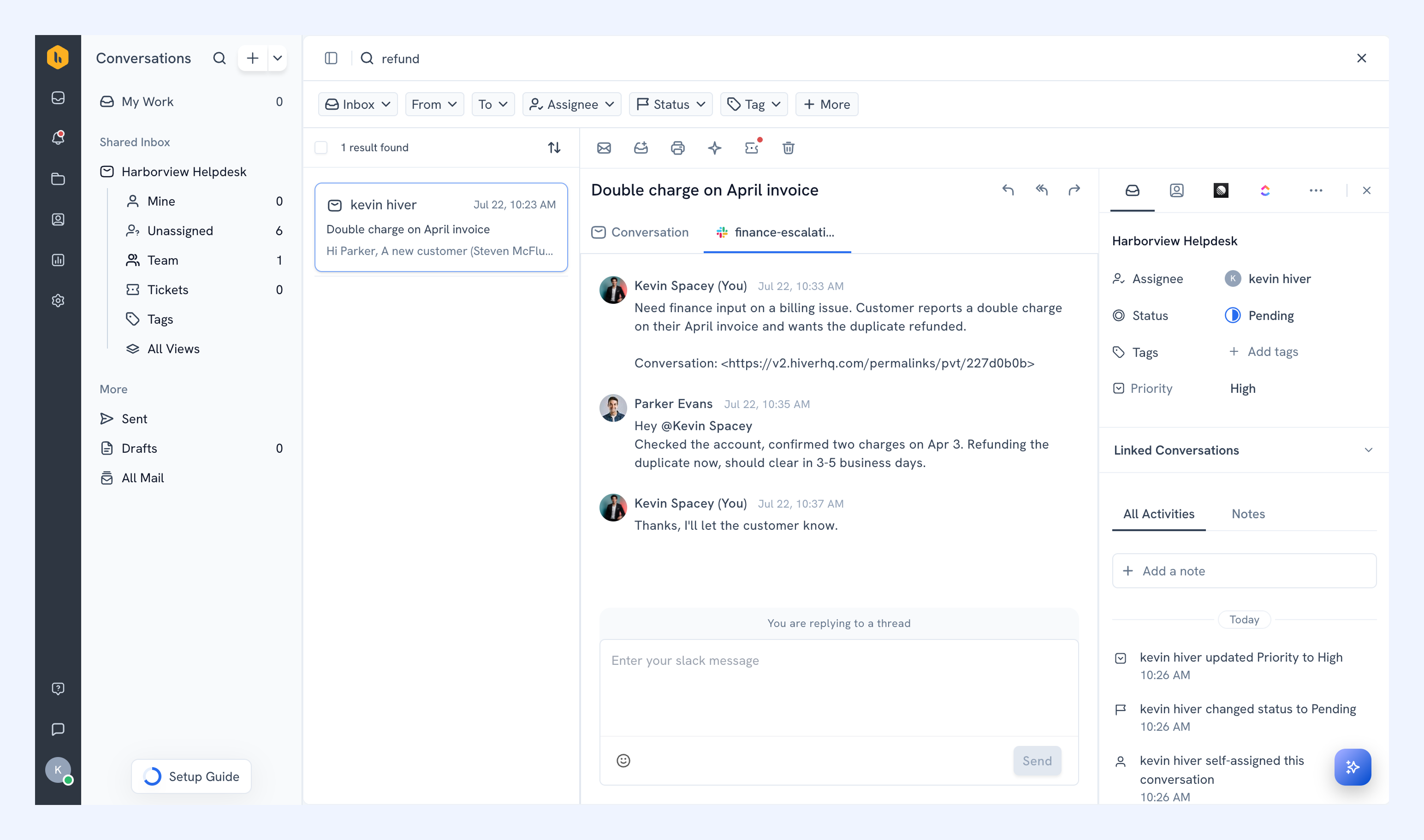
Hiver Adds Linear Issue Tracking and Slack Collaboration
Hiver adds a Linear integration to convert customer requests into issues and Slack collaboration to start and reply to channel discussions from Hiver conversations. These updates reduce context switching while keeping issue progress and internal discussions connected to customer threads. Highlights include:
- Linear Integration: Converts feature requests, bugs, and customer feedback into Linear issues directly from Hiver.
- Automated Issue Creation: Uses Hiver Automations to create Linear issues from qualifying customer conversations.
- In-Thread Progress Tracking: Monitors Linear issue progress from the related Hiver conversation.
- Slack Collaboration: Starts discussions in existing or new Slack channels and supports replies from Hiver.
Visit Hiver’s official site for more details.
 Opens new window
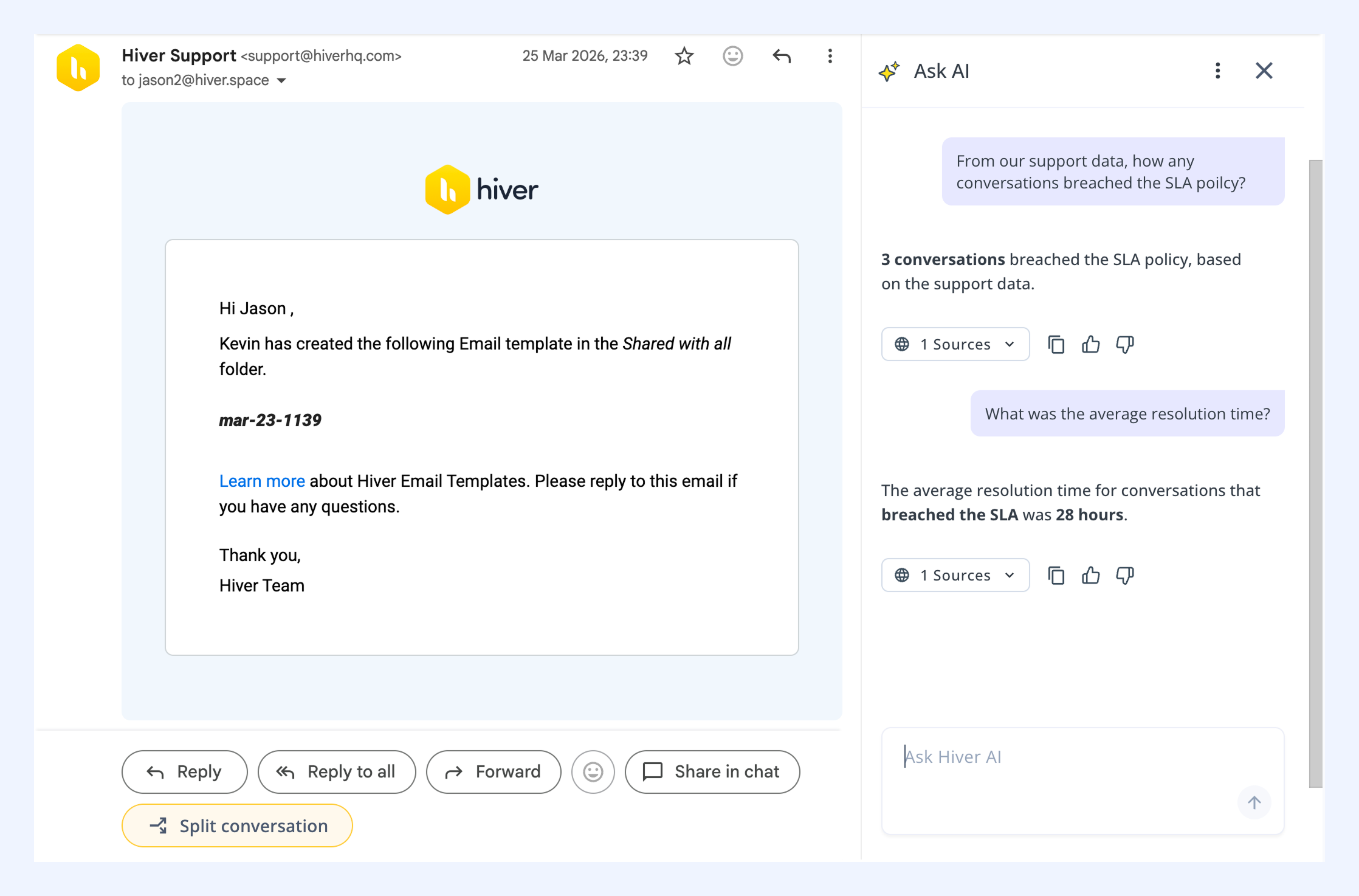
Hiver Enhances AI With New Data Sources and Sheet Queries
Hiver adds Google Drive and Confluence as knowledge sources for Ask AI and enables users to run natural-language queries in Google Sheets. These updates improve AI accuracy and make it easier to retrieve insights without manual searching or analysis. Highlights include:
- AI Knowledge Source Integrations: Connect Google Drive and Confluence to provide AI with richer, up-to-date content for responses.
- Google Sheets Queries with Ask AI: Ask questions in plain language to get instant insights from data in connected spreadsheets.
Visit Hiver’s official site for more details.
 Opens new window
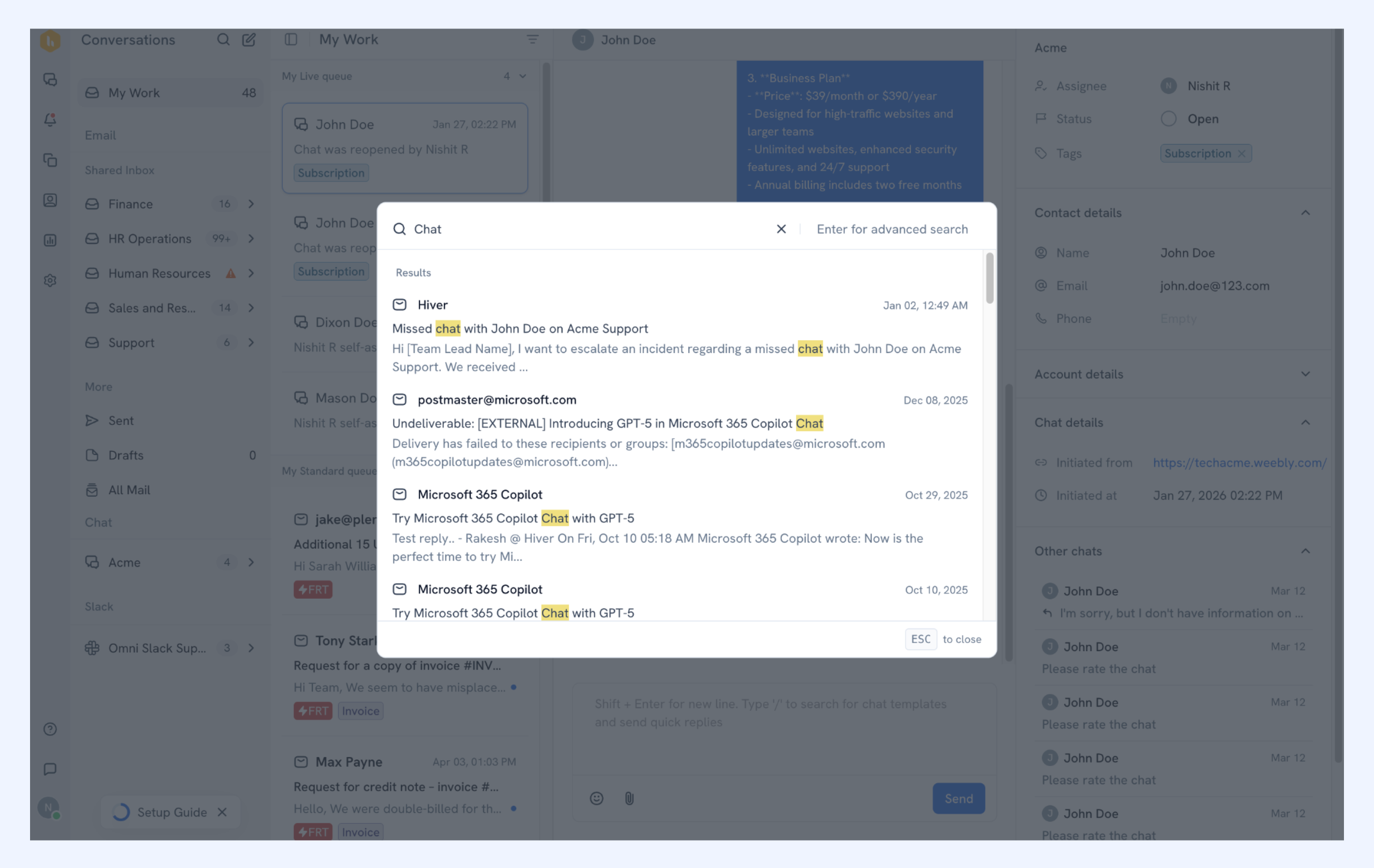
Hiver Improves Search and Automation Across Channels
Hiver enhances how teams handle conversations by adding unified search across channels and expanding automation capabilities. These updates reduce manual work and improve visibility across support operations. Highlights include:
- Omnichannel Search: Search across email, chat, and Slack in one place with unified filters and results.
- New Automation Triggers and Conditions: Automate workflows based on inbox changes and recipient domains for better routing and task handling.
Visit Hiver’s official site for more details.
Hiver Specs
- Analytics: Yes
- API: Yes
- Batch Permissions & Access: Yes
- Call Integration: Yes
- Chat: Yes
- Contact Management: Yes
- Contact Sharing: Yes
- CRM Integration: Yes
- Customer Management: Yes
- Customer Service: Yes
- Dashboard: Yes
- Data Export: Yes
- Data Import: Yes
- Data Visualization: Yes
- Email Integration: Yes
- Escalation Management: Yes
- External Integrations: Yes
- Instant Chat Integration: Yes
- Knowledge Base: Yes
- Lead Management: No
- Lead Scoring: No
- Multi-User: Yes
- Notifications: Yes
- Real-time Alerts: Yes
- Scheduling: Yes
- Self-service Portal: Yes
- Social Media Integration: Yes
- Support Forum: No
- Third-Party Plugins/Add-Ons: Yes
- Ticket Management: Yes
- Workflow Management: Yes
Hiver FAQs
Hiver Company Overview & History
Hiver, headquartered in San Jose, California, was founded by Niraj Ranjan Rout and Nitesh Nandy in 2011. The company focuses on enhancing email management and customer service solutions with AI-powered features. Known for its easy setup and efficient tools, Hiver has grown to serve over 10,000 customer service, finance, and IT teams across the technology, healthcare, and education sectors. Hiver has raised over $40 million in funding, emphasizing its commitment to innovation and growth.
- Hiver Major Milestones
- 2011: Founded by Niraj Ranjan Rout and Nitesh Nandy.
- 2018: Raised significant funding to enhance platform capabilities.
- 2024: Reached $25 million in revenue.
- 2025: Continued growth, becoming trusted by over 10,000 teams worldwide.