

GoodDay Review: Pros, Cons, Features, and Pricing
GoodDay excels in user-friendly design and flexibility, making it a top choice for teams seeking customizable work management solutions.

We review tools independently, and commissions help fund our testing. See our transparency policy, our methodology, or suggest a tool.
GoodDay is a work management software that helps teams plan, organize, and track their project lifecycles effectively. It's ideal for IT project managers, scrum masters, marketing teams, and startups needing flexible project oversight, such as tech companies or creative agencies. GoodDay offers a user-friendly platform that enhances team collaboration and project visibility.
GoodDay addresses issues like task prioritization and team communication for IT departments and creative teams. In this article, I'll cover GoodDay's key features, pros and cons, use cases, and pricing so you can decide whether this software aligns with your project management goals.
GoodDay Evaluation Summary
4.6/5
- From $6/user/month
- Free plan available
Why Trust Our Software Recommendations
6,700+
Reviews
20
Industry experts
16+
Evaluation factors
14
Years
Our team has been testing and reviewing software since 2012. As tech leaders ourselves, we know how difficult—and important—it is to choose the right software.
For this guide, we evaluated tools using hands-on testing and independent research, scoring tools using our selection criteria.
Our reviews reflect our human editorial judgment, not a sales pitch.
Expert reviewers:
- Paulo Gardini MiguelTech Director
 Tim FisherVP of AI
 Gabriel RosasTech Lead & Software Architect
 Christhian GruhnTech Lead & Platform Architect

GoodDay Overview
In my opinion, GoodDay is a solid choice for work management, especially for teams that need flexibility and customization. It excels with its accessible interface and diverse project management features. Compared to competitors, it offers good value, though its onboarding and support could be improved. It's best for tech startups and creative agencies that require adaptable tools.
Pros
- GoodDay offers an intuitive, user-friendly interface that's easy for your team to navigate.
- It provides excellent customization options and project templates, allowing you to tailor workflows to your team's specific needs.
- The software's real-time collaboration features enhance team communication and project visibility.
Cons
- Some users find the onboarding process could be smoother for new team members.
- Customer support response times can be slower compared to other software.
- The mobile app lacks some functionality found in the desktop version.
Is GoodDay Right For Your Needs?
Who Would be a Good Fit for GoodDay?
GoodDay is a great fit for tech startups, creative agencies, and IT departments where flexibility and customization are key. Your team will benefit from its intuitive user interface and real-time collaboration tools, which enhance productivity and communication. If you manage multiple projects at once and require tailored workflows, GoodDay's customization options may be suitable for you.
- Tech StartupsGoodDay's customization and collaboration tools help your startup manage projects and adapt quickly to changes.
- Creative AgenciesIts real-time collaboration functionalities enhance your team's communication and project visibility.
- IT DepartmentsThe intuitive interface and task management capabilities streamline your team's workflow.
- Small BusinessesGoodDay provides affordable project management solutions that scale with your growth.
- Marketing TeamsYou can tailor workflows to fit your team's specific campaign needs.
- Remote TeamsThe platform's real-time updates and collaboration tools keep your team connected, no matter where they are.
Who Would be a Bad Fit for GoodDay?
GoodDay might not be ideal for very large enterprises or teams needing advanced integrations with other software. If your organization relies heavily on complex integrations or requires highly specialized support, you might find GoodDay lacking. Its customer support and onboarding may not meet the demands of large-scale operations or those requiring extensive customization beyond what's offered.
- Large EnterprisesYour organization may need more advanced integration options than GoodDay offers.
- Highly Regulated IndustriesIf you need specific compliance features, GoodDay might not meet your requirements.
- Finance DepartmentsThe software may lack the detailed financial tracking solutions you need.
- Manufacturing CompaniesYou might find that GoodDay's project management tools don't align with your industry-specific needs.
- Healthcare ProvidersGoodDay may not have the specialized capabilities your team requires for patient management.
- Legal TeamsYour team may need stronger document management and compliance options than GoodDay provides.
Our Review Methodology
How We Test & Score Tools
We’ve spent years building, refining, and improving our software testing and scoring system. The rubric is designed to capture the nuances of software selection and what makes a tool effective, focusing on critical aspects of the decision-making process.
Below, you can see exactly how our testing and scoring works across seven criteria. It allows us to provide an unbiased evaluation of the software based on core functionality, standout features, ease of use, onboarding, customer support, integrations, customer reviews, and value for money.
Core Functionality (25% of final scoring)
The starting point of our evaluation is always the core functionality of the tool. Does it have the basic features and functions that a user would expect to see? Are any of those core features locked to higher-tiered pricing plans? At its core, we expect a tool to stand up against the baseline capabilities of its competitors.
Standout Features (25% of final scoring)
Next, we evaluate uncommon standout features that go above and beyond the core functionality typically found in tools of its kind. A high score reflects specialized or unique features that make the product faster, more efficient, or offer additional value to the user.
We also evaluate how easy it is to integrate with other tools typically found in the tech stack to expand the functionality and utility of the software. Tools offering plentiful native integrations, 3rd party connections, and API access to build custom integrations score best.
Ease of Use (10% of final scoring)
We consider how quick and easy it is to execute the tasks defined in the core functionality using the tool. High scoring software is well designed, intuitive to use, offers mobile apps, provides templates, and makes relatively complex tasks seem simple.
Onboarding (10% of final scoring)
We know how important rapid team adoption is for a new platform, so we evaluate how easy it is to learn and use a tool with minimal training. We evaluate how quickly a team member can get set up and start using the tool with no experience. High scoring solutions indicate little or no support is required.
Customer Support (10% of final scoring)
We review how quick and easy it is to get unstuck and find help by phone, live chat, or knowledge base. Tools and companies that provide real-time support score best, while chatbots score worst.
Customer Reviews (10% of final scoring)
Beyond our own testing and evaluation, we consider the net promoter score from current and past customers. We review their likelihood, given the option, to choose the tool again for the core functionality. A high scoring software reflects a high net promoter score from current or past customers.
Value for Money (10% of final scoring)
Lastly, in consideration of all the other criteria, we review the average price of entry level plans against the core features and consider the value of the other evaluation criteria. Software that delivers more, for less, will score higher.
Core Features
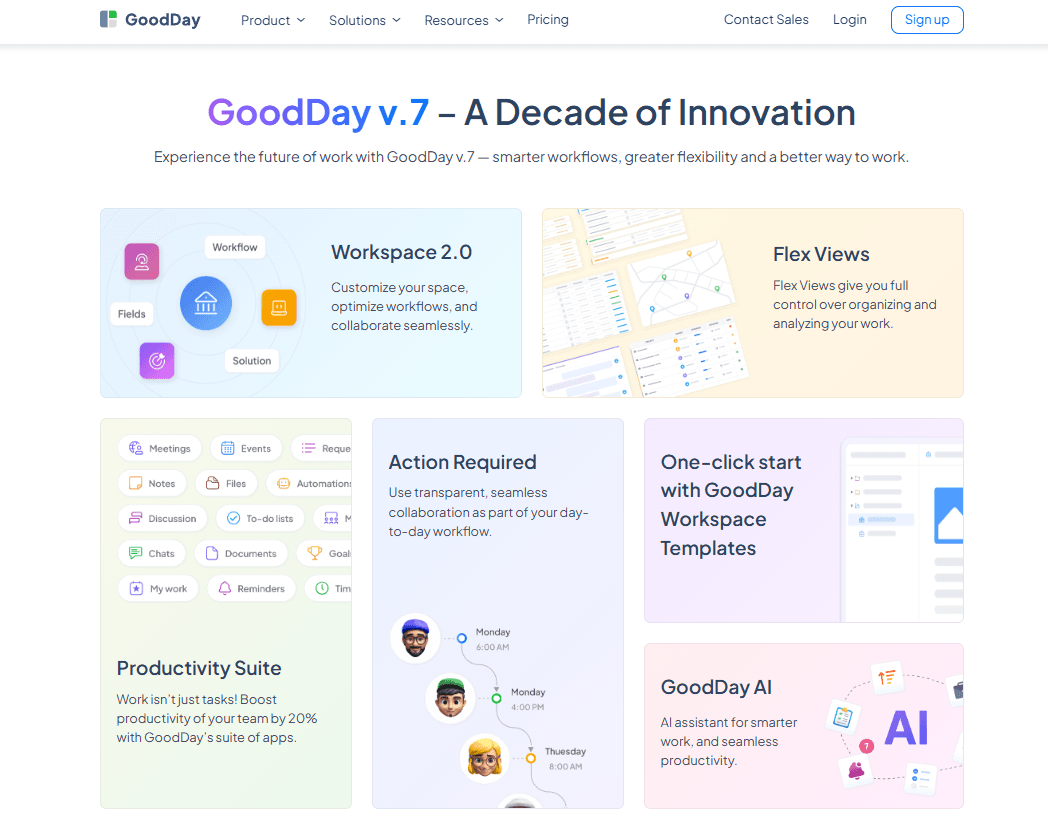
Task Management: GoodDay helps you organize project workflows with template software like Kanban boards, making it easy for your team to stay on track. You can assign tasks, set due dates, and track progress all in one place.
Project Planning: You can create detailed project plans with timelines and milestones. This can help your team visualize project roadmaps and manage resources effectively.
Time Tracking: You can track how much time your team spends on tasks with built-in time tracking, helping you manage your workload and improve productivity.
Custom Workflows: Tailor workflows to match your team's processes with GoodDay's customization options. You can design workflows that fit your specific project needs, enhancing efficiency.
Collaboration Tools: GoodDay's collaboration features let your team communicate in real time, ensuring everyone stays updated on project developments. You can share updates, feedback, and files easily.
Reporting and Analytics: Generate detailed reports and insights to track your team's performance and project progress. This helps you make informed decisions and improve project outcomes.

Ease of Use
GoodDay is simple, making it easy for your team to navigate and manage complex projects efficiently. Its intuitive interface displays elements such as Gantt charts and subtasks and lets you quickly assign tasks, track progress, and customize workflows. Compared to other work management tools, users appreciate its straightforward setup and real-time collaboration tools.

Integrations
GoodDay integrates with G-Suite, Gmail, Slack, Trello, Google Docs, Google Drive, Google Calendar, Google Workspace, Dropbox, Slack, GitHub, and GitLab.
GoodDay also offers an API for custom integrations and supports Zapier for automating workflows.

GoodDay Specs
- API: Yes
- Batch Permissions & Access: Yes
- Budgeting: Yes
- Calendar Management: Yes
- Collaboration Support: Yes
- Contact Management: Yes
- Contact Sharing: No
- Customer Management: Yes
- Dashboard: Yes
- Dashboards: Yes
- Data Export: Yes
- Data Import: Yes
- Data Visualization: Yes
- Dependency Tracking: Yes
- Document Sharing: Yes
- Expense Tracking: Yes
- External Integrations: Yes
- File Sharing: Yes
- Gantt Charts: Yes
- Kanban Boards: Yes
- Multi-User: Yes
- Notifications: Yes
- Project Management: Yes
- Resource Management: Yes
- Scheduling: Yes
- Task Scheduling/Tracking: Yes
- Third-Party Plugins/Add-Ons: Yes
- Time Management: Yes
- Travel Management: No
- Workflow Management: Yes


