

Corgea vs. Snyk: Comparison & Expert Reviews For 2026

We review tools independently, and commissions help fund our testing. See our transparency policy, our methodology, or suggest a tool.
Security alerts keep piling up, the backlog is growing, and developers keep asking for something that actually helps them fix issues instead of just finding more of them.
That moment often leads straight into comparing Corgea and Snyk as potential options for a modern AppSec platform.
This guide breaks down how the two platforms differ so you can move forward with a clearer understanding of what each one brings to the table.
Corgea
0/5
- Free plan available
- From $34/developer/month
Snyk

4.6/5
- Free plan + free demo available
- From $25/contributing developer/month
Why Trust Our Software Recommendations
6,700+
Reviews
20
Industry experts
16+
Evaluation factors
14
Years
Our team has been testing and reviewing software since 2012. As tech leaders ourselves, we know how difficult—and important—it is to choose the right software.
For this guide, we evaluated tools using hands-on testing and independent research, scoring tools using our selection criteria.
Our reviews reflect our human editorial judgment, not a sales pitch.
Expert reviewers:
- Paulo Gardini MiguelTech Director
 Tim FisherVP of AI
 Gabriel RosasTech Lead & Software Architect
 Christhian GruhnTech Lead & Platform Architect

| Corgea | Snyk | |
|---|---|---|
| Free Trial | Free plan available | Free plan + free demo available |
| Pricing | From $34/developer/month | From $25/contributing developer/month |
Corgea vs. Snyk Pricing & Hidden Costs
Corgea uses a per-developer pricing model with tiered plans that expand from individual use to full enterprise deployment.
Lower tiers (including a free tier) include broad scanning coverage, while higher tiers unlock governance, reporting, custom rules, APIs, and enterprise controls like SSO and audit logs. The main cost consideration is how quickly teams may need to upgrade, since many security and compliance features sit in higher tiers and costs scale directly with engineering headcount as teams grow.
Snyk uses a modular platform pricing structure that expands as organizations adopt more of its DevSecOps products.
Entry plans provide limited testing, while higher tiers unlock broader coverage across code, open source, containers, and infrastructure, along with enterprise integrations and advanced reporting. The primary cost consideration is platform expansion: organizations often add multiple modules and optional add-ons over time, which can significantly increase total cost as the security program matures.
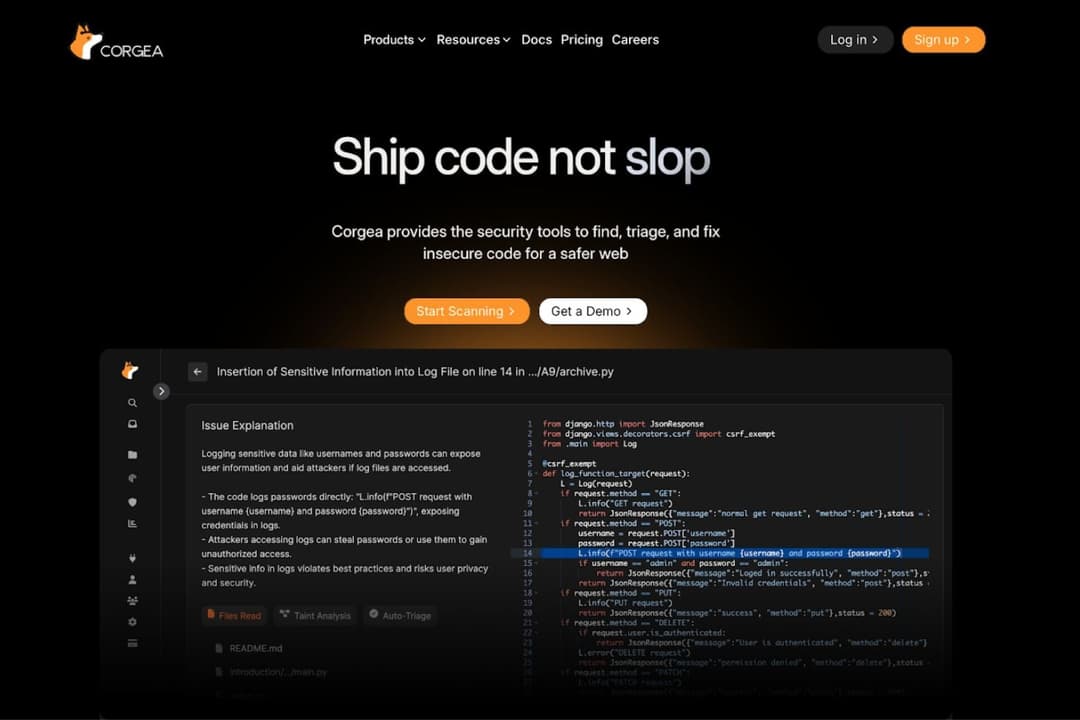
Corgea focuses on AI-driven application security and automated remediation. Its core capabilities include AI SAST scanning, open-source dependency scanning, secrets detection, malware scanning, and PII or PHI detection.
Standout features include automated triage, AI-generated fixes delivered through pull requests or downloadable patches, false-positive detection, source and sink tracing, and the ability to identify complex application-layer vulnerabilities such as business logic and authorization issues that can be difficult for traditional static analysis tools to detect. Policy-based security rules and integrations with GitHub, Jira, and IDEs further support developer workflows.
Snyk provides a full DevSecOps security platform that covers the software development lifecycle.
Its core products include Snyk Code for SAST, Open Source for dependency security, Container scanning, Infrastructure as Code security, and DAST for web and API testing. Standout features include continuous scanning across development workflows, remediation guidance, CI and CD integrations, and Snyk Studio for visibility and collaboration.
| Corgea | Snyk | |
|---|---|---|
| API | Yes | Yes |
| Dashboard | Yes | No |
| Data Export | Yes | Yes |
| Data Import | Yes | Yes |
| External Integrations | Yes | Yes |
| Multi-User | Yes | Yes |
| Notifications | Yes | Yes |
| Integration | Corgea | Snyk |
| GitHub | ✅ | ✅ |
| GitLab | ✅ | ✅ |
| Bitbucket | ✅ | ✅ |
| Jenkins | ✅ | ✅ |
| Slack | ✅ | ✅ |
| JIRA | ✅ | ✅ |
| Microsoft Teams | ❌ | ✅ |
| AWS | ❌ | ✅ |
| Google Cloud | ❌ | ✅ |
| Azure DevOps | ✅ | ✅ |
| API | ✅ | ✅ |
| Zapier | ✅ | ✅ |
Both platforms highlight integrations with common developer workflow tools such as GitHub, GitLab, Bitbucket, Jenkins, Slack, Jira, APIs, and Zapier, reflecting support for version control, CI and CD pipelines, collaboration, and automation. Though Snyk integrates with Microsoft Teams and Google Cloud, Corgea does not.
This means organizations that rely heavily on cloud platform integrations and Microsoft ecosystem tooling may need to account for these differences when evaluating how each platform fits into their existing workflows and collaboration tools.
| Factor | Corgea | Snyk |
| Data Encryption | Corgea secures data in transit with TLS 1.3 and protects data at rest using AES-256 encryption. | Snyk secures customer data in transit and at rest using industry-standard encryption such as TLS 1.2 and AES-256 or higher. |
| Regulatory Compliance | Corgea adheres to SOC 2 security best practices and is currently undergoing a SOC 2 audit. | Snyk maintains SOC 2 Type II reporting, ISO 27001 and ISO 27017 certifications, and states it supports GDPR and other major compliance standards through its Trust Center. |
| Threat Detection | Corgea uses AI-driven scanning and automated remediation to detect and fix vulnerabilities early. | Snyk continuously monitors projects and alerts teams when new vulnerabilities or fixes are found. |
| Uptime Reliability | Corgea provides a public status page that shows 100% uptime in its recent history. | Snyk provides a public status page for system status and historical uptime but does not publish a guaranteed uptime percentage. |
Corgea uses TLS 1.3 and AES-256 for data protection. It follows SOC 2 security best practices and is currently undergoing a SOC 2 audit. It uses AI-driven scanning with automated remediation for threat detection. It also provides a public status page showing recent uptime.
Snyk states it uses industry-standard encryption such as TLS 1.2 and AES-256 or higher. It maintains SOC 2 Type II reporting along with ISO certifications and GDPR support. It continuously monitors projects and alerts teams to new vulnerabilities. It also provides a public status page with system and historical uptime, but does not publish a guaranteed uptime percentage.
| Factor | Corgea | Snyk |
| User Interface | Developer-focused interface for reviewing vulnerabilities, managing scans, and applying AI-generated fixes. | Developer-friendly interface with access to key security and remediation features. |
| Onboarding Experience | Guided onboarding with a setup wizard, GitHub app integration, and step-by-step setup instructions. | Getting-started guides, documentation, and community resources to help users connect repositories and begin scanning. |
| Setup Process | Users create an account, connect or upload repositories, run scans, review findings, and apply fixes through pull requests, IDE integrations, or downloads. | Guided setup for installing the CLI, connecting repositories, importing projects, and enabling automated scans. |
| Support Availability | Help center, documentation, contact channels, and premium support in higher tiers. | Snyk provides documentation, community resources, and customer support to help teams troubleshoot and optimize the platform. |
Corgea highlights a developer-focused interface and guided onboarding with a setup wizard and GitHub integration. It supports connecting or uploading repositories, running scans, reviewing findings, and applying fixes through pull requests, IDE integrations, or downloads. It also offers documentation and premium support options.
Snyk highlights a developer-friendly interface and getting-started guides, documentation, and community resources. Its setup process includes CLI installation, repository connection, project import, and automated scans. It also provides documentation, community resources, and customer support.
Corgea
- AI-generated security fixes help reduce manual remediation work.
- Strong automation helps streamline vulnerability detection, prioritize actionable findings, and reduce time spent reviewing low-value alerts.
- Built to integrate into developer workflows and existing toolchains.
- Primarily designed for technical teams.
- Newer vendor with a limited track record.
- Reporting and analytics are limited to higher-tier plans, so teams that need deeper visibility may have to upgrade sooner.
Snyk
- Continuous monitoring with actionable remediation guidance
- Strong coverage across the modern application stack
- Developer-first security that fits into existing workflows
- Users mention slow scans, bugs, and gaps in integrations or support responsiveness.
- Teams often need planning and tuning before the platform runs smoothly.
- Some users report frequent false positives that make vulnerability triage more time-consuming.
Corgea
- Fast-Moving Software Development TeamsFrequent release teams benefit from continuous scanning and auto-fix, which detect vulnerabilities and generate remediation pull requests automatically.
- DevOps and CI/CD-Driven WorkflowsTeams using GitHub, GitLab, Jenkins, or Azure DevOps benefit from native integrations that run security checks directly in pipelines and pull requests.
- Teams With Large Security BacklogsAuto-triage helps engineering and security teams prioritize real risks and reduce false positives.
- Companies Using Open-Source DependenciesTeams that rely on third-party libraries benefit from OSS dependency scanning that detects vulnerable packages early.
- Organizations Handling Sensitive DataBusinesses working with personal or healthcare data benefit from using PII/PHI and secret scanning to detect exposed sensitive information.
- Security Teams Supporting Developer ProductivityPolicies and automated remediation help AppSec and DevSecOps teams enforce security standards with minimal manual effort.
Snyk
- Teams using AI-generated code and modern workflowsSnyk helps secure AI-generated code and modern development practices by scanning code early and continuously.
- Companies managing software supply-chain riskSnyk provides visibility across code, dependencies, containers, and infrastructure with risk-based prioritization.
- Organizations adopting shift-left securitySnyk helps developers fix vulnerabilities early in the SDLC, improving collaboration between security and engineering teams.
- Cloud-native teams using containers and IaCSnyk secures Docker, Kubernetes, and infrastructure-as-code to help teams prevent misconfigurations before deployment.
- Teams heavily using open-source softwareSnyk continuously scans third-party dependencies and alerts teams to newly discovered vulnerabilities with fix suggestions.
- Fast-moving DevOps and platform teamsSnyk integrates with CI/CD pipelines, repositories, and IDEs so teams can catch issues during development instead of after release.
Who Should Use Corgea, and Who Should Use Snyk?
Corgea is ideal for software teams that want automated security scanning, auto-triage, and AI-generated remediation built into development workflows. If you want to reduce manual work, surface more actionable findings, and identify complex issues such as business logic and authorization vulnerabilities alongside traditional security flaws, it's a good option for you.
Snyk is great for organizations focused on securing the full software development lifecycle because of its wide range of solutions for application security, software supply chain security, AI-generated code security, and risk-based prioritization.
| Corgea | Snyk | |
|---|---|---|
| Automation Approach | Corgea Offers AI-driven scanning, automated triage, and AI-generated fixes delivered through pull requests, IDE integrations, or downloadable patches. | Snyk Highlights continuous vulnerability monitoring and remediation guidance across multiple security products within the development lifecycle. |
| Cloud-Based Setup | Corgea Integrations centered around developer workflows and CI/CD tools. | Snyk Integrations that include cloud platforms and Microsoft ecosystem tooling alongside developer workflows. |
| Core Features | Corgea Emphasizes AI SAST, dependency scanning, secrets detection, malware scanning, PII/PHI detection, auto-triage, AI-generated fixes, and contextual analysis designed to uncover business logic and authorization vulnerabilities. | Snyk Emphasis on security across code, open-source dependencies, containers, infrastructure as code, and web or API testing. |
| Platform Scope | Corgea Focuses on application security scanning such as SAST, open-source dependency scanning, secrets detection, malware scanning, and PII or PHI detection. | Snyk Covers code, open-source dependencies, containers, infrastructure as code, and web or API testing across a broader DevSecOps platform. |
| Pricing Model | Corgea Uses a per-developer pricing model with tiered plans that expand into governance, reporting, custom rules, APIs, and enterprise controls. | Snyk Uses a modular pricing model where organizations expand coverage by adding products and optional add-ons over time. |
| Compliance Monitoring | Both platforms highlight ongoing vulnerability monitoring. |
|---|---|
| Documentation | Both platforms provide documentation and resources for onboarding and setup. |
| Native CI/CD Integration | Both platforms support integration into CI/CD workflows. |
| Security | Both platforms position themselves as developer-focused AppSec solutions. |
| Workflow Setup | Both platforms support workflow automation through integrations and APIs. |