
Cato Networks SD-WAN Review: Pros, Cons, Features and Pricing
Cato Networks SD-WAN distinguishes itself with an intuitive interface and integrated security.

We review tools independently, and commissions help fund our testing. See our transparency policy, our methodology, or suggest a tool.
Cato Networks SD-WAN is a cloud-native SD-WAN solution that converges networking and security into a single SASE platform. It's worth a close look if your team is managing distributed branch offices, remote users, or hybrid cloud environments and needs unified visibility across all of them. I'd lean toward Cato over Fortinet Secure SD-WAN if you want to avoid deploying and maintaining on-premises appliances at every site—Cato's cloud-delivered architecture handles that complexity centrally, without the hardware sprawl.
Cato Networks SD-WAN Evaluation Summary
.png&w=1920&q=75)
0/5
- Pricing upon request
- Free demo available
Why Trust Our Software Recommendations
6,700+
Reviews
20
Industry experts
16+
Evaluation factors
14
Years
Our team has been testing and reviewing software since 2012. As tech leaders ourselves, we know how difficult—and important—it is to choose the right software.
For this guide, we evaluated tools using hands-on testing and independent research, scoring tools using our selection criteria.
Our reviews reflect our human editorial judgment, not a sales pitch.
Expert reviewers:
- Paulo Gardini MiguelTech Director
 Tim FisherVP of AI
 Gabriel RosasTech Lead & Software Architect
 Christhian GruhnTech Lead & Platform Architect

Cato Networks SD-WAN Overview
In my opinion, Cato Networks SD-WAN offers a solid solution for businesses seeking reliable connectivity, secure access service edge (SASE) capabilities, and scalability. Its standout features and ease of use make it a top choice for IT departments in mid-sized to large firms. Compared to other SD-WAN solutions like Cisco or Zscaler, it excels in integration and onboarding, though its pricing might be a consideration for smaller businesses. I’d recommend it for teams prioritizing robust integration, efficient network management, and strong security services.
Pros
- You get a user-friendly interface that simplifies network management and troubleshooting.
- Your team benefits from strong security features to protect data.
- It offers high reliability and consistent performance for your network needs.
Cons
- You might find the customization options a bit limited compared to other enterprise networking solutions.
- Some users mention occasional latency issues during peak times due to increased response times.
- Your team may experience a learning curve with advanced security features, like sandboxing and DLP.
Is Cato Networks SD-WAN Right For Your Needs?
Who Would be a Good Fit for Cato Networks SD-WAN?
Cato Networks SD-WAN suits global enterprises and IT departments looking for reliable, secure connectivity. If your team needs a user-friendly interface with strong security features like CASB, threat intelligence, and advanced endpoint protection, this solution delivers. Retail businesses and industries with multiple locations benefit from its consistent performance, dashboards, VPN client options, and ease of network management. In my opinion, it's ideal for teams that prioritize security, scalability, and reliability in their network operations.
- Global EnterprisesYour business can rely on its consistent performance and secure connectivity across international branches, backed by Cato SASE Cloud.
- Retail BusinessesYou’ll find it simplifies managing networks across multiple store locations while integrating SaaS apps and security services with ease.
- IT DepartmentsYour team benefits from its user-friendly interface and reporting dashboards, making security and network management straightforward.
- Healthcare ProvidersIt offers strong security features, such as a built-in firewall and zero trust network access (ZTNA), to protect sensitive patient data and ensure compliant remote access for authorized staff.
- Educational InstitutionsYou can enhance network reliability and security for your students and staff, especially when accessing apps and critical resources remotely.
- Financial ServicesYour company will appreciate its robust firewall, DLP, and CASB capabilities for handling sensitive financial data across endpoints.
Who Would be a Bad Fit for Cato Networks SD-WAN?
Cato Networks SD-WAN might not suit small businesses or startups with limited IT budgets, as its pricing could be a hurdle. If your team requires extensive customization, legacy MPLS compatibility, or highly specific network configurations, you may find its flexibility lacking. Companies with minimal network traffic or those in areas with unreliable internet connections could struggle to fully leverage its capabilities, potentially leading to inefficiencies.
- Small StartupsYour limited budget might not justify the investment in this solution.
- Highly Customized NetworksYour need for extensive customization or MPLS alternatives could be unmet by its limited options.
- Local BusinessesYou might not benefit if your network traffic is minimal and doesn't require advanced SASE solutions.
- Rural AreasYour unreliable internet connections could hinder its performance and effectiveness.
- FreelancersYou likely don't need its advanced features for individual or small-scale projects.
- Non-tech FirmsYour work might not require the level of security and network management it provides.
Our Review Methodology
How We Test & Score Tools
We’ve spent years building, refining, and improving our software testing and scoring system. The rubric is designed to capture the nuances of software selection and what makes a tool effective, focusing on critical aspects of the decision-making process.
Below, you can see exactly how our testing and scoring works across seven criteria. It allows us to provide an unbiased evaluation of the software based on core functionality, standout features, ease of use, onboarding, customer support, integrations, customer reviews, and value for money.
Core Functionality (25% of final scoring)
The starting point of our evaluation is always the core functionality of the tool. Does it have the basic features and functions that a user would expect to see? Are any of those core features locked to higher-tiered pricing plans? At its core, we expect a tool to stand up against the baseline capabilities of its competitors.
Standout Features (25% of final scoring)
Next, we evaluate uncommon standout features that go above and beyond the core functionality typically found in tools of its kind. A high score reflects specialized or unique features that make the product faster, more efficient, or offer additional value to the user.
We also evaluate how easy it is to integrate with other tools typically found in the tech stack to expand the functionality and utility of the software. Tools offering plentiful native integrations, 3rd party connections, and API access to build custom integrations score best.
Ease of Use (10% of final scoring)
We consider how quick and easy it is to execute the tasks defined in the core functionality using the tool. High scoring software is well designed, intuitive to use, offers mobile apps, provides templates, and makes relatively complex tasks seem simple.
Onboarding (10% of final scoring)
We know how important rapid team adoption is for a new platform, so we evaluate how easy it is to learn and use a tool with minimal training. We evaluate how quickly a team member can get set up and start using the tool with no experience. High scoring solutions indicate little or no support is required.
Customer Support (10% of final scoring)
We review how quick and easy it is to get unstuck and find help by phone, live chat, or knowledge base. Tools and companies that provide real-time support score best, while chatbots score worst.
Customer Reviews (10% of final scoring)
Beyond our own testing and evaluation, we consider the net promoter score from current and past customers. We review their likelihood, given the option, to choose the tool again for the core functionality. A high scoring software reflects a high net promoter score from current or past customers.
Value for Money (10% of final scoring)
Lastly, in consideration of all the other criteria, we review the average price of entry level plans against the core features and consider the value of the other evaluation criteria. Software that delivers more, for less, will score higher.
Core Features
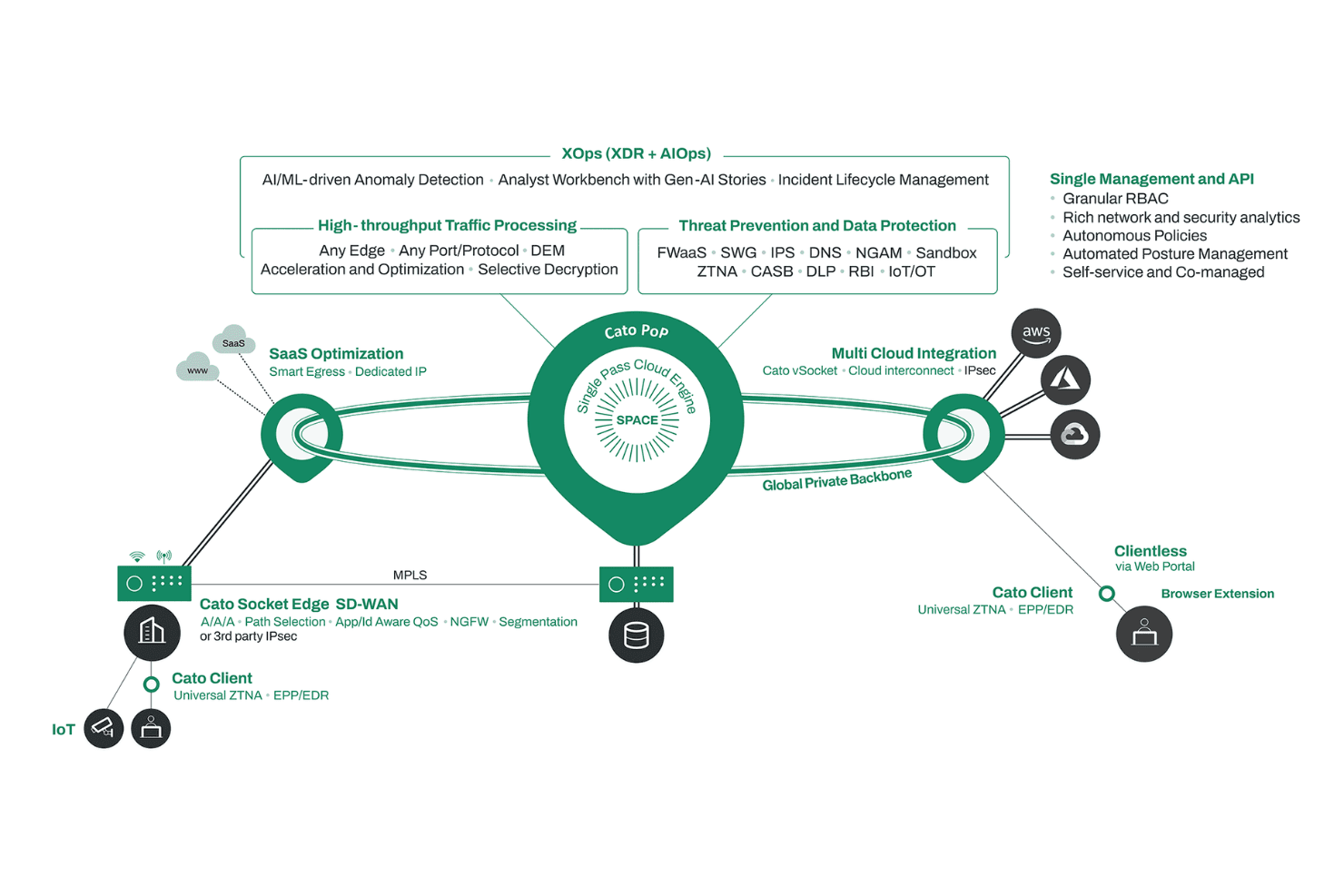
Network Management: You manage your network easily with a user-friendly interface that simplifies monitoring, routing, and configuration. It gives you control over traffic and policies without fuss.
Security Features: Your data stays secure with built-in threat detection, VPN, firewall, and protection, supported by real-time security updates.
Bandwidth Optimization:**** You maximize your network performance by efficiently allocating bandwidth. It ensures critical applications and SaaS tools run smoothly without disruptions.
Traffic Prioritization: You prioritize important traffic, ensuring essential applications get the bandwidth they need. This keeps your operations running smoothly.
Failover Capabilities: Your network stays reliable with automatic failover during outages. It minimizes downtime and keeps your business connected.
Real-time** Monitoring:** You get instant insights into network performance with real-time analytics and visibility dashboards. This helps you make informed decisions quickly.

Standout Features
Seamless Cloud Integration: Your team can integrate cloud services effortlessly, enhancing your network's capabilities with cloud-native support. It's perfect for businesses relying on cloud-based applications.
Global Private Backbone: You benefit from a dedicated global backbone that boosts performance and reliability across data centers. It's ideal for businesses with a global presence needing consistent connectivity.
Ease of Use
Cato Networks SD-WAN stands out for its user-friendly interface, making it easy for your team to manage and configure networks. You’ll find the intuitive design means less time spent on training and more on productive work. With clear navigation and straightforward controls, it's a breeze to monitor performance and adjust settings. Compared to other solutions, you’ll appreciate how quickly you can get up to speed and keep your network running smoothly without unnecessary complexity.

Onboarding
Cato Networks SD-WAN offers a smooth onboarding process, helping your team get up and running quickly. The comprehensive resources and responsive support ensure you don't face hurdles alone. You’ll find the step-by-step guides and tutorials valuable in understanding the system's functionalities. Compared to others, the time to value is impressive, letting you see benefits without a long wait. Your team will appreciate the clarity and assistance available throughout the onboarding journey.
.png&w=3840&q=75)
Customer Support
Cato Networks SD-WAN provides reliable customer support that ensures your team gets help when needed. Users appreciate the prompt responses and knowledgeable staff available through various channels. You’ll find the support team is quick to resolve issues and guide you through complex challenges. Compared to others, the accessibility and expertise of the support staff are commendable, making sure your operations run smoothly without unnecessary delays. Your team can count on consistent and effective assistance whenever required.
Integrations
Cato Networks SD-WAN integrates with Microsoft Azure vWAN, Amazon Web Services (AWS), Google Cloud Platform (GCP), VMware, Salesforce, ServiceNow, Splunk, Check Point, and Fortinet.
Cato Networks SD-WAN also offers an API for custom integrations and can connect with third-party integration tools, including security and CASB platforms.

Value for Money
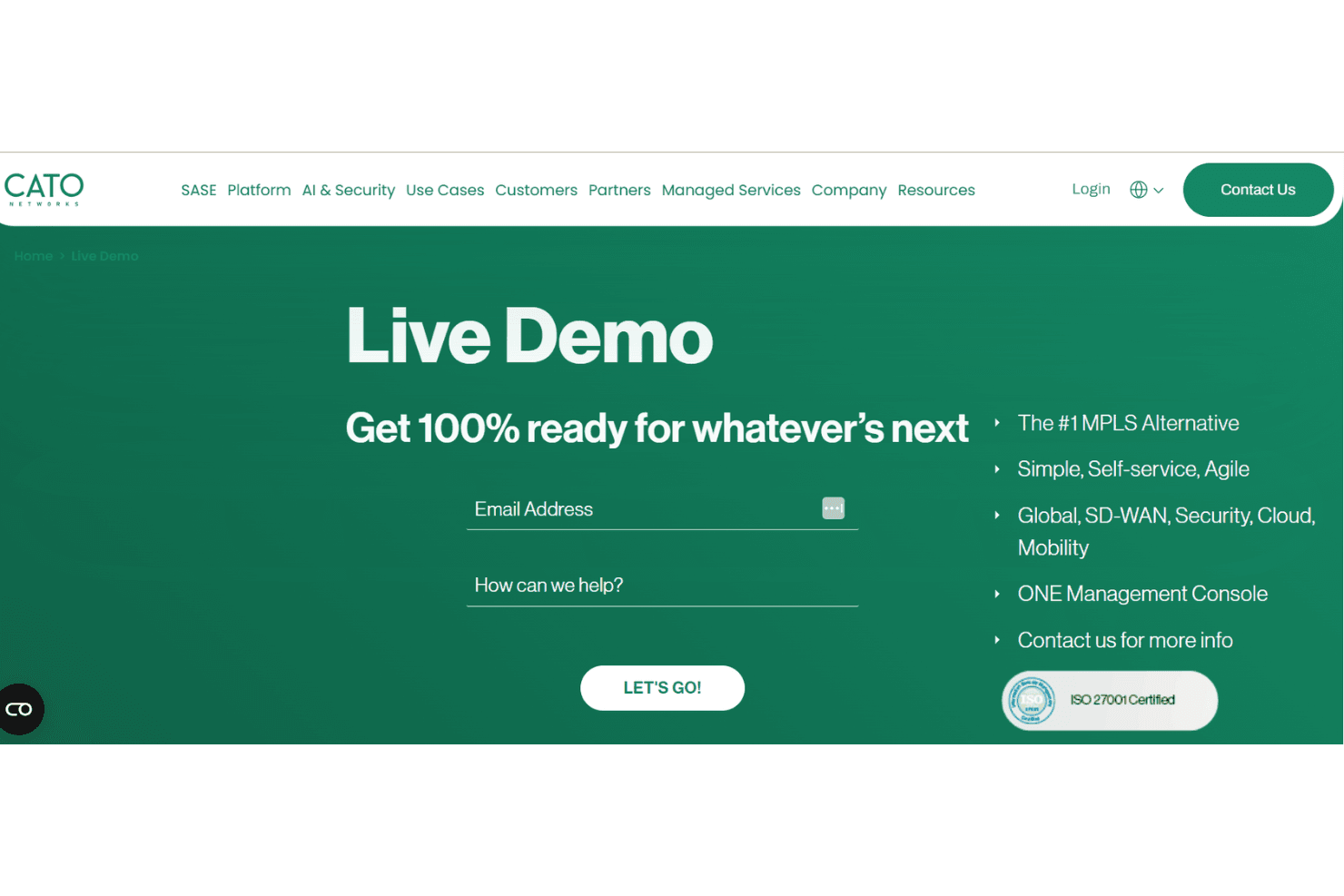
Cato Networks SD-WAN offers a pricing model that requires a custom quote, which some users find less transparent than other solutions. The lack of a free trial might be a drawback, but a video demo is available for those wanting to evaluate before purchasing. Users appreciate the comprehensive features offered, though the absence of clear pricing tiers can make it challenging to assess cost-effectiveness.
- **Custom **Pricing: Tailored solutions based on specific needs, requiring a quote request.
- No Free Trial: No free trial, but a video demo is available for initial evaluation.
Cato Networks SD-WAN Specs
- 2-Factor Authentication: No
- Access Management: No
- Anti-Virus: No
- API: Yes
- Audit Trail: No
- Bug Tracking: No
- Calendar Management: No
- Customer Management: No
- Dashboard: Yes
- Data Export: Yes
- Data Import: No
- Data Visualization: No
- Email Integration: No
- External Integrations: Yes
- File Sharing: No
- File Transfer: No
- Firewall: Yes
- Google Apps Integration: No
- Inventory Tracking: No
- Malware Protection: No
- Multi-User: Yes
- Network Device Performance Monitoring: No
- Network Traffic Monitoring: Yes
- Network Visualization: Yes
- Notifications: No
- Project Management: No
- Remote Access: Yes
- Risk Assessment: No
- SAP Integration: No
- Scheduling: No
- Software Integration: No
- Third-Party Plugins/Add-Ons: No
- Ticket Management: No
Cato Networks SD-WAN FAQs
Cato Networks SD-WAN Company Overview & History
Cato Networks, founded in 2015 by Shlomo Kramer and Gur Shatz, is headquartered in Tel Aviv, Israel. It integrates networking and security into a cloud-based platform known as Cato SASE, aiming to simplify network management and improve performance for businesses. Known for its innovation in cybersecurity and SASE solution leadership, Cato Networks offers services like managed SASE and XDR. The company serves notable clients across various industries and is recognized for its commitment to security and sustainability, being carbon neutral, ISO 27001 certified, and listed on Gartner reports on enterprise networking.
Cato Networks SD-WAN Major Milestones
2015: Founded by Shlomo Kramer and Gur Shatz in Tel Aviv, Israel. Also achieved carbon neutrality the same year.
2017: Launched its cloud-based SD-WAN platform.
2019: Achieved ISO 27701 certification for its robust PIMS.
2020: Raised $130 million in a funding round to expand operations.
2025: Acquired cyber startup Aim Security to enhance security offerings and surpassed $300 million in annual recurring revenue.