

Appy Pie Review: Pros, Cons, Features and Pricing
Appy Pie stands out as a beginner-friendly app builder with its intuitive drag-and-drop interface, making app creation accessible without coding skills.

We review tools independently, and commissions help fund our testing. See our transparency policy, our methodology, or suggest a tool.
Appy Pie is a no-code application development software for building mobile apps, websites, and chatbots without writing any code. It's worth considering if your team needs to ship apps quickly but doesn't have dedicated developers on hand. Compared to something like OutSystems, Appy Pie is far more accessible for non-technical users and gets you to a working app much faster, making it a more practical choice when speed and simplicity matter more than deep enterprise-level customization.
Appy Pie Evaluation Summary

4.7/5
- From $16/app/month
- 7-day free trial available
Why Trust Our Software Recommendations
6,700+
Reviews
20
Industry experts
16+
Evaluation factors
14
Years
Our team has been testing and reviewing software since 2012. As tech leaders ourselves, we know how difficult—and important—it is to choose the right software.
For this guide, we evaluated tools using hands-on testing and independent research, scoring tools using our selection criteria.
Our reviews reflect our human editorial judgment, not a sales pitch.
Expert reviewers:
- Paulo Gardini MiguelTech Director
 Tim FisherVP of AI
 Gabriel RosasTech Lead & Software Architect
 Christhian GruhnTech Lead & Platform Architect

Appy Pie Overview
In my opinion, Appy Pie app builder is a solid choice for businesses seeking a no-code app development platform. Its intuitive user interface makes it accessible, especially for small businesses or teams without in-depth technical skills. While it excels in ease of use and customer support, it might not offer the deep customization some advanced users need. Compared to competitors, it stands out for its affordability and ease of onboarding. However,it may lack some advanced features found in paid plans. If you're looking for a straightforward app development tool to quickly bring your first app ideas to life, Appy Pie could be a great fit.
Pros
- You can create apps without any coding skills.
- The drag-and-drop interface is easy for your team to use.
- It offers excellent customer support to help address questions when building business apps.
Cons
- Your team might find the customization options limited.
- Some advanced features found in other tools aren't available.
- Larger teams might find it less suitable for complex projects.
Is Appy Pie Right For Your Needs?
Who Would be a Good Fit for Appy Pie?
Appy Pie is a great fit for small businesses, startups, and non-technical teams needing to create apps quickly. Its no-code platform lets you build apps without technical expertise, making it ideal for marketing departments or entrepreneurs wanting to test app ideas. The drag-and-drop interface simplifies app creation, allowing your team to focus on creativity rather than coding complexities.
- Small BusinessesAppy Pie lets your small business create apps quickly and publish them on online stores without needing a dedicated IT department.
- StartupsStartups can use Appy Pie’s AI app generator to test concepts without heavy investment.
- Marketing TeamsMarketing teams can easily design promotional apps that send push notifications using Appy Pie's user-friendly interface.
- Non-Technical UsersIf you're a non-technical user, Appy Pie's no-code platform makes app development accessible and straightforward.
- Educational InstitutionsSchools can create educational web apps for students using Appy Pie’s easy-to-use tools.
- EntrepreneursEntrepreneurs can build and test new app ideas quickly with Appy Pie’s intuitive mobile app builder.
Who Would be a Bad Fit for Appy Pie?
Appy Pie might not be suitable for large enterprises or tech-heavy industries needing extensive customization and advanced features. If your team requires deep integrations, complex functionalities, or high scalability, you'll find Appy Pie's limited customization options restrictive. For departments like IT or development teams that rely on advanced coding capabilities, Appy Pie's no-code approach may not meet your detailed requirements.
- Large EnterprisesAppy Pie lacks the advanced features your large enterprise needs for complex app development projects.
- Tech CompaniesTech companies may find Appy Pie's limited customization restrictive for their specialized software needs.
- Development TeamsDevelopment teams needing coding flexibility will find Appy Pie's no-code platform insufficient.
- E-commerce GiantsIf you're an e-commerce giant, Appy Pie's limited scalability may not support your vast product range efficiently.
- Financial InstitutionsFinancial institutions requiring robust security features might find Appy Pie's offerings lacking.
- Healthcare ProvidersHealthcare providers might find Appy Pie’s multi-tenancy infrastructure not suitable for for sensitive data management.
Our Review Methodology
How We Test & Score Tools
We’ve spent years building, refining, and improving our software testing and scoring system. The rubric is designed to capture the nuances of software selection and what makes a tool effective, focusing on critical aspects of the decision-making process.
Below, you can see exactly how our testing and scoring works across seven criteria. It allows us to provide an unbiased evaluation of the software based on core functionality, standout features, ease of use, onboarding, customer support, integrations, customer reviews, and value for money.
Core Functionality (25% of final scoring)
The starting point of our evaluation is always the core functionality of the tool. Does it have the basic features and functions that a user would expect to see? Are any of those core features locked to higher-tiered pricing plans? At its core, we expect a tool to stand up against the baseline capabilities of its competitors.
Standout Features (25% of final scoring)
Next, we evaluate uncommon standout features that go above and beyond the core functionality typically found in tools of its kind. A high score reflects specialized or unique features that make the product faster, more efficient, or offer additional value to the user.
We also evaluate how easy it is to integrate with other tools typically found in the tech stack to expand the functionality and utility of the software. Tools offering plentiful native integrations, 3rd party connections, and API access to build custom integrations score best.
Ease of Use (10% of final scoring)
We consider how quick and easy it is to execute the tasks defined in the core functionality using the tool. High scoring software is well designed, intuitive to use, offers mobile apps, provides templates, and makes relatively complex tasks seem simple.
Onboarding (10% of final scoring)
We know how important rapid team adoption is for a new platform, so we evaluate how easy it is to learn and use a tool with minimal training. We evaluate how quickly a team member can get set up and start using the tool with no experience. High scoring solutions indicate little or no support is required.
Customer Support (10% of final scoring)
We review how quick and easy it is to get unstuck and find help by phone, live chat, or knowledge base. Tools and companies that provide real-time support score best, while chatbots score worst.
Customer Reviews (10% of final scoring)
Beyond our own testing and evaluation, we consider the net promoter score from current and past customers. We review their likelihood, given the option, to choose the tool again for the core functionality. A high scoring software reflects a high net promoter score from current or past customers.
Value for Money (10% of final scoring)
Lastly, in consideration of all the other criteria, we review the average price of entry level plans against the core features and consider the value of the other evaluation criteria. Software that delivers more, for less, will score higher.
Core Features
Drag-and-Drop Interface
This feature lets you build apps by dragging elements onto your workspace, making it easy for your team to use without coding. It creates a better user experience and speeds up the app creation process.
No-Code Development
Appy Pie allows you to create apps without needing programming knowledge, which is perfect for users with limited technical skills. You can focus on design and functionality rather than overcoming coding challenges.
App Templates
Choose from a variety of pre-designed templates to kickstart your app project. These templates help you save time and ensure a professional aesthetic.
Real-Time Updates
Make changes to your app and update them instantly, allowing you to fine-tune your app as you go. This feature helps keep your app current and responsive to user needs.
Multi-Platform Support
Build apps that work on multiple platforms like Android and iOS, expanding your app's reach. Your app can cater to a wider audience without extra effort.
App Publishing Assistance
Get help in publishing your app to app stores, simplifying the launch process. This ensures your app gets to market smoothly.

Standout Features
Offline Capabilities
Appy Pie lets your app function without an internet connection by storing data locally. This feature ensures your app remains useful for on-the-go users even in low-connectivity areas.
App Monetization Options
You can integrate monetization strategies like ads or in-app purchases to generate revenue. This feature helps turn your app into a potential income source.
Ease of Use
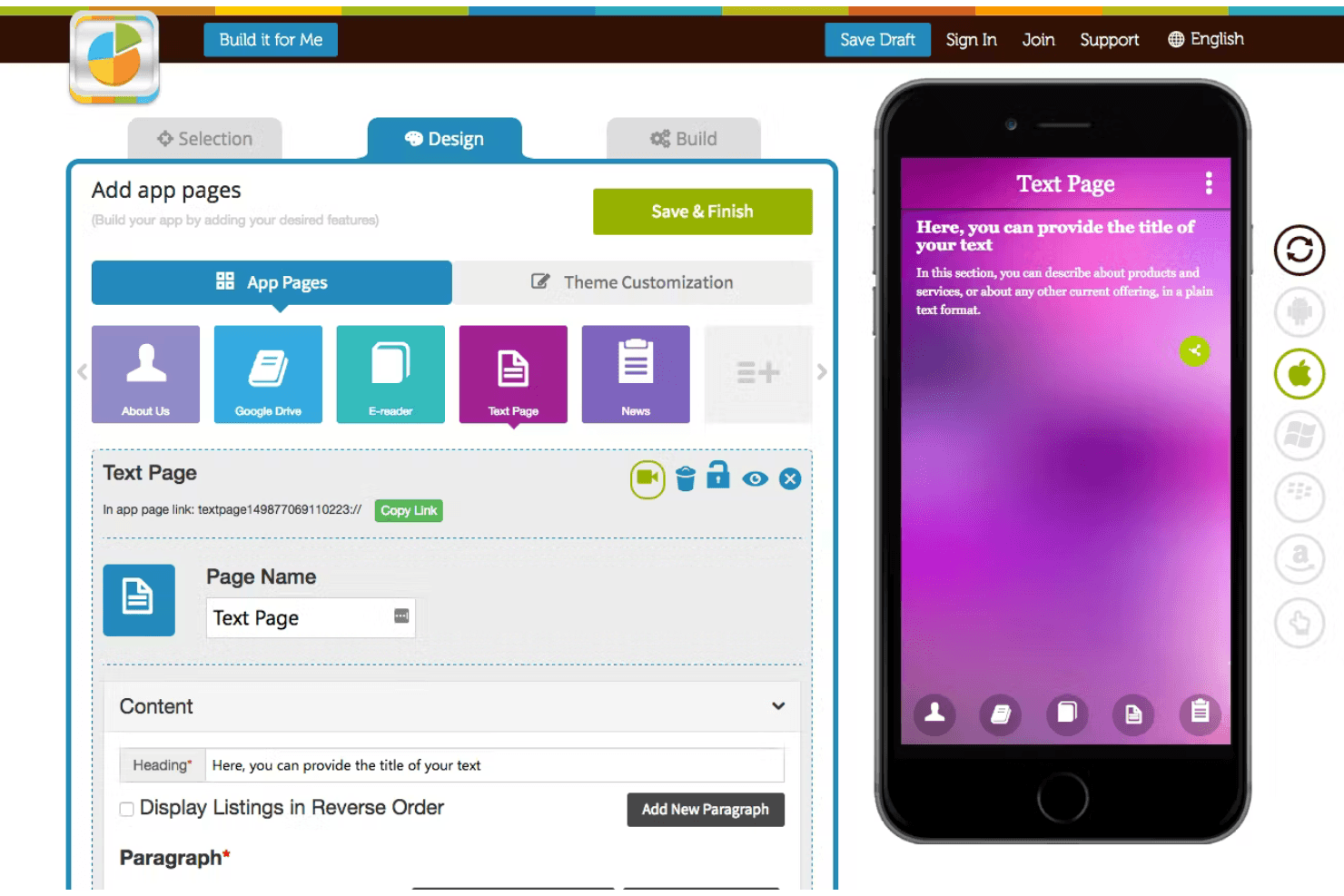
Appy Pie stands out for its user-friendliness, thanks to its intuitive drag-and-drop interface. The no-code platform and pre-designed templates simplify the app creation process, allowing you to focus on creativity. App creators appreciate the real-time updates, which let them see changes instantly. This makes the AI app generator a great choice for teams looking to develop apps quickly without a steep learning curve.

Onboarding
Appy Pie offers a smooth onboarding experience, providing you with easy-to-follow video tutorials and responsive customer support. Your team can quickly get up to speed with the platform's features, thanks to its straightforward setup and comprehensive resources. Users appreciate the guidance provided during the initial stages, which helps reduce the learning curve and accelerates time to value. This makes it easy for you to start building apps without feeling overwhelmed.
Customer Support
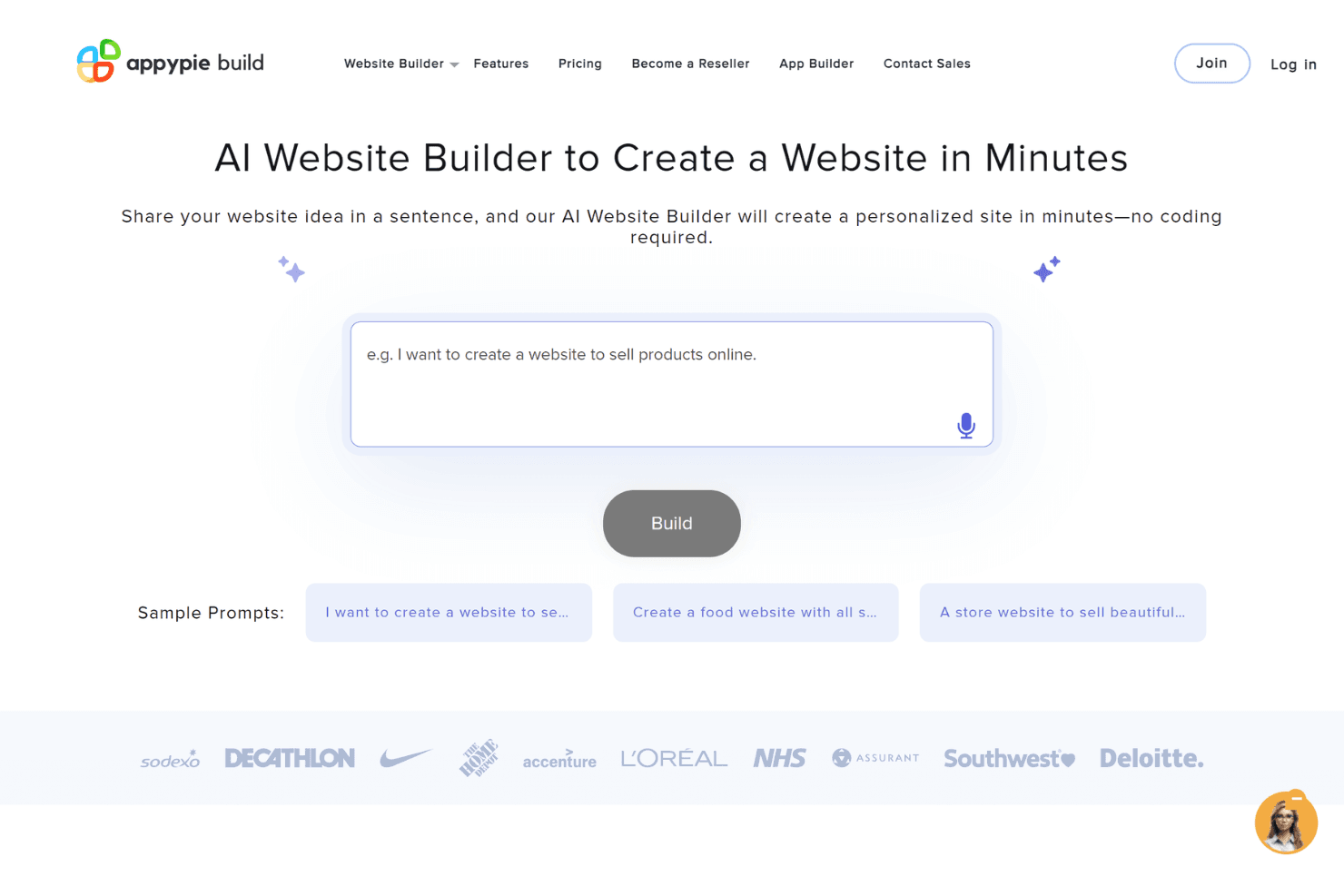
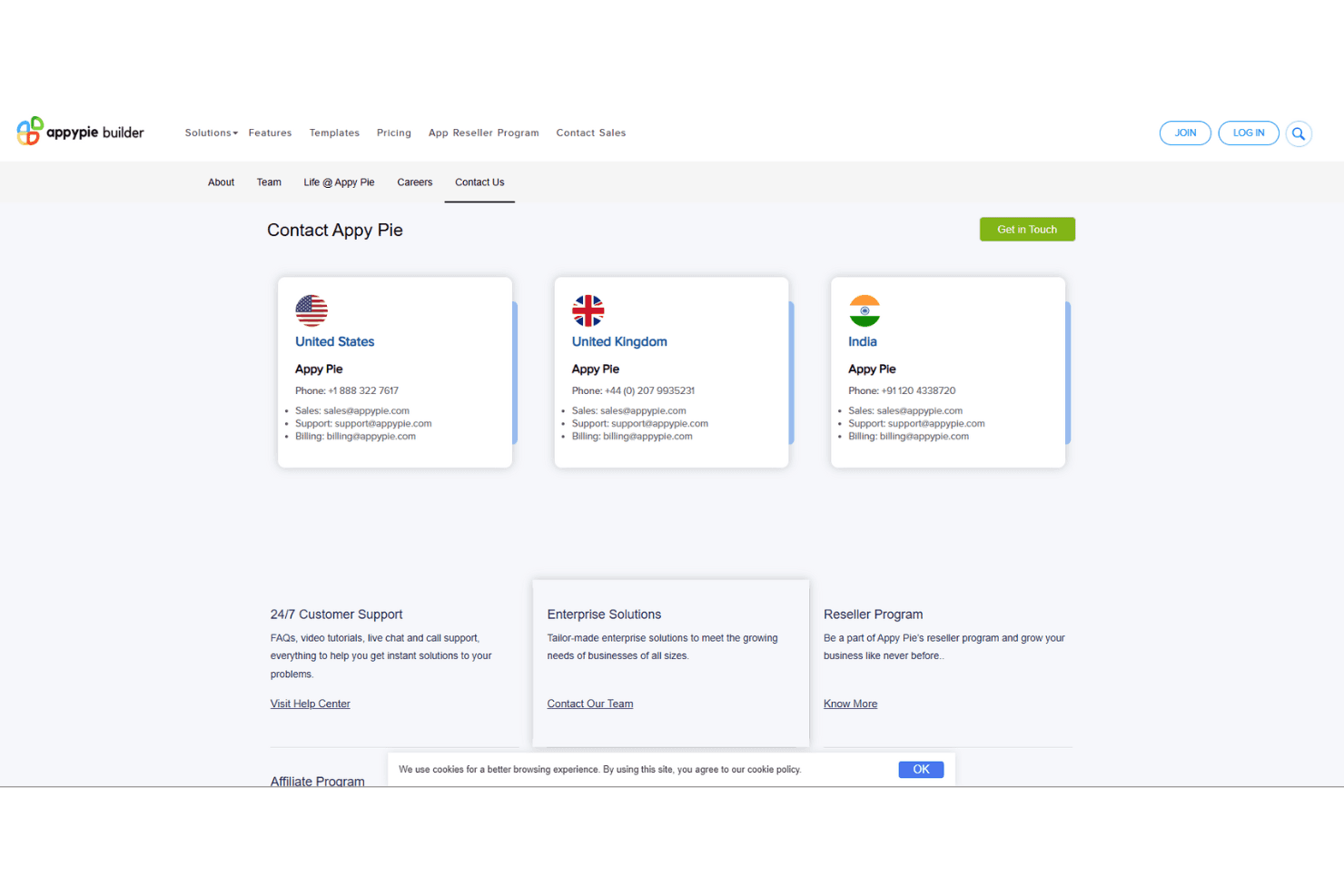
Appy Pie's support team offers timely assistance through multiple channels like chat and email. Your team will find their support staff helpful and knowledgeable, making it easier to resolve any issues quickly. Users appreciate the accessible resources and responsive service, which enhance the overall experience. This reliable support ensures your team can focus on app development without unnecessary delays.
Integrations
Appy Pie integrates with Google Sheets, Salesforce, Slack, Google Calendar, Trello, Zoho CRM, Dropbox, Google Forms, Evernote, Facebook, and more. Additionally, Appy Pie offers an API and supports third-party integration tools, enhancing its connectivity options.
.png&w=3840&q=75)
Value for Money
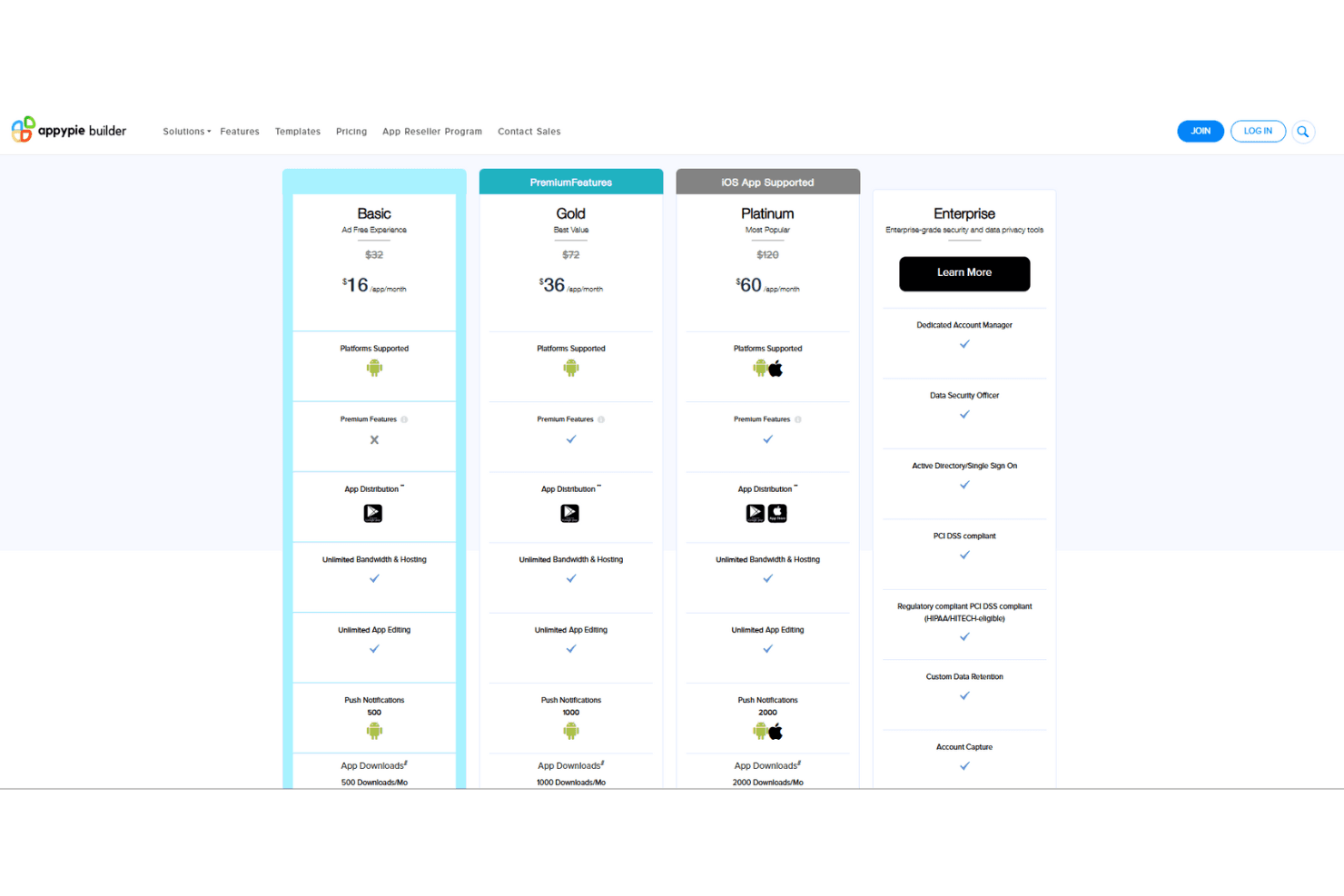
Appy Pie pricing offers competitive value with its tiered plans, catering to both small businesses and larger enterprises. The Basic plan provides essential features at a low cost, while the Gold and Platinum plans offer additional premium functionalities for growing needs. A free trial is available for you to explore the platform before committing, ensuring it meets your team's requirements.
- Basic Plan: $16/app/month, Ad-free apps, 500 downloads/month, email support.
- Gold Plan: $36/app/month, Unlimited bandwidth, 1000 downloads/month, enhanced support.
- Platinum Plan: $60/app/month, 2000 downloads/month, premium support, access to all major app stores.
- Enterprise Plan: Price upon request, tailored for advanced security and support needs.
Appy Pie Specs
- API: Yes
- Bug Tracking: No
- CI/CD Integration: No
- Cloud Deployment: Yes
- Code Review: No
- Code Transformation: No
- Collaboration Support: No
- Data Export: Yes
- Data Import: Yes
- Developer Tools: Yes
- External Integrations: Yes
- Git Integration: No
- History/Version Control: No
- IDE Plugins: No
- Local Deployment: No
- Multi-User: Yes
- Notifications: Yes
- Project Management: No
- Release Management: No
- Static Analysis: No
- Task Scheduling/Tracking: No
- Testing: No
Appy Pie FAQs
Appy Pie Company Overview & History
Appy Pie, founded in 2015, is a leading no-code platform based in the United States, employing more than 200 people. The company is known for enabling users to create mobile applications without coding, serving over 10 million clients globally. Appy Pie offers various services like app and website builders, chatbots, and automation tools, and is recognized for its commitment to customer satisfaction. It continues to innovate in the low-code/no-code development space.
Appy Pie Major Milestones
- 2016: Founded as a no-code platform for app development in India.
- 2018: Introduced automation tools to enhance workflow efficiency.
- 2024: Surpassed 6 million clients globally.