

Terraform Review 2026: Pros, Cons, Features, and Pricing
Terraform stands out for its flexibility and broad provider support, making it ideal for complex, multi-cloud environments, but its learning curve and state management may challenge new users.

We review tools independently, and commissions help fund our testing. See our transparency policy, our methodology, or suggest a tool.
Terraform is an open-source infrastructure as code tool that lets you define, provision, and manage infrastructure across cloud providers using declarative configuration files. It's worth considering if your team needs to manage resources across AWS, Azure, and GCP without building separate workflows for each. I'd especially recommend it over AWS CloudFormation if you're not locked into a single cloud provider—Terraform's multi-provider support gives you one consistent configuration layer regardless of where your infrastructure lives.
Terraform Evaluation Summary

4.7/5
- Pricing upon request
- Free plan available
Why Trust Our Software Recommendations
6,700+
Reviews
20
Industry experts
16+
Evaluation factors
14
Years
Our team has been testing and reviewing software since 2012. As tech leaders ourselves, we know how difficult—and important—it is to choose the right software.
For this guide, we evaluated tools using hands-on testing and independent research, scoring tools using our selection criteria.
Our reviews reflect our human editorial judgment, not a sales pitch.
Expert reviewers:
- Paulo Gardini MiguelTech Director
 Tim FisherVP of AI
 Gabriel RosasTech Lead & Software Architect
 Christhian GruhnTech Lead & Platform Architect

Terraform Overview
If you’re judging Terraform against other IAC tools, I think its provider ecosystem, modular configuration, and open-source model put it ahead for teams managing multi-cloud or hybrid environments. The interface is code-first, so onboarding takes some ramp-up, but the documentation and community support are strong. Pricing is transparent, especially for open-source users, and integrations cover nearly every major cloud and service.
I’d suggest Terraform is best for teams who want flexibility, automation, and vendor-neutral workflows, but it may feel complex for those seeking a simple, GUI-driven experience.
Pros
- You can automate infrastructure across various cloud providers.
- Your team benefits from a large community that offers support and modules.
- It helps you reduce human errors with its declarative coding approach.
Cons
- Your team might find the initial learning curve steep.
- It requires you to manage state files, which can be complex.
- You might notice that its error messages are sometimes hard to interpret.
Is Terraform Right For Your Needs?
Who Would be a Good Fit for Terraform?
If you’re part of a DevOps team in tech-driven industries like finance or e-commerce, Terraform is a good fit for you. Its ability to automate infrastructure across various cloud providers is ideal for cloud architects and IT departments. The community support and available modules make it easier for your team to implement complex setups efficiently. With Terraform’s declarative coding approach, you’ll reduce human errors in deploying and scaling infrastructure.
- Tech StartupsYour startup can scale quickly with Terraform’s automated infrastructure management.
- Finance SectorUse Terraform to manage complex cloud environments securely and efficiently.
- E-commerce PlatformsTerraform helps you handle dynamic scaling and multi-cloud deployments.
- Cloud ArchitectsAutomate and manage diverse cloud services effortlessly with Terraform.
- IT DepartmentsStreamline infrastructure provisioning and reduce errors in your operations.
- DevOps TeamsEnhance your work by leveraging Terraform’s community support and modular design.
Who Would be a Bad Fit for Terraform?
If you’re part of a small business with limited IT resources, Terraform might not be for you. Its complexity requires a steep learning curve and dedicated personnel to manage state files. Non-technical teams or those without cloud infrastructure experience may struggle with its declarative coding approach. If your team needs instant results without the capacity for setup and learning, consider simpler tools.
- Small BusinessesYou might find Terraform overwhelming due to its complexity and resource requirements.
- Non-Technical TeamsWithout coding skills, managing Terraform’s infrastructure can be challenging.
- Short-Term ProjectsFor quick setups, Terraform’s initial overhead isn’t justified.
- Limited IT ResourcesIf your team lacks dedicated IT staff, Terraform’s management demands can be too high.
- Traditional IndustriesIndustries not focused on cloud infrastructure can find Terraform unnecessary.
- Inexperienced Cloud UsersTerraform’s steep learning curve can be a barrier without prior cloud experience.
Our Review Methodology
How We Test & Score Tools
We’ve spent years building, refining, and improving our software testing and scoring system. The rubric is designed to capture the nuances of software selection and what makes a tool effective, focusing on critical aspects of the decision-making process.
Below, you can see exactly how our testing and scoring works across seven criteria. It allows us to provide an unbiased evaluation of the software based on core functionality, standout features, ease of use, onboarding, customer support, integrations, customer reviews, and value for money.
Core Functionality (25% of final scoring)
The starting point of our evaluation is always the core functionality of the tool. Does it have the basic features and functions that a user would expect to see? Are any of those core features locked to higher-tiered pricing plans? At its core, we expect a tool to stand up against the baseline capabilities of its competitors.
Standout Features (25% of final scoring)
Next, we evaluate uncommon standout features that go above and beyond the core functionality typically found in tools of its kind. A high score reflects specialized or unique features that make the product faster, more efficient, or offer additional value to the user.
We also evaluate how easy it is to integrate with other tools typically found in the tech stack to expand the functionality and utility of the software. Tools offering plentiful native integrations, 3rd party connections, and API access to build custom integrations score best.
Ease of Use (10% of final scoring)
We consider how quick and easy it is to execute the tasks defined in the core functionality using the tool. High scoring software is well designed, intuitive to use, offers mobile apps, provides templates, and makes relatively complex tasks seem simple.
Onboarding (10% of final scoring)
We know how important rapid team adoption is for a new platform, so we evaluate how easy it is to learn and use a tool with minimal training. We evaluate how quickly a team member can get set up and start using the tool with no experience. High scoring solutions indicate little or no support is required.
Customer Support (10% of final scoring)
We review how quick and easy it is to get unstuck and find help by phone, live chat, or knowledge base. Tools and companies that provide real-time support score best, while chatbots score worst.
Customer Reviews (10% of final scoring)
Beyond our own testing and evaluation, we consider the net promoter score from current and past customers. We review their likelihood, given the option, to choose the tool again for the core functionality. A high scoring software reflects a high net promoter score from current or past customers.
Value for Money (10% of final scoring)
Lastly, in consideration of all the other criteria, we review the average price of entry level plans against the core features and consider the value of the other evaluation criteria. Software that delivers more, for less, will score higher.
Core Features
Declarative Configuration
Define infrastructure using HashiCorp Configuration Language (HCL) files that describe the desired end state. Terraform automatically determines the actions needed to reach that state.
Resource Graph
Visualize and manage dependencies between resources with a built-in graph. This helps you understand relationships and optimize parallel execution.
State Management
Track infrastructure state locally or remotely to enable collaboration and drift detection. State files let you roll back changes or audit resource history.
Modules
Package and reuse infrastructure code as modules for consistency and scalability. Teams can share modules across projects to standardize deployments.
Plan and Apply Workflow
Preview changes with terraform plan before applying them to your environment. This reduces risk by showing exactly what will change.
Provisioners
Run scripts or configuration management tools on resources after creation. Use provisioners for bootstrapping servers or running post-deployment tasks.

Standout Features
Provider Ecosystem
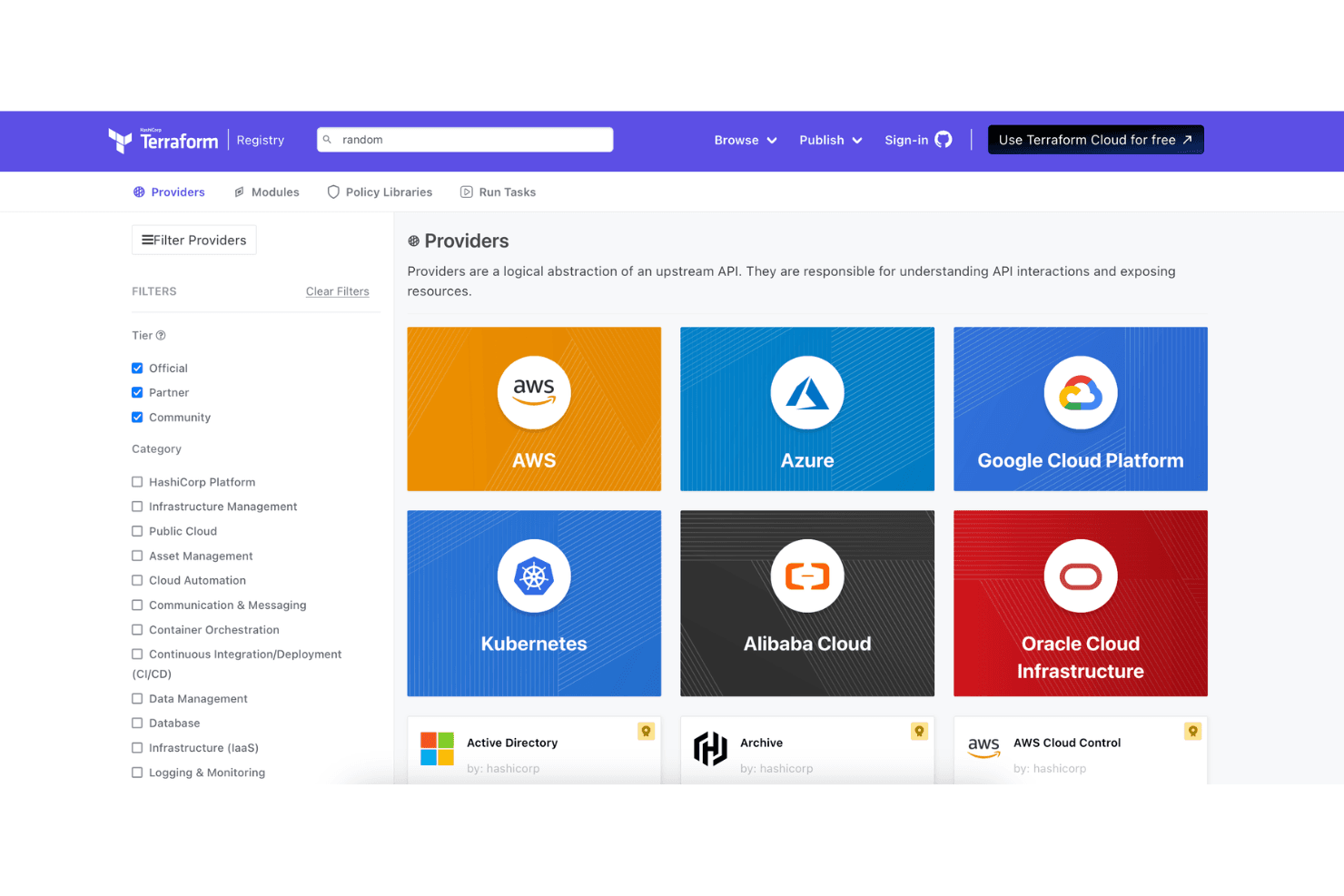
Terraform supports hundreds of providers, letting you manage resources across public clouds, SaaS platforms, and on-premises systems from a single workflow. This broad compatibility means you can automate nearly any infrastructure or service without switching tools.
Remote Backends
Store and manage Terraform state files securely in remote locations like AWS S3, Azure Blob Storage, or HashiCorp’s own Terraform Cloud. Remote backends enable team collaboration, state locking, and centralized state management for distributed teams.
Ease of Use
Terraform’s code-first approach offers flexibility and control, but it’s not the most user-friendly option for beginners or non-technical teams. Users often mention that writing HCL and managing state files require a solid understanding of infrastructure concepts. However, the documentation is thorough, and the active community helps flatten the learning curve. Once you’re comfortable, Terraform’s workflow and modular design make managing complex environments much more manageable than manual provisioning.

Onboarding
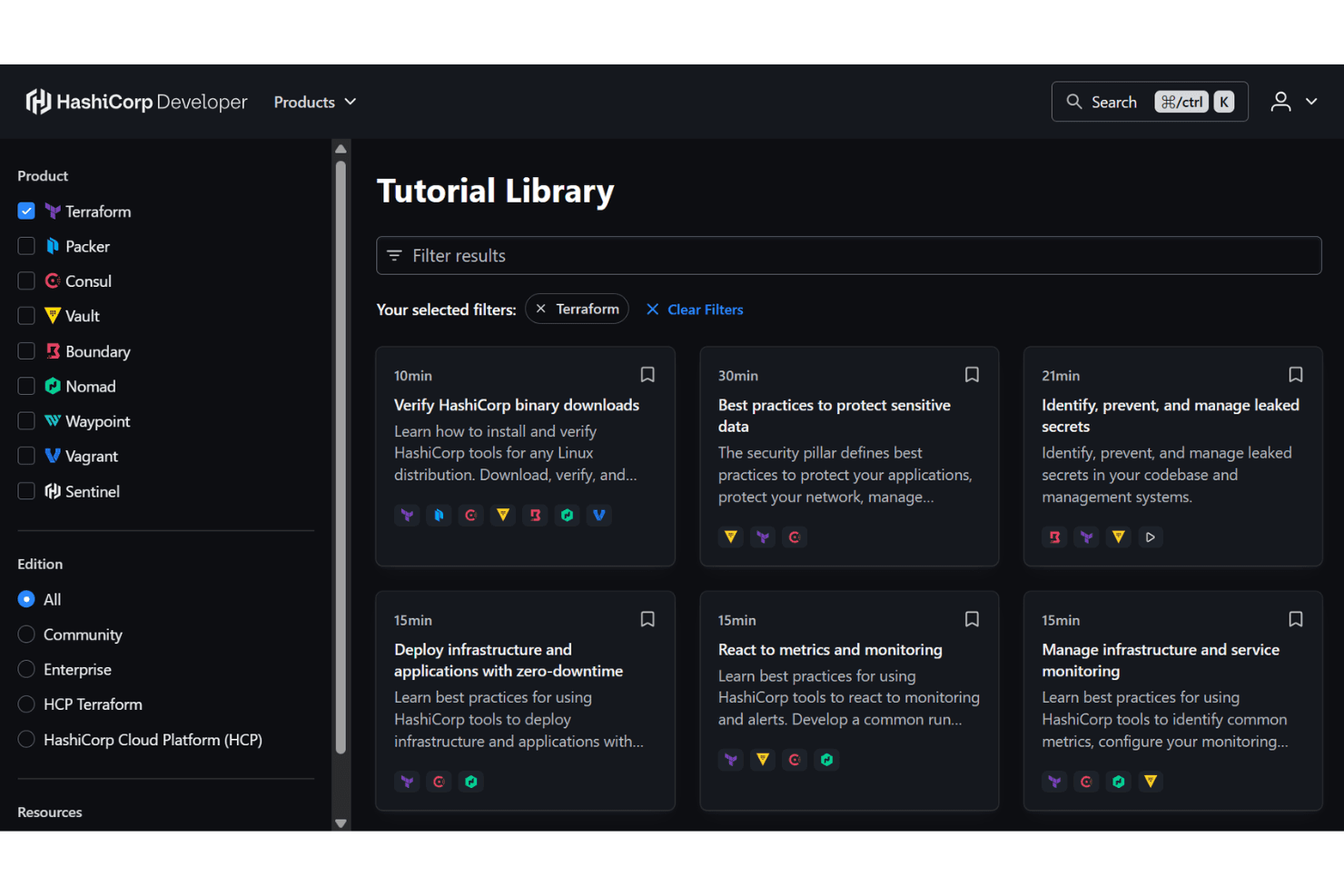
Terraform’s onboarding experience is documentation-driven, with a wealth of tutorials, guides, and community Q&A available for new users. Many users say the initial setup can feel overwhelming, especially when learning HCL and state management, but the official docs and HashiCorp Learn platform provide step-by-step paths. Community forums and GitHub issues are active, so it’s easy to find answers or examples. Most teams reach basic proficiency after a few guided projects.
Customer Support
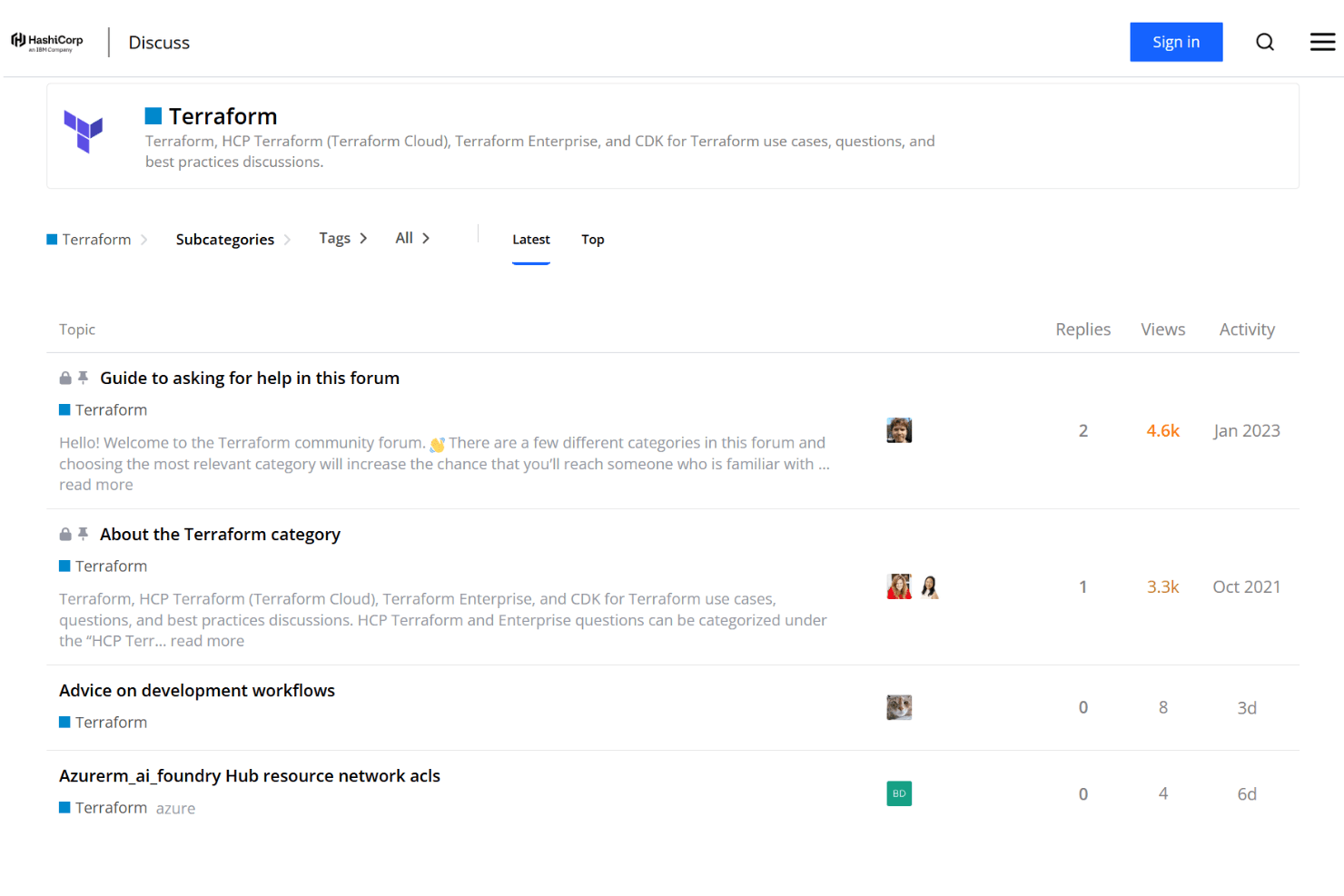
Terraform offers a mix of community-driven and paid support options, with most users relying on forums, GitHub, and HashiCorp documentation for troubleshooting. Many users appreciate the responsiveness of the community and the depth of available resources, but some note that official support can be slow or limited unless you’re on an enterprise plan. For most teams, the combination of active forums and detailed docs is enough to resolve common issues and questions.
Integrations
Terraform integrates with AWS, Azure, Google Cloud Platform, Kubernetes, VMware vSphere, GitHub, GitLab, Cloudflare, Datadog, and Oracle Cloud Infrastructure, among others.
Terraform also offers a robust API and supports connections with third-party integration tools.

Value for Money
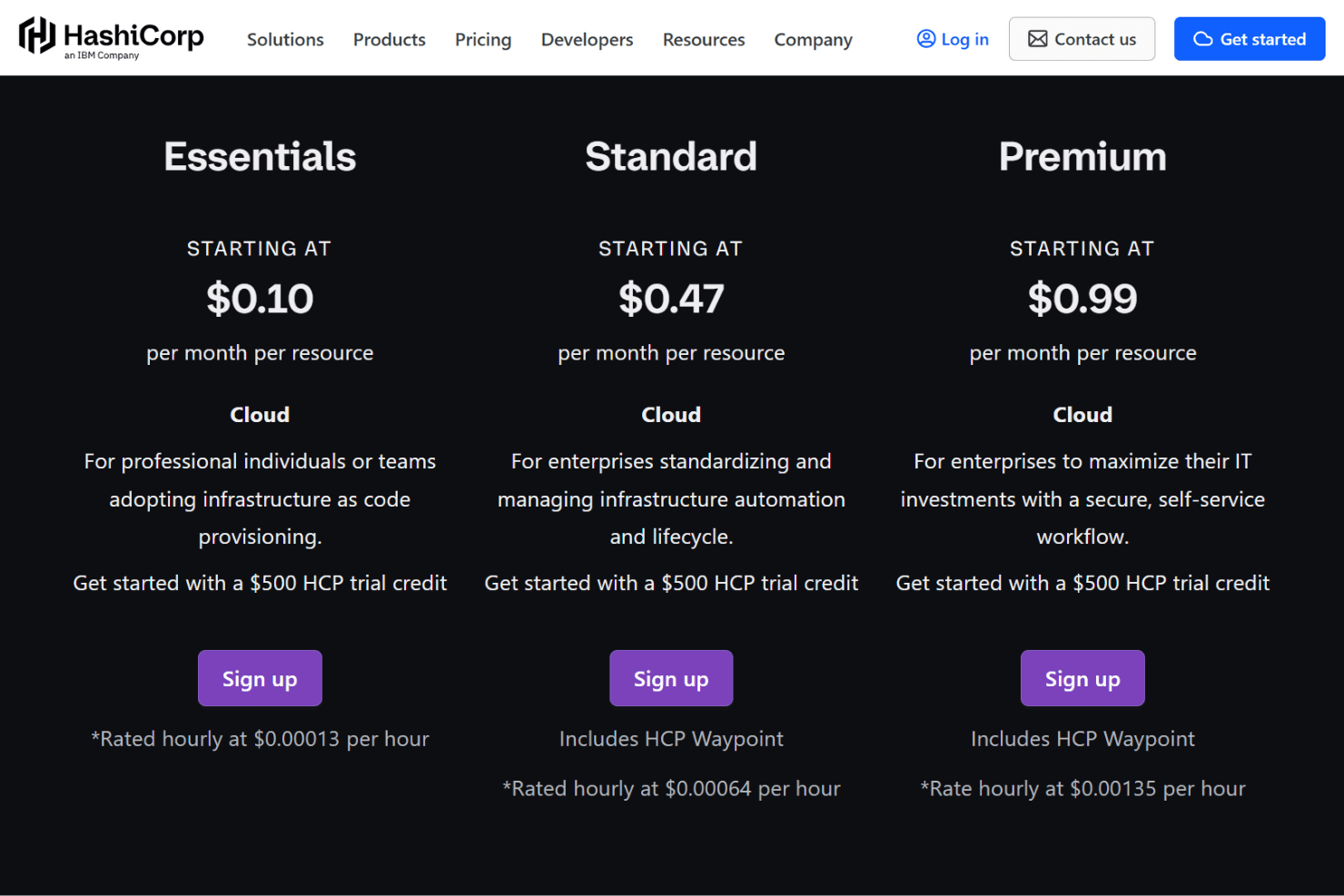
Terraform’s open-source tier offers significant value for teams that want to automate infrastructure without upfront costs. Many users feel the paid plans are justified for larger organizations needing advanced collaboration, governance, and support. The flexible pricing model lets you start free and scale up as your needs grow.
- Open Source: Core features like remote state, VCS connections, and runs for small teams.
- Essentials: Adds scalable infrastructure provisioning with pay-as-you-go pricing for resources.
- Standard: Includes advanced team workflows and lifecycle management features.
- Premium: Adds governance, policy controls, and enterprise-grade security.
- Terraform Enterprise: Self-managed deployment with compliance and premium support.
Terraform Specs
- A/B Testing: No
- API: Yes
- Automated Testing: No
- Browser Compatibility Testing: No
- Bug Tracking: No
- Calendar Management: No
- CI/CD Integration: Yes
- Dashboard: Yes
- Data Export: No
- Data Import: No
- Data Visualization: No
- Developer Tools: Yes
- External Integrations: Yes
- History/Version Control: Yes
- Manual Testing: No
- Multi-User: Yes
- Notifications: Yes
- Performance Testing: No
- Regression Testing: No
- Scheduling: No
- Status Notifications: Yes
- Third-Party Plugins/Add-Ons: Yes
Terraform FAQs
Terraform Company Overview & History
Terraform is an open-source infrastructure as code (IAC) tool developed by HashiCorp, a company headquartered in San Francisco, California. HashiCorp is known for creating several popular DevOps tools, including Vault, Consul, and Nomad, in addition to Terraform. The company has a reputation for fostering a strong open-source community and is widely recognized for its contributions to infrastructure automation. HashiCorp’s products are used by organizations of all sizes, including many Fortune 500 companies.
Terraform Major Milestones
- 2012: HashiCorp is founded in San Francisco, California.
- 2014: Terraform is released as an open-source project.
- 2016: Terraform gains significant adoption and becomes a core part of many DevOps toolchains.
- 2021: HashiCorp goes public on the NASDAQ under the ticker symbol HCP.
- 2022: Terraform Cloud and Enterprise offerings expand, supporting advanced collaboration and governance features.