

F5 Silverline-recension: Fördelar, nackdelar, funktioner och priser

We review tools independently, and commissions help fund our testing. See our transparency policy, our methodology, or suggest a tool.
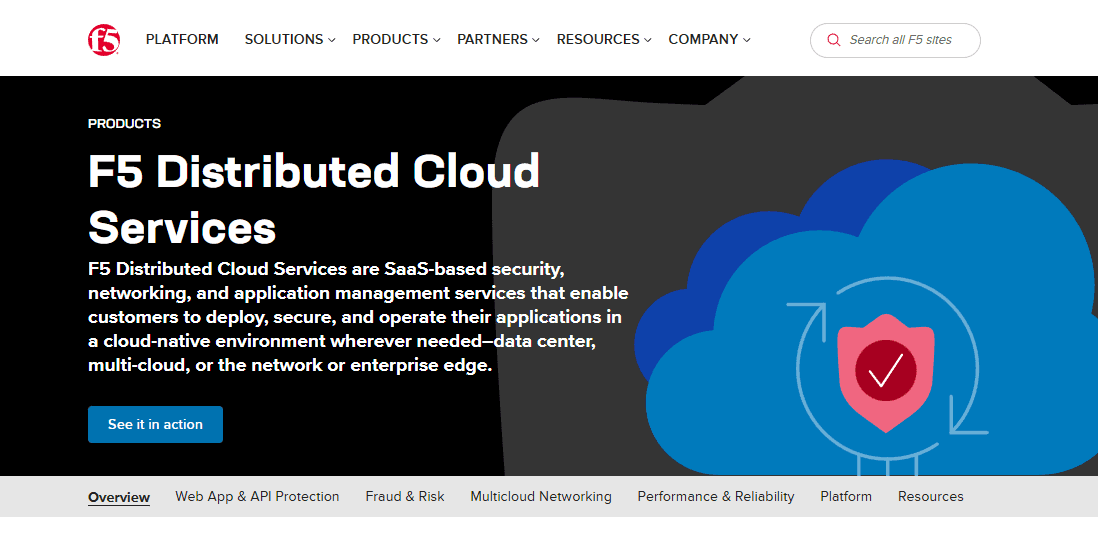
F5 Silverline is a cloud-based DDoS protection software built for enterprises that need always-on traffic scrubbing across volumetric, protocol, and application-layer attacks. It's worth considering if your team needs 24/7 SOC support backed by dedicated F5 security experts—not just automated mitigation rules. Compared to Cloudflare, which leans heavily on self-service configuration, F5 Silverline pairs its scrubbing infrastructure with hands-on incident response, making it a stronger fit for organizations that need expert involvement during an active attack.
F5 Silverline Evaluation Summary
5/5
- Pricing upon request
- Free trial available
Varför du kan lita på våra programvarurekommendationer
6,700+
Reviews
20
Industry experts
16+
Evaluation factors
14
Years
Vårt team har testat och recenserat programvara sedan 2012. Som teknikledare själva vet vi hur svårt — och viktigt — det är att välja rätt programvara.
För den här guiden utvärderade vi verktyg genom praktisk testning och oberoende research, och betygsatte verktygen enligt våra urvalskriterier.
Våra recensioner speglar vårt mänskliga redaktionella omdöme, inte ett säljbudskap.
Expertgranskare:
- Paulo Gardini MiguelTeknikdirektör
 Tim FisherVP för AI
 Gabriel RosasTech Lead & mjukvaruarkitekt
 Christhian GruhnTech Lead & plattformsarkitekt

F5 Silverline Overview
In my opinion, F5 Silverline is a solid choice for businesses needing strong DDoS protection without breaking the bank. It excels with its standout features and offers good value for money, though the onboarding process and customer support could use some improvement. Compared to alternatives like Cloudflare, Imperva, and Akamai, F5 Silverline is better suited for organizations that prefer managed security services over self-managed in-house solutions. If your team requires extensive customer support or easy onboarding, you might want to weigh other options. Overall, it’s a reliable platform for those who prioritize security features.
Pros
- It provides strong protection against DDoS attacks.
- You get reliable threat detection capabilities.
- The platform offers excellent scalability for growing businesses.
Cons
- Onboarding can be a bit complex for new users.
- Customer support isn't always prompt.
- The interface may take some time to get used to.
Is F5 Silverline Right For Your Needs?
Who Would be a Good Fit for F5 Silverline?
F5 Silverline is a great fit for e-commerce sites and financial institutions needing constant protection from DDoS attacks. These businesses can't afford downtime, and F5 Silverline's strong threat detection ensures their operations stay secure. IT departments in large organizations that require scalable security solutions will find it valuable, as it adapts to growing demands. Its robust features cater well to industries where security is a priority, like healthcare and government sectors, ensuring sensitive data stays protected.
- E-commerce SitesF5 Silverline provides strong DDoS protection, ensuring your online store remains accessible to customers.
- Financial InstitutionsIts reliable threat detection helps protect sensitive financial data from potential breaches.
- Large EnterprisesThe platform's scalability supports growing security needs as your company expands.
- Healthcare ProvidersF5 Silverline ensures patient data stays secure from cyber threats, keeping your operations compliant.
- Government AgenciesThe platform's robust features protect sensitive information, crucial for national security.
- IT DepartmentsYour team benefits from strong security measures that safeguard critical back-end systems and infrastructure.
Who Would be a Bad Fit for F5 Silverline?
F5 Silverline isn't ideal for small businesses with limited IT resources, as its onboarding can be complex and support might not be timely. Startups needing quick deployment may find the platform's setup cumbersome. Teams requiring extensive customer assistance might struggle with the less responsive support. Additionally, businesses that prioritize ease of use over advanced features may find the interface challenging. If you’re in an industry where immediate customer support is crucial, this might not be the best choice.
- Small BusinessesThe complex onboarding process may overwhelm your limited IT resources.
- StartupsF5 Silverline's setup can be cumbersome, delaying your quick deployment needs.
- Non-Technical TeamsThe platform's interface isn't the easiest to navigate, which could frustrate your team.
- Customer Support-Dependent OrganizationsIf you rely heavily on immediate support, F5 Silverline's responsiveness might not meet your needs.
- Budget-Conscious CompaniesThe platform may not provide the cost-effectiveness you're looking for, considering the support and onboarding challenges.
- Quick Deployment NeedsIf you need immediate setup, F5 Silverline's onboarding might slow you down.
Our Review Methodology
How We Test & Score Tools
We’ve spent years building, refining, and improving our software testing and scoring system. The rubric is designed to capture the nuances of software selection and what makes a tool effective, focusing on critical aspects of the decision-making process.
Below, you can see exactly how our testing and scoring works across seven criteria. It allows us to provide an unbiased evaluation of the software based on core functionality, standout features, ease of use, onboarding, customer support, integrations, customer reviews, and value for money.
Core Functionality (25% of final scoring)
The starting point of our evaluation is always the core functionality of the tool. Does it have the basic features and functions that a user would expect to see? Are any of those core features locked to higher-tiered pricing plans? At its core, we expect a tool to stand up against the baseline capabilities of its competitors.
Standout Features (25% of final scoring)
Next, we evaluate uncommon standout features that go above and beyond the core functionality typically found in tools of its kind. A high score reflects specialized or unique features that make the product faster, more efficient, or offer additional value to the user.
We also evaluate how easy it is to integrate with other tools typically found in the tech stack to expand the functionality and utility of the software. Tools offering plentiful native integrations, 3rd party connections, and API access to build custom integrations score best.
Ease of Use (10% of final scoring)
We consider how quick and easy it is to execute the tasks defined in the core functionality using the tool. High scoring software is well designed, intuitive to use, offers mobile apps, provides templates, and makes relatively complex tasks seem simple.
Onboarding (10% of final scoring)
We know how important rapid team adoption is for a new platform, so we evaluate how easy it is to learn and use a tool with minimal training. We evaluate how quickly a team member can get set up and start using the tool with no experience. High scoring solutions indicate little or no support is required.
Customer Support (10% of final scoring)
We review how quick and easy it is to get unstuck and find help by phone, live chat, or knowledge base. Tools and companies that provide real-time support score best, while chatbots score worst.
Customer Reviews (10% of final scoring)
Beyond our own testing and evaluation, we consider the net promoter score from current and past customers. We review their likelihood, given the option, to choose the tool again for the core functionality. A high scoring software reflects a high net promoter score from current or past customers.
Value for Money (10% of final scoring)
Lastly, in consideration of all the other criteria, we review the average price of entry level plans against the core features and consider the value of the other evaluation criteria. Software that delivers more, for less, will score higher.
Core Features
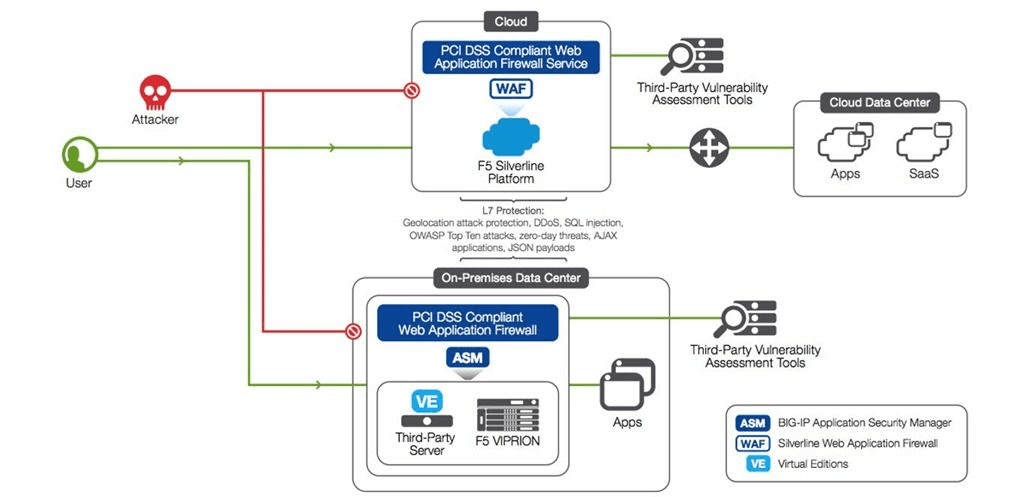
DDoS Protection: F5 Silverline shields your network from DDoS attacks, keeping your services online and operational. It automatically detects and mitigates threats, ensuring your business stays secure.
Threat Detection: The platform identifies potential security threats in real time, helping protect applications, networks, and critical endpoints before breaches occur.
Scalability: As your business grows, F5 Silverline scales with you, adapting to increased security demands. You won't need to worry about outgrowing your protection.
Traffic Management: It efficiently manages your network traffic, including DNS routing and load balancing, optimizing performance and reducing latency. This ensures your users have a smooth experience.
SSL Offloading: F5 Silverline handles SSL encryption tasks, freeing up your servers for other processes. This improves your system's overall efficiency.
Web Application Firewall (WAF): Protects your web applications and provides API protection from threats like SQL injection and cross-site scripting. Your team can focus on development, knowing security is handled.
Ease of Use
F5 Silverline offers a comprehensive set of features, but its interface can be challenging for new users. The onboarding process is not the smoothest, which might slow down your team's initial setup. While the platform provides excellent security capabilities, it requires some time to fully understand its functionalities. If your team is willing to invest the effort to learn, the security benefits are substantial. However, if ease and speed are your top priorities, this may not be the best fit.
Integrations
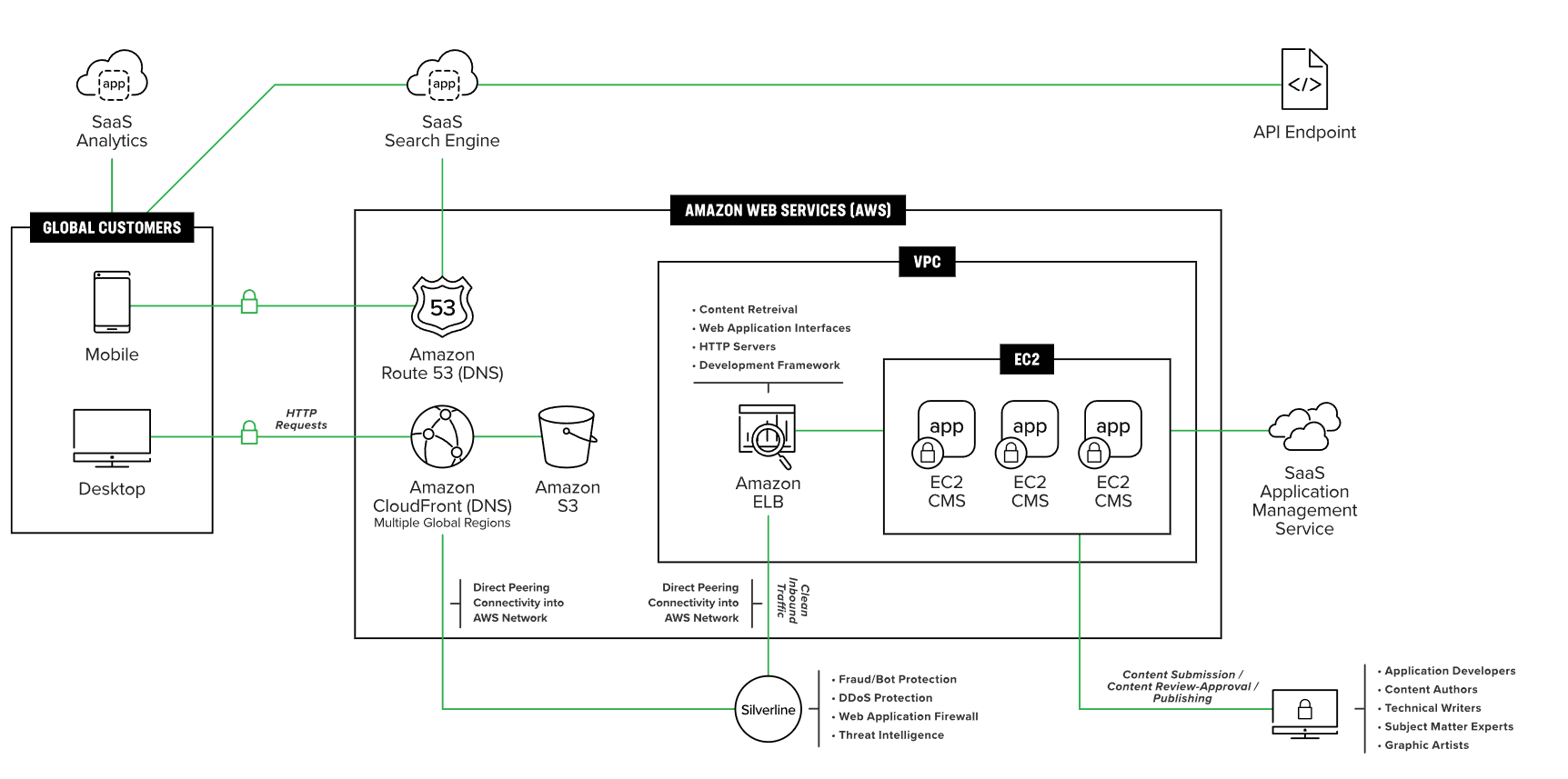
F5 Silverline integrates with AWS, Azure, Google Cloud, Equinix, ServiceNow, Palo Alto Networks, IBM QRadar, VMware, Red Hat Openshift and Fortinet.
F5 Silverline also provides an API for automation and can connect with third-party tools via connectors (e.g., SIEM or security platforms) rather than Zapier-style apps.
F5 Silverline Specs
- 2-Factor Authentication: No
- Access Management: Yes
- Anti-Virus: No
- API: Yes
- Audit Trail: Yes
- Bug Tracking: No
- Calendar Management: No
- Customer Management: No
- Dashboard: Yes
- Data Export: No
- Data Import: Yes
- Data Visualization: Yes
- Email Integration: No
- External Integrations: Yes
- File Sharing: No
- File Transfer: No
- Firewall: Yes
- Google Apps Integration: Yes
- Inventory Tracking: No
- Malware Protection: No
- Multi-User: Yes
- Network Device Performance Monitoring: No
- Network Traffic Monitoring: Yes
- Network Visualization: Yes
- Notifications: Yes
- Project Management: No
- Remote Access: No
- Risk Assessment: No
- SAP Integration: No
- Scheduling: No
- Software Integration: Yes
- Third-Party Plugins/Add-Ons: No
- Ticket Management: No


