

As melhores alternativas ao Git ajudam as equipas de desenvolvimento a gerir o controlo de versões sem terem de lidar com curvas de aprendizagem acentuadas, estruturas de comandos confusas ou estratégias de ramificação complicadas. Estas ferramentas facilitam a colaboração no código, a manutenção de históricos de projetos organizados e o alinhamento das práticas de controlo de versões com o ritmo da entrega de software moderna.
Muitas equipas procuram alternativas ao Git depois de enfrentarem problemas como a depuração de conflitos resultantes de históricos de confirmações vagos, a gestão de vários repositórios que não se integram facilmente ou o desperdício de horas a ensinar comandos avançados do Git a novos colaboradores apenas para pôr em funcionamento fluxos de trabalho básicos. Estes desafios atrasam frequentemente os lançamentos e desviam os programadores da criação de funcionalidades importantes.
Trabalhei com equipas de engenharia que migraram de sistemas antigos, testei plataformas de controlo de versões distribuídas em ambientes de produção reais e avaliei a forma como estas ferramentas escalam tanto em empresas emergentes de SaaS como em grandes infraestruturas empresariais. Essa experiência prática torna claro quais as plataformas que reduzem o atrito e quais se limitam a substituir um conjunto de problemas por outro.
Neste guia, verá quais as alternativas ao Git que melhoram efetivamente a colaboração, simplificam os fluxos de trabalho e proporcionam a flexibilidade de que a sua equipa necessita para manter uma entrega de software de elevada qualidade sem complexidade desnecessária.
O que é o Git?
O Git é um sistema de controlo de versões distribuído (DVCS) que acompanha as alterações no código-fonte durante o desenvolvimento de software. É amplamente utilizado por programadores, engenheiros de software e profissionais de TI que precisam de gerir e colaborar no código de forma eficiente.
As funcionalidades de ramificação, fusão e controlo de versões ajudam na colaboração, na gestão de alterações e na manutenção da integridade do código. O Git proporciona uma forma fiável de manter os projetos da sua equipa organizados e atualizados.
Por que razão procurar uma alternativa ao Git?
O Git pode ser difícil de aprender para além dos conceitos básicos e alguns utilizadores consideram-no lento com ficheiros binários de grandes dimensões, o que é relevante quando entram novos membros ou quando os projetos incluem recursos de design ou de jogos. Eis quando outra ferramenta poderá ser mais adequada:
- A sua equipa inclui pessoas sem experiência em controlo de versões. Alguns utilizadores consideram os comandos e os termos do Git difíceis de aprender para além de simples envios e transferências, pelo que a integração demora mais tempo. Ferramentas como o Mercurial utilizam um conjunto consistente de comandos que os novos utilizadores aprendem rapidamente.
- Os seus projetos incluem ficheiros binários de grandes dimensões. Alguns utilizadores consideram o Git lento com ficheiros grandes e afirmam que não foi concebido para armazenar imagens e vídeos. Plataformas como o Perforce P4 foram criadas para ficheiros grandes e desenvolvimento paralelo.
- Resolve conflitos de fusão com frequência. Alguns utilizadores consideram difícil resolver conflitos através da linha de comandos, especialmente quando os membros da equipa alteram as mesmas linhas. A fusão também pode ser complexa noutras ferramentas de controlo de versões, por isso faça uma fusão real de ramificações com a sua equipa durante um período de teste antes de mudar.
O Git continua a ser a escolha certa se pretende um controlo de versões rápido e totalmente distribuído, em que a ramificação é simples e cada programador possui o histórico completo do projeto. Para equipas de software que criam ramificações com frequência e trabalham em diferentes localizações, isso pode compensar uma curva de aprendizagem acentuada, o tratamento lento de ficheiros grandes e a resolução manual de conflitos.
Why Trust Our Software Recommendations
6,700+
Reviews
20
Industry experts
16+
Evaluation factors
14
Years
Our team has been testing and reviewing software since 2012. As tech leaders ourselves, we know how difficult—and important—it is to choose the right software.
For this guide, we evaluated tools using hands-on testing and independent research, scoring tools using our selection criteria.
Our reviews reflect our human editorial judgment, not a sales pitch.
Expert reviewers:
- Paulo Gardini MiguelTech Director
 Tim FisherVP of AI
 Gabriel RosasTech Lead & Software Architect
 Christhian GruhnTech Lead & Platform Architect

Tabela de comparação das alternativas ao Git
Esta tabela de comparação resume os detalhes de preços das minhas principais escolhas de alternativas ao Git:
| Tool | Best For | Trial Info | Price | ||
|---|---|---|---|---|---|
| 1 | Best for integrated DevSecOps | Free plan + free trial available | From $29/user/month (billed annually) | Website | |
| 2 | Best for centralized control | Free plan available | Pricing upon request | Website | |
| 3 | Best for legacy system compatibility | Not available | Pricing upon request | Website | |
| 4 | Best for complex workflows | Not available | Pricing upon request | Website | |
| 5 | Best for easy learning curve | Free plan available | Pricing upon request | Website | |
| 6 | Best for large file handling | Free plan available | Pricing upon request | Website | |
| 7 | Best for governance and compliance | Free demo available | Pricing upon request | Website | |
| 8 | Best for integrated project management | Free plan available | Pricing upon request | Website | |
| 9 | Best for Visual SourceSafe users | Free plan + free trial + free demo available | From $349/user | Website | |
| 10 | Best for decentralized collaboration | Free plan available | Pricing upon request | Website |


Análises das melhores alternativas ao Git
Abaixo encontram-se os meus resumos detalhados das melhores alternativas ao Git que chegaram à minha lista final. As minhas análises oferecem uma visão detalhada das principais funcionalidades, vantagens \u0026 desvantagens, integrações e casos de utilização ideais de cada ferramenta, para ajudar a encontrar a melhor opção para si.
 Best for integrated DevSecOps
- Free plan + free trial available
- From $29/user/month (billed annually)
Visit WebsiteCustomer Rating:4.5/5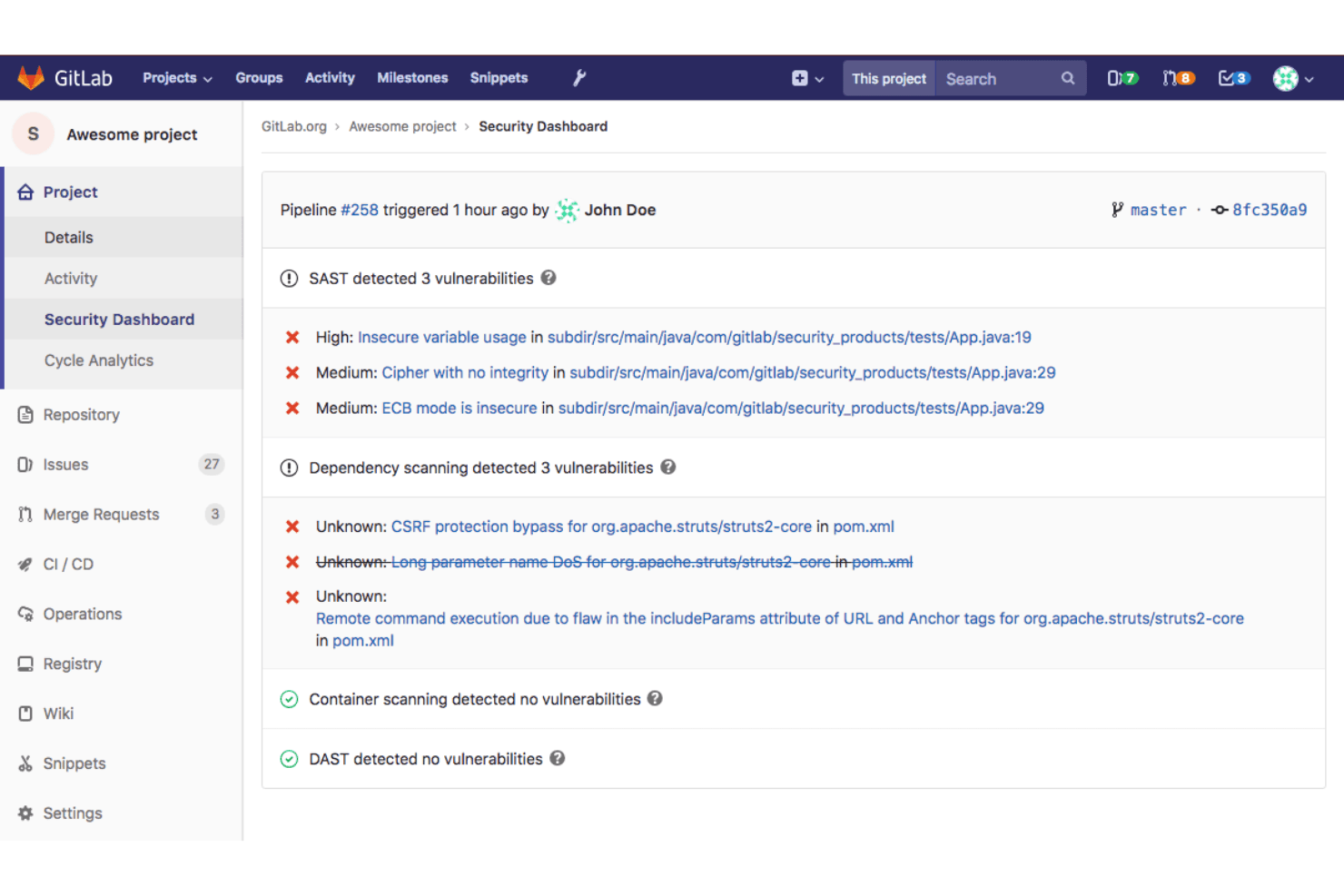
GitLab's Security Dashboard surfaces SAST and dependency vulnerabilities per pipeline. GitLab is a DevSecOps platform that brings source code management, CI/CD, security scanning, and project planning into a single environment—making it a strong fit for engineering teams that want to manage the full software delivery lifecycle without stitching together separate tools.
Who Is GitLab Best For?
GitLab is a strong fit for engineering teams that want CI/CD, security scanning, and source code management in one place rather than across separate tools.
Why I Picked GitLab
GitLab earns its spot as one of the best on my shortlist because it's the only Git alternative that truly collapses the entire DevSecOps pipeline into a single environment. I appreciate that security scanning isn't bolted on as an afterthought: SAST, secret detection, and container scanning run directly inside merge request pipelines, so my team catches vulnerabilities before code ever merges. Built-in CI/CD with parent-child and multi-project pipeline support means we're managing complex delivery workflows without leaving the same platform where we write and review code.
GitLab Key Features
- Merge request approval rules: Define required approval counts and eligible approvers, including role-based rules for protected branches.
- Role-based access control: Assign granular permissions at the group and project level, with users able to hold different roles across different projects.
- GitHub importer: Migrate repositories, branches, Git LFS objects, issues, pull requests, comments, and wiki pages directly from GitHub into GitLab.
- Audit events: Track group, project, instance, and sign-in activity with indefinitely retained audit logs accessible via UI and API.
GitLab Integrations
GitLab integrates with Jenkins, JetBrains IDEs, Slack, AWS, Google Cloud, Oracle Cloud, and GitHub mirroring. It also supports REST, GraphQL, webhooks, and MCP integrations for custom workflows.
Pros and Cons
Pros:
- Self-hosted deployment keeps code on your infrastructure
- Security scans surface inside merge requests
- Commit history includes searchable diffs and verification
Cons:
- Pipeline YAML and runner issues complicate debugging
- Nested settings can overwhelm new contributors

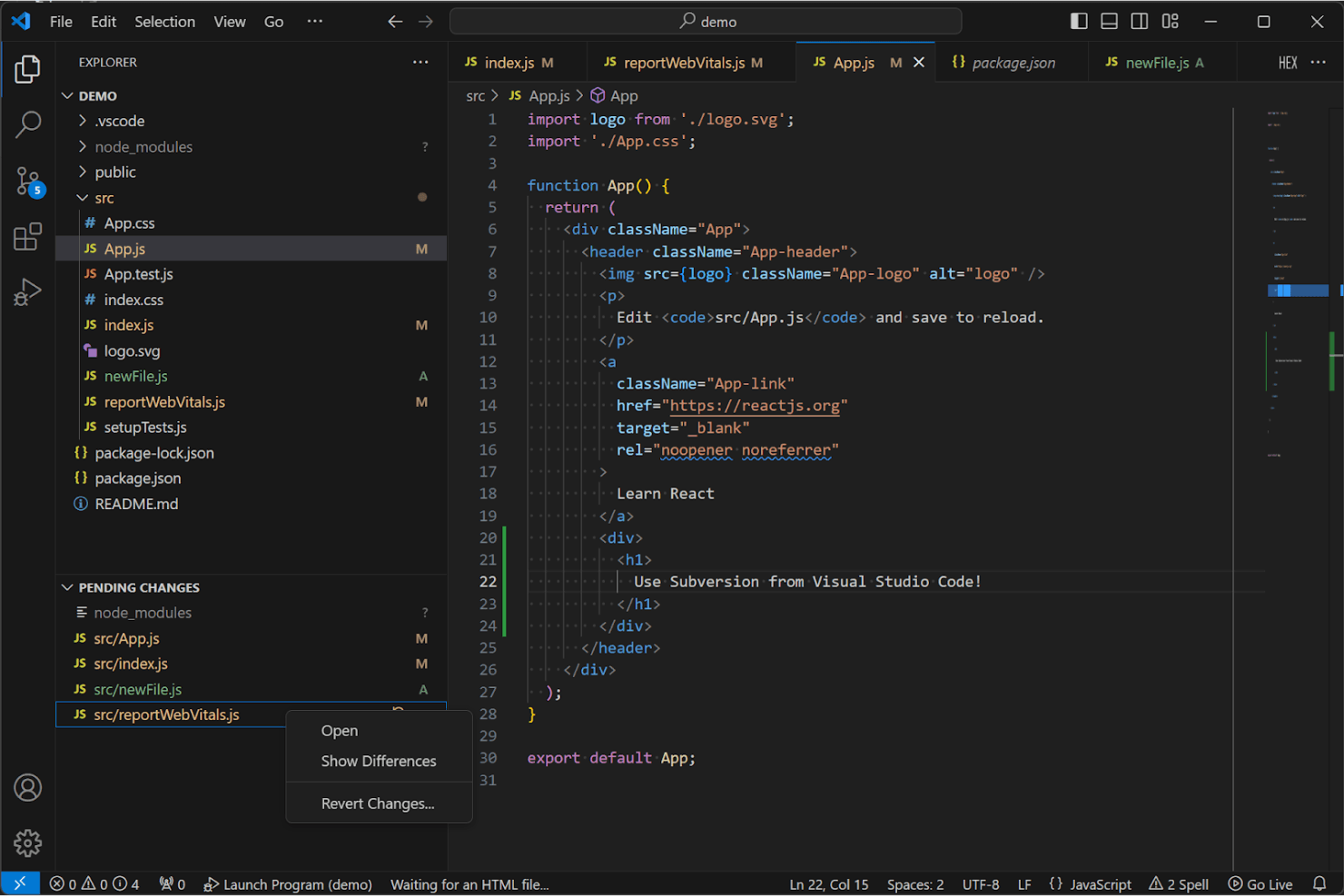
Apache Subversion integrates with VS Code for version control and pending changes tracking. Apache Subversion is a free, open-source centralized version control system that suits software developers and IT administrators who need strict access control, reliable revision history, and a straightforward commit-based workflow without the complexity of a distributed VCS.
Who Is Apache Subversion Best For?
Apache Subversion is a strong fit for software developers and IT administrators who need strict, path-based access control and a reliable centralized revision history without managing a distributed setup.
Why I Picked Apache Subversion
I've included Apache Subversion in my top picks because it gives you genuine centralized control that Git simply doesn't prioritize. Path-based authorization lets you define exactly who can read or write to specific repository paths, which matters when you're managing sensitive codebases or mixed-access projects. I also appreciate atomic commits: every change either lands completely or not at all, with a single revision number covering the entire repository tree, so your history stays clean and auditable.
Apache Subversion Key Features
- Atomic commits: Every change either succeeds completely or not at all, so your repository history never lands in a broken intermediate state.
- Path-based authorization: Assign no access, read access, or read-write access at the directory or file level, giving you fine-grained control over who sees what.
- File locking: Lock individual files to signal that an edit is in progress, preventing conflicting changes on binary files or other non-mergeable assets.
- Language API bindings: Access Subversion functionality directly from Python, Perl, Java, or Ruby through published API bindings.
Apache Subversion Integrations
Apache Subversion lists integrations with Eclipse and NetBeans, though their functions aren’t specified. It also provides C APIs and bindings for Python, Perl, Java, and Ruby for custom integrations.
Pros and Cons
Pros:
- File locks coordinate edits to binary assets
- Path-level permissions restrict sensitive code access
- Atomic repository-wide commits keep history auditable
Cons:
- Branch merges grow difficult in advanced workflows
- Central-server dependence limits offline work
Learn more about Apache Subversion:
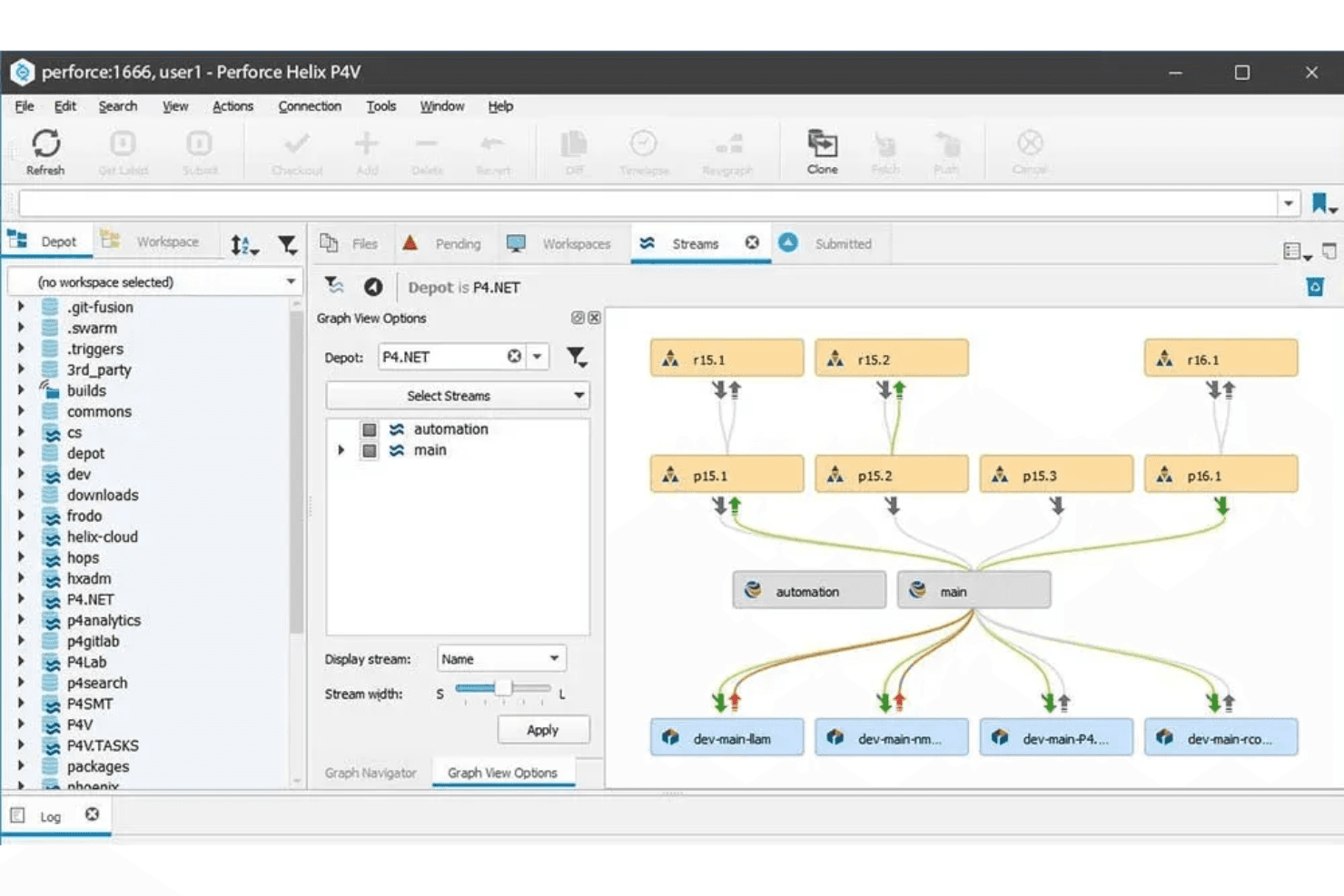
Perforce Helix P4V visualizes stream branching hierarchies for version control. CVS is a centralized version control system that appeals to organizations maintaining long-running legacy codebases, letting multiple developers work on shared files concurrently without exclusive locking.
Who Is CVS Best For?
CVS is a strong fit for IT administrators and engineering teams maintaining legacy codebases on long-running on-premise infrastructure who can't justify a migration to a modern VCS.
Why I Picked CVS
I've included CVS in my top picks because it's the most reliable option I know of for teams that need to keep legacy codebases running without the disruption of a full migration. Its centralized client/server model lets multiple developers check out and edit the same files concurrently, with version history stored safely on a central server. I also appreciate its vendor branch support, which lets you import and merge file versions from outside teams, even ones not using CVS themselves.
CVS Key Features
- Operation scripts: CVS lets you supply custom scripts to log repository activity or enforce team-specific policies on commits and other operations.
- Modules database: Map names to collections of directories and files so you can check out or update an entire project component with a single command.
- On-premise deployment: CVS runs on most Unix variants, with client support for Windows NT/95, OS/2, and VMS, giving your team full control over where repositories live.
- Mailing list support: Free community support is available through CVS mailing lists for help requests and bug reports, with additional commercial support options listed separately.
CVS Integrations
CVS doesn't have any native integrations. It supports user-supplied scripts and administrative files for site policies and external bug-tracking systems.
Pros and Cons
Pros:
- On-premise deployment suits legacy environments
- Vendor branches support third-party code imports
- Concurrent checkouts avoid exclusive file locks
Cons:
- Check-ins require access to the central server
- Manual merge tracking complicates branch work
Learn more about CVS:
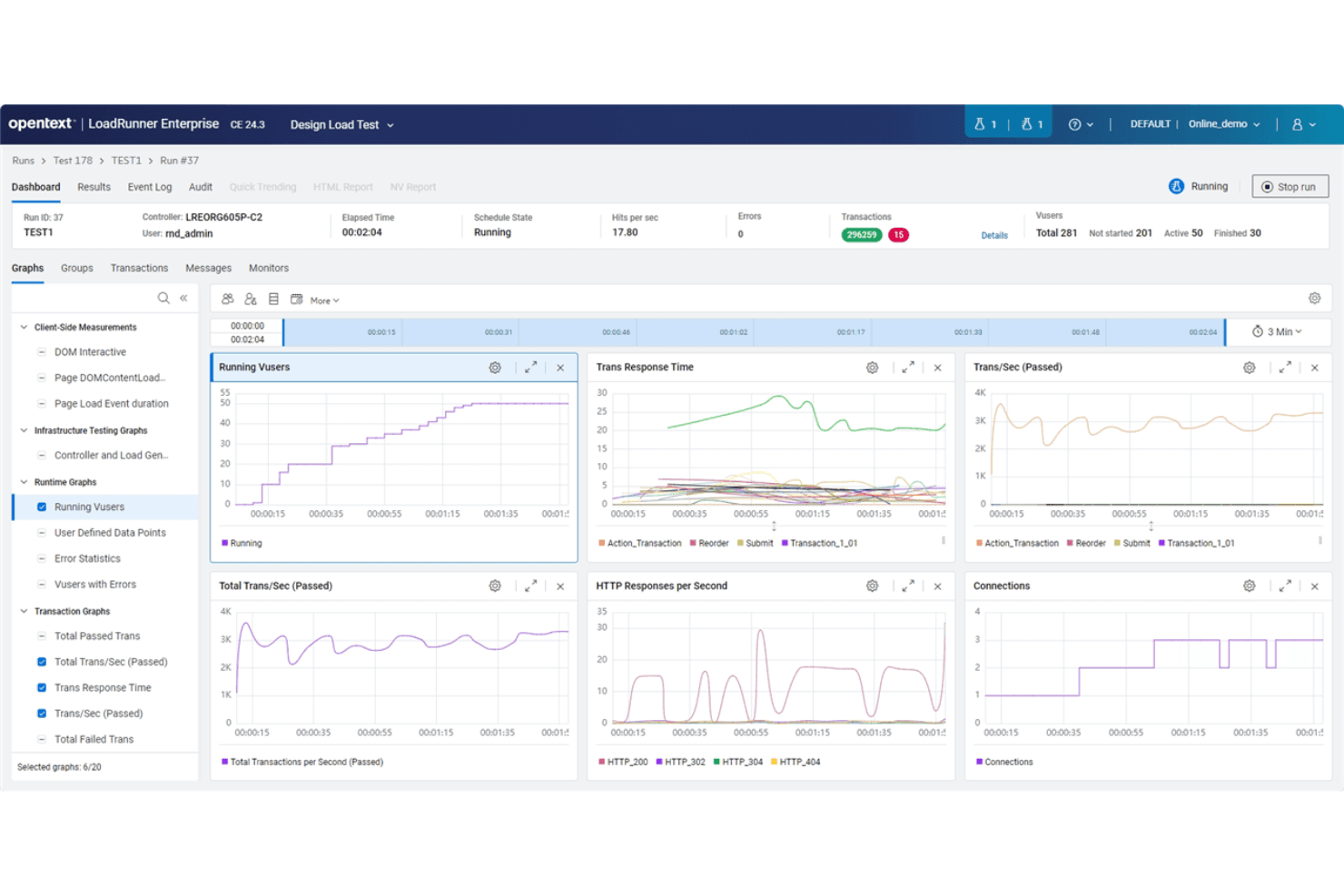
OpenText LoadRunner Enterprise monitors live load test performance metrics. OpenText AccuRev is an enterprise source code management tool built around stream-based architecture, designed for large teams running complex parallel development workflows across distributed environments.
Who Is OpenText AccuRev Best For?
OpenText AccuRev is a strong fit for large enterprise engineering teams running parallel development across distributed environments who need strict access control and stream-based workflows.
Why I Picked OpenText AccuRev
I picked AccuRev because it handles complex parallel development workflows in a way most Git-based tools simply aren't designed for. Its stream-based architecture lets teams run multiple release tracks simultaneously, with Change Packages tying every promoted change to a specific issue. Stream ACLs and stream locks give administrators granular control over who can promote to or from any stream, which matters when you're coordinating dozens of developers across distributed environments.
OpenText AccuRev Key Features
- Git Server integration: Developers can clone, push, and pull code using standard Git tools while AccuRev enforces its stream-based policies and access controls in the background.
- Element-level ACLs: Administrators can set allow or deny permissions on individual file elements for specific users or groups, with a full audit history of every access change.
- History Browser: Displays all transactions associated with an element, stream, or depot, with options to view, diff, promote, or revert directly from the history view.
- Pulse code review integration: Teams can create and update code reviews tied to AccuWork issues through the Pulse web interface, the AccuWork GUI, or the Git Server web interface.
OpenText AccuRev Integrations
OpenText AccuRev offers native integrations with Git, Micro Focus Pulse, Jira through AccuSync, Eclipse, Visual Studio, and SonarQube. Its AccuRev Common API and CLI support custom integrations, though the Common API doesn’t include technical support.
Pros and Cons
Pros:
- Fine-grained ACLs govern stream access
- Change Packages tie promotions to issues
- Stream hierarchy supports parallel release tracks
Cons:
- Reviewers describe AccuRev’s command line as complex
- Reviewers report slowdowns with large repositories
Learn more about OpenText AccuRev:
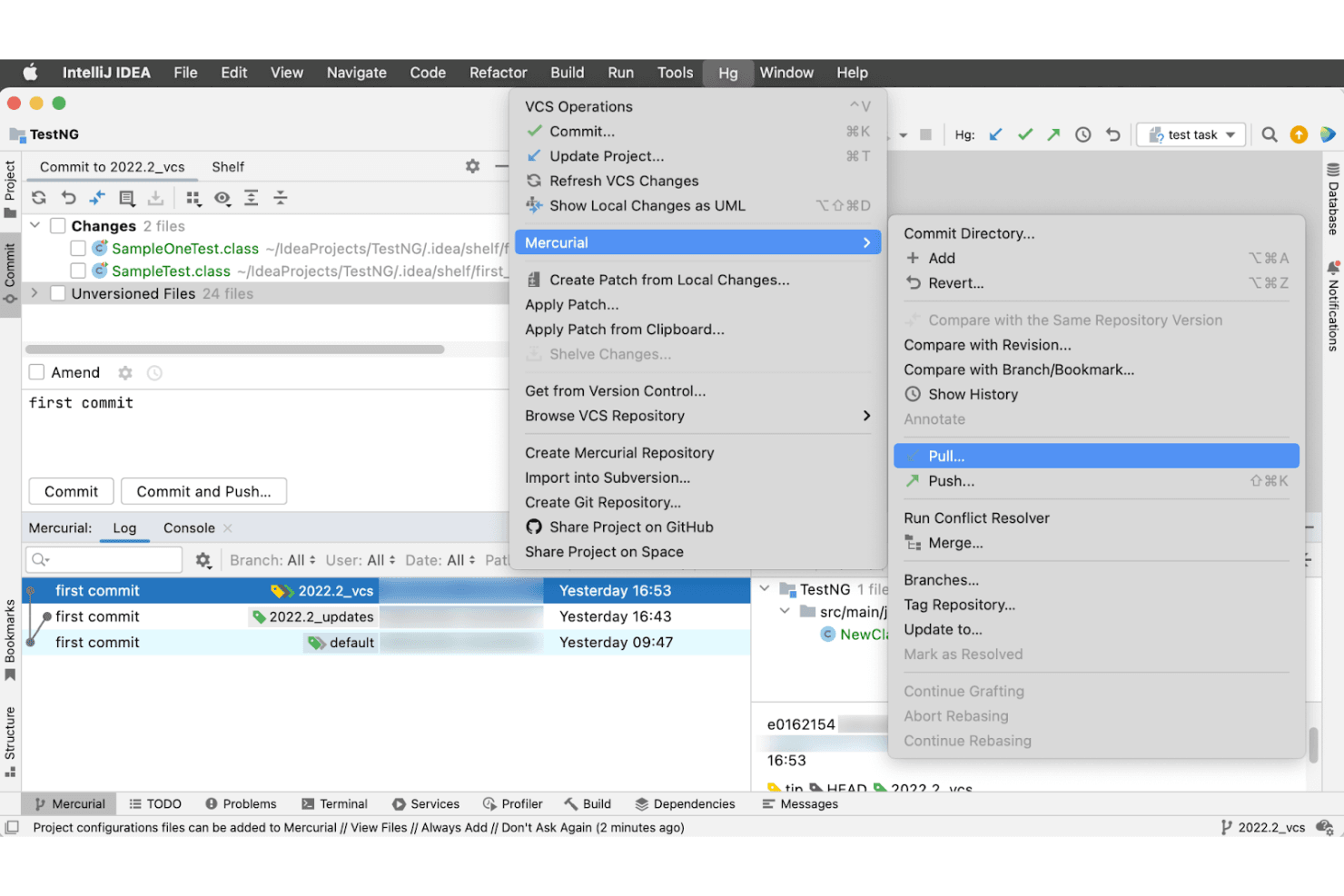
Mercurial lets users pull, push, and manage branches via IntelliJ IDEA. Mercurial is a free, distributed version control system that appeals to developers who want a simpler alternative to Git, offering intuitive commands, local branching and merging, and a built-in conversion tool for migrating existing Git repositories.
Who Is Mercurial Best For?
Mercurial is a great fit for individual developers or small teams who want a straightforward, easy-to-learn distributed version control system without Git's complexity.
Why I Picked Mercurial
I picked Mercurial as one of the best because its command set genuinely lives up to the easy learning curve claim, keeping dangerous operations like history rewriting behind opt-in extensions rather than available by default. I appreciate that branching is lightweight, with named branches, bookmarks, and repository clones all supported without the staging-area complexity Git introduces. Its built-in
convertextension also makes migrating from Git straightforward, preserving branches and remotes as bookmarks without requiring third-party tooling.Mercurial Key Features
- Distributed repository cloning: Every clone contains the full project history, letting you commit, branch, and merge without a network connection.
- Python extension API: You can modify existing commands, add new ones, or tap into core functionality using official, community, or custom Python extensions.
largefilesextension: Stores large binary file revisions in a central network store while keeping lightweight stand-ins in your repository, fetching only the revisions you need.- TortoiseHg GUI integration: Provides a Windows File Explorer interface with branch-history visualization for developers who prefer working outside the command line.
Mercurial Integrations
Mercurial doesn't have any native integrations. Its Python extension API supports custom commands, but no named CI/CD, IDE, or issue-tracker integrations are documented.
Pros and Cons
Pros:
- Lightweight bookmarks avoid staging-area overhead
- Full-history clones support offline commits
- Intuitive commands ease the switch from Git
Cons:
- Smaller community means fewer tools and resources
- No built-in code review or pull requests
Learn more about Mercurial: Best for large file handling
- Free plan available
- Pricing upon request
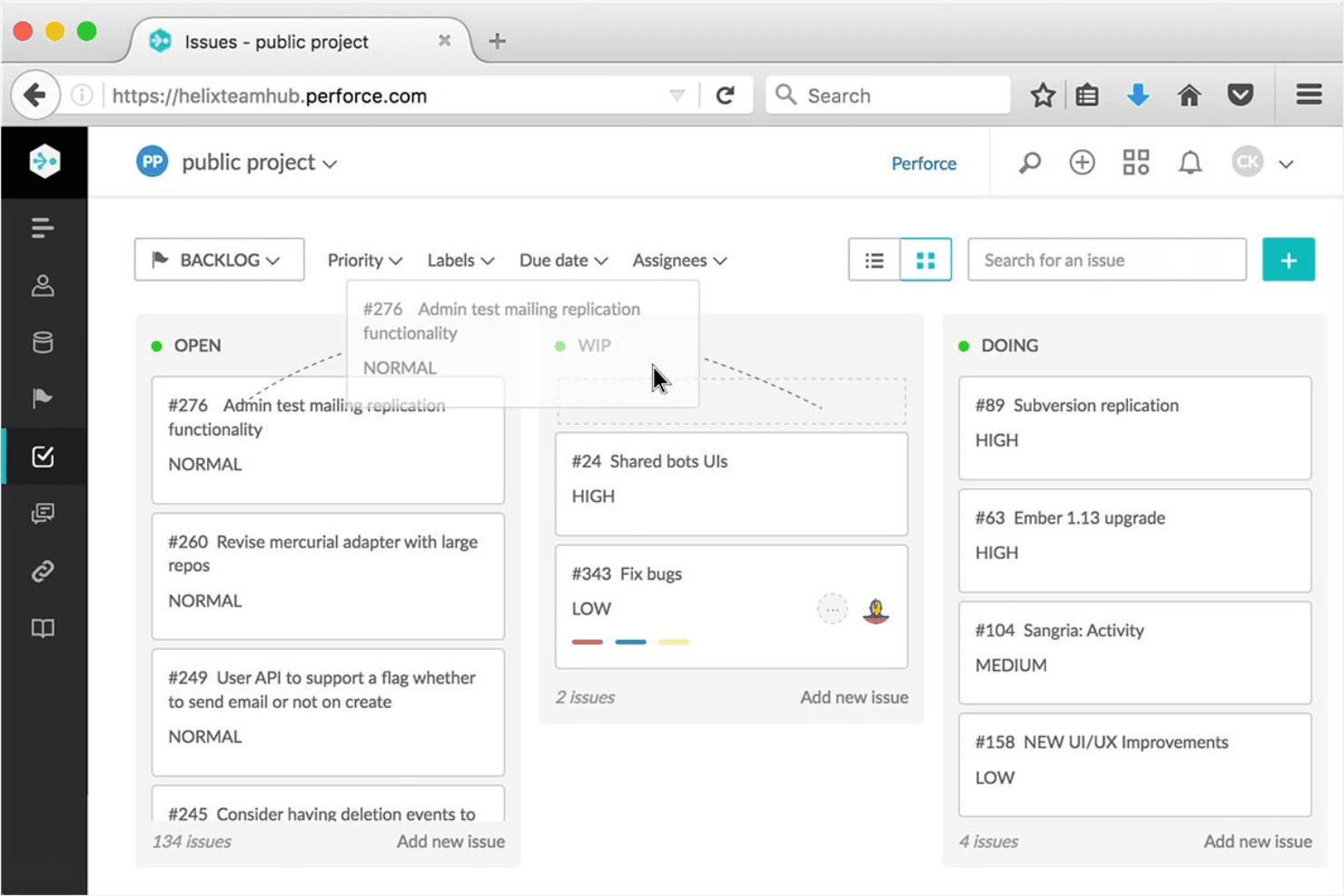
Perforce Helix Core organizes project issues by status across a Kanban board. Perforce Helix Core is a centralized version control system built for teams managing large-scale codebases, binary files, and digital assets—making it a natural fit for game studios, engineering teams, and organizations where Git's limitations with large files create real bottlenecks.
Who Is Perforce Helix Core Best For?
P4 is a strong fit for game studios and engineering teams that regularly work with large binary files, 3D assets, or massive codebases where Git starts to buckle under the weight.
Why I Picked Perforce Helix Core
I picked Perforce Helix Core as one of the best because it handles large binary files and digital assets in ways Git simply can't match at scale. Where Git struggles with multi-gigabyte files, P4's centralized repository treats binaries and source code equally, and its Virtual File Service pulls down only file metadata on initial sync, fetching actual content on demand. I also rely on its exclusive file locking to prevent overwritten work when multiple contributors touch the same non-mergeable asset.
Perforce Helix Core Key Features
- Atomic changelist submission: Every file in a changelist is saved to the depot together or not at all, keeping your repository in a consistent state.
- Granular path-based access control: Permissions can be set at the file level by user, group, depot path, or client IP address, with exclusionary rules for fine-grained restrictions.
- P4 Code Review: A web-based review tool for structured team collaboration on submitted changelists, included at no cost on the Free plan.
- P4 Git Connector: Mirrors, caches, or replicates Git repositories into P4 graph depots, letting teams run Git workflows alongside a central P4 server.
Perforce Helix Core Integrations
Perforce Helix Core has native integrations with Jenkins, TeamCity, Jira, Unreal Engine, Unity, and Microsoft Visual Studio. P4 Git Connector connects GitHub, GitLab, and Bitbucket repositories, while APIs for eight programming languages support custom integrations.
Pros and Cons
Pros:
- Atomic changelists keep multi-file submits consistent
- Exclusive locks prevent asset overwrites
- Handles large binaries alongside source code
Cons:
- On-premises setup demands administrative expertise
- Branching and merges require careful handling
Learn more about Perforce Helix Core:
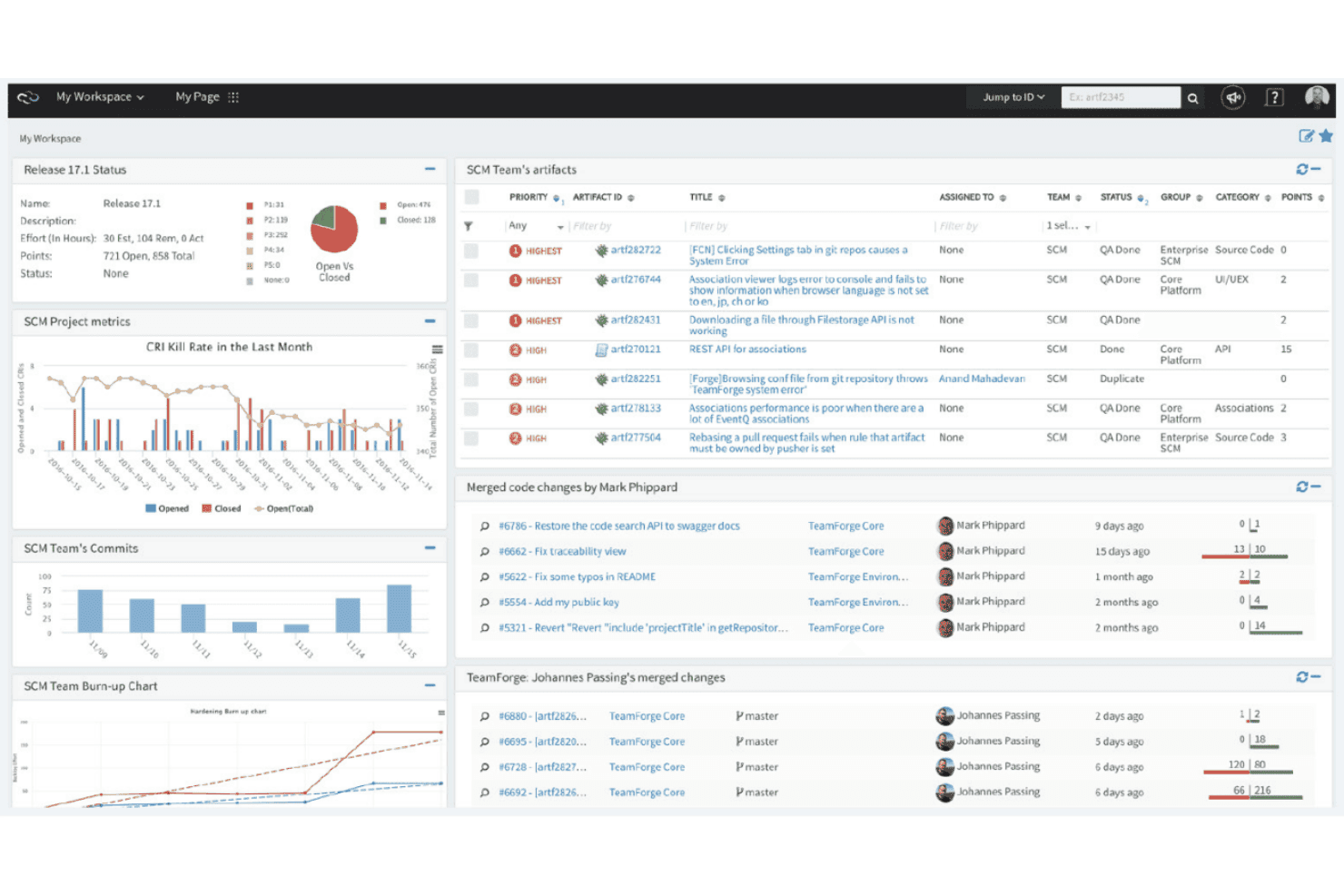
TeamForge unifies project metrics, commits, and artifact tracking in one dashboard. Digital.ai TeamForge is an enterprise source control and application lifecycle management platform that ties Git and Subversion hosting, code review, and work tracking together under a single governance framework—making it a strong fit for regulated industries and compliance-driven engineering teams.
Who Is TeamForge Best For?
TeamForge is a strong fit for enterprise engineering teams in regulated industries that need strict governance, audit trails, and lifecycle traceability across source control and project tracking.
Why I Picked TeamForge
I picked TeamForge because it's built from the ground up for engineering teams where compliance isn't optional. I particularly like its History Protection feature, which logs every branch deletion and non-fast-forward rewrite in an audit trail, so nothing disappears without a record. Pair that with granular role-based permissions that revoke source code access the moment a role or membership changes, and you have version control that holds up under regulatory scrutiny.
TeamForge Key Features
- Commit-to-work-item association: Links individual commits to tracker items like requirements, bugs, and tasks so you can see exactly what code change addressed which work item.
- Pull request merge policies: Lets repository owners configure merge eligibility rules, including required code review, CI validation, or both, before a branch can be merged.
- Repository replication: Replicates Git and Subversion repositories across multiple servers to support distributed teams and improve access reliability.
- Jenkins integration via webhooks: Sends build data to TeamForge and triggers Jenkins builds from Gerrit events through the Webhooks-based Event Broker.
TeamForge Integrations
TeamForge documents integrations with Jenkins, Jira, Nexus, Micro Focus ALM / Quality Center, TestLink, and Review Board. It also provides REST, SOAP, and Webconnect APIs for custom integrations, with Jenkins support for build data and Gerrit-triggered builds.
Pros and Cons
Pros:
- Role-based permissions revoke repository access promptly
- Auditable recovery preserves rewritten branch history
- Strong commit-to-work-item traceability
Cons:
- Pull request updates reset reviewer votes
- Manual Git conflict resolution lacks visual tooling
Learn more about TeamForge: Best for integrated project management
- Free plan available
- Pricing upon request
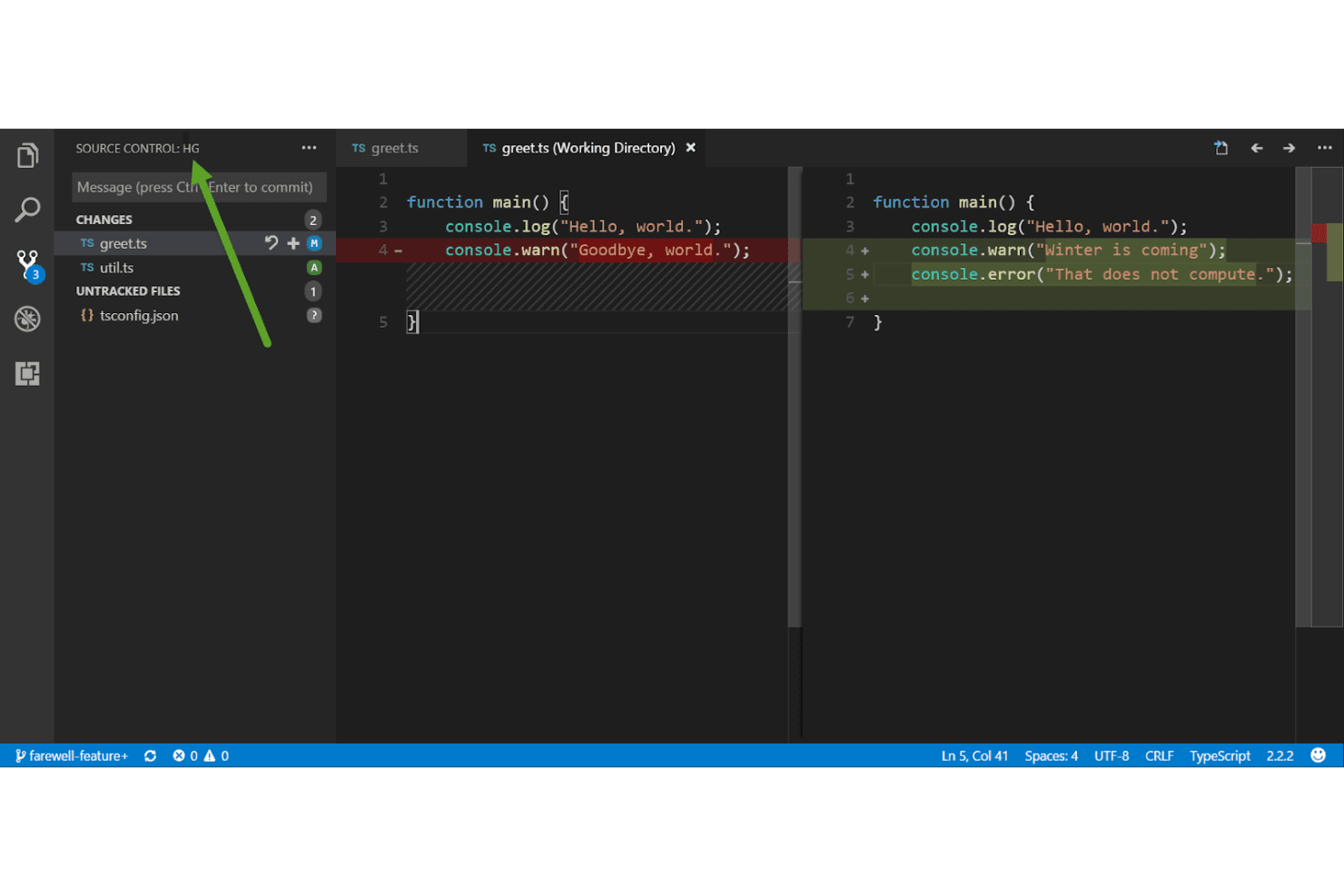
Fossil SCM displays file diffs side-by-side within VS Code's source control panel. Fossil SCM is a self-contained, self-hosted version control system that bundles bug tracking, wiki, forum, and chat into a single executable—making it a strong fit for development teams who want a complete project environment without stitching together separate tools.
Who Is Fossil SCM Best For?
Fossil SCM is a strong fit for small development teams that want version control, bug tracking, wiki, and project discussion in a single self-hosted executable.
Why I Picked Fossil SCM
I've included Fossil SCM in my top picks because it's one of the few version control systems that bundles bug tracking, wiki, forum, and chat into a single executable alongside version control. For teams that want project management without stitching together separate tools, that's a real advantage: tickets live in the same repository as your code, and project discussions happen in the built-in forum with the same logins and permissions.
Fossil SCM Key Features
- Autosync mode: Automatically pushes your committed changes to the parent repository so distributed team members stay current without manual syncing.
- Git import and export: Moves version-controlled file history between Fossil and Git using the Git fast-export and fast-import interchange format.
- Role-based user capabilities: Assigns access permissions across fixed categories—
nobody,anonymous,reader, anddeveloper—managed through the built-in admin web interface. - Automatic GitHub mirroring: Keeps a GitHub mirror of your Fossil repository in sync automatically, so you can maintain an external presence without manual exports.
Fossil SCM Integrations
Fossil offers one documented native integration with GitHub through automatic repository mirroring. It also provides a JSON-over-HTTP API for custom integrations, but no other integrations are clearly documented.
Pros and Cons
Pros:
- Small executable supports straightforward self-hosting
- Local clones keep project notes available offline
- Tickets and code share one repository
Cons:
- No documented build or test integration
- No pull-request approval workflow
Learn more about Fossil SCM: Best for Visual SourceSafe users
- Free plan + free trial + free demo available
- From $349/user
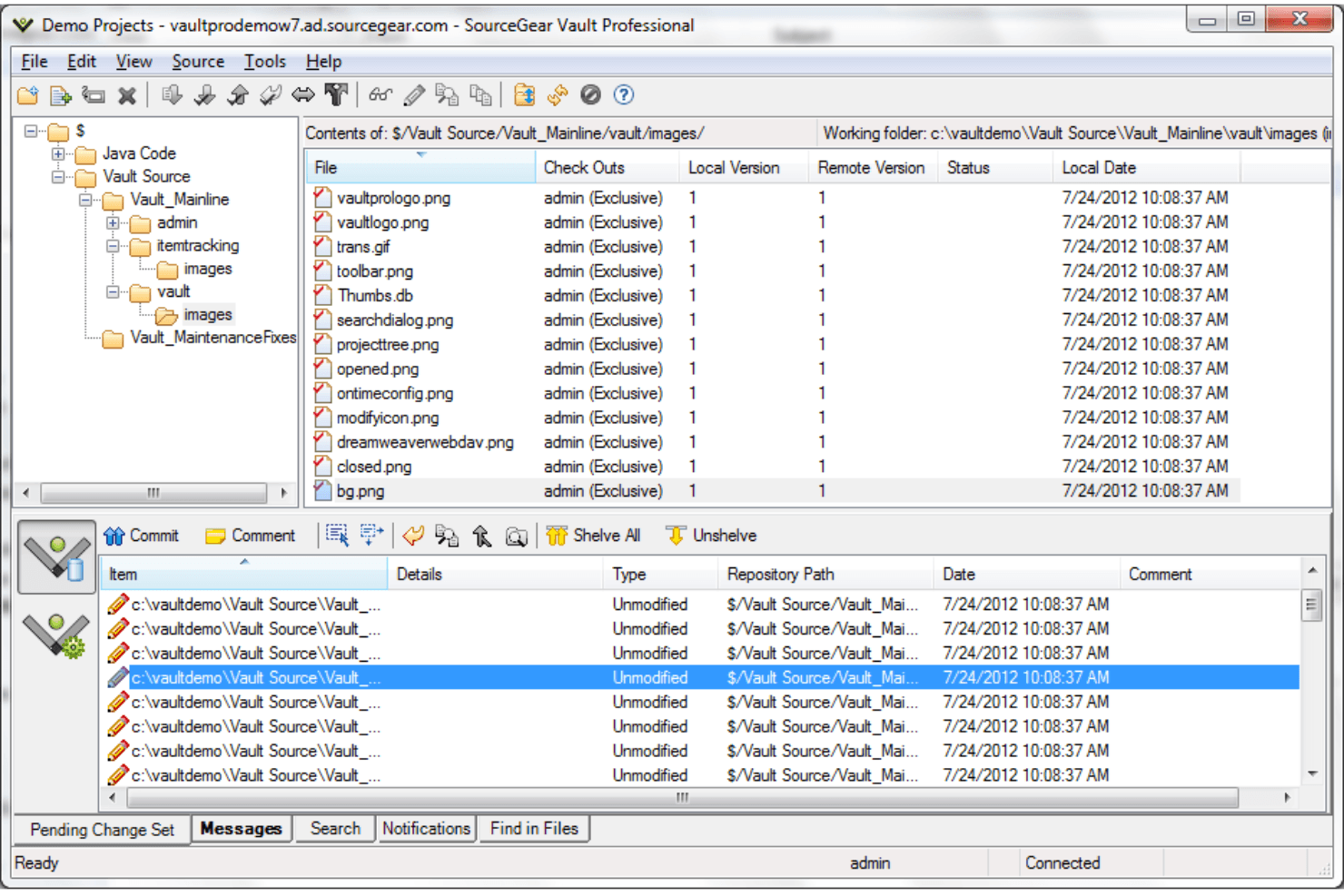
SourceGear Vault manages file check-outs and version tracking in one view. SourceGear Vault is a self-hosted version control system built for Windows development environments, offering centralized repository management, Visual Studio and Eclipse integration, and a familiar workflow for teams moving away from legacy source control tools.
Who Is SourceGear Vault Best For?
Vault is a strong fit for Windows-based development teams that still run Visual SourceSafe and need a structured, low-disruption path to a modern version control system.
Why I Picked SourceGear Vault
I've included SourceGear Vault in my top picks because it's the most direct migration path I've seen for teams still running Visual SourceSafe. The VSS Handoff feature brings your latest file versions into Vault immediately while keeping a live hook into SourceSafe for older history, so your team isn't cut off from past records during the transition. Vault's interface and terminology mirror SourceSafe Explorer closely enough that developers can check in and check out code on day one without relearning a workflow.
SourceGear Vault Key Features
- Line History: View exactly which check-ins affected any selected lines in a file, with check-in comments and diffs available directly from the history window.
- Atomic transactions: Every repository change is committed as an all-or-nothing operation to SQL Server, so partial or corrupted check-ins can't occur.
- Folder-level security: Assign access permissions by user or group at the folder level, with optional Windows domain account integration for login and security enforcement.
- Work item tracking: Vault Professional includes built-in, customizable work item and bug tracking with time recording fields, project-specific access controls, and direct linking between check-ins and work items.
SourceGear Vault Integrations
SourceGear Vault has documented integrations with Visual Studio, Eclipse, Microsoft MSSCCI-compatible IDEs, TeamCity, BuildMaster, Visual Build Pro, Ant, and NAnt. It also offers .NET and Java-callable APIs plus command-line clients for custom automation.
Pros and Cons
Pros:
- Atomic check-ins protect repository consistency
- Line history traces changes to specific lines
- Familiar workflows ease SourceSafe transitions
Cons:
- No pull-request review or approval gates
- No native Git-history migration path
Learn more about SourceGear Vault:
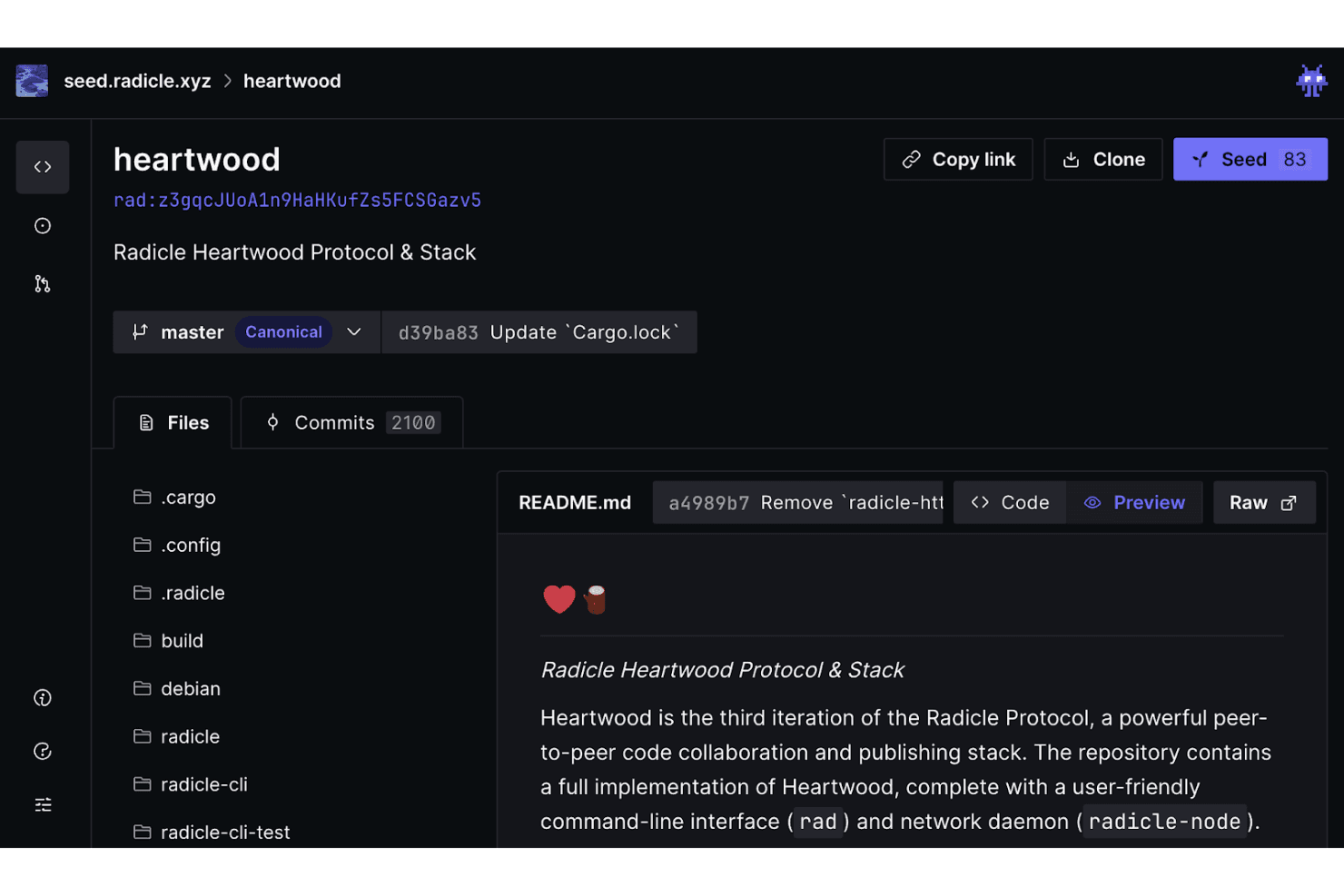
Radicle lets users browse repositories, files, and commits peer-to-peer. Radicle is an open-source, peer-to-peer code collaboration platform built on Git that lets developers host and review code without relying on a centralized provider.
Who Is Radicle Best For?
Radicle is a strong fit for developers and DevOps engineers who want to collaborate on code without depending on a centralized hosting provider.
Why I Picked Radicle
I picked Radicle as one of the best because it's the only tool on this list where your repositories live across a network of peers rather than on a single company's servers. Every contributor runs a node, and collaborative objects like patches and issues are stored in Git and can be created offline, then synchronized when you reconnect. I particularly like how delegate-signature thresholds let your team govern default-branch changes cryptographically, without handing control to any central authority.
Radicle Key Features
- Offline-first issues and patches: You can create issues and patches without an internet connection, and they sync automatically when your node reconnects.
- Radicle Desktop: A graphical interface that supports line-by-line diff comments, an inbox for patches and reviews, and rich-text issue editing with Markdown, screenshots, and videos.
- CI integrations: Radicle supports GitHub Actions, Concourse, Kraken, and generic outgoing webhooks so you can connect existing CI pipelines to your Radicle repositories.
- HTTP JSON API: The Radicle HTTP Daemon exposes a read-only HTTP JSON API, giving you web-based access to node data without needing a direct peer connection.
Radicle Integrations
Radicle offers documented integrations with GitHub Actions, Concourse, Kraken, and generic outgoing webhooks. It also supports Git natively and provides a read-only HTTP JSON API for custom integrations.
Pros and Cons
Pros:
- Signed delegates govern default-branch changes
- Peer replication avoids single-host dependence
- Offline patches and issues sync later
Cons:
- Private repositories remain unsafe to use
- Repository access depends on active seeders
Learn more about Radicle:
Outras alternativas ao Git
Eis algumas alternativas adicionais ao Git que não chegaram à minha lista final, mas que vale a pena conhecer.
- 11Plastic SCMBest for game development
- 12
- 13
- 14
- 15
- 16
- 17
How I Evaluate Git Alternatives
I split my evaluation into two layers: the baseline a tool must hit—branching, commit history, CI/CD integration—and the differentiators, like monorepo performance, self-hosting options, and migration tooling.
Core Functionality (Table Stakes For This List)
When I'm selecting tools for my list, I rank each one on a scale from 0 (does not offer the functionality) to 5 (excels in this area) for each core functionality listed below. Then, I calculate the tool's total score into a percentage. Each tool needs to achieve a minimum total score of 65% to be considered for inclusion.
- Version Control Engine: I look for a mature revision engine with full commit history, atomic commits, rollback, and tagging—the foundation for tracking every change across a codebase.
- Branching & Merging: Whether it's feature branches, release branches, or hotfix workflows, I evaluate how each tool handles branch creation, three-way merges, and conflict resolution.
- Repository Hosting Model: I check whether the tool supports centralized, distributed, or hybrid models along with access controls like RBAC, SSO, and self-hosted deployment options.
- Large File & Monorepo Handling: Teams working with game assets, media files, or monorepos need a tool that won't choke—I evaluate performance with large binaries and sparse checkout support.
- Collaboration & Code Review: Pull requests, inline diffs, threaded comments, and approval gates are what I look for to confirm the tool supports real team-based development workflows.
- Integration & Tooling Ecosystem: A version control tool has to plug into your existing stack. I evaluate CLI, API, webhook support, and integrations with CI/CD pipelines and popular IDEs.
Once I have a list of tools that meet this criteria, I consider what sets each platform apart.
Differentiating Factors (What Sets Vendors Apart)
Here's how I compare and contrast different vendors:
Standout Features
Built-in issue tracking is a major differentiator. Tools like Gitea and GitLab bundle project boards and wikis alongside repos, which means fewer context switches for your team. I also evaluate whether a tool offers a native GUI client, since not every developer wants to live in the terminal. Patch-based or changeset-based versioning models, like those in Pijul and Darcs, take a fundamentally different approach to history that can simplify cherry-picks and reordering compared to Git's snapshot model.
Beyond Features
Migration and interoperability matter a lot when you're evaluating Git alternatives. I check whether a tool can import existing Git or SVN repos with full history intact, since a messy migration can stall adoption for weeks. Community and ecosystem maturity is another factor I weigh—active forums, solid documentation, and a visible roadmap signal long-term viability. I also look at pricing and licensing models, especially whether there's a free tier or open-source option that lets smaller teams get started before committing to an enterprise plan.
Principais funcionalidades do Git
Aqui estão algumas das principais funcionalidades do Git para ajudar a comparar e contrastar o que as soluções alternativas oferecem.
- Controlo de versões: O Git ajuda a sua equipa a acompanhar as alterações no código, permitindo reverter para versões anteriores quando necessário.
- Ramificação e fusão: Pode criar ramificações para trabalhar em funcionalidades de forma independente e fundi-las sem problemas quando estiverem prontas.
- Sistema distribuído: O Git permite que cada programador tenha uma cópia local de todo o projeto, para que a sua equipa possa trabalhar offline e sincronizar as alterações mais tarde.
- Histórico de commits: O Git regista um histórico de commits, ajudando-o, a si e à sua equipa, a compreender que alterações foram feitas e porquê.
- Colaboração: Com o Git, a sua equipa pode colaborar em projetos de forma eficiente, partilhando alterações através de um repositório central.
- Área de preparação: A área de preparação do Git permite-lhe preparar um conjunto de alterações antes de as consolidar, dando-lhe mais controlo sobre o histórico de commits.
- Código aberto: O Git é de código aberto, o que significa que é gratuito e que pode personalizá-lo para satisfazer as necessidades da sua equipa.
- Segurança: O Git utiliza métodos criptográficos para proteger os seus dados, garantindo que as alterações são acompanhadas com precisão.
- Desempenho: O Git gere projetos e bases de código de grandes dimensões de forma eficiente, para que a sua equipa não sofra abrandamentos.
- Compatibilidade: O Git funciona com várias ferramentas e plataformas, facilitando a integração no seu fluxo de trabalho existente.
- Compatibilidade com Linux: O Git é suportado nativamente no Linux, sendo uma escolha preferida por muitos programadores que trabalham em ambientes de código aberto.
- Gestão de repositórios Git: O Git permite gerir repositórios com controlos de acesso granulares, interfaces baseadas na Web e opções autoalojadas.
- Opções autoalojadas: O Git pode ser autoalojado com ferramentas como o Gitea, o GitLab e o Atlassian Bitbucket, proporcionando controlo total sobre os repositórios.
- Flexibilidade do controlo do código-fonte: O Git suporta vários fluxos de trabalho, incluindo o controlo de versões centralizado e descentralizado.
- Compatibilidade com SVN: O Git inclui ferramentas para facilitar a migração do Subversion (SVN), tornando mais simples a transição das equipas.
- Integrações de API: O Git oferece suporte de API para automatização, integrações e desenvolvimento personalizado.
- Suporte da AWS: Os repositórios Git podem ser alojados no AWS CodeCommit, proporcionando um controlo do código-fonte escalável e gerido na nuvem.
- Eficiência da linha de comandos: A interface do Git permite aos utilizadores avançados executar tarefas complexas de forma eficiente.
- Integração com o frontend: O Git integra-se nos fluxos de trabalho de desenvolvimento frontend, permitindo o controlo de versões dos recursos da interface de utilizador e do design.
- Projetos de código aberto: O Git suporta muitos projetos de código aberto, incluindo os alojados no GitHub, GitLab e SourceForge.
- Pedidos de integração: O Git suporta pedidos de integração e fluxos de trabalho de revisão de código, tornando a colaboração e o controlo de qualidade mais fáceis de gerir.
- Utilize o Git em projetos diversos: O Git é utilizado por programadores, equipas de DevOps e contribuidores de código aberto em vários setores.
- Autenticação e controlo de acesso: O Git suporta a autenticação SSH, HTTPS e OAuth para um acesso seguro aos repositórios.
- Alternativas ao GitHub: O GitLab, o Gitea e o Bitbucket fornecem soluções baseadas em Git para equipas que procuram alternativas ao GitHub.
- Compatibilidade com Python e Rust: O Git é amplamente utilizado nos fluxos de trabalho de desenvolvimento em Python e Rust para gerir bases de código.
- Funcionalidade de rebase: O Git suporta a operação de rebase, permitindo obter históricos de commits mais limpos ao reorganizar as alterações antes da fusão.
- Gestão de repositórios de grandes dimensões: O Git consegue gerir repositórios de grandes dimensões de forma eficiente, com otimizações como o Git LFS (Large File Storage).