

As melhores alternativas ao Kubernetes ajudam as equipas a orquestrar contentores sem enfrentarem curvas de aprendizagem acentuadas, elevadas exigências de recursos ou integrações complexas que atrasam a adoção. Dão aos programadores e às equipas de TI mais flexibilidade para implementar, dimensionar e gerir aplicações em diferentes ambientes, reduzindo simultaneamente a sobrecarga operacional que frequentemente acompanha o Kubernetes.
Muitas organizações começam a explorar alternativas depois de terem dificuldades em depurar registos de erros pouco transparentes, manter clusters que exigem conhecimentos significativos ou tentar integrar o Kubernetes com sistemas existentes que não se enquadram facilmente no seu ecossistema. Estes desafios podem tornar a orquestração de contentores mais difícil do que deveria ser e limitar a rapidez com que as equipas conseguem disponibilizar aplicações.
Trabalhei com empresas que migraram de ferramentas de orquestração legadas, testei plataformas de contentores em ambientes de produção com cargas de trabalho reais e avaliei o desempenho destas soluções em ambientes SaaS, empresariais e de nuvem híbrida. Essas experiências mostraram-me quais as plataformas que simplificam efetivamente a orquestração e quais introduzem novas complexidades.
Neste guia, ficará a saber quais as alternativas ao Kubernetes que proporcionam configurações mais simples, um dimensionamento mais fácil e as integrações mais úteis para ajudar a sua equipa a executar contentores de forma fiável e sem dificuldades desnecessárias.
O que é o Kubernetes?
O Kubernetes é um software de orquestração de contentores que automatiza a implementação, o dimensionamento e a gestão de aplicações em contentores. É utilizado por engenheiros de DevOps, programadores de software e administradores de TI que precisam de gerir eficazmente implementações de aplicações complexas.
Funcionalidades como o dimensionamento automático, o balanceamento de carga e as capacidades de autorrecuperação ajudam a reduzir o esforço manual e a garantir um desempenho consistente das aplicações. De forma geral, o Kubernetes oferece uma forma de simplificar a gestão de aplicações de grande escala em diferentes ambientes.
Tabela de comparação das alternativas ao Kubernetes
Esta tabela de comparação resume os detalhes de preços das minhas principais seleções de alternativas ao Kubernetes:
| Tool | Best For | Trial Info | Price | ||
|---|---|---|---|---|---|
| 1 | Best for simplified operations | 30-day free trial + free demo available | From $500/month | Website | |
| 2 | Best for enterprise Kubernetes | Free demo available | Pricing upon request | Website | |
| 3 | Best for secure containerization | Free trial + demo available | Pricing upon request | Website | |
| 4 | Best for IoT and edge computing | Not available | Pricing upon request | Website | |
| 5 | Best for cloud-native management | Free plan available | Pricing upon request | Website | |
| 6 | Best for multi-cluster management | Free plan + 45-day trial + demo available | From $1,045/year (billed annually) | Website | |
| 7 | Best for instant application clones | 15-day free trial available | From €9/month | Website | |
| 8 | Best for zero-ops experience | Free plan available | Pricing upon request | Website | |
| 9 | Best for multi-cloud management | Not available | Pricing upon request | Website | |
| 10 | Best for serverless functions | Free plan + 14-day free trial + free demo available | From $1,500/month | Website |


Why Trust Our Software Recommendations
6,700+
Reviews
20
Industry experts
16+
Evaluation factors
14
Years
Our team has been testing and reviewing software since 2012. As tech leaders ourselves, we know how difficult—and important—it is to choose the right software.
For this guide, we evaluated tools using hands-on testing and independent research, scoring tools using our selection criteria.
Our reviews reflect our human editorial judgment, not a sales pitch.
Expert reviewers:
- Paulo Gardini MiguelTech Director
 Tim FisherVP of AI
 Gabriel RosasTech Lead & Software Architect
 Christhian GruhnTech Lead & Platform Architect

Avaliações das melhores alternativas ao Kubernetes
Seguem-se os meus resumos detalhados das melhores alternativas ao Kubernetes que entraram na minha lista de seleção. As minhas avaliações apresentam uma análise detalhada das principais funcionalidades, vantagens e desvantagens, integrações e casos de utilização ideais de cada ferramenta, para o ajudar a encontrar a melhor opção para si.
 Best for simplified operations
- 30-day free trial + free demo available
- From $500/month
Visit WebsiteCustomer Rating:5/5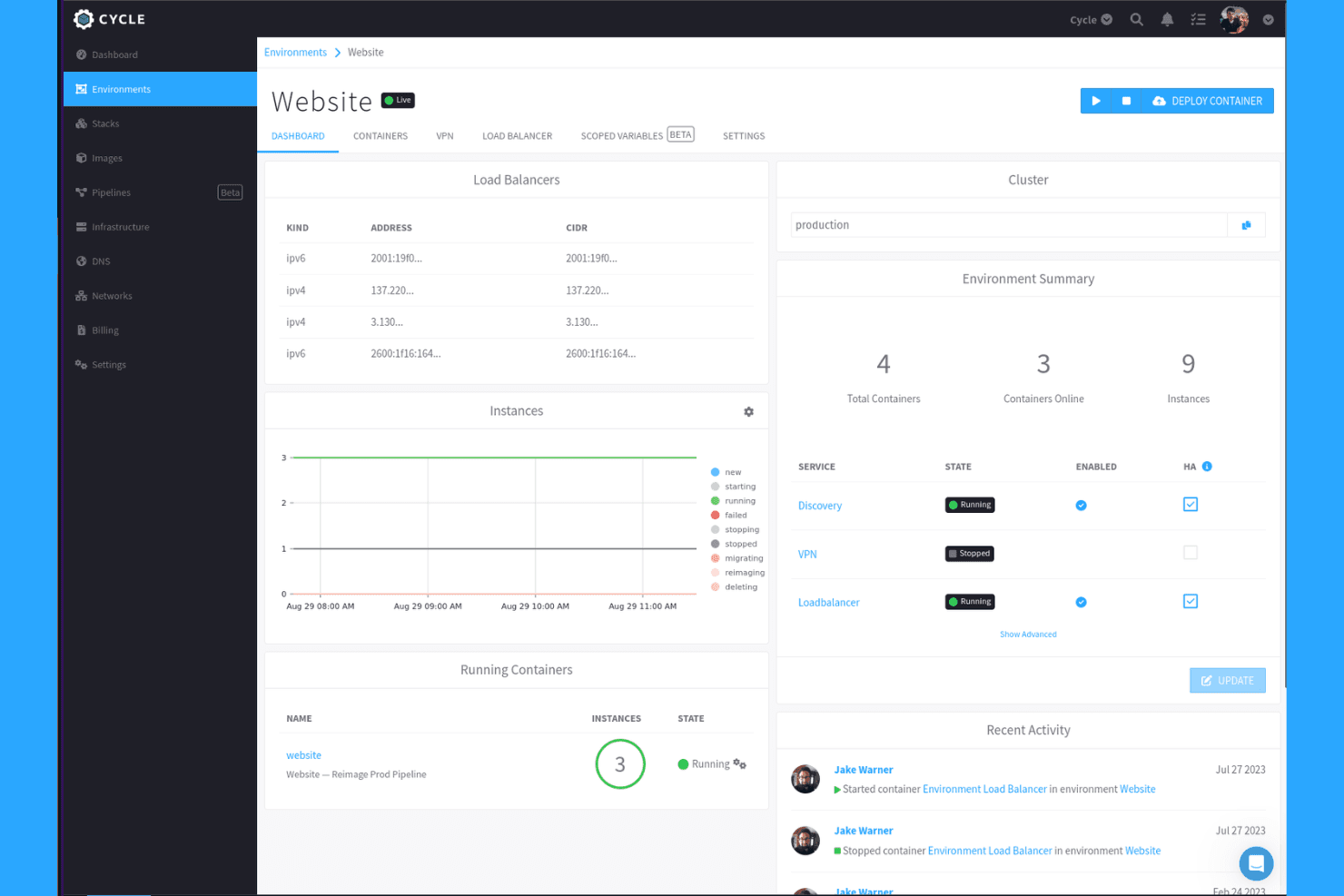
Cycle displays environment health, load balancers, and container status at a glance. Cycle is a container orchestration platform that appeals to platform engineering and DevOps teams looking to manage containers, VMs, and functions across cloud, on-premises, and bare-metal infrastructure without the operational complexity of running Kubernetes themselves.
Who Is Cycle Best For?
Cycle is a strong fit for platform engineering teams that want to manage containers, VMs, and functions across cloud and bare-metal infrastructure without building and maintaining a Kubernetes control plane themselves.
Why I Picked Cycle
I picked Cycle as one of the best because it replaces the entire Kubernetes control plane with a single managed platform that handles OS updates, kernel patches, and environment-service upgrades automatically. What I particularly like is that it manages containers, VMs, and functions across cloud and bare-metal infrastructure simultaneously, so my team isn't juggling separate tools for each workload type. Built-in service discovery, load balancing, and threshold-based auto-scaling come configured out of the box, with no extra setup required.
Cycle Key Features
- Rainbow deployments: Run multiple versions of an application simultaneously and shift traffic between them to achieve zero-downtime updates and rollbacks.
- Stacks (environments as code): Define full environment state in JSON or YAML files, sourced directly from a Git repository for GitOps-style workflows.
- Encrypted mesh network: Cycle automatically creates a zero-configuration encrypted private network across all connected nodes and providers.
- Threshold-based instance auto-scaling: Set CPU, RAM, network connections, or throughput thresholds to trigger automatic scaling with configurable minimums, maximums, and scale increments.
Cycle Integrations
Cycle offers documented native integrations with AWS, GCP, and Vultr. It supports CI/CD triggers such as GitHub Actions and provides a REST API with webhooks for custom integrations.
Pros and Cons
Pros:
- Runs containers, VMs, and functions together
- Built-in discovery and load balancing
- Automates routine upkeep and reduces DevOps staffing
Cons:
- CLI remains unavailable, limiting terminal-based workflows
- x86-only support excludes ARM edge nodes
Learn more about Cycle: Best for enterprise Kubernetes
- Free demo available
- Pricing upon request
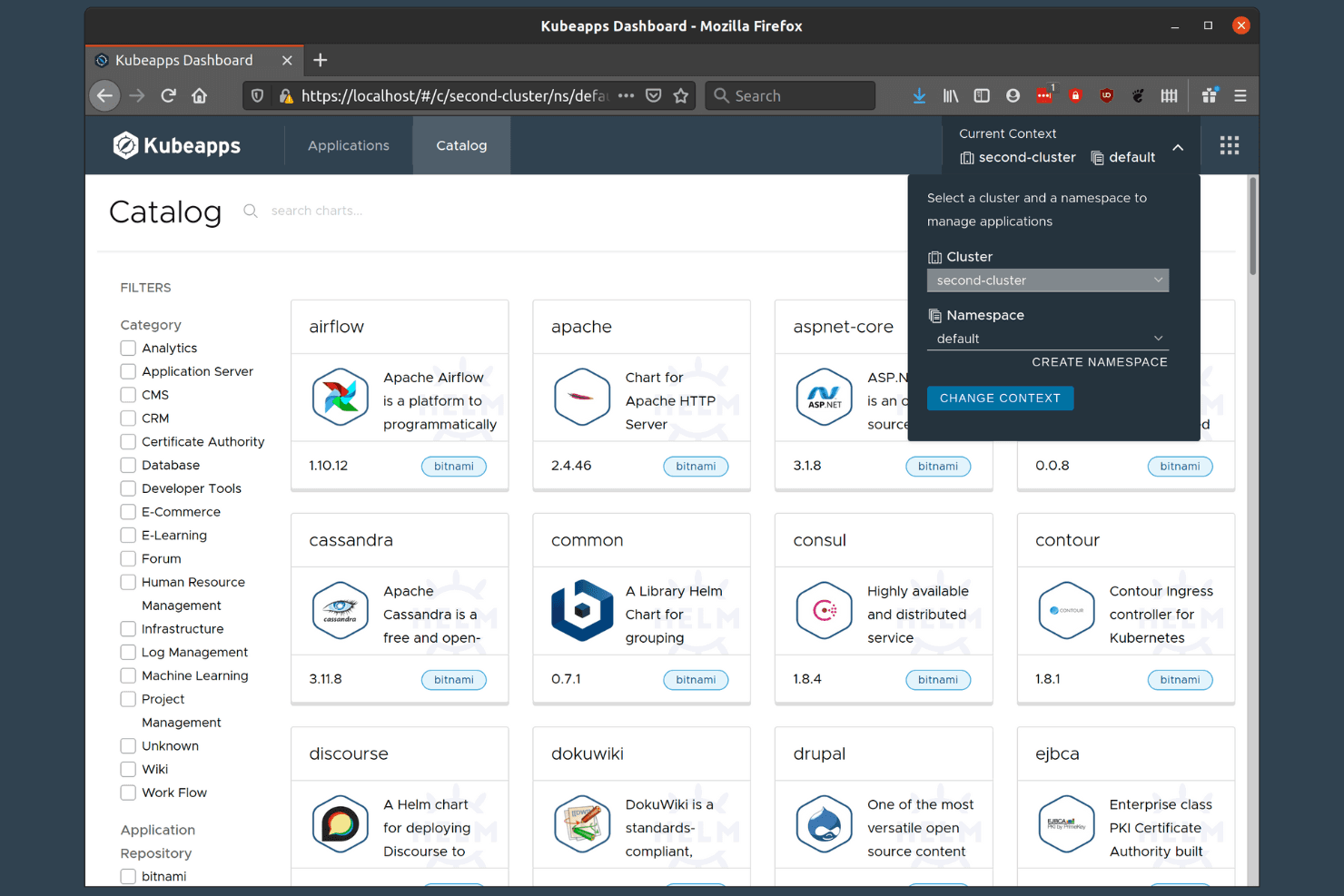
VMware Tanzu lets users deploy apps across clusters via a catalog. VMware Tanzu Kubernetes Grid Integrated is an enterprise Kubernetes platform built for organizations running VMware infrastructure, offering multi-cluster lifecycle management, NSX-T networking, and deep vSphere integration for teams operating Kubernetes at scale.
Who Is VMware Tanzu for Kubernetes Operations Best For?
VMware Tanzu Kubernetes Grid Integrated is built for enterprise IT teams already running VMware infrastructure who need production-grade, multi-cluster Kubernetes with deep vSphere integration.
Why I Picked VMware Tanzu for Kubernetes Operations
I picked VMware Tanzu Kubernetes Grid Integrated as my top enterprise Kubernetes pick because it's purpose-built for teams already deep in the VMware stack. The Management Console handles multi-cluster lifecycle operations, including cluster creation, scaling, and upgrades, without leaving the vSphere environment your team already knows. NSX-T networking adds micro-segmentation and security policy enforcement at the cluster level, which matters when you're running regulated or multi-tenant workloads across VMware Cloud Foundation.
VMware Tanzu for Kubernetes Operations Key Features
- etcd secret encryption: Kubernetes profiles can enable encryption of secrets stored in etcd, securing sensitive cluster data at rest.
- Certificate rotation: The
tkgi rotate-certificatescommand rotates TLS certificates across control-plane components and managed clusters. - Role-based access control: The Management Console offers distinct roles—Cluster Admin, read-only Cluster Admin, and Cluster Manager—each with scoped permissions.
- Air-gapped deployment support: The Management Console virtual appliance supports deployment in both internet-connected and air-gapped environments.
VMware Tanzu for Kubernetes Operations Integrations
Documented integrations include Tanzu Mission Control, Tanzu Service Mesh, NSX-T, vSphere Cloud Native Storage, Harbor, Ops Manager, LDAP, UAA, and Tanzu Application Platform. A Kubernetes API supports custom integrations.
Pros and Cons
Pros:
- Air-gapped deployment supports isolated environments
- Automated cluster lifecycle operations on vSphere
- Certified Kubernetes runtime supports conformant workloads
Cons:
- Cluster scaling lacks documented workload autoscaling
- Substantial management infrastructure increases footprint
Learn more about VMware Tanzu for Kubernetes Operations: Best for secure containerization
- Free trial + demo available
- Pricing upon request
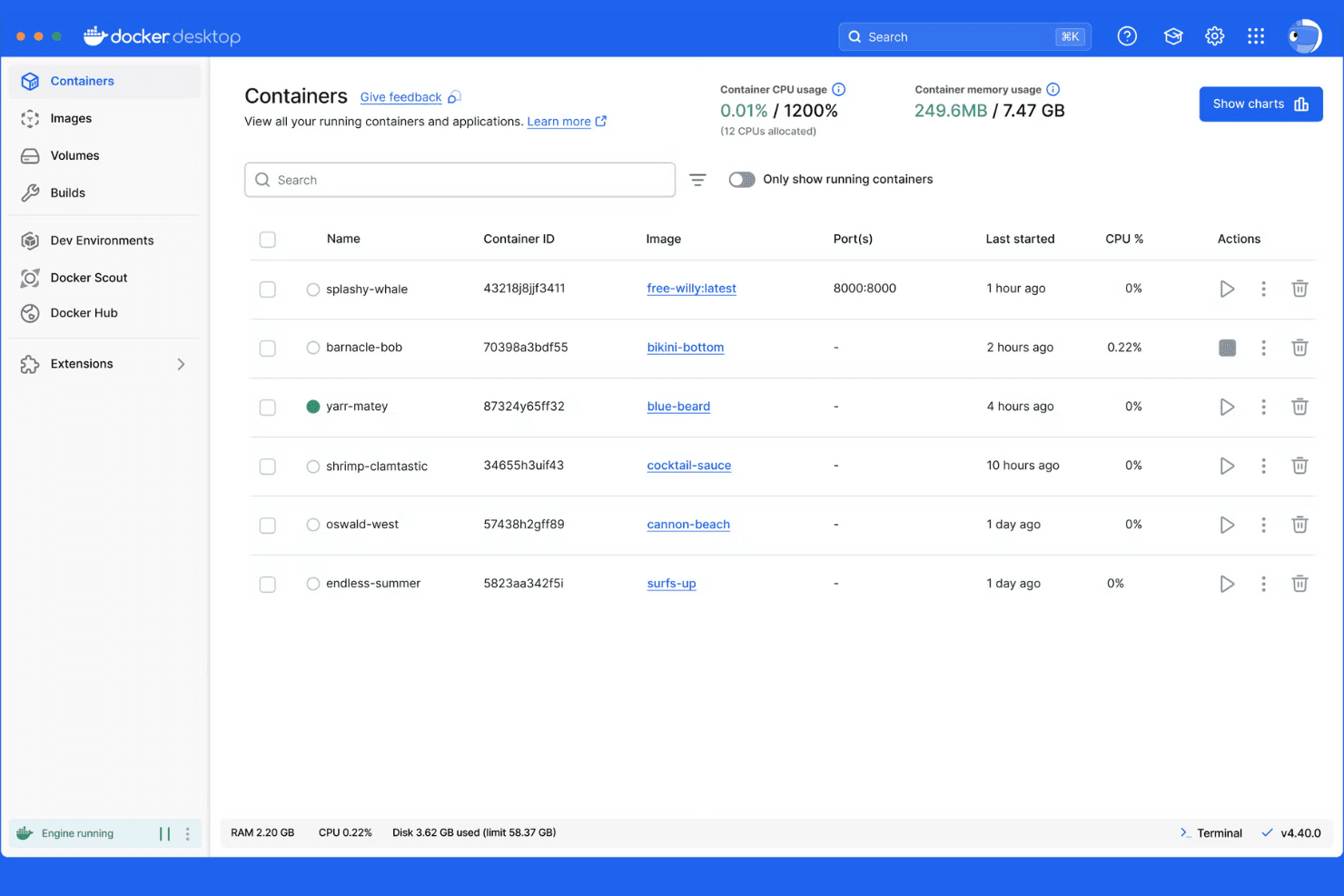
Docker Desktop lets users monitor and manage running containers at a glance. Mirantis Kubernetes Engine (formerly Docker Enterprise) is an enterprise-grade container orchestration platform built for teams that need to manage Kubernetes and Swarm clusters across cloud, on-premises, and edge environments from a single control plane.
Who Is Docker Enterprise Best For?
Docker Enterprise is a strong fit for large enterprises and regulated industries that need centralized Kubernetes and Swarm cluster management with built-in FIPS-validated encryption and STIG-hardened security.
Why I Picked Docker Enterprise
I picked Docker Enterprise (now Mirantis Kubernetes Engine) as one of the best because its security posture is genuinely difficult to match in the enterprise container space. It ships with FIPS 140-2/140-3 validated encryption and DISA STIG hardening built in, which matters enormously when you're running workloads in regulated or air-gapped environments. I also appreciate that you can manage Kubernetes and Swarm clusters side by side from a single control plane, with RBAC and identity-management integration keeping access tightly scoped across every cluster.
Docker Enterprise Key Features
- Cluster lifecycle management: MKE can provision, adopt, and lifecycle-manage MKE and k0s clusters across multiple infrastructures, including EKS, AKS, and GKE, by submitting a kubeconfig for existing clusters.
- Declarative GitOps operations: Cluster configuration, auditing, scheduling, networking, and secrets encryption are all managed through a declarative configuration file with GitOps-based lifecycle management.
- Rolling updates with automated rollback: MKE applies updates incrementally to reduce workload downtime and can automatically revert a change if an upgrade encounters a problem.
- Private image registry: MKE integrates with Mirantis Secure Registry to give teams an internal, trusted registry for storing and managing container images.
Docker Enterprise Integrations
Mirantis Kubernetes Engine documents built-in use of Calico for networking, NGINX for ingress, and Mirantis Secure Registry for private images. It also provides a REST API over HTTPS for custom integrations.
Pros and Cons
Pros:
- Portable clusters support hybrid environments
- Installer hides Kubernetes setup complexity
- Centralized UI simplifies multi-cluster operations
Cons:
- Networking setup can demand manual troubleshooting
- On-premises autoscaling remains limited
Learn more about Docker Enterprise:
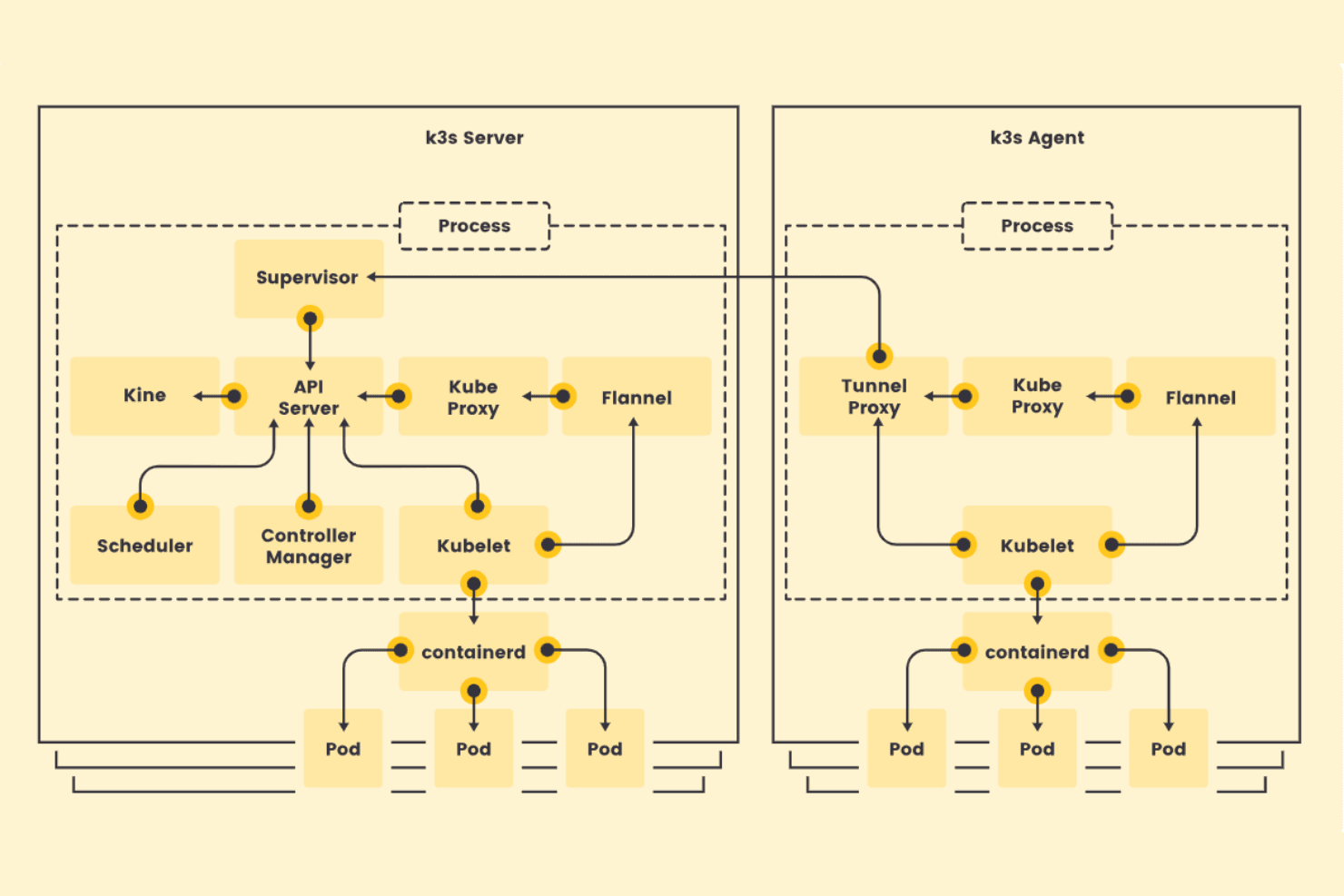
K3s separates server and agent components for lightweight Kubernetes. K3s is a lightweight, CNCF-certified Kubernetes distribution from SUSE that packages the full Kubernetes API into a single binary, making it a practical choice for teams running container workloads in resource-constrained, remote, or edge environments.
Who Is K3s Best For?
K3s is a strong fit for teams deploying containerized workloads on edge hardware, IoT devices, or ARM-based infrastructure where resource constraints rule out a full Kubernetes setup.
Why I Picked K3s
I picked K3s because it's purpose-built for the environments where full Kubernetes simply doesn't fit: ARM devices, IoT hardware, and remote edge nodes running on tight resource budgets. The single-binary packaging means I can get a certified Kubernetes cluster running on a Raspberry Pi or an ARM64 edge appliance with one command, without stripping out the APIs I actually need. I also appreciate that CoreDNS, Traefik, and ServiceLB come bundled, so service discovery and ingress work out of the box even on hardware with 512 MB of RAM per agent node.
K3s Key Features
- CNCF-certified Kubernetes API: K3s maintains full Kubernetes API compliance, so existing ecosystem tools, Helm charts, and manifests work without modification.
- Secrets encryption at rest: K3s includes a
secrets-encrypttool that lets you enable, rotate, and re-encrypt secret keys directly from the CLI. - CIS hardening guide: K3s ships with documented CIS Benchmark configuration guidance covering audit logging, pod security, RBAC, and network policies.
- System-upgrade-controller integration: Declarative upgrade Plans let you target specific K3s versions, set node concurrency, and schedule upgrade windows without manual intervention.
K3s Integrations
Native integrations are not clearly documented. K3s exposes the Kubernetes API for custom integrations.
Pros and Cons
Pros:
- Bundled networking covers small clusters
- One-command worker additions ease cluster expansion
- Single-binary installs suit ARM edge nodes
Cons:
- No documented workload autoscaling controls
- High availability can require extra setup
Learn more about K3s:
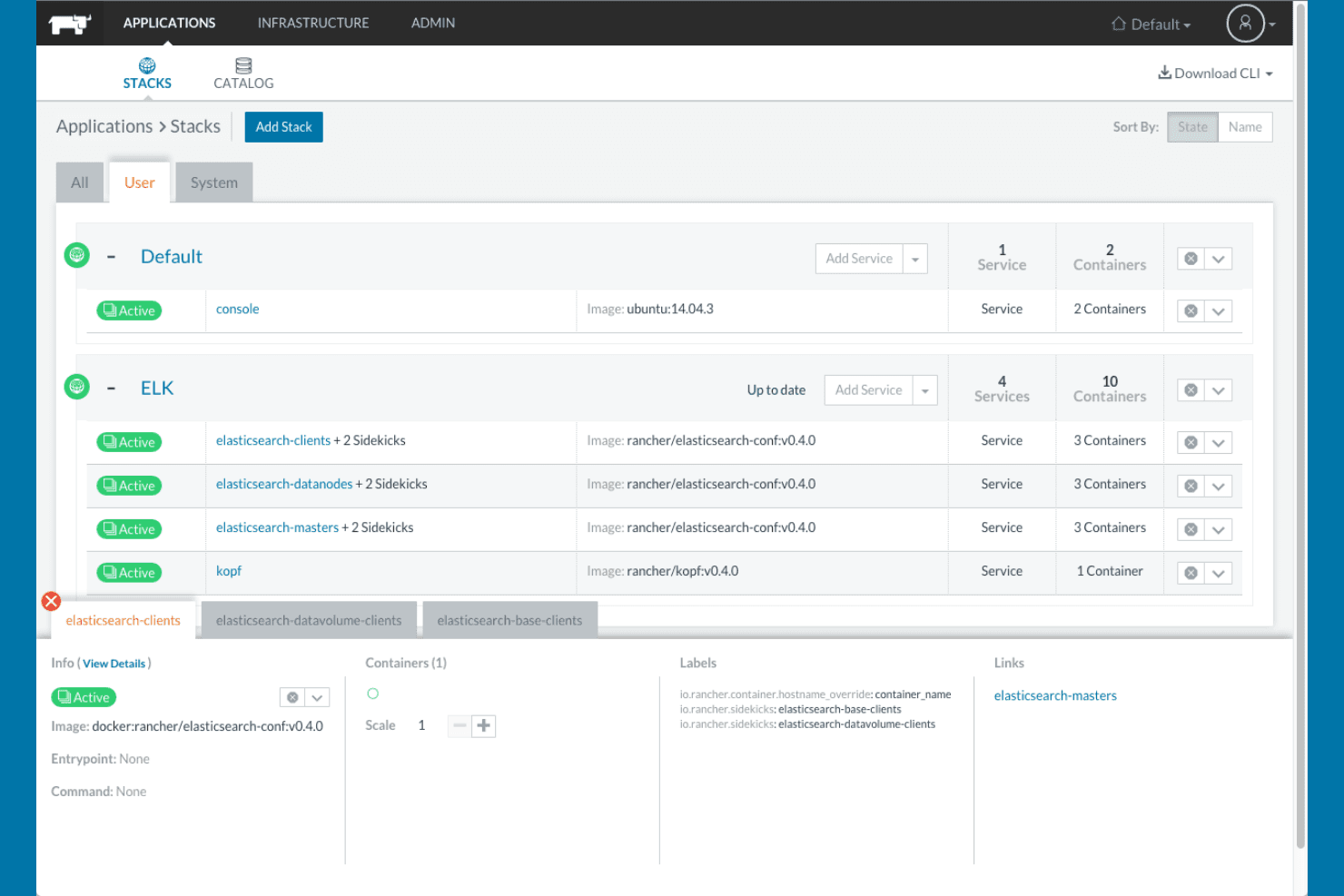
Rancher organizes containerized services into stacks with live status. Rancher is an open-source Kubernetes management platform from SUSE that lets platform engineers and infrastructure leads provision, secure, and operate multiple clusters across on-premises, cloud, and edge environments from a single interface.
Who Is Rancher Best For?
Rancher is a strong fit for platform engineers and IT infrastructure leads managing multiple Kubernetes clusters across hybrid or multi-cloud environments.
Why I Picked Rancher
I picked Rancher as one of the best because it's the tool I'd reach for when managing Kubernetes across a genuinely mixed environment. Its Fleet GitOps engine lets my team push consistent configurations to dozens of clusters simultaneously, whether those clusters live on EKS, bare metal, or low-resource edge nodes running K3s. That K3s single-binary distribution is what really sets Rancher apart: it runs on as little as 1 CPU core and 512 MB RAM per agent, making cloud-native management practical even at the edge.
Rancher Key Features
- Multi-cluster access control: Centralize authentication and RBAC across all your Kubernetes clusters by connecting to identity providers like Active Directory, Okta, and OpenLDAP.
- CIS benchmark assessment: Evaluate cluster configurations against CIS benchmark best practices directly from the Rancher interface.
- Horizontal pod autoscaling: Manage HPAs through the UI to automatically scale workloads based on CPU and memory utilization.
- NeuVector container security: Run automated security checks, CI/CD pipeline scanning, and audit workflows across your container environments.
Rancher Integrations
Rancher integrates with Amazon EKS, Azure Kubernetes Service, Google Kubernetes Engine, Active Directory, Okta, OpenLDAP, Prometheus, Grafana, Istio, and Jenkins. It also supports GitLab and Fleet workflows, plus a Rancher Kubernetes API for custom integrations.
Pros and Cons
Pros:
- Repository-based workflows coordinate multi-cluster changes
- Low-footprint deployments suit constrained edge sites
- Centralized cluster visibility aids troubleshooting
Cons:
- Terminology can overwhelm first-time operators
- Upgrade issues can disrupt cluster operations
Learn more about Rancher: Best for multi-cluster management
- Free plan + 45-day trial + demo available
- From $1,045/year (billed annually)
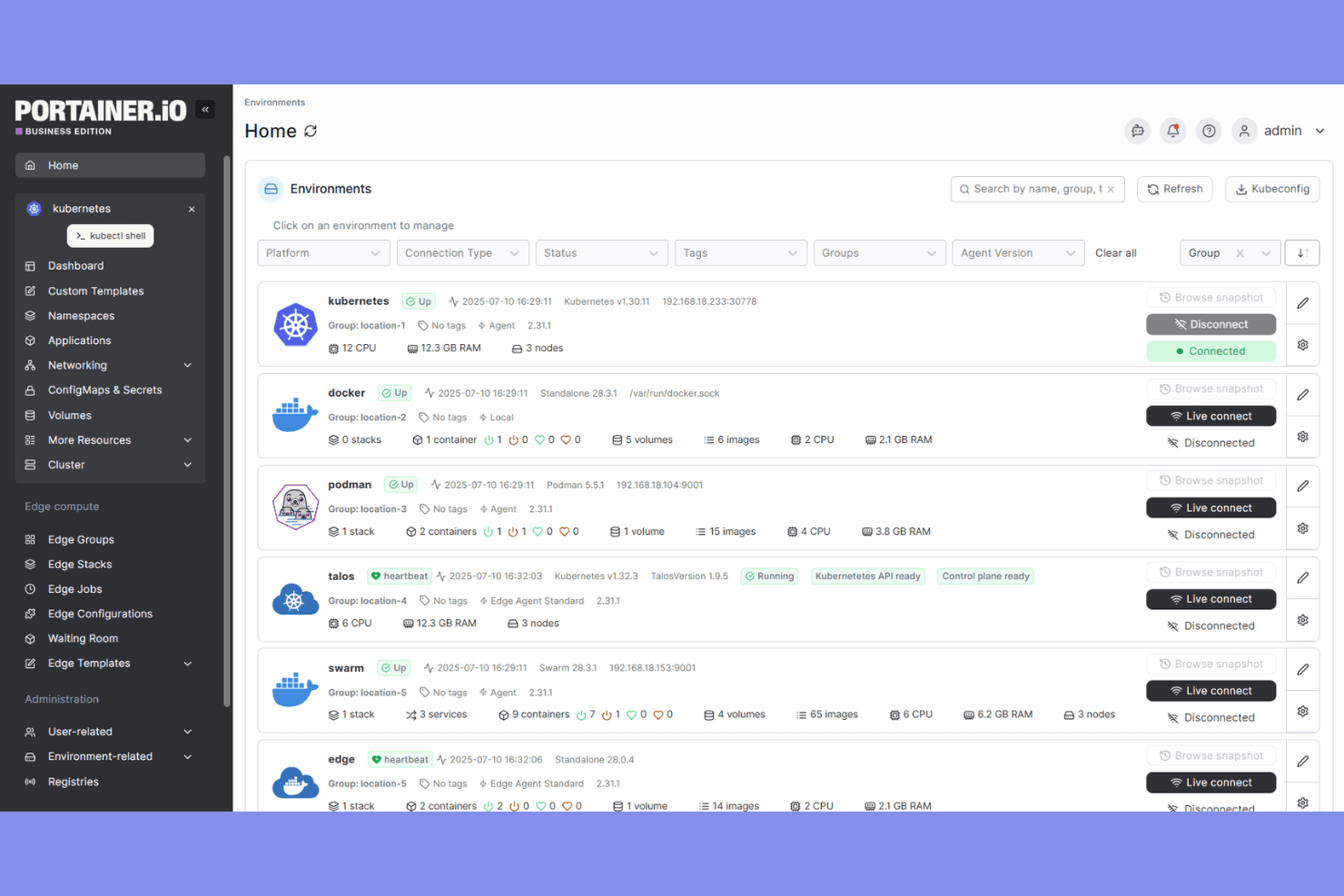
Portainer lets users manage multiple container environments from one dashboard. Portainer is a self-hosted container management platform that lets platform engineers and infrastructure leads govern Kubernetes, Docker, Swarm, and Podman environments from a single web-based console.
Who Is Portainer Best For?
Portainer is a strong fit for platform engineers and infrastructure leads who need to govern mixed container environments—Kubernetes, Docker, Swarm, and Podman—from a single console.
Why I Picked Portainer
I picked Portainer as one of the best because it handles multi-cluster management across Kubernetes distributions, Docker, Swarm, and Podman from a single console. I appreciate how it lets my team group clusters, apply RBAC policies fleet-wide, and push GitOps deployments across EKS, AKS, GKE, and bare-metal environments without switching tools. The edge agent support, which connects to sites behind NAT and firewalls without opening inbound ports, makes managing disconnected or remote clusters genuinely practical.
Portainer Key Features
- GitOps deployment automation: Deploy applications directly from Git repositories or Helm charts, with automatic redeployment triggered by repository changes via polling or webhooks.
- OPA Gatekeeper policy management: Deploy and manage Open Policy Agent Gatekeeper and its admission policies across environments directly through the Portainer interface.
- LDAP, Active Directory, and OIDC authentication: Integrate with your existing corporate directory so users authenticate through established identity providers rather than a separate credential store.
- Syslog-based audit log forwarding: Export authentication and user activity logs to syslog-compatible SIEM receivers, including Splunk, Microsoft Sentinel, and Elastic Security, using TLS/mTLS.
Portainer Integrations
Portainer offers native integrations with LDAP, Active Directory, OIDC, Sidero Omni, and OneUptime. It supports syslog forwarding to Splunk, Microsoft Sentinel, Elastic Security, OpenSearch Security, and Wazuh, plus an HTTP API for custom integrations.
Pros and Cons
Pros:
- Edge agents reach sites behind firewalls
- Reviewers praise quick setup for simple environments
- Manage Kubernetes and Docker fleets together
Cons:
- Scaling requires manual replica-count changes
- Portainer doesn’t replace Kubernetes orchestration
Learn more about Portainer: Best for instant application clones
- 15-day free trial available
- From €9/month
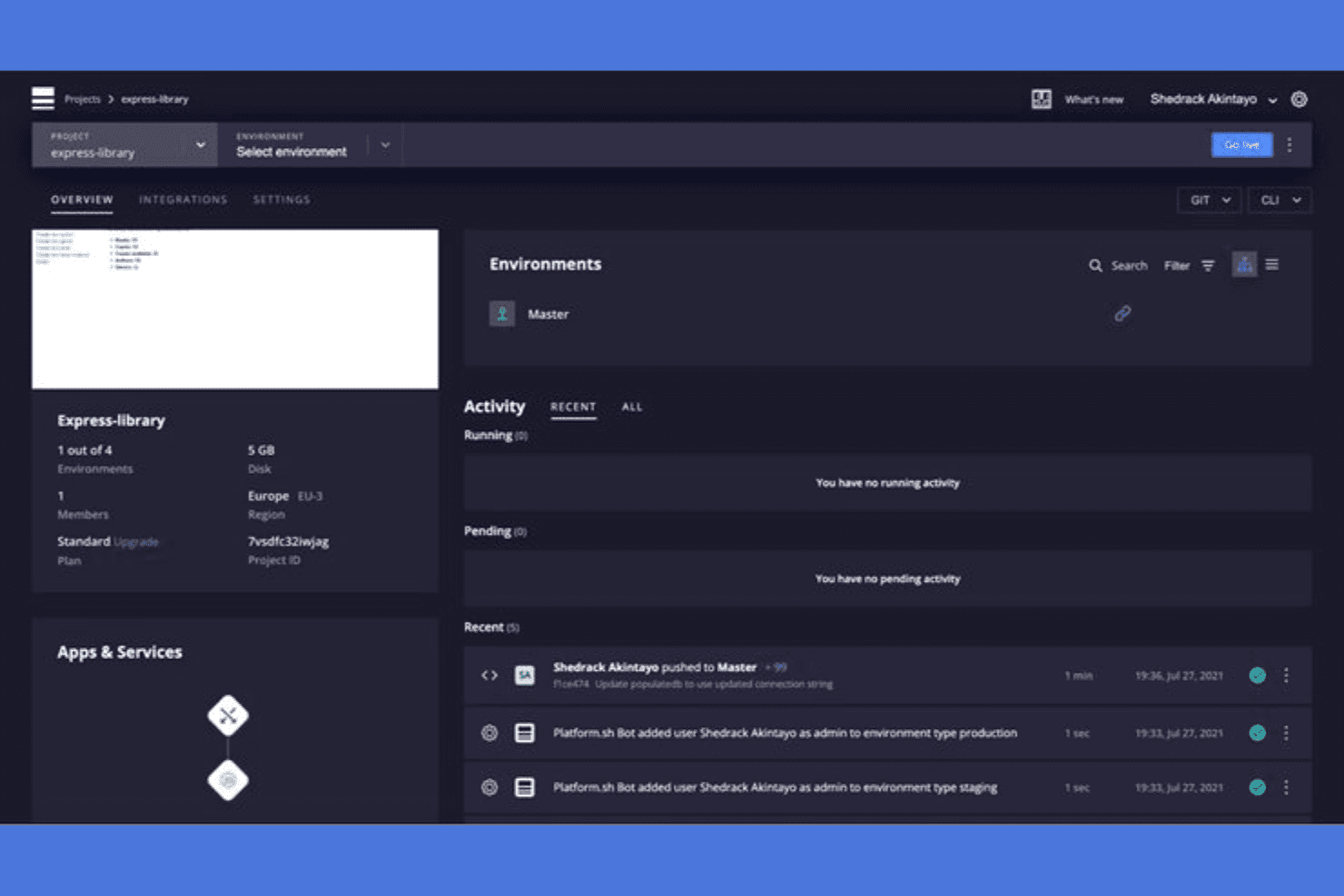
Platform.sh gives users a unified view of environments and activity logs. Upsun is a PaaS platform that handles infrastructure, container builds, and deployments through Git-driven workflows, making it a practical option for DevOps teams and IT infrastructure leads who want to run multi-cloud applications without managing Kubernetes clusters themselves.
Who Is Platform.sh Best For?
Platform.sh (now Upsun) is a strong fit for DevOps teams and IT infrastructure leads who want Git-driven deployments and branch-based preview environments without managing their own infrastructure.
Why I Picked Platform.sh
I've included Platform.sh (now Upsun) in my top picks because its branch-based environment cloning is genuinely one of the most practical features I've seen for teams running parallel workloads. When you push a new Git branch, Upsun instantly spins up a full-stack preview environment, complete with a copy of the parent's databases, services, and routing config. That means I can test a database migration or a service config change against a production-like clone without touching the live environment.
Platform.sh Key Features
- CPU- and memory-based autoscaling: Set threshold-based autoscaling rules for applications, background workers, and database read replicas, with configurable instance limits and cooldown periods per environment.
- Multi-cloud deployment: Deploy across AWS, Azure, Google Cloud, IBM, and OVHcloud through a single unified toolchain without reconfiguring your stack for each provider.
- Role-based access control: Assign custom project and environment-type permissions per user, with optional MFA enforcement and SSO through providers like Okta and Microsoft Entra ID.
- Real-time log forwarding: Stream application and infrastructure logs in real time to your preferred external destination for centralized monitoring and incident response.
Platform.sh Integrations
Platform.sh offers native integrations with GitHub, GitLab, and Bitbucket for branch and pull or merge request workflows. It also provides activity-script utilities for Slack and Jira, plus a REST API, PHP SDK, and Node.js SDK for custom integrations.
Pros and Cons
Pros:
- Reviewers praise automated deployments and quick previews
- Managed hosting reduces cluster upkeep for teams
- Branch clones create production-like test environments
Cons:
- No documented node-level rescheduling or recovery
- YAML configuration takes time to understand
Learn more about Platform.sh:
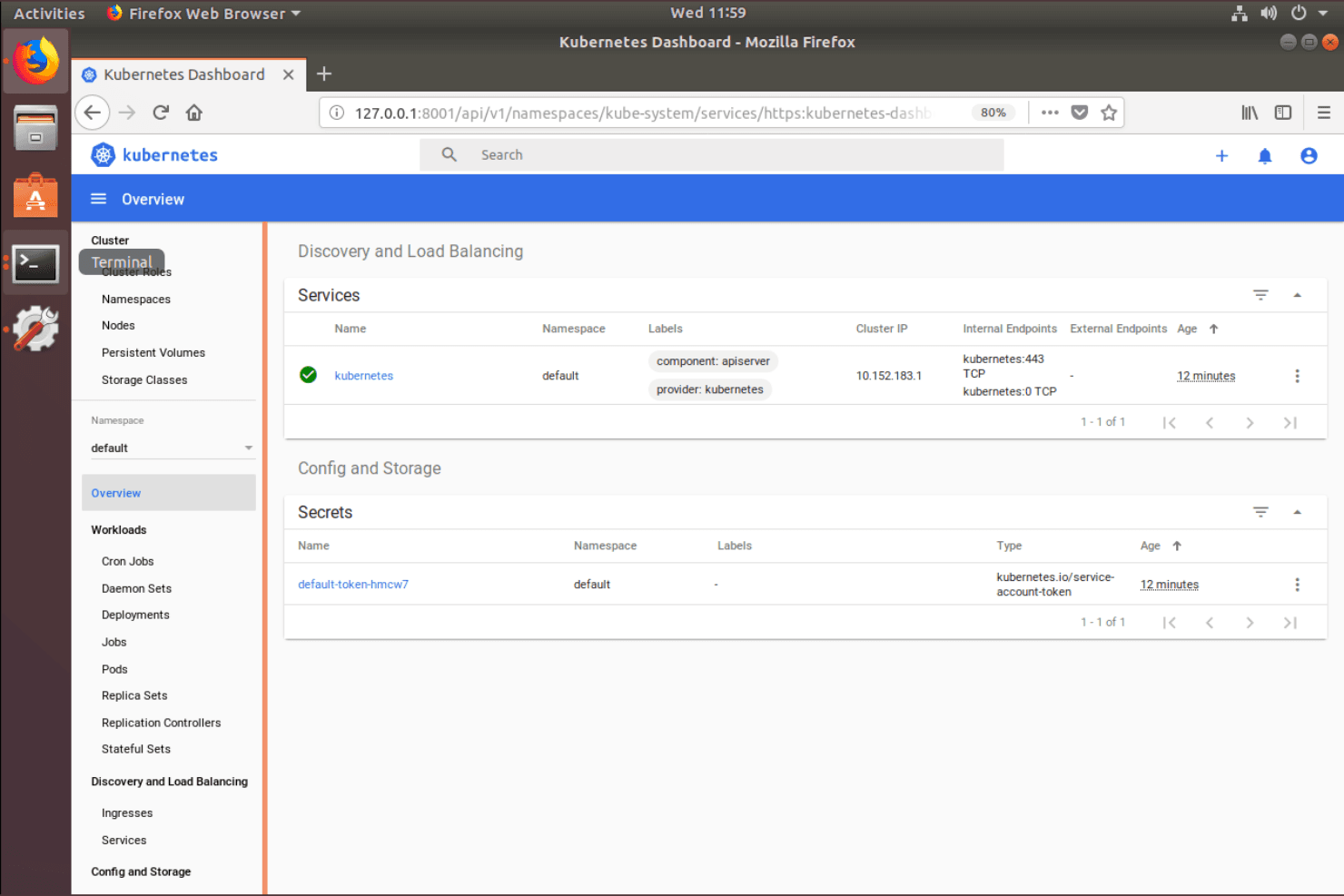
MicroK8s provides a web dashboard to monitor services and secrets. MicroK8s is Canonical's lightweight Kubernetes distribution that packages the full upstream Kubernetes stack into a single snap, making it a practical fit for teams running edge deployments, developer workstations, or small-scale production clusters without a dedicated ops team.
Who Is MicroK8s Best For?
MicroK8s is a strong fit for teams running edge deployments, developer workstations, or small-scale clusters where minimizing operational overhead is the priority.
Why I Picked MicroK8s
I picked MicroK8s as one of the best because it genuinely earns the zero-ops label: joining three nodes automatically activates high availability through Dqlite, with no extra configuration required. Security updates apply unattended by default and roll back automatically on failure, so clusters stay patched without manual intervention. I also like that toggling services like Prometheus, Istio, or Linkerd takes a single command, keeping operational overhead low even as the stack grows.
MicroK8s Key Features
- Strict confinement: Sandboxes MicroK8s and its workloads, limiting access to files, system resources, and hardware to reduce the attack surface.
- Multi-architecture support: Runs on x86, ARM64, s390x, and POWER9, covering everything from cloud servers to Raspberry Pi hardware.
- ClusterAPI (CAPI) integration: Lets you define and manage cluster lifecycle declaratively using YAML manifests, with support for AWS, Azure, GCP, and OpenStack providers.
- Offline and air-gapped installation: Supports deploying clusters without internet access via proxy, private registry mirror, or image side-loading.
MicroK8s Integrations
MicroK8s includes native addons and integrations for Cluster API (CAPI), Prometheus, Istio, Linkerd, Jaeger, Knative, and NVIDIA GPU Operator. Community addons include Argo CD and KEDA, but third parties maintain them.
Pros and Cons
Pros:
- Low memory footprint suits edge clusters
- Reviewers praise quick setup and deployment
- Three-node clusters enable automatic high availability
Cons:
- Snap packaging complicates cluster portability
- Complex setups expose documentation gaps
Learn more about MicroK8s: Best for multi-cloud management
- Not available
- Pricing upon request
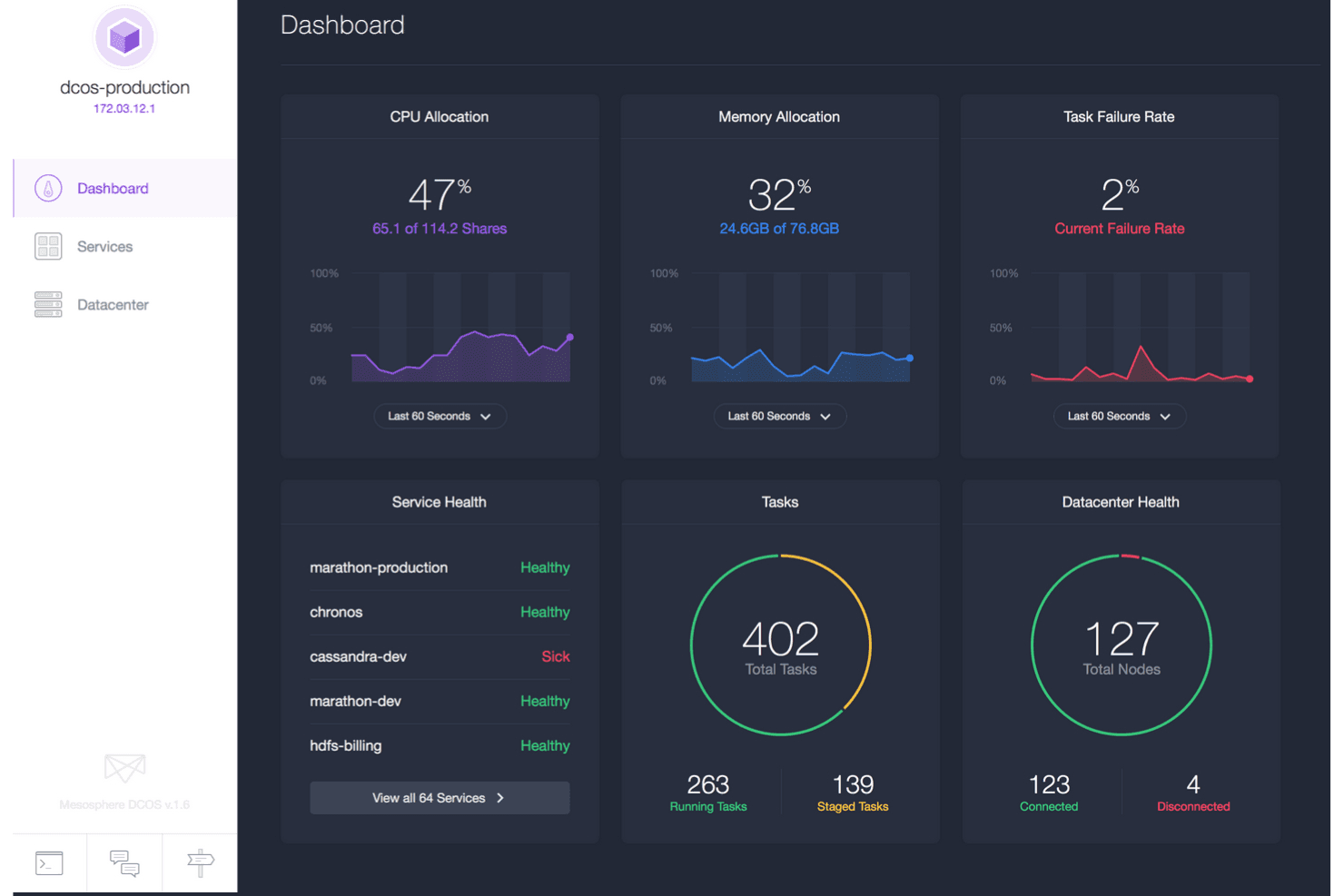
DC/OS centralizes cluster health, tasks, and resource metrics in one dashboard. DC/OS is an open-source distributed operating system built on Apache Mesos that lets infrastructure teams deploy and manage containerized workloads, legacy applications, and distributed services across cloud and on-premises environments from a single interface.
Who Is DC/OS Best For?
DC/OS suits infrastructure teams managing mixed workloads—containers, legacy apps, and data services—across multiple cloud and on-premises environments from a single control plane.
Why I Picked DC/OS
I picked DC/OS because it's one of the few orchestration platforms built from the ground up to manage workloads across cloud and on-premises environments from a single control plane. It runs containers, legacy apps, and distributed data services like Kafka and Spark side by side, which matters when your infrastructure isn't all-in on one cloud. I also appreciate that it automates node failure detection and task rescheduling without requiring you to manage those recovery steps manually.
DC/OS Key Features
- Service Catalog: A built-in catalog lets you install distributed data services, databases, CI/CD tools, and monitoring services directly through the GUI or CLI.
- Zero-downtime deployment strategies: DC/OS supports rolling, blue-green, and canary deployment patterns to keep services available during updates.
- Multi-workload scheduling: DC/OS runs containerized apps, legacy applications, and distributed data services like Kafka and Spark side by side on shared infrastructure.
- Unified monitoring and logging: Operators can track host-, service-, and container-level metrics and access task logs without needing to locate the specific host or container first.
DC/OS Integrations
DC/OS has marketplace integrations for Confluent Platform and Apache Kafka, NGINX, NGINX Plus, Chef, Alluxio, Spark, and Citrix NetScaler. It also provides HTTP APIs for custom integrations and operational metrics and log collection.
Pros and Cons
Pros:
- Reschedules workloads after node failures
- Schedules containers, legacy apps, and data services
- Manages cloud and on-prem clusters together
Cons:
- Smaller community offers fewer troubleshooting resources
- Upgrades can require more planning
Learn more about D2iQ / Mesosphere DC/OS: 10Best for serverless functions
OpenFaaS
- Free plan + 14-day free trial + free demo available
- From $1,500/month
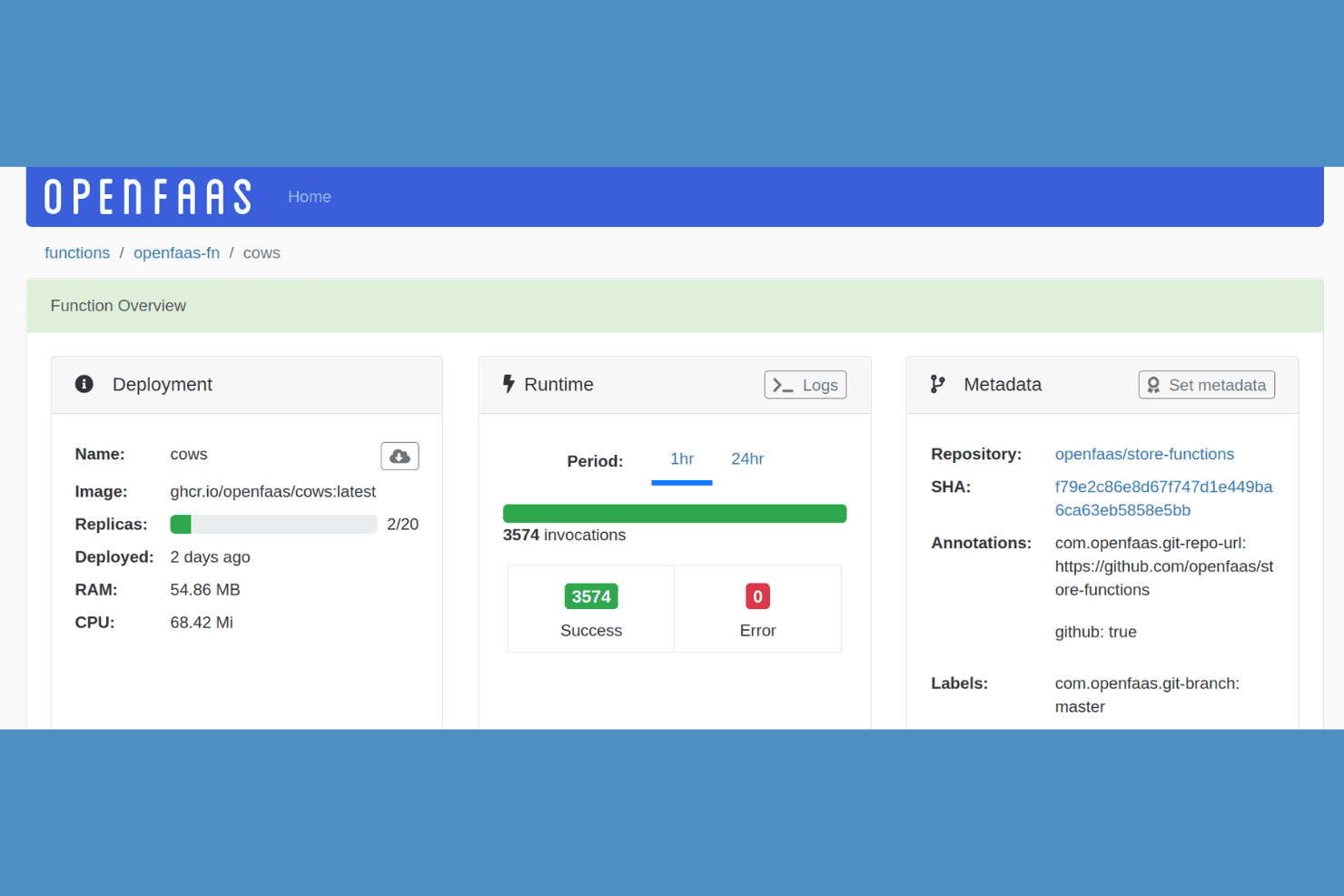
OpenFaaS lets users monitor function invocations, replicas, and runtime stats. OpenFaaS is a serverless functions platform that lets teams deploy event-driven workloads to Kubernetes using OCI-packaged functions, with support for multi-metric autoscaling, GitOps workflows, and a range of event triggers.
Who Is OpenFaaS Best For?
OpenFaaS is a strong fit for engineering teams already running Kubernetes who want to layer event-driven, serverless function capabilities on top of their existing infrastructure.
Why I Picked OpenFaaS
I picked OpenFaaS as one of the best because it handles serverless functions on Kubernetes in a way that few other tools match. I appreciate how it supports multi-metric autoscaling, letting you scale functions by RPS, CPU, RAM, or custom Prometheus metrics, and scale to zero when idle. I also like that functions are packaged as portable OCI images, so I can deploy the same function to cloud or on-premises Kubernetes clusters without reworking anything.
OpenFaaS Key Features
- Event trigger support: Functions can be triggered by Apache Kafka, RabbitMQ, Google Cloud Pub/Sub, PostgreSQL, AWS SNS, and AWS SQS natively.
- GitOps and Helm integration: OpenFaaS Standard works with Argo CD, Flux, and Helm for declarative function deployment from a configuration repository.
- Function CRD management: Functions are managed as Kubernetes Custom Resources, letting you define and version them alongside other cluster objects.
- Enterprise SSO and RBAC: OpenFaaS for Enterprises includes OpenID Connect single sign-on, role-based access control, and auditing via webhook.
OpenFaaS Integrations
OpenFaaS offers native integrations with Apache Kafka, RabbitMQ, Google Cloud Pub/Sub, PostgreSQL, AWS SNS, AWS SQS, and MQTT. It supports GitHub Actions, GitLab, Argo CD, and Flux workflows, plus a REST API for custom integrations.
Pros and Cons
Pros:
- CRDs support declarative function management
- OCI functions travel across Kubernetes environments
- Metric-based scaling can scale functions to zero
Cons:
- Self-hosting still demands infrastructure expertise
- Requires Kubernetes rather than replacing it
Learn more about OpenFaaS:
Outras alternativas ao Kubernetes
Eis algumas alternativas adicionais ao Kubernetes que não entraram na minha lista de seleção, mas que vale a pena conhecer:
- 11OpenNebulaBest for hybrid multi-cloud
- 12HeliosBest for tailored enterprise solutions
- 13Docker SwarmBest for easy Docker cluster setup
- 14OpenShift Container PlatformBest for enterprise-grade security
- 15AWS FargateBest for serverless container hosting
- 16
- 17HashiCorp NomadBest for simple workload orchestration
- 18Fly.ioBest for edge application deployment
- 19AWS ECSBest for AWS service integration
- 20Azure Container InstancesBest for fast container deployment
How I Evaluate Kubernetes Alternatives
I evaluate each tool across two layers: the baseline capabilities—container scheduling, self-healing, declarative config—and the differentiators that make one a better fit than another for your team.
Core Functionality (Table Stakes For This List)
When I'm selecting tools for my list, I rank each one on a scale from 0 (does not offer the functionality) to 5 (excels in this area) for each core functionality listed below. Then, I calculate the tool's total score into a percentage. Each tool needs to achieve a minimum total score of 65% to be considered for inclusion.
- Container Orchestration & Scheduling: I evaluate how each tool handles workload placement across hosts—whether it supports affinity rules, resource-aware scheduling, or simpler single-host modes for smaller deployments.
- Scaling & Load Balancing: I check whether the platform auto-scales based on real metrics like CPU or request count and how it distributes traffic, from basic round-robin to L7-aware routing.
- Service Discovery & Networking: Each tool should let containers find and talk to each other without manual IP tracking—I look at built-in DNS, overlay networks, and service mesh readiness.
- High Availability & Self-Healing: I look at how a tool responds when things break, like whether it automatically reschedules crashed containers to healthy nodes or just restarts them in place.
- Declarative Configuration & Automation: Tools like Nomad use HCL files while Docker Swarm relies on Compose YAML—I evaluate whether deployments can be versioned, templated, and reproduced consistently.
- Multi-Environment Deployment: I consider where each tool can actually run, from a single cloud provider to hybrid setups spanning on-prem data centers, public clouds, and edge locations.
Once I have a list of tools that meet this criteria, I consider what sets each platform apart.
Differentiating Factors (What Sets Vendors Apart)
Here's how I compare and contrast different vendors:
Standout Features
A managed control plane matters a lot here—tools like AWS Fargate and Google Cloud Run remove cluster maintenance entirely, which frees your team to focus on deploying apps instead of patching nodes. I also evaluate developer experience, specifically how quickly someone can go from a container image to a running service without writing lengthy config files. For edge or IoT use cases, a lightweight footprint is a major differentiator; platforms like K3s run on hardware where full Kubernetes simply can't.
Beyond Features
Total cost of ownership deserves close attention—some platforms charge per container or per vCPU-second, and that adds up fast when you're running hundreds of services. I also evaluate ecosystem compatibility, particularly whether a tool plugs into your existing CI/CD pipelines and IaC tooling like Terraform or Pulumi. Scale and workload fit is another key factor; a tool that's perfect for stateless web apps may struggle with stateful databases or batch processing jobs, so I check what workload types each platform handles well before recommending it.
Por que procurar uma alternativa ao Kubernetes?
Embora o Kubernetes seja uma boa escolha de software de orquestração de contentores, existem vários motivos pelos quais alguns utilizadores procuram soluções alternativas. Pode estar à procura de uma alternativa ao Kubernetes porque…
- Tem uma curva de aprendizagem acentuada
- Precisa de processos de implementação mais simples
- Requer demasiados recursos
- Procura uma maior eficiência de custos
- Pretende uma gestão multicloud mais simples
- Não é adequado para projetos de pequena escala
Se algum destes pontos lhe parece familiar, veio ao lugar certo. A minha lista contém várias opções de software de orquestração de contentores mais adequadas para equipas que enfrentam estes desafios com o Kubernetes e procuram soluções alternativas.
Principais funcionalidades do Kubernetes
Eis algumas das principais funcionalidades do Kubernetes, para ajudar a comparar as opções alternativas:
- Descoberta de serviços e balanceamento de carga: Distribui automaticamente o tráfego de rede para garantir implementações estáveis
- Orquestração do armazenamento: Liga e gere os sistemas de armazenamento à sua escolha para as aplicações
- Implementações e reversões automáticas: Atualiza as aplicações automaticamente, mantendo a estabilidade do sistema
- Autorrecuperação: Reinicia os contentores que falharam e substitui-os para minimizar o tempo de inatividade
- Gestão de segredos: Armazena e gere informações sensíveis de forma segura
- Escalabilidade horizontal: Ajusta dinamicamente os recursos para responder às necessidades em constante mudança
- Utilização de recursos: Otimiza a utilização dos recursos disponíveis para uma maior eficiência
- Orquestração de contentores: Gere a implementação e o escalonamento de aplicações contentorizadas
- Extensibilidade: Suporta vários plug-ins e extensões para melhorar a funcionalidade
- Sistemas distribuídos resilientes: Garante a resiliência das aplicações através de uma gestão eficiente dos recursos