

Recensione di Wireshark 2026: Vantaggi, Svantaggi, Caratteristiche e Prezzi
Wireshark si distingue come il principale sniffatore di rete gratuito, offrendo un'analisi dei protocolli senza paragoni sia per i principianti che per i professionisti, ma la sua complessità può risultare travolgente per gli utenti occasionali.

Recensiamo gli strumenti in modo indipendente e le commissioni ci aiutano a finanziare i nostri test. Consulta la nostra politica sulla trasparenza, la nostra metodologia, oppure suggerisci uno strumento.
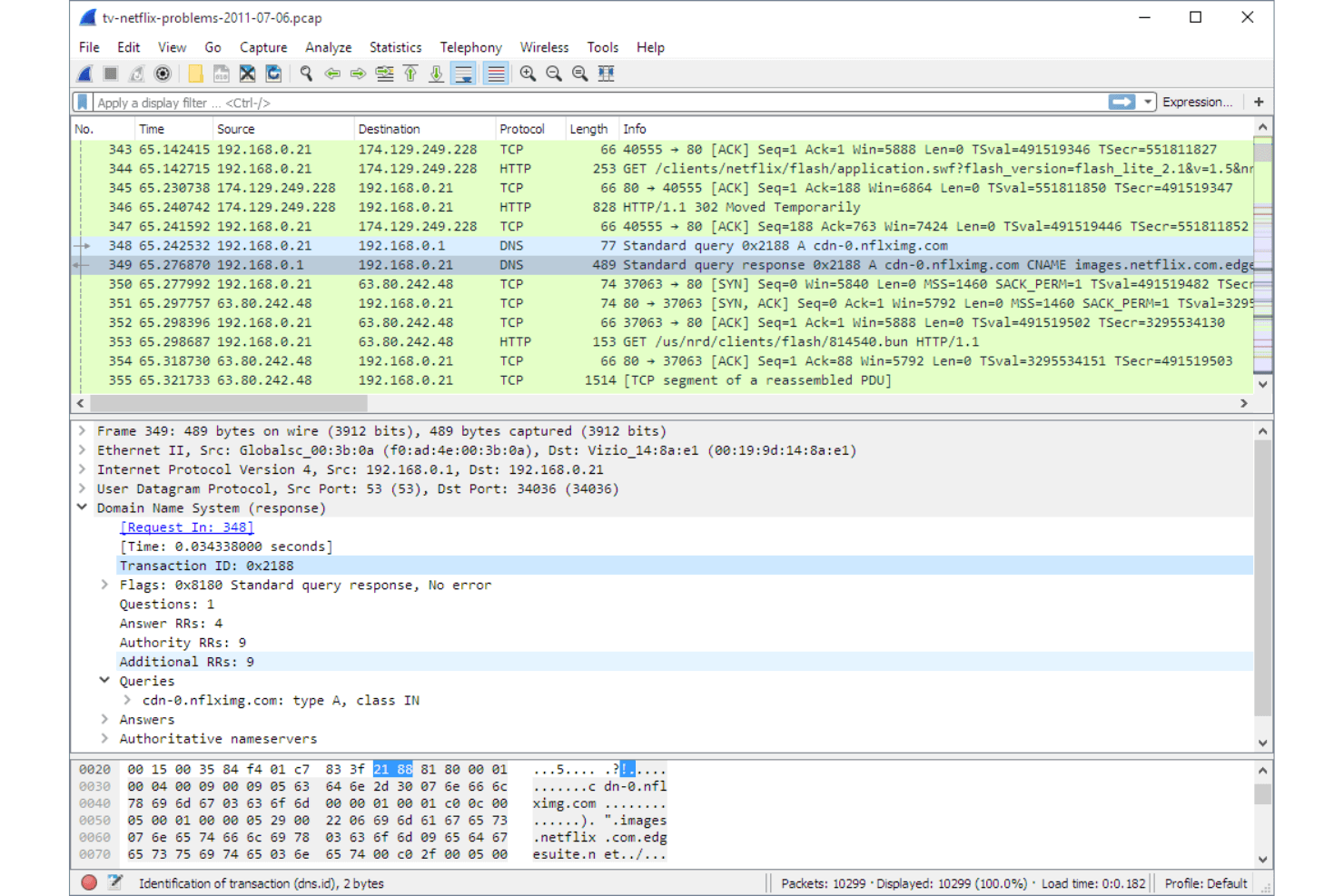
Wireshark is a free, open-source network sniffer for capturing and analyzing live network traffic at the packet level. I'd reach for it when you need to diagnose intermittent connectivity issues, inspect protocol behavior, or trace the source of unusual traffic on your network. If you've used tcpdump, Wireshark covers the same packet capture ground but with a visual interface that makes it far easier to filter, drill into, and interpret traffic—without needing to memorize command syntax.
Wireshark Evaluation Summary
4.7/5
- Free to use (open source)
- Free download available
Perché fidarsi dei nostri consigli sui software
6,700+
Reviews
20
Industry experts
16+
Evaluation factors
14
Years
Il nostro team testa e recensisce software dal 2012. In quanto leader tecnologici noi stessi, sappiamo quanto sia difficile — e importante — scegliere il software giusto.
Per questa guida, abbiamo valutato gli strumenti attraverso test praticie ricerche indipendenti, assegnando un punteggio agli strumenti in base ai nostri criteri di selezione.
Le nostre recensioni riflettono il nostro giudizio editoriale umano, non un discorso di vendita.
Revisori esperti:
- Paulo Gardini MiguelDirettore tecnico
 Tim FisherVP dell'IA
 Gabriel RosasTech Lead e architetto software
 Christhian GruhnTech Lead e architetto della piattaforma

Wireshark Overview
If you’re judging network sniffers on depth, flexibility, and price, Wireshark is hard to beat. It’s free, open source, and supports a huge range of protocols, making it ideal for IT pros who need granular packet analysis. The interface can feel dated, and onboarding takes effort, but the documentation and community support fill in the gaps.
I think Wireshark is best for teams who want full control and transparency, especially in environments where budget matters more than polished UI or built-in integrations. For example, it’s my top pick for troubleshooting complex network issues or learning protocol internals.
Pros
- Wireshark offers deep packet inspection, giving your team detailed insights into network traffic.
- It's open-source, allowing you to customize and extend its functionality to fit your needs.
- Wireshark supports a wide range of protocols, making it versatile for varied network environments.
Cons
- The interface can be overwhelming for new users, requiring a learning curve.
- It's resource-intensive, which might slow down your system during heavy usage.
- Wireshark lacks built-in reporting tools, requiring you to export data for analysis.
Is Wireshark Right For Your Needs?
Who Would be a Good Fit for Wireshark?
Wireshark is perfect for IT departments and network administrators who need detailed network analysis and troubleshooting tools. It suits cybersecurity teams needing deep packet inspection to secure their networks against threats. If you’re in higher education or a research institution, Wireshark’s open-source nature lets you tailor it to specific research needs. Its extensive protocol support makes it ideal for industries with varied and complex network environments. Wireshark’s capabilities give your team the power to keep networks running smoothly and securely.
- IT DepartmentsWireshark’s detailed packet analysis helps your team troubleshoot network issues efficiently.
- Cybersecurity TeamsThe tool offers deep packet inspection, aiding your team in identifying and mitigating security threats.
- Higher EducationWireshark’s open-source flexibility allows customization for research and educational purposes.
- TelecommunicationsIts extensive protocol support makes it invaluable for monitoring and analyzing communication networks.
- Financial ServicesWireshark helps your team maintain secure and compliant data transmission across networks.
- Healthcare ITThe tool is essential for ensuring the security and reliability of sensitive patient data in network communications.
Who Would be a Bad Fit for Wireshark?
Small businesses or teams without dedicated IT staff might find Wireshark overwhelming due to its complex interface and resource demands. If your team needs a simple, user-friendly solution for basic network monitoring, Wireshark’s depth and complexity could be excessive. Organizations seeking integrated reporting tools might also struggle, as Wireshark requires exporting data for analysis. For those who need quick insights without deep technical diving, Wireshark might not be the best fit.
- Small StartupsWireshark’s complexity may overwhelm your small team lacking dedicated IT resources.
- Non-Technical TeamsThe tool’s detailed interface requires technical expertise, which non-technical users might lack.
- Retail BusinessesIf you need simple network monitoring, Wireshark’s extensive capabilities could be more than you need.
- Remote OfficesWireshark’s resource demands might slow your systems, especially if they’re not robust.
- Basic Home UsersThe tool’s advanced features and setup can be unnecessary for simple home network monitoring.
- Time-Constrained TeamsIf you need immediate insights, Wireshark’s detailed analysis might take more time than you can afford.
La Nostra Metodologia di Recensione
Come Testiamo e Valutiamo gli Strumenti
Abbiamo trascorso anni a costruire, perfezionare e migliorare il nostro sistema di testing e valutazione del software. Il nostro schema è progettato per cogliere le sfumature della selezione software e cosa rende efficace uno strumento, focalizzandosi sugli aspetti critici del processo decisionale.
Di seguito, puoi vedere esattamente come funziona il nostro testing e punteggio su sette criteri. Ci permette di offrire una valutazione imparziale del software basata su funzionalità principali, caratteristiche distintive, facilità d’uso, onboarding, assistenza clienti, integrazioni, recensioni dei clienti e rapporto qualità-prezzo.
Funzionalità Principali (25% del punteggio finale)
Il punto di partenza della nostra valutazione è sempre la funzionalità principale dello strumento. Ha le funzioni e caratteristiche base che ci si aspetta? Alcune di queste caratteristiche sono limitate ai piani tariffari superiori? Fondamentalmente, ci aspettiamo che uno strumento regga il confronto rispetto alle capacità di base dei concorrenti.
Caratteristiche Distintive (25% del punteggio finale)
Successivamente, valutiamo le caratteristiche distintive e non comuni che vanno oltre la funzionalità base tipicamente trovata negli strumenti di questa categoria. Un punteggio alto riflette funzionalità specializzate o uniche che rendono il prodotto più veloce, efficiente o offrono ulteriore valore all’utente.
Valutiamo inoltre quanto sia semplice integrare altri strumenti tipicamente utilizzati nell’infrastruttura tecnologica per espandere la funzionalità e l’utilità del software. Gli strumenti che offrono numerose integrazioni native, connessioni di terze parti e accesso API per creare integrazioni personalizzate ottengono i punteggi migliori.
Facilità d’Uso (10% del punteggio finale)
Consideriamo quanto sia rapido e semplice svolgere i compiti definiti nella funzionalità principale utilizzando lo strumento. Il software con punteggio alto è ben progettato, intuitivo da usare, offre app mobili, fornisce modelli e rende semplici attività relativamente complesse.
Onboarding (10% del punteggio finale)
Sappiamo quanto sia importante l’adozione rapida da parte del team per una nuova piattaforma, quindi valutiamo quanto sia facile imparare e utilizzare uno strumento con formazione minima. Valutiamo quanto velocemente un membro del team possa iniziare a usare lo strumento anche senza esperienza. Soluzioni con punteggio alto indicano che sono richiesti pochi o nessun supporto.
Assistenza Clienti (10% del punteggio finale)
Esaminiamo quanto sia veloce e facile ricevere assistenza e risolvere problemi tramite telefono, live chat o knowledge base. Gli strumenti e le aziende che garantiscono supporto in tempo reale ottengono il miglior punteggio, mentre i chatbot ottengono il peggiore.
Recensioni dei Clienti (10% del punteggio finale)
Oltre ai nostri test e valutazioni, prendiamo in considerazione il net promoter score dei clienti attuali e passati. Valutiamo la probabilità che, data la scelta, selezionerebbero nuovamente lo strumento per la funzionalità principale. Un software con punteggio alto riflette un alto net promoter score da parte dei clienti attuali o passati.
Rapporto Qualità-Prezzo (10% del punteggio finale)
Infine, considerando tutti gli altri criteri, analizziamo il prezzo medio dei piani base rispetto alle funzionalità principali e consideriamo il valore degli altri criteri di valutazione. Il software che offre di più a meno otterrà un punteggio più alto.
Core Features
Packet Capture
Capture live network traffic from wired or wireless interfaces. Filter, pause, and save captures for detailed offline analysis.
Protocol Decoding
Automatically decode hundreds of network protocols for easy inspection. See protocol-specific fields and values in a human-readable format.
Display Filters
Use advanced filters to isolate specific traffic or conversations. Quickly drill down to the packets that matter for troubleshooting.
Color Coding
Apply customizable color rules to highlight traffic patterns or anomalies. Visual cues make it easier to spot issues in large captures.
Packet Reassembly
Reassemble fragmented TCP streams and other protocols for end-to-end analysis. Follow entire conversations, such as HTTP sessions, in one view.
Export and Reporting
Export packet data in multiple formats, including PCAP and CSV. Generate summary statistics and flow graphs for documentation or sharing.
Ease of Use
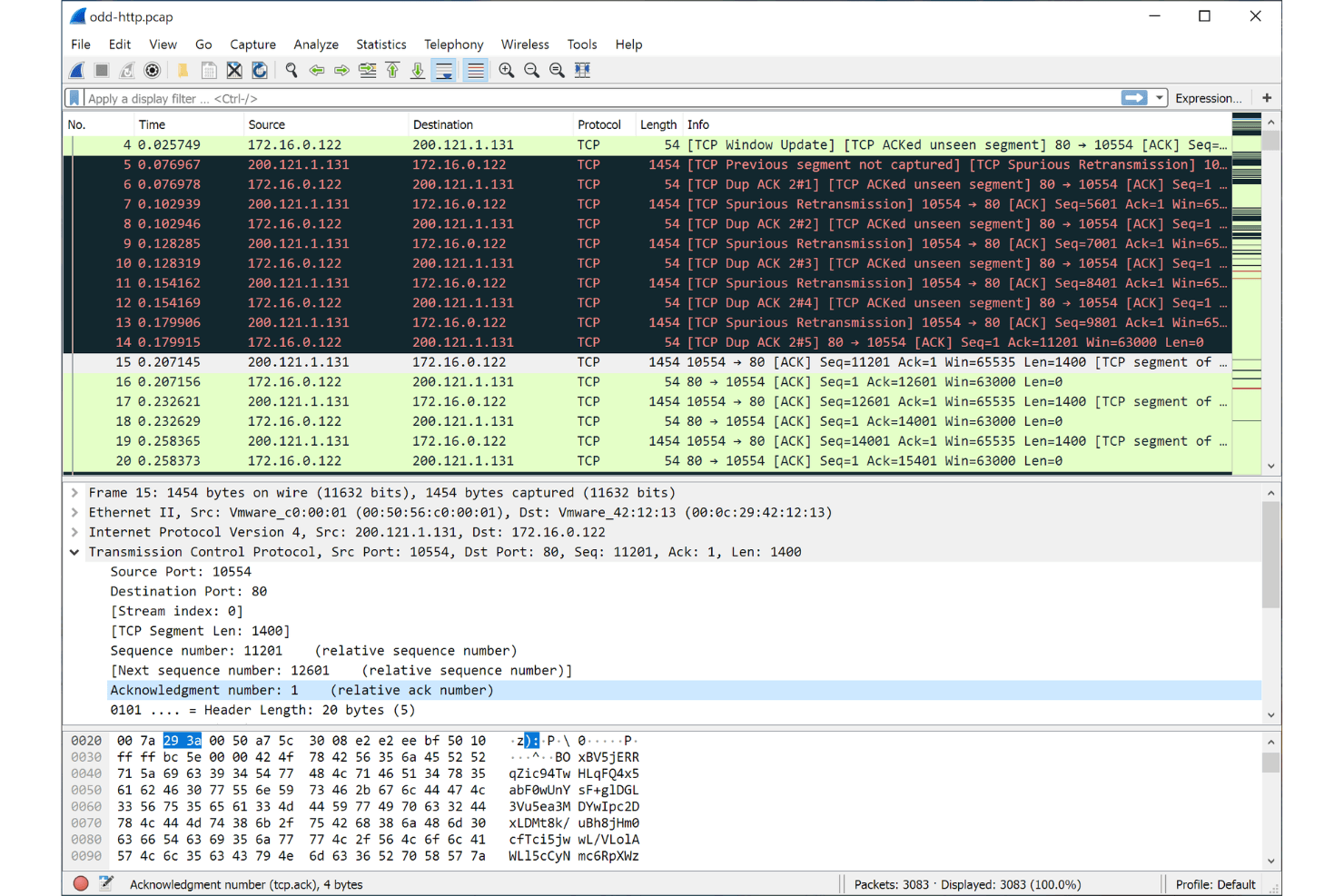
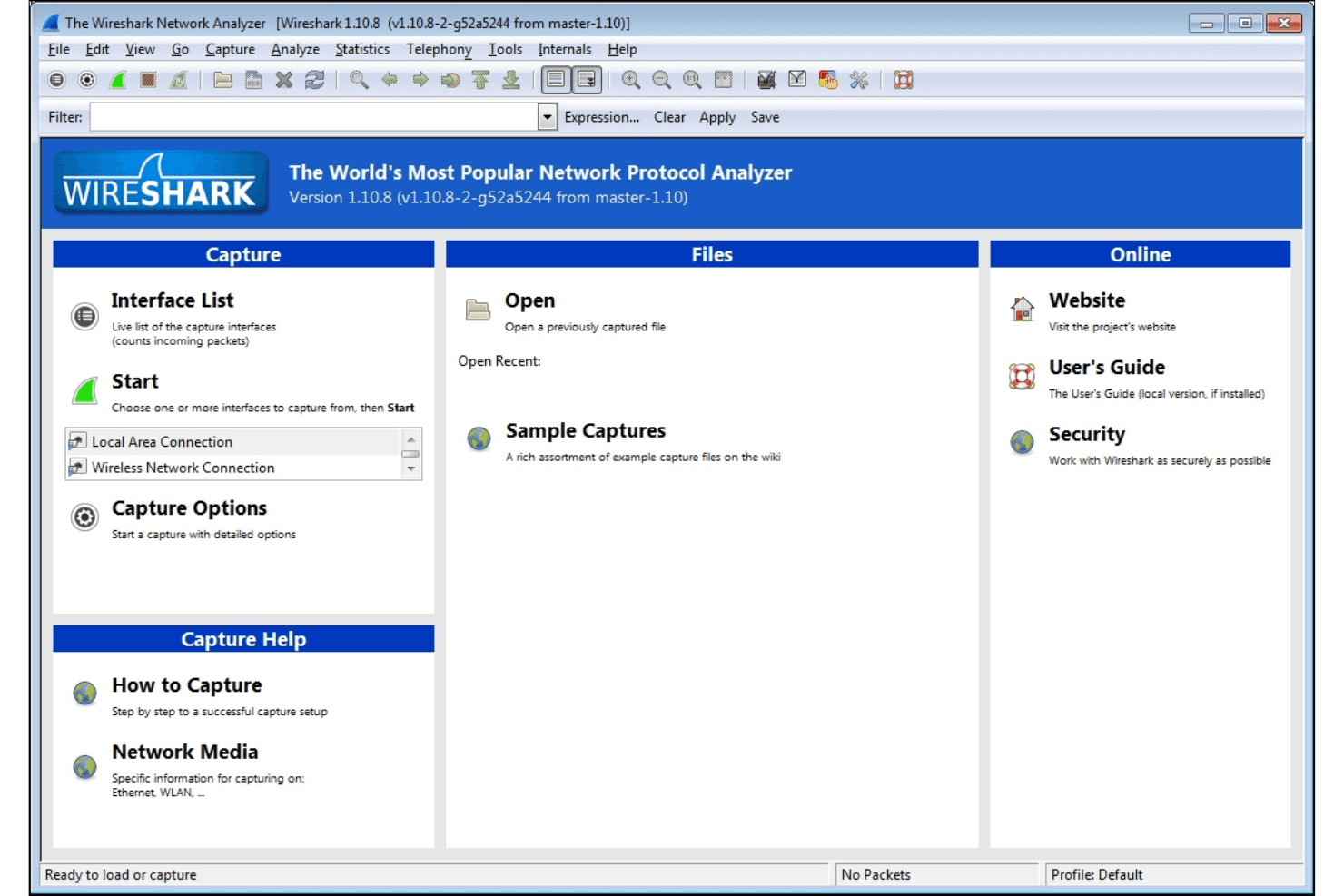
Wireshark’s interface is functional but can feel overwhelming, especially for those new to packet analysis. The sheer volume of options, filters, and protocol details means there’s a learning curve, but the extensive documentation and active community help bridge the gap. I think experienced users will appreciate the control and transparency, while newcomers may need time to get comfortable with its depth and technical focus.
Integrations
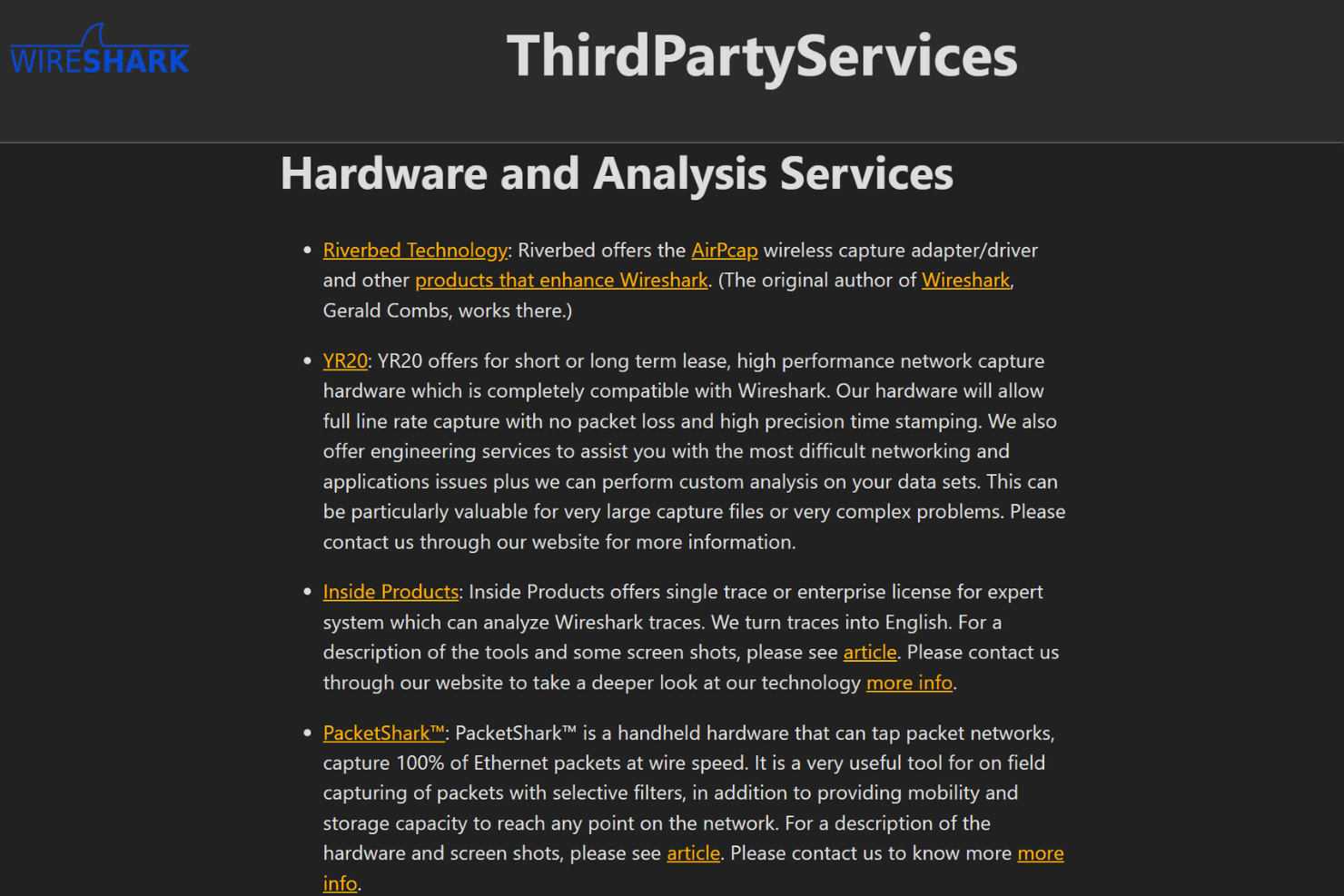
Wireshark integrates with TShark, tcpdump, AirPcap, WinPcap, Npcap, CloudShark, NetworkMiner, editcap, mergecap, and capinfos, among others.
Wireshark does not offer a public API, but it supports plugins and custom dissectors for extending functionality and can work with third-party tools through command-line utilities and file exports.
Wireshark Specs
- A/B Testing: No
- API: Yes
- Automated Testing: No
- Browser Compatibility Testing: No
- Bug Tracking: No
- Calendar Management: No
- CI/CD Integration: No
- Dashboard: No
- Data Export: Yes
- Data Import: No
- Data Visualization: Yes
- Developer Tools: Yes
- External Integrations: Yes
- History/Version Control: No
- Manual Testing: Yes
- Multi-User: No
- Notifications: No
- Performance Testing: Yes
- Regression Testing: No
- Scheduling: No
- Status Notifications: Yes
- Third-Party Plugins/Add-Ons: Yes


