

Recensione PractiTest 2026: Pro, Contro, Caratteristiche e Prezzi
Nella mia carriera ho utilizzato molti strumenti di gestione dei test, incluso PractiTest. Permettimi di guidarti tra le funzionalità, le alternative e molto altro di questo strumento.

Recensiamo gli strumenti in modo indipendente e le commissioni ci aiutano a finanziare i nostri test. Consulta la nostra politica sulla trasparenza, la nostra metodologia, oppure suggerisci uno strumento.
PractiTest is a test management tool built for QA teams that need end-to-end visibility across test cases, requirements, and defect tracking in one place. I'd look at it closely if your team runs structured testing cycles and needs traceability from requirements through to results. It's worth considering over TestRail if deeper built-in reporting and more flexible filtering across test data matter to your team—PractiTest gives you more control there without needing external dashboards.
PractiTest Evaluation Summary
4.4/5
- From $49/user/year (5 seat minumum)
- 14-day free trial
Perché fidarsi dei nostri consigli sui software
6,700+
Reviews
20
Industry experts
16+
Evaluation factors
14
Years
Il nostro team testa e recensisce software dal 2012. In quanto leader tecnologici noi stessi, sappiamo quanto sia difficile — e importante — scegliere il software giusto.
Per questa guida, abbiamo valutato gli strumenti attraverso test praticie ricerche indipendenti, assegnando un punteggio agli strumenti in base ai nostri criteri di selezione.
Le nostre recensioni riflettono il nostro giudizio editoriale umano, non un discorso di vendita.
Revisori esperti:
- Paulo Gardini MiguelDirettore tecnico
 Tim FisherVP dell'IA
 Gabriel RosasTech Lead e architetto software
 Christhian GruhnTech Lead e architetto della piattaforma

PractiTest Overview
When judging test management software, PractiTest impresses with its granular customization, real-time dashboards, and broad integration options, making it a strong choice for teams needing tailored workflows and visibility. Its pricing is mid-to-high, but the responsive support and detailed documentation help offset onboarding challenges.
The interface is modern, though some advanced features require more setup than simpler tools. It is best for QA teams in regulated or fast-paced environments who value traceability and integration with CI/CD pipelines. If you’re selecting a platform for complex, multi-project testing, PractiTest deserves serious consideration.
Pros
- You can easily customize test cases and workflows to fit your team's needs.
- PractiTest offers excellent customer support that's quick to respond.
- The intuitive interface simplifies the testing process for your team.
Cons
- Some users find the initial setup to be time-consuming.
- The reporting features might not meet all your team's analytical needs.
- New users may face a learning curve without prior testing tool experience.
Is PractiTest Right For Your Needs?
Who Would be a Good Fit for PractiTest?
PractiTest is a great fit for tech startups, software development companies, and large enterprises with dedicated QA teams. Its customizable test cases and workflows help your team align testing processes with company goals. QA managers and software testers benefit from PractiTest’s intuitive interface, which simplifies complex testing tasks. If your team values strong customer support and needs a tool that adapts to your unique testing requirements, PractiTest offers the flexibility and support you need.
- Tech StartupsPractiTest scales well with your growing team, offering customizable workflows that align with your agile development process.
- Software DevelopmentThe tool’s intuitive interface and robust test case management streamline your testing efforts, ensuring efficient bug tracking.
- QA TeamsPractiTest’s strong customer support and easy customization options make it ideal for teams needing reliable testing solutions.
- Large EnterprisesThe platform offers comprehensive test management capabilities suited for complex organizational needs and extensive testing requirements.
- Project ManagersPractiTest helps you track testing progress and ensures alignment with project goals through its detailed reporting features.
- Product ManagersWith PractiTest, you can oversee test case execution and maintain product quality by leveraging its robust test management capabilities.
Who Would be a Bad Fit for PractiTest?
Small businesses or teams with limited testing needs might find PractiTest overwhelming due to its extensive features. If you’re a freelancer or part of a startup with minimal testing requirements, the platform’s comprehensive capabilities could be more than you need. Teams that lack dedicated QA professionals may struggle with the learning curve and initial setup time, making PractiTest less suitable for your needs.
- FreelancersThe extensive features may be too complex for your simple testing needs.
- Small BusinessesYou might find the platform overwhelming if you don’t have dedicated QA staff.
- Non-Tech IndustriesIf your industry doesn’t focus heavily on software testing, PractiTest’s capabilities might be excessive.
- Teams Without QAWithout dedicated QA roles, your team could struggle with the initial setup and learning curve.
- Minimal Testing NeedsFor teams doing basic testing, PractiTest’s robust features might be unnecessary.
- Budget-Conscious TeamsIf your team is looking for a basic, cost-effective solution, PractiTest’s comprehensive features might not justify the cost.
La Nostra Metodologia di Recensione
Come Testiamo e Valutiamo gli Strumenti
Abbiamo trascorso anni a costruire, perfezionare e migliorare il nostro sistema di testing e valutazione del software. Il nostro schema è progettato per cogliere le sfumature della selezione software e cosa rende efficace uno strumento, focalizzandosi sugli aspetti critici del processo decisionale.
Di seguito, puoi vedere esattamente come funziona il nostro testing e punteggio su sette criteri. Ci permette di offrire una valutazione imparziale del software basata su funzionalità principali, caratteristiche distintive, facilità d’uso, onboarding, assistenza clienti, integrazioni, recensioni dei clienti e rapporto qualità-prezzo.
Funzionalità Principali (25% del punteggio finale)
Il punto di partenza della nostra valutazione è sempre la funzionalità principale dello strumento. Ha le funzioni e caratteristiche base che ci si aspetta? Alcune di queste caratteristiche sono limitate ai piani tariffari superiori? Fondamentalmente, ci aspettiamo che uno strumento regga il confronto rispetto alle capacità di base dei concorrenti.
Caratteristiche Distintive (25% del punteggio finale)
Successivamente, valutiamo le caratteristiche distintive e non comuni che vanno oltre la funzionalità base tipicamente trovata negli strumenti di questa categoria. Un punteggio alto riflette funzionalità specializzate o uniche che rendono il prodotto più veloce, efficiente o offrono ulteriore valore all’utente.
Valutiamo inoltre quanto sia semplice integrare altri strumenti tipicamente utilizzati nell’infrastruttura tecnologica per espandere la funzionalità e l’utilità del software. Gli strumenti che offrono numerose integrazioni native, connessioni di terze parti e accesso API per creare integrazioni personalizzate ottengono i punteggi migliori.
Facilità d’Uso (10% del punteggio finale)
Consideriamo quanto sia rapido e semplice svolgere i compiti definiti nella funzionalità principale utilizzando lo strumento. Il software con punteggio alto è ben progettato, intuitivo da usare, offre app mobili, fornisce modelli e rende semplici attività relativamente complesse.
Onboarding (10% del punteggio finale)
Sappiamo quanto sia importante l’adozione rapida da parte del team per una nuova piattaforma, quindi valutiamo quanto sia facile imparare e utilizzare uno strumento con formazione minima. Valutiamo quanto velocemente un membro del team possa iniziare a usare lo strumento anche senza esperienza. Soluzioni con punteggio alto indicano che sono richiesti pochi o nessun supporto.
Assistenza Clienti (10% del punteggio finale)
Esaminiamo quanto sia veloce e facile ricevere assistenza e risolvere problemi tramite telefono, live chat o knowledge base. Gli strumenti e le aziende che garantiscono supporto in tempo reale ottengono il miglior punteggio, mentre i chatbot ottengono il peggiore.
Recensioni dei Clienti (10% del punteggio finale)
Oltre ai nostri test e valutazioni, prendiamo in considerazione il net promoter score dei clienti attuali e passati. Valutiamo la probabilità che, data la scelta, selezionerebbero nuovamente lo strumento per la funzionalità principale. Un software con punteggio alto riflette un alto net promoter score da parte dei clienti attuali o passati.
Rapporto Qualità-Prezzo (10% del punteggio finale)
Infine, considerando tutti gli altri criteri, analizziamo il prezzo medio dei piani base rispetto alle funzionalità principali e consideriamo il valore degli altri criteri di valutazione. Il software che offre di più a meno otterrà un punteggio più alto.
Core Features
Test Case Management
PractiTest lets you create, edit, and organize test cases easily, keeping your testing process streamlined. You can track progress and ensure consistency across your test library.
Bug Tracking
The integrated bug tracking feature helps you log, monitor, and resolve issues efficiently. Your team can track defects and collaborate on solutions directly within the platform.
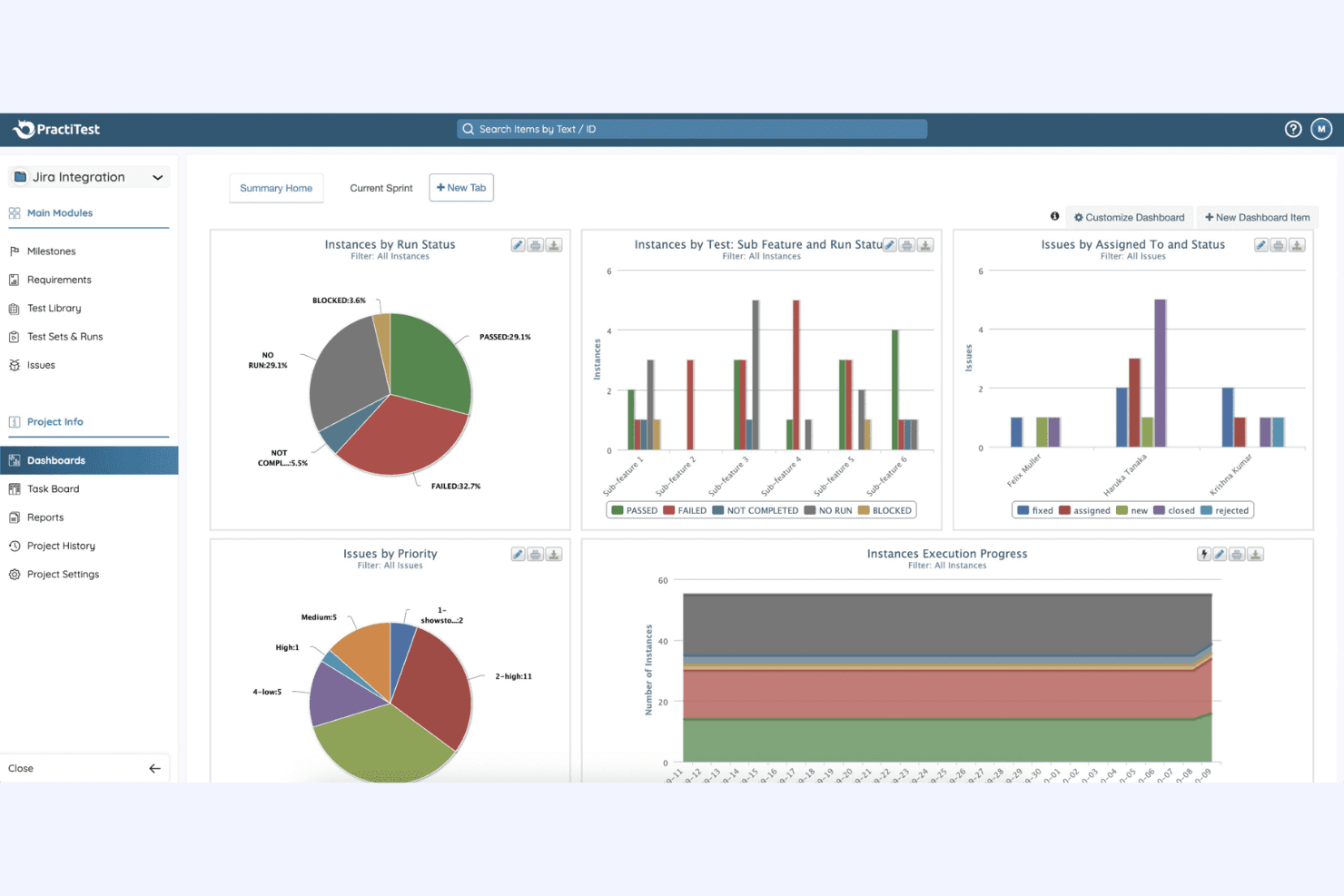
Customizable Dashboards
You can tailor dashboards to display the metrics and data that matter most to your team. This feature helps you make informed decisions quickly.
Requirement Management
PractiTest allows you to link requirements to test cases, ensuring complete test coverage. You can trace requirements throughout the testing process for better accountability.
Reporting and Analytics
Generate detailed reports and insights to understand your testing outcomes better. This feature provides you with the data you need to optimize your testing strategy.
Test Execution
Schedule and manage test runs to keep your projects on track. Your team can execute tests efficiently and record results in real-time.
Ease of Use
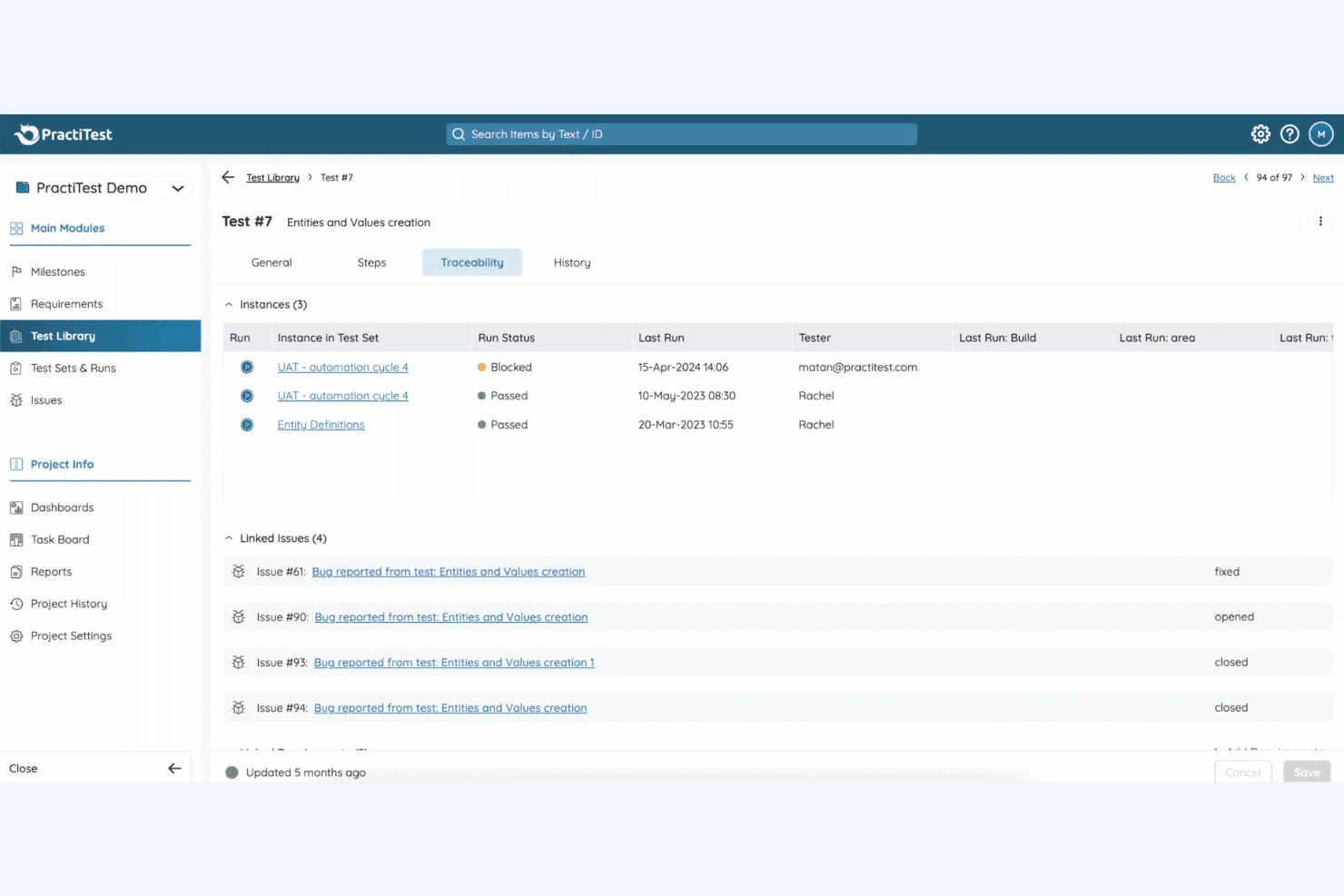
PractiTest offers an intuitive interface that simplifies complex testing tasks, making it accessible even for teams new to test management software. With its customizable dashboards and straightforward navigation, you can quickly adapt the platform to fit your workflow. Although the initial setup might take some time, the robust customer support helps ease the transition.
Compared to others, PractiTest stands out for its user-friendly design, ensuring your team can focus on effective testing rather than learning the tool.
Integrations
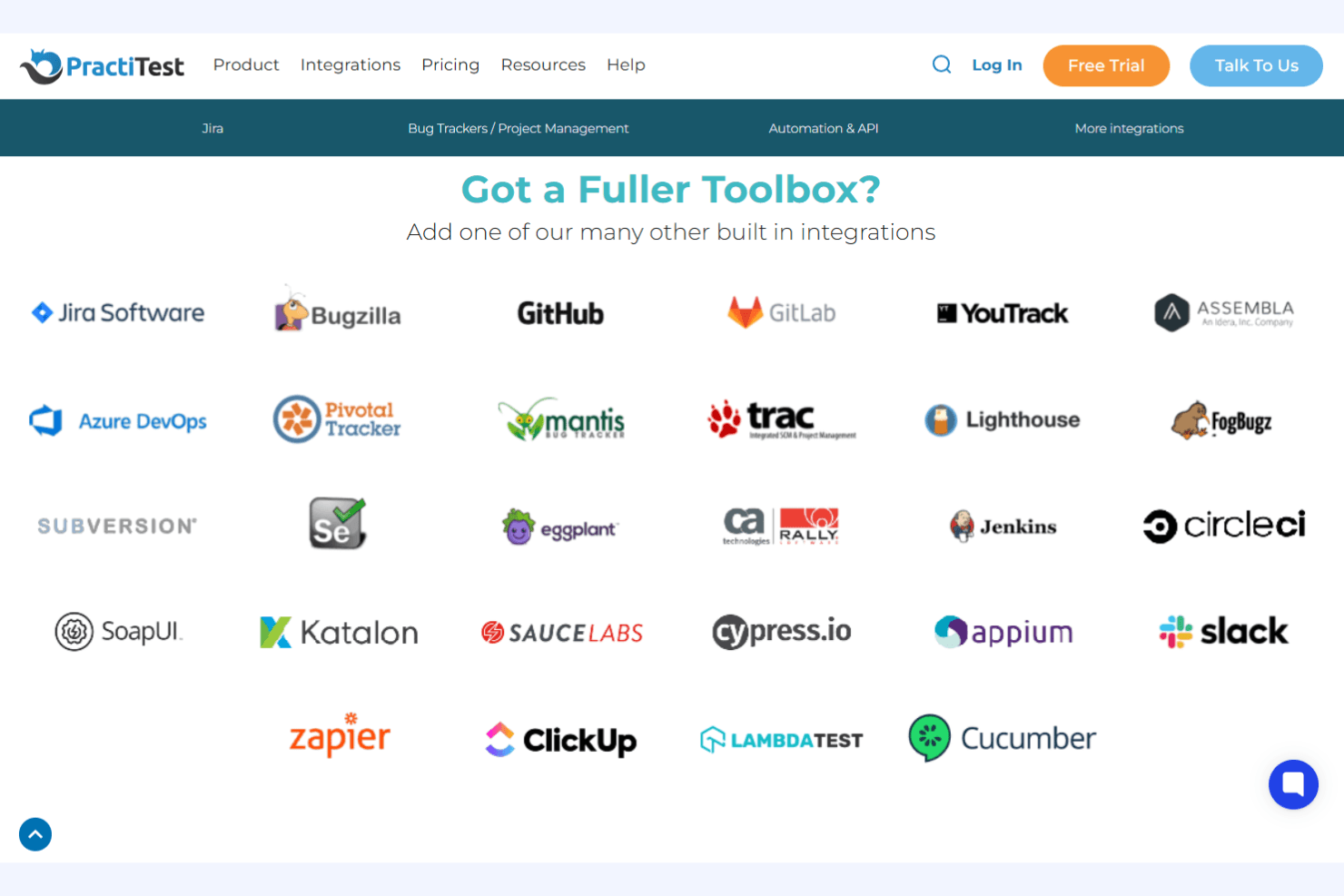
PractiTest integrates with Jira, Azure DevOps, ClickUp, YouTrack, CircleCI, Cucumber, Selenium, SoapUI, TestComplete, and Ranorex, among others.
PractiTest also offers a REST API and supports connections with third-party automation and CI/CD tools.
PractiTest Specs
- A/B Testing: No
- API: Yes
- Automated Testing: Yes
- Browser Compatibility Testing: No
- Bug Tracking: Yes
- Calendar Management: No
- CI/CD Integration: Yes
- Dashboard: Yes
- Data Export: Yes
- Data Import: Yes
- Data Visualization: Yes
- Developer Tools: Yes
- External Integrations: Yes
- History/Version Control: Yes
- Manual Testing: Yes
- Multi-User: Yes
- Notifications: Yes
- Performance Testing: No
- Regression Testing: Yes
- Scheduling: Yes
- Status Notifications: No
- Third-Party Plugins/Add-Ons: Yes


