

Recensione KNIME: Pro, Contro, Caratteristiche e Prezzi
La piattaforma di analisi open-source KNIME offre al tuo team ampie capacità di integrazione dati end-to-end e una flessibilità senza paragoni rispetto alla maggior parte dei concorrenti.

Recensiamo gli strumenti in modo indipendente e le commissioni ci aiutano a finanziare i nostri test. Consulta la nostra politica sulla trasparenza, la nostra metodologia, oppure suggerisci uno strumento.
KNIME is an open-source data integration tool for teams that need to build, automate, and run data pipelines using a visual, node-based workflow designer. It's worth a serious look if your team needs flexible ETL and analytics workflows but can't justify the licensing costs of something like Alteryx. KNIME's open-source model gives you access to a broad library of nodes and extensions at no cost, making it a practical pick for data engineering and analytics teams working within tighter budget constraints.
KNIME Evaluation Summary
4.6/5
- From $19/month
- Free plan available
Perché fidarsi dei nostri consigli sui software
6,700+
Reviews
20
Industry experts
16+
Evaluation factors
14
Years
Il nostro team testa e recensisce software dal 2012. In quanto leader tecnologici noi stessi, sappiamo quanto sia difficile — e importante — scegliere il software giusto.
Per questa guida, abbiamo valutato gli strumenti attraverso test praticie ricerche indipendenti, assegnando un punteggio agli strumenti in base ai nostri criteri di selezione.
Le nostre recensioni riflettono il nostro giudizio editoriale umano, non un discorso di vendita.
Revisori esperti:
- Paulo Gardini MiguelDirettore tecnico
 Tim FisherVP dell'IA
 Gabriel RosasTech Lead e architetto software
 Christhian GruhnTech Lead e architetto della piattaforma

KNIME Overview
In my opinion, KNIME is a solid choice for data preprocessing and integration, especially for teams that value an open-source platform. It offers flexibility, strong scalability, and extensive integration options, suitable for businesses with complex data needs. However, the onboarding process could be smoother, and some users may find the interface less intuitive than competitors such as Alteryx.
KNIME is best for data scientists, IT departments, and software engineering teams in finance and healthcare where complex workflows are common. Despite minor drawbacks, its value for money and excellent support make it a strong contender among machine learning platforms.
Pros
- KNIME offers a user-friendly drag-and-drop interface for easy workflow creation.
- It supports a wide range of data formats.
- Its open-source nature allows your team to customize and extend its capabilities.
Cons
- The interface can be less intuitive for beginners compared to other tools.
- Onboarding may require more time and resources than expected.
- Some users find the documentation lacking in detailed explanations.
Is KNIME Right For Your Needs?
Who Would be a Good Fit for KNIME?
KNIME is a great fit for data scientists and IT teams in industries such as finance, healthcare, and research. Its open-source platform allows your team to customize workflows and handle complex data. KNIME's drag-and-drop interface simplifies data processing, making it suitable for building data models without extensive coding. KNIME is ideal if your work involves diverse data formats.
- Finance TeamsKNIME allows your finance team to manage complex workflows and analyze large datasets for risk assessment and fraud detection.
- Healthcare ResearchersKNIME helps your researchers integrate and analyze patient data for insights into treatment outcomes.
- Marketing DepartmentsUse KNIME to process and analyze customer data, which helps your team tailor effective marketing strategies.
- Medium-Sized EnterprisesKNIME’s flexibility and cost-efficiency make it suitable for your enterprise's growing data needs.
- Academic ResearchersKNIME supports complex data analysis, making it ideal for your academic research projects.
- IT DepartmentsKNIME enables your IT team to automate data workflows and integrate diverse data sources.
Who Would be a Bad Fit for KNIME?
KNIME may not be suitable for small businesses or teams with limited technical expertise. While its interface is powerful, it can be daunting for users without a data science background. If your team lacks the resources for a steep learning curve or detailed onboarding, KNIME's complexities may outweigh its benefits. It may also not be ideal if your work requires real-time data processing.
- Small StartupsYour startup may struggle with KNIME's complexity, especially if your technical resources are limited.
- Retail ChainsThe real-time data processing needs in retail could make KNIME a less efficient choice for your team.
- Non-Tech DepartmentsDepartments without tech-savvy staff may find KNIME's interface challenging and time-consuming.
- Event Planning TeamsYour team's need for quick, simple data insights may be hindered by KNIME's learning curve.
- Freelance ConsultantsIf you're seeking quick, easy-to-use tools, KNIME's complexity may not align with your needs.
- Customer Service TeamsYour focus on real-time customer interactions may not fit well with KNIME's data processing capabilities.
La Nostra Metodologia di Recensione
Come Testiamo e Valutiamo gli Strumenti
Abbiamo trascorso anni a costruire, perfezionare e migliorare il nostro sistema di testing e valutazione del software. Il nostro schema è progettato per cogliere le sfumature della selezione software e cosa rende efficace uno strumento, focalizzandosi sugli aspetti critici del processo decisionale.
Di seguito, puoi vedere esattamente come funziona il nostro testing e punteggio su sette criteri. Ci permette di offrire una valutazione imparziale del software basata su funzionalità principali, caratteristiche distintive, facilità d’uso, onboarding, assistenza clienti, integrazioni, recensioni dei clienti e rapporto qualità-prezzo.
Funzionalità Principali (25% del punteggio finale)
Il punto di partenza della nostra valutazione è sempre la funzionalità principale dello strumento. Ha le funzioni e caratteristiche base che ci si aspetta? Alcune di queste caratteristiche sono limitate ai piani tariffari superiori? Fondamentalmente, ci aspettiamo che uno strumento regga il confronto rispetto alle capacità di base dei concorrenti.
Caratteristiche Distintive (25% del punteggio finale)
Successivamente, valutiamo le caratteristiche distintive e non comuni che vanno oltre la funzionalità base tipicamente trovata negli strumenti di questa categoria. Un punteggio alto riflette funzionalità specializzate o uniche che rendono il prodotto più veloce, efficiente o offrono ulteriore valore all’utente.
Valutiamo inoltre quanto sia semplice integrare altri strumenti tipicamente utilizzati nell’infrastruttura tecnologica per espandere la funzionalità e l’utilità del software. Gli strumenti che offrono numerose integrazioni native, connessioni di terze parti e accesso API per creare integrazioni personalizzate ottengono i punteggi migliori.
Facilità d’Uso (10% del punteggio finale)
Consideriamo quanto sia rapido e semplice svolgere i compiti definiti nella funzionalità principale utilizzando lo strumento. Il software con punteggio alto è ben progettato, intuitivo da usare, offre app mobili, fornisce modelli e rende semplici attività relativamente complesse.
Onboarding (10% del punteggio finale)
Sappiamo quanto sia importante l’adozione rapida da parte del team per una nuova piattaforma, quindi valutiamo quanto sia facile imparare e utilizzare uno strumento con formazione minima. Valutiamo quanto velocemente un membro del team possa iniziare a usare lo strumento anche senza esperienza. Soluzioni con punteggio alto indicano che sono richiesti pochi o nessun supporto.
Assistenza Clienti (10% del punteggio finale)
Esaminiamo quanto sia veloce e facile ricevere assistenza e risolvere problemi tramite telefono, live chat o knowledge base. Gli strumenti e le aziende che garantiscono supporto in tempo reale ottengono il miglior punteggio, mentre i chatbot ottengono il peggiore.
Recensioni dei Clienti (10% del punteggio finale)
Oltre ai nostri test e valutazioni, prendiamo in considerazione il net promoter score dei clienti attuali e passati. Valutiamo la probabilità che, data la scelta, selezionerebbero nuovamente lo strumento per la funzionalità principale. Un software con punteggio alto riflette un alto net promoter score da parte dei clienti attuali o passati.
Rapporto Qualità-Prezzo (10% del punteggio finale)
Infine, considerando tutti gli altri criteri, analizziamo il prezzo medio dei piani base rispetto alle funzionalità principali e consideriamo il valore degli altri criteri di valutazione. Il software che offre di più a meno otterrà un punteggio più alto.
Core Features
Data Blending
KNIME lets you easily combine data from different sources. Your team can merge datasets to gain comprehensive insights.
Visual Workflow Editor
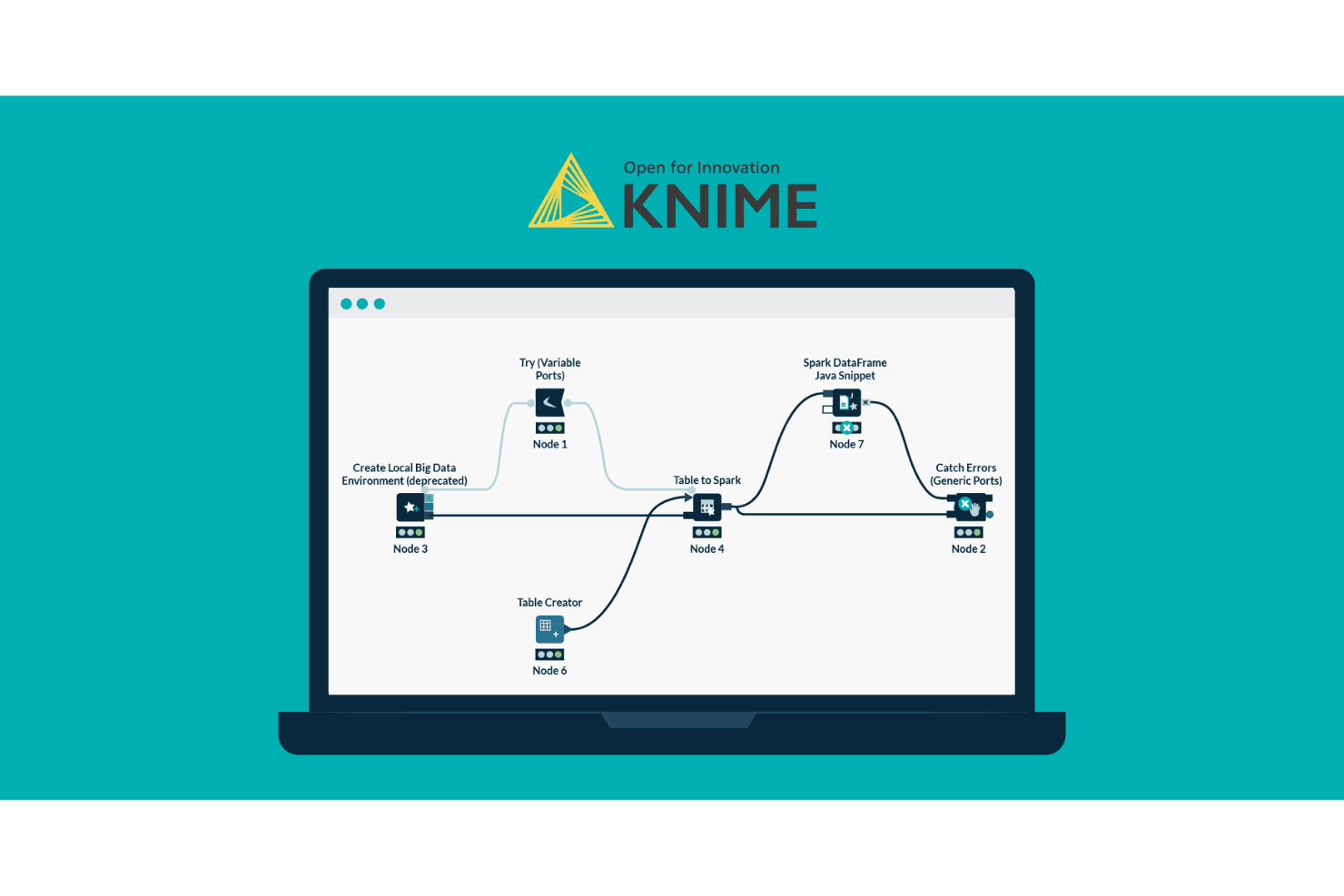
With KNIME's drag-and-drop interface, you can build workflows without coding, simplifying your data processing tasks.
Data Transformation
Use KNIME's powerful tools to clean, filter, and aggregate data to fit your analysis needs.
Advanced Analytics
KNIME supports statistical analysis and machine learning. Your team can develop predictive models to enhance decision-making.
Data Visualization
Create visual representations of your data with KNIME's built-in tools to help your team communicate findings effectively.
Automation
KNIME allows you to automate repetitive tasks, saving your team time and reducing the risk of human errors.

Ease of Use
KNIME's drag-and-drop interface makes it accessible, but the learning curve can be steep for beginners. If your team has a data science background, you'll find its visual workflow editor intuitive and powerful. However, users without technical expertise may struggle initially. Although KNIME's detailed documentation and community support are helpful, onboarding requires time and effort. Once you're familiar with it, the platform's flexibility and automation capabilities make it a valuable tool for complex data tasks.

Integrations
KNIME integrates with Oracle, MySQL, AWS, Google Cloud, SAP, Salesforce, Tableau, Power BI, OpenAI, and Google AI. It also offers an API for custom integrations and connects with third-party integration tools to expand its capabilities.

KNIME Specs
- A/B Testing: No
- AI Integration: Yes
- Analytics: Yes
- API: Yes
- Calendar Management: No
- Comparative Reporting: No
- Conversion Tracking: No
- Custom Reports: Yes
- Dashboard: No
- Data Export: Yes
- Data Import: Yes
- Data Mining: No
- Data Visualization: No
- External Integrations: Yes
- Forecasting: No
- Historical Data Analysis: Yes
- Keyword Tracking: No
- Link Tracking: No
- Multi-Site: Yes
- Multi-User: Yes
- Notifications: No
- Referral Tracking: Yes
- Scenario Planning: No
- Scheduling: No
- SEO: No
- Time Series Modeling: Yes
- Workflow Management: Yes


