

Recensione CodeScene: Pro, Contro, Funzionalità e Prezzi Spiegati
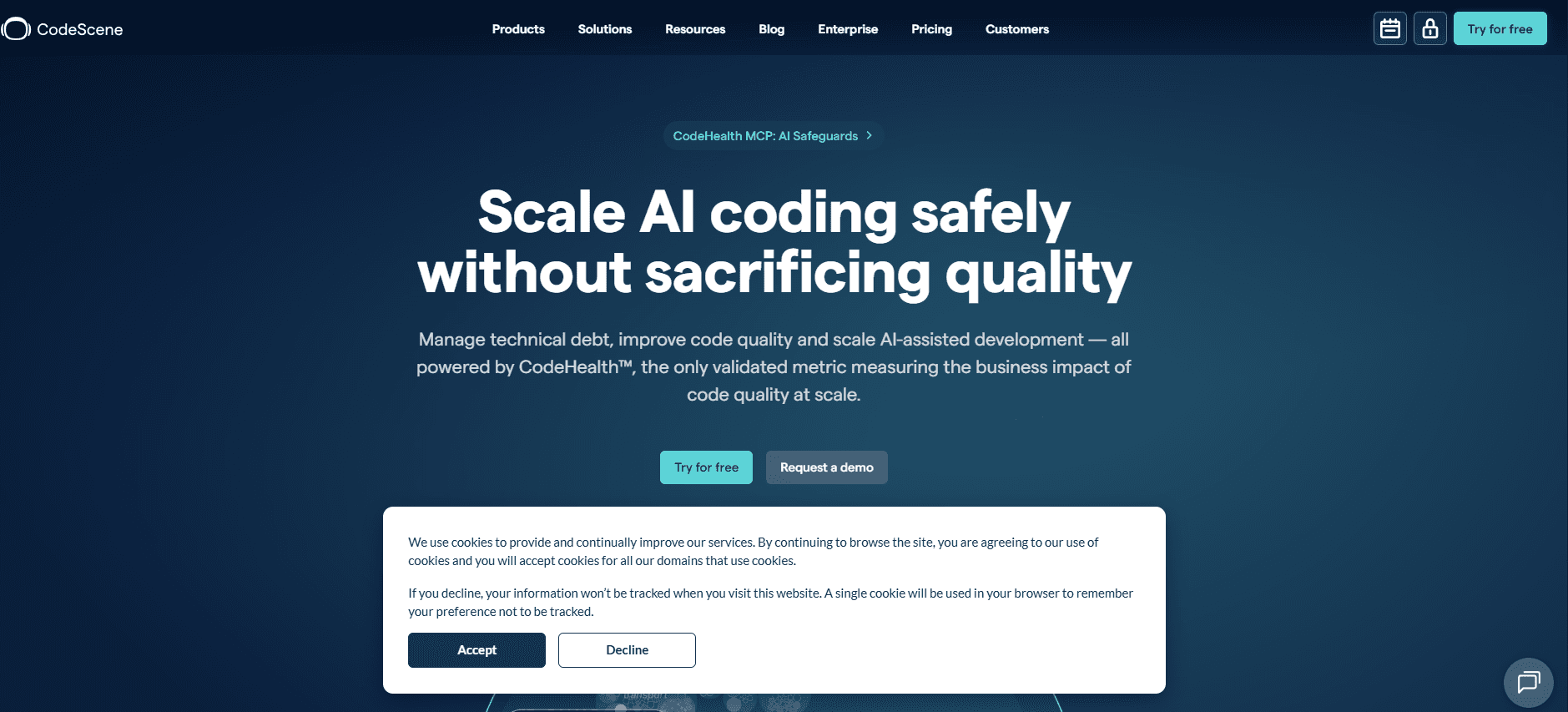
CodeScene si distingue combinando l’analisi del codice con approfondimenti sul team, rendendolo ideale per le organizzazioni che cercano una revisione del codice attuabile e contestualizzata oltre la semplice analisi statica.

Recensiamo gli strumenti in modo indipendente e le commissioni ci aiutano a finanziare i nostri test. Consulta la nostra politica sulla trasparenza, la nostra metodologia, oppure suggerisci uno strumento.
CodeScene is a code review tool that uses your git history to analyze code health, technical debt hotspots, and team coupling patterns over time. It's worth a serious look if your team needs to understand how your codebase is evolving, not just whether it passes static rules today. If you've tried SonarQube and found it great for flagging rule violations but limited in explaining why certain areas keep breaking down, CodeScene's behavioral analysis fills that gap by connecting code quality directly to development patterns and delivery risk.
CodeScene Evaluation Summary
4.6/5
- $21/month
- Enterprise (Pricing Upon Request)
Perché fidarsi dei nostri consigli sui software
6,700+
Reviews
20
Industry experts
16+
Evaluation factors
14
Years
Il nostro team testa e recensisce software dal 2012. In quanto leader tecnologici noi stessi, sappiamo quanto sia difficile — e importante — scegliere il software giusto.
Per questa guida, abbiamo valutato gli strumenti attraverso test praticie ricerche indipendenti, assegnando un punteggio agli strumenti in base ai nostri criteri di selezione.
Le nostre recensioni riflettono il nostro giudizio editoriale umano, non un discorso di vendita.
Revisori esperti:
- Paulo Gardini MiguelDirettore tecnico
 Tim FisherVP dell'IA
 Gabriel RosasTech Lead e architetto software
 Christhian GruhnTech Lead e architetto della piattaforma

CodeScene Overview
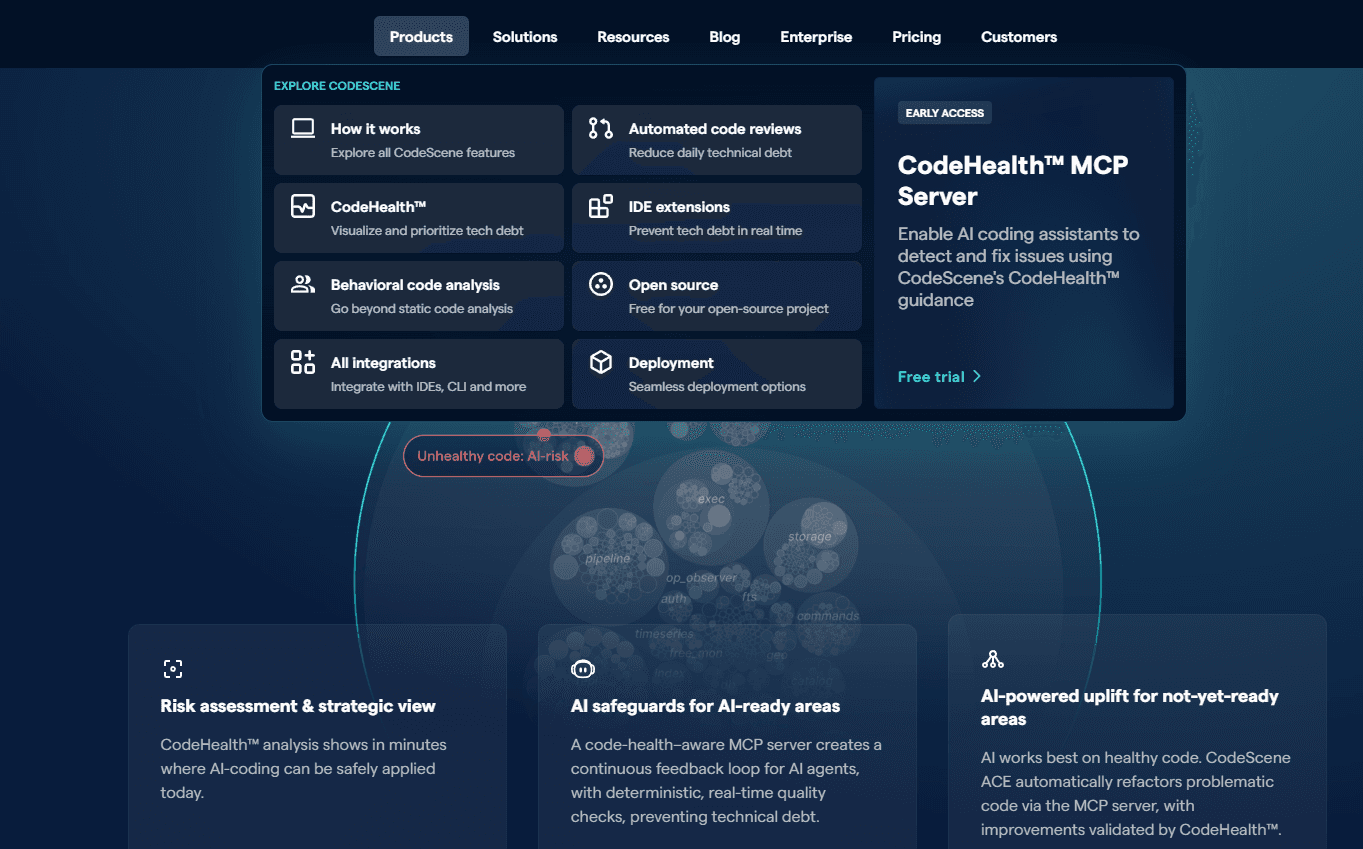
When judging CodeScene against other code review tools, its behavioral code analysis and hotspot detection set it apart for teams prioritizing technical debt management. The interface is modern and onboarding is straightforward, but pricing may be higher than some alternatives. Integrations with major version control systems are strong, though support for niche platforms is limited. If you’re selecting a tool for large, distributed teams or legacy codebases, CodeScene’s actionable insights and team metrics make it a top contender. However, smaller teams or those with simple workflows might find its advanced features more than they need.
Pros
- Identifies code hotspots using behavioral analysis
- Highlights technical debt and code health risks
- Provides team-based metrics for collaboration insights
Cons
- Lacks support for some niche version control systems
- Advanced features may overwhelm small teams
- Pricing is higher than many alternatives
Is CodeScene Right For Your Needs?
Who Would be a Good Fit for CodeScene?
CodeScene is best suited for organizations with complex codebases, distributed teams, or a strong focus on technical debt and code health. Its behavioral analysis and team metrics make it valuable for industries where code quality and collaboration are critical. Teams managing legacy systems or working in regulated environments will also benefit from its risk detection and compliance features.
- Large EnterprisesCodeScene’s advanced analytics scale well for large, multi-team organizations.
- Regulated IndustriesBehavioral analysis and audit trails support compliance and risk management.
- DevOps TeamsHotspot detection helps prioritize refactoring and deployment planning.
- Legacy System MaintenanceIdentifies high-risk areas in aging, complex codebases.
- Remote Development TeamsTeam metrics reveal collaboration patterns and bottlenecks.
- Software ConsultanciesProvides actionable insights for client codebase assessments.
Who Would be a Bad Fit for CodeScene?
CodeScene may not be the best choice for small teams, startups, or organizations with simple code review needs. Its advanced features and pricing are often unnecessary for straightforward projects or environments with minimal technical debt.
- Small StartupsFeature set and pricing exceed the needs of small teams.
- Early-Stage ProjectsLimited code history reduces the value of behavioral analysis.
- Non-Technical DepartmentsLacks relevance for teams outside software development.
- Open Source CommunitiesPricing and licensing may not align with open source models.
- Educational InstitutionsComplexity and cost are barriers for student projects
- Agencies With Simple WorkflowsAdvanced analytics are unnecessary for basic code review tasks.
La Nostra Metodologia di Recensione
Come Testiamo e Valutiamo gli Strumenti
Abbiamo trascorso anni a costruire, perfezionare e migliorare il nostro sistema di testing e valutazione del software. Il nostro schema è progettato per cogliere le sfumature della selezione software e cosa rende efficace uno strumento, focalizzandosi sugli aspetti critici del processo decisionale.
Di seguito, puoi vedere esattamente come funziona il nostro testing e punteggio su sette criteri. Ci permette di offrire una valutazione imparziale del software basata su funzionalità principali, caratteristiche distintive, facilità d’uso, onboarding, assistenza clienti, integrazioni, recensioni dei clienti e rapporto qualità-prezzo.
Funzionalità Principali (25% del punteggio finale)
Il punto di partenza della nostra valutazione è sempre la funzionalità principale dello strumento. Ha le funzioni e caratteristiche base che ci si aspetta? Alcune di queste caratteristiche sono limitate ai piani tariffari superiori? Fondamentalmente, ci aspettiamo che uno strumento regga il confronto rispetto alle capacità di base dei concorrenti.
Caratteristiche Distintive (25% del punteggio finale)
Successivamente, valutiamo le caratteristiche distintive e non comuni che vanno oltre la funzionalità base tipicamente trovata negli strumenti di questa categoria. Un punteggio alto riflette funzionalità specializzate o uniche che rendono il prodotto più veloce, efficiente o offrono ulteriore valore all’utente.
Valutiamo inoltre quanto sia semplice integrare altri strumenti tipicamente utilizzati nell’infrastruttura tecnologica per espandere la funzionalità e l’utilità del software. Gli strumenti che offrono numerose integrazioni native, connessioni di terze parti e accesso API per creare integrazioni personalizzate ottengono i punteggi migliori.
Facilità d’Uso (10% del punteggio finale)
Consideriamo quanto sia rapido e semplice svolgere i compiti definiti nella funzionalità principale utilizzando lo strumento. Il software con punteggio alto è ben progettato, intuitivo da usare, offre app mobili, fornisce modelli e rende semplici attività relativamente complesse.
Onboarding (10% del punteggio finale)
Sappiamo quanto sia importante l’adozione rapida da parte del team per una nuova piattaforma, quindi valutiamo quanto sia facile imparare e utilizzare uno strumento con formazione minima. Valutiamo quanto velocemente un membro del team possa iniziare a usare lo strumento anche senza esperienza. Soluzioni con punteggio alto indicano che sono richiesti pochi o nessun supporto.
Assistenza Clienti (10% del punteggio finale)
Esaminiamo quanto sia veloce e facile ricevere assistenza e risolvere problemi tramite telefono, live chat o knowledge base. Gli strumenti e le aziende che garantiscono supporto in tempo reale ottengono il miglior punteggio, mentre i chatbot ottengono il peggiore.
Recensioni dei Clienti (10% del punteggio finale)
Oltre ai nostri test e valutazioni, prendiamo in considerazione il net promoter score dei clienti attuali e passati. Valutiamo la probabilità che, data la scelta, selezionerebbero nuovamente lo strumento per la funzionalità principale. Un software con punteggio alto riflette un alto net promoter score da parte dei clienti attuali o passati.
Rapporto Qualità-Prezzo (10% del punteggio finale)
Infine, considerando tutti gli altri criteri, analizziamo il prezzo medio dei piani base rispetto alle funzionalità principali e consideriamo il valore degli altri criteri di valutazione. Il software che offre di più a meno otterrà un punteggio più alto.
Core Features
Hotspot Analysis
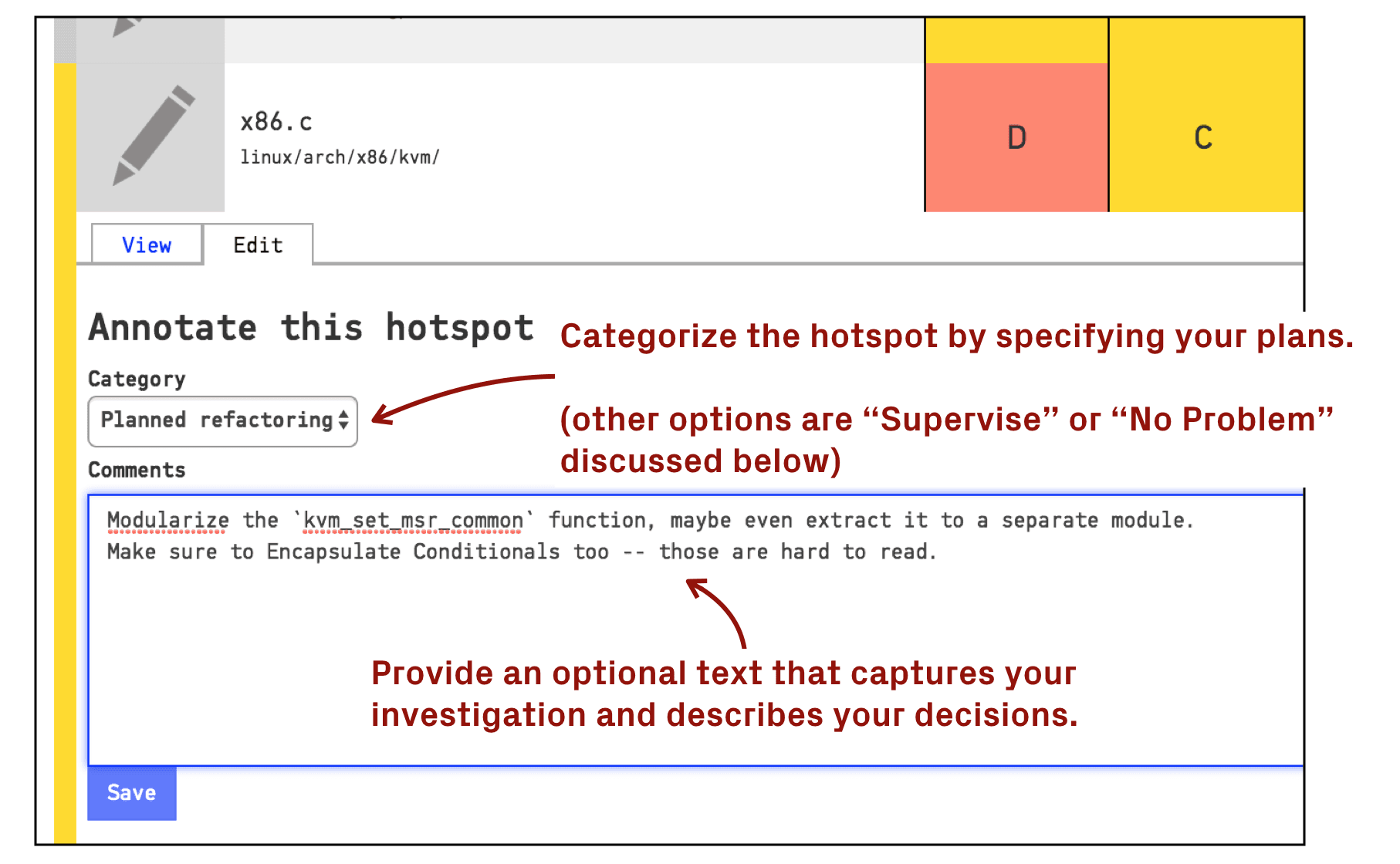
Pinpoints files and modules with high change frequency and complexity. Helps teams focus reviews and refactoring on the riskiest parts of the codebase.
Technical Debt Visualization
Maps out areas with accumulated technical debt using visual dashboards. Lets you prioritize remediation efforts based on real code health data.
Change Coupling Detection
Identifies files that often change together, revealing hidden dependencies. Supports better impact analysis and reduces the risk of breaking changes.
Code Health Metrics
Scores code quality using maintainability, complexity, and churn indicators. Offers clear, actionable feedback for continuous improvement.
Team Collaboration Insights
Tracks contribution patterns, code ownership, and knowledge distribution. Highlights bottlenecks and helps balance workload across teams.
Predictive Risk Analysis
Uses historical data to forecast potential issues in upcoming releases. Enables proactive risk management before code reaches production.
Ease of Use
CodeScene offers a modern, intuitive interface that most users find easy to navigate, even with its advanced analytics. Onboarding is straightforward, with clear documentation and guided setup for connecting repositories. Some users note that the depth of features can feel overwhelming at first, but the visual dashboards and actionable insights help flatten the learning curve. Overall, CodeScene balances powerful functionality with a user experience that supports both new and experienced code reviewers.
Integrations
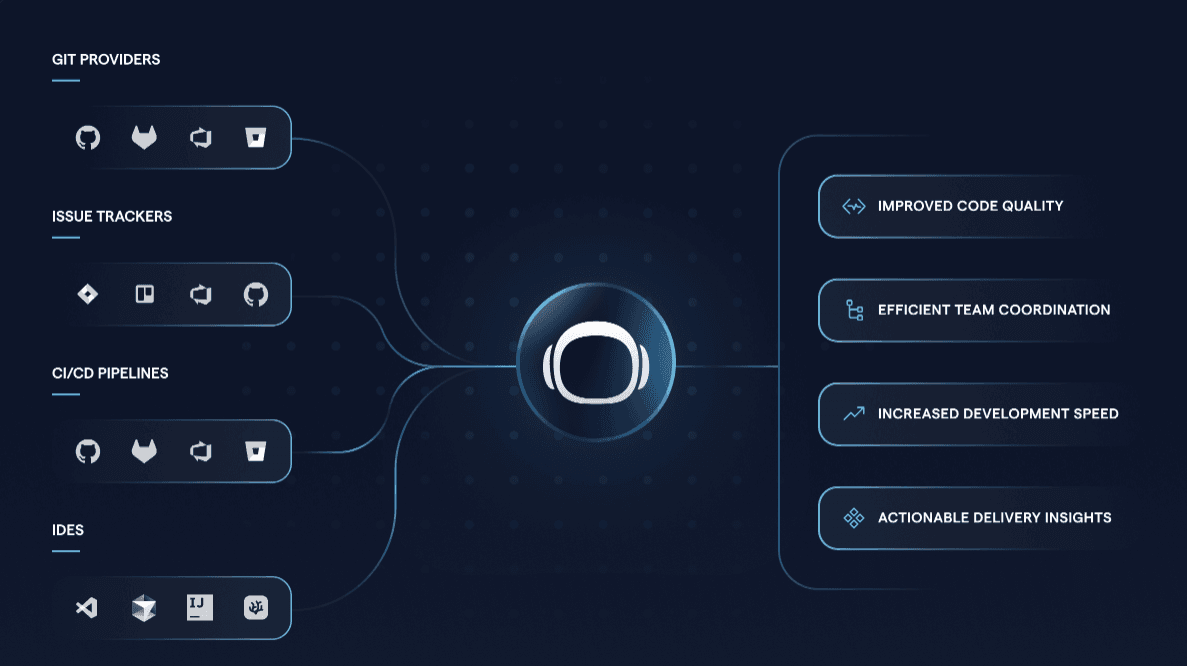
CodeScene integrates with GitHub, GitLab, Bitbucket, Azure DevOps, Jira, VS Code, Jira, Cursor, and IntelliJ, among others.
CodeScene also offers a REST API for custom integrations and automation.
CodeScene Specs
- API: Yes
- Bug Tracking: Yes
- CI/CD Integration: No
- Cloud Deployment: Yes
- Code Review: Yes
- Code Transformation: Yes
- Collaboration Support: Yes
- Data Export: Yes
- Data Import: Yes
- Developer Tools: Yes
- External Integrations: Yes
- Git Integration: Yes
- History/Version Control: Yes
- IDE Plugins: Yes
- Local Deployment: Yes
- Multi-User: Yes
- Notifications: Yes
- Project Management: No
- Release Management: No
- Static Analysis: Yes
- Task Scheduling/Tracking: No
- Testing: Yes


