Security information and event management (SIEM) software helps security operations center (SOC) teams collect security data, detect threats, and investigate suspicious activity.
The right SIEM tools don't just collect logs—they turn raw event data into a clear picture of what's happening across your environment. Features like real-time event correlation and alerting and notification management are what separate a tool that helps you act from one that buries you in noise.
If your SOC team is spending more time triaging alerts than investigating threats, the problem is often the tooling. This article breaks down the features that matter most, so you can evaluate what your current setup is missing and what to prioritize next.
10 Essential SIEM Features Every SOC Team Needs
These features show how SIEM platforms collect and connect security data, surface meaningful activity, and support investigation, reporting, and response:
1. Log Data Ingestion and Normalization
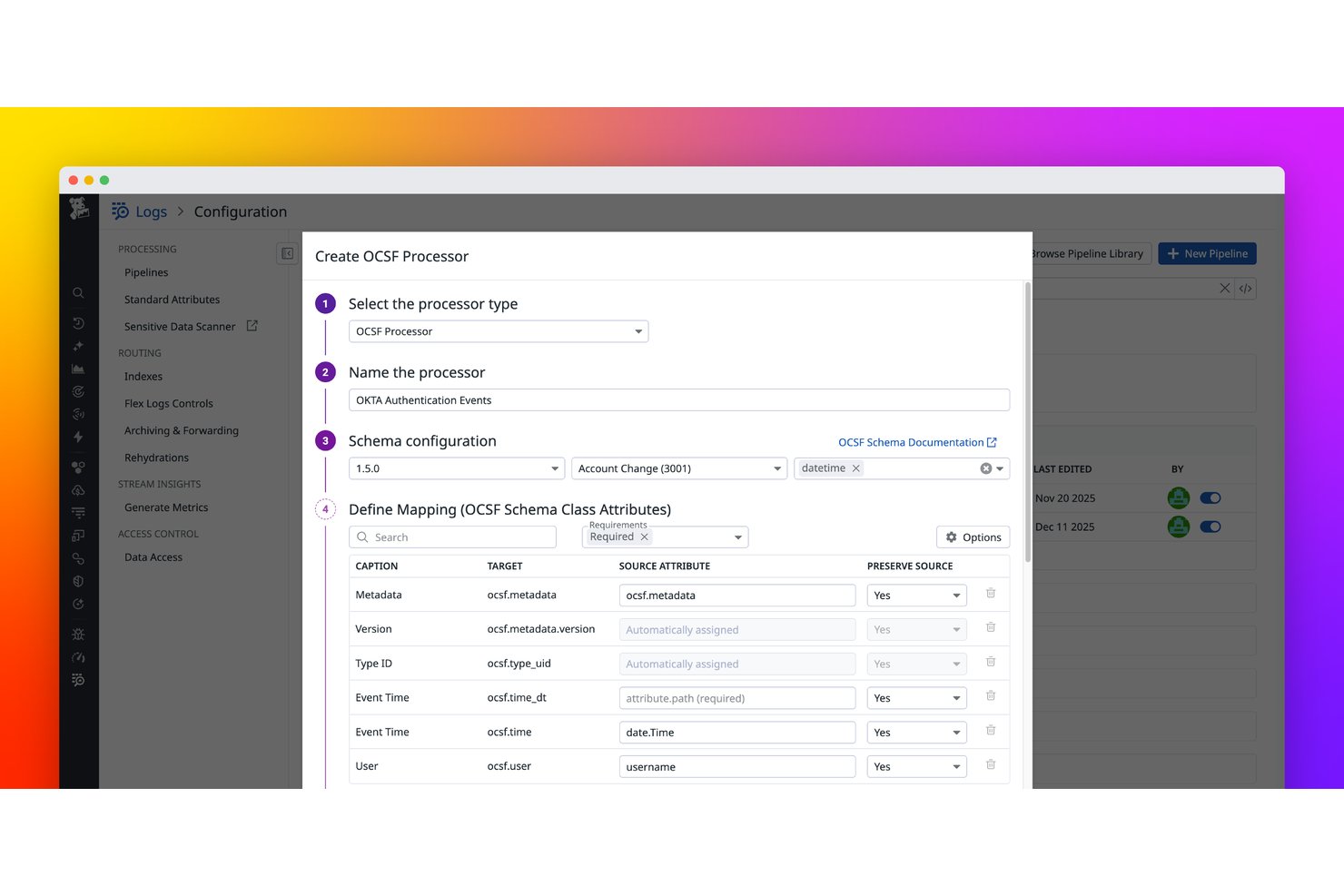
Log data ingestion and normalization is the foundation every other SIEM feature depends on. The platform pulls in raw event data from firewalls, endpoints, cloud services, and applications, then converts it into a consistent format analysts can actually work with.
In my experience, this is where SIEM tools either earn their keep or fall apart. If your data is incomplete or inconsistently formatted, correlation rules miss things. Good normalization means logs from a Windows endpoint and a cloud storage bucket speak the same language inside the platform.
Here's what good log ingestion and normalization actually handles:
- Source coverage: Pulls from diverse sources—Windows Event Logs, Palo Alto firewall syslogs, AWS CloudTrail, and SaaS apps—without manual parsing work for each one.
- Schema mapping: Translates vendor-specific field names into a unified schema, so "src_ip" and "source_address" mean the same thing in your queries.
- Data enrichment: Appends context like geolocation or asset tags at ingestion time, before logs hit your correlation engine.
- Volume handling: Platforms like Splunk and Microsoft Sentinel use data ingestion and indexing capabilities to manage high log volumes.
2. Real-Time Event Correlation
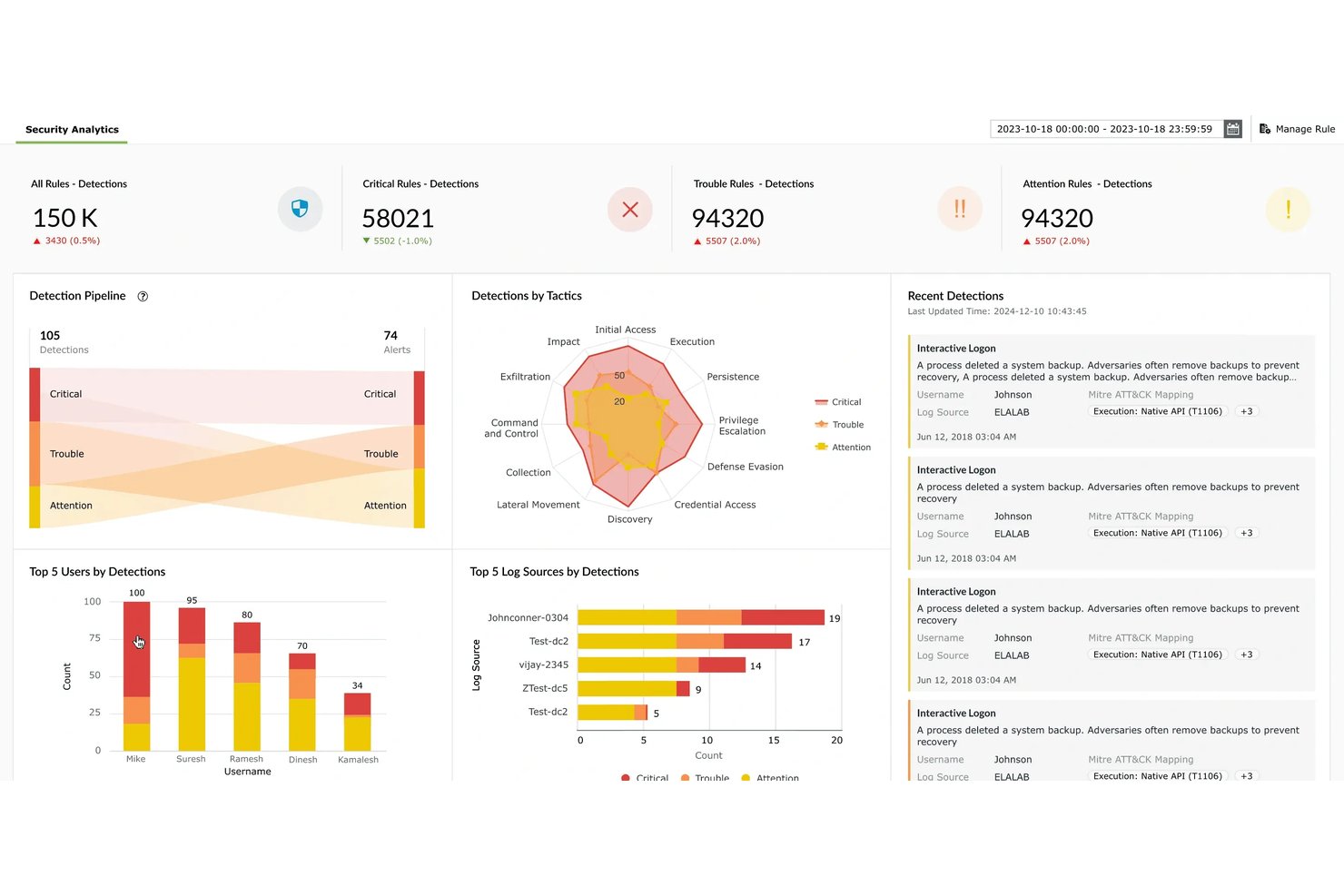
Real-time event correlation strengthens threat detection by connecting activity across multiple log sources to identify suspicious patterns.
For example, a SIEM can link repeated failed logins, a successful sign-in, and an unexpected privilege change into a sequence analysts can investigate instead of treating each event as an isolated alert.
In my experience, this is where SIEM platforms save analysts the most time. Without correlation, you're chasing noise. With it, you're looking at a chain of events with actual context.
Platforms like Microsoft Sentinel use built-in correlation rules and machine learning to surface these patterns before they escalate into something serious.
Here's what real-time event correlation actually does inside the platform:
- Rule-based detection: Predefined logic flags known attack patterns—like three failed logins followed by a successful one—without analyst input.
- Cross-source matching: Correlates events from different systems, so a suspicious DNS query and an outbound data transfer show up as one incident, not two.
- Behavioral baselines: Tools like Microsoft Sentinel and IBM QRadar compare current activity against historical norms to catch anomalies that rules alone would miss.
- Incident grouping: Related alerts merge into a single case, so analysts work one investigation instead of dozens of disconnected events.
Have an account? Log In
3. Threat Intelligence Integration
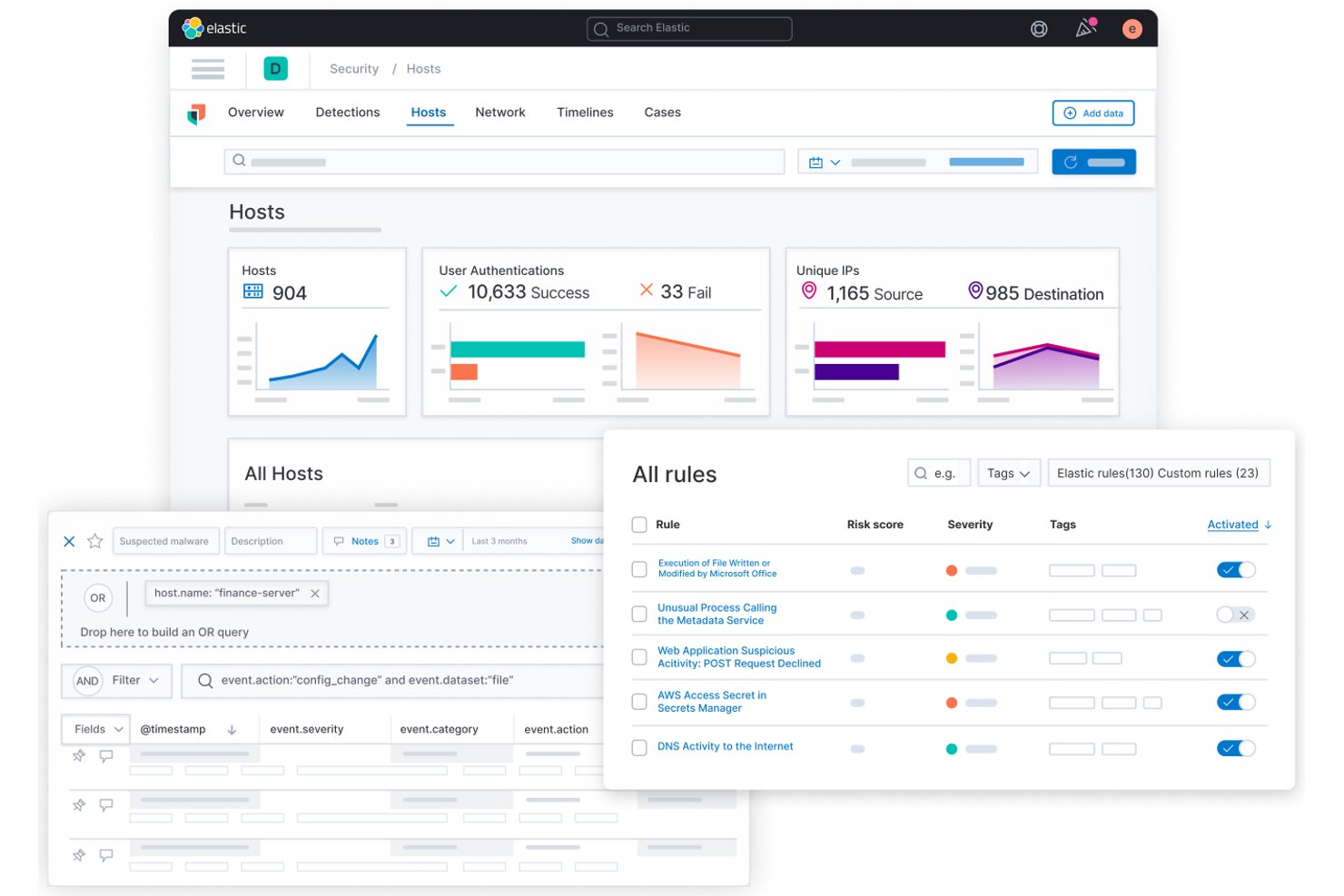
Threat intelligence integration connects your SIEM to external feeds—like known malicious IPs, domains, and file hashes—so the platform can automatically flag activity that matches confirmed threat indicators.
In my experience, this turns a reactive tool into a proactive one. Instead of waiting for an alert to investigate, your SIEM surfaces matches against live threat data the moment they hit your logs.
Platforms like IBM QRadar and Microsoft Sentinel support native feed integrations, which cuts the manual lookup work that slows analysts down during active investigations.
Here's what threat intelligence integration looks like inside a SIEM:
- Feed ingestion: Pulls in STIX/TAXII feeds, commercial sources like Recorded Future, or open-source lists such as AlienVault OTX automatically.
- IOC matching: Compares ingested logs against known malicious IPs, domains, and file hashes in real time, flagging matches as they appear.
- Context enrichment: Appends threat actor profiles and campaign data to alerts, so analysts know what they're dealing with before they start digging.
- Confidence scoring: Ranks IOC matches by reliability, so low-fidelity indicators don't drown out high-priority detections.
4. User and Entity Behavior Analytics
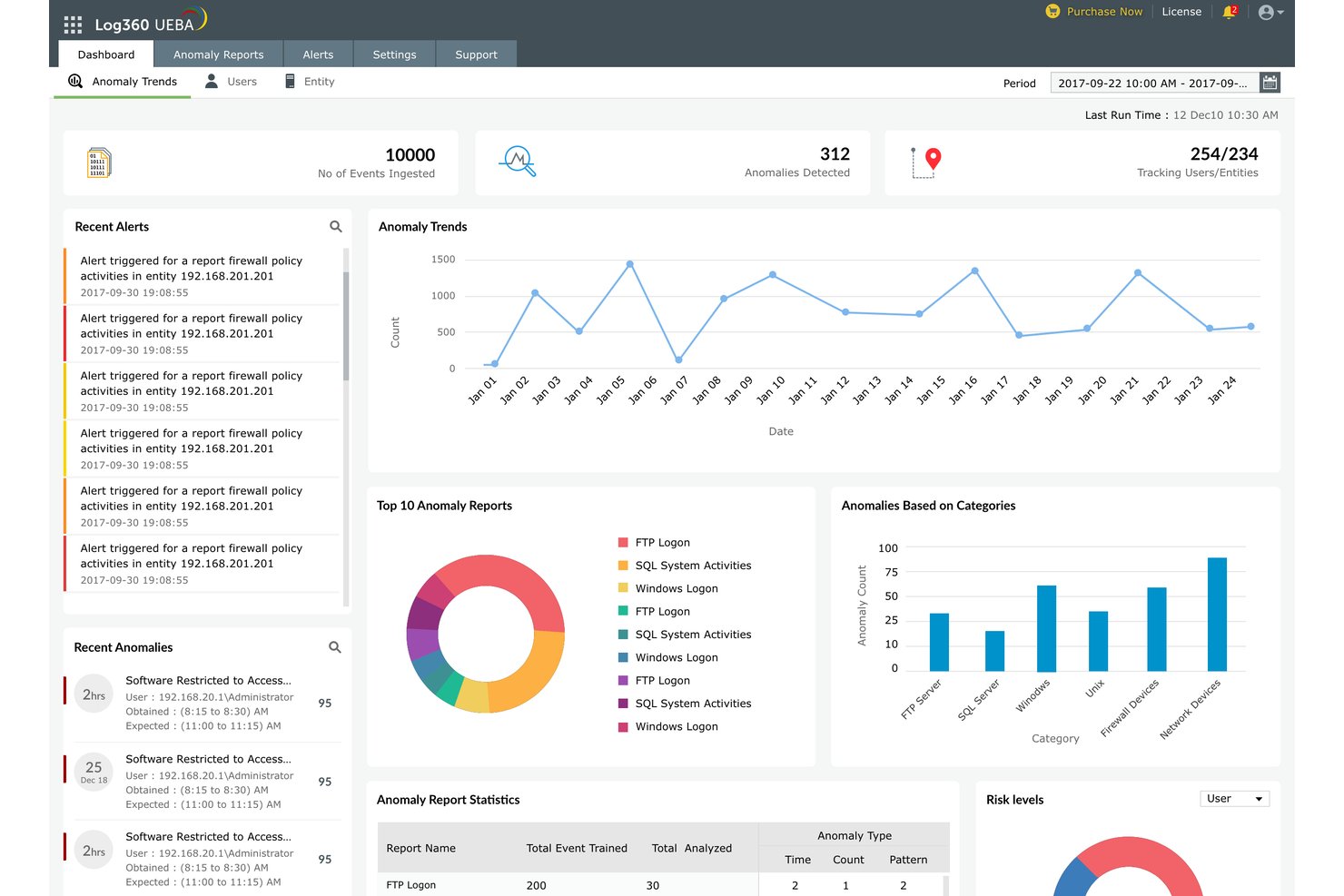
User and entity behavior analytics (UEBA) detects threats by building a baseline of normal activity for each user and device, then flagging deviations from that pattern.
In my experience, UEBA catches what rule-based detection misses—things like a developer suddenly accessing HR files at 2 a.m. or a service account transferring data in an unusual volume. It's especially useful for insider threats, where no single event looks suspicious on its own.
Platforms like Microsoft Sentinel and Exabeam embed UEBA directly into the investigation workflow, so analysts get context without switching tools.
Here's what UEBA actually surfaces inside a SIEM:
- Baseline deviation detection: Flags when behavior shifts from an established norm—like a finance user suddenly querying the endpoint inventory database.
- Risk scoring: Assigns a cumulative risk score to users and entities over time, so analysts prioritize the highest-risk accounts first.
- Insider threat visibility: Catches slow-burn threats that generate no single high-severity alert—Exabeam's timeline view is particularly useful here.
- Entity-level context: Groups activity by device or service account, not just user, so compromised machine behavior doesn't get lost in the alert queue.
5. Incident Response Orchestration
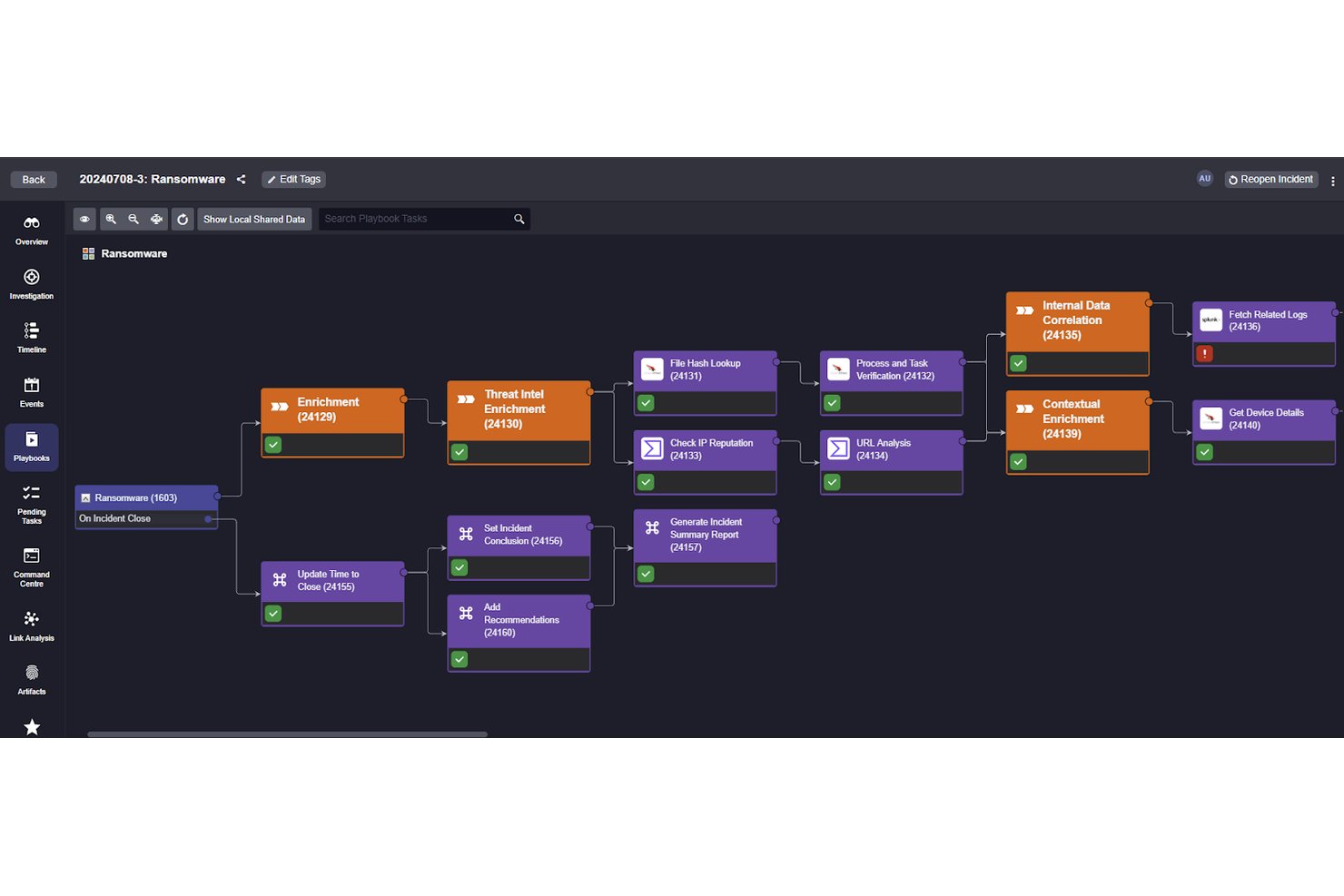
Incident response orchestration lets your SIEM trigger predefined response actions the moment a threat is confirmed—isolating a compromised endpoint, blocking an IP, or opening a ticket—without waiting for an analyst to act.
In my experience, this is what closes the gap between detection and containment. The faster a threat is contained, the less damage it does. Platforms like Microsoft Sentinel connect response playbooks directly to alerts, so your team works the investigation while the platform handles the initial containment steps automatically.
Here's what incident response orchestration handles inside a SIEM:
- Automated playbook execution: Triggers predefined response steps—like isolating an endpoint or revoking a user session—the moment an alert meets a certain threshold, no analyst input required.
- Third-party tool integration: Microsoft Sentinel connects directly to tools like ServiceNow and Microsoft Defender, so containment actions and ticket creation happen in the same workflow.
- Conditional logic branching: Playbooks adapt based on alert context, running different actions for a phishing incident versus a lateral movement event.
- Audit trail logging: Every automated action is logged with a timestamp, keeping your response process auditable.
6. Compliance Reporting
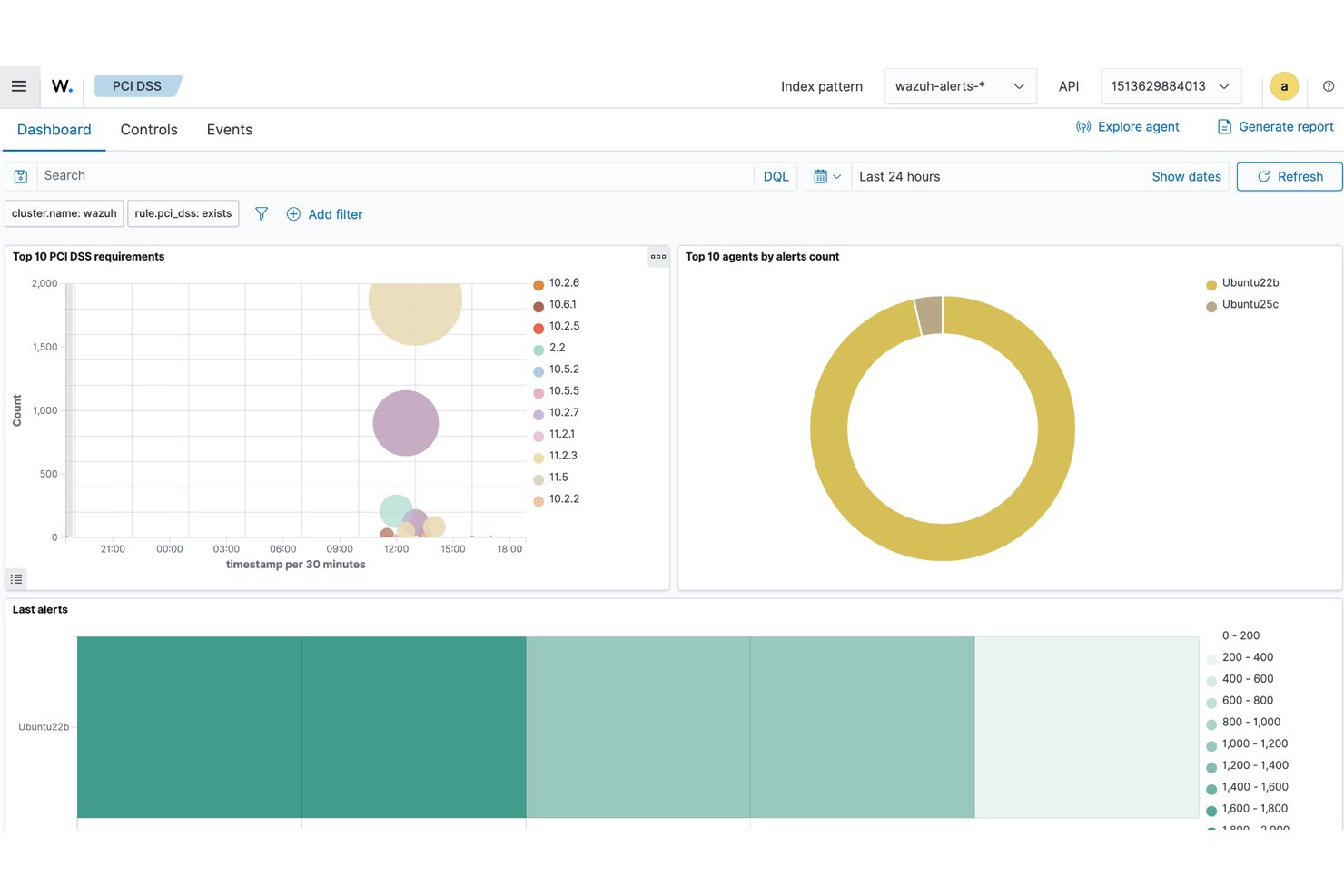
Compliance reporting gives your SIEM a way to generate audit-ready documentation directly from your log data—without rebuilding reports from scratch every quarter.
Most platforms map collected events to frameworks like PCI DSS, HIPAA, or SOC 2, then surface pre-built report templates tied to those requirements.
In my experience, this cuts the manual work that typically falls on analysts before an audit. Instead of pulling logs by hand, you're exporting a structured report the auditor can actually use.
Here's what compliance reporting looks like inside a SIEM:
- Framework mapping: Automatically tags collected events against PCI DSS, HIPAA, or SOC 2 controls, so your log data connects directly to audit requirements.
- Pre-built report templates: Platforms like Microsoft Sentinel and IBM QRadar include ready-made reports tied to specific frameworks—no manual formatting before an audit.
- Scheduled report delivery: Sends reports on a recurring cadence, so documentation stays current without analyst intervention.
- Log retention policies: Enforces retention windows required by regulation, keeping the right data available when auditors ask for it.
7. Forensic Investigation
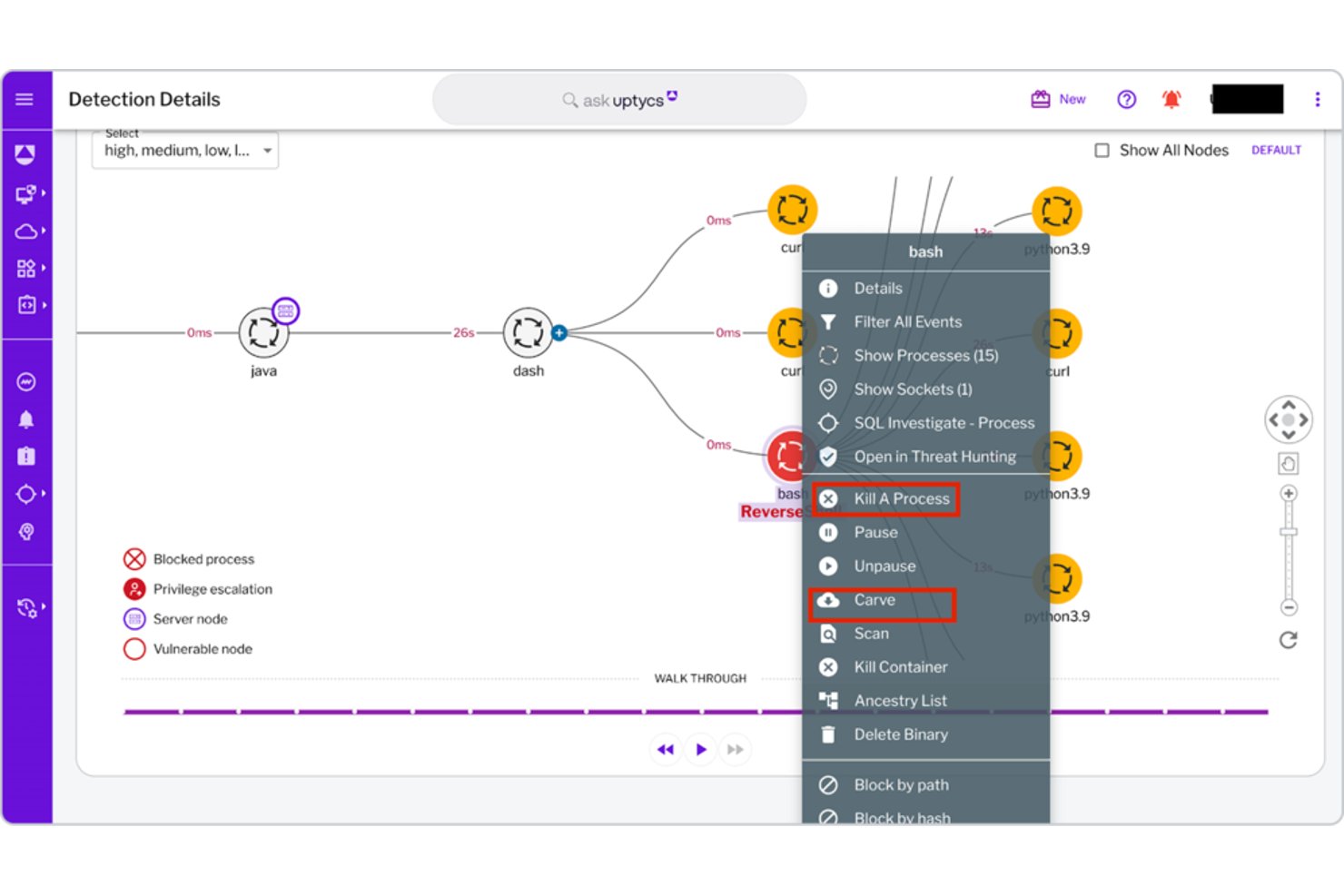
Forensic investigation gives you the ability to trace an incident backward through your log data—reconstructing exactly what happened, when, and across which systems.
Most SIEM platforms store raw event data alongside normalized logs, so you can dig into the original records without losing detail. In my experience, this is where you separate a contained incident from an ongoing one.
Platforms like IBM QRadar let analysts query historical data across long retention windows, which matters when an attack unfolds over weeks rather than hours.
Here's what forensic investigation gives you inside a SIEM:
- Raw log access: Stores original event records alongside normalized data, so you're never working from a compressed or stripped version of what happened.
- Historical querying: IBM QRadar lets analysts search across months of data—useful when an attacker spent weeks moving laterally before triggering an alert.
- Attack timeline reconstruction: Rebuilds the sequence of events across systems, showing exactly when access occurred and what changed.
- Cross-system tracing: Connects activity across endpoints, network devices, and cloud workloads into one investigation thread.
8. Historical Data Retention
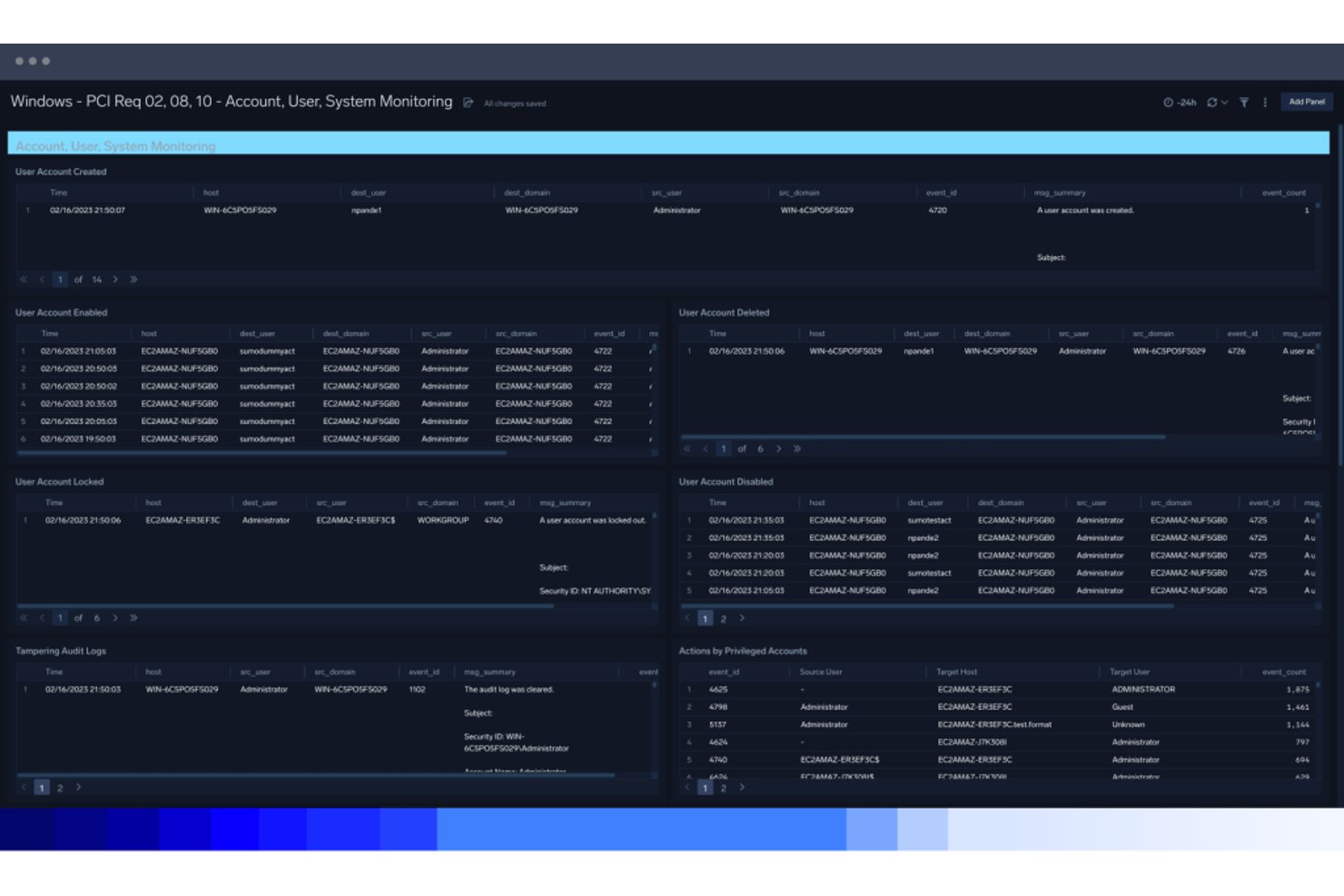
Historical data retention determines how far back your SIEM can search when investigating an incident. Retention periods and access to original event records vary by platform and configuration.
In my experience, retention depth is what separates a useful forensic investigation from a dead end. Attackers often move slowly—weeks can pass before an alert fires. When that happens, you need full log history to reconstruct what actually occurred. Without adequate retention windows, you're investigating with partial evidence.
Here's what historical data retention actually gives you inside a SIEM:
- Raw log preservation: Keeps original event records available for forensic review when supported by the platform's retention settings.
- Configurable retention windows: IBM QRadar lets you set different retention periods by data source, so high-value logs stay longer without inflating storage costs across the board.
- Long-horizon threat hunting: Lets analysts query months of data when an attacker spent weeks moving laterally before any alert fired.
- Regulatory alignment: Retention policies map to compliance requirements, keeping the right logs available when auditors request them.
9. Security Visualization Dashboards
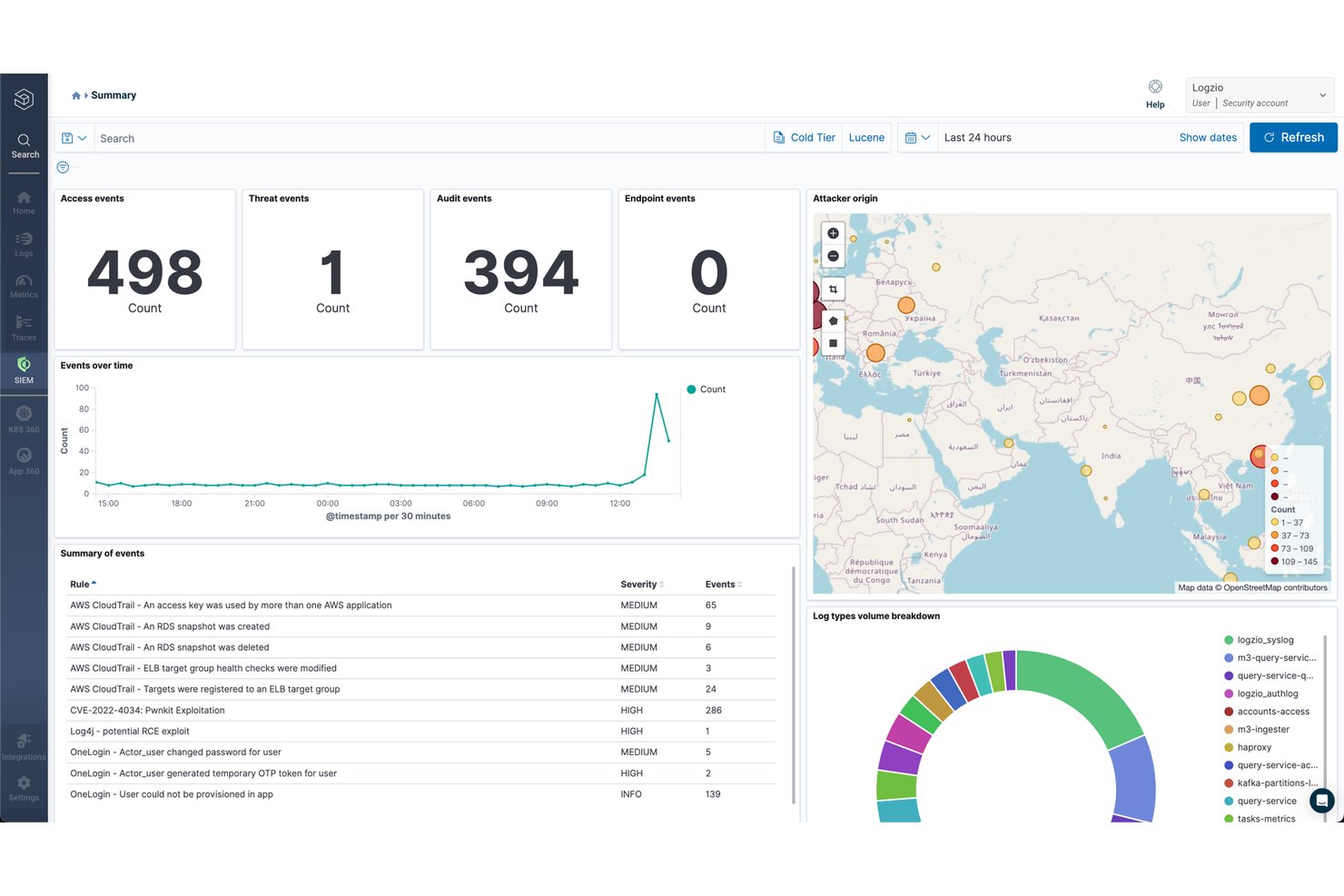
Security visualization dashboards give you a live view of your environment's threat activity, pulling log data, alerts, and risk scores into one place.
Instead of digging through raw query results, you're reading your security posture at a glance. In my experience, this matters most during active incidents—when you need to orient fast.
Platforms like Microsoft Sentinel let you customize dashboard layouts by data source or alert type, so the view matches how your team actually works. That context cuts the time it takes to spot what's worth investigating.
Here's what security visualization dashboards surface inside a SIEM:
- Live alert feeds: Displays triggered alerts in real time, so your team sees new threats the moment they surface—not after a manual refresh.
- Risk score trending: Shows how user and entity risk scores shift over time, making it easier to spot accounts that are quietly escalating.
- Customizable layouts: Microsoft Sentinel lets you arrange dashboard panels by data source or alert type, so the view matches your team's actual workflow.
- Geolocation mapping: Plots login and access events by location, flagging impossible travel scenarios at a glance.
More Articles
10. Alerting and Notification Management
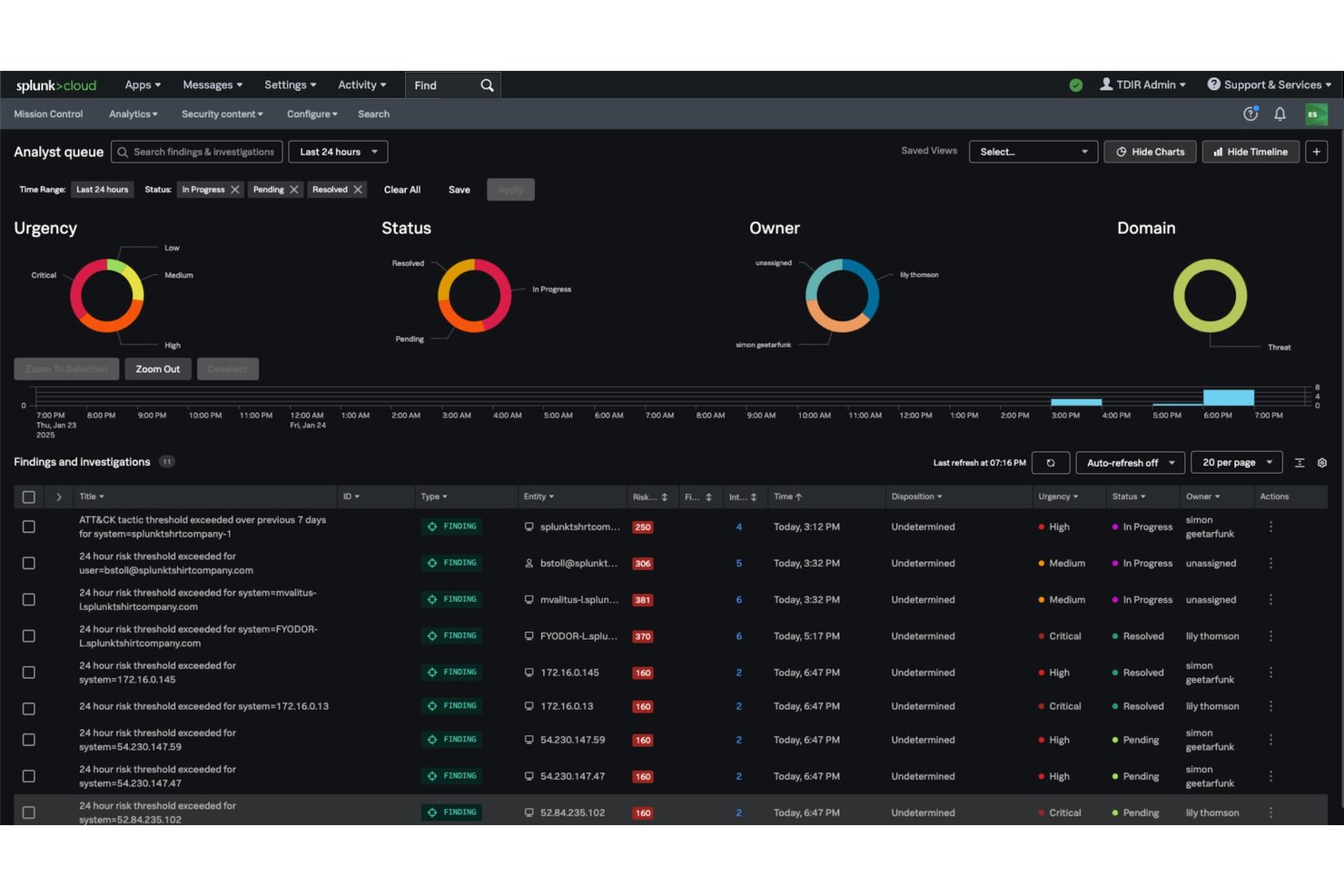
Alerting and notification management controls how your SIEM surfaces threats to the right people, through the right channels, at the right time. Alerts are generated when collected log data matches predefined rules or anomaly thresholds, then routed to analysts via email, SMS, or integrated ticketing systems like ServiceNow.
In my experience, the quality of your alert configuration matters more than the volume. Platforms like IBM QRadar let you tune alert severity and routing by source type, which keeps high-priority threats visible instead of buried under noise.
Here's what alerting and notification management looks like inside a SIEM:
- Threshold-based triggering: Fires alerts when log data matches a rule or anomaly threshold—no manual monitoring required.
- Multi-channel routing: Delivers alerts via email, SMS, or ticketing systems like ServiceNow, so the right analyst sees the right alert.
- Severity tuning: IBM QRadar lets you weight alerts by source type, keeping critical threats visible instead of lost in low-priority noise.
- Escalation rules: Automatically reassigns unacknowledged alerts after a set time, so nothing stalls in an unmonitored queue.
Top 10 SIEM Tools
Here are our top picks for the best SIEM tools to help you with your search:
What Comes Next: Putting Your SIEM to Work
Once you've identified the SIEM features that matter for your environment, the next step is deciding how your team will act on those alerts. Explore our best SOAR platforms to compare security automation tools that can complement your SIEM setup and streamline incident response.