

Avis sur Apiary : avantages, inconvénients, fonctionnalités et tarifs
Apiary excelle dans la conception d’API grâce à son interface conviviale pour les développeurs, ce qui en fait un choix remarquable pour les équipes axées sur une documentation et un prototypage efficaces des API.

Nous évaluons les outils indépendamment ; les commissions aident à financer nos tests. Consultez notre politique de transparence et notre méthodologie.
Apiary is an application development software built around API design, documentation, and mock server testing. It's a good fit for development teams that need to define and document APIs before writing production code, particularly when collaboration between backend developers and API consumers matters. I'd consider it over something like SwaggerHub if your team wants API documentation, interactive testing, and mock servers in one place—without configuring those pieces as separate tools or integrations.
Apiary Evaluation Summary
4.3/5
- Pricing available on request
- as a free trial but doesn’t mention the number of days
Pourquoi faire confiance à nos recommandations de logiciels
6,700+
Reviews
20
Industry experts
16+
Evaluation factors
14
Years
Notre équipe teste et évalue des logiciels depuis 2012. En tant que leaders technologiques nous-mêmes, nous savons à quel point il est difficile — et important — de choisir le bon logiciel.
Pour ce guide, nous avons évalué les outils grâce à des tests pratiques et une recherche indépendante, en notant les outils selon nos critères de sélection.
Nos avis reflètent notre jugement éditorial humain, et non un argumentaire de vente.
Réviseurs experts:
- Paulo Gardini MiguelDirecteur technique
 Tim FisherVP de l'IA
 Gabriel RosasTech Lead et architecte logiciel
 Christhian GruhnTech Lead et architecte plateforme

Apiary Overview
In my opinion, Apiary.io stands out as a solid choice for teams focused on API creation. Its interface is intuitive, making it easier for developers to draft and test APIs. Compared to other platforms, Apiary offers a competitive edge with its collaborative features, allowing multiple team members to work seamlessly. However, its onboarding process could be more streamlined, and the customer support, while adequate, sometimes lacks immediacy. Apiary is best suited for small to medium-sized teams that prioritize collaboration and API design. If your team needs a tool that integrates well with other development tools and offers good value for money, Apiary is worth considering.
Pros
- You can easily document and test APIs, making your work more efficient.
- Its user-friendly interface helps you quickly understand and navigate the software.
- You can leverage its developer-friendly framework for robust and adaptable API management.
Cons
- You might find the learning curve steep if you're new to API management.
- It may lack some advanced features compared to other API management solutions.
- You could encounter limitations in customization options, affecting flexibility.
Is Apiary Right For Your Needs?
Who Would be a Good Fit for Apiary?
Apiary.io is ideal for development teams focusing on API design and documentation. If your work involves frequent API iterations and collaboration, Apiary's features like API Blueprint, mock servers, and collaborative documentation can be useful. It helps streamline your workflow by allowing you to design, prototype, and test APIs efficiently.
- Software DevelopersApiary provides tools for designing, prototyping, and testing APIs, ensuring your development process is efficient.
- Tech StartupsStartups benefit from prototyping and iterating on new APIs quickly, which Apiary supports with its comprehensive toolset.
- API-Driven ProjectsFor projects relying heavily on APIs, Apiary's documentation and testing features help maintain consistency and reliability.
- Collaborative TeamsTeams that need to work together on API design will appreciate Apiary's collaborative documentation and version control.
- Educational InstitutionsApiary offers a platform for students to learn about API design and testing, making it a valuable educational tool.
- Consulting FirmsFirms providing API solutions can use Apiary to quickly design and showcase API capabilities to clients.
Who Would be a Bad Fit for Apiary?
Apiary.io might not be suitable for teams that need advanced customization or complex integrations. If your work requires highly tailored workflows or deep integration with other systems, you might find Apiary's features limiting. For instance, if your team needs to create detailed resource management plans or requires in-depth analytics, you might struggle with Apiary's capabilities. Apiary is better suited for straightforward API development and documentation rather than complex, multi-layered application development.
- Large EnterprisesApiary might not handle the scale and complexity of large enterprises that require extensive customization and integration capabilities. In this case, consider API development tools offered by AWS, Microsoft, and IBM.
- Custom Software DevelopmentFor teams focused on creating custom software solutions, Apiary's limited customization options can be a hindrance.
- Data-Intensive ApplicationsIf your project demands intensive data processing or analytics, Apiary's functionalities may not suffice.
- Resource ManagementApiary lacks detailed resource management features, making it unsuitable for teams needing comprehensive planning tools.
- Advanced ReportingTeams requiring advanced reporting might find Apiary insufficient, as it doesn't cater to in-depth analytics needs.
- Complex Workflow IntegrationIf your work involves integrating multiple complex workflows, Apiary's integration capabilities might fall short.
Notre méthodologie d'évaluation
Comment nous testons et notons les outils
Nous avons passé des années à développer, affiner et améliorer notre système de test et de notation des logiciels. Cette grille d’évaluation est conçue pour saisir les subtilités de la sélection des logiciels et ce qui rend un outil efficace, en se concentrant sur les aspects critiques du processus de décision.
Vous trouverez ci-dessous le détail de notre processus de test et de notation sur sept critères. Cela nous permet de fournir une évaluation impartiale du logiciel basée sur les fonctionnalités principales, les caractéristiques distinctives, la facilité d’utilisation, l’intégration, l’accompagnement lors de la prise en main, le support client, les avis utilisateurs et le rapport qualité-prix.
Fonctionnalité principale (25% de la note finale)
Le point de départ de notre évaluation est toujours la fonctionnalité principale de l’outil. Possède-t-il les fonctions de base auxquelles un utilisateur s’attend ? Certaines de ces fonctionnalités principales sont-elles limitées à des forfaits plus chers ? Nous attendons d’un outil qu’il soit au moins à la hauteur des capacités de base de ses concurrents.
Fonctionnalités remarquables (25% de la note finale)
Ensuite, nous évaluons les fonctionnalités exceptionnelles qui dépassent la fonctionnalité de base habituellement trouvée dans ce type d’outil. Un score élevé reflète des fonctionnalités spécialisées ou uniques rendant le produit plus rapide, plus efficace ou apportant une valeur ajoutée à l’utilisateur.
Nous évaluons aussi la facilité d’intégration avec d’autres outils courants dans la pile technologique pour élargir les fonctionnalités et l’utilité du logiciel. Les outils dotés de nombreuses intégrations natives, de connexions tierces et d’un accès API facilitant des intégrations personnalisées obtiennent les meilleurs scores.
Facilité d’utilisation (10% de la note finale)
Nous considérons la rapidité et la simplicité d’exécution des tâches principales avec l’outil. Les logiciels les mieux notés sont bien conçus, intuitifs, proposent des applications mobiles, offrent des modèles et rendent des tâches relativement complexes très simples.
Accompagnement lors de la prise en main (10% de la note finale)
Nous savons que l’adoption rapide d’une nouvelle plateforme au sein d’une équipe est cruciale. Nous évaluons donc la facilité avec laquelle un nouvel utilisateur peut apprendre et utiliser un outil avec un minimum de formation. Les meilleures solutions permettent une mise en route rapide, sans nécessité de support.
Support client (10% de la note finale)
Nous analysons la facilité et la rapidité avec lesquelles il est possible d’obtenir de l’aide par téléphone, chat en direct ou base de connaissances. Les outils et entreprises offrant une assistance en temps réel obtiennent les meilleurs scores, tandis que les chatbots sont moins bien notés.
Avis utilisateurs (10% de la note finale)
Au-delà de nos propres tests et évaluations, nous tenons compte du net promoter score des utilisateurs actuels et passés. Nous regardons la probabilité qu’ils choisiraient à nouveau l’outil pour ses fonctionnalités principales. Un logiciel bien noté reflète un net promoter score élevé.
Rapport qualité-prix (10% de la note finale)
Enfin, en tenant compte de tous les autres critères, nous examinons le prix moyen des forfaits d’entrée de gamme par rapport aux fonctionnalités principales et à la valeur des autres critères. Un logiciel offrant plus, pour moins cher, obtiendra un meilleur score.
Core Features
API Blueprint Editor
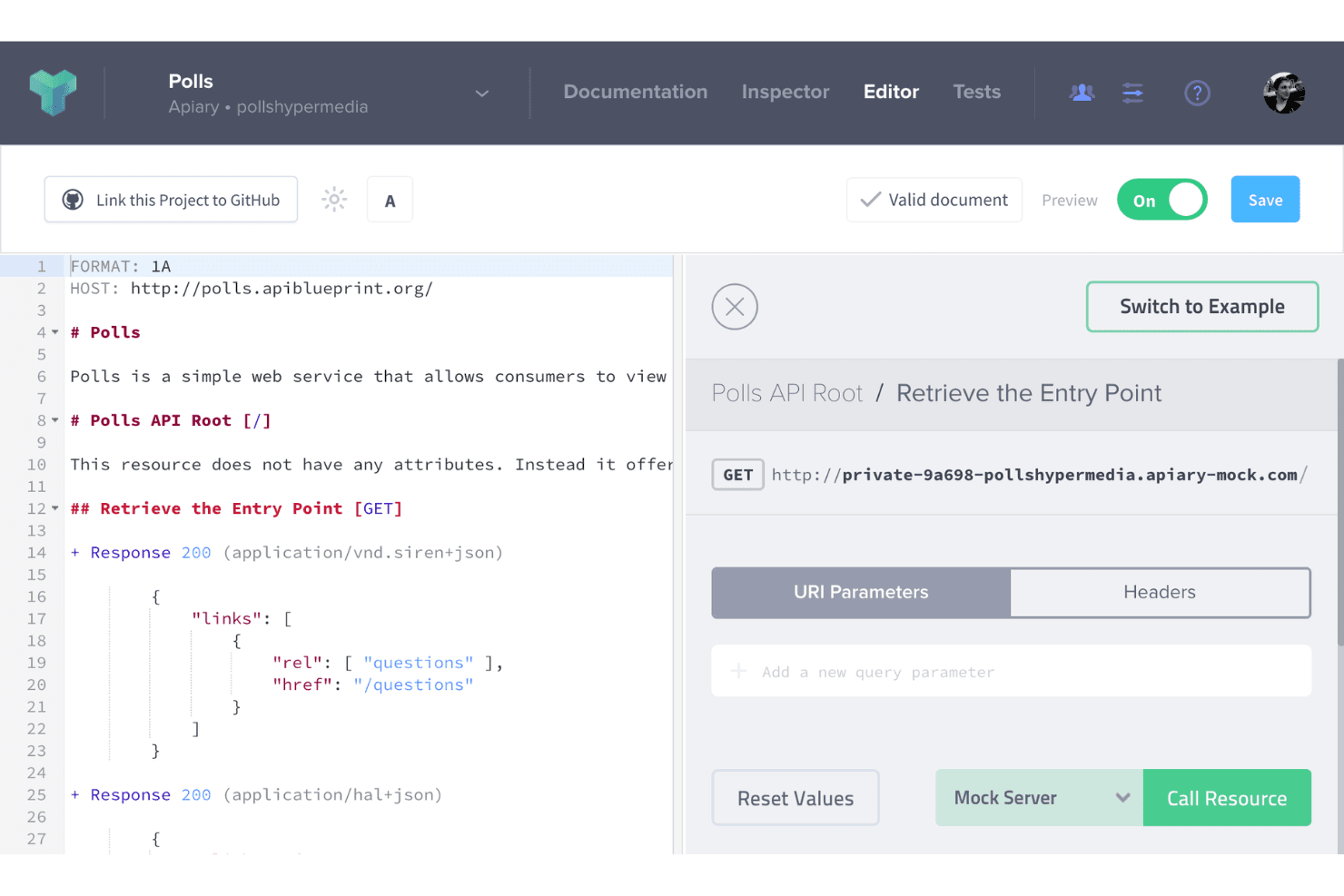
You can use Apiary's intuitive API Blueprint Editor to design your APIs with ease. The editor supports OpenAPI, which requires specific syntax. It lets you write API documentation in markdown, ensuring that you and your team can focus on creating clear and concise documentation effortlessly.
Mock Servers
With Apiary's mock servers, you can test your API designs without worrying about backend development. This feature allows you to simulate API responses, giving you and your team a real-time understanding of how your API will behave.
API Documentation
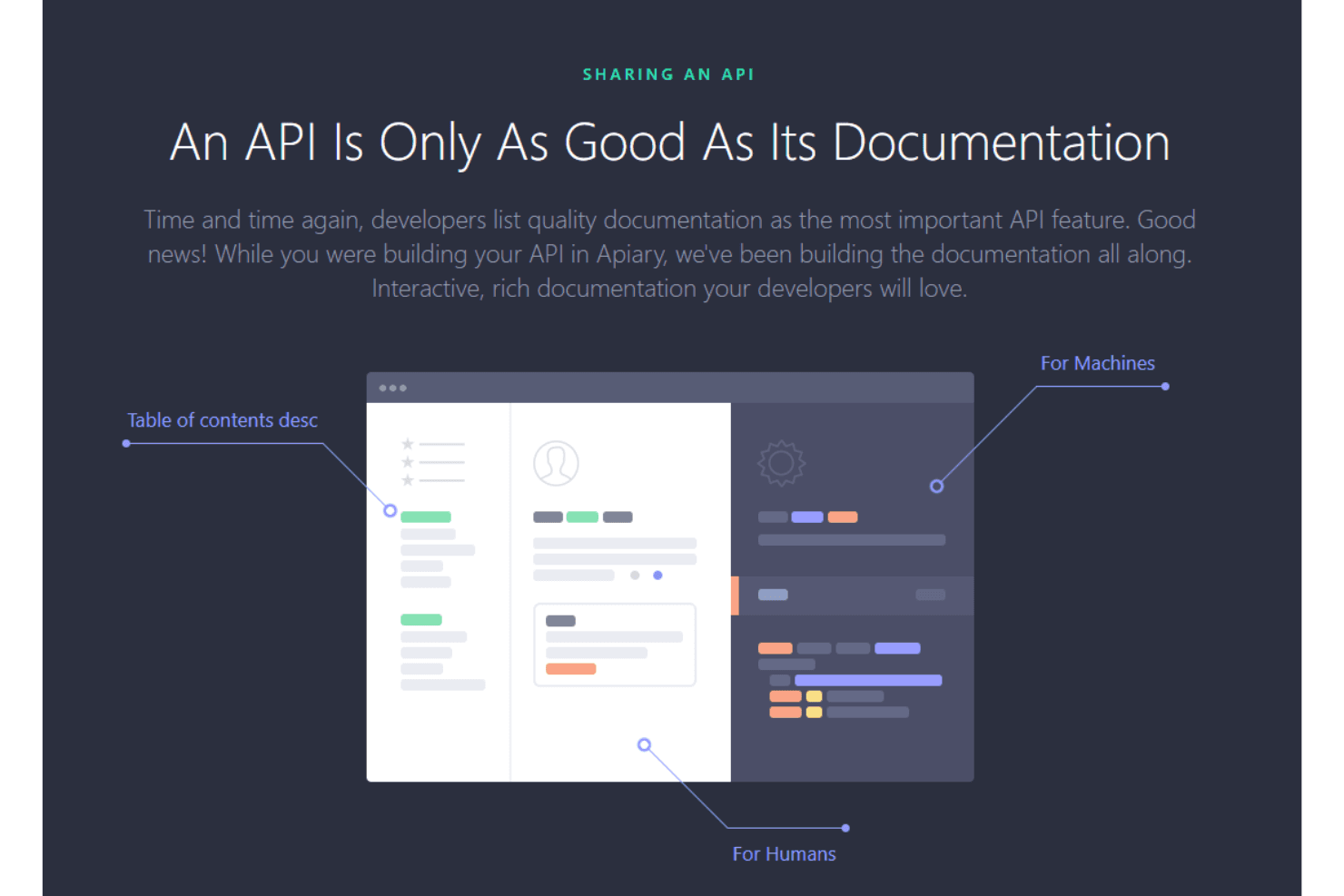
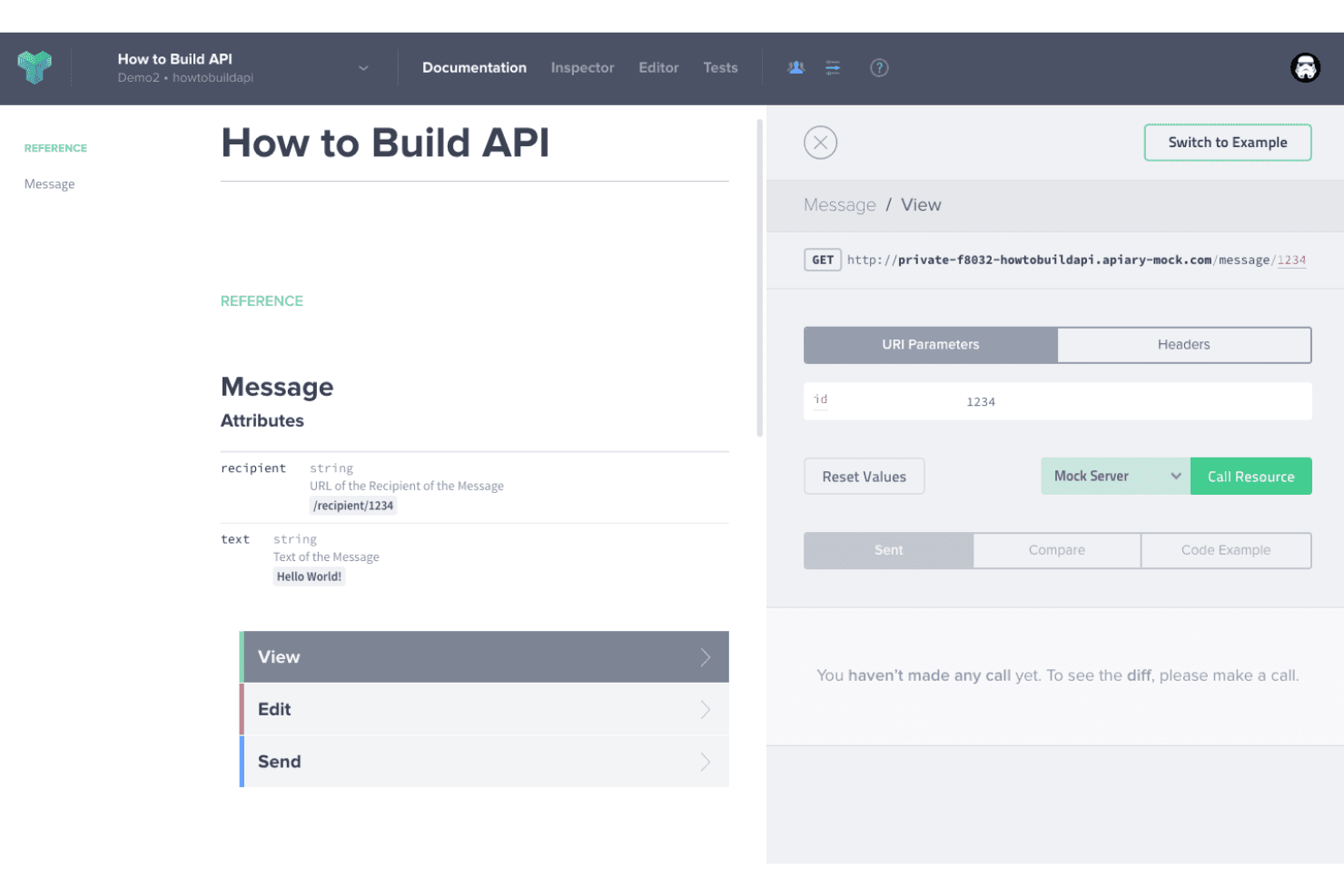
Apiary automatically generates documentation from your API designs. This ensures that you have up-to-date, user-friendly docs that helps you and your team understand API endpoints and their functionalities.
API Inspector
The API Inspector feature allows you to track requests and responses in real time. This is invaluable for debugging and ensures that your API performs as expected.
Collaboration Tools
Apiary provides collaboration tools that enable your team to work together on API development. Whether you're commenting on API designs or discussing changes, these tools help you streamline the development process.
Version Control
You can manage different versions of your API with Apiary's version control feature. This ensures that you can track changes and revert to previous versions if needed, maintaining the integrity of your API development.
Ease of Use
Apiary's interface is intuitive, making it accessible for both beginners and experienced developers. You can quickly design and test APIs, thanks to its user-friendly design and straightforward documentation. However, the learning curve might be slightly steeper if you're unfamiliar with API concepts. Compared to other tools, Apiary’s real-time collaboration, automation capabilities, and immediate feedback features enhance your workflow. However,some users find the advanced customization options require a bit more time to master.
Integrations
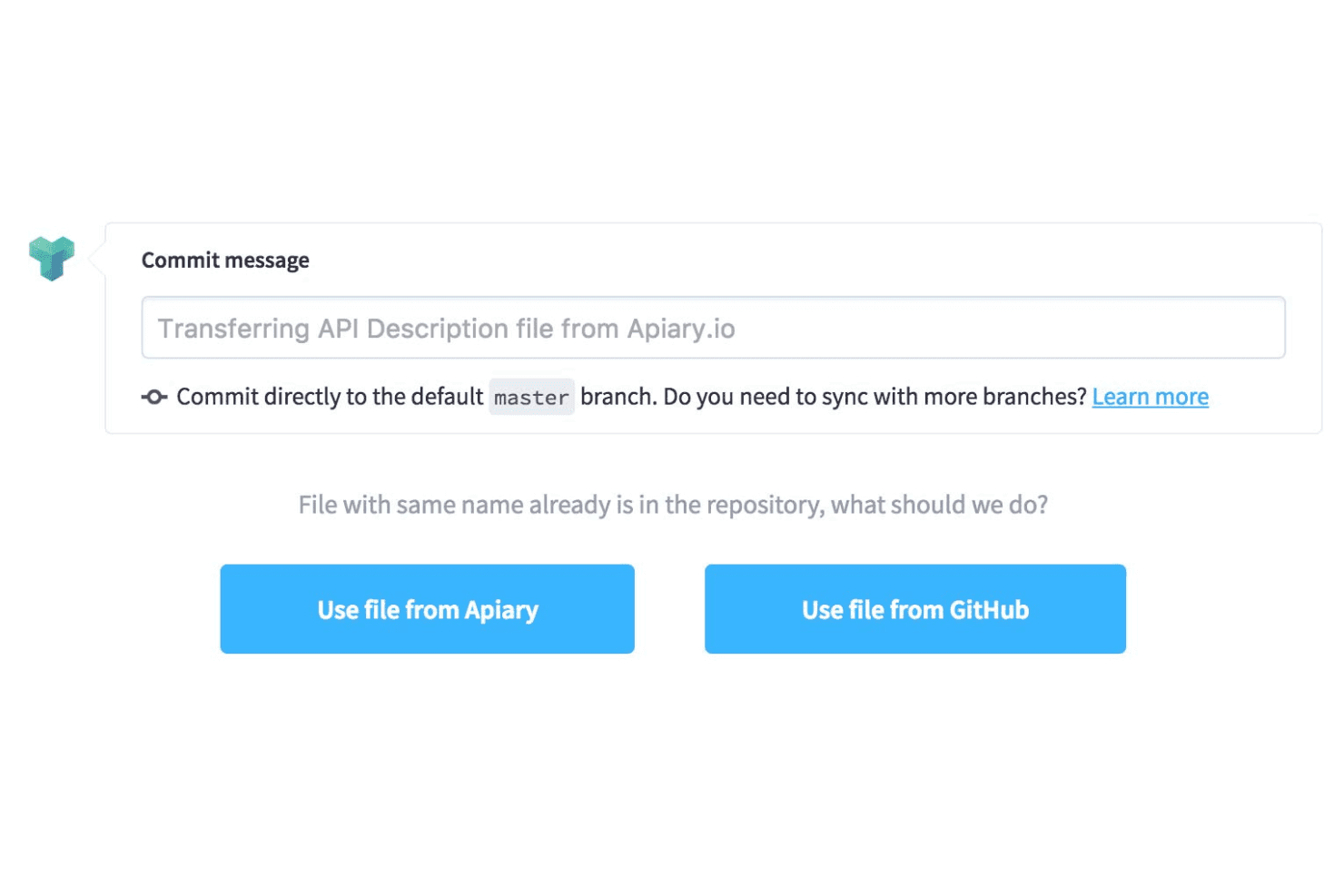
Apiary.io integrates with GitHub, API Blueprint, Swagger, and provides functionality for API testing and mock server design. Apiary also has an Integration API that allows third-party applications and partners to integrate with its services and tools.
Apiary Specs
- API: Yes
- Bug Tracking: No
- CI/CD Integration: No
- Cloud Deployment: Yes
- Code Review: No
- Code Transformation: No
- Collaboration Support: Yes
- Data Export: No
- Data Import: No
- Developer Tools: Yes
- External Integrations: Yes
- Git Integration: Yes
- History/Version Control: Yes
- IDE Plugins: No
- Local Deployment: No
- Multi-User: Yes
- Notifications: No
- Project Management: No
- Release Management: No
- Static Analysis: No
- Task Scheduling/Tracking: No
- Testing: Yes


