

SiteGround-arvostelu: hyvät puolet, huonot puolet, ominaisuudet ja hinnoittelu
SiteGround erottuu edukseen poikkeuksellisen asiakastuen ja edistyneiden tietoturvaominaisuuksiensa ansiosta, mikä tekee siitä erinomaisen vaihtoehdon hosting-tarpeisiisi.

We review tools independently, and commissions help fund our testing. See our transparency policy, our methodology, or suggest a tool.
SiteGround is a managed hosting service for teams and developers who need dependable web hosting without managing server infrastructure themselves. I'd reach for it over Bluehost when performance and support quality matter—SiteGround's staging environments, built-in caching, and faster support response times give you more operational control without moving to enterprise-level pricing.
SiteGround Evaluation Summary
4.1/5
- $3.99/month
- Premium
Why Trust Our Software Recommendations
6,700+
Reviews
20
Industry experts
16+
Evaluation factors
14
Years
Our team has been testing and reviewing software since 2012. As tech leaders ourselves, we know how difficult—and important—it is to choose the right software.
For this guide, we evaluated tools using hands-on testing and independent research, scoring tools using our selection criteria.
Our reviews reflect our human editorial judgment, not a sales pitch.
Expert reviewers:
- Paulo Gardini MiguelTech Director
 Tim FisherVP of AI
 Gabriel RosasTech Lead & Software Architect
 Christhian GruhnTech Lead & Platform Architect

SiteGround Overview
In my opinion, SiteGround is a solid choice for a web hosting company, especially if your team values customer support and security. Its standout features, such as advanced security options and reliable support, make it a great fit for small to medium-sized businesses. However, the onboarding process and ease of use could be improved. While it might not be the cheapest option, its quality support and security features justify the cost for many users. If you're in e-commerce or a digital agency, SiteGround's strengths in these areas may align well with your needs.
Pros
- Your team will appreciate SiteGround's excellent customer support.
- It offers strong security features to protect your website.
- SiteGround provides fast and reliable hosting services, including cloud hosting and shared hosting plans.
Cons
- You might find the onboarding process a bit challenging.
- The interface isn't as intuitive as some other hosting platforms.
- Your team may need time to adapt to its complex features.
Is SiteGround Right For Your Needs?
Who Would be a Good Fit for SiteGround?
SiteGround is a great fit for small and medium-sized businesses, especially in e-commerce and digital agencies. If your team needs reliable customer support, website performance, and security features, SiteGround delivers with its fast hosting speeds and secure infrastructure. Teams focused on online retail will benefit from its security measures, which ensure customer data is safe.
- E-commerce StoresSiteGround's security features protect customer data, making it ideal for your online store.
- Digital AgenciesYour agency will benefit from SiteGround's fast speeds and reliable customer support.
- Small BusinessesSiteGround's user-friendly hosting is perfect for small businesses.
- IT DepartmentsYour IT team will appreciate the security and support SiteGround offers.
- FreelancersFreelancers can rely on SiteGround for easy-to-use and secure hosting services.
- Educational InstitutionsSiteGround's services provide the security and support schools need for website hosting.
Who Would be a Bad Fit for SiteGround?
SiteGround might not suit large enterprises or teams needing extensive customization and integration options. If your business requires highly customizable features or complex integrations with other systems, SiteGround may feel limited. Advanced users who need more control over server settings might find SiteGround's interface restrictive. For those who prioritize ease of use and quick onboarding, the learning curve could be a challenge. SiteGround also lacks VPS hosting options.
- Enterprise CorporationsLarge corporations may need more customization than SiteGround offers.
- Complex IntegrationsIf your work involves complex system integrations, SiteGround may not meet your needs.
- Advanced DevelopersDevelopers seeking extensive server control might find SiteGround limiting.
- Large IT TeamsBig IT teams requiring advanced features could find SiteGround lacking.
- Custom SoftwareIf your projects need custom server configurations, SiteGround may not be suitable.
Our Review Methodology
How We Test & Score Tools
We’ve spent years building, refining, and improving our software testing and scoring system. The rubric is designed to capture the nuances of software selection and what makes a tool effective, focusing on critical aspects of the decision-making process.
Below, you can see exactly how our testing and scoring works across seven criteria. It allows us to provide an unbiased evaluation of the software based on core functionality, standout features, ease of use, onboarding, customer support, integrations, customer reviews, and value for money.
Core Functionality (25% of final scoring)
The starting point of our evaluation is always the core functionality of the tool. Does it have the basic features and functions that a user would expect to see? Are any of those core features locked to higher-tiered pricing plans? At its core, we expect a tool to stand up against the baseline capabilities of its competitors.
Standout Features (25% of final scoring)
Next, we evaluate uncommon standout features that go above and beyond the core functionality typically found in tools of its kind. A high score reflects specialized or unique features that make the product faster, more efficient, or offer additional value to the user.
We also evaluate how easy it is to integrate with other tools typically found in the tech stack to expand the functionality and utility of the software. Tools offering plentiful native integrations, 3rd party connections, and API access to build custom integrations score best.
Ease of Use (10% of final scoring)
We consider how quick and easy it is to execute the tasks defined in the core functionality using the tool. High scoring software is well designed, intuitive to use, offers mobile apps, provides templates, and makes relatively complex tasks seem simple.
Onboarding (10% of final scoring)
We know how important rapid team adoption is for a new platform, so we evaluate how easy it is to learn and use a tool with minimal training. We evaluate how quickly a team member can get set up and start using the tool with no experience. High scoring solutions indicate little or no support is required.
Customer Support (10% of final scoring)
We review how quick and easy it is to get unstuck and find help by phone, live chat, or knowledge base. Tools and companies that provide real-time support score best, while chatbots score worst.
Customer Reviews (10% of final scoring)
Beyond our own testing and evaluation, we consider the net promoter score from current and past customers. We review their likelihood, given the option, to choose the tool again for the core functionality. A high scoring software reflects a high net promoter score from current or past customers.
Value for Money (10% of final scoring)
Lastly, in consideration of all the other criteria, we review the average price of entry level plans against the core features and consider the value of the other evaluation criteria. Software that delivers more, for less, will score higher.
Core Features
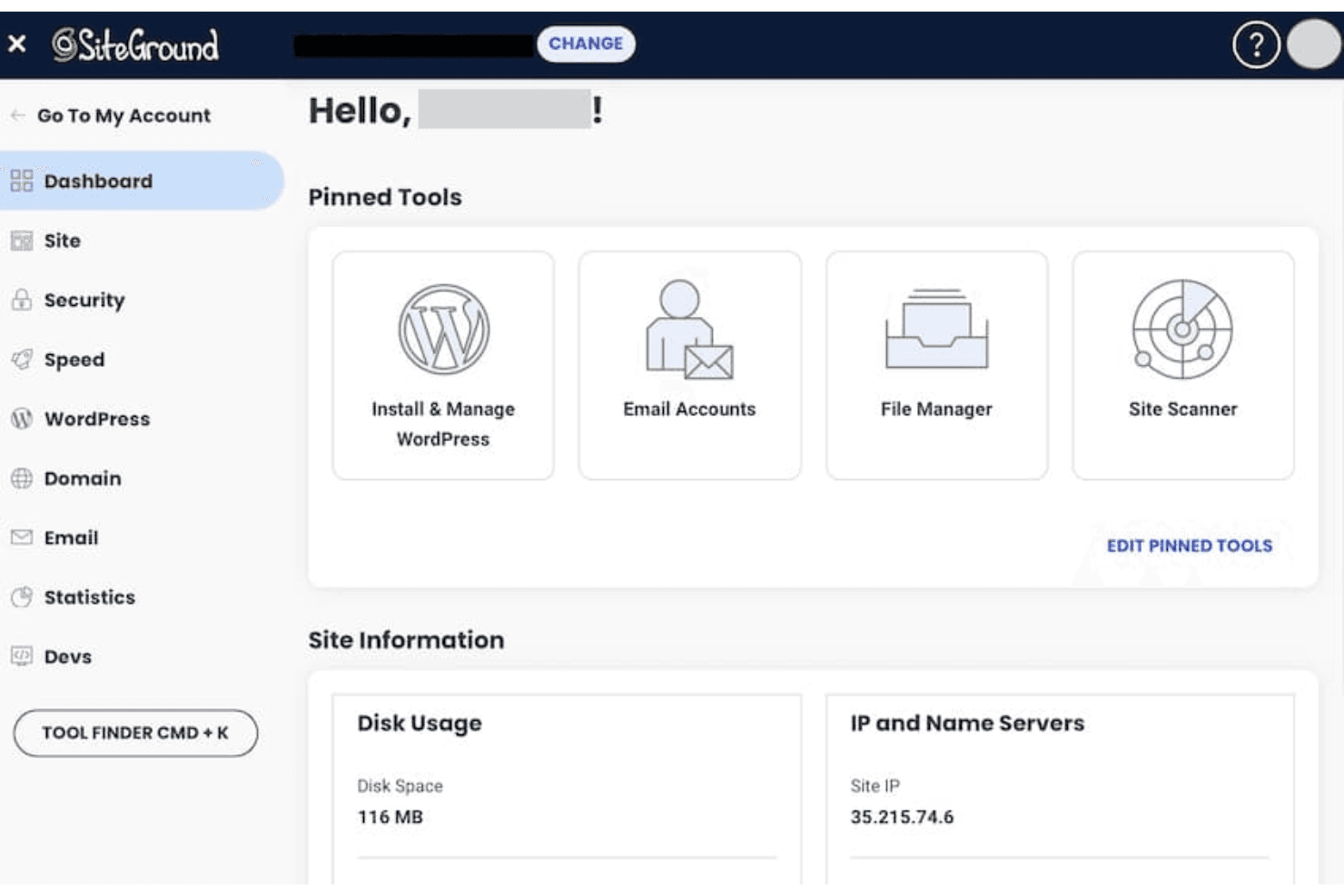
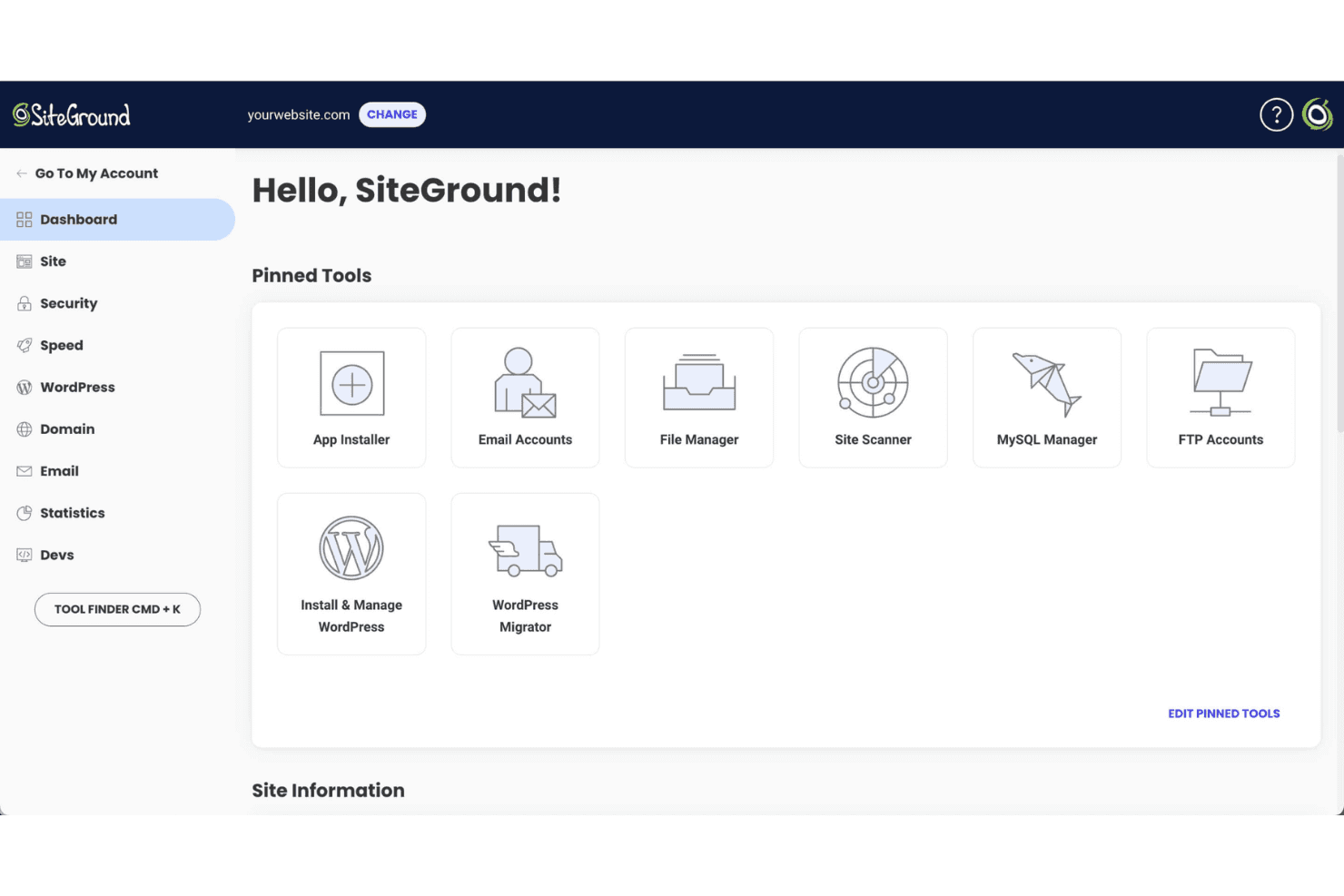
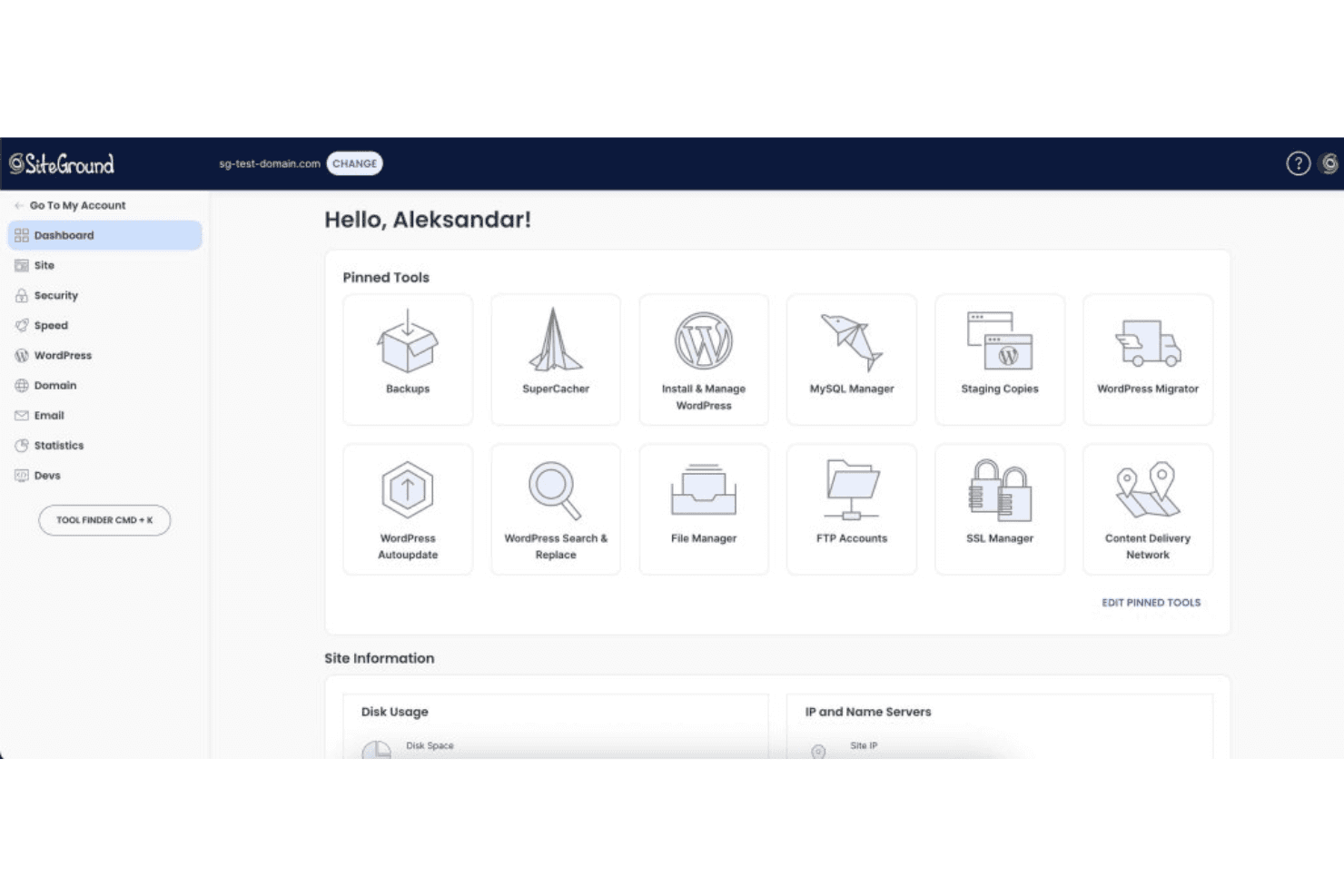
Website Management Tools: SiteGround offers various site tools to help you manage your website, including its own free website builder. You can easily control domains, email accounts, and databases from one place.
Daily Backups: SiteGround automatically backs up your data daily, so you can restore previous versions quickly if something goes wrong.
Free SSL Certificates: Your site gets free SSL certificates, ensuring secure connections. This helps you build trust with your visitors.
CDN Integration: Their CDN integration speeds up your site by distributing content globally. Your users experience faster load times, enhancing user satisfaction.
Email Hosting: You get email hosting with your free domain, making communication professional. It's simple to set up and manage your team's emails.
Unmetered Traffic: SiteGround allows unmetered traffic, so your site can handle high visitor numbers without you facing unexpected surcharges.
Ease of Use
SiteGround is fairly user-friendly, but some find the SiteGround account dashboard complex compared to other web hosting services, such as GoDaddy, cPanel, and HostGator. The control panel offers many tools, which can be overwhelming for beginners. However, once you get the hang of it, managing domains, emails, and backups becomes straightforward. If you're new to web hosting, expect a learning curve before you feel comfortable.
Integrations
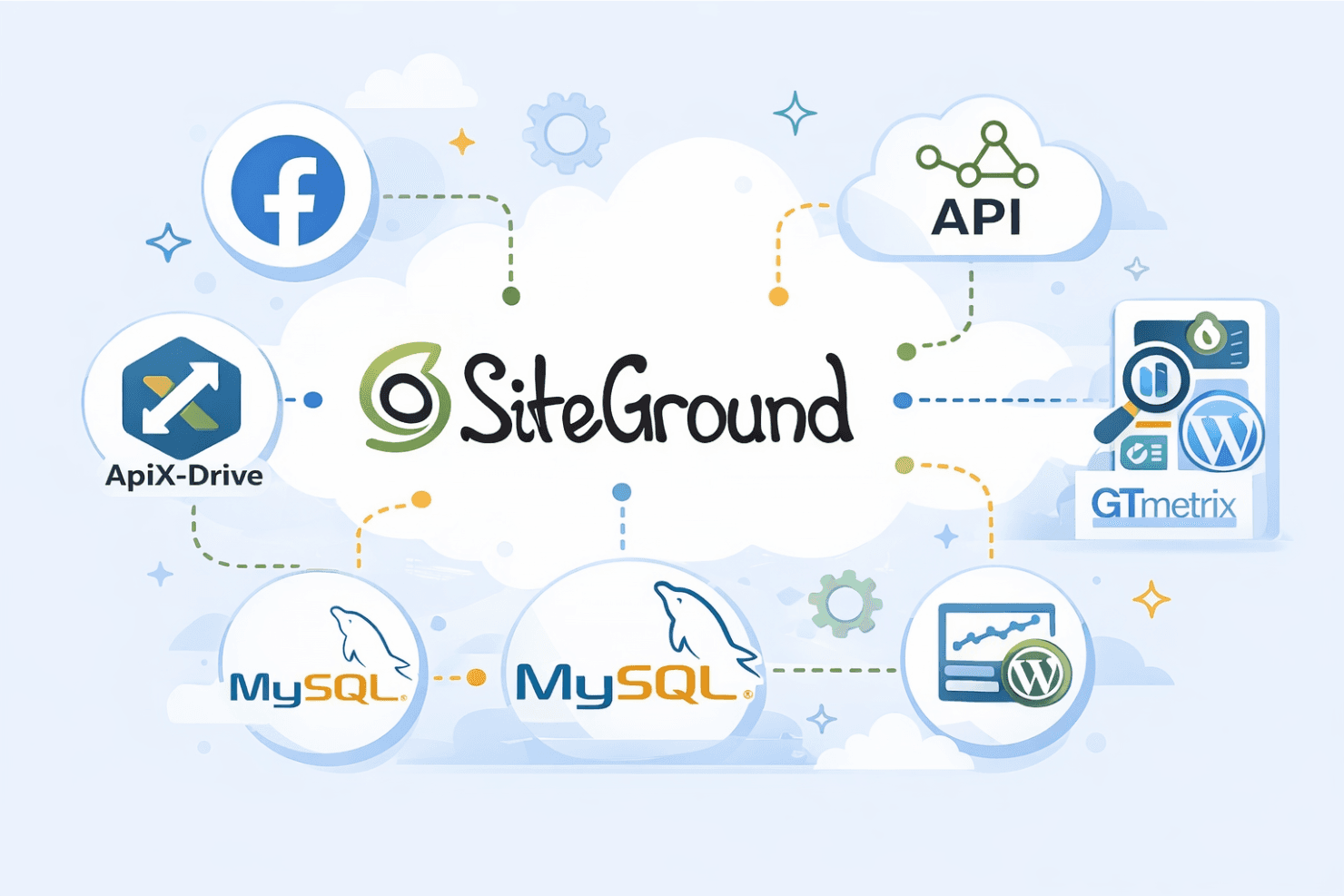
SiteGround integrates with Facebook, and it also offers an API and connects with third-party tools such as ApiX Drive, MySQL, and GTmetrix for additional flexibility. There are also various WordPress plugins for the SiteGround platform that you can install to enhance your experience, including SEO and security plugins.
SiteGround Specs
- API: Yes
- Bulk Domain Management: Yes
- Calendar Management: No
- Dashboard: Yes
- External Integrations: Yes
- Multi-User: Yes
- Notifications: Yes
- Scheduling: Yes


