

Apiaryn arvostelu: hyvät ja huonot puolet, ominaisuudet ja hinnoittelu

We review tools independently, and commissions help fund our testing. See our transparency policy, our methodology, or suggest a tool.
Apiary is an application development software built around API design, documentation, and mock server testing. It's a good fit for development teams that need to define and document APIs before writing production code, particularly when collaboration between backend developers and API consumers matters. I'd consider it over something like SwaggerHub if your team wants API documentation, interactive testing, and mock servers in one place—without configuring those pieces as separate tools or integrations.
Apiary Evaluation Summary
4.3/5
- Pricing available on request
- as a free trial but doesn’t mention the number of days
Miksi luottaa ohjelmistosuosituksiimme
6,700+
Reviews
20
Industry experts
16+
Evaluation factors
14
Years
Tiimimme on testannut ja arvioinut ohjelmistoja vuodesta 2012 lähtien. Teknologiajohtajina tiedämme itse, kuinka vaikeaa — ja tärkeää — oikean ohjelmiston valitseminen on.
Tätä opasta varten arvioimme työkaluja käytännön testauksen ja itsenäisen tutkimuksen avulla, pisteyttäen työkalut valintakriteeriemme perusteella.
Arvostelumme perustuvat inhimilliseen toimitukselliseen harkintaamme, eivät myyntipuheeseen.
Asiantuntija-arvioijat:
- Paulo Gardini MiguelTech Director
 Tim FisherVP of AI
 Gabriel RosasTech Lead & Software Architect
 Christhian GruhnTech Lead & Platform Architect

Apiary Overview
In my opinion, Apiary.io stands out as a solid choice for teams focused on API creation. Its interface is intuitive, making it easier for developers to draft and test APIs. Compared to other platforms, Apiary offers a competitive edge with its collaborative features, allowing multiple team members to work seamlessly. However, its onboarding process could be more streamlined, and the customer support, while adequate, sometimes lacks immediacy. Apiary is best suited for small to medium-sized teams that prioritize collaboration and API design. If your team needs a tool that integrates well with other development tools and offers good value for money, Apiary is worth considering.
Pros
- You can easily document and test APIs, making your work more efficient.
- Its user-friendly interface helps you quickly understand and navigate the software.
- You can leverage its developer-friendly framework for robust and adaptable API management.
Cons
- You might find the learning curve steep if you're new to API management.
- It may lack some advanced features compared to other API management solutions.
- You could encounter limitations in customization options, affecting flexibility.
Is Apiary Right For Your Needs?
Who Would be a Good Fit for Apiary?
Apiary.io is ideal for development teams focusing on API design and documentation. If your work involves frequent API iterations and collaboration, Apiary's features like API Blueprint, mock servers, and collaborative documentation can be useful. It helps streamline your workflow by allowing you to design, prototype, and test APIs efficiently.
- Software DevelopersApiary provides tools for designing, prototyping, and testing APIs, ensuring your development process is efficient.
- Tech StartupsStartups benefit from prototyping and iterating on new APIs quickly, which Apiary supports with its comprehensive toolset.
- API-Driven ProjectsFor projects relying heavily on APIs, Apiary's documentation and testing features help maintain consistency and reliability.
- Collaborative TeamsTeams that need to work together on API design will appreciate Apiary's collaborative documentation and version control.
- Educational InstitutionsApiary offers a platform for students to learn about API design and testing, making it a valuable educational tool.
- Consulting FirmsFirms providing API solutions can use Apiary to quickly design and showcase API capabilities to clients.
Who Would be a Bad Fit for Apiary?
Apiary.io might not be suitable for teams that need advanced customization or complex integrations. If your work requires highly tailored workflows or deep integration with other systems, you might find Apiary's features limiting. For instance, if your team needs to create detailed resource management plans or requires in-depth analytics, you might struggle with Apiary's capabilities. Apiary is better suited for straightforward API development and documentation rather than complex, multi-layered application development.
- Large EnterprisesApiary might not handle the scale and complexity of large enterprises that require extensive customization and integration capabilities. In this case, consider API development tools offered by AWS, Microsoft, and IBM.
- Custom Software DevelopmentFor teams focused on creating custom software solutions, Apiary's limited customization options can be a hindrance.
- Data-Intensive ApplicationsIf your project demands intensive data processing or analytics, Apiary's functionalities may not suffice.
- Resource ManagementApiary lacks detailed resource management features, making it unsuitable for teams needing comprehensive planning tools.
- Advanced ReportingTeams requiring advanced reporting might find Apiary insufficient, as it doesn't cater to in-depth analytics needs.
- Complex Workflow IntegrationIf your work involves integrating multiple complex workflows, Apiary's integration capabilities might fall short.
Our Review Methodology
How We Test & Score Tools
We’ve spent years building, refining, and improving our software testing and scoring system. The rubric is designed to capture the nuances of software selection and what makes a tool effective, focusing on critical aspects of the decision-making process.
Below, you can see exactly how our testing and scoring works across seven criteria. It allows us to provide an unbiased evaluation of the software based on core functionality, standout features, ease of use, onboarding, customer support, integrations, customer reviews, and value for money.
Core Functionality (25% of final scoring)
The starting point of our evaluation is always the core functionality of the tool. Does it have the basic features and functions that a user would expect to see? Are any of those core features locked to higher-tiered pricing plans? At its core, we expect a tool to stand up against the baseline capabilities of its competitors.
Standout Features (25% of final scoring)
Next, we evaluate uncommon standout features that go above and beyond the core functionality typically found in tools of its kind. A high score reflects specialized or unique features that make the product faster, more efficient, or offer additional value to the user.
We also evaluate how easy it is to integrate with other tools typically found in the tech stack to expand the functionality and utility of the software. Tools offering plentiful native integrations, 3rd party connections, and API access to build custom integrations score best.
Ease of Use (10% of final scoring)
We consider how quick and easy it is to execute the tasks defined in the core functionality using the tool. High scoring software is well designed, intuitive to use, offers mobile apps, provides templates, and makes relatively complex tasks seem simple.
Onboarding (10% of final scoring)
We know how important rapid team adoption is for a new platform, so we evaluate how easy it is to learn and use a tool with minimal training. We evaluate how quickly a team member can get set up and start using the tool with no experience. High scoring solutions indicate little or no support is required.
Customer Support (10% of final scoring)
We review how quick and easy it is to get unstuck and find help by phone, live chat, or knowledge base. Tools and companies that provide real-time support score best, while chatbots score worst.
Customer Reviews (10% of final scoring)
Beyond our own testing and evaluation, we consider the net promoter score from current and past customers. We review their likelihood, given the option, to choose the tool again for the core functionality. A high scoring software reflects a high net promoter score from current or past customers.
Value for Money (10% of final scoring)
Lastly, in consideration of all the other criteria, we review the average price of entry level plans against the core features and consider the value of the other evaluation criteria. Software that delivers more, for less, will score higher.
Core Features
API Blueprint Editor
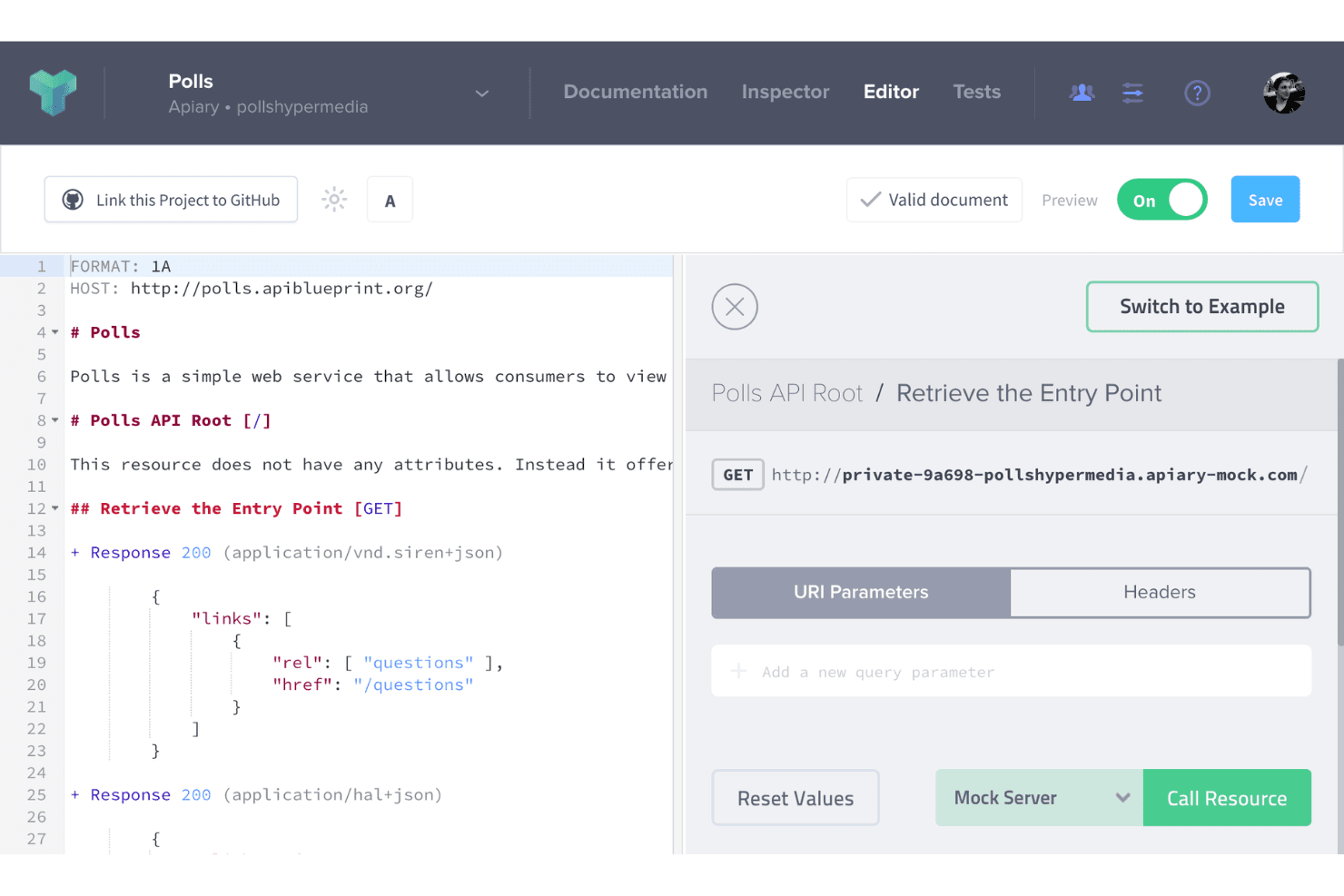
You can use Apiary's intuitive API Blueprint Editor to design your APIs with ease. The editor supports OpenAPI, which requires specific syntax. It lets you write API documentation in markdown, ensuring that you and your team can focus on creating clear and concise documentation effortlessly.
Mock Servers
With Apiary's mock servers, you can test your API designs without worrying about backend development. This feature allows you to simulate API responses, giving you and your team a real-time understanding of how your API will behave.
API Documentation
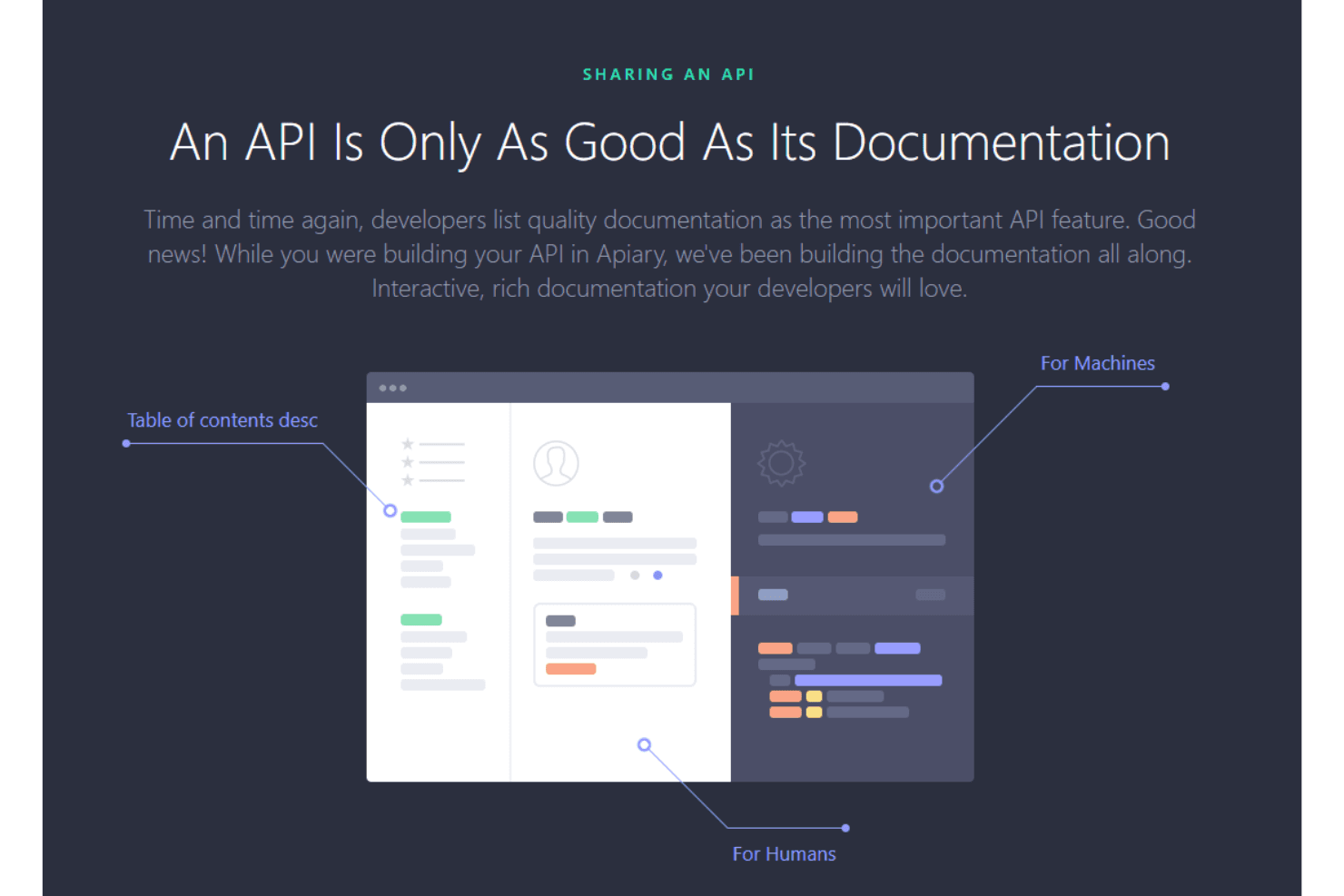
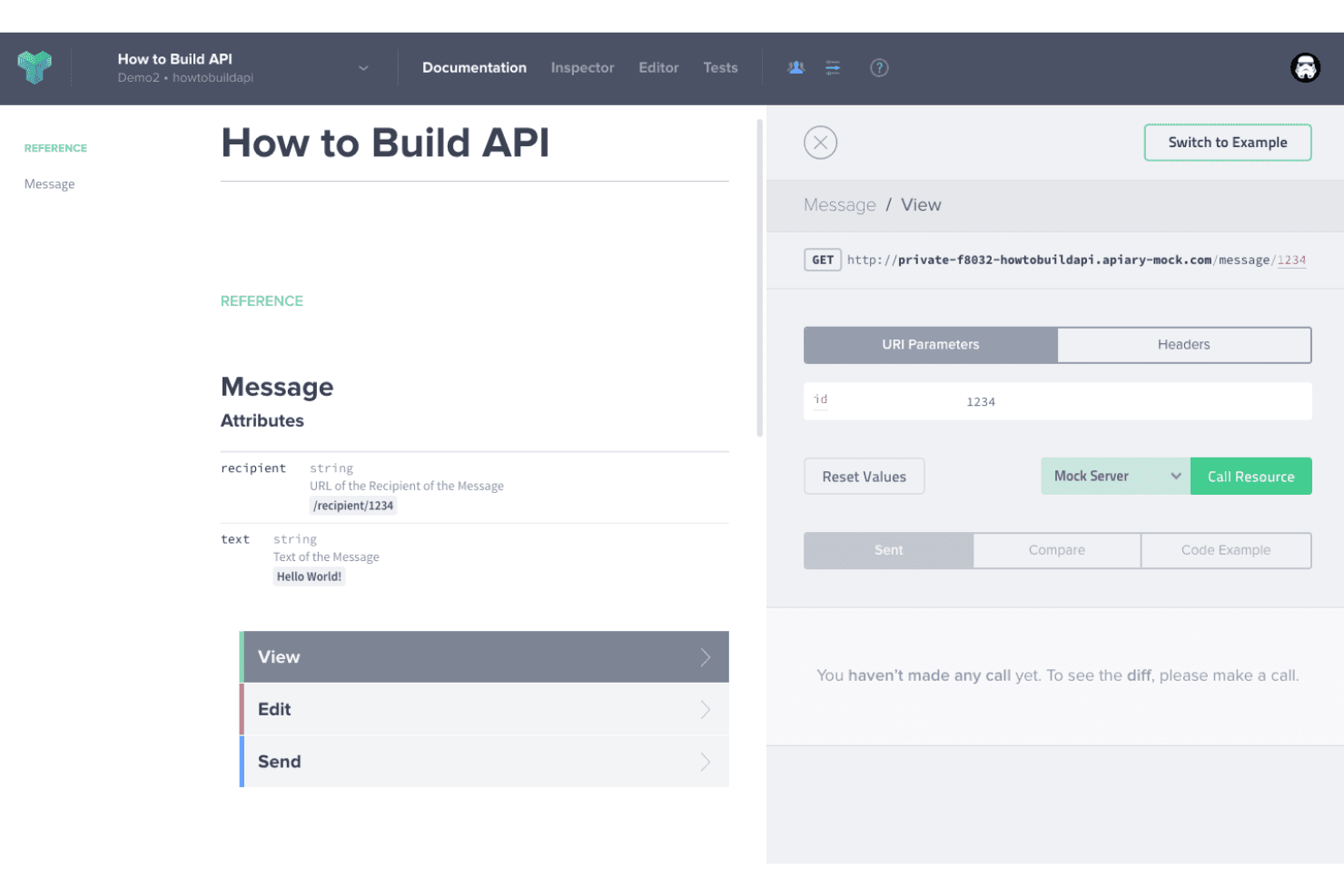
Apiary automatically generates documentation from your API designs. This ensures that you have up-to-date, user-friendly docs that helps you and your team understand API endpoints and their functionalities.
API Inspector
The API Inspector feature allows you to track requests and responses in real time. This is invaluable for debugging and ensures that your API performs as expected.
Collaboration Tools
Apiary provides collaboration tools that enable your team to work together on API development. Whether you're commenting on API designs or discussing changes, these tools help you streamline the development process.
Version Control
You can manage different versions of your API with Apiary's version control feature. This ensures that you can track changes and revert to previous versions if needed, maintaining the integrity of your API development.
Ease of Use
Apiary's interface is intuitive, making it accessible for both beginners and experienced developers. You can quickly design and test APIs, thanks to its user-friendly design and straightforward documentation. However, the learning curve might be slightly steeper if you're unfamiliar with API concepts. Compared to other tools, Apiary’s real-time collaboration, automation capabilities, and immediate feedback features enhance your workflow. However,some users find the advanced customization options require a bit more time to master.
Integrations
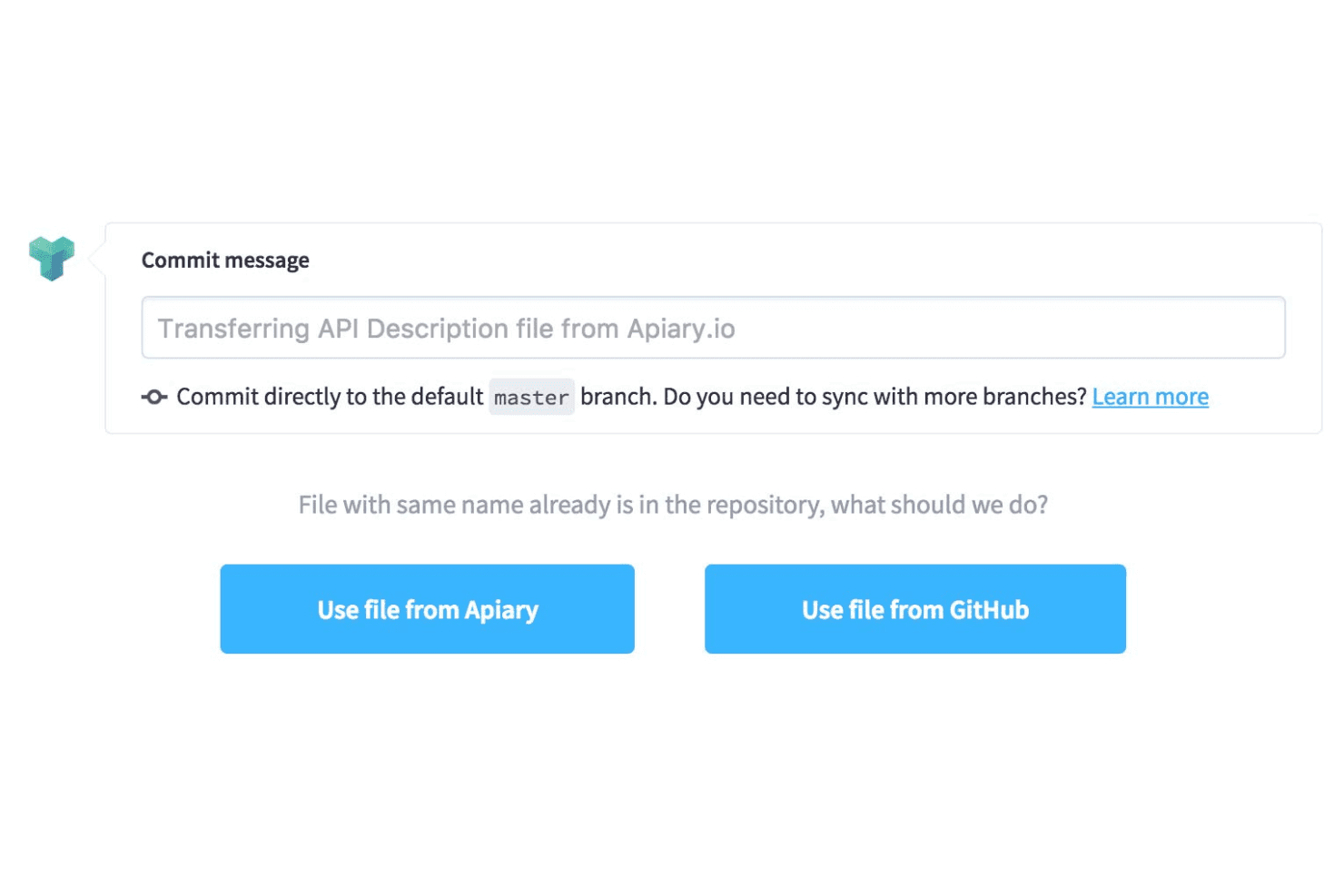
Apiary.io integrates with GitHub, API Blueprint, Swagger, and provides functionality for API testing and mock server design. Apiary also has an Integration API that allows third-party applications and partners to integrate with its services and tools.
Apiary Specs
- API: Yes
- Bug Tracking: No
- CI/CD Integration: No
- Cloud Deployment: Yes
- Code Review: No
- Code Transformation: No
- Collaboration Support: Yes
- Data Export: No
- Data Import: No
- Developer Tools: Yes
- External Integrations: Yes
- Git Integration: Yes
- History/Version Control: Yes
- IDE Plugins: No
- Local Deployment: No
- Multi-User: Yes
- Notifications: No
- Project Management: No
- Release Management: No
- Static Analysis: No
- Task Scheduling/Tracking: No
- Testing: Yes


