
Gemini-arvostelu: hyvät ja huonot puolet, ominaisuudet ja hinnoittelu
Gemini loistaa käytön helppoudellaan ja mukautuvuudellaan, joten se on ensisijainen valinta tiimeille, jotka etsivät monipuolisia suurten kielimallien ratkaisuja.

We review tools independently, and commissions help fund our testing. See our transparency policy, our methodology, or suggest a tool.
Google Gemini is an artificial intelligence platform built into Google's ecosystem, designed for teams that need AI assistance across writing, coding, data analysis, and research. I'd consider it most seriously if your organization already runs on Google Workspace—the native integration with Gmail, Docs, Sheets, and Drive gives it a practical edge over Microsoft Copilot, which requires a deeper Microsoft 365 commitment to unlock similar workflow depth.
Google Gemini Evaluation Summary

4.4/5
- From $7/user/month
- 14-day free trial
Miksi luottaa ohjelmistosuosituksiimme
6,700+
Reviews
20
Industry experts
16+
Evaluation factors
14
Years
Tiimimme on testannut ja arvioinut ohjelmistoja vuodesta 2012 lähtien. Teknologiajohtajina tiedämme itse, kuinka vaikeaa — ja tärkeää — oikean ohjelmiston valitseminen on.
Tätä opasta varten arvioimme työkaluja käytännön testauksen ja itsenäisen tutkimuksen avulla, pisteyttäen työkalut valintakriteeriemme perusteella.
Arvostelumme perustuvat inhimilliseen toimitukselliseen harkintaamme, eivät myyntipuheeseen.
Asiantuntija-arvioijat:
- Paulo Gardini MiguelTech Director
 Tim FisherVP of AI
 Gabriel RosasTech Lead & Software Architect
 Christhian GruhnTech Lead & Platform Architect

Google Gemini Overview
In my opinion, Gemini stands out among the best AI’s like ChatGPT, Perplexity, Grok, and Copilot because of its user-friendly interface, integration with Google Workspace, and adaptability. That makes it a solid choice for tech startups and content teams. Complementing its formidable core architecture, Gemini’s standout features offer the modularity needed to power diverse AI-driven applications. However, onboarding could be smoother compared to some competitors. Its paid versions are fairly priced, given the functionality it provides, but there are more cost-effective options if budget is a concern. If your team values ease of use and adaptability, Google Gemini is worth considering.
Pros
- Your team will find its user interface easy to navigate.
- It adapts well to different business needs and applications.
- Its standout features provide flexibility for creative tasks.
Cons
- Onboarding can be a bit challenging at first.
- It may not offer the most extensive language processing options.
- Customer support response times could be faster.
Is Google Gemini Right For Your Needs?
Who Would be a Good Fit for Google Gemini?
Gemini suits tech startups and content teams that need a user-friendly language processing tool. If your team values flexibility, Gemini's standout features make it an ideal AI assistant and chatbot for creative tasks like AI image generation and diverse business applications. Its adaptability helps tech departments handle various language-related challenges efficiently. It can be used for debugging through Gemini Code Assist. Gemini's interface allows your team to navigate tasks without hassle, making it a good fit for teams that prioritize ease of use and adaptability.
- Tech StartupsGemini's easy-to-use interface helps your startup quickly handle language processing needs.
- Content CreationYour content team will benefit from Gemini's flexibility in adapting to different writing styles.
- Customer SupportGemini's adaptability and AI tools aid your support team in managing diverse customer inquiries and answer questions effectively.
- Marketing DepartmentsGemini AI helps your marketing team create engaging content with its advanced language capabilities.
- EducationYour educational institution can use Gemini for language-based learning and content creation.
- FreelancersFreelancers will find Gemini's features useful for handling varied AI-generated writing and creative tasks.
Who Would be a Bad Fit for Google Gemini?
Gemini may not suit large enterprises needing extensive language processing capabilities. If your team requires highly specialized language options, you might find Gemini lacking compared to other comprehensive solutions. Industries that demand rapid customer support responses could feel limited by Gemini's support response times. Additionally, if onboarding ease is a priority for your team, Gemini's initial setup process might not meet your expectations, making it less ideal for those who need a seamless start.
- Large EnterprisesGemini's features might not support the extensive language needs of large-scale operations.
- Legal DepartmentsYour legal team may require more specialized language processing than Gemini offers.
- Healthcare IndustryHealthcare professionals might find Gemini's language options not detailed enough for medical terminology.
- Financial ServicesYour finance team might need more precise tools for handling complex financial language.
- Government AgenciesGovernment bodies often need highly secure and specialized language solutions that Gemini may not provide.
- High-Volume Call CentersGemini's customer support limitations might not suit the fast-paced demands of call centers.
Our Review Methodology
How We Test & Score Tools
We’ve spent years building, refining, and improving our software testing and scoring system. The rubric is designed to capture the nuances of software selection and what makes a tool effective, focusing on critical aspects of the decision-making process.
Below, you can see exactly how our testing and scoring works across seven criteria. It allows us to provide an unbiased evaluation of the software based on core functionality, standout features, ease of use, onboarding, customer support, integrations, customer reviews, and value for money.
Core Functionality (25% of final scoring)
The starting point of our evaluation is always the core functionality of the tool. Does it have the basic features and functions that a user would expect to see? Are any of those core features locked to higher-tiered pricing plans? At its core, we expect a tool to stand up against the baseline capabilities of its competitors.
Standout Features (25% of final scoring)
Next, we evaluate uncommon standout features that go above and beyond the core functionality typically found in tools of its kind. A high score reflects specialized or unique features that make the product faster, more efficient, or offer additional value to the user.
We also evaluate how easy it is to integrate with other tools typically found in the tech stack to expand the functionality and utility of the software. Tools offering plentiful native integrations, 3rd party connections, and API access to build custom integrations score best.
Ease of Use (10% of final scoring)
We consider how quick and easy it is to execute the tasks defined in the core functionality using the tool. High scoring software is well designed, intuitive to use, offers mobile apps, provides templates, and makes relatively complex tasks seem simple.
Onboarding (10% of final scoring)
We know how important rapid team adoption is for a new platform, so we evaluate how easy it is to learn and use a tool with minimal training. We evaluate how quickly a team member can get set up and start using the tool with no experience. High scoring solutions indicate little or no support is required.
Customer Support (10% of final scoring)
We review how quick and easy it is to get unstuck and find help by phone, live chat, or knowledge base. Tools and companies that provide real-time support score best, while chatbots score worst.
Customer Reviews (10% of final scoring)
Beyond our own testing and evaluation, we consider the net promoter score from current and past customers. We review their likelihood, given the option, to choose the tool again for the core functionality. A high scoring software reflects a high net promoter score from current or past customers.
Value for Money (10% of final scoring)
Lastly, in consideration of all the other criteria, we review the average price of entry level plans against the core features and consider the value of the other evaluation criteria. Software that delivers more, for less, will score higher.
Core Features
Language Processing: Gemini handles various language tasks with efficiency, helping your team manage content creation smoothly.
User Interface: Its straightforward interface allows your team to navigate tasks easily without a steep learning curve, resulting in a great user experience.
Adaptability: Gemini adjusts to different business needs, offering flexibility for your creative and technical projects.
Content Generation: Your team can generate diverse content types using different templates, making it a versatile tool for writers and marketers.
Scalability: It supports growing language needs, ensuring your team can expand its use without limitations.
Customization: Gemini lets you tailor its functions to fit specific tasks, enhancing your team's workflow efficiency.
Ease of Use
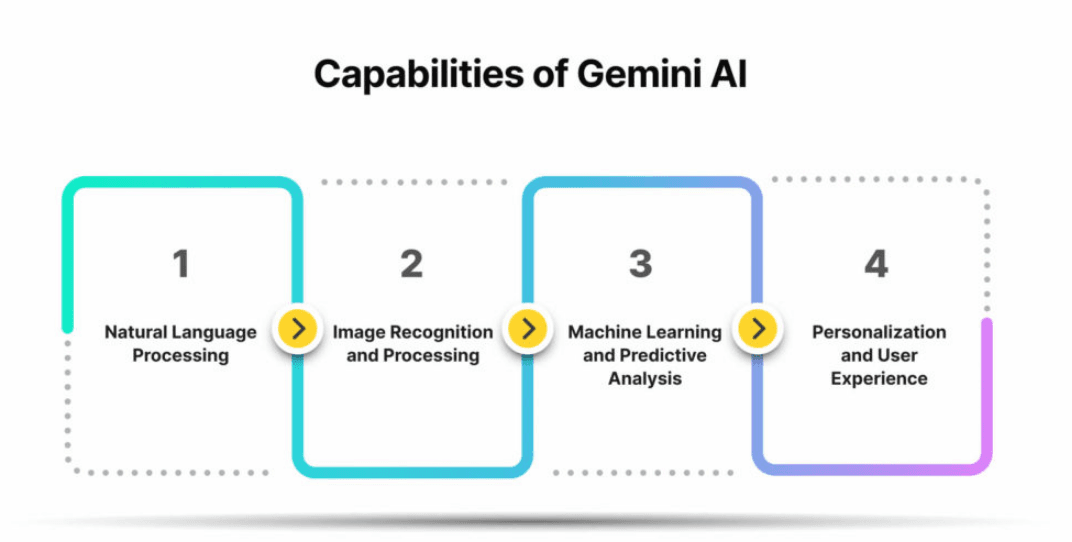
Gemini offers an easy-to-use interface that helps your team quickly navigate its features. Its intuitive design means you don't need extensive training to get started. Compared to other language models, Gemini excels in helping teams handle tasks without a hassle. User reviews highlight its simplicity, making it a favorite for those who value straightforward usability. Whether you're managing content or technical projects, Gemini's user-friendly setup supports effortless integration into your workflow.

Integrations
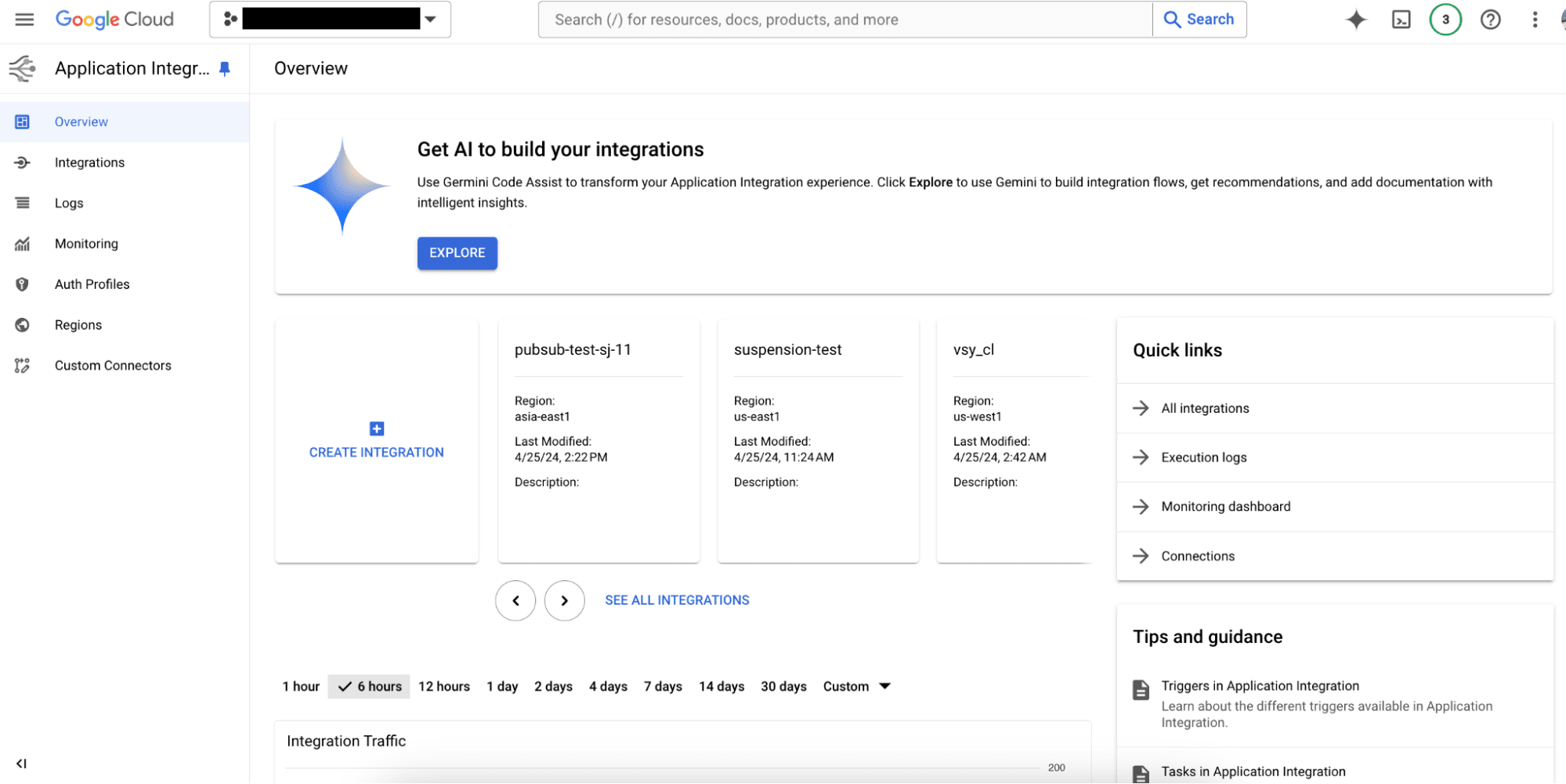
Gemini integrates with Google Workspace (Google Drive, Gmail, Google Docs), Slack, Microsoft Teams, Salesforce, HubSpot, Zoom, Trello, Monday.com, Asana, and Zendesk.
Gemini also offers an API, allowing you to connect with third-party integration tools.
Google Gemini Specs
- A/B Testing: No
- API: Yes
- Approval Workflows: No
- Audience Targeting: No
- Brand Asset Creation: Yes
- Brand Management: No
- Calendar Management: Yes
- Campaign Management: No
- Conversion Tracking: No
- Custom Domains: No
- Custom Reports: No
- Dashboard: Yes
- Data Export: Yes
- Data Import: Yes
- Data Visualization: Yes
- Design Templates: Yes
- Email Integration: Yes
- External Integrations: Yes
- Feedback Management: No
- Keyword Tracking: No
- Landing Pages: No
- Link Tracking: No
- Marketing Automation: No
- Multi-User: Yes
- Notifications: Yes
- Review Monitoring: No
- Scheduling: Yes
- Sentiment Analysis: Yes
- SEO: Yes
- Social-Media Integration: No
- White-label: No
- Workflow Management: Yes


