
ESET-arvostelu: hyvät ja huonot puolet, ominaisuudet ja hinnoittelu
ESET erottuu kevyellä suojauksellaan ja korkeilla tunnistusasteillaan, joten se sopii ihanteellisesti tiimeille, jotka tarvitsevat tehokasta ja luotettavaa tietoturvaa.

We review tools independently, and commissions help fund our testing. See our transparency policy, our methodology, or suggest a tool.
ESET is an internet security software built for IT teams managing endpoint protection across mixed environments—Windows, macOS, Linux, and mobile devices. I'd consider it over something like Norton if keeping system resource usage low is a priority for your infrastructure, since ESET is consistently lighter on performance while still delivering multilayered malware detection and centralized device management through a single console.
ESET Evaluation Summary
4.6/5
- From $49.99/device/year
- 30-day free trial
Miksi luottaa ohjelmistosuosituksiimme
6,700+
Reviews
20
Industry experts
16+
Evaluation factors
14
Years
Tiimimme on testannut ja arvioinut ohjelmistoja vuodesta 2012 lähtien. Teknologiajohtajina tiedämme itse, kuinka vaikeaa — ja tärkeää — oikean ohjelmiston valitseminen on.
Tätä opasta varten arvioimme työkaluja käytännön testauksen ja itsenäisen tutkimuksen avulla, pisteyttäen työkalut valintakriteeriemme perusteella.
Arvostelumme perustuvat inhimilliseen toimitukselliseen harkintaamme, eivät myyntipuheeseen.
Asiantuntija-arvioijat:
- Paulo Gardini MiguelTech Director
 Tim FisherVP of AI
 Gabriel RosasTech Lead & Software Architect
 Christhian GruhnTech Lead & Platform Architect

ESET Overview
In my opinion, ESET is a solid choice for those seeking reliable internet security. It excels in malware detection and offers a user-friendly interface, though onboarding could be smoother. Compared to other internet security software, ESET is good value for money and suitable for budget-conscious teams. It's best for businesses that prioritize straightforward security solutions over more complex systems. While it may not have some advanced features seen in other antivirus programs like McAfee, Norton, Avast, Kaspersky, or Bitdefender, its consistent performance, low rate of false positives, and dependable support make ESET a worthy contender in the internet security space. If you're looking to safeguard your systems without spending a fortune, ESET deserves your consideration.
Pros
- Offers strong malware detection as rated by AV-TEST and AV-Comparatives.
- User-friendly interface makes.
- Budget friendly.
Cons
- Onboarding isn't as smooth as you might expect.
- Lacks some advanced features found in other best antivirus software.
- Customer support response times can be slower than you'd like.
Is ESET Right For Your Needs?
Who Would be a Good Fit for ESET?
ESET is a good fit for small to medium-sized businesses and IT departments that need reliable security without complexity. Its strong malware detection, anti-theft features, and user-friendly interface make it ideal for teams that require straightforward protection. Financial institutions and healthcare providers will benefit from its efficient threat detection and password manager, safeguarding sensitive data. ESET's affordability is a bonus for budget-conscious teams wanting to maintain strong security standards.
- Small BusinessesESET's ease of use and cost-effectiveness make it ideal for small businesses needing dependable security.
- Healthcare ProvidersESET offers strong protection against data breaches, crucial for protecting patient information.
- Financial InstitutionsIts effective threat detection secures sensitive financial data, like credit card information, making it a smart choice for banks.
- IT DepartmentsESET's straightforward interface helps IT professionals manage security with minimal hassle.
- Remote TeamsESET's lightweight design and mobile security ensure remote teams can maintain security without slowing down their devices.
- Educational InstitutionsSchools benefit from ESET's reliable malware protection, keeping student data safe.
Who Would be a Bad Fit for ESET?
ESET isn't the best choice for large enterprises or tech companies that need advanced features and extensive customization. Its lack of sophisticated capabilities and slower onboarding process can hinder teams that rely on cutting-edge technology and rapid deployment. Industries requiring complex integrations or those with high customization demands might find ESET limiting. If your team needs more than basic security features, you might want to consider other options.
- Large EnterprisesESET's limited advanced features might not meet the complex needs of large organizations.
- Tech StartupsStartups needing cutting-edge technology and rapid deployment may find ESET's onboarding process slow.
- High-Tech IndustriesIndustries requiring extensive customization might find ESET's capabilities insufficient for their needs.
- Advanced Security TeamsTeams seeking additional security features might be disappointed by ESET's offerings.
- Custom Integration NeedsIf your work depends on complex integrations, ESET's offerings might be too basic.
- Fast-Paced EnvironmentsEnvironments needing quick implementation might find ESET's onboarding process too slow.
Our Review Methodology
How We Test & Score Tools
We’ve spent years building, refining, and improving our software testing and scoring system. The rubric is designed to capture the nuances of software selection and what makes a tool effective, focusing on critical aspects of the decision-making process.
Below, you can see exactly how our testing and scoring works across seven criteria. It allows us to provide an unbiased evaluation of the software based on core functionality, standout features, ease of use, onboarding, customer support, integrations, customer reviews, and value for money.
Core Functionality (25% of final scoring)
The starting point of our evaluation is always the core functionality of the tool. Does it have the basic features and functions that a user would expect to see? Are any of those core features locked to higher-tiered pricing plans? At its core, we expect a tool to stand up against the baseline capabilities of its competitors.
Standout Features (25% of final scoring)
Next, we evaluate uncommon standout features that go above and beyond the core functionality typically found in tools of its kind. A high score reflects specialized or unique features that make the product faster, more efficient, or offer additional value to the user.
We also evaluate how easy it is to integrate with other tools typically found in the tech stack to expand the functionality and utility of the software. Tools offering plentiful native integrations, 3rd party connections, and API access to build custom integrations score best.
Ease of Use (10% of final scoring)
We consider how quick and easy it is to execute the tasks defined in the core functionality using the tool. High scoring software is well designed, intuitive to use, offers mobile apps, provides templates, and makes relatively complex tasks seem simple.
Onboarding (10% of final scoring)
We know how important rapid team adoption is for a new platform, so we evaluate how easy it is to learn and use a tool with minimal training. We evaluate how quickly a team member can get set up and start using the tool with no experience. High scoring solutions indicate little or no support is required.
Customer Support (10% of final scoring)
We review how quick and easy it is to get unstuck and find help by phone, live chat, or knowledge base. Tools and companies that provide real-time support score best, while chatbots score worst.
Customer Reviews (10% of final scoring)
Beyond our own testing and evaluation, we consider the net promoter score from current and past customers. We review their likelihood, given the option, to choose the tool again for the core functionality. A high scoring software reflects a high net promoter score from current or past customers.
Value for Money (10% of final scoring)
Lastly, in consideration of all the other criteria, we review the average price of entry level plans against the core features and consider the value of the other evaluation criteria. Software that delivers more, for less, will score higher.
Core Features
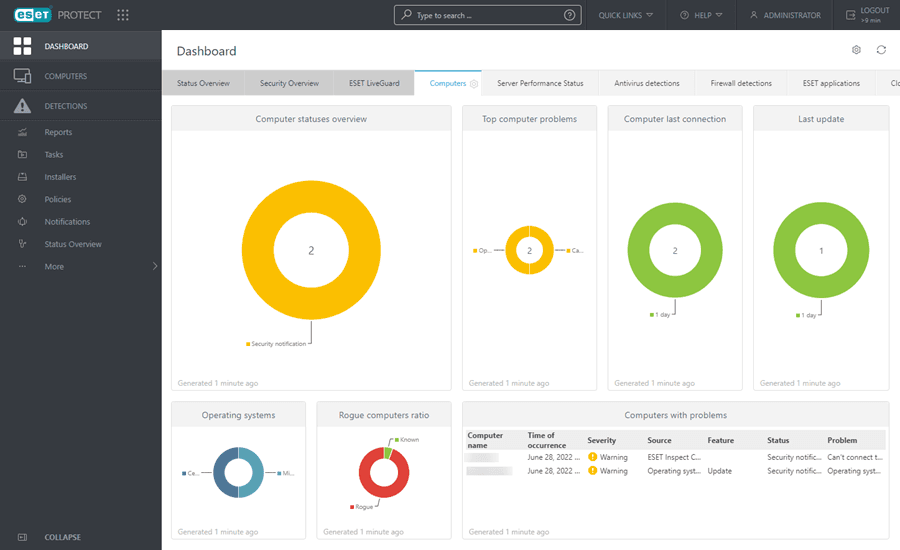
Antivirus Protection: ESET's antivirus engine detects and removes malware efficiently, keeping your systems safe from threats. Its real-time computer scans, custom scans, and quick scans ensure you catch issues before they cause damage.
Anti-Phishing: Protect your team from deceptive sites with ESET's anti-phishing feature, which blocks fraudulent websites. This helps safeguard your sensitive information from cybercriminals.
Firewall: ESET's firewall monitors incoming and outgoing network traffic to protect you from unauthorized access. It protects your IP address, acting as a barrier between your system and potential threats.
Email Security: ESET scans email attachments for malware, ensuring your communications remain secure. It prevents harmful files from reaching your inbox.
Web Control: Manage your team's internet usage with ESET's web control and secure browser features, which block access to harmful websites. This feature helps maintain a productive and safe browsing environment, with higher browser security.
Device Control: ESET allows you to control external devices connected to your systems, like USBs and CDs. This prevents unauthorized data transfers and potential malware introductions.
Ease of Use
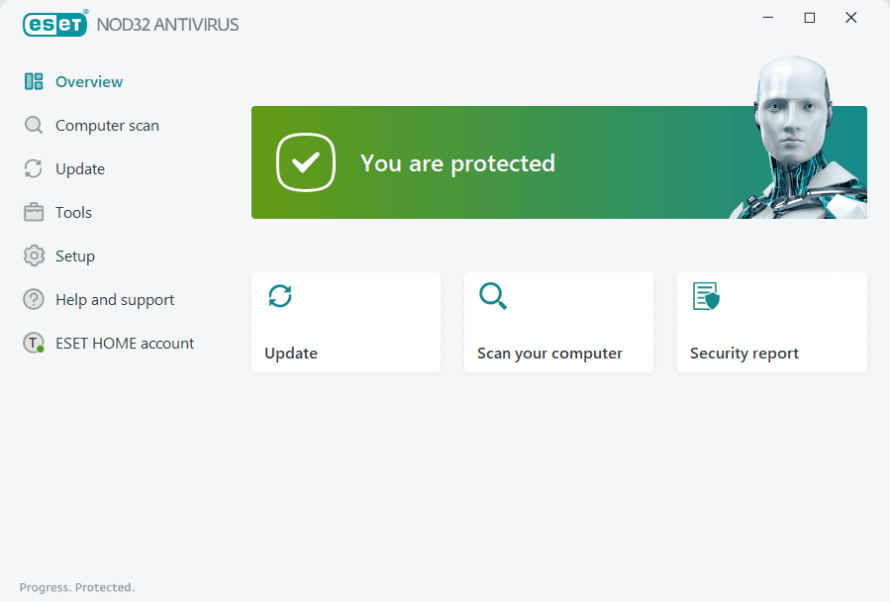
ESET is user-friendly, with an interface that's easy for your team to navigate without much training. Its intuitive design lets you access key features quickly, making it a straightforward choice for those who want simple yet effective security. Compared to other options, ESET's layout and ease of access stand out, providing a hassle-free experience. You'll appreciate how it simplifies your security management tasks, allowing you to focus on your work without getting bogged down by complicated processes.
Integrations
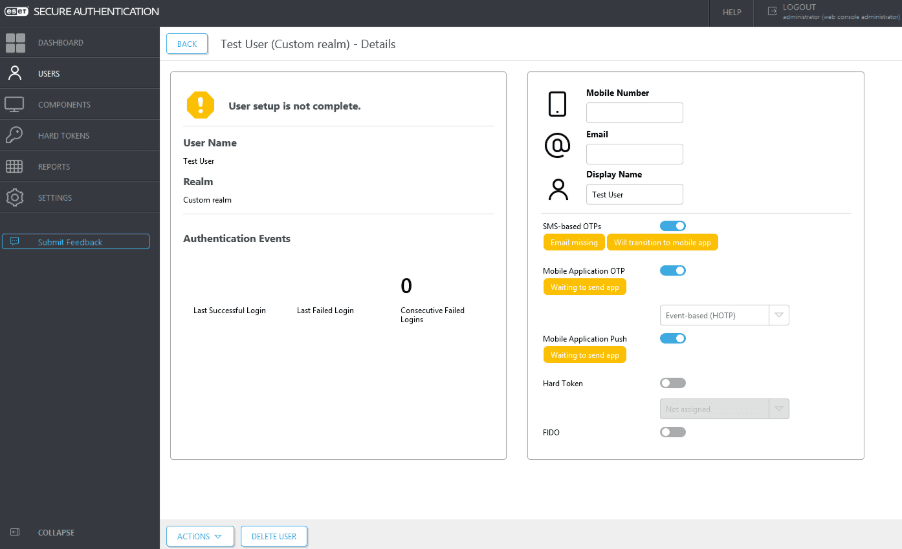
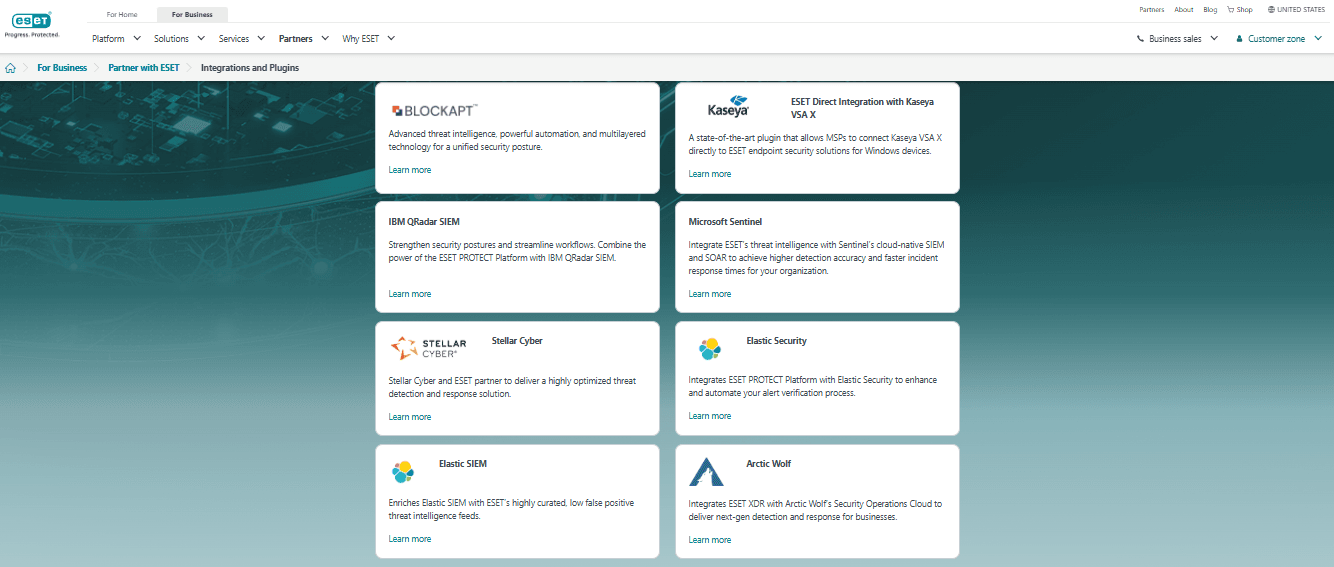
ESET integrates with Arctic Wolf, BlockAPT, Cisco, Elastic, IBM QRadar, Microsoft Sentinel, Mindflow, Splunk, Stellar Cyber, and Wazuh. ESET also offers an API for custom integrations, allowing your team to connect with third-party tools and enhance functionality.
ESET Specs
- 2-Factor Authentication: No
- Access Management: Yes
- Anti-Virus: Yes
- API: No
- Audit Management: No
- Audit Trail: No
- Batch Permissions & Access: No
- Compliance Tracking: No
- Dashboard: Yes
- Data Export: Yes
- Data Import: Yes
- DDoS Protection: No
- External Integrations: Yes
- File Sharing: No
- File Transfer: No
- Firewall: Yes
- Incident Management: Yes
- Malware Protection: Yes
- Multi-User: Yes
- Notifications: Yes
- Password & Access Management: No
- Policy Management: Yes
- Real-time Alerts: Yes
- Report & Compliance: Yes
- Risk Assessment: Yes
- Security Migration: No
- Threat Detection: Yes
- Workflow Management: No


