

CodeTogether-arvostelu: hyvät ja huonot puolet, ominaisuudet ja hinnoittelu selitettynä
CodeTogether erottuu edukseen saumattomalla reaaliaikaisella koodin jakamisella eri kehitysympäristöjen välillä, mikä tekee siitä ihanteellisen etätiimeille, vaikka edistyneet käyttäjät saattavat pitää joitakin ominaisuuksia vähemmän kehittyneinä kuin parhailla kilpailijoilla.

We review tools independently, and commissions help fund our testing. See our transparency policy, our methodology, or suggest a tool.
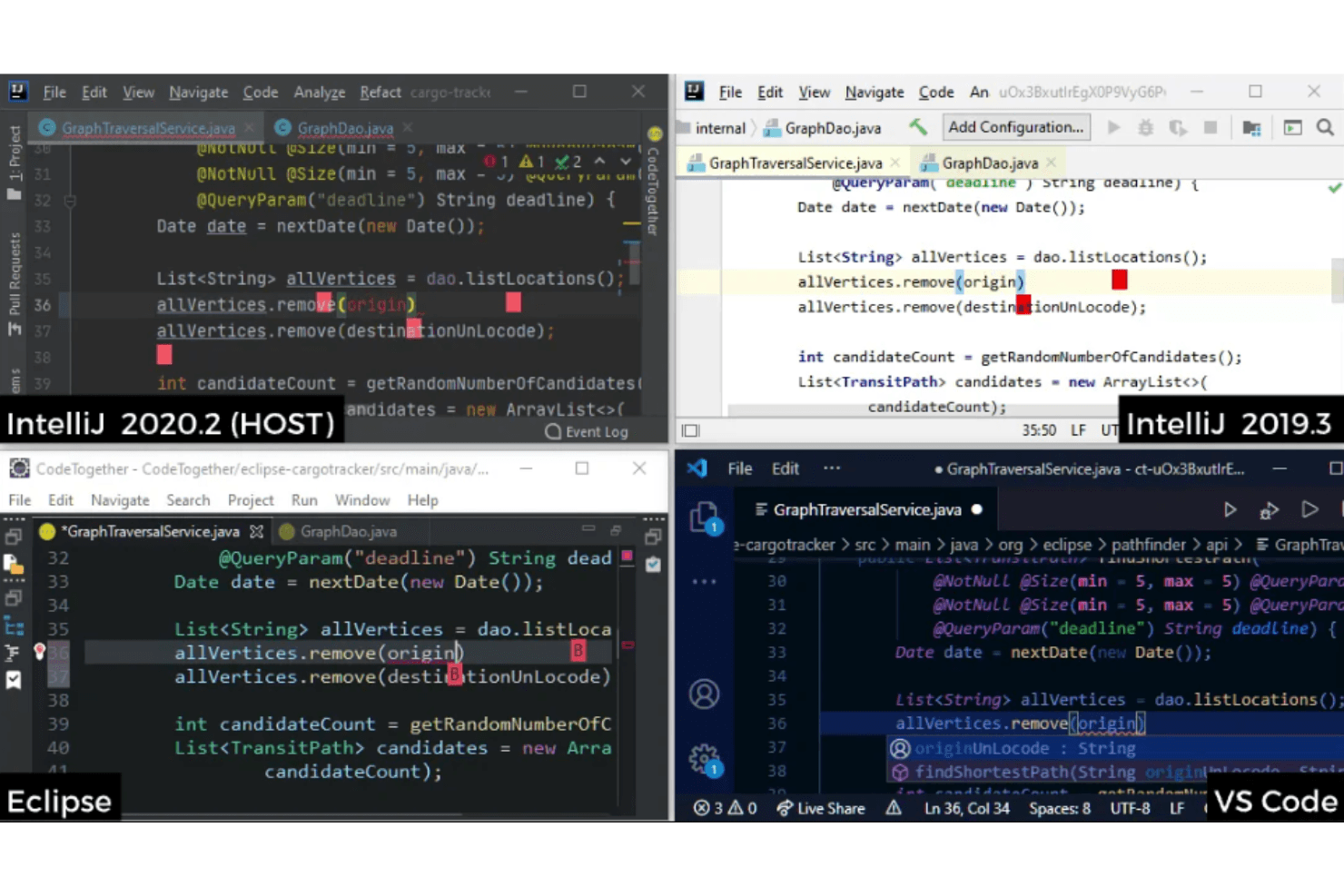
CodeTogether is a collaboration code tool built for dev teams that need real-time pair programming across different IDEs. If your team works across IntelliJ, Eclipse, and VS Code, it's worth considering over VS Code Live Share. Unlike Live Share, which requires all participants to use VS Code, CodeTogether lets each developer code from their own preferred IDE.
CodeTogether Evaluation Summary
4.4/5
- Pricing upon request
- 30-day free trial + free demo available
Miksi luottaa ohjelmistosuosituksiimme
6,700+
Reviews
20
Industry experts
16+
Evaluation factors
14
Years
Tiimimme on testannut ja arvioinut ohjelmistoja vuodesta 2012 lähtien. Teknologiajohtajina tiedämme itse, kuinka vaikeaa — ja tärkeää — oikean ohjelmiston valitseminen on.
Tätä opasta varten arvioimme työkaluja käytännön testauksen ja itsenäisen tutkimuksen avulla, pisteyttäen työkalut valintakriteeriemme perusteella.
Arvostelumme perustuvat inhimilliseen toimitukselliseen harkintaamme, eivät myyntipuheeseen.
Asiantuntija-arvioijat:
- Paulo Gardini MiguelTech Director
 Tim FisherVP of AI
 Gabriel RosasTech Lead & Software Architect
 Christhian GruhnTech Lead & Platform Architect

CodeTogether Overview
When judging code collaboration tools, CodeTogether impresses with its cross-IDE support, intuitive interface, and straightforward onboarding. Its real-time editing and session management outperform many alternatives, especially for teams using mixed development environments. Pricing is competitive for small to mid-sized teams, though advanced enterprise features and integrations are less extensive than some rivals. Support is responsive, but documentation could be deeper for complex setups. If you're selecting a tool for remote pair programming or distributed agile teams, CodeTogether is a strong choice, particularly where ease of use and IDE flexibility are top priorities.
Pros
- Supports real-time collaboration across multiple IDEs.
- Allows simultaneous editing by multiple participants.
- Offers secure, encrypted sessions for code sharing.
Cons
- Lacks built-in voice or video chat features.
- Limited advanced debugging tools compared to some competitors.
- Session performance can drop with large codebases.
Is CodeTogether Right For Your Needs?
Who Would be a Good Fit for CodeTogether?
CodeTogether is a strong choice for teams that need real-time, cross-IDE code collaboration without disrupting established workflows. It's especially well-suited for distributed development teams, education settings, and organizations that prioritize secure, flexible code sharing. The platform's session management, multi-user editing, and support for major IDEs make it a practical option for environments where remote collaboration and pair programming are frequent needs.
- Remote Development TeamsCodeTogether enables real-time code sharing across different IDEs, supporting distributed workflows.
- University Computer ScienceInstructors can guide programmers live, with secure, multi-user editing in class.
- Agile Product TeamsTeams can quickly review, debug, and iterate together during sprints.
- Open Source ProjectsContributors can join sessions without installing the same IDE or plugins.
- Consulting AgenciesConsultants can collaborate with client teams using their preferred tools.
- Dev BootcampsInstructors and students can pair program and troubleshoot in real time.
Who Would be a Bad Fit for CodeTogether?
CodeTogether may not be the best option for teams that require deep integrations, advanced debugging, or built-in communication tools. Organizations with highly specialized workflows or those working with very large codebases may find performance or feature limitations. If your team relies on integrated voice/video or needs advanced enterprise controls, other solutions may be a better match.
- Enterprise IT DepartmentsLacks advanced compliance, auditing, and enterprise management features.
- Game Development StudiosPerformance can lag with large, complex codebases and assets.
- Security-Sensitive IndustriesMay not meet strict regulatory or on-premises hosting requirements.
- Customer Support TeamsDoes not offer ticketing, chat, or workflow automation for support.
- Data Science TeamsLimited support for notebook environments and data visualization tools.
- Non-Technical DepartmentsNot designed for non-coders or business process collaboration.
Our Review Methodology
How We Test & Score Tools
We’ve spent years building, refining, and improving our software testing and scoring system. The rubric is designed to capture the nuances of software selection and what makes a tool effective, focusing on critical aspects of the decision-making process.
Below, you can see exactly how our testing and scoring works across seven criteria. It allows us to provide an unbiased evaluation of the software based on core functionality, standout features, ease of use, onboarding, customer support, integrations, customer reviews, and value for money.
Core Functionality (25% of final scoring)
The starting point of our evaluation is always the core functionality of the tool. Does it have the basic features and functions that a user would expect to see? Are any of those core features locked to higher-tiered pricing plans? At its core, we expect a tool to stand up against the baseline capabilities of its competitors.
Standout Features (25% of final scoring)
Next, we evaluate uncommon standout features that go above and beyond the core functionality typically found in tools of its kind. A high score reflects specialized or unique features that make the product faster, more efficient, or offer additional value to the user.
We also evaluate how easy it is to integrate with other tools typically found in the tech stack to expand the functionality and utility of the software. Tools offering plentiful native integrations, 3rd party connections, and API access to build custom integrations score best.
Ease of Use (10% of final scoring)
We consider how quick and easy it is to execute the tasks defined in the core functionality using the tool. High scoring software is well designed, intuitive to use, offers mobile apps, provides templates, and makes relatively complex tasks seem simple.
Onboarding (10% of final scoring)
We know how important rapid team adoption is for a new platform, so we evaluate how easy it is to learn and use a tool with minimal training. We evaluate how quickly a team member can get set up and start using the tool with no experience. High scoring solutions indicate little or no support is required.
Customer Support (10% of final scoring)
We review how quick and easy it is to get unstuck and find help by phone, live chat, or knowledge base. Tools and companies that provide real-time support score best, while chatbots score worst.
Customer Reviews (10% of final scoring)
Beyond our own testing and evaluation, we consider the net promoter score from current and past customers. We review their likelihood, given the option, to choose the tool again for the core functionality. A high scoring software reflects a high net promoter score from current or past customers.
Value for Money (10% of final scoring)
Lastly, in consideration of all the other criteria, we review the average price of entry level plans against the core features and consider the value of the other evaluation criteria. Software that delivers more, for less, will score higher.
Core Features
Cross-IDE Collaboration
Share coding sessions between Eclipse, IntelliJ, and VS Code without switching environments.
Simultaneous Multi-User Editing
Multiple participants can edit code at the same time in a shared session.
Session Host Controls
Session hosts can manage permissions, restrict file access, and control who edits or views code.
End-to-End Encryption
All code and communication in sessions are encrypted for privacy and security.
Live Code Review
Participants can review, comment, and suggest changes in real time.
IDE-Integrated Chat
A built-in chat panel allows team members to discuss code without leaving their IDE.
.png&w=3840&q=75)
Ease of Use
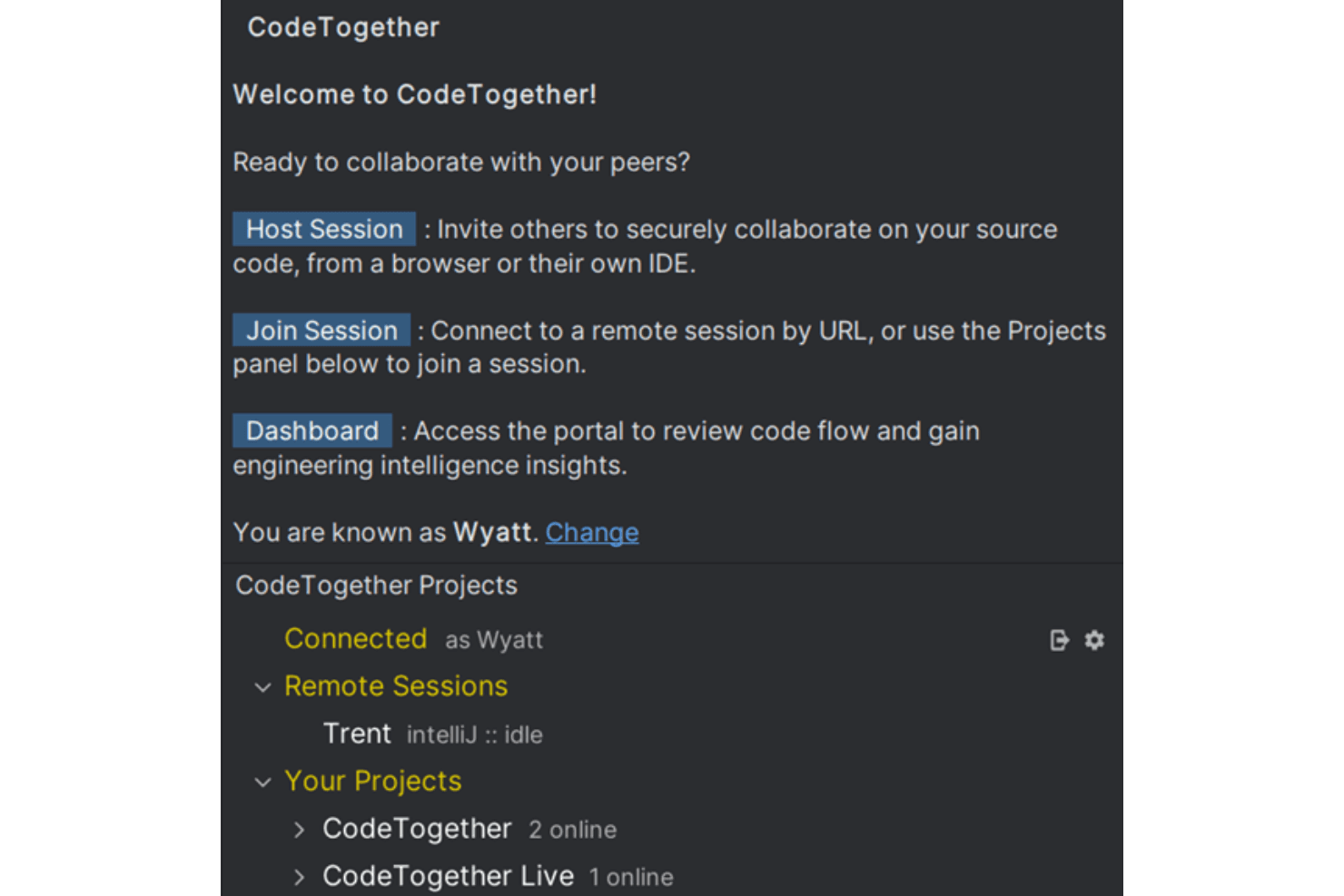
CodeTogether is widely regarded as user-friendly, with a straightforward setup and minimal configuration required to start a session. Users appreciate that joining or hosting sessions works smoothly across supported IDEs and browsers, reducing friction for mixed-IDE teams. The interface is clean and intuitive, and session controls are easy to find. However, some users note that advanced features require a bit of exploration, especially for managing permissions or using the shared terminal.
Integrations
CodeTogether integrates with Eclipse, IntelliJ IDEA, Github, PyCharm, WebStorm, VS Code, CLion, GoLand, PhpStorm, Rider, and RubyMine, among others.
CodeTogether does not offer a public API or direct connections with third-party integration tools.
.png&w=3840&q=75)
CodeTogether Specs
- 2-Factor Authentication: No
- Access Management: Yes
- Anti-Virus: No
- API: No
- Audit Trail: No
- Bug Tracking: No
- Calendar Management: No
- Customer Management: No
- Dashboard: Yes
- Data Export: No
- Data Import: No
- Data Visualization: Yes
- Email Integration: No
- External Integrations: Yes
- File Sharing: Yes
- File Transfer: No
- Firewall: No
- Google Apps Integration: No
- Inventory Tracking: No
- Malware Protection: No
- Multi-User: Yes
- Network Device Performance Monitoring: No
- Network Traffic Monitoring: No
- Network Visualization: No
- Notifications: Yes
- Project Management: No
- Remote Access: Yes
- Risk Assessment: No
- SAP Integration: No
- Scheduling: No
- Software Integration: Yes
- Third-Party Plugins/Add-Ons: Yes
- Ticket Management: No


