

Cisco UCS Manager -arvostelu: hyvät ja huonot puolet, ominaisuudet ja hinnoittelu
Cisco UCS Manager loistaa tallennustilan hallinnassa luotettavan suorituskykynsä ja käytäntölähtöisen hallintansa ansiosta, mikä tekee siitä erinomaisen valinnan yritysympäristöihin.

We review tools independently, and commissions help fund our testing. See our transparency policy, our methodology, or suggest a tool.
Cisco UCS Manager is a storage management software built for IT teams managing Cisco Unified Computing System environments. I'd primarily consider it if your infrastructure is already Cisco-heavy and you need unified visibility across compute, network, and storage from a single management plane. Compared to HPE OneView, Cisco UCS Manager gives you tighter native integration with Cisco hardware, which translates to less configuration overhead and more consistent policy enforcement across your UCS fabric.
Cisco UCS Manager Evaluation Summary

4.5/5
- Pricing upon request.
Why Trust Our Software Recommendations
6,700+
Reviews
20
Industry experts
16+
Evaluation factors
14
Years
Our team has been testing and reviewing software since 2012. As tech leaders ourselves, we know how difficult—and important—it is to choose the right software.
For this guide, we evaluated tools using hands-on testing and independent research, scoring tools using our selection criteria.
Our reviews reflect our human editorial judgment, not a sales pitch.
Expert reviewers:
- Paulo Gardini MiguelTech Director
 Tim FisherVP of AI
 Gabriel RosasTech Lead & Software Architect
 Christhian GruhnTech Lead & Platform Architect

Cisco UCS Manager Overview
In my opinion, Cisco UCS Manager excels as a unified management platform for enterprises that prioritize security, scalability, and uptime. Its template-based service profiles simplify system configuration, but you may find the interface less intuitive compared to some competitors, such as Dell and HP. However, the comprehensive support and integration capabilities make it a solid choice for IT departments in large organizations. If your team values security and extensive functionality, Cisco UCS Manager is worth considering, though it might require a bit more effort during onboarding, especially if you want to integrate operating systems such as ESXi.
Pros
- It offers high performance security features that protect your data.
- The software scales well for large enterprises.
- Technical support is responsive and helpful.
Cons
- The interface can be less intuitive for new users.
- Onboarding might require more effort and time.
- Some users find the software's complexity overwhelming.
Is Cisco UCS Manager Right For Your Needs?
Who Would be a Good Fit for Cisco UCS Manager?
Cisco UCS Manager is a great fit for large enterprises in industries such as finance and healthcare. If your business handles sensitive data, you'll appreciate the advanced security features that are integrated into the Cisco UCS ecosystem. IT departments in these sectors will benefit from its scalability, operational efficiency, and robust support. Its management capabilities mean you can automate complex tasks, enabling rapid provisioning.
- Large EnterprisesThe management platform's scalability and security features make it ideal for managing vast amounts of data in big companies.
- Healthcare ProvidersHealthcare teams can trust the advanced UCS system safety measures to protect patient data.
- Financial ServicesFinancial institutions benefit from Cisco UCS Manager's secure data management, which meets regulatory compliance.
- IT DepartmentsIT teams in large organizations will find Cisco UCS Manager's extensive support and functionality helpful.
- Data CentersCisco UCS Manager provides the tools needed for efficient and secure data center management.
- Government AgenciesGovernment agencies can rely on Cisco UCS Manager's security features to protect sensitive information.
Who Would be a Bad Fit for Cisco UCS Manager?
Cisco UCS Manager isn't ideal for small businesses or startups with limited IT resources. The learning curve and complexity might overwhelm teams without dedicated IT support. If your team needs a straightforward solution with minimal onboarding, Cisco UCS Manager's extensive features could be excessive. Small teams might find its extensive capabilities unnecessary, and firmware upgrades can require downtime.
- Small StartupsSmall startups may find Cisco UCS Manager's complexity and extensive feature set overwhelming without dedicated IT support.
- FreelancersFreelancers typically don't need Cisco UCS Manager's advanced features, and simpler solutions are available.
- Non-Technical TeamsNon-technical teams might struggle with Cisco UCS Manager's learning curve and find it too complicated.
- Retail BusinessesRetail businesses with basic data needs might find Cisco UCS Manager's capabilities excessive.
- Education SectorEducational institutions with minimal IT infrastructure might find Cisco UCS Manager's features too complex.
- Budget-Conscious CompaniesBudget-conscious companies might avoid Cisco UCS Manager due to its potential higher costs and complexity.
Our Review Methodology
How We Test & Score Tools
We’ve spent years building, refining, and improving our software testing and scoring system. The rubric is designed to capture the nuances of software selection and what makes a tool effective, focusing on critical aspects of the decision-making process.
Below, you can see exactly how our testing and scoring works across seven criteria. It allows us to provide an unbiased evaluation of the software based on core functionality, standout features, ease of use, onboarding, customer support, integrations, customer reviews, and value for money.
Core Functionality (25% of final scoring)
The starting point of our evaluation is always the core functionality of the tool. Does it have the basic features and functions that a user would expect to see? Are any of those core features locked to higher-tiered pricing plans? At its core, we expect a tool to stand up against the baseline capabilities of its competitors.
Standout Features (25% of final scoring)
Next, we evaluate uncommon standout features that go above and beyond the core functionality typically found in tools of its kind. A high score reflects specialized or unique features that make the product faster, more efficient, or offer additional value to the user.
We also evaluate how easy it is to integrate with other tools typically found in the tech stack to expand the functionality and utility of the software. Tools offering plentiful native integrations, 3rd party connections, and API access to build custom integrations score best.
Ease of Use (10% of final scoring)
We consider how quick and easy it is to execute the tasks defined in the core functionality using the tool. High scoring software is well designed, intuitive to use, offers mobile apps, provides templates, and makes relatively complex tasks seem simple.
Onboarding (10% of final scoring)
We know how important rapid team adoption is for a new platform, so we evaluate how easy it is to learn and use a tool with minimal training. We evaluate how quickly a team member can get set up and start using the tool with no experience. High scoring solutions indicate little or no support is required.
Customer Support (10% of final scoring)
We review how quick and easy it is to get unstuck and find help by phone, live chat, or knowledge base. Tools and companies that provide real-time support score best, while chatbots score worst.
Customer Reviews (10% of final scoring)
Beyond our own testing and evaluation, we consider the net promoter score from current and past customers. We review their likelihood, given the option, to choose the tool again for the core functionality. A high scoring software reflects a high net promoter score from current or past customers.
Value for Money (10% of final scoring)
Lastly, in consideration of all the other criteria, we review the average price of entry level plans against the core features and consider the value of the other evaluation criteria. Software that delivers more, for less, will score higher.
Core Features
Data Protection: Cisco UCS Manager provides robust data protection to keep your information secure and compliant with industry standards. It ensures your data is safe from unauthorized access.
Scalability: Cisco UCS Manager's scalability lets you easily manage growing data needs in your enterprise. It adapts to your organization's changing requirements, supporting up to 160 blades within one UCS Manager domain.
Storage Optimization: This feature efficiently manages storage resources to maximize space and performance. It helps your team make the most of available storage.
Backup and Recovery: Cisco UCS Manager's backup and recovery features ensure data is readily available and recoverable. It minimizes downtime in case of data loss.
User Access Management: You can control who accesses your data with Cisco UCS Manager's user access management. It enhances security by limiting access to authorized users.
Performance Monitoring: Cisco UCS Manager lets you monitor storage performance in real-time. It helps your team identify and resolve issues quickly.
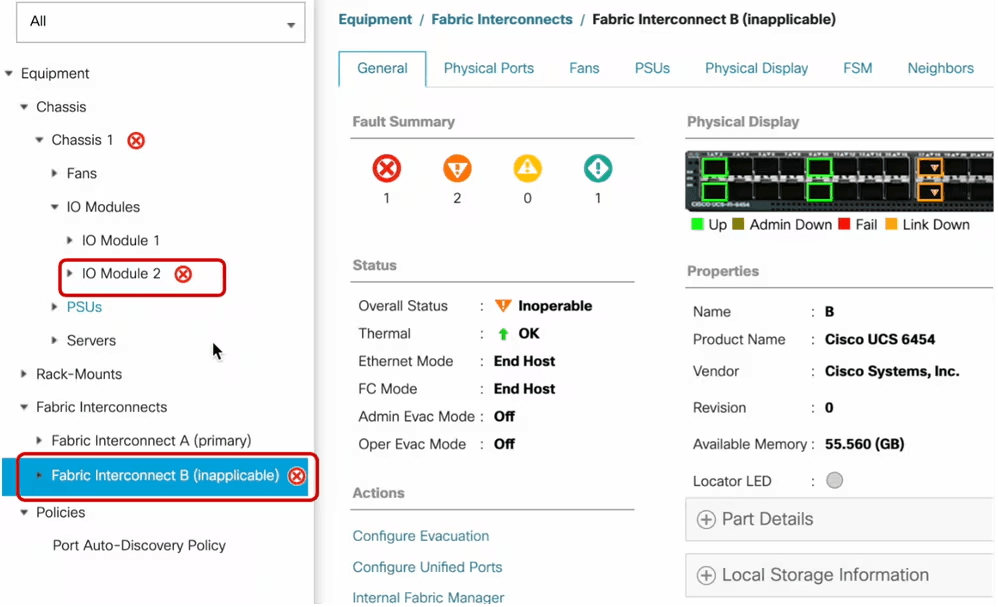
Ease of Use
Cisco UCS Manager's ease of use is decent but not without challenges. The GUI might seem complex due to its extensive features. However, once you get the hang of it, it integrates networks, manages CPU and memory, assigns IP addresses, and controls firmware upgrades across servers and modules. User reviews suggest that the learning curve is steep but worth it for the security and scalability benefits. If your team has IT support, they'll find Cisco UCS Manager's functionalities valuable despite the initial complexity.
Integrations
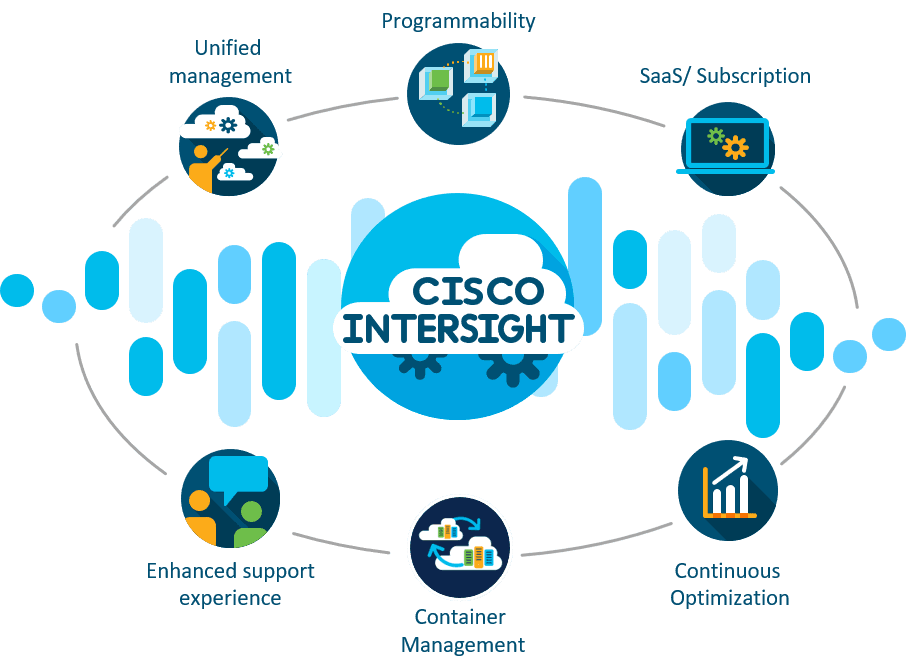
Cisco UCS Manager integrates with Cisco Intersight for cloud-based management, HyperFlex, VMware, Cisco UCS B-Series, PowerShell, Python, HTML, and Java.
Cisco UCS Manager also provides an API and supports connections with third-party integration tools.
Cisco UCS Manager Specs
- API: Yes
- Bug Tracking: No
- CI/CD Integration: No
- Cloud Deployment: No
- Code Review: No
- Code Transformation: No
- Collaboration Support: No
- Data Export: Yes
- Data Import: Yes
- Developer Tools: Yes
- External Integrations: Yes
- Git Integration: No
- History/Version Control: No
- IDE Plugins: No
- Local Deployment: Yes
- Multi-User: Yes
- Notifications: Yes
- Project Management: No
- Release Management: Yes
- Static Analysis: No
- Task Scheduling/Tracking: Yes
- Testing: No


