

AWS CloudFormation -arvostelu 2026: hyvät ja huonot puolet, ominaisuudet ja hinnoittelu
Jos haluat syvän AWS-integraation ja automaation, CloudFormation tarjoaa ne – varaudu kuitenkin oppimiskäyrään ja jonkinasteiseen AWS-toimittajalukkoon. Tässä on näkemykseni siitä, missä se loistaa ja missä se kompastelee.

We review tools independently, and commissions help fund our testing. See our transparency policy, our methodology, or suggest a tool.
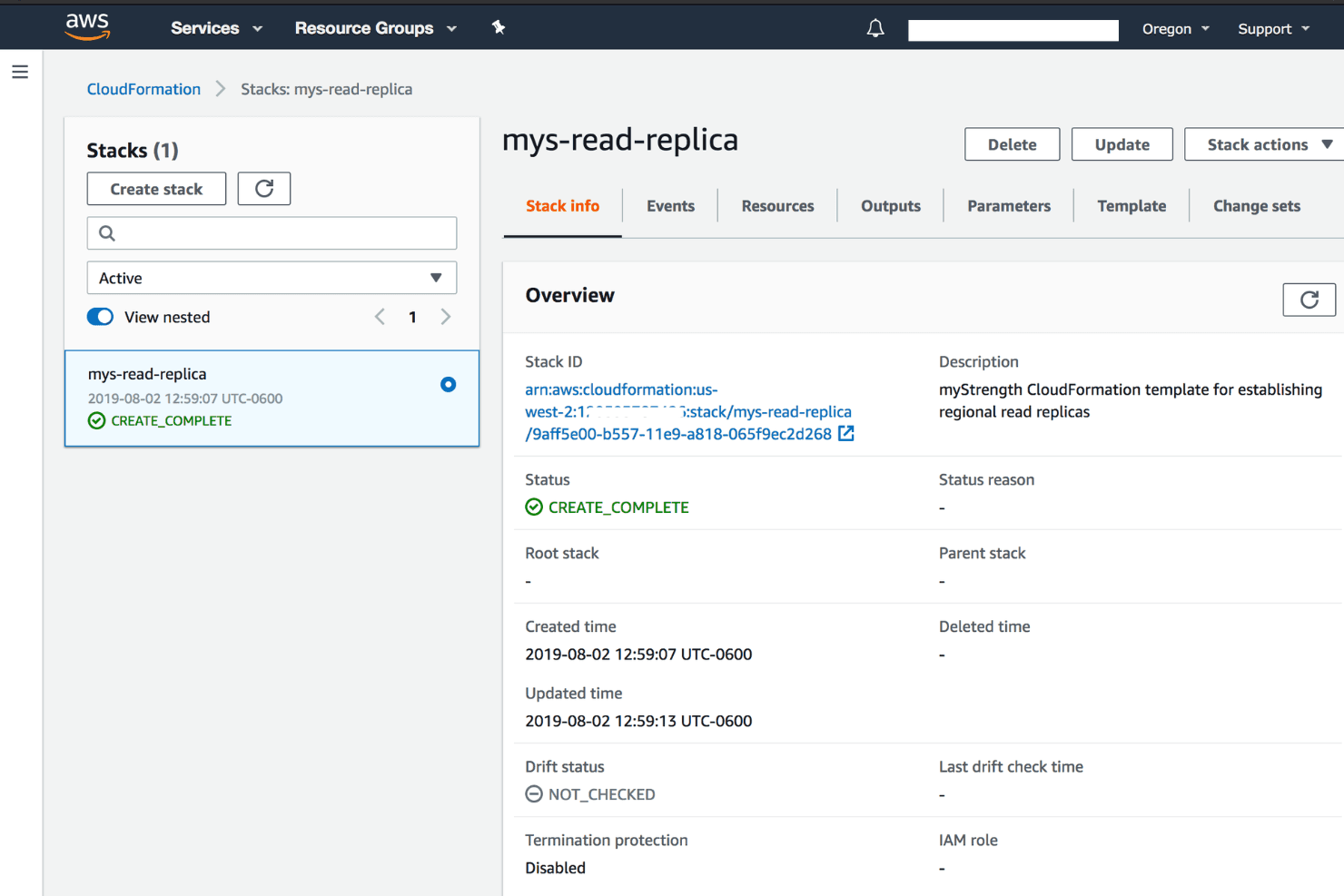
AWS CloudFormation is an IaC tool for provisioning and managing AWS infrastructure through declarative JSON or YAML templates. I'd consider it if your team runs entirely within AWS and needs native coverage across every AWS service without managing external state files. That's where it has a clear edge over Terraform—you get first-party AWS integration and no separate toolchain to maintain, which matters when your infrastructure and your cloud provider are one and the same.
AWS CloudFormation Evaluation Summary
4.4/5
- Pricing upon request
- Up to 6-month free trial
Miksi luottaa ohjelmistosuosituksiimme
6,700+
Reviews
20
Industry experts
16+
Evaluation factors
14
Years
Tiimimme on testannut ja arvioinut ohjelmistoja vuodesta 2012 lähtien. Teknologiajohtajina tiedämme itse, kuinka vaikeaa — ja tärkeää — oikean ohjelmiston valitseminen on.
Tätä opasta varten arvioimme työkaluja käytännön testauksen ja itsenäisen tutkimuksen avulla, pisteyttäen työkalut valintakriteeriemme perusteella.
Arvostelumme perustuvat inhimilliseen toimitukselliseen harkintaamme, eivät myyntipuheeseen.
Asiantuntija-arvioijat:
- Paulo Gardini MiguelTech Director
 Tim FisherVP of AI
 Gabriel RosasTech Lead & Software Architect
 Christhian GruhnTech Lead & Platform Architect

AWS CloudFormation Overview
When you’re judging AWS CloudFormation, its deep AWS integration and automation stand out, especially for teams already committed to AWS. I think its pricing model—paying only for underlying AWS resources—makes it appealing for cost-conscious environments. The interface and YAML/JSON templates can be tough for newcomers, but the documentation and support are solid.
Compared to other options, CloudFormation underperforms if you want multi-cloud flexibility or a gentler onboarding. I’d suggest it’s best for teams managing complex AWS environments who value automation, consistency, and direct access to AWS-native features.
Pros
- You can automate AWS resource management to save time.
- It integrates deeply with AWS services, boosting efficiency.
- Your team can use templates to ensure consistent setups.
Cons
- You might find the learning curve steep if you're new to AWS.
- It lacks flexibility when compared to some other IaC tools.
- Your team may encounter limitations in cross-cloud deployments.
Is AWS CloudFormation Right For Your Needs?
Who Would be a Good Fit for AWS CloudFormation?
If your team is already using AWS services, AWS CloudFormation is a great fit for you. It’s ideal for tech-savvy startups, large enterprises in finance, and healthcare sectors that need reliable and consistent AWS infrastructure management. With its deep integration with AWS, you can automate resource configuration and management, which is perfect for teams focusing on optimizing AWS environments.
- Tech StartupsYour startup can quickly deploy and manage AWS resources without a large infrastructure team.
- Large EnterprisesYou can maintain consistent and secure AWS setups across global teams.
- Finance SectorYour finance company can ensure compliance with strict security standards using AWS templates.
- Healthcare OrganizationsYou can benefit from automated AWS resource management, reducing manual errors.
- DevOps TeamsYour team can streamline AWS workflows, allowing more focus on development and innovation.
- Education InstitutionsYou can easily manage and scale AWS resources to meet varying demands.
Who Would be a Bad Fit for AWS CloudFormation?
If your team isn’t deeply invested in AWS or needs to manage multi-cloud environments, AWS CloudFormation might not suit you. It’s not ideal for companies relying heavily on non-AWS services, as CloudFormation is specifically designed for AWS and lacks flexibility in cross-cloud setups. Teams without AWS expertise may struggle with its learning curve and complex configurations.
- Multi-cloud CompaniesYour team won’t benefit if you need seamless integration across non-AWS platforms.
- Small BusinessesYou might find it too complex if you’re not primarily using AWS services.
- IT Departments Without AWS ExpertiseYour team could face challenges with the steep learning curve.
- Creative AgenciesYou likely won’t need AWS-specific automation if you work mostly with non-AWS tools.
- Retail BusinessesYou may struggle if your e-commerce platform isn’t on AWS.
- Manufacturing FirmsYou might not find value if your operations don’t primarily run on AWS.
Our Review Methodology
How We Test & Score Tools
We’ve spent years building, refining, and improving our software testing and scoring system. The rubric is designed to capture the nuances of software selection and what makes a tool effective, focusing on critical aspects of the decision-making process.
Below, you can see exactly how our testing and scoring works across seven criteria. It allows us to provide an unbiased evaluation of the software based on core functionality, standout features, ease of use, onboarding, customer support, integrations, customer reviews, and value for money.
Core Functionality (25% of final scoring)
The starting point of our evaluation is always the core functionality of the tool. Does it have the basic features and functions that a user would expect to see? Are any of those core features locked to higher-tiered pricing plans? At its core, we expect a tool to stand up against the baseline capabilities of its competitors.
Standout Features (25% of final scoring)
Next, we evaluate uncommon standout features that go above and beyond the core functionality typically found in tools of its kind. A high score reflects specialized or unique features that make the product faster, more efficient, or offer additional value to the user.
We also evaluate how easy it is to integrate with other tools typically found in the tech stack to expand the functionality and utility of the software. Tools offering plentiful native integrations, 3rd party connections, and API access to build custom integrations score best.
Ease of Use (10% of final scoring)
We consider how quick and easy it is to execute the tasks defined in the core functionality using the tool. High scoring software is well designed, intuitive to use, offers mobile apps, provides templates, and makes relatively complex tasks seem simple.
Onboarding (10% of final scoring)
We know how important rapid team adoption is for a new platform, so we evaluate how easy it is to learn and use a tool with minimal training. We evaluate how quickly a team member can get set up and start using the tool with no experience. High scoring solutions indicate little or no support is required.
Customer Support (10% of final scoring)
We review how quick and easy it is to get unstuck and find help by phone, live chat, or knowledge base. Tools and companies that provide real-time support score best, while chatbots score worst.
Customer Reviews (10% of final scoring)
Beyond our own testing and evaluation, we consider the net promoter score from current and past customers. We review their likelihood, given the option, to choose the tool again for the core functionality. A high scoring software reflects a high net promoter score from current or past customers.
Value for Money (10% of final scoring)
Lastly, in consideration of all the other criteria, we review the average price of entry level plans against the core features and consider the value of the other evaluation criteria. Software that delivers more, for less, will score higher.
Core Features
Template-Driven Provisioning
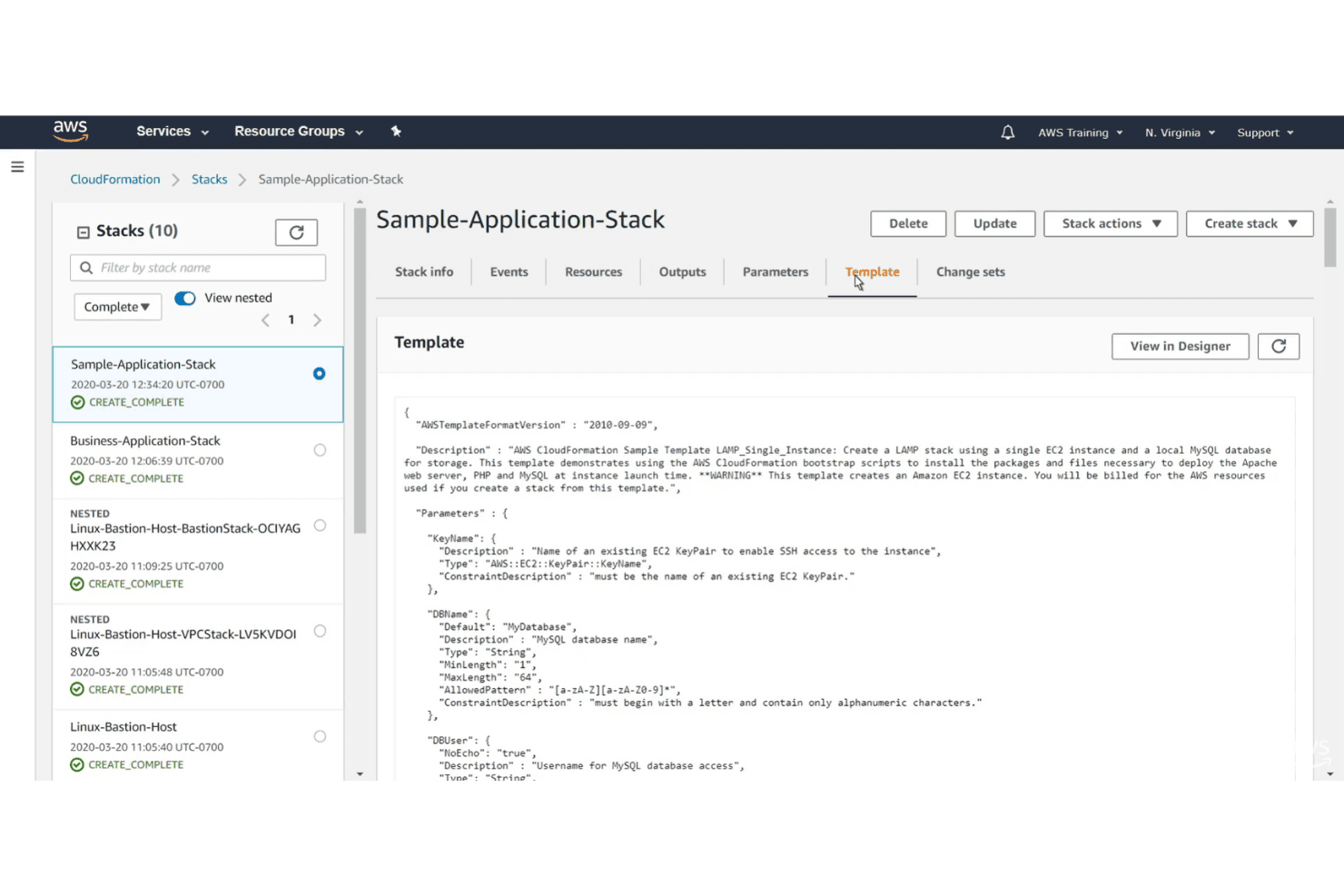
Define infrastructure using YAML or JSON templates for repeatable, version-controlled deployments. Templates let you manage everything from EC2 instances to IAM roles in code.
Stack Management
Group related resources into stacks for easy creation, update, and deletion. Rollback and drift detection help maintain stack integrity.
Change Sets
Preview proposed changes before applying them to your environment. This reduces risk by showing exactly what will be modified or replaced.
Resource Dependency Handling
CloudFormation automatically manages resource dependencies during stack operations. You don’t need to manually order resource creation or deletion.
Parameterization
Use parameters to customize templates for different environments or projects. This makes it easy to reuse templates across teams or accounts.
Drift Detection
Detect when resources have been changed outside of CloudFormation. This helps you keep your infrastructure consistent and compliant.
Ease of Use
AWS CloudFormation isn’t the most user-friendly IaC tool, especially for newcomers. Writing and managing YAML or JSON templates can feel tedious, and troubleshooting failed deployments often requires digging through detailed logs. However, once you’re familiar with AWS concepts, the documentation and built-in automation features help offset the initial complexity.
Experienced AWS users will appreciate the control and precision, but teams looking for a quick start may find the onboarding process slow.
Integrations
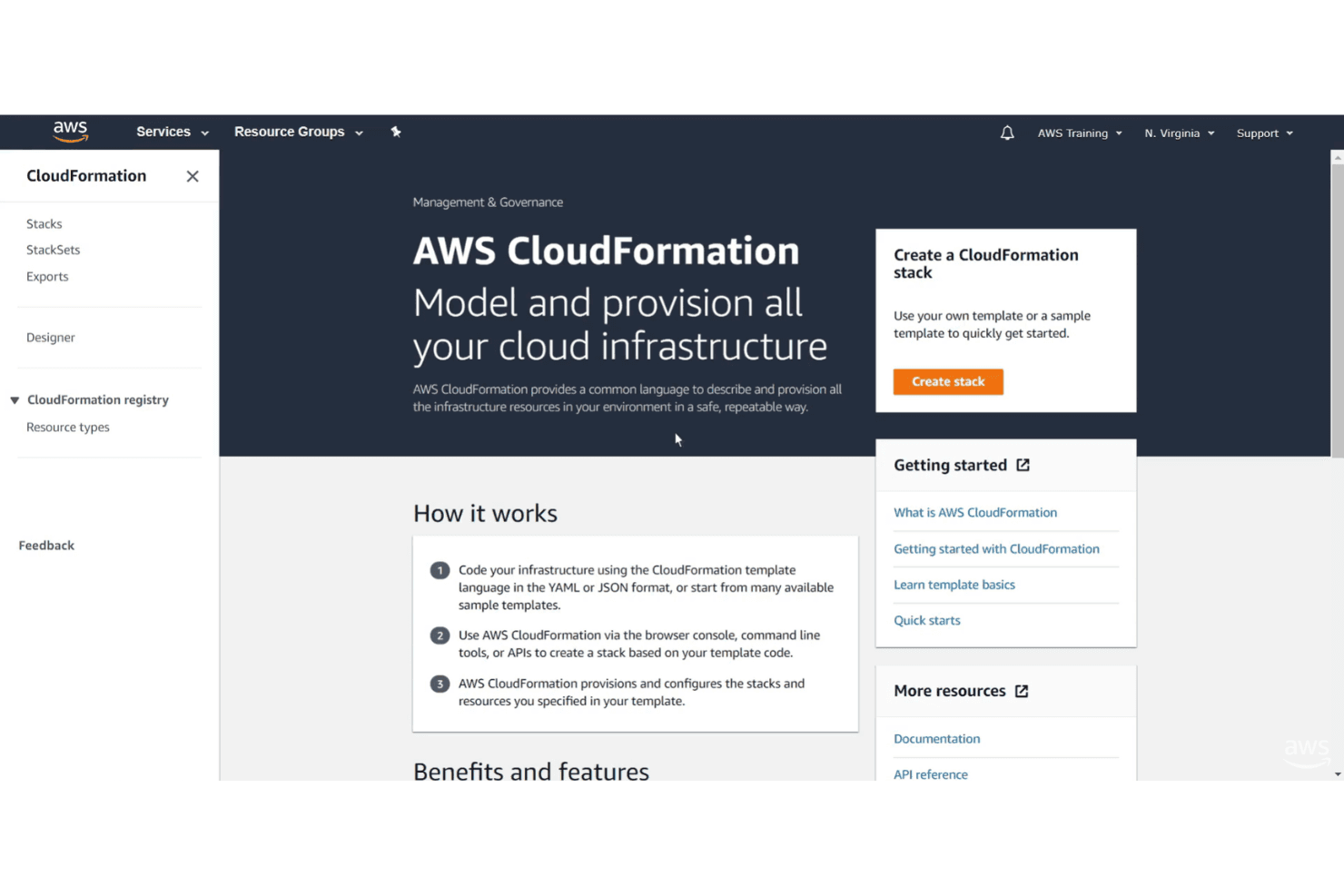
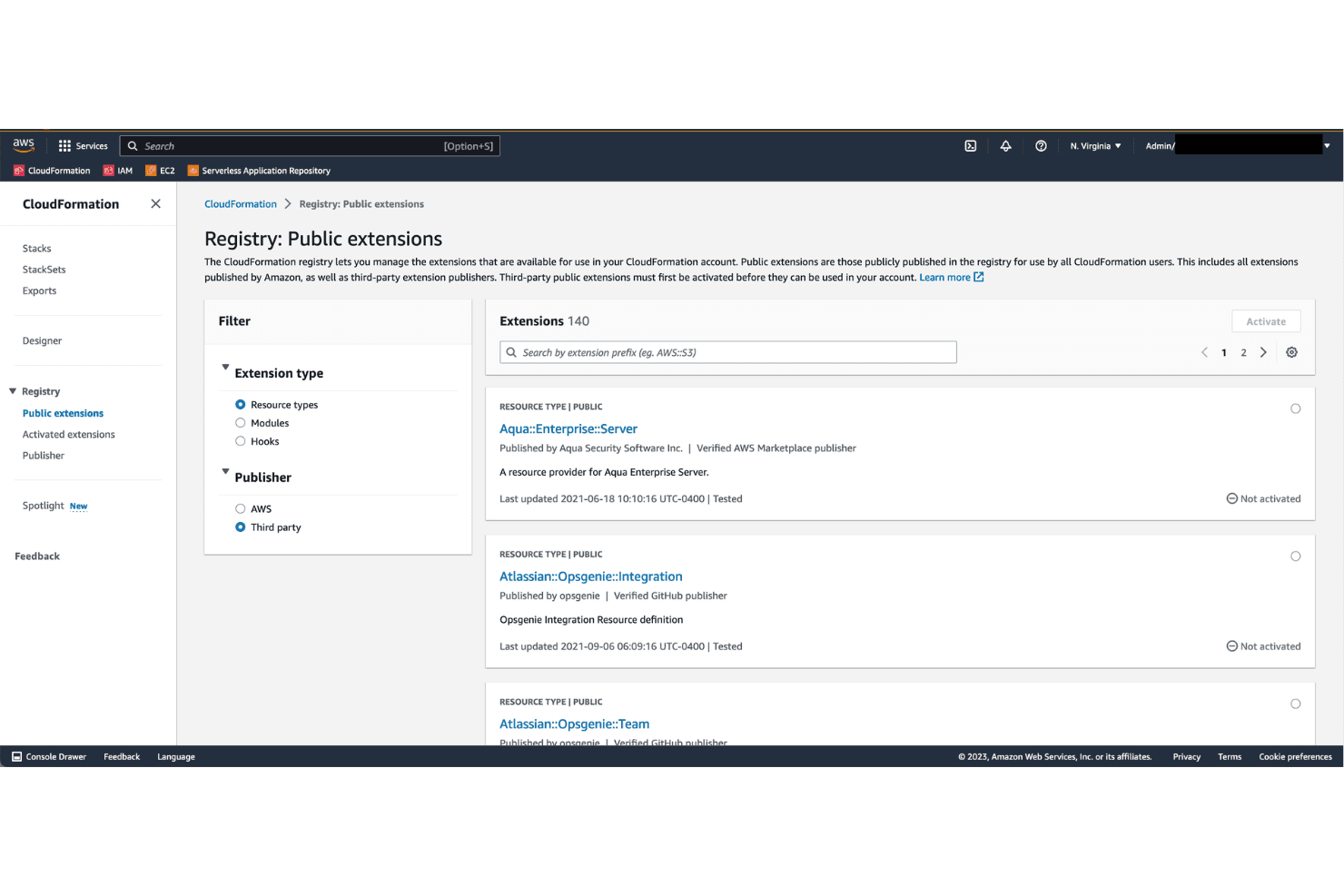
AWS CloudFormation integrates with AWS Lambda, Amazon EC2, Amazon S3, AWS IAM, Amazon RDS, Amazon VPC, AWS CloudWatch, AWS CodePipeline, AWS Service Catalog, and AWS Systems Manager, among others.
AWS CloudFormation also offers a comprehensive API and supports custom resource providers, allowing connections with third-party integration tools.
AWS CloudFormation Specs
- A/B Testing: No
- API: Yes
- Automated Testing: No
- Browser Compatibility Testing: No
- Bug Tracking: No
- Calendar Management: No
- CI/CD Integration: Yes
- Dashboard: Yes
- Data Export: No
- Data Import: No
- Data Visualization: Yes
- Developer Tools: Yes
- External Integrations: Yes
- History/Version Control: Yes
- Manual Testing: No
- Multi-User: Yes
- Notifications: Yes
- Performance Testing: No
- Regression Testing: No
- Scheduling: No
- Status Notifications: Yes
- Third-Party Plugins/Add-Ons: Yes


