

Adobe Dreamweaver -arvostelu: hyvät puolet, huonot puolet, ominaisuudet ja hinnoittelu
Adobe Dreamweaver yhdistää erinomaisesti visuaalisen muokkauksen ja koodin muokkaamisen, joten se sopii monipuolisena vaihtoehtona sekä aloittelijoille että kokeneille kehittäjille.

We review tools independently, and commissions help fund our testing. See our transparency policy, our methodology, or suggest a tool.
Adobe Dreamweaver on verkkokehitystyökalu, jonka avulla käyttäjät voivat luoda, muokata ja hallita verkkosivustoja ja verkkosovelluksia. Työkalu palvelee luovan alan ammattilaisia ja teknologiaan keskittyvien yritysten tiimejä tarjoamalla alustan responsiivisten verkkosivustojen tehokkaaseen kehittämiseen. Se tukee useita ohjelmointikieliä ja versionhallintajärjestelmiä, mikä tekee siitä monipuolisen vaihtoehdon verkkokehitysprojekteihin.
Adobe Dreamweaver auttaa ratkaisemaan yleisiä haasteita, kuten monimutkaisten verkkoprojektien hallintaa ja yhteensopivuuden varmistamista eri selainten kanssa. Tässä artikkelissa käsittelen Adobe Dreamweaverin ominaisuuksia, etuja ja haittoja, käyttötapauksia, hinnoittelua ja muuta, jotta sinä ja tiimisi voitte päättää, vastaako tämä ohjelmisto verkkokehitystarpeitanne.
Adobe Dreamweaver Evaluation Summary
4.4/5
- From $22.99/month (billed annually)
- 7-day free trial
Miksi luottaa ohjelmistosuosituksiimme
6,700+
Reviews
20
Industry experts
16+
Evaluation factors
14
Years
Tiimimme on testannut ja arvioinut ohjelmistoja vuodesta 2012 lähtien. Teknologiajohtajina tiedämme itse, kuinka vaikeaa — ja tärkeää — oikean ohjelmiston valitseminen on.
Tätä opasta varten arvioimme työkaluja käytännön testauksen ja itsenäisen tutkimuksen avulla, pisteyttäen työkalut valintakriteeriemme perusteella.
Arvostelumme perustuvat inhimilliseen toimitukselliseen harkintaamme, eivät myyntipuheeseen.
Asiantuntija-arvioijat:
- Paulo Gardini MiguelTech Director
 Tim FisherVP of AI
 Gabriel RosasTech Lead & Software Architect
 Christhian GruhnTech Lead & Platform Architect

Adobe Dreamweaver Overview
In my opinion, Adobe Dreamweaver serves as a reliable web development tool for those who are both new and seasoned in web design. Its visual interface allows for a straightforward design process while maintaining the ability to directly edit the code, which is beneficial for those who prefer hands-on control. Compared to competitors like WordPress or WYSIWYG drag and drog editors, Dreamweaver offers a more integrated coding and design environment, which can be a deciding factor for developers who appreciate an all-in-one solution.
Pros
- You can use both visual design and code editing in one platform.
- Your team will appreciate the support for multiple web technologies.
- It's great for managing responsive design frameworks effectively.
Cons
- You might find a steep learning curve if you're new to web development or using advanced features.
- Your team could experience occasional performance issues with larger projects.
- It sometimes feels a bit outdated compared to newer tools.
Is Adobe Dreamweaver Right For Your Needs?
Who Would be a Good Fit for Adobe Dreamweaver?
If your team works in creative industries like digital marketing or media, Adobe Dreamweaver is a great fit. It's ideal for web designers who need to switch between visual and code editing smoothly. Educational institutions can also benefit, as it supports teaching both design and coding. If you're in an e-commerce business, Dreamweaver's ability to manage responsive design frameworks will help you create engaging shopping experiences. Its versatility makes it suitable for both beginners and experienced developers in your team.
- Digital MarketingYou can use Dreamweaver to create visually appealing and functional websites that capture your audience’s attention.
- Media CompaniesYour team will benefit from its support for multimedia content and seamless integration with other Adobe tools.
- Educational InstitutionsDreamweaver is perfect for teaching students both web design and coding in a unified platform.
- E-commerceYou can effectively manage responsive designs, ensuring a smooth shopping experience across devices.
- Small BusinessesDreamweaver offers a balance of design and coding tools that can help you build professional websites without a large team.
- FreelancersIf you juggle multiple client needs, Dreamweaver’s flexibility in design and coding can handle diverse project requirements.
Who Would be a Bad Fit for Adobe Dreamweaver?
If your team relies heavily on cutting-edge development tools, Adobe Dreamweaver might not be the best fit. Tech startups focused on rapid innovation may find it lacking in modern features compared to newer tools. Large enterprises with established workflows might struggle with its performance on massive projects. If your work is primarily backend-focused, Dreamweaver’s front-end emphasis won't suit your needs. Teams that prefer open-source solutions might also find its proprietary nature limiting, particularly if they expect drag and drop simplicity found in many web builders.
- Tech StartupsYour team might find Dreamweaver outdated compared to the latest development tools.
- Large EnterprisesHandling massive projects can be challenging due to occasional performance issues.
- Backend DevelopersDreamweaver’s front-end focus won't align with your backend development needs.
- Open Source EnthusiastsIf you prefer open-source tools, Dreamweaver’s proprietary nature could be a barrier.
- Non-DesignersThose who focus solely on coding might not benefit from Dreamweaver's design features.
- Budget-Conscious TeamsIf cost is a major factor, Dreamweaver’s pricing might be a concern for your team.
Our Review Methodology
How We Test & Score Tools
We’ve spent years building, refining, and improving our software testing and scoring system. The rubric is designed to capture the nuances of software selection and what makes a tool effective, focusing on critical aspects of the decision-making process.
Below, you can see exactly how our testing and scoring works across seven criteria. It allows us to provide an unbiased evaluation of the software based on core functionality, standout features, ease of use, onboarding, customer support, integrations, customer reviews, and value for money.
Core Functionality (25% of final scoring)
The starting point of our evaluation is always the core functionality of the tool. Does it have the basic features and functions that a user would expect to see? Are any of those core features locked to higher-tiered pricing plans? At its core, we expect a tool to stand up against the baseline capabilities of its competitors.
Standout Features (25% of final scoring)
Next, we evaluate uncommon standout features that go above and beyond the core functionality typically found in tools of its kind. A high score reflects specialized or unique features that make the product faster, more efficient, or offer additional value to the user.
We also evaluate how easy it is to integrate with other tools typically found in the tech stack to expand the functionality and utility of the software. Tools offering plentiful native integrations, 3rd party connections, and API access to build custom integrations score best.
Ease of Use (10% of final scoring)
We consider how quick and easy it is to execute the tasks defined in the core functionality using the tool. High scoring software is well designed, intuitive to use, offers mobile apps, provides templates, and makes relatively complex tasks seem simple.
Onboarding (10% of final scoring)
We know how important rapid team adoption is for a new platform, so we evaluate how easy it is to learn and use a tool with minimal training. We evaluate how quickly a team member can get set up and start using the tool with no experience. High scoring solutions indicate little or no support is required.
Customer Support (10% of final scoring)
We review how quick and easy it is to get unstuck and find help by phone, live chat, or knowledge base. Tools and companies that provide real-time support score best, while chatbots score worst.
Customer Reviews (10% of final scoring)
Beyond our own testing and evaluation, we consider the net promoter score from current and past customers. We review their likelihood, given the option, to choose the tool again for the core functionality. A high scoring software reflects a high net promoter score from current or past customers.
Value for Money (10% of final scoring)
Lastly, in consideration of all the other criteria, we review the average price of entry level plans against the core features and consider the value of the other evaluation criteria. Software that delivers more, for less, will score higher.
Core Features
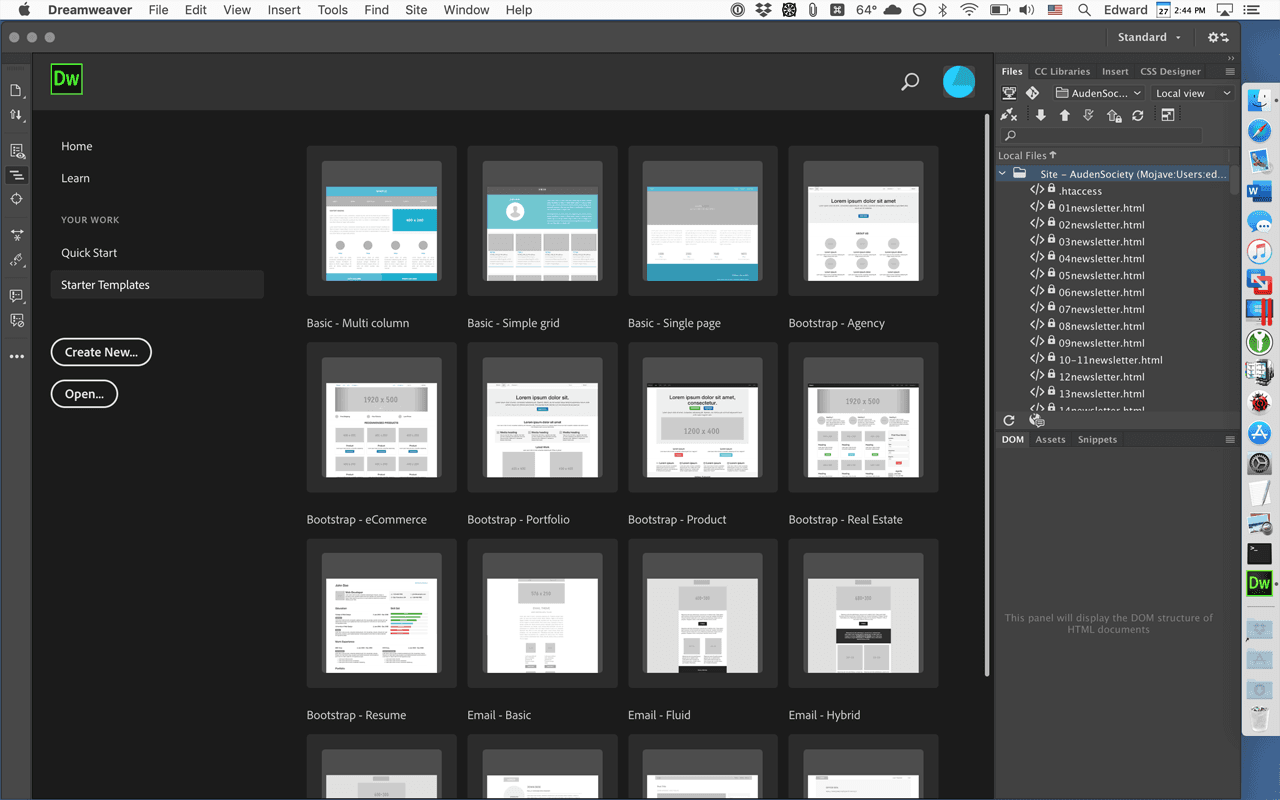
Visual Design Interface: You can design your web pages using a user-friendly visual editor that lets you see changes in real-time. This feature helps your team create attractive designs without deep coding knowledge.
Code Editor: Dreamweaver offers a robust code editor that supports HTML, CSS, and JavaScript. It gives you syntax highlighting and code suggestions to streamline your coding process.
Responsive Design Tools: You can easily build responsive websites with Dreamweaver's built-in tools for media queries. This ensures your sites look great on any device.
Live View: Test your pages in a real browser environment without leaving Dreamweaver. This helps you catch errors quickly and improve your workflow.
Template Support: Use pre-built templates to speed up your development process. It lets you maintain design consistency across your projects.
Site Management: Dreamweaver offers site management tools that help you organize files and deploy updates efficiently. This keeps your projects structured and saves you time.
Ease of Use
Adobe Dreamweaver offers a mix of visual and code editing that can be both a blessing and a curse. While the visual interface helps beginners, the complexity of its features might overwhelm those new to web development. You’ll find the code suggestions handy, but navigating through its various tools requires patience. Compared to simpler tools, Dreamweaver demands a bit more time to master, which might slow your team initially but pays off with its extensive capabilities.
Integrations
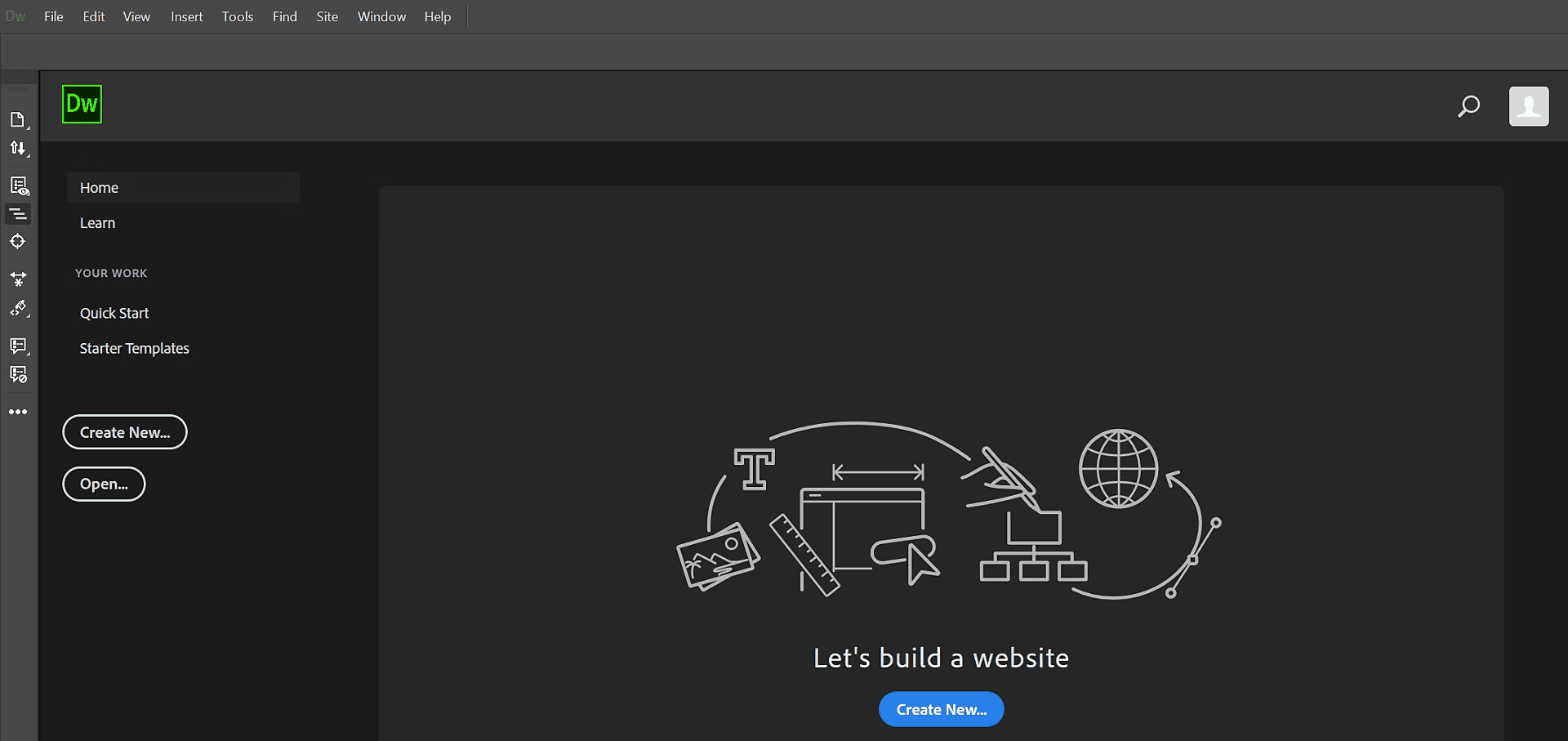
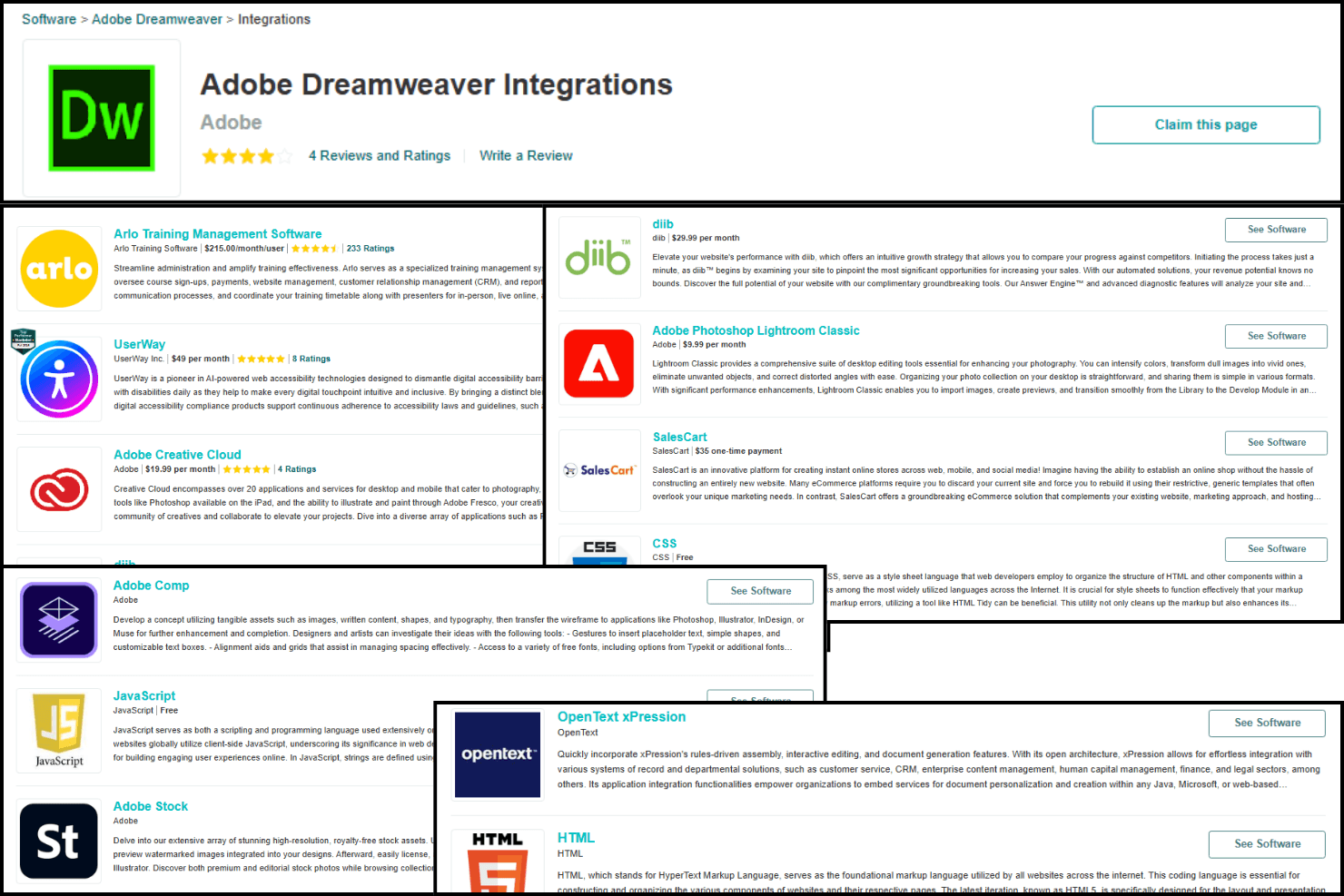
Adobe Dreamweaver integrates natively with UserWay, Adobe Creative Cloud, Diib, SalesCart, CSS, PHP, and jQuery Mobile.
Adobe Dreamweaver provides its own API and connects with third-party integration tools through the Common Extensibility Platform (CEP).
Adobe Dreamweaver Specs
- CAD Tools: No
- Data Export: No
- Data Import: No
- Multi-User: No
- Pixel Graphics: No
- Third-Party Plugins/Add-Ons: No
- Vector File Support: No
- Video: No


