

Reseña de Zoho Sprints: Ventajas, Desventajas, Características y Precios Explicados
He puesto Zoho Sprints a prueba—si buscas herramientas ágiles que realmente se adapten a tu forma de trabajar (y no al revés), querrás ver qué lo distingue en 2026.

Revisamos herramientas de forma independiente y las comisiones ayudan a financiar nuestras pruebas. Consulta nuestra política de transparencia, nuestra metodología o sugiere una herramienta.
Zoho Sprints is an agile software development tool built around scrum—giving development teams a dedicated space for sprint planning, backlog management, and velocity tracking. It's worth a close look if your team wants to move away from Jira but doesn't want to deal with its configuration overhead and licensing costs. Zoho Sprints keeps things lean without stripping out the features that matter for sprint-based delivery.
Zoho Sprints Evaluation Summary
4.2/5
- From $1/user/month (12 user minimum)
- 15-day free trial
Por qué confiar en nuestras recomendaciones de software
6,700+
Reviews
20
Industry experts
16+
Evaluation factors
14
Years
Nuestro equipo lleva probando y evaluando software desde 2012. Como líderes tecnológicos, sabemos lo difícil —y lo importante— que es elegir el software adecuado.
Para esta guía, evaluamos las herramientas mediante pruebas prácticas e investigación independiente, puntuando las herramientas según nuestros criterios de selección.
Nuestras reseñas reflejan nuestro criterio editorial humano, no un discurso de ventas.
Revisores expertos:
- Paulo Gardini MiguelDirector técnico
 Tim FisherVP de IA
 Gabriel RosasTech Lead y arquitecto de software
 Christhian GruhnTech Lead y arquitecto de plataforma

Zoho Sprints Overview
When judging Zoho Sprints, I think its clean user interface, simple onboarding, and flexible boards make it easy to choose for agile teams new to agile project management. The pricing is fair for the features you get, and the integrations cover most needs, though deeper dev tool integrations would help. Compared to options like Trello or Asana, I find Zoho Sprints outperforms in usability and core functionality but can underperform on advanced customization. I’d recommend selecting it for small to mid-sized teams or organizations adopting agile methodologies, prioritizing clarity and fast adoption over niche configuration.
Pros
- Sprint planning and backlog management are straightforward for teams.
- Customizable scrum boards support unique team workflows well.
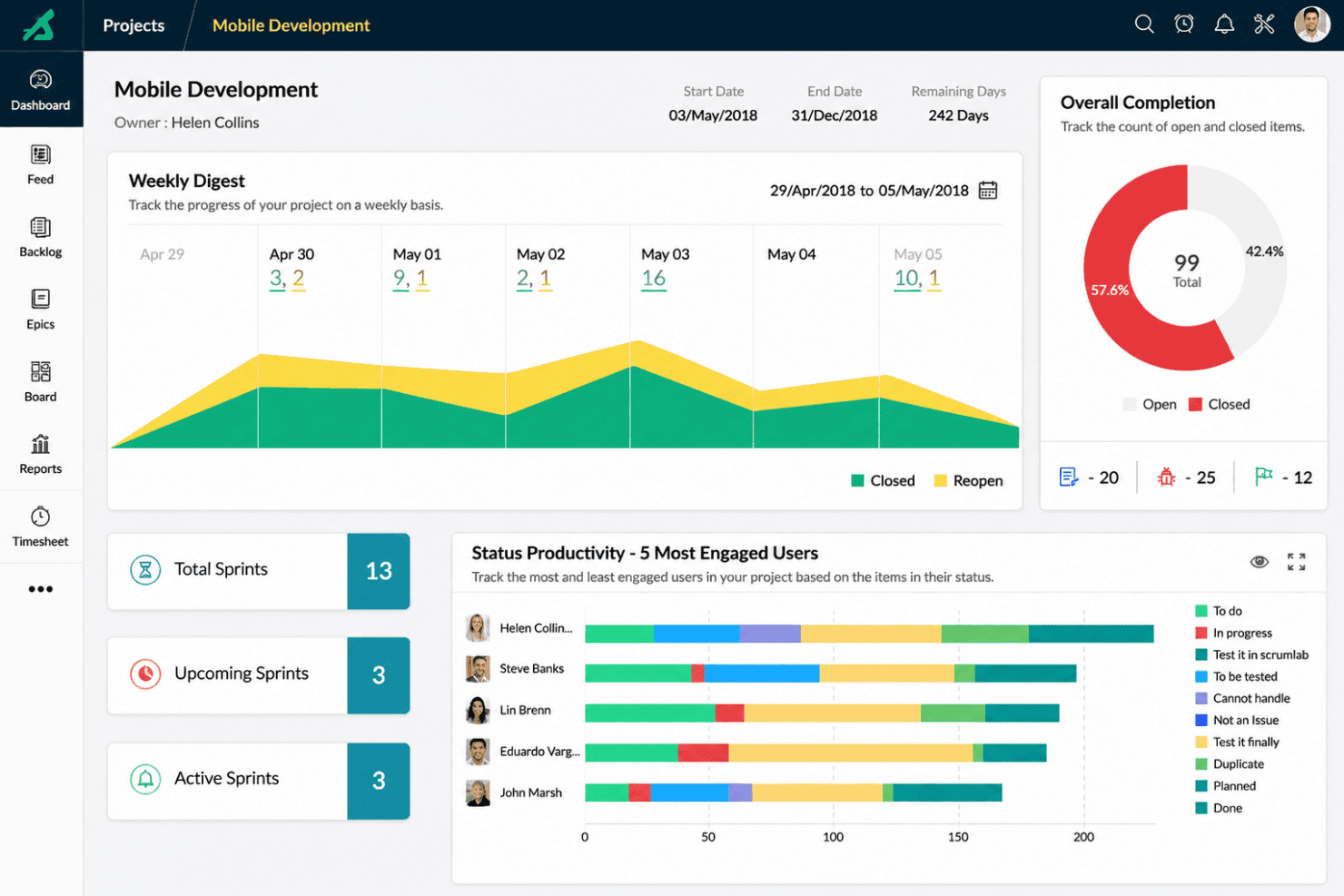
- Built-in reports and notifications help track progress and flag bottlenecks in real-time.
Cons
- Mobile app features are limited compared to desktop.
- Notifications lack granular controls, making it hard to tune alerts without noise.
- Advanced permissions are less flexible for large agile organizations.
Is Zoho Sprints Right For Your Needs?
Who Would be a Good Fit for Zoho Sprints?
Zoho Sprints is a great choice for startups, agile software teams, and digital agencies that want an easy-to-learn, affordable agile platform. Its simple backlogs and sprint planning make it ideal for fast-moving product teams. Smaller IT departments, SaaS companies, and consulting firms looking for quick onboarding and high flexibility will find features like Kanban views, timesheets, and customization options especially appealing.
- Agile Product TeamsSprint planning, backlog management, and progress tracking for iterative product development are well supported.
- Small Tech StartupsLow entry cost and intuitive onboarding make Zoho Sprints ideal for small businesses building products without complex tool configuration.
- Digital AgenciesClient management, permissions, and time tracking fit fee-for-service and project-based work.
- IT DepartmentsSimple ticketing, workflow customization, and reporting help track internal projects efficiently.
- SaaS ProvidersSmooth integrations and DevOps tooling connect code, releases, and support easily.
- Consulting FirmsFlexible project templates and user roles enable tailored agile processes for different clients.
Who Would be a Bad Fit for Zoho Sprints?
Larger enterprises, manufacturing, or non-technical teams that need deep portfolio management or process mapping beyond standard agile methodologies will miss enterprise-level features. Regulated industries, construction, and organizations stuck in traditional project management may find it lacking audit trails, resource forecasting, or waterfall-style planning. Zoho Sprints also isn’t built for cross-departmental programs—teams often compare it against platforms like Asana for broader enterprise needs.
- Large EnterprisesMissing advanced portfolio management, roadmap planning, and resource management for high-scale projects.
- Manufacturing CompaniesDoesn’t offer built-in Gantt charts, critical path analysis, or physical asset tracking needed for factory project planning.
- Finance DepartmentsLacks robust compliance tracking, advanced approval workflows, and regulatory audit features.
- Construction TeamsNo native support for field reporting, site management, or complex scheduling and dependency mapping.
- Waterfall-Only TeamsAgile-focused design and terminology make traditional, linear project management cumbersome.
- Non-Technical StaffKanban, sprint, and backlog concepts can feel overly complex for business teams outside IT or software.
Nuestra metodología de revisión
Cómo probamos y puntuamos las herramientas
Hemos invertido años construyendo, refinando y mejorando nuestro sistema de pruebas y puntuación de software. La rúbrica está diseñada para captar los matices de la selección de software y lo que hace a una herramienta efectiva, enfocándose en aspectos críticos del proceso de toma de decisiones.
A continuación, puedes ver exactamente cómo nuestro sistema de prueba y puntuación funciona a través de siete criterios. Esto nos permite ofrecer una evaluación imparcial del software basada en funcionalidad central, características destacadas, facilidad de uso, incorporación, soporte al cliente, integraciones, reseñas de clientes y relación calidad-precio.
Funcionalidad principal (25% de la puntuación final)
El punto de partida de nuestra evaluación siempre es la funcionalidad central de la herramienta. ¿Tiene las características y funciones básicas que un usuario esperaría encontrar? ¿Alguna de esas funciones principales está limitada a planes de precios superiores? Esperamos que una herramienta esté a la altura de las capacidades básicas de sus competidores.
Características destacadas (25% de la puntuación final)
Luego, evaluamos las características poco comunes y sobresalientes que van más allá de la funcionalidad principal que normalmente se encuentra en herramientas de su tipo. Una puntuación alta refleja características especializadas o únicas que hacen el producto más rápido, eficiente o que ofrecen valor adicional al usuario.
También evaluamos qué tan fácil es integrar con otras herramientas que normalmente forman parte del ecosistema tecnológico para expandir la funcionalidad y utilidad del software. Las herramientas que ofrecen abundantes integraciones nativas, conexiones de terceros y acceso API para crear integraciones personalizadas obtienen la mejor puntuación.
Facilidad de uso (10% de la puntuación final)
Consideramos cuán rápido y sencillo es ejecutar las tareas definidas por la funcionalidad principal usando la herramienta. El software con mejor puntuación está bien diseñado, es intuitivo, ofrece aplicaciones móviles, proporciona plantillas y hace que tareas relativamente complejas parezcan sencillas.
Incorporación (10% de la puntuación final)
Sabemos lo importante que es la adopción rápida por parte del equipo para una nueva plataforma, por lo que evaluamos cuán fácil es aprender y usar una herramienta con entrenamiento mínimo. Evaluamos cuán rápido un miembro del equipo puede configurarla y comenzar a utilizarla sin experiencia previa. Las soluciones con mayor puntuación requieren poco o ningún soporte.
Soporte al cliente (10% de la puntuación final)
Revisamos qué tan rápido y sencillo es resolver dudas y encontrar ayuda por teléfono, chat en vivo o base de conocimientos. Las herramientas y compañías que proporcionan soporte en tiempo real obtienen la mejor puntuación, mientras que los chatbots obtienen la peor.
Reseñas de clientes (10% de la puntuación final)
Además de nuestras pruebas y evaluaciones, consideramos la puntuación neta de promotores por parte de clientes actuales y anteriores. Revisamos la probabilidad de que elijan la herramienta de nuevo para la funcionalidad principal. Una puntuación alta refleja una alta puntuación neta de promotores actuales o pasados.
Relación calidad-precio (10% de la puntuación final)
Por último, considerando todos los demás criterios, revisamos el precio promedio de los planes de nivel básico comparado con las funciones principales y consideramos el valor de los demás criterios de evaluación. El software que ofrezca más, por menos, obtendrá una puntuación mayor.
Core Features
Scrum Boards
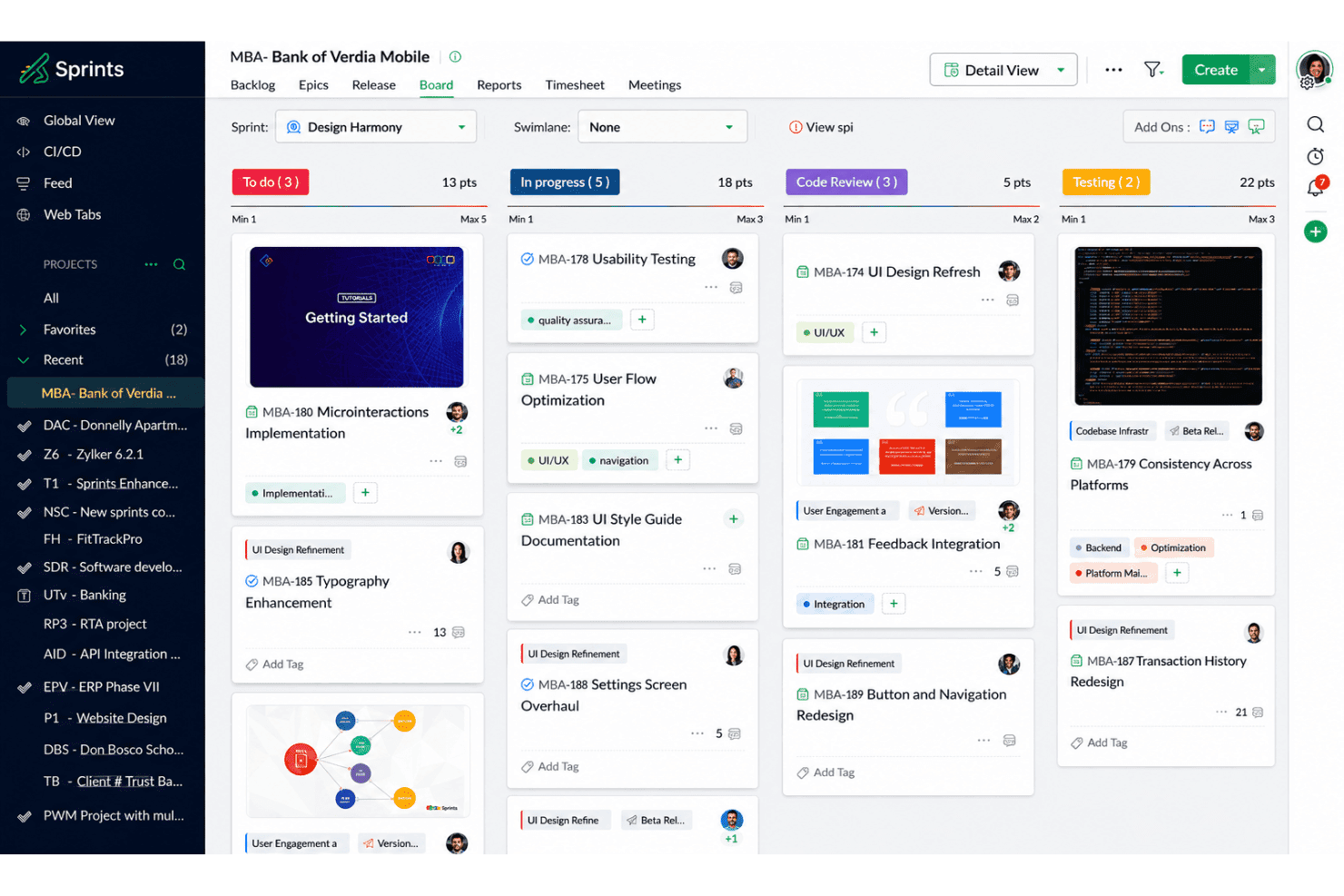
Task management is visual—arrange cards across custom columns to track all in-progress work. Teams get real-time visibility into work in progress and catch bottlenecks at a glance.
Backlog Management
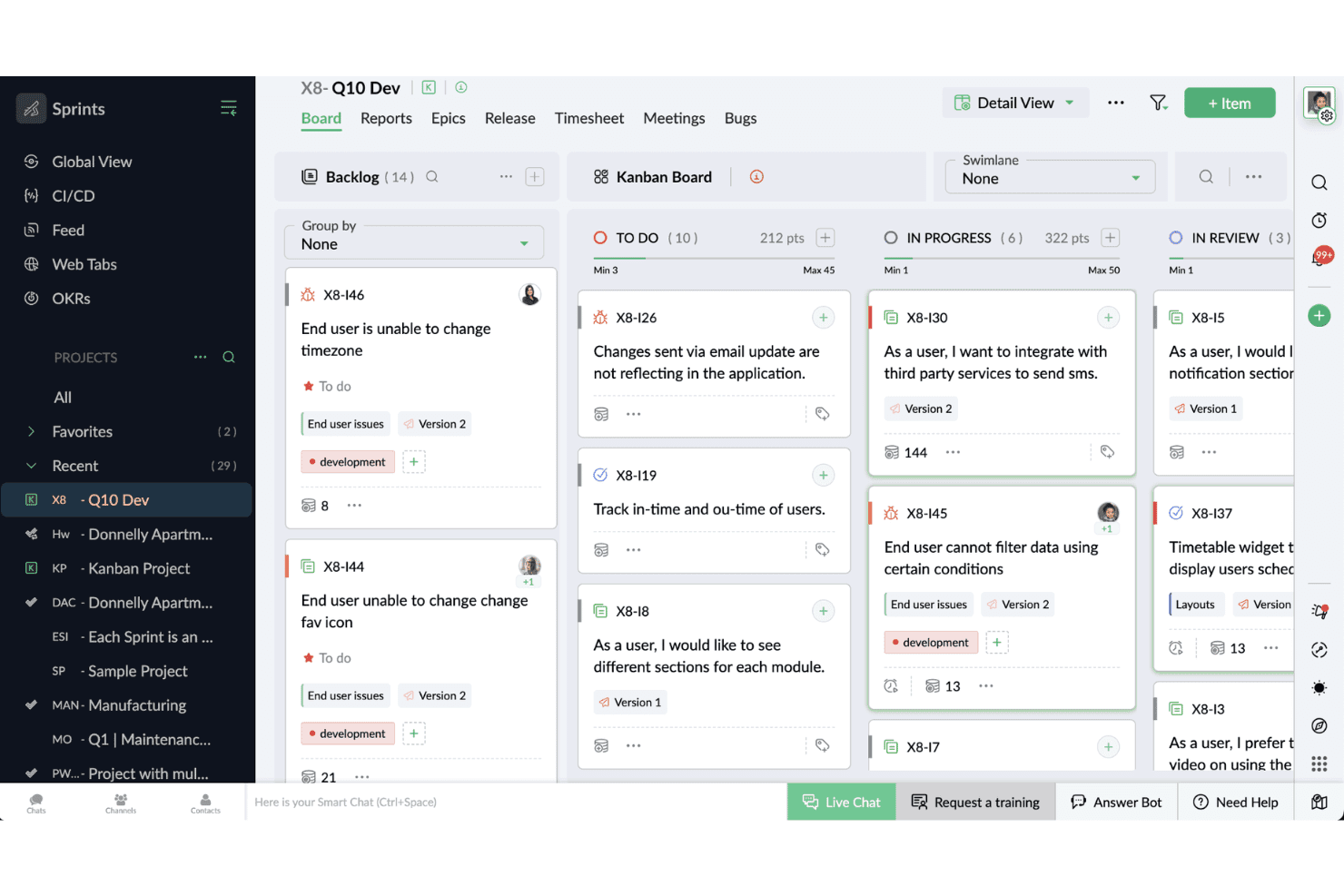
Prioritize, sort, and refine user stories in a drag-and-drop list. This keeps planned work organized for agile development and ready for sprints.
Sprint Planning
Set sprint goals, enable automation for recurring tasks, and assign work in one place. Sprints can be adjusted mid-cycle—enabling prioritization of urgent work as needs evolve.
Timesheet Tracking
Log effort and time for each task with built-in timesheets. Managers review progress and spot under- or over-utilization easily.
Velocity Charts
Track team speed with automatic velocity and burndown charts. Teams compare past sprints using burnup alongside burndown data to better estimate future workload.
Custom Workflows
Tailor fields, statuses, and board layouts to suit product management or development team needs.Scrum teams control how their process flows from start to finish.
Ease of Use
Zoho Sprints stands out for its user-friendly navigation and drag-and-drop boards, which let teams adapt quickly without lengthy onboarding. I’ve noticed that even new users can easily manage backlogs, sprints, and reports thanks to its clean, logical layout. The mobile app is less robust, but for web use, the simplicity wins out for busy tech teams looking to avoid unnecessary complexity.
Integrations
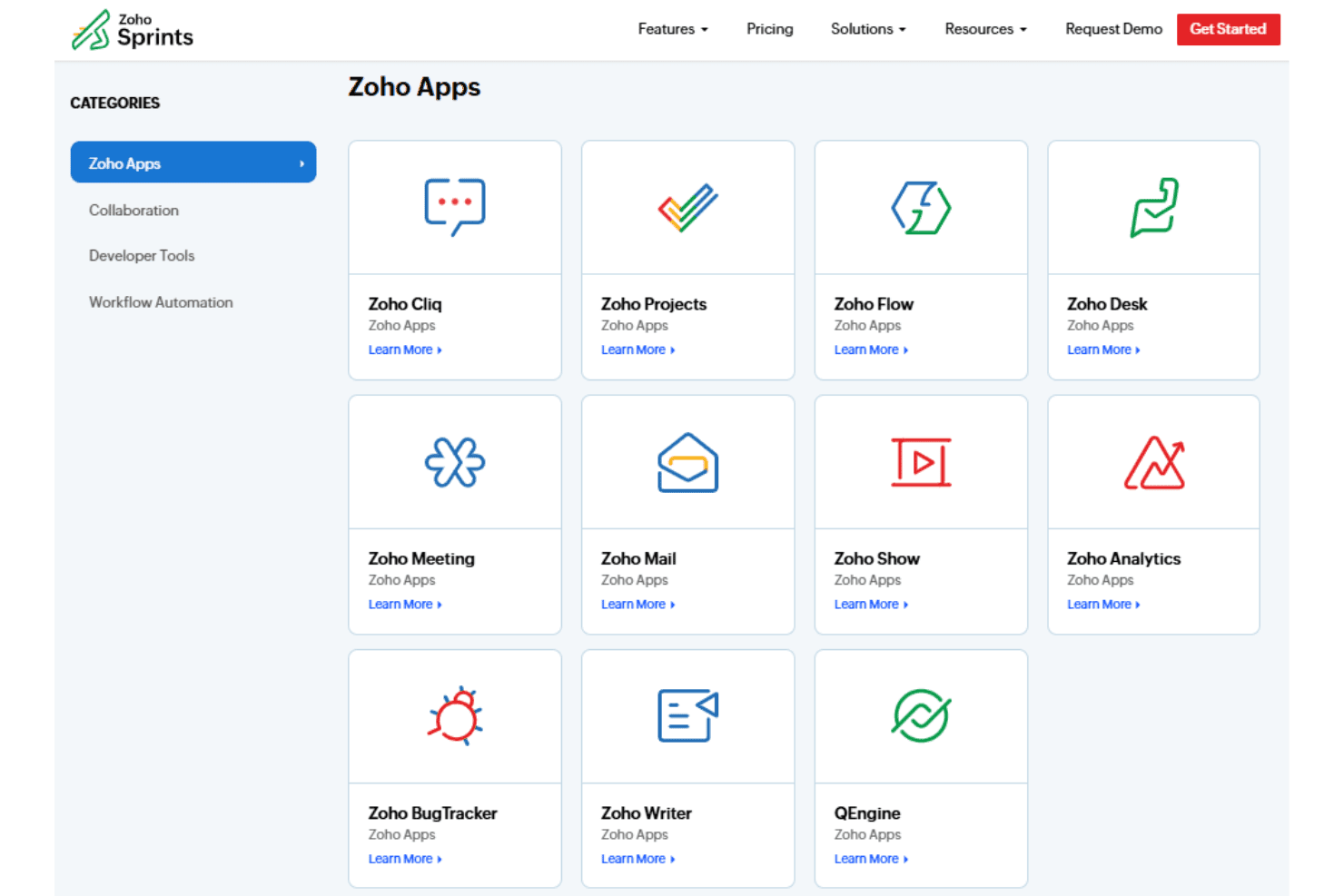
Zoho Sprints integrates with Zoho Cliq, Zoho Projects, Zoho Flow, Zoho Desk, Zoho Analytics, Microsoft Teams, Google Workspace, Jira, GitHub, and GitLab, among others.
Zoho Sprints also provides a REST API and supports third-party integration tools such as Zapier.
Zoho Sprints Specs
- API: Yes
- Approval Workflows: Yes
- Batch Permissions & Access: Yes
- Budgeting: Yes
- Calendar Management: Yes
- Contact Management: Yes
- Contact Sharing: Yes
- Custom Reports: Yes
- Customer Management: Yes
- Dashboard: Yes
- Dashboards: Yes
- Data Export: Yes
- Data Import: Yes
- Data Visualization: Yes
- Document Management: Yes
- Expense Tracking: Yes
- External Integrations: Yes
- Gantt Charts: Yes
- Multi-User: Yes
- Notifications: Yes
- Process Modeling: Yes
- Project Management: Yes
- Resource Management: Yes
- Risk Assessment: Yes
- Roadmapping: Yes
- Scheduling: Yes
- Task Scheduling/Tracking: Yes
- Third-Party Plugins/Add-Ons: Yes
- Travel Management: Yes
- Workflow Management: Yes