
Reseña de Crosscheck Networks SOAPSonar 2026: Características, Ventajas, Desventajas y Precios
Crosscheck Networks SOAPSonar es una herramienta de pruebas de API diseñada para pruebas de seguridad, rendimiento y funcionalidad. Descubre cómo sus características ayudan a los equipos a validar y mejorar la fiabilidad de las API.

Revisamos herramientas de forma independiente y las comisiones ayudan a financiar nuestras pruebas. Consulta nuestra política de transparencia, nuestra metodología o sugiere una herramienta.
Crosscheck Networks SOAPSonar is an API testing tool built specifically for SOAP and REST web services. I'd consider it if your team needs to run functional, load, and security tests against web service endpoints. It's particularly useful in enterprise environments where SOAP protocol depth matters. If you've used SoapUI, SOAPSonar covers similar ground but goes further with built-in security testing and compliance-focused reporting. That makes it a stronger fit for teams with stricter validation requirements.
Crosscheck Networks SOAPSonar Evaluation Summary
0/5
- From $20.75/month (billed annually)
- Free demo available
Por qué confiar en nuestras recomendaciones de software
6,700+
Reviews
20
Industry experts
16+
Evaluation factors
14
Years
Nuestro equipo lleva probando y evaluando software desde 2012. Como líderes tecnológicos, sabemos lo difícil —y lo importante— que es elegir el software adecuado.
Para esta guía, evaluamos las herramientas mediante pruebas prácticas e investigación independiente, puntuando las herramientas según nuestros criterios de selección.
Nuestras reseñas reflejan nuestro criterio editorial humano, no un discurso de ventas.
Revisores expertos:
- Paulo Gardini MiguelDirector técnico
 Tim FisherVP de IA
 Gabriel RosasTech Lead y arquitecto de software
 Christhian GruhnTech Lead y arquitecto de plataforma

Crosscheck Networks SOAPSonar Overview
When I judge SOAPSonar as an API testing tool, I think its granular security testing and protocol coverage easily beat many others, especially for SOAP-heavy or highly regulated projects. While the interface feels dated and integrations are limited, its powerful endpoint validation and automation are clear strengths.
If your team needs strong compliance, layered testing, or legacy support, SOAPSonar should be high on your list, though you may want to weigh onboarding and integration tradeoffs before choosing it.
Pros
- Advanced support for SOAP, REST, and legacy web services
- Detailed security testing features for comprehensive validation
- Automated regression testing for repeated API checks
Cons
- Outdated user interface compared to modern competitors
- Limited integration options with CI/CD and modern toolchains
- Sparse community presence and fewer updated learning resources
Is Crosscheck Networks SOAPSonar Right For Your Needs?
Who Would be a Good Fit for Crosscheck Networks SOAPSonar?
SOAPSonar delivers the most value for organizations that require advanced security validation, strict protocol compliance, or need to support SOAP alongside modern and legacy web services. Teams in healthcare, banking, and the public sector that manage sensitive data or regulated environments should find its security testing and policy enforcement features compelling.
Enterprises with legacy infrastructure, compliance-driven IT departments, and roles focused on integration or regression testing will get the most from its specialized capabilities.
- Healthcare ComplianceHealthcare IT teams need SOAPSonar’s security and compliance validation to test APIs touching patient or insurance data.
- Financial ServicesBanks and fintech companies benefit from detailed regression and security tests across legacy SOAP and mixed-protocol environments.
- Government AgenciesPublic sector teams handling regulated data get value from SOAPSonar’s policy enforcement and audit features.
- Enterprise IntegrationsLarge companies with complex, multi-system workflows can tackle regression, load, and security scenarios within one dedicated tool.
- QA DepartmentsDedicated QA roles who require automated regression and data-driven test coverage appreciate SOAPSonar’s customizable test scenarios.
- Regulated UtilitiesUtilities working under strict cybersecurity mandates need tools like SOAPSonar for in-depth vulnerability assessment and compliance tracking.
Who Would be a Bad Fit for Crosscheck Networks SOAPSonar?
Smaller organizations, agile teams, or those heavily invested in microservices and cloud-first architectures may find SOAPSonar unnecessarily complex or lacking integration breadth. Teams relying on broad third-party integrations, rapidly evolving tech stacks, or needing extensive user community support can encounter friction in ramp-up and day-to-day usage.
Startups, marketing teams, modern app developers, or roles needing maximum ease of use will find its interface and manual processes challenging compared to newer solutions.
- Small StartupsStartups with limited resources might find SOAPSonar’s interface and learning curve too steep compared to lighter solutions.
- Agile Dev TeamsAgile software teams focused on CI/CD and rapid iteration will miss built-in modern integrations and intuitive UI.
- Marketing DepartmentsMarketing or non-technical users need easier, more visual tools than SOAPSonar provides.
- Modern App DevelopersTeams building REST-first, serverless, or GraphQL APIs want native support for newer protocols and cloud features.
- Educational InstitutionsUniversities and schools benefit more from simpler tools with wider documentation and community resources.
- E-commerce SMBsSmall- to mid-size ecommerce businesses don’t usually need the depth of security and compliance features provided by SOAPSonar.
Nuestra metodología de revisión
Cómo probamos y puntuamos las herramientas
Hemos invertido años construyendo, refinando y mejorando nuestro sistema de pruebas y puntuación de software. La rúbrica está diseñada para captar los matices de la selección de software y lo que hace a una herramienta efectiva, enfocándose en aspectos críticos del proceso de toma de decisiones.
A continuación, puedes ver exactamente cómo nuestro sistema de prueba y puntuación funciona a través de siete criterios. Esto nos permite ofrecer una evaluación imparcial del software basada en funcionalidad central, características destacadas, facilidad de uso, incorporación, soporte al cliente, integraciones, reseñas de clientes y relación calidad-precio.
Funcionalidad principal (25% de la puntuación final)
El punto de partida de nuestra evaluación siempre es la funcionalidad central de la herramienta. ¿Tiene las características y funciones básicas que un usuario esperaría encontrar? ¿Alguna de esas funciones principales está limitada a planes de precios superiores? Esperamos que una herramienta esté a la altura de las capacidades básicas de sus competidores.
Características destacadas (25% de la puntuación final)
Luego, evaluamos las características poco comunes y sobresalientes que van más allá de la funcionalidad principal que normalmente se encuentra en herramientas de su tipo. Una puntuación alta refleja características especializadas o únicas que hacen el producto más rápido, eficiente o que ofrecen valor adicional al usuario.
También evaluamos qué tan fácil es integrar con otras herramientas que normalmente forman parte del ecosistema tecnológico para expandir la funcionalidad y utilidad del software. Las herramientas que ofrecen abundantes integraciones nativas, conexiones de terceros y acceso API para crear integraciones personalizadas obtienen la mejor puntuación.
Facilidad de uso (10% de la puntuación final)
Consideramos cuán rápido y sencillo es ejecutar las tareas definidas por la funcionalidad principal usando la herramienta. El software con mejor puntuación está bien diseñado, es intuitivo, ofrece aplicaciones móviles, proporciona plantillas y hace que tareas relativamente complejas parezcan sencillas.
Incorporación (10% de la puntuación final)
Sabemos lo importante que es la adopción rápida por parte del equipo para una nueva plataforma, por lo que evaluamos cuán fácil es aprender y usar una herramienta con entrenamiento mínimo. Evaluamos cuán rápido un miembro del equipo puede configurarla y comenzar a utilizarla sin experiencia previa. Las soluciones con mayor puntuación requieren poco o ningún soporte.
Soporte al cliente (10% de la puntuación final)
Revisamos qué tan rápido y sencillo es resolver dudas y encontrar ayuda por teléfono, chat en vivo o base de conocimientos. Las herramientas y compañías que proporcionan soporte en tiempo real obtienen la mejor puntuación, mientras que los chatbots obtienen la peor.
Reseñas de clientes (10% de la puntuación final)
Además de nuestras pruebas y evaluaciones, consideramos la puntuación neta de promotores por parte de clientes actuales y anteriores. Revisamos la probabilidad de que elijan la herramienta de nuevo para la funcionalidad principal. Una puntuación alta refleja una alta puntuación neta de promotores actuales o pasados.
Relación calidad-precio (10% de la puntuación final)
Por último, considerando todos los demás criterios, revisamos el precio promedio de los planes de nivel básico comparado con las funciones principales y consideramos el valor de los demás criterios de evaluación. El software que ofrezca más, por menos, obtendrá una puntuación mayor.
Core Features
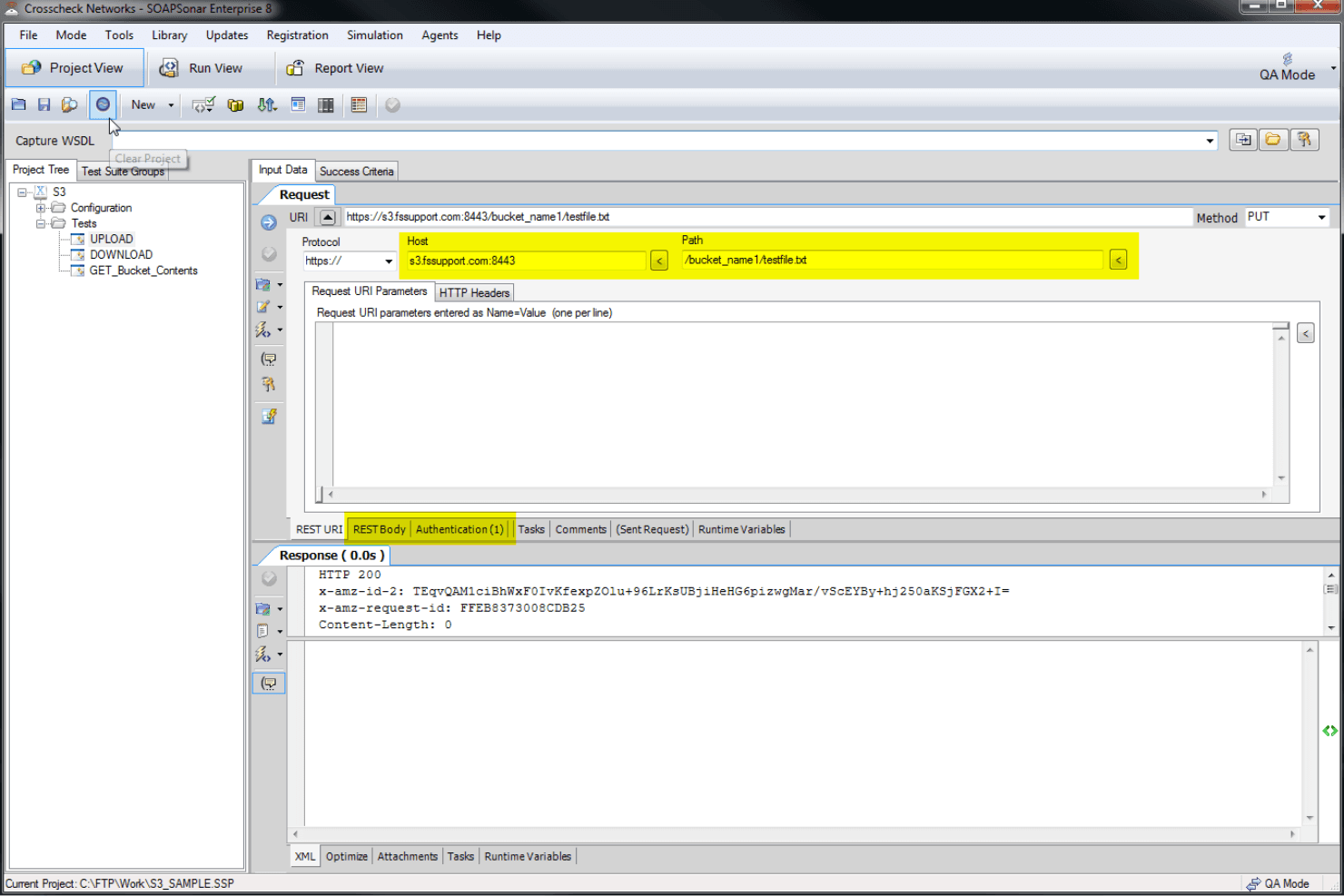
Automated Regression Testing
Run large API test suites on a schedule to detect errors after updates or releases. SOAPSonar helps teams validate changes without manually repeating the same test cycles.
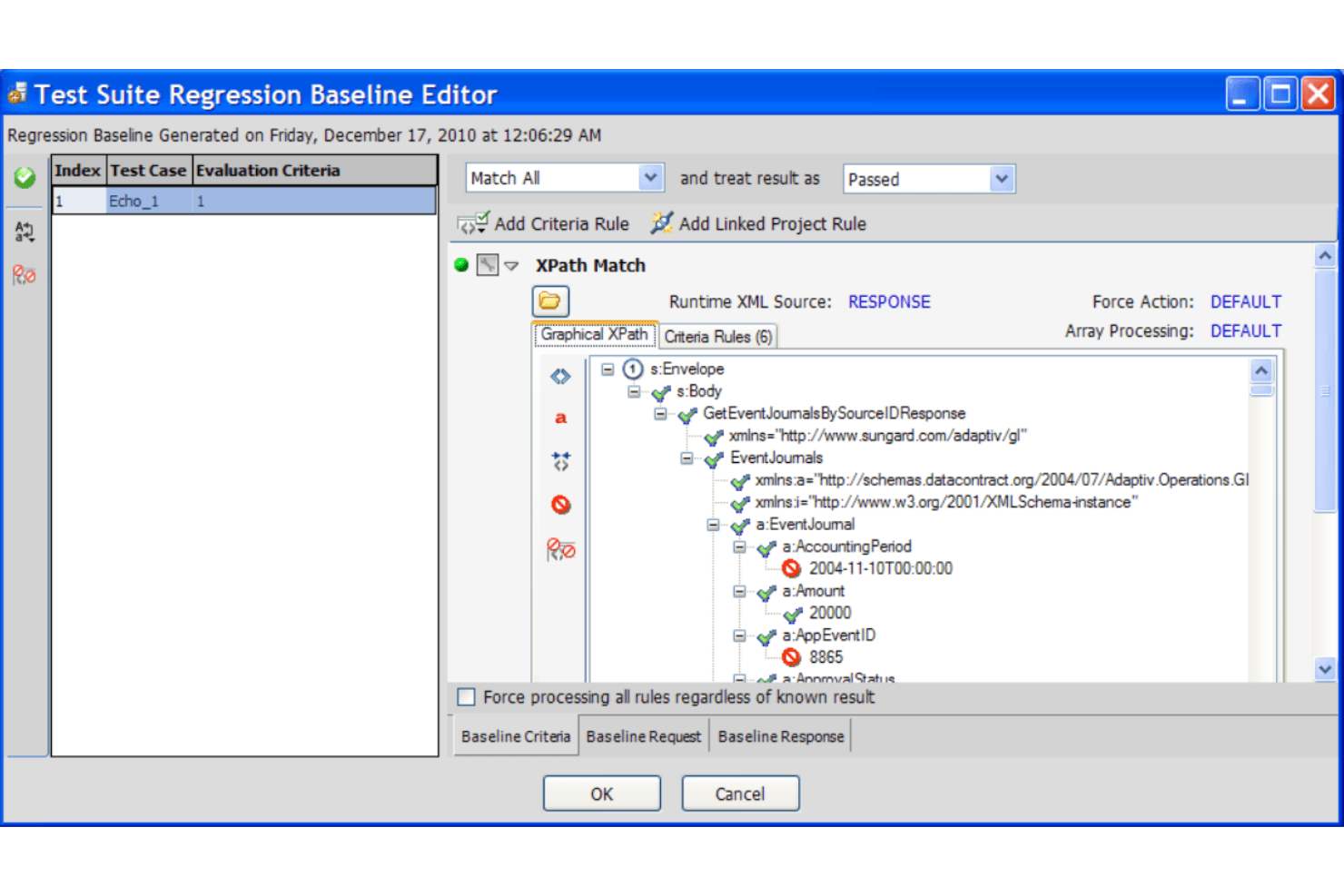
Security Vulnerability Assessment
Identify API security risks, including injection attacks, XML threats, and other vulnerabilities. Teams can use detailed reports to find weaknesses and improve protection.
Performance and Load Testing
Simulate different traffic levels to measure API stability, speed, and reliability under pressure. SOAPSonar helps teams identify bottlenecks before they impact users.
Data-Driven Testing
Run API tests with different data sets to validate multiple scenarios and conditions. This helps teams improve coverage for complex workflows and endpoint logic.
Compliance and Policy Validation
Validate APIs against internal policies and security standards like WS-Security. Teams can check requirements directly within their testing process.
SOAP and REST Protocol Support
Test SOAP, REST, and mixed web services from one platform. SOAPSonar supports complex API structures, authentication, and legacy service requirements.
Ease of Use
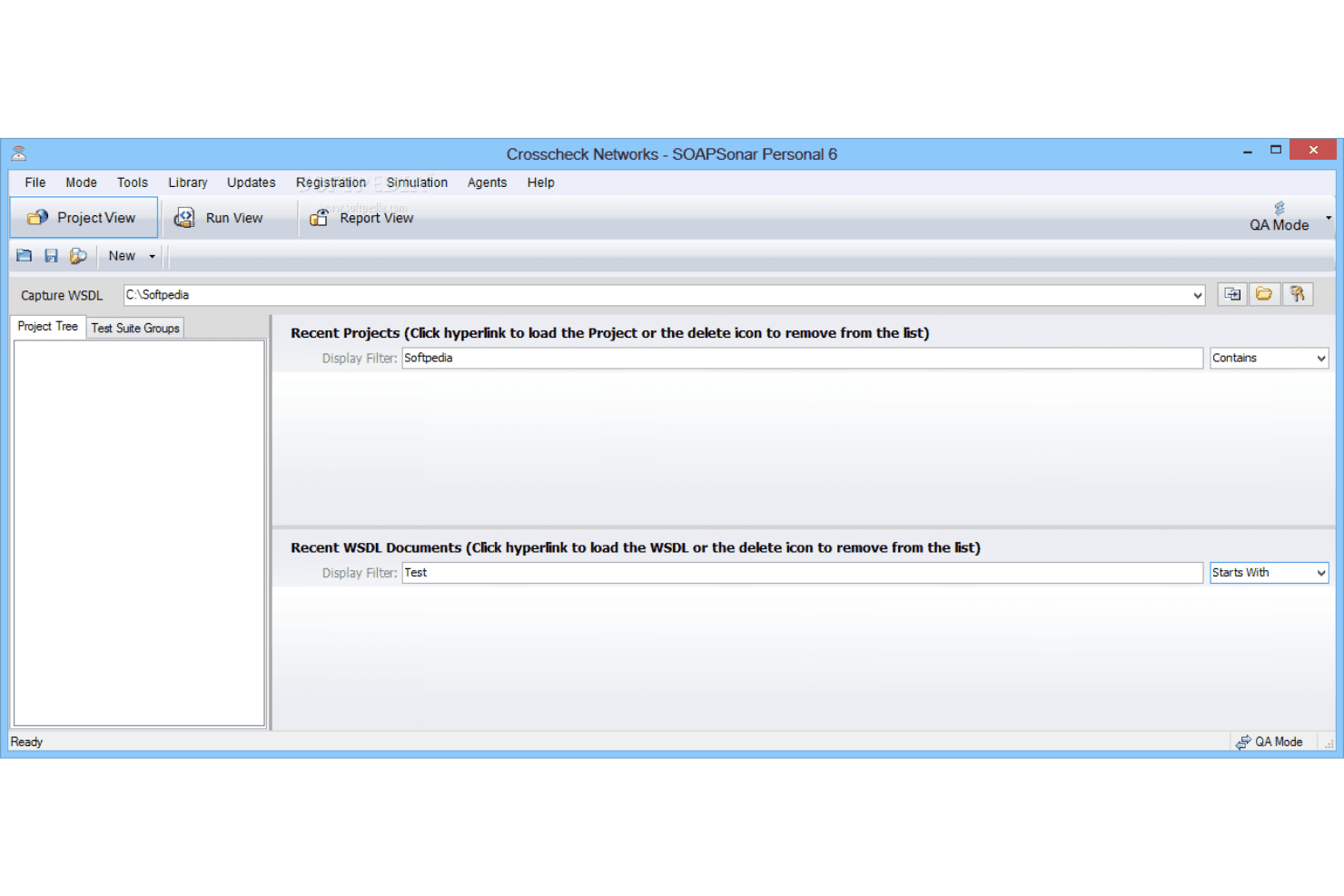
SOAPSonar’s interface feels dated, and some menu structures can be unintuitive, which users frequently mention. However, the platform balances this with powerful automation and visual test builders, making it easier to design complex workflows once you’re familiar with its approach.
I think experienced testers working in compliance or legacy-heavy environments will get the most from its feature depth.
Integrations
Crosscheck Networks SOAPSonar integrates with CloudPort, Amazon AWS API, Excel, Database tables, Windows Certificate Store, Java Keystore, SmartCard readers, SAML authentication providers, OAuth providers, and Kerberos authentication.
SOAPSonar does not offer a public API for third-party integrations and does not natively connect with third-party integration tools.
Crosscheck Networks SOAPSonar Specs
- A/B Testing: Yes
- API: Yes
- Automated Testing: Yes
- Browser Compatibility Testing: No
- Bug Tracking: No
- Calendar Management: No
- CI/CD Integration: Yes
- Dashboard: Yes
- Data Export: Yes
- Data Import: Yes
- Data Visualization: Yes
- Developer Tools: Yes
- External Integrations: Yes
- History/Version Control: No
- Manual Testing: Yes
- Multi-User: Yes
- Notifications: Yes
- Performance Testing: Yes
- Regression Testing: Yes
- Scheduling: Yes
- Status Notifications: Yes
- Third-Party Plugins/Add-Ons: Yes


