

Bubble Review 2026: Key Features, Pros, Cons, and Pricing
Bubble empowers non-coders to build robust web apps visually, but its flexibility comes with a learning curve and scaling limits compared to traditional coding platforms.

We review tools independently, and commissions help fund our testing. See our transparency policy, our methodology, or suggest a tool.
Bubble is an application development software for teams that need to build and ship functional web apps without writing code. It gives you a visual editor for designing interfaces alongside a logic and database layer for handling real app behavior. I'd consider it over something like OutSystems if you want that same flexibility to build custom workflows and data structures, but without the enterprise pricing and heavy implementation overhead that comes with it.
Bubble Evaluation Summary

4.4/5
- From $29/month (billed annually)
- Free plan + free trial available
Why Trust Our Software Recommendations
6,700+
Reviews
20
Industry experts
16+
Evaluation factors
14
Years
Our team has been testing and reviewing software since 2012. As tech leaders ourselves, we know how difficult—and important—it is to choose the right software.
For this guide, we evaluated tools using hands-on testing and independent research, scoring tools using our selection criteria.
Our reviews reflect our human editorial judgment, not a sales pitch.
Expert reviewers:
- Paulo Gardini MiguelTech Director
 Tim FisherVP of AI
 Gabriel RosasTech Lead & Software Architect
 Christhian GruhnTech Lead & Platform Architect

Bubble Overview
When judging Bubble against other development software, its visual editor and no-code logic make it a top pick for rapid prototyping and launching MVPs. The pricing is transparent, and the interface is approachable for non-developers, though advanced integrations and scaling can be limiting. Onboarding is straightforward, with strong documentation and community support. Bubble excels for startups, internal tools, and teams prioritizing speed over deep customization.
If you’re selecting a platform for quick iteration and easy updates, Bubble stands out, but those needing complex backend logic or high-traffic scalability may find its limits sooner than with code-based solutions.
Pros
- Active community and extensive documentation for troubleshooting
- Built-in hosting, security, and database management included
- Visual editor supports full-stack web and mobile app creation
Cons
- Pricing increases sharply as app usage scales
- Performance can lag with complex or high-traffic apps
- No source code export creates vendor lock-in
Is Bubble Right For Your Needs?
Who Would be a Good Fit for Bubble?
Startups and small businesses looking to quickly prototype and launch web apps without heavy investment in development teams would thrive with Bubble. Marketing teams can benefit from its visual editor to tailor campaigns, while HR departments can create internal portals without coding expertise. Bubble’s ability to customize apps aligns well with industries that require specific workflows, such as education or healthcare. Its no-code platform empowers non-tech-savvy users to bring ideas to life, making it ideal for entrepreneurs with limited resources.
- FreelancersFreelancers can deliver client web apps quickly using Bubble’s templates and plugins.
- Education TechnologyEducators can create interactive learning platforms without coding resources.
- Product ManagementProduct managers can test features and gather feedback before full-scale development.
- Small BusinessesOwners can launch customer portals or booking systems without hiring developers.
- Internal ToolsDepartments can build custom dashboards and workflows without IT bottlenecks.
- Startup MVPsBubble enables fast prototyping and iteration for early-stage product validation.
Who Would be a Bad Fit for Bubble?
Large enterprises needing highly scalable, complex applications might struggle with Bubble due to its limited scalability options. Tech-heavy industries like fintech or gaming, which require intricate backend processes and real-time data handling, could find Bubble’s no-code approach insufficient. Development teams focused on building highly customized and performance-intensive applications may also find the platform restrictive, as Bubble’s performance can lag with complex apps.
- Large EnterprisesYou might find Bubble’s scalability limitations a hindrance for growing applications.
- DevOps TeamsNo direct access to infrastructure or source code for custom workflows.
- Game DevelopmentBubble does not support real-time graphics or game engine features.
- Complex SaaS ProductsAdvanced backend logic and custom APIs are harder to implement.
- Regulated IndustriesLimited support for HIPAA, SOC 2, or other strict compliance standards.
- Large EnterprisesBubble lacks advanced compliance and scalability for enterprise-grade deployments.
Our Review Methodology
How We Test & Score Tools
We’ve spent years building, refining, and improving our software testing and scoring system. The rubric is designed to capture the nuances of software selection and what makes a tool effective, focusing on critical aspects of the decision-making process.
Below, you can see exactly how our testing and scoring works across seven criteria. It allows us to provide an unbiased evaluation of the software based on core functionality, standout features, ease of use, onboarding, customer support, integrations, customer reviews, and value for money.
Core Functionality (25% of final scoring)
The starting point of our evaluation is always the core functionality of the tool. Does it have the basic features and functions that a user would expect to see? Are any of those core features locked to higher-tiered pricing plans? At its core, we expect a tool to stand up against the baseline capabilities of its competitors.
Standout Features (25% of final scoring)
Next, we evaluate uncommon standout features that go above and beyond the core functionality typically found in tools of its kind. A high score reflects specialized or unique features that make the product faster, more efficient, or offer additional value to the user.
We also evaluate how easy it is to integrate with other tools typically found in the tech stack to expand the functionality and utility of the software. Tools offering plentiful native integrations, 3rd party connections, and API access to build custom integrations score best.
Ease of Use (10% of final scoring)
We consider how quick and easy it is to execute the tasks defined in the core functionality using the tool. High scoring software is well designed, intuitive to use, offers mobile apps, provides templates, and makes relatively complex tasks seem simple.
Onboarding (10% of final scoring)
We know how important rapid team adoption is for a new platform, so we evaluate how easy it is to learn and use a tool with minimal training. We evaluate how quickly a team member can get set up and start using the tool with no experience. High scoring solutions indicate little or no support is required.
Customer Support (10% of final scoring)
We review how quick and easy it is to get unstuck and find help by phone, live chat, or knowledge base. Tools and companies that provide real-time support score best, while chatbots score worst.
Customer Reviews (10% of final scoring)
Beyond our own testing and evaluation, we consider the net promoter score from current and past customers. We review their likelihood, given the option, to choose the tool again for the core functionality. A high scoring software reflects a high net promoter score from current or past customers.
Value for Money (10% of final scoring)
Lastly, in consideration of all the other criteria, we review the average price of entry level plans against the core features and consider the value of the other evaluation criteria. Software that delivers more, for less, will score higher.
Core Features
Visual Editor
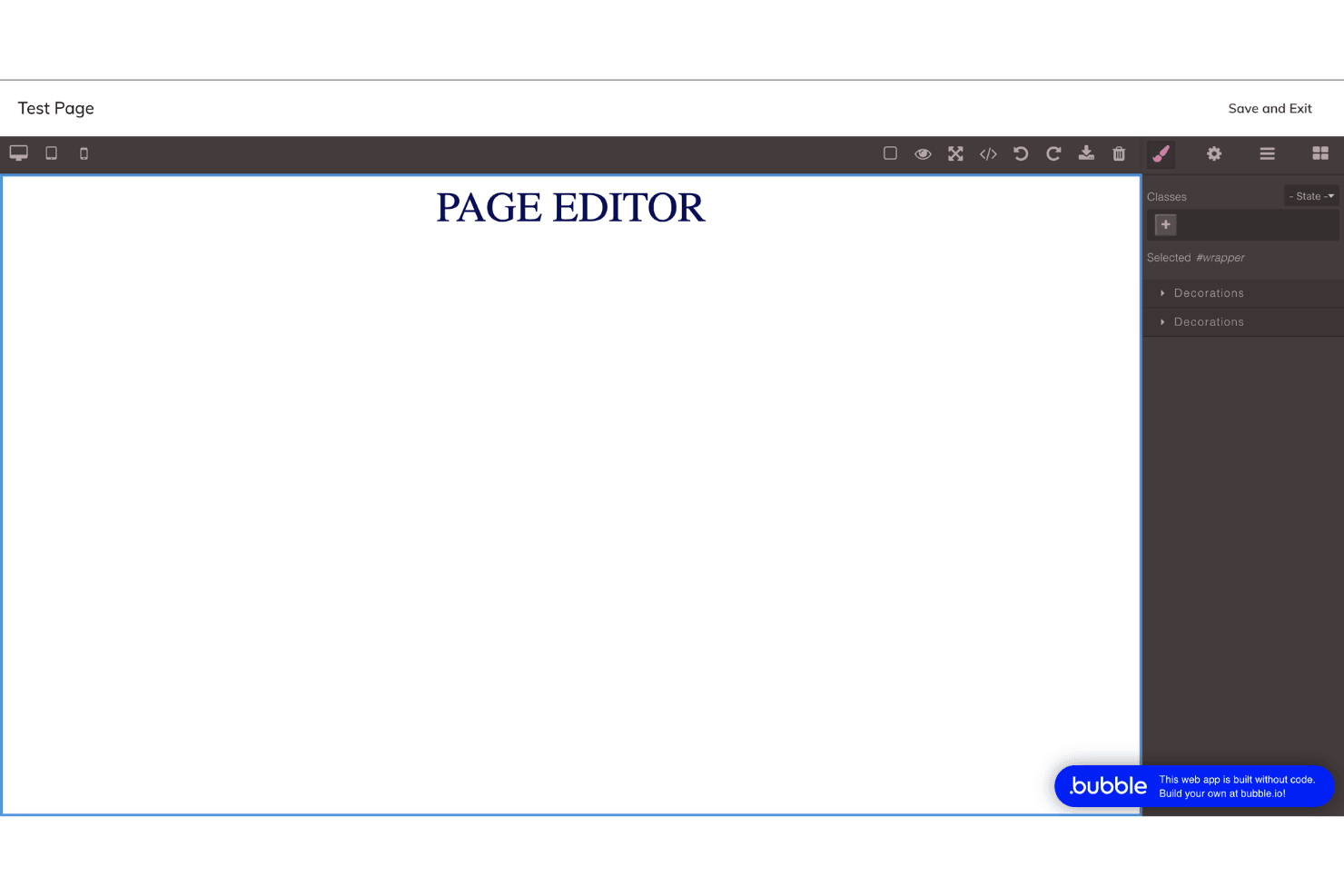
Design web app interfaces by dragging and dropping elements onto a canvas. Users can customize layouts, workflows, and logic without writing code.
Workflow Automation
Set up custom workflows to automate app logic, user actions, and data processing. Trigger events based on user input, scheduled times, or system changes.
Built-In Database
Create, manage, and query structured data directly within Bubble’s platform. Store user profiles, transactions, or any custom data types securely.
Responsive Design Tools
Adjust layouts for different devices using Bubble’s responsive settings. Preview and fine-tune how your app looks on mobile, tablet, and desktop.
User Authentication
Add sign-up, login, and password reset flows with built-in authentication. Control user access and roles without external plugins.
Hosting and Deployment
Launch your app to the web instantly with Bubble’s managed hosting. No need to configure servers or manage infrastructure.
Standout Features
Plugin Marketplace
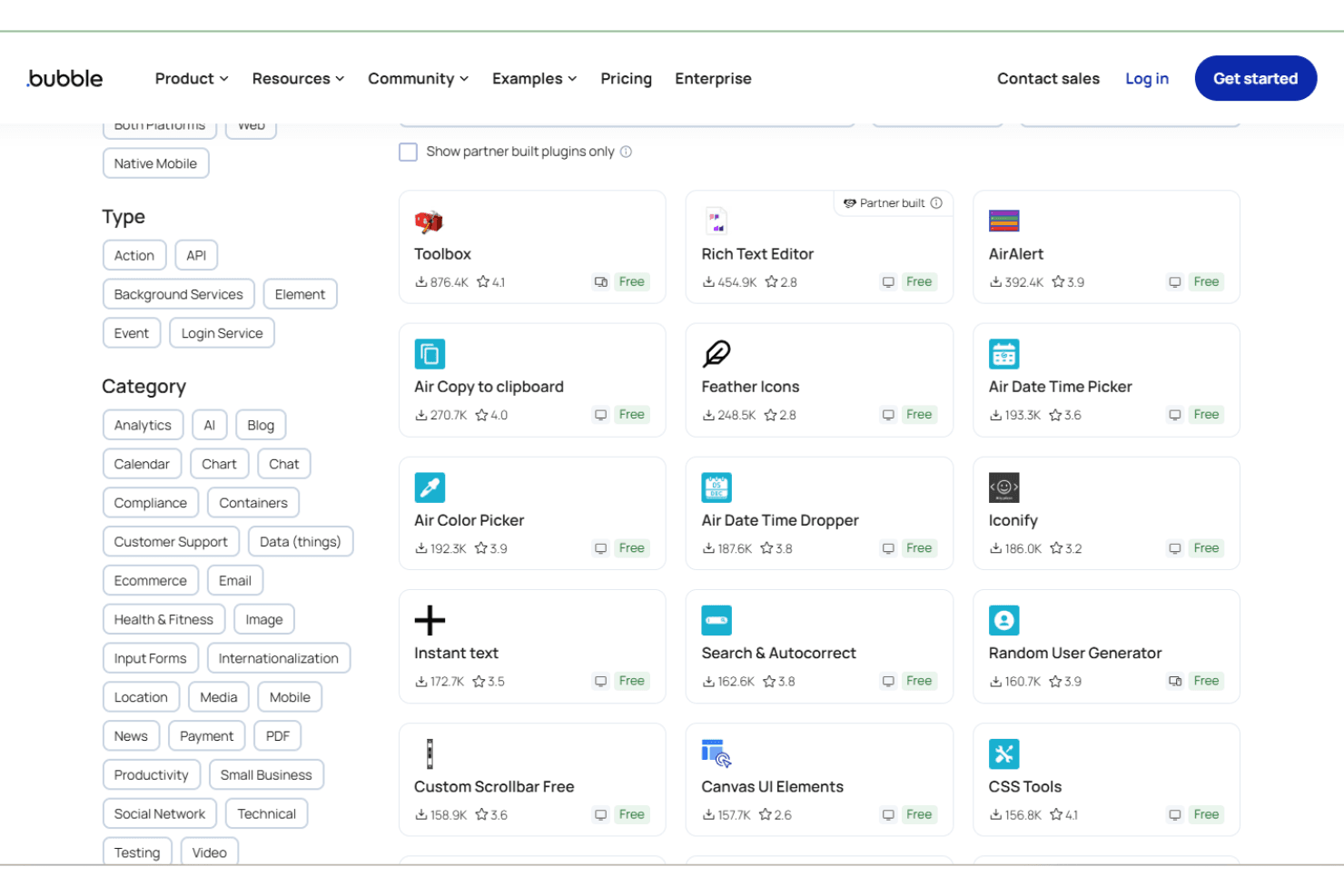
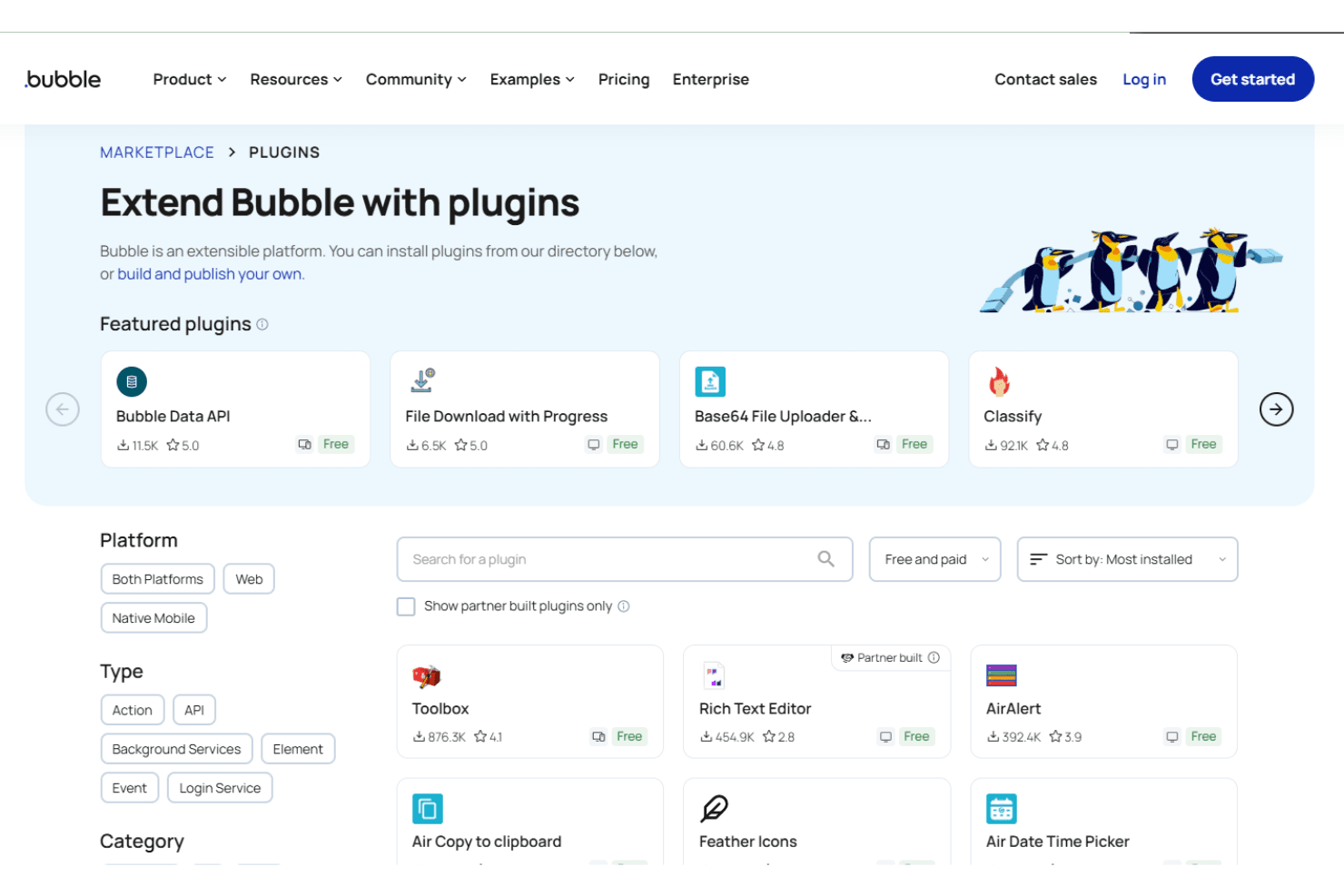
Bubble offers a built-in marketplace where users can add pre-built plugins for payments, analytics, and more. This lets you extend your app’s functionality quickly without custom development.
Version Control
Bubble includes visual version control, allowing you to create, test, and roll back app changes safely. Teams can experiment with new features without risking the live application.
Ease of Use
Bubble stands out for its approachable drag-and-drop interface and visual workflow builder, making app creation accessible to non-developers. Users consistently praise the clear documentation and active community, which help flatten the initial learning curve. While mastering advanced features takes time, most users find the platform intuitive for building prototypes and launching simple apps.
The ability to see changes in real time and avoid manual coding makes Bubble notably user-friendly compared to traditional development tools.

Onboarding
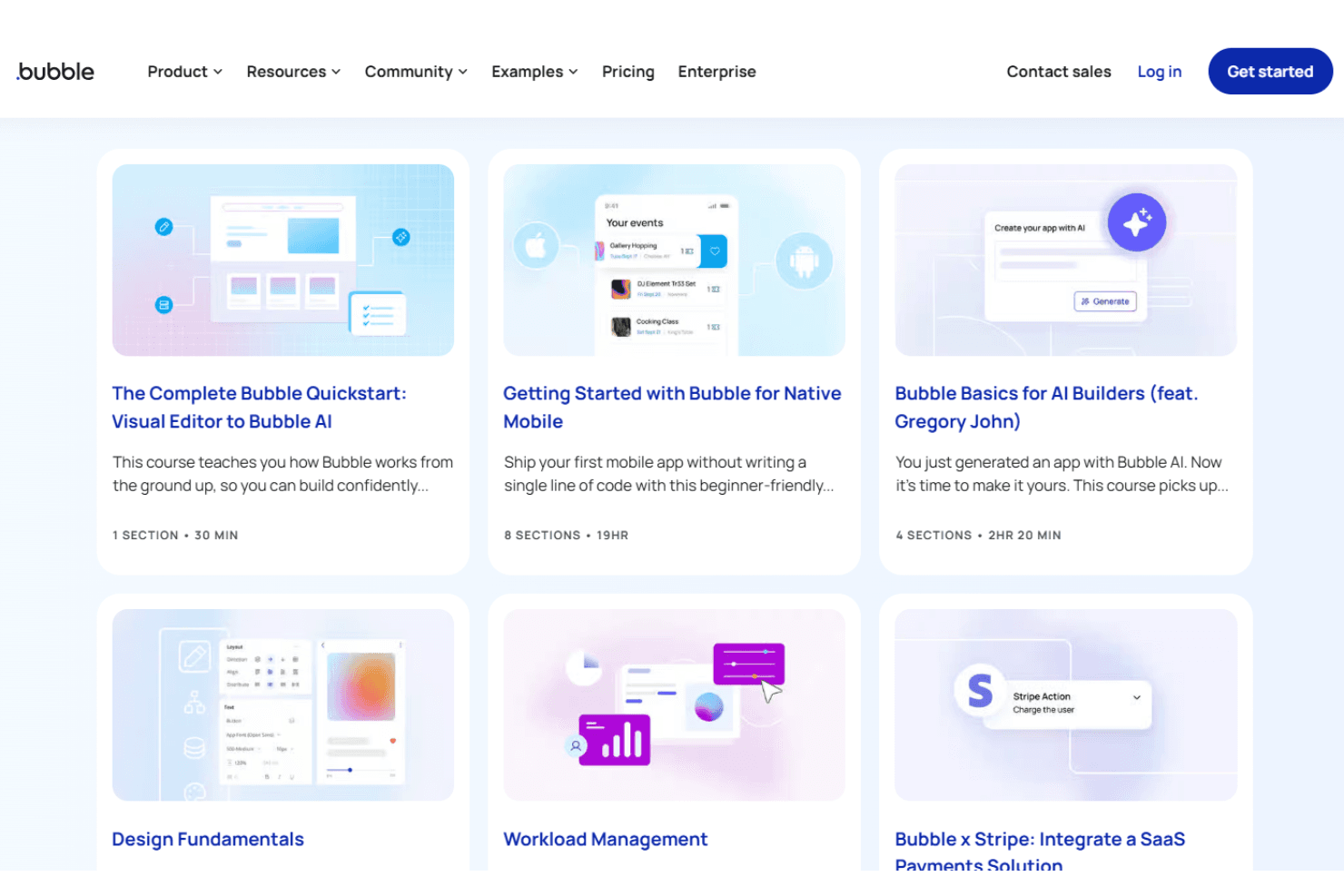
Bubble’s onboarding experience is well-structured, with interactive tutorials, guided lessons, and a comprehensive knowledge base that help new users get started quickly. Many users highlight the value of the active forum and video walkthroughs for troubleshooting and learning best practices. The platform’s template library also accelerates time to value, letting users launch functional prototypes in days rather than weeks. Overall, Bubble’s onboarding resources make it accessible for both technical and non-technical users.
Customer Support
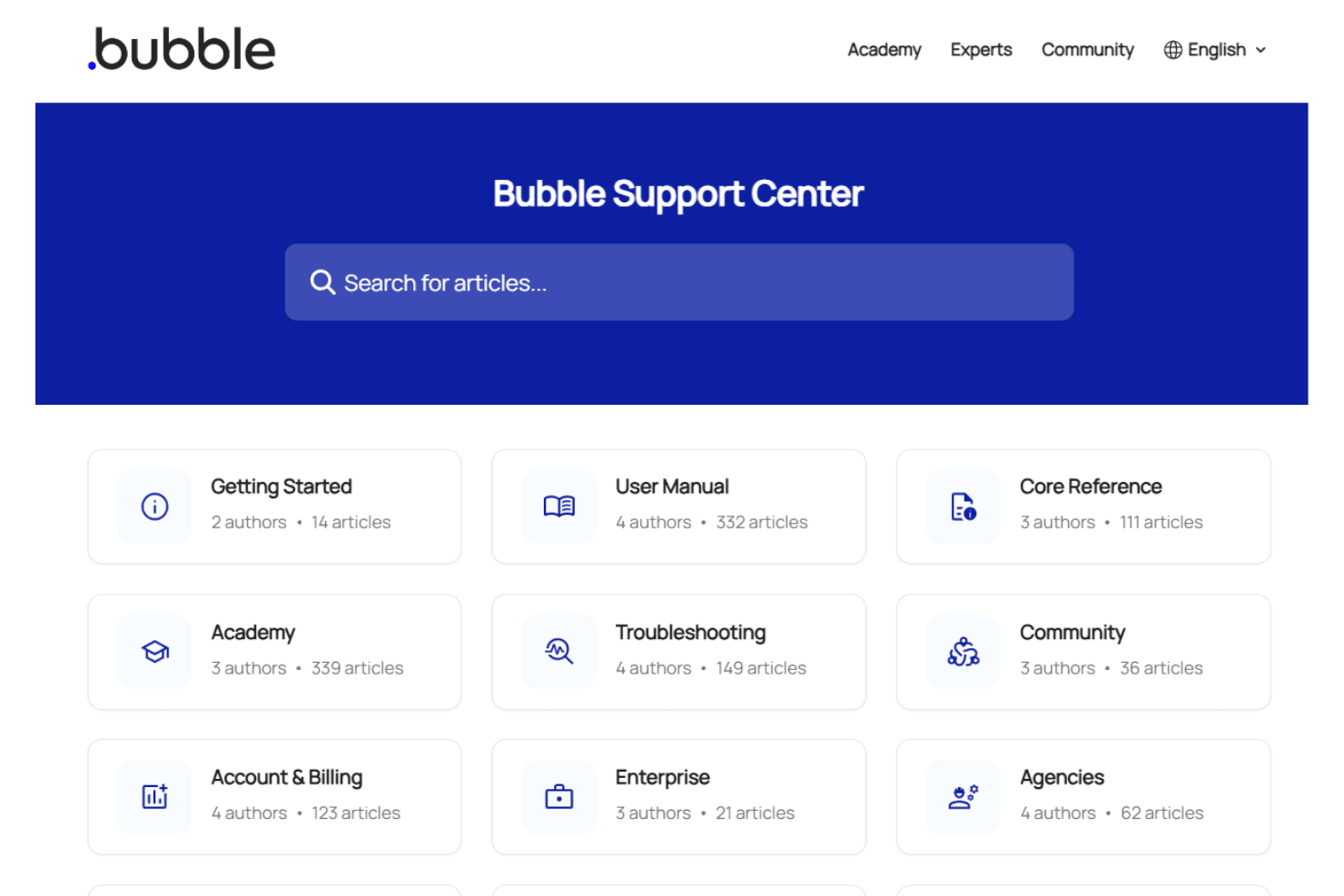
Bubble offers multiple support channels, including email support, a detailed help center, and an active user forum. Users often mention quick responses for paid plans but note slower replies on free tiers. The community forum is especially valuable for peer-to-peer troubleshooting and sharing solutions. While some users wish for live chat or phone support, the combination of documentation, tutorials, and community engagement generally meets the needs of most teams building on Bubble.
Integrations
Bubble integrates with Stripe, Google Analytics, Mailchimp, Airtable, Algolia, Twilio, SendGrid, Slack, Facebook, and Google Maps, among others.
Bubble also provides a Data API and supports connecting with third-party integration tools for custom workflows and external data sources.
Value for Money
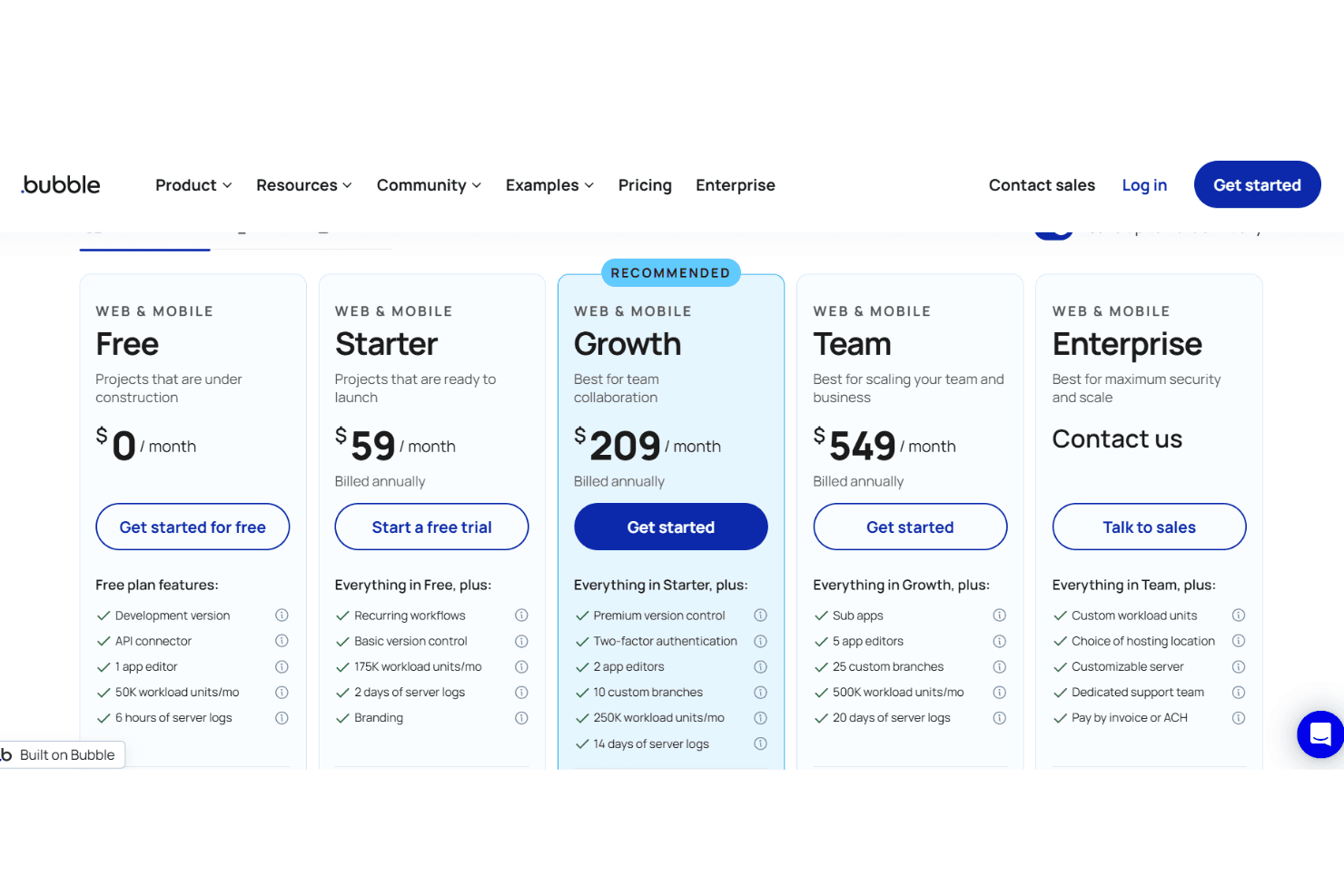
Bubble is often seen as affordable for startups and small teams, especially given its free tier and flexible pricing. Users appreciate the pay-as-you-grow model, but some note costs can rise quickly with increased app usage or advanced features. The platform’s included hosting, security, and database management add significant value for non-technical users. Plans include:
- Free: Basic app building with Bubble branding and limited capacity.
- Starter: Custom domain support, higher capacity, and email support.
- Growth: Increased capacity, API access, and priority support.
- Team: Collaboration features, advanced version control, and even higher capacity.
- Enterprise: Custom SLAs, dedicated infrastructure, and advanced security options.
Bubble Specs
- Analytics: No
- API: Yes
- Calendar Management: No
- Chat: No
- Click-to-Dial: No
- CRM Integration: No
- Customer Management: No
- Customer Service: No
- Dashboard: Yes
- Dashboards: Yes
- Data Export: Yes
- Data Import: Yes
- Data Visualization: No
- External Integrations: Yes
- Feedback Management: No
- Knowledge Base: No
- Lead Management: No
- Lead Scoring: No
- Multi-Source Feedback: No
- Multi-User: Yes
- Net Promoter Score: No
- Notifications: Yes
- Omnichannel Referrals: No
- Online Surveys: No
- Review Moderation: No
- Scheduling: No
- Sentiment Analysis: No
- Social Media Monitoring: No
Bubble FAQs
Bubble Company Overview & History
Bubble is a no-code app development platform founded to make software creation accessible to everyone, regardless of technical background. Headquartered in the United States, Bubble has enabled users in over 100 countries to build more than 6 million apps, with $850 million in app transactions processed in {{year}}. The company is backed by investors such as SignalFire, Insight Partners, Neo, and Betaworks Ventures. Bubble is known for its user-centric values, transparent work culture, and commitment to empowering both technical and non-technical creators.
Bubble Major Milestones
- 2012: Bubble founded by Emmanuel Straschnov and Josh Haas.
- 2015: Public launch of the Bubble platform.
- 2021: Secured major funding from Insight Partners and other investors.
- 2024: Reached $850 million in app transactions and expanded to 104 countries.
- 2025: Launched Bubble AI Agent and introduced advanced mobile development features.
- 2026: Surpassed 6 million apps built on the platform.